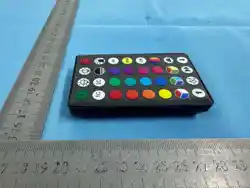
Functions
SteadyRed/White/Green
SteadyGreen/Teal/White
SteadyRed/White/Blue
SteadyOrange/Green/Yellow
SteadyRed/White
SteadyOrange/Purple
SteadyRainbowMulti
SlowFadeRainbowMulti
Functions
RGB1:1SlowFade
RGBSlowChasing
RGBFastChasing
SectionLighting
FullRGBFlip
SlowChasingRGB
FastChasingRGB
Chasing/SlowFadeRainbow
BlinkingMultiChaseSpeedRGB
RainbowSinglularBulbColorChangeAtTheSame
Time
1CSteady,2CJump,RGB
SlowFadeRGB
Functions
Fade
Grow
Snake
Wave
Sparkle
Chasing
Twinkle
Icicle
Findyourfavoritecolorontheremote’scolorpad
andsimplypushthebuttontosetalllightsthe
samecolor.
Red
Red/Orange
Orange
Yellow
Green
LightAqua
Teal
Blue
Purple
Lilac
Pink
HotPink
WarmWhite
CoolWhite
Red/Blue/CoolWhite
Purple/Green/Teal
Red/Green/WarmWhite
Rainbow
Dualcolorselection
(1C,2C)
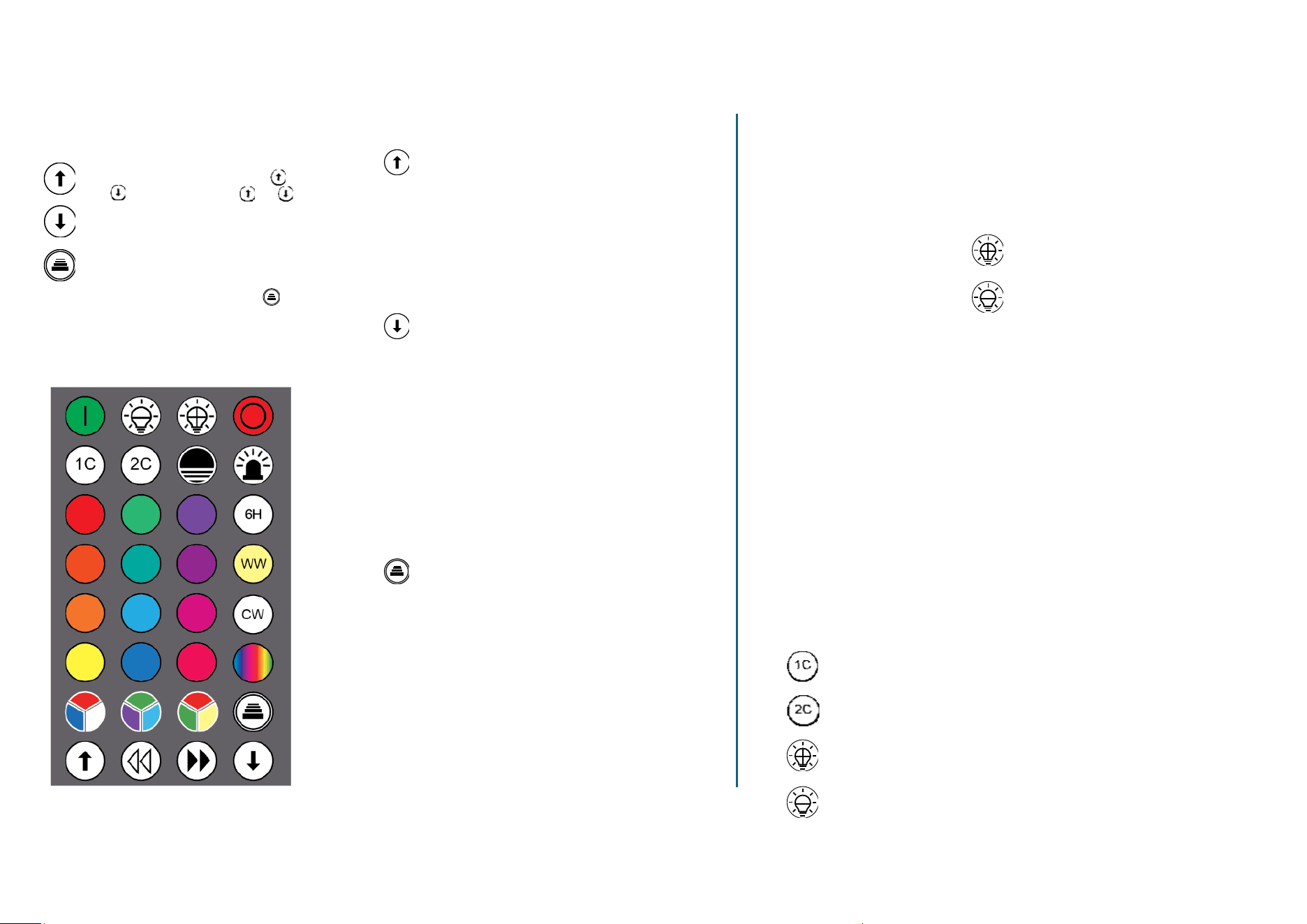
Selectoneof20modeswiththe
andbuttons.Presstheor
Buttontocyclethroughavarietyof
presetcolorcombinationsandeffects.
MODES PRESETCOLORSSELECTIONFRATURE
NOTE:Pressthedimmingbuttonsto
adjustthelightlevel.Thedimming
optionisonlyavailableforpreset
colorsanddual‐colorselection.
Selectmore8modeswithfavoritecoloron
theremote’scolorpadtocreatemore
personalpreferences.PresstheButton
toselectanyonemodethenpressthecolor
ontheremote’scolorpad.
Findyourfavoritecolorontheremote’scolorpad
andsimplypushthebuttontosetalllightsthe
samecolor.
Dual‐COLORSSELECTIONFRATURE
1,Press1C,thenselectasinglecolorfromthecolorpadtosetthecolorof
everyotherbulbstartingwiththefirstbulb.
2,Press2C,thenselectasinglecolorfromthecolorpadtosetthecolorof
everyotherbulbstartingwiththesecondbulb.
3,During
theselectionfeature,pressthedimmingbuttonstoadjustthe
lightlevel.

Operations:
1. On
2. Off
3. Increasespeed
4. Decreasespeed
5. Increasesinglecolorbrightness
6. Decreasesinglecolorbrightness
7. 6Htimer
8. Slowfaderainbowmulti
9. FullRGBflip
10. SteadyRed/White/Green
11. SteadyGreen/Teal/White
12. SteadyRed/White/Blue
13. SteadyOrange/Green/Yellow
14. SteadyRed/White
15. SteadyOrange/Purple
16. SteadyRainbowMulti
17. SlowFadeRainbowMulti
18. RGB1:1SlowFade
19. RGBSlowChasing
20. RGBFastChasing
21. SectionLighting
22. FullRGBFlip
23. SlowChasingRGB
24. FastChasingRGB
25. Chasing/SlowFadeRainbow
26. BlinkingMultiChaseSpeedRGB
27. RainbowSinglularBulbColorChangeAtTheSameTime
28. 1CSteady,2CJump,RGB
29. SlowFadeRGB
30. Fade
31. Grow
32. Snake
33. Wave
34. Sparkle
35. Chasing
36. Twinkle
37. Icicle
Functionarrowup:
Functionarrowdown:
Functions:
1. Red
2. Red/Orange
3. Orange
4. Yellow
5. Green
6. LightAqua
7. Teal
8. Blue
9. Purple
10. Lilac
11. Pink
12. HotPink
13. CoolWhite
14. WarmWhite
15. Red/Blue/CoolWhite
16. Purple/Green/Teal
17. Red/Green/WarmWhite
18. Rainbow
19. Dualcolorselection(1C,2C)
Colors:
FCC COMPLIANCE STATEMENT:
This device complies with part 15 of the FCC Rules.
Operation is subject to the following two conditions:
(1) This device may not cause harmful interference, and
(2) this device must accept any interference received, including interference that may
cause undesired operation.
However, there is no guarantee that interference will not occur in a particular installation. If
this equipment does cause harmful interference to radio or television reception, which can be
determined by turning the equipment off and on, the user is encouraged to try to correct the
interference by one or more of the following measures:
Reorient or relocate the receiving antenna.
Increase the separation between the equipment and receiver.
Connect the equipment into an outlet on a circuit different from that to which the receiver is
connected.
Consult the dealer or an experienced radio/TV technician for help.
Warning: Changes or modifications to this unit not expressly approved by the part
responsible for compliance could void the user’s authority to operate the equipment.
FCC Radiation Exposure Statement
The device has been evaluated to meet general RF exposure requirement.
The device can be used in portable exposure condition without restriction.
FCC Information
FCC Produce name:Remote control
FCC Model Number:667999-101