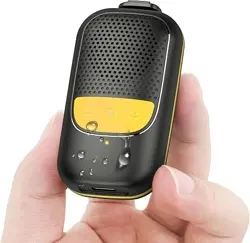
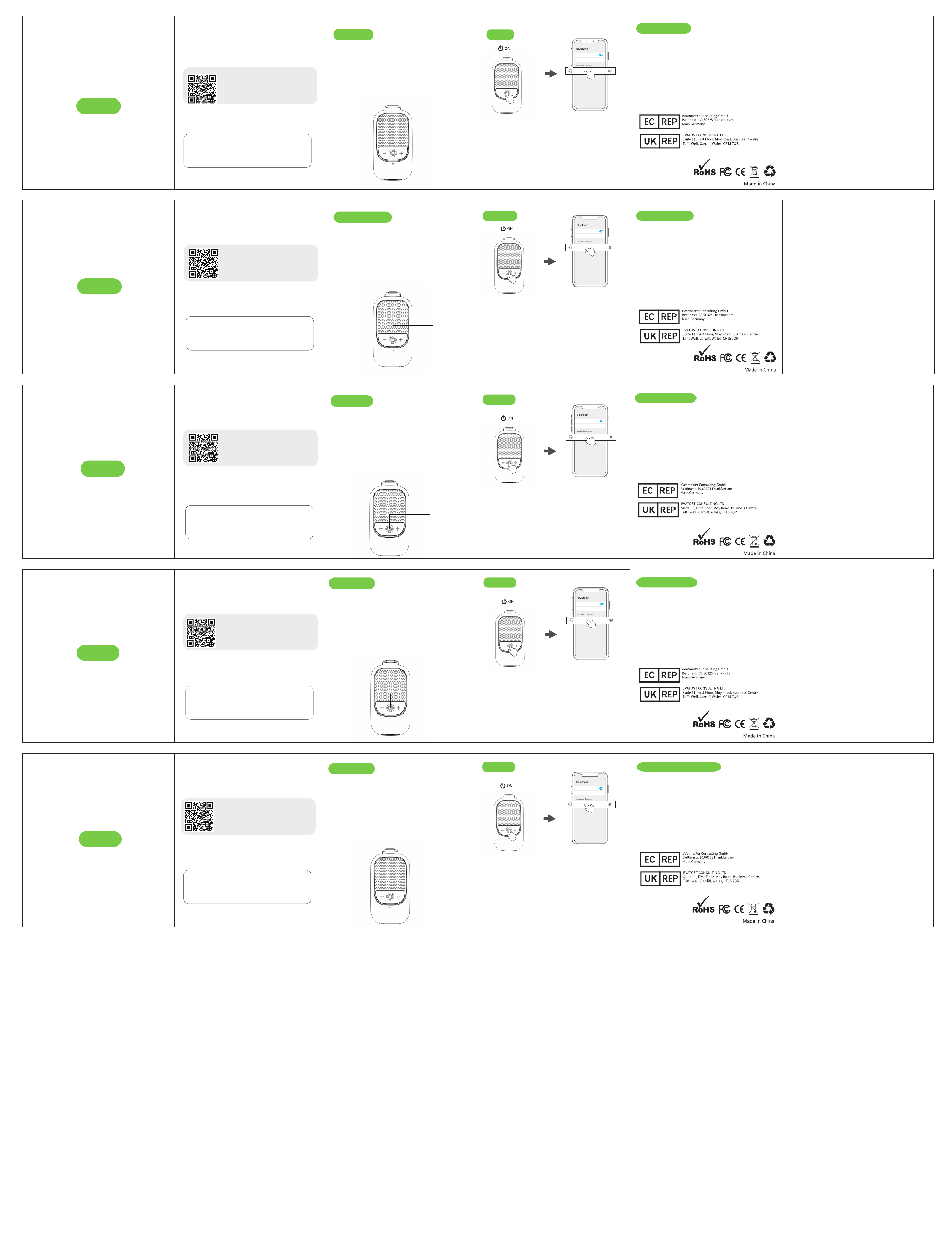
Tecla de función
Clé de fonction
Tasto funzione
Connect
Verbinden
Connecter
2. After open the phone
bluetooth, Click the <M3>
to pairing
2. Nachdem Sie die
Bluetooth-Funktion des
Telefons geöffnet haben,
klicken Sie auf <M3>
zum Koppeln
1. Turn on the speaker
1. Schalten Sie den
Lautsprecher ein
Bluetooth
Device name K30 >
key functions
Schlüsselfunktionen
Bluetooth
Device name
Available Devices
M3
Nova7 >
彩色印刷,纸张105g的双铜纸
双面打印,折叠
1. Keep the product away from extremely hot and cold
environments, it will damage the battery and circuit.
2. Avoid liquid immersion into the product.
3. Do not disassemble the product.
4. Do not use concentrated chemical products or detergents to
clean the product.
5. Use only 5V/1A power supply. Connecting the power supply
voltage too high may cause serious damage.
6. Do not randomly discard or place the product near fire or high
temperature to avoid the danger of explosion.
Safety Instructions
Contact@evatmaster.com
Contact@evatmaster.com
1. Halten Sie das Produkt von extrem heißen und kalten
Umgebungen fern, da dies den Akku und den Schaltkreis
beschädigen kann.
2. Vermeiden Sie das Eintauchen von Flüssigkeiten in das Produkt.
3. Zerlegen Sie das Produkt nicht.
4. Verwenden Sie keine konzentrierten chemischen Produkte oder
Reinigungsmittel, um das Produkt zu reinigen.
5. Verwenden Sie nur 5V/0.5A Netzteil. Das Anschließen der
Versorgungsspannung zu hoch kann schwere Schäden
verursachen.
6. Das Produkt nicht willkürlich entsorgen oder in der Nähe von
Feuer oder hohen Temperaturen platzieren, um Explosionsgefahr
zu vermeiden.
Sicherheitshinweise
Contact@evatmaster.com
Contact@evatmaster.com
1. Gardez le produit à l'écart des environnements extrêmement
chauds et froids, cela endommagera la batterie et le circuit.
2. Évitez l'immersion de liquide dans le produit.
3. Ne démontez pas le produit.
4. N'utilisez pas de produits chimiques concentrés ou de
détergents pour nettoyer le produit.
5. Utilisez uniquement une alimentation 5V/0.5A. Le raccorde-
ment d'une tension d'alimentation trop élevée peut causer de
graves dommages.
6. Ne jetez pas ou ne placez pas le produit au hasard près du feu
ou à haute température pour éviter le danger d'explosion.
Consignes de sécurité
Contact@evatmaster.com
Contact@evatmaster.com
1. Tenere il prodotto lontano da ambienti estremamente caldi e
freddi, danneggerebbe la batteria e il circuito.
2. Evitare l'immersione di liquidi nel prodotto.
3. Non smontare il prodotto.
4. Non utilizzare prodotti chimici concentrati o detergenti per
pulire il prodotto.
5. Utilizzare solo alimentazione 5V/0.5A. Il collegamento di una
tensione di alimentazione troppo alta può causare seri danni.
6. Non gettare o posizionare il prodotto in modo casuale vicino a
fuoco o temperature elevate per evitare il pericolo di esplosione.
Istruzioni di sicurezza
Contact@evatmaster.com
Contact@evatmaster.com
1. Mantenga el producto alejado de ambientes extremadamente
calientes y fríos, dañará la batería y el circuito.
2. Evite la inmersión de líquidos en el producto.
3. No desmonte el producto.
4. No utilice productos químicos concentrados o detergentes para
limpiar el producto.
5. Use solo una fuente de alimentación de 5V/0.5A. Conectar el
voltaje de la fuente de alimentación demasiado alto puede causar
daños graves.
6. No deseche al azar ni coloque el producto cerca del fuego o a
altas temperaturas para evitar el peligro de explosión.
Las instrucciones de seguridad
Contact@evatmaster.com
Contact@evatmaster.com
Power on/off: Press and hold the function key 3S
Play/Pause: Click the
function key
Adjust Volume: Click the “+”/“-” button
Switch Song: Press and hold the “+”/“-” button 2S
Answer/Hang up: Click the
function key
Reject Call: Press and hold the
function key 4S
Reboot: Click the function key 5 times
Ein-/Ausschalten: Halten Sie die Funktionstaste 3S gedrückt
Wiedergabe/Pause: Klicken Sie auf die Funktionstaste
Lautstärke anpassen: Klicken Sie auf die Schaltfläche „+“/„-“.
Song wechseln: Halten Sie die „+“/„-“-Taste 2 Sekunden lang
gedrückt
Annehmen/Auflegen: Klicken Sie auf die Funktionstaste
Anruf abweisen: Halten Sie die Funktionstaste 4S gedrückt
Neustart: Klicken Sie fünfmal auf die Funktionstaste
Fonctions clés
Allumer/éteindre : appuyez et maintenez le bouton de fonction
3S
Lecture/Pause : cliquez sur le bouton de fonction
Régler le volume : cliquez sur le bouton « + »/« - ».
Changer de chanson : maintenez le bouton "+"/"-" enfoncé
pendant 2 secondes pressé
Répondre/Raccrocher : Cliquez sur la touche de fonction
Rejeter un appel : appuyez et maintenez la touche de fonction
4S
Redémarrer : cliquez cinq fois sur la touche de fonction
Funzioni chiave
Accensione/spegnimento: tenere premuto il pulsante funzione
3S
Riproduci/Pausa: fare clic sul pulsante funzione
Regolare il volume: fare clic sul pulsante “+”/“-”.
Cambia brano: tieni premuto il pulsante “+”/”-”. premuto per
2 secondi
Rispondi/Riaggancia: fare clic sul tasto funzione
Rifiutare una chiamata: tenere premuto il tasto funzione 4S
Riavvio: fare clic cinque volte sul tasto funzione
Funciones clave
Encendido/Apagado: Mantenga presionado el botón de función
3S
Reproducir/Pausar: haga clic en el botón de función
Ajuste el volumen: haga clic en el botón “+”/“-”.
Cambiar canción: mantenga presionado el botón “+”/”-”.
presionado por 2 segundos
Responder/colgar: haga clic en la tecla de función
Rechazar una llamada: mantenga presionada la tecla
programable 4S
Reiniciar: haga clic en la tecla de función cinco veces
Notes:
1.If it is not paired for 15 minutes after booting, it will shut down.
When low battery, the red light flashes.
2.If Apple users feel that the volume is low, you can turn off this
setting on the phone(Settings-Sounds & Haptics-Headphone Safety-
Reduce Loud Sounds)
Anmerkungen:
1.Wenn es nach dem Booten 15 Minuten lang nicht gekoppelt ist,
wird es heruntergefahren.Bei schwacher Batterie blinkt das rote Licht.
2.Wenn Apple-Benutzer das Gefühl haben, dass die Lautstärke niedrig
ist, können Sie dies deaktivieren Einstellung am Telefon
(Einstellungen-Töne & Haptik-Kopfhörersicherheit-Laute Geräusche
reduzieren)
Remarques:
1. S'il n'est pas couplé pendant 15 minutes après le démarrage,
il s'éteindra. Lorsque la batterie est faible, le voyant rouge clignote.
2.Si les utilisateurs Apple estiment que le volume est faible
vous pouvez désactiver ce paramètre sur le téléphone
(Paramètres-Sons et haptique-Sécurité des écouteurs-Bruits forts
réduire)
Bluetooth
Device name K30 >
Bluetooth
Device name
Available Devices
M3
Nova7 >
2. Après avoir ouvert la
fonction Bluetooth du
téléphone, cliquez sur
<M3> pour l'appariement
1. Allumez le haut-parleur
Bluetooth
Device name K30 >
Bluetooth
Device name
Available Devices
M3
Nova7 >
Collegare
Osservazioni:
1. Se non viene accoppiato per 15 minuti dopo l'avvio,
uscirà. Quando la batteria è scarica, la luce rossa lampeggia.
2.Se gli utenti Apple ritengono che il volume sia basso
è possibile disattivare questa impostazione sul telefono
(Impostazioni-Suoni e feedback tattile-Sicurezza cuffie-Rumori forti
ridurre)
2. Dopo aver aperto la
funzione Bluetooth del
telefono, fare clic su <M3>
per l'accoppiamento
1.Accendi l'altoparlante
Bluetooth
Device name K30 >
Bluetooth
Device name
Available Devices
M3
Nova7 >
Collegare
Observaciones:
1. Si no se empareja durante 15 minutos después del inicio,
va a salir. Cuando la batería está baja, la luz roja parpadea.
2.Si los usuarios de Apple sienten que el volumen está bajo
Puedes desactivar esta configuración en tu teléfono.
(Ajustes-Sonidos y retroalimentación háptica-Seguridad de
auriculares-Ruidos fuertes reducir)
2. Después de abrir la
función Bluetooth de su
teléfono, haga clic en <M3>
para emparejar
1.Enciende el altavoz
Bluetooth
Device name K30 >
Bluetooth
Device name
Available Devices
M3
Nova7 >
Please activate 2-year warranty
within 14 days
This device complies with part 15 of the FCC Rules. Operation is
subject to the following two conditions: (1) this device may not
cause harmful interference, and (2) this device must accept any
interference received, including interference that may cause
undesired operation.
Any changes or modifications not expressly approved by the party
responsible for compliance could void the user's authority to operate
the equipment.
NOTE: This equipment has been tested and found to comply with the
limits for a Class B digital device, pursuant to Part 15 of the FCC Rules.
These limits are designed to provide reasonable protection against
harmful interference in a residential installation. This equipment
generates, uses and can radiate radio frequency energy and, if not
installed and used in accordance with the instructions, may cause
harmful interference to radio communications. However, there is no
guarantee that interference will not occur in a particular installation.
If this equipment does cause harmful interference to radio or
television reception,
which can be determined by turning the equipment off and on, the
user is encouraged to try to correct the interference by one or more
of the following measures:
-- Reorient or relocate the receiving antenna.
-- Increase the separation between the equipment and receiver.
-- Connect the equipment into an outlet on a circuit different from
that to which the receiver is connected.
-- Consult the dealer or an experienced radio/TV technician for help.
The device has been evaluated to meet general RF exposure
requirement. The device can be used in portable exposure condition
without restriction
This device complies with part 15 of the FCC Rules. Operation is
subject to the following two conditions: (1) this device may not
cause harmful interference, and (2) this device must accept any
interference received, including interference that may cause
undesired operation.
Any changes or modifications not expressly approved by the party
responsible for compliance could void the user's authority to operate
the equipment.
NOTE: This equipment has been tested and found to comply with the
limits for a Class B digital device, pursuant to Part 15 of the FCC Rules.
These limits are designed to provide reasonable protection against
harmful interference in a residential installation. This equipment
generates, uses and can radiate radio frequency energy and, if not
installed and used in accordance with the instructions, may cause
harmful interference to radio communications. However, there is no
guarantee that interference will not occur in a particular installation.
If this equipment does cause harmful interference to radio or
television reception,
which can be determined by turning the equipment off and on, the
user is encouraged to try to correct the interference by one or more
of the following measures:
-- Reorient or relocate the receiving antenna.
-- Increase the separation between the equipment and receiver.
-- Connect the equipment into an outlet on a circuit different from
that to which the receiver is connected.
-- Consult the dealer or an experienced radio/TV technician for help.
The device has been evaluated to meet general RF exposure
requirement. The device can be used in portable exposure condition
without restriction
This device complies with part 15 of the FCC Rules. Operation is
subject to the following two conditions: (1) this device may not
cause harmful interference, and (2) this device must accept any
interference received, including interference that may cause
undesired operation.
Any changes or modifications not expressly approved by the party
responsible for compliance could void the user's authority to operate
the equipment.
NOTE: This equipment has been tested and found to comply with the
limits for a Class B digital device, pursuant to Part 15 of the FCC Rules.
These limits are designed to provide reasonable protection against
harmful interference in a residential installation. This equipment
generates, uses and can radiate radio frequency energy and, if not
installed and used in accordance with the instructions, may cause
harmful interference to radio communications. However, there is no
guarantee that interference will not occur in a particular installation.
If this equipment does cause harmful interference to radio or
television reception,
which can be determined by turning the equipment off and on, the
user is encouraged to try to correct the interference by one or more
of the following measures:
-- Reorient or relocate the receiving antenna.
-- Increase the separation between the equipment and receiver.
-- Connect the equipment into an outlet on a circuit different from
that to which the receiver is connected.
-- Consult the dealer or an experienced radio/TV technician for help.
The device has been evaluated to meet general RF exposure
requirement. The device can be used in portable exposure condition
without restriction
This device complies with part 15 of the FCC Rules. Operation is
subject to the following two conditions: (1) this device may not
cause harmful interference, and (2) this device must accept any
interference received, including interference that may cause
undesired operation.
Any changes or modifications not expressly approved by the party
responsible for compliance could void the user's authority to operate
the equipment.
NOTE: This equipment has been tested and found to comply with the
limits for a Class B digital device, pursuant to Part 15 of the FCC Rules.
These limits are designed to provide reasonable protection against
harmful interference in a residential installation. This equipment
generates, uses and can radiate radio frequency energy and, if not
installed and used in accordance with the instructions, may cause
harmful interference to radio communications. However, there is no
guarantee that interference will not occur in a particular installation.
If this equipment does cause harmful interference to radio or
television reception,
which can be determined by turning the equipment off and on, the
user is encouraged to try to correct the interference by one or more
of the following measures:
-- Reorient or relocate the receiving antenna.
-- Increase the separation between the equipment and receiver.
-- Connect the equipment into an outlet on a circuit different from
that to which the receiver is connected.
-- Consult the dealer or an experienced radio/TV technician for help.
The device has been evaluated to meet general RF exposure
requirement. The device can be used in portable exposure condition
without restriction
This device complies with part 15 of the FCC Rules. Operation is
subject to the following two conditions: (1) this device may not
cause harmful interference, and (2) this device must accept any
interference received, including interference that may cause
undesired operation.
Any changes or modifications not expressly approved by the party
responsible for compliance could void the user's authority to operate
the equipment.
NOTE: This equipment has been tested and found to comply with the
limits for a Class B digital device, pursuant to Part 15 of the FCC Rules.
These limits are designed to provide reasonable protection against
harmful interference in a residential installation. This equipment
generates, uses and can radiate radio frequency energy and, if not
installed and used in accordance with the instructions, may cause
harmful interference to radio communications. However, there is no
guarantee that interference will not occur in a particular installation.
If this equipment does cause harmful interference to radio or
television reception,
which can be determined by turning the equipment off and on, the
user is encouraged to try to correct the interference by one or more
of the following measures:
-- Reorient or relocate the receiving antenna.
-- Increase the separation between the equipment and receiver.
-- Connect the equipment into an outlet on a circuit different from
that to which the receiver is connected.
-- Consult the dealer or an experienced radio/TV technician for help.
The device has been evaluated to meet general RF exposure
requirement. The device can be used in portable exposure condition
without restriction
Function key
Funktionstaste
Bitte aktivieren Sie die 2-Jahres-Garantie
innerhalb von 14 Tagen
Deutsch
Veuillez activer la garantie de 2 ans
dans les 14 jours
Si prega di attivare la garanzia di 2 anni
entro 14 giorni
Activa la garantía de 2 años
dentro de 14 días
Français
Italiano
Español
Scan the code to enter our website
(www.qxqvip.com) to activate
the warranty within 14 days after
receiving the product.
Support free replacement of damaged products.
(No need to return damaged products)
Email: [email protected]om
WhatsApp: +86 18038108503
Unterstützen Sie den kostenlosen Ersatz beschädigter Produkte.
(Beschädigte Produkte müssen nicht zurückgegeben werden)
Scannen Sie den Code, um unsere Website
(www.qxqvip.com) aufzurufen und die
Garantie innerhalb von 14 Tagen nach
Erhalt des Produkts zu aktivieren.
Email: [email protected]om
WhatsApp: +86 18038108503
Prend en charge le remplacement gratuit des produits
endommagés. (Les produits endommagés n'ont pas besoin
d'être retournés)
Scannez le code pour accéder à
notre site Web (www.qxqvip.com)
et activez la garantie dans les 14
jours suivant la réception du produit.
E-mail: [email protected]om
Whatsapp: +86 18038108503
Supporta la sostituzione gratuita dei prodotti danneggiati.
(I prodotti danneggiati non devono essere restituiti)
Scansiona il codice per accedere al
nostro sito web (www.qxqvip.com)
e attivare la garanzia entro 14 giorni
dalla ricezione del prodotto.
E-mail: [email protected]om
WhatsApp: +86 18038108503
Admite el reemplazo gratuito de productos dañados.
(Los productos dañados no necesitan ser devueltos)
Escanee el código para acceder a nuestro
sitio web (
www.qxqvip.com) y active la
garantía dentro de los 14 días posteriores a
la recepción del producto.
Correo electrónico: qxqvip@gmail.com
WhatsApp: +86 18038108503