Product Instructions
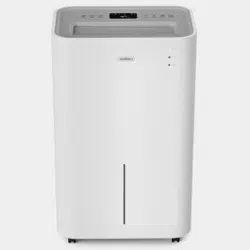
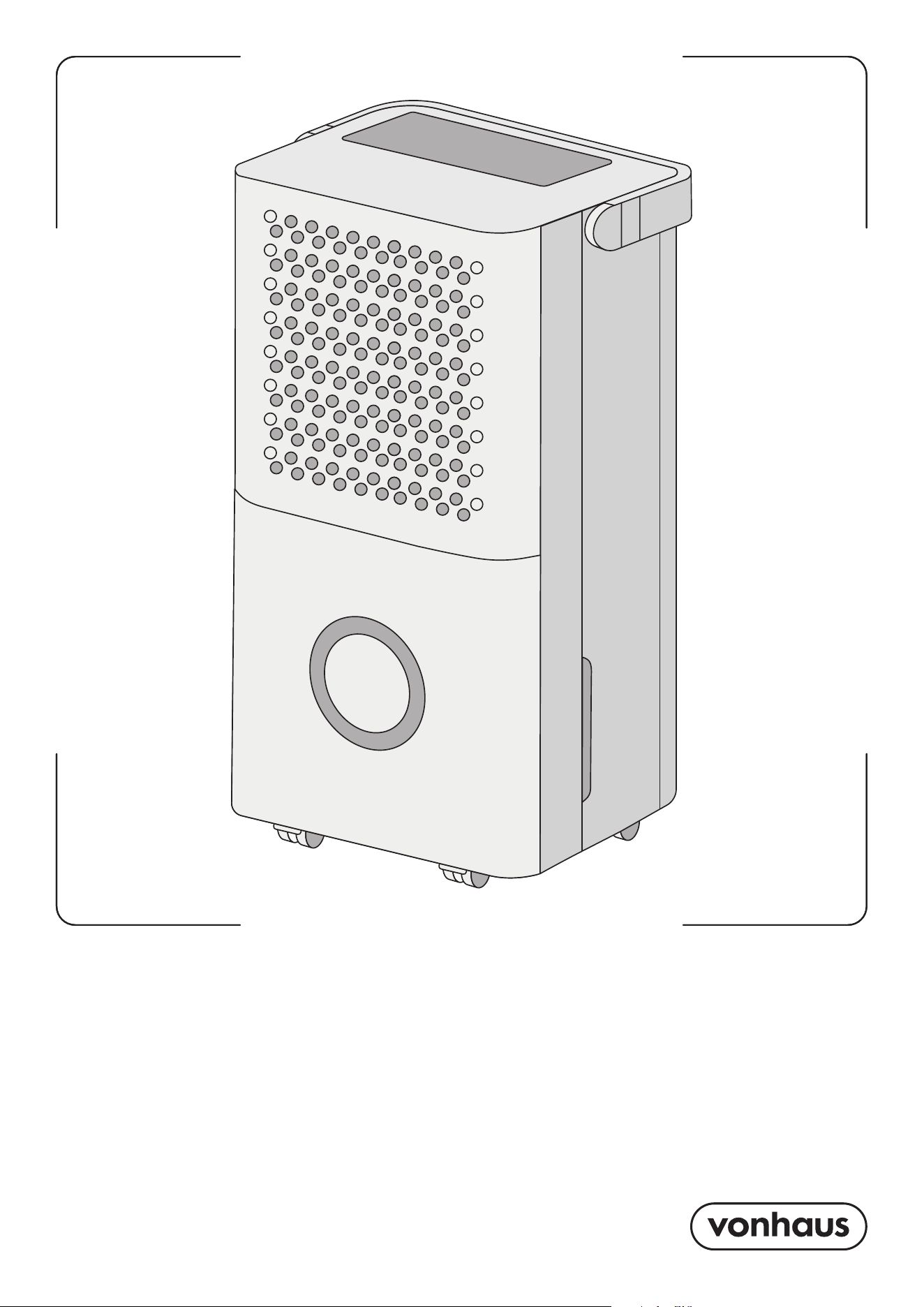
Product No. 2000276
12 LITRE
DEHUMIDIFIER
2 3
Need further help?
suppor[email protected]
See our full range at
www.vonhaus.com
Besoin d’aide supplémentaire ?
suppor[email protected]
Découvrez notre gamme complète sur
www.vonhaus.com
Benötigen Sie weitere Hilfe?
suppor[email protected]
Entdecken Sie unser gesamtes
Sortiment auf
www.vonhaus.com
Necesita más ayuda?
suppor[email protected]
Descubra toda nuestra gama en
www.vonhaus.com
Hai bisogno di ulteriore assistenza?
suppor[email protected]
Scopri tutta la nostra gamma su
www.vonhaus.com
Let’s get started!
Visit our product hub for
useful tips and tricks on
getting the most out of
your new product.
SCAN ME
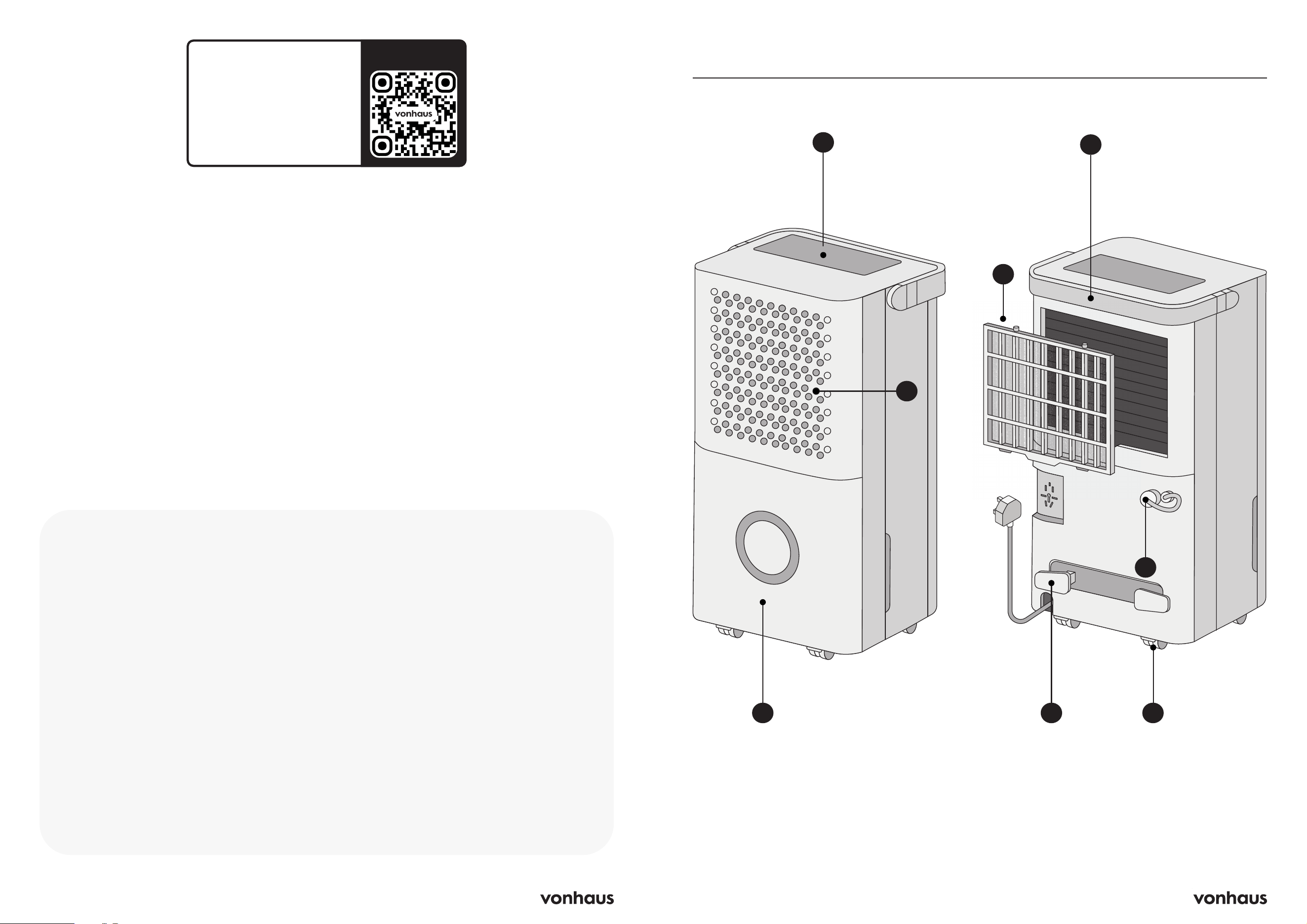
Product Diagram
A
C
B
D
E
G
A. Control Panel
B. Air Exhaust
C. Water Tank
D. Handle
E. Filter
F. Continuous Drainage Nozzle
G. Power Cable Support
H. Wheels
H
F
4 5
Placement
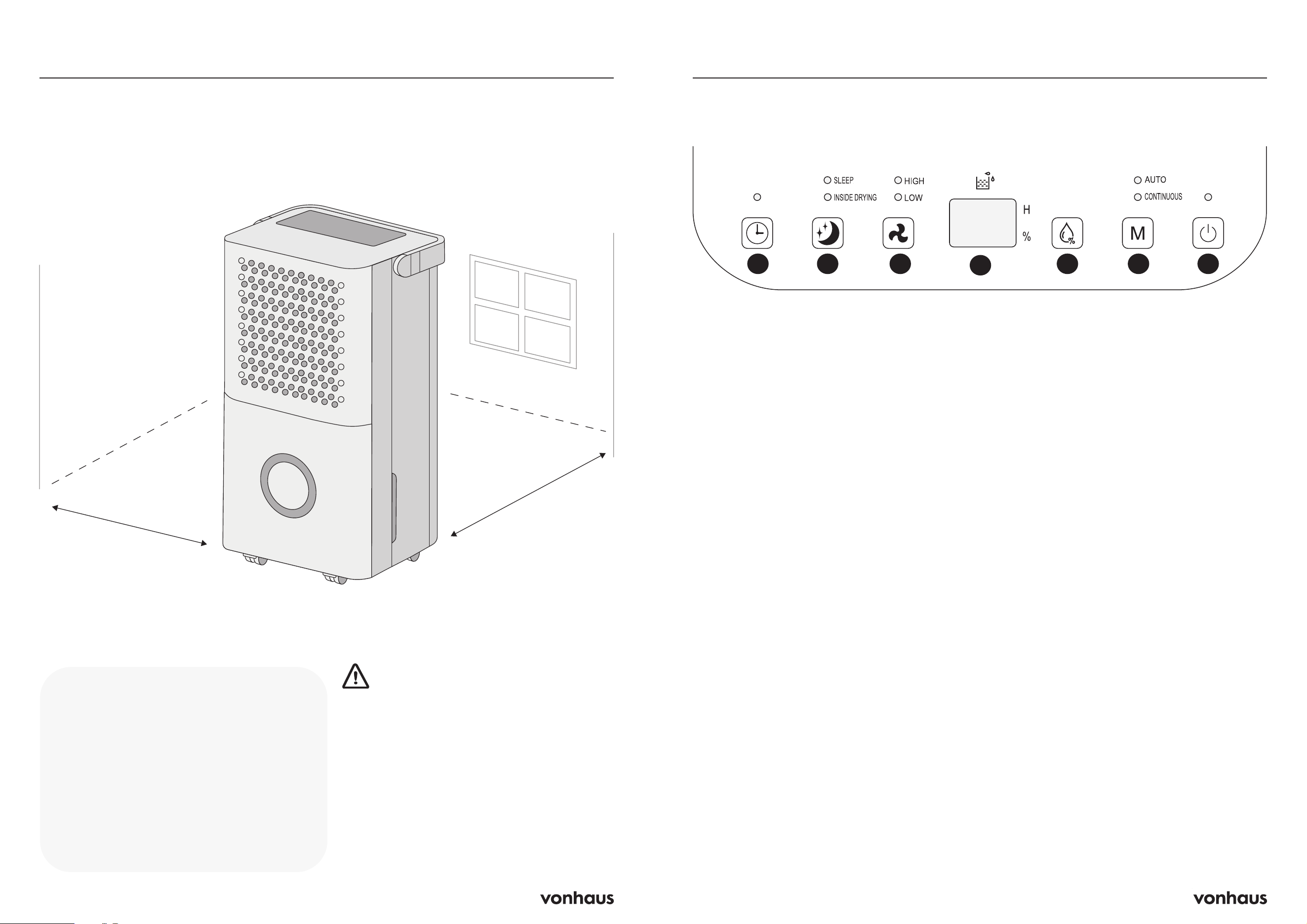
30cm
30cm
Unit Placement
Place on a firm, level surface with at least
30cm of open space around the unit for
air circulation.
Install the unit in rooms larger than 4 m².
WARNING: Avoid these locations
• Near heat sources
• Where oil or water may splash
• Direct sunlight
• Vibration or shock
• Excessive dust
• Poor ventilation (e.g., inside cabinets)
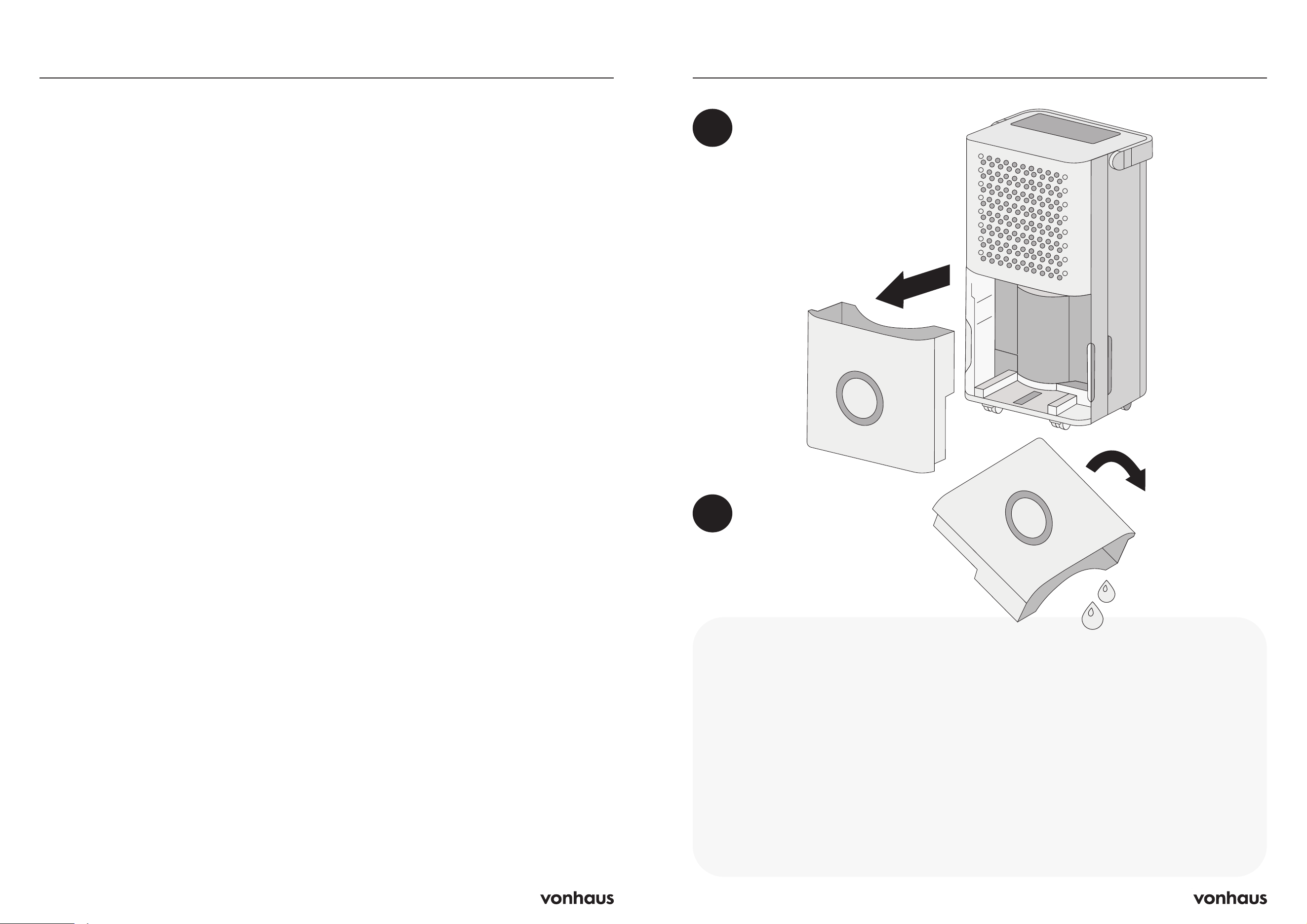
Control Panel
1. Timer
• Press this button to set the timer or cancel
the timer (up to 24 hours)
• Press this button to activate the timer. The
time digits will blink 5 times to confirm a
timer has been set
• Each press will add 1 hour or hold the
button down to scroll through the hours
faster
• To see how many hours are left on the timer,
click the timer button once and the number
of hours remaining will show on the display
screen
• To cancel the timer: press the timer button
on/off once or set to 0 hours
2. Sleep Mode/ Inside Drying
• Press this button to switch between Sleep
Mode and Inside Drying
• Long press this button for 3 seconds to
activate Inside Drying Mode
• The corresponding indicator light will light
up
Sleep Mode
• Humidity is set to 50% and operates in low
fan speed
• If the actual room humidity is 5% greater
than 50%, the compressor will activate and
operate at low speed. If the humidity is 5%
less, the compressor will stop collecting
water
• Fan speed cannot be adjusted when in
sleep mode
Inside Drying
• Press and hold the Sleep button for 3
seconds to activate Inside Drying
• The dehumidifiers compressor stops
collecting water, and the fan runs at high
speed for 30 minutes followed by a further
20 minutes at low speed. This process dries
the dehumidifier prior to storage
3. Fan Speed
• Press once to switch between high and low
fan speeds. The relevant indicator light will
show the current setting
4. Display Screen
• Displays the current humidity level of the
room
• Displays how many hours are left once the
timer has been set
• Displays when Child Lock has been
activated
765321
4
6 7
Instructions
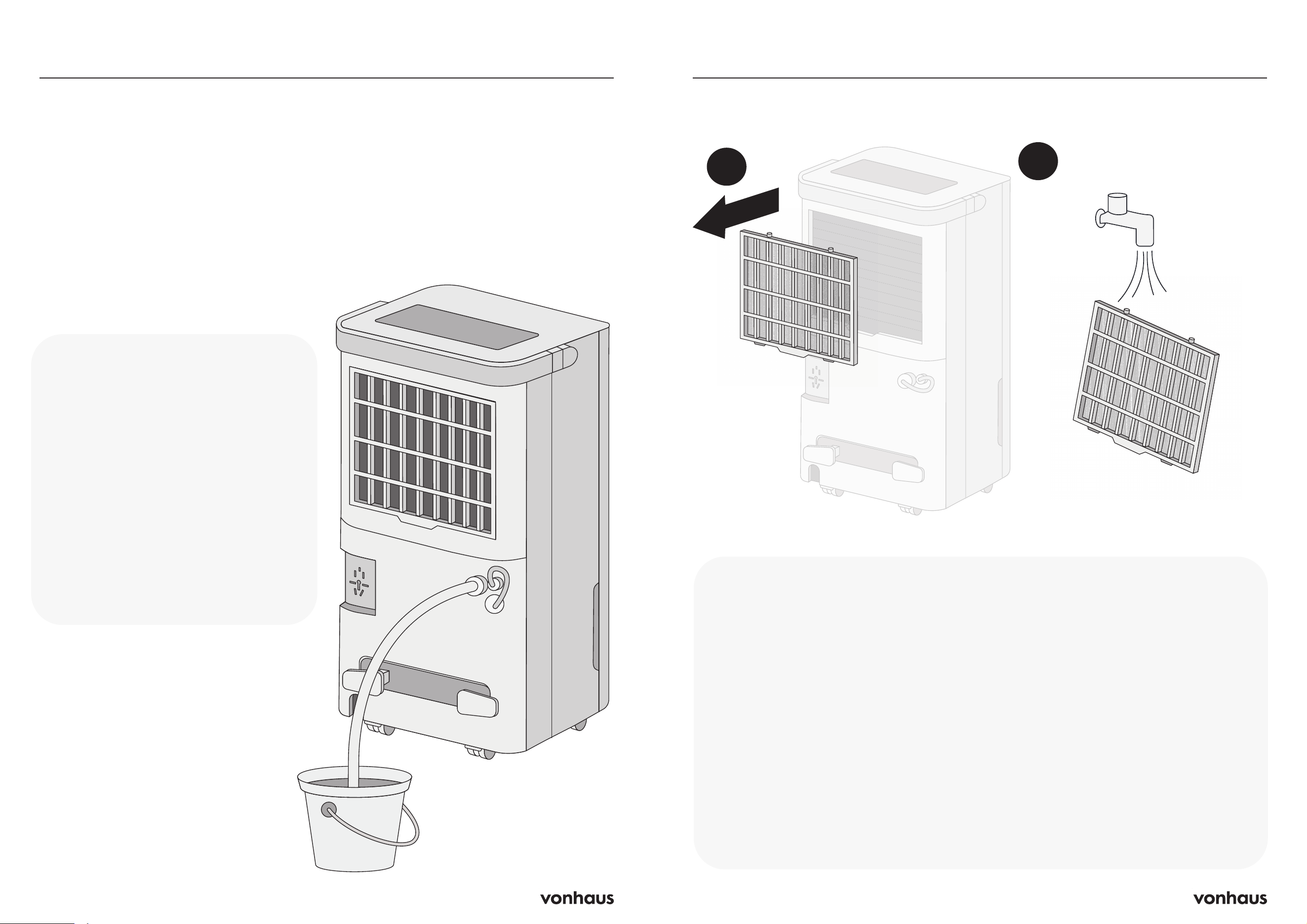
1. When the water tank is full, the unit
will beep and the indicator light will
illuminate on the display screen. The
unit will pause operation to prevent
the water tank from overflowing
2. Turn the unit off and gently slide the
water tank out from the main body of
the dehumidifier. The unit will beep if
you remove the water tank while it is
still turned on
3. Empty the water tank and gently slide
the water tank back in to the main
body of the dehumidifier
IMPORTANT: If the Full Water Tank
indicator remains on, ensure the tank has
securely been placed back into the unit
and the float in the tank is correctly in
place
Draining the Tank
1
2
5. Humidity Set
• Set the humidity level of the room (30-80%)
• Each time you click the button, the humidity
level will decrease by 5%. Hold the button
down to scroll through the buttons faster
6. Mode
Press this button to switch between Auto Mode,
Continuous Mode and Child Lock
Auto Mode
• When the environment exceeds the set
humidity level by more than 5%, the fan
and compressor will both be activated
• If the environments humidity drops 5%
lower than the set humidity, the compressor
will stop working
• The fan speed and humidity level can be
adjusted in this mode
Continuous Mode
• The compressor and fan will continuously
operate regardless of the humidity level
• The fan speed can be adjusted in this mode
Child Lock
• Press and hold the Mode button for 3
seconds to activate Child Lock. This will
lock the controls and prevent them from
being changed for child safety
• The display screen will show LC for 5
seconds after activation to confirm this has
been set
• To deactivate, click the Mode button for 3
seconds
7. On/Off
• Press to turn the dehumidifier On and Off
Control Panel
8 9
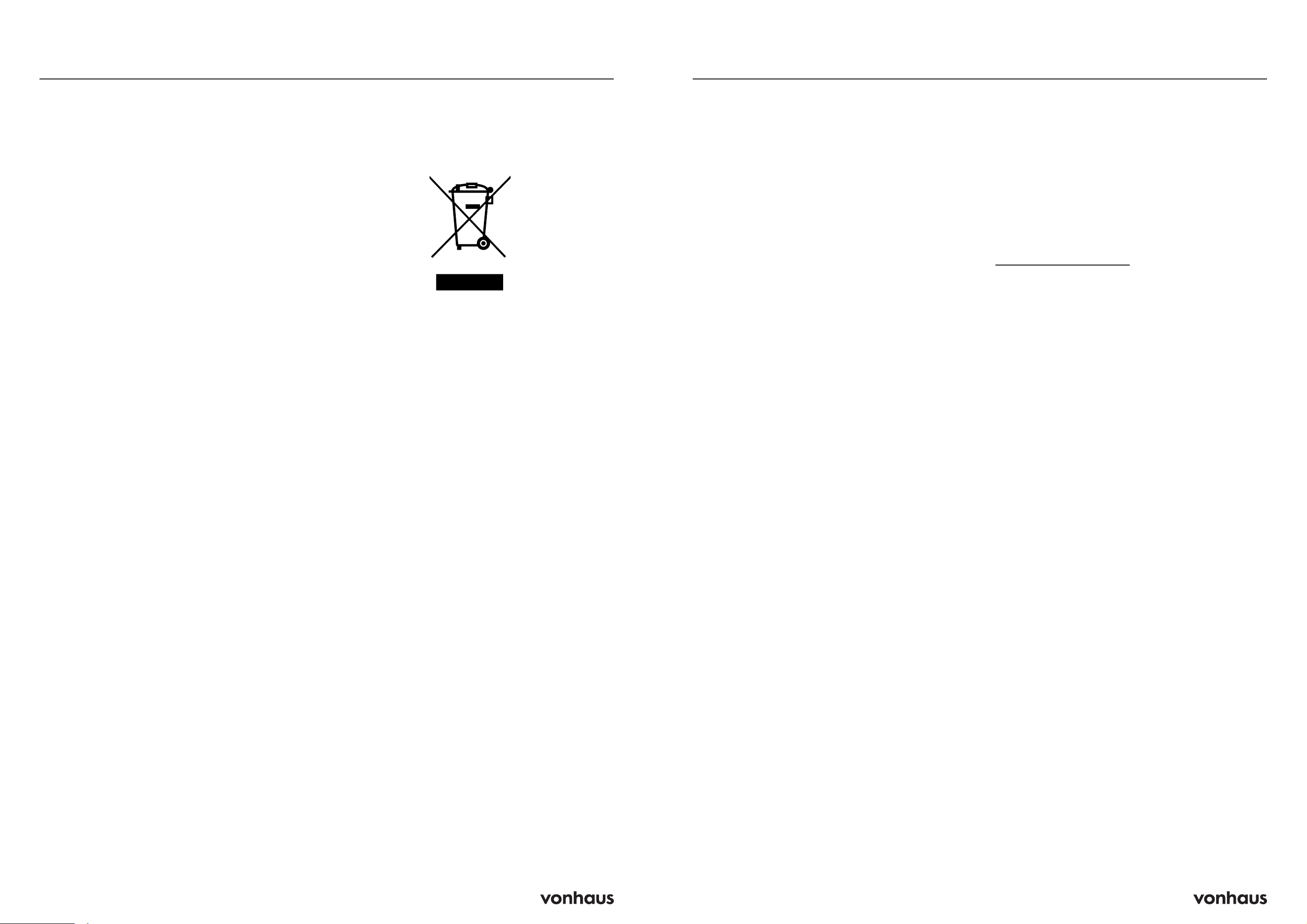
Continuous Drainage
Instructions
The humidifier offers a continuous drain option,
which is ideal for humid environments.
To set up continuous draining, simply connect
a drain hose to the unit.
1. Insert one end of the hose into the humidifier
and place the other end in your drain area.
2. Make sure to keep the hose straight and
positioned below the outlet level.
3. Double-check that the connection is secure
and that nothing blocks the drain path.
Important Notes
Ensure hose is:
• Securely connected
• Not kinked
• Unobstructed
• Angled downward (>20°)
Don’t submerge the end of the hose
(prevents air lock)
WARNING: The drainage hose must
not be very long (recommended 1m).
1
2
Cleaning the Air Filter
Instructions
IMPORTANT: Always turn off and
unplug the unit before cleaning.
1. Remove the water tank, then gently
pull the filter downwards and back
from the back of the air inlet
2. Gently vacuum any dust from the filter
surface
3. For heavily soiled filters, wash with
mild soap and water, then leave to air
dry completely
4. Reinstall the filter
Why This Matters
• Dust buildup restricts airflow
• Poor airflow reduces efficiency
• Blocked filters can damage the unit
• Never run the unit without a filter, as
this can contaminate the evaporator
Additional Tips
• Clean the filter regularly (every two
weeks)
• The filter is designed to be removable
for easy cleaning
• Ensure filter is completely dry before
reinstalling
10 11
R-290 Refrigerant
This product contains R-290 (propane)
refrigerant and requires specific safety
precautions:
• Only qualified technicians can service the
sealed refrigerant system
• Never release refrigerant into air
• Keep away from flames, cigarettes, and
ignition sources
• Use only identical parts for repairsv
WARNING: R-290 is flammable, heavier
than air, and odorless. Failure to follow safety
guidelines could result in explosion and serious
injury.
Electrical Safety
• Use only grounded power outlets
• Never pull power cord to unplug
• Avoid extension cords and adapters
Operation Safety
• Keep away from fire and flammable objects
• Don’t insert objects into air outlets
• Don’t touch inlet or aluminum fins
• Stop using if unit shows damage
• Avoid chemical cleaning
• Keep ventilation areas unobstructed
Installation Requirements
• Follow national wiring regulations
• Maintain minimum 4m² space for
installation
• Ensure proper ventilation
• Protect connecting pipes from damage
• Install away from heat sources
WARNING: Improper use may risk fire,
electric shock, or injury.
Safety Information
Disposal Information
WARNING: Releasing refrigerant into
atmosphere is strictly forbidden!
Do not dispose of electrical appliances as
unsorted municipal waste, use separate
collection facilities.
Contact your local government for
information regarding the collection
systems available.
If electrical appliances are disposed of in
landfills or dumps, hazardous substances
can leak into the groundwater and get into
the food chain, damaging your health and
well-being.
Common Problems & Solutions
Why won’t my unit turn on?
If your unit won’t turn on, first ensure it’s properly
connected to a working power outlet. Check
if the water tank is full - it will need emptying
before the unit can operate again.
Also verify that the room temperature is
between 5°C and 35°C, as the unit won’t
function outside this range.
Why isn’t it working effectively?
If the dehumidifier isn’t working effectively, the
air filter may need cleaning, or the air vents
might be blocked. Check both the intake and
exhaust vents for any obstructions that could
be restricting airflow.
Why is it making unusual noise?
Unusual noise usually indicates the unit isn’t
placed on a level surface. Ensure it’s sitting
flat and stable. A dirty air filter can also cause
noise issues, so check if it needs cleaning.
Error Codes
FL: Water Tank Full
• Empty the water tank
• Or check if the tank is fitted properly
E2 – Temperature Sensor Problem
Sensor malfunction - contact
suppor[email protected]
P1 – Machine is Defrosting
• Room is too cold and ice is forming inside
• Machine will work normally after defrosting
• Try warming the room by 2-4 degrees to
help the machine work better
Information
12 13
Customer Service
If you are having difficulty using this product
and require support, please contact
suppor[email protected]
Warranty
To register your product and find out if you
qualify for a free extended warranty please
go to www.vonhaus.com/warranty
Please retain a proof of purchase receipt or
statement as proof of the purchase date.
The warranty only applies if the product is used
solely in the manner indicated in the warnings
page of this manual, and all other instructions
have been followed accurately.
Any abuse of the product or the manner in
which it is used will invalidate the warranty.
Returns
Returned goods will not be accepted unless
re-packaged in its original packaging and
accompanied by a relevant and completed
returns form. This does not affect your statutory
rights.
No rights are given under this warranty to a
person acquiring the appliance second-hand
or for commercial or communal use.
Copyright
All material in this instruction manual are
copyrighted by DOMU Brands.
Any unauthorised use may violate worldwide
copyright, trademark, and other laws.
Thank You
Thank you for purchasing your product/
appliance.
Should you require assistance with your
purchase, please contact us at
suppor[email protected]
VonHaus is a registered trademark of DOMU
Brands Ltd.
Made in China for DOMU Brands Ltd.
Unit 30, Stakehill Industrial Estate
Middleton, Manchester, M24 2RW
EU Authorised Representative
Authorised Representative Service
77 Camden Street Lower
Dublin, D02 XE80
Ireland
Information
Product No. 2000276
Let’s get started!
Visit our product hub for
useful tips and tricks on
getting the most out of
your new product.
SCAN ME