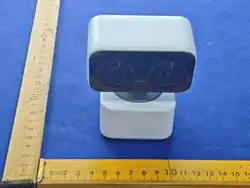
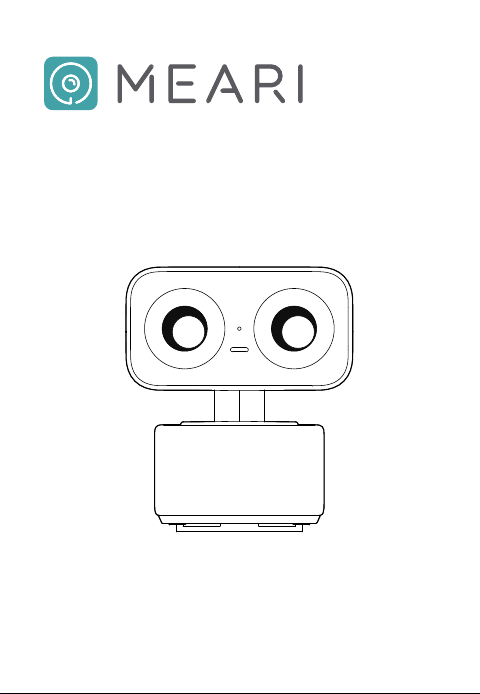
Indoor Sma WiFi Camera
Quick Sta Guide
S5 Zoom
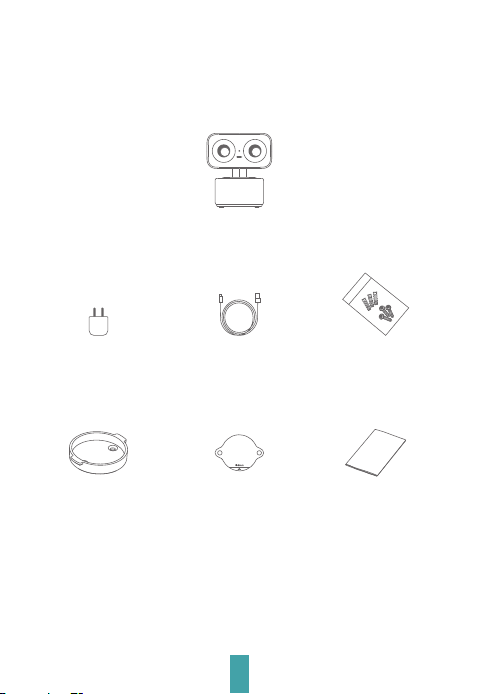
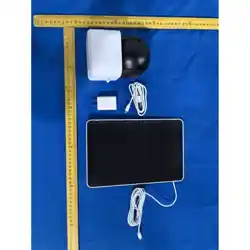
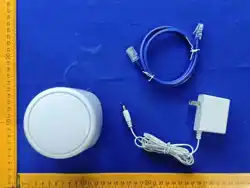
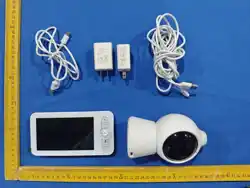
Please check the package contents against this checklist.
What’s in the Box
1
1 x S5 Zoom Camera
1 x Mounting Screw Kit1 x Power Cable1 x Power Adapter
1 x Mounting Bracket
1 x Quick Sta Guide1 x Drilling Template
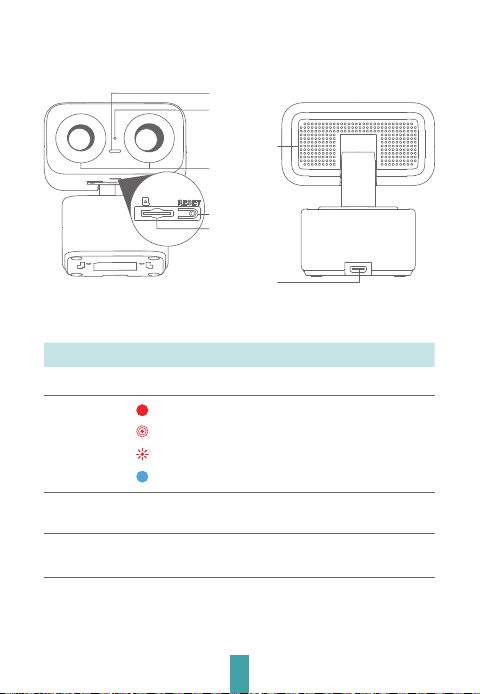
Description
2
Microphone
Status Indicator
DC Power
Input Po
Speaker
Reset Button
Micro SD (TF)
Card Slot
DC 5V / 2APower Supply
DescriptionName
Status Indicator
Light
Solid Red: Network Abnormality
Slow Blinking Red: Awaiting Pairing
Fast Blinking Red: Connecting
Solid Blue: Normal Operation
Micro SD (TF)
Card Slot
Reset Button
Local storage via Micro SD (TF) card (max. 256GB
capacity)
Press and hold for 5 seconds to facto-reset the device.
All device settings will be restored to facto defaults.
Dual Lens
3
Get the App
AndroidiOS
Download App1
Note: Compatible with iOS & Android systems
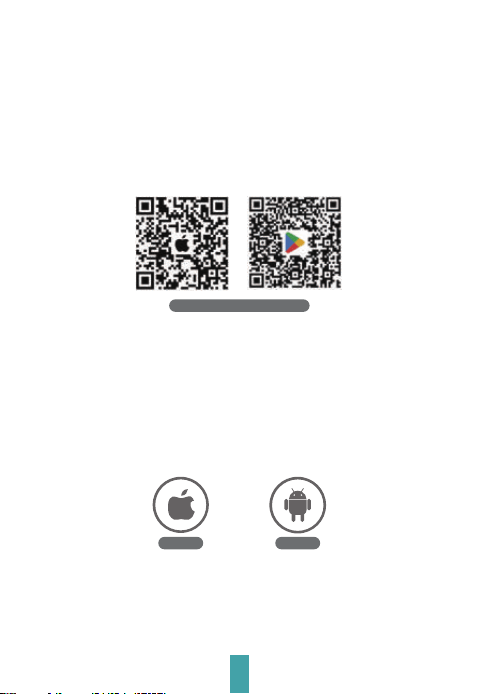
The MEARI app is available for iOS and Android devices.
Search for MEARI in the Apple App Store or Google Play,
or scan the QR codes below to download the app directly.
•New Users
If you already have a MEARI account, you may skip this
step.
•Existing Account Users
Download App (iOS & Android)
4
Router Conguration2
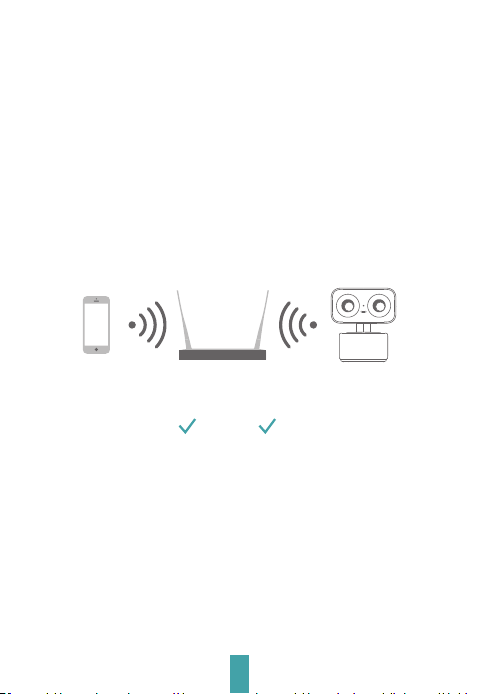
2.4GHz 5GHz
Note: If the device fails to connect to the network, or you need to
switch Wi-Fi networks, press and hold the RESET button for 5
seconds to facto reset the device.
For Wi-Fi connection: The SSID and password must not exceed 24
characters in length.
This device suppos both 2.4GHz and 5GHz Wi-Fi networks.
Please prepare your Wi-Fi SSID name and password in
advance.
Please keep network available
5
Registration
Note: App inteace layout may va with version updates. Please refer to the
App Store for the latest version.
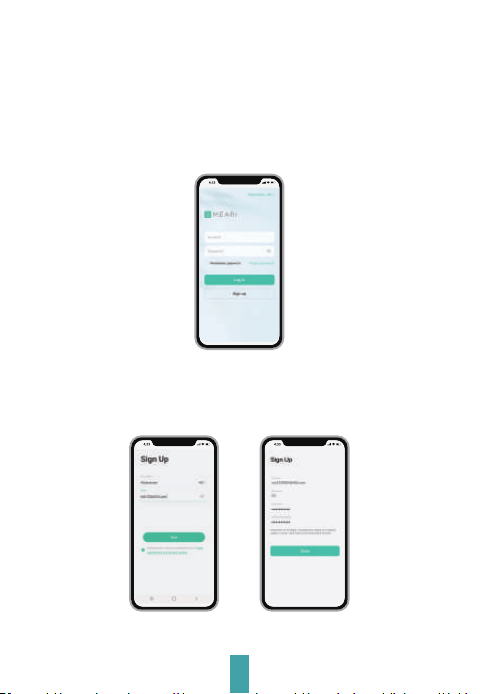
Launch the MEARI app, then tap Sign Up to create a new
account. If you already have an existing account, tap Log In
to sign in.
Account Ent1
Enter a valid email address, agree to the Privacy Policy and
Terms of Seice, then set your account nickname and
password.
Complete Account Registration2
Note: Please carefully read and agree to the Privacy Policy and Terms of
Use before registering a new account.
Add Device
6
Note: If the status indicator does not blink red slowly 30 seconds after
power-on, press and hold the Reset Button for 5 seconds to
facto reset the device. Resta the camera afterwards to
complete app pairing.
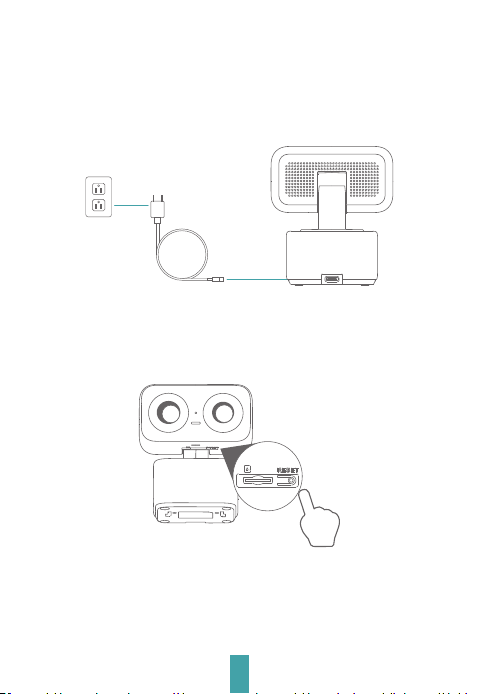
Power On the Device1
Enable Bluetooth on Your Mobile Phone2
Connect the camera to a power outlet via the power adapter.
The camera will emit an audible voice prompt once it is ready
for pairing.
7
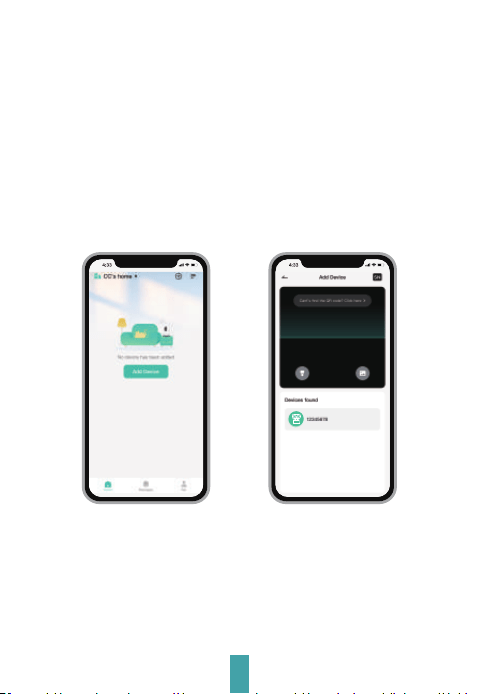
Pair Device with the App3
In the MEARI app, tap Add Device or the + icon. The app
will automatically scan for the device via Bluetooth, and
the device will appear in the found device list.
a.
Pairing Method 1: Bluetooth Pairing
Note: 4 pairing methods are available: Bluetooth pairing, device QR code
pairing, app QR code pairing, and AP mode pairing. Please select
the appropriate method based on your actual network
environment.
Select Wi-Fi Connection as your preferred adding method.b.
Follow the on-screen prompts to complete network
conguration.
c.
8
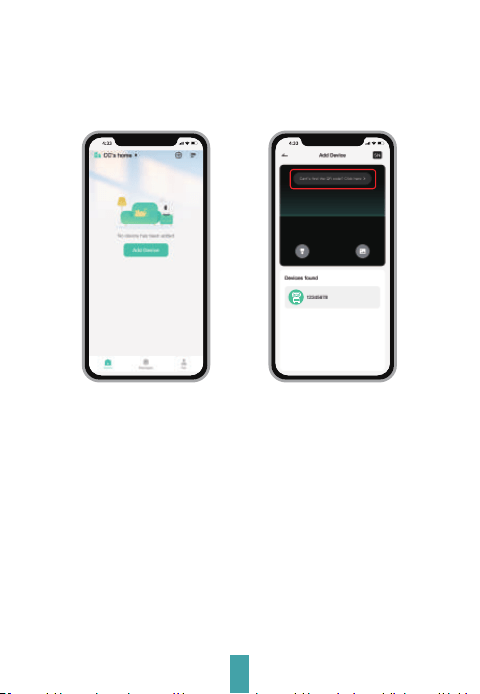
Pairing Method 2: AP Mode Pairing
In the MEARI app, tap Add Device or the + icon. Select S5
Zoom icon.
a.
Select AP Mode as your device adding method.b.
Connect phone to the camera's hotspot in WLAN settings.c.
Follow the on-screen prompts to complete network
conguration.
d.
9
Installation
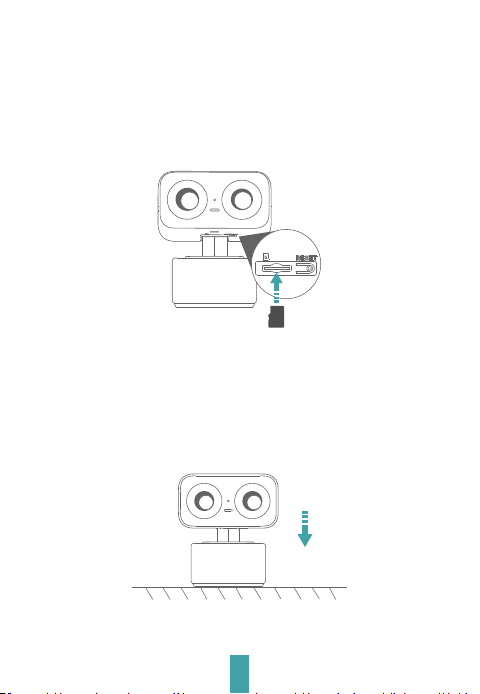
Micro SD (TF) Card Installation (Optional)1
b. Inse the Micro SD card (sold separately) into the slot.
Push the device upwards to open the card slot cover.a.
Installation2
Simply place the device on a horizontal suace where
Wi-Fi signal is strong.
•Method 1
c. Close the cover securely for waterproof protection.
10
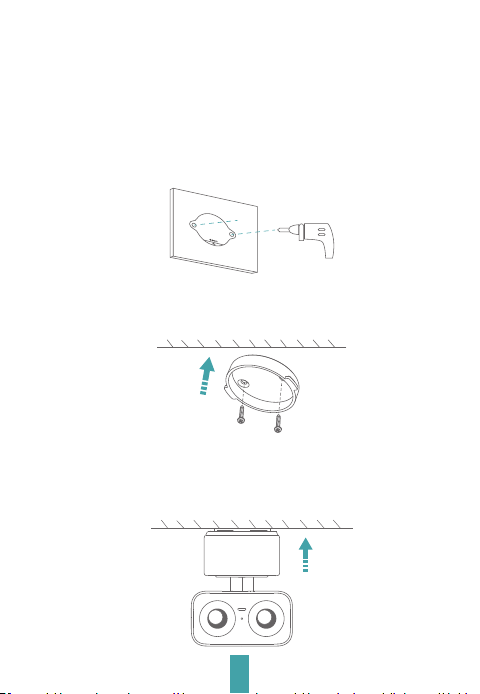
•Method 2
Note: Ensure the mounting wall can suppo at least 3 times the
device’s total weight.
Φ6mm
Remove the adhesive backing from the drilling template.
Ax the template at to the wall, then drill 6mm
diameter holes as marked.
a.
Secure the included mounting bracket to a clean, smooth
wall suace using the supplied screws.
b.
c. Align the camera device with the mounting bracket, then
press rmly and evenly until a clear click is heard to
conrm it is locked in place.
11
Live View
Note: App inteace layout may va with version updates. Please refer to the
App Store for the latest version.
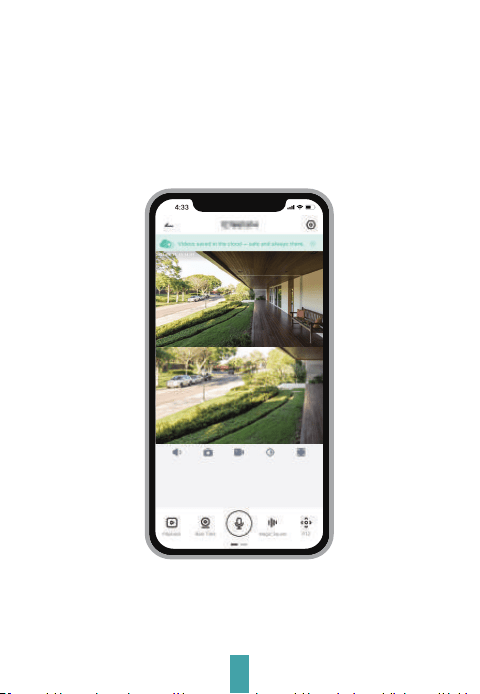
Launch the app to access live video streaming. You may take
snapshots, enable two-way audio intercom, record videos, and
use other available functions.

12
FAQs
Q:
A:
The device fails to preview live video properly?
Check whether your Wi-Fi signal strength is sucient.
If the signal is weak, move the device closer to the router, or facto
reset the device and re-add it to the app.
Q:
A:
Why does the device remain in the device list after resetting?
Facto reset only restores the device network settings. To completely
remove the device from your account, launch the app and delete the
device manually.
Q:
A:
How do I switch the device to a dierent Wi-Fi network?
First, delete the device from the app list and facto reset the device.
Next, connect your phone to the target Wi-Fi network, then re-add the
device to the app..
Q:
A:
Why does the device fail to recognize the Micro SD (TF) card?
We recommend inseing the Micro SD (TF) card after powering o the
device. Verify the card is functional and formatted to FAT32. Poor
network connectivity may also cause card recognition failure.
Q:
A:
Why am I not receiving app push notications?
Conrm the app is running in the background on your phone, and the
device motion detection ale function is enabled. Also verify that
system-level message notications and notication permissions are
enabled on your mobile device.
13
Tech Specs
Model: S5 Zoom
Resolution 2 × 1/3” 4MP CMOS (2560×1440)
Field of View
2.8mm/[email protected], 108°/92°/52°, 58°/50°/28°
Pan/Tilt Range
Pan 0°~350°
Tilt -15°~90°
Night Vision Distance Up to 30 m (98.4 ft)
Operating Temperature -20°C to 50°C
Local Storage Micro SD (TF) card (max. 256 GB capacity)
Input Power DC 5V / 2A
Power Consumption Max 4.5W
Suppoed Mobile OS iOS 9.0+ / Android 5.0+
Bluetooth 2400–2483.5 MHz (Max. Power <10 dBm)
2.4GHz Wi-Fi CE: 2412–2472 MHz (Max. Power <20 dBm)
FCC: 2412–2462 MHz (Max. Power <30 dBm)
5GHz Wi-Fi CE: 5150–5725 MHz (Max. Power <23 dBm)
FCC: 5150–5850 MHz (Max. Power <23 dBm)
CE: 5725–5850 MHz (Max. Power <14 dBm)SRD Band
14
Ceications
Waste Disposal (WEEE Directive Compliance)
Do not dispose of batteries or faulty devices in
household waste.
Hazardous substances contained within these items
may pose risks to human health and the environment.
Please return such products to your retailer, or use the
municipal separate waste collection system provided
by your local city authority.
CE Declaration of Conformity
We hereby declare that the radio equipment model S5
Zoom complies with Directive 2014/53/EU.
The full EU Declaration of Conformity document is
available at:
https://www.MEARI.com
EMC Specic Precautions
This is a Class B radio product. In residential/domestic environments, this
product may cause radio inteerence. In such cases, the user shall take
appropriate corrective measures.
RF Exposure Information
This device complies with EU requirements (Directive 2014/53/EU) regarding
public exposure limits to electromagnetic elds, for health protection
purposes.
5 GHz Band Operation Restriction Declaration
Operation of this device within the 5150–5250 MHz band is restricted to
indoor use only. This restriction is applied to prevent potential harmful
inteerence with co-channel mobile satellite systems.

15
Power Adapter Safety
1. The power plug shall act as the disconnect device. Do not drop or impact the power adapter.
2. Immediately stop using the device if the power cable is damaged (e.g. exposed/broken wires,
loose plug). Continued use may result in electric shock, sho circuit or re hazards.
3. Do not touch the device or power adapter with wet hands. This may cause sho circuits,
malfunctions or electric shock.
Note: The power adapter complies with LPS requirements.
Child Safety
1. Follow all child safety precautions. It is dangerous to allow children to play with the device
and its accessories.
2. This device and its accessories are not intended for use by children. Children may only use the
device under adult supeision.
Operation Requirements
1. Operate the device within the approved temperature and humidity range.
2. Do not point the camera lens at strong light sources (e.g. lamps, direct sunlight). This will
reduce the seice life of the CMOS sensor and cause overexposure & image ickering.
3. Comply with local laws and regulations, and respect the privacy and legal rights of others.
Indust Canada (ISED) Compliance Statement
This device complies with Indust Canada licence-exempt RSS standards. Operation is subject
to the following two conditions:
(1) This device must not cause harmful inteerence;
(2) This device must accept any received inteerence, including inteerence that may cause
undesired operation.
Le présent appareil est conforme aux normes RSS exemptes de licence d'Industrie Canada. Son
fonctionnement est soumis aux deux conditions suivantes :
(1) L'appareil ne doit pas produire de brouillage nuisible ;
(2) L'appareil doit accepter tout brouillage radioélectrique subi, même si le brouillage est
susceptible d'en compromettre le fonctionnement.
This device meets the exemption from routine evaluation limits specied in Section 2.5 of
RSS-102, and complies with RSS-102 RF exposure requirements. Users may obtain Canadian RF
exposure and compliance information from ocial channels.
Le dispositif bénécie de l'exemption des limites d'évaluation courante de la section 2.5 de la
norme RSS-102 et est conforme aux exigences d'exposition RF RSS-102. Les utilisateurs
peuvent obtenir les informations canadiennes relatives à l'exposition RF et à la conformité.
This transmitter must not be co-located or operated in conjunction with any other antenna or
transmitter.
This equipment must be installed and operated with a minimum distance of 20 centimetres
between the radiator and the human body.
Cet émetteur ne doit pas être co-localisé ou fonctionner conjointement avec toute autre
antenne ou émetteur.
Cet équipement doit être installé et utilisé avec une distance minimale de 20 centimètres entre
le radiateur et le corps humain.

FCC Statement
This equipment has been tested and found to comply with the limits for a Class B digital device,
pursuant to Pa 15 of the FCC Rules.
These limits are designed to provide reasonable protection against harmful inteerence in a
residential installation.
This equipment generates, uses and can radiate radio frequency energy. If not installed and
used in accordance with the instructions, it may cause harmful inteerence to radio
communications.
However, there is no guarantee that inteerence will not occur in a paicular installation.
If this equipment causes harmful inteerence to radio or television reception (veriable by
turning the equipment o and on), the user is encouraged to correct the inteerence by one or
more of the following measures:
- Reorient or relocate the receiving antenna.
- Increase the separation distance between the equipment and receiver.
- Connect the equipment to an outlet on a circuit dierent from that to which the receiver is
connected.
- Consult the dealer or an experienced radio/TV technician for assistance.
RF Exposure Warning
FCC Radiation Exposure Statement:
This device complies with FCC radiation exposure limits for uncontrolled environments, and also
complies with Pa 15 of the FCC RF Rules.
This equipment must be installed and operated in strict accordance with the provided
instructions.
The transmitter antenna(s) must be installed to maintain a minimum separation distance of 20 cm
from all human bodies.
This transmitter must not be co-located or operated in conjunction with any other antenna or
transmitter.
End-users and installers shall be provided with antenna installation instructions, and shall
comply with the no-co-location requirement.
This device complies with Pa 15 of the FCC Rules. Operation is subject to the following two
conditions:
(1) This device must not cause harmful inteerence;
(2) This device must accept any received inteerence, including inteerence that may cause
undesired operation.
Caution
Any changes or modications not expressly approved by the compliance responsible pay will
void the user's authority to operate this equipment.
5 GHz Band Operation Restriction Declaration
Operation within the 5150–5250 MHz band is restricted to indoor use only, to reduce potential
harmful inteerence to co-channel mobile satellite systems.
Les appareils fonctionnant dans la bande 5150–5250 MHz sont réseés exclusivement à un
usage intérieur, an de réduire les risques de brouillage préjudiciable aux systèmes de satellites
mobiles utilisant les mêmes canaux.
© 2026. All rights reseed.
All trade names are registered trademarks of their respective companies.
Apple, the Apple logo, iPhone are trademarks of Apple Inc., registered in the U.S. and other
countries.
Google, the Google logo, Android are trademarks of Google Inc.
App Store is a seice mark of Apple Inc. Google Play is a seice mark of Google Inc.
V1.0 202605
18401xxxx
16

Thank You for Choosing MEARI Products!