
3. SPECIFICATIONS
Display: Large 4-1/2 dual digital LCD display with backlight
Sensor Type: A single chip relative humidity and
temperature multi sensor module comprising a calibrated
digital output.
Response Time: %RH:10S (90% at 77°F/25°C still air).
Accuracy Note: Accuracy is specified for the following
ambient temperature range: 64°F to 82°F (18°C to 28°C)
Sampling Rate: 2.5 samples per second.
Polarity: Automatic, (-) negative polarity indication.
Over-Load: “OL” mark indication.
Low Battery Indication: The “ ” is displayed when the
battery voltage drops below the operating level.
Operating Conditions: 32 °F to 104°F (0°C to 40°C);
< 80% RH non-condensing.
Storage Conditions: 14°F to 140°F (-10°C to 60°C);
<80% RH non-condensing.
Auto Power Off: Meter automatically shuts down after
approx. 15 minutes of inactivity (Sleep Mode).
To override Auto Power Off function (Non-Sleep Mode):
Firstly press the hold/backlight button, then press power
button, after the full display appears, release both buttons.
Icon “ ” will not show on the LCD. The unit will not auto
power off now.
Power: One standard 9V, NEDA1604 or 6F22 battery.
Dimensions/Wt.: 8.86 x 1.77 x 1.34 in (225 x 45 x 34 mm),
0.44 lbs (200g)
+
-
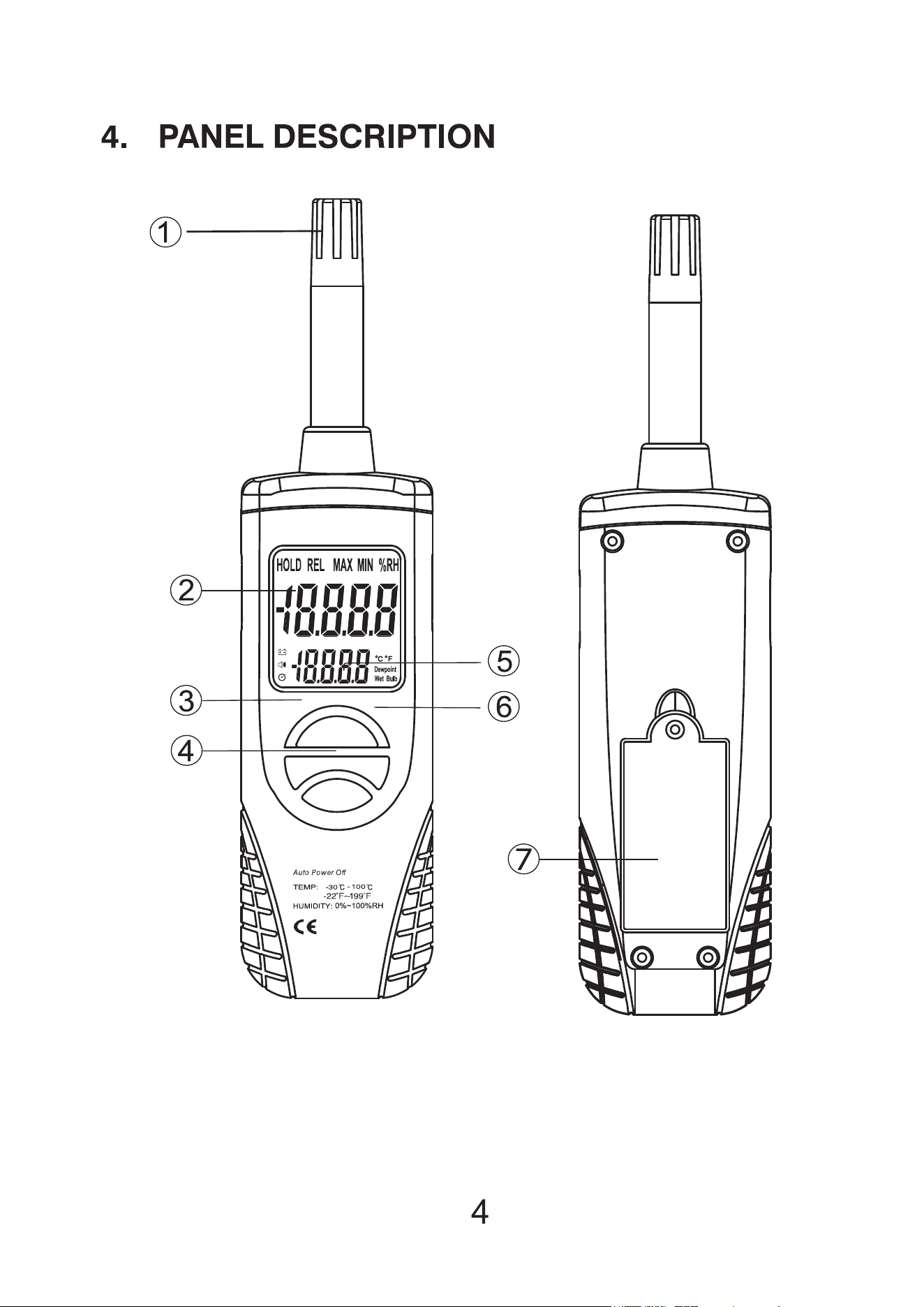

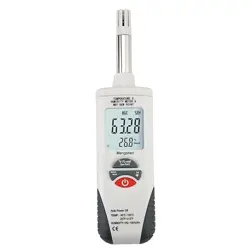
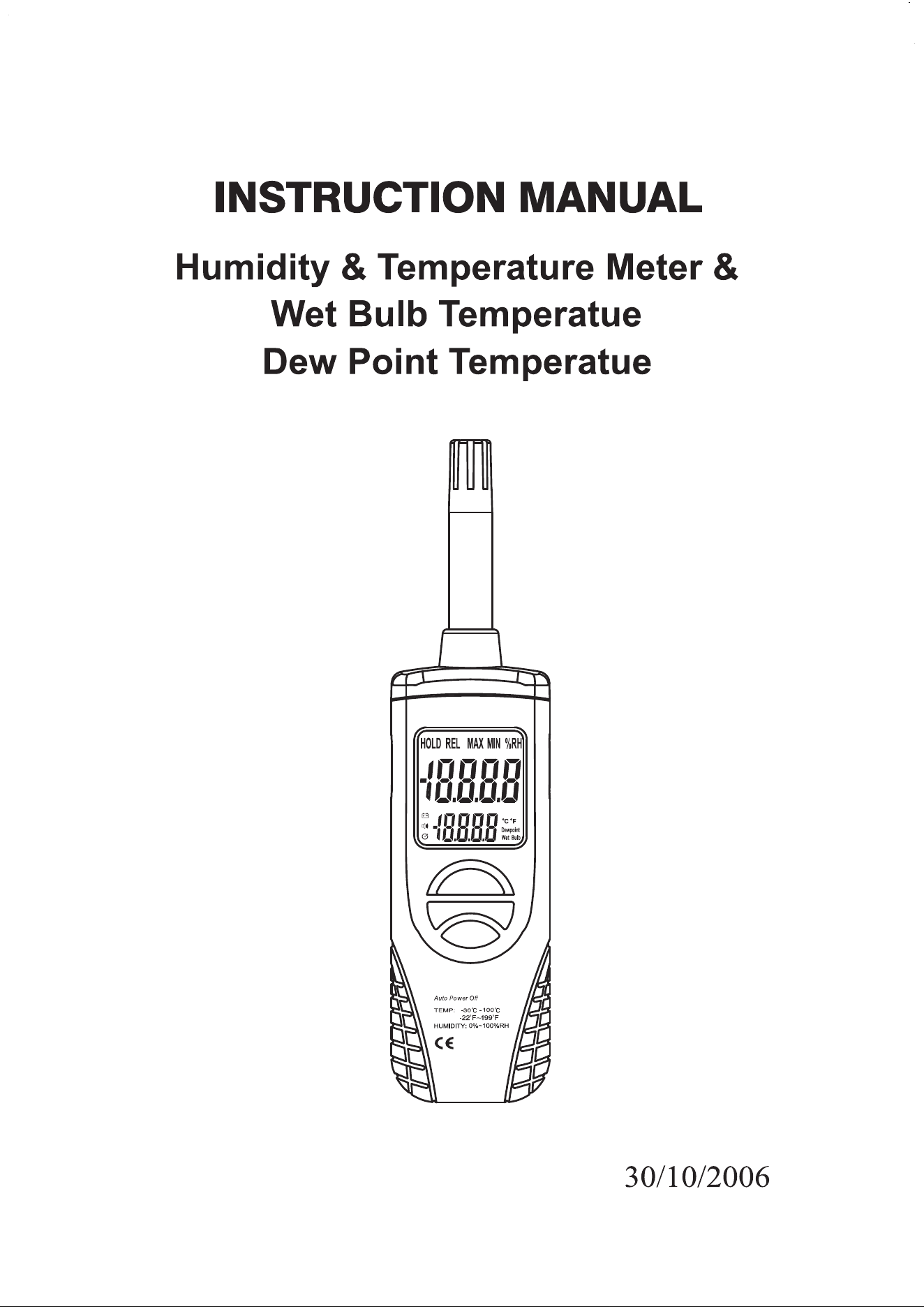
Humidity / Air Temperature Probe: Humidity & and
Temperature Semiconductor Sensor inside.
LCD display: 4 1/2 dual digits LCD display with units of
°C, °F, %RH dew point, wet bulb and low battery “BAT”
MIN /MAX HOLD, data hold indication.
MAX/ MIN Button: Press MAX/MIN button to enter MAX,
MIN Recording mode (manual range only ). Select the
proper range before selecting MAX MIN to ensure that
the MAX/MIN reading will not exceed the testing range.
Press once to select MIN. Press again to select MAX.
Press and hold the Button for over 2 second to turn off
MAX, MIN Recording.
°F, °C, Dew point wbt select Button:
Press °F, °C, Dew point wbt select Button to enter
select °F, °C, Dew point, wet Bulb Measurement.
Power ON/OFF Button: Turn the meter power ON/OFF.
HOLD /Backlight Button:
1. Press Hold/backlight Button to enter hold function. The
reading will be held when Data Hold button is pressed.
2. Press Hold/backlight Button for over 2 seconds to turn
on or off backlight function.
Battery Compartment

5. HUMIDITY AND AIR TEMPERATURE
MEASUREMENTS
1. Hold the probe in the area to be tested & allow adequate
time for readings to stabilize.
2. Press °F, °C, dew point, WBT select Button to enter select
°F, °C, dew point Wet Bulb Measurement.
3. Read the Relative Humidity and Air Temperature, dew
point temperature wet bulb temperautre.
NOTE:
Do not immerse the probe in liquid; it is intended for use in
air only.
WARNING:
Don’t expose the sensor to direct sunlight.(insolafion)
Don’t touch or manipulate the sensor.
6. BATTERY REPLACEMENT
If the sign “ ” appears on the LCD display, it indicates that
the battery should be replaced. Open the battery case and
replace the exhausted battery with new battery.
(1 x 9V battery NEDA 1604, 6F22 or equivalent).
+
-