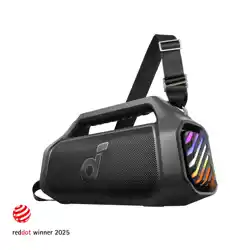
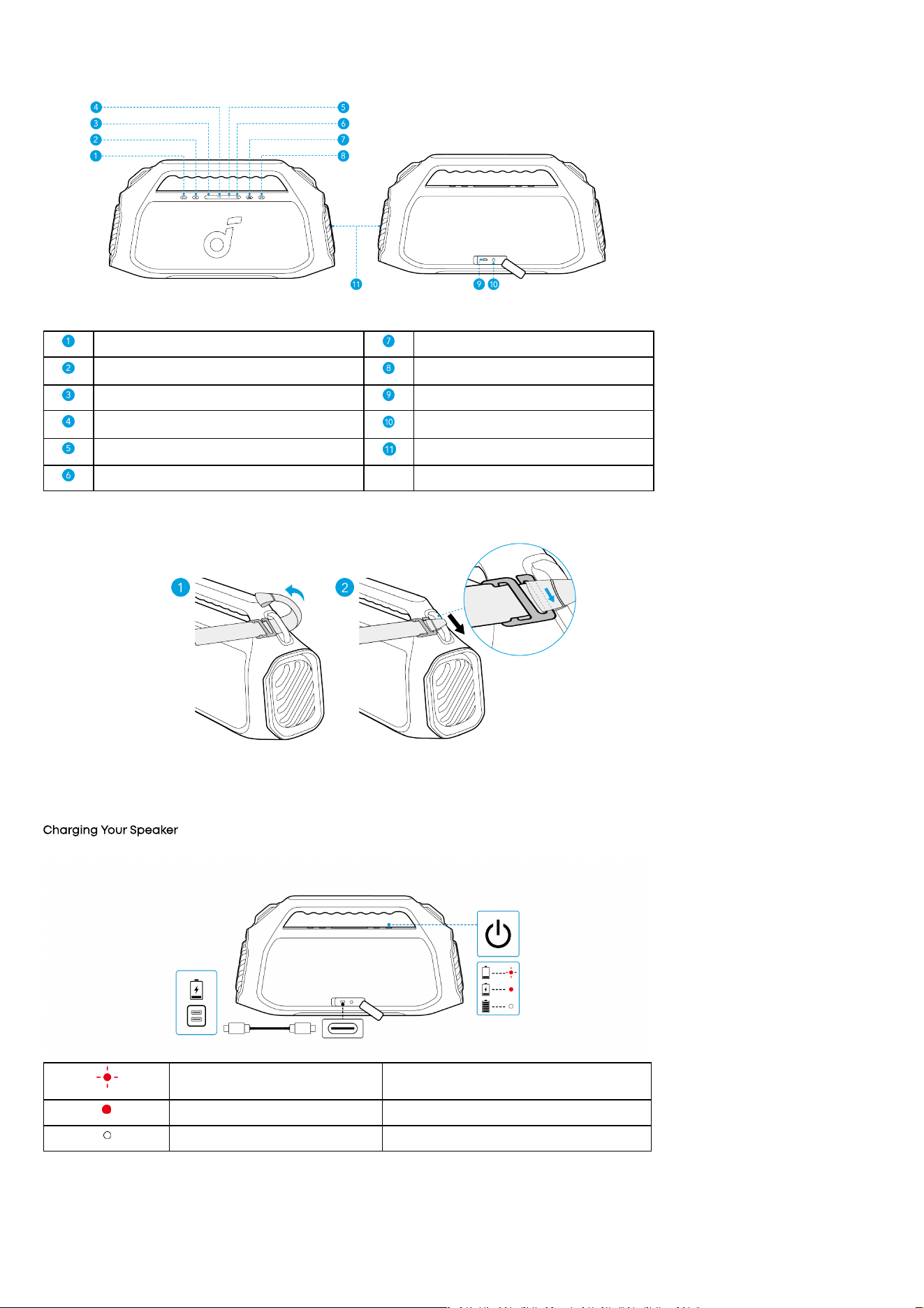
At a Glance
Power Button Auracast Button
Bluetooth Button BassUp 2.0 Button
Volume Down Button Type-C Charging Port
Play/Pause Button AUX Input
Volume Up Button LED Light
LightShow Button
Installing the Strap
• Attach the strap to both sides of the handle.
Charging
Charging Your Speaker
• Use a certified C-C cable and charger to prevent any damage.
Flashing Red Low Battery
Steady Red Being Charged
Steady White Fully Charged
Charging External Devices
• Use this speaker as a power bank to charge your portable devices or accessories.
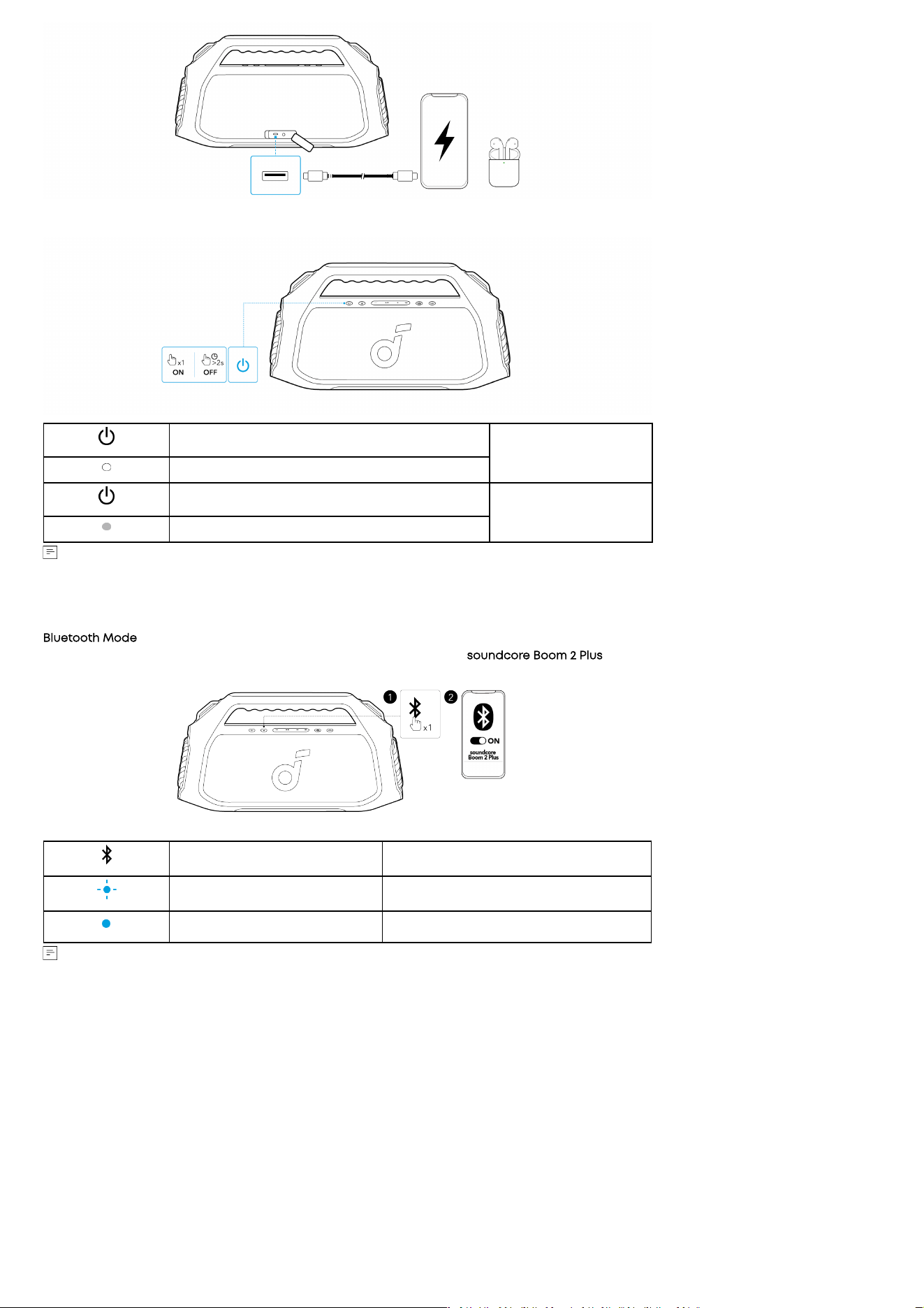
Powering On/O
Press or Press and Hold for 2 Seconds
Power On
Steady White
Press and Hold for 2 Seconds
Power O
Light O
• This speaker will automatically power o aer 20 minutes of no audio input.
• You can also set an auto-power-o time in the soundcore APP.
Using Your Speaker
Bluetooth Mode
Press the Bluetooth button to enter Bluetooth pairing mode, then select "soundcore Boom 2 Plus" from the Bluetooth list to connect.
Press Enter Bluetooth Pairing Mode
Flashing Blue Bluetooth Pairing
Steady Blue Bluetooth Connected
• To re-enter Bluetooth pairing mode, press the Bluetooth button once.
• This speaker can only play music on one mobile device at a time. To play from another connected device, pause the device that's currently
active first.
• Each time you power on your speaker, it will automatically connect to your last connected device if available within the Bluetooth range. If
not, press the Bluetooth button to enter Bluetooth pairing mode.
TWS (True Wireless Stereo) Mode
Two identical soundcore speakers can pair with each other for stereo sound. Both speakers can play the same audio (one as the le channel
and the other as the right channel).
With one speaker connected to a smartphone, press and hold the Bluetooth button for 2 seconds on two speakers to enter TWS pairing mode.
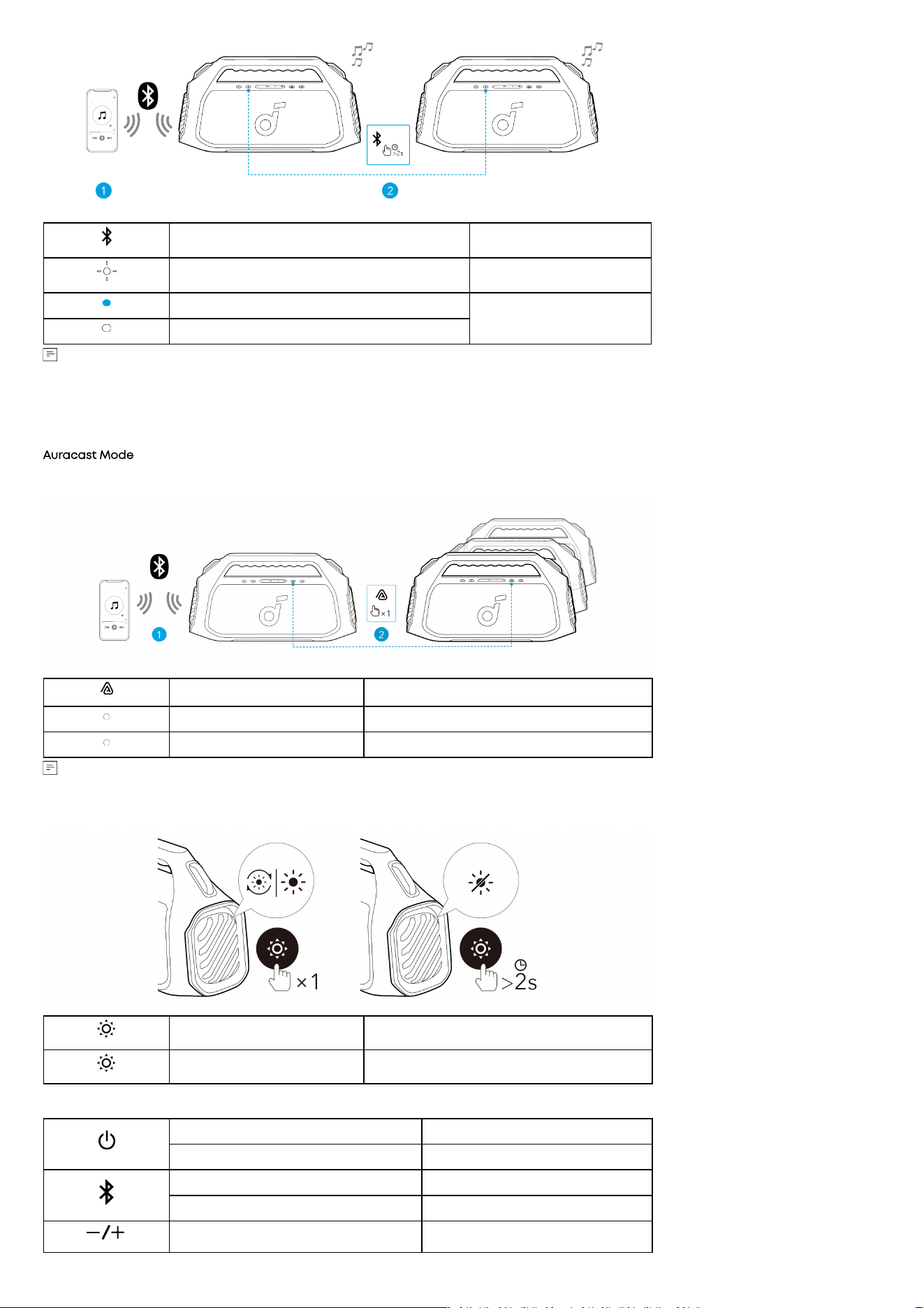
Press and Hold for 2 Seconds Enter / Exit TWS Pairing Mode
Flashing White TWS Pairing
Steady Blue (Speaker 1)
TWS Connected
Steady White (Speaker 2)
• To exit TWS mode, press and hold the Bluetooth button for at least 2 seconds.
• The current device cannot be TWS paired with previous batches. You can distinguish the new version by checking the 7th digit of the SN
(where “C” indicates the new version). If you have any questions, please visit the oicial soundcore website.
• Aer connecting via Auracast, double-press the Auracast button on either speaker to switch to stereo mode. Double-press again to swap
le and right channels, and double-press once more to return to mono mode.
Auracast Mode
With one speaker connected to a smartphone, press the Auracast button on up to 100 soundcore speakers with Auracast function to
synchronize audio and light.
Press Enter / Exit Auracast Pairing Mode
Steady White Auracast Pairing
Steady White Auracast Connected
soundcore speakers with Auracast function can also be connected with this speaker.
LightShow
Press Once or Press Again Turn Light On/Switch Light Eects
Press and Hold for 2 Seconds Turn O
Button Controls
Press Power On
Press and Hold for 2 Seconds Power O
Press Enter Bluetooth Pairing Mode
Press and Hold for 2 Seconds Enter / Exit TWS Pairing Mode
Press Volume Up / Down
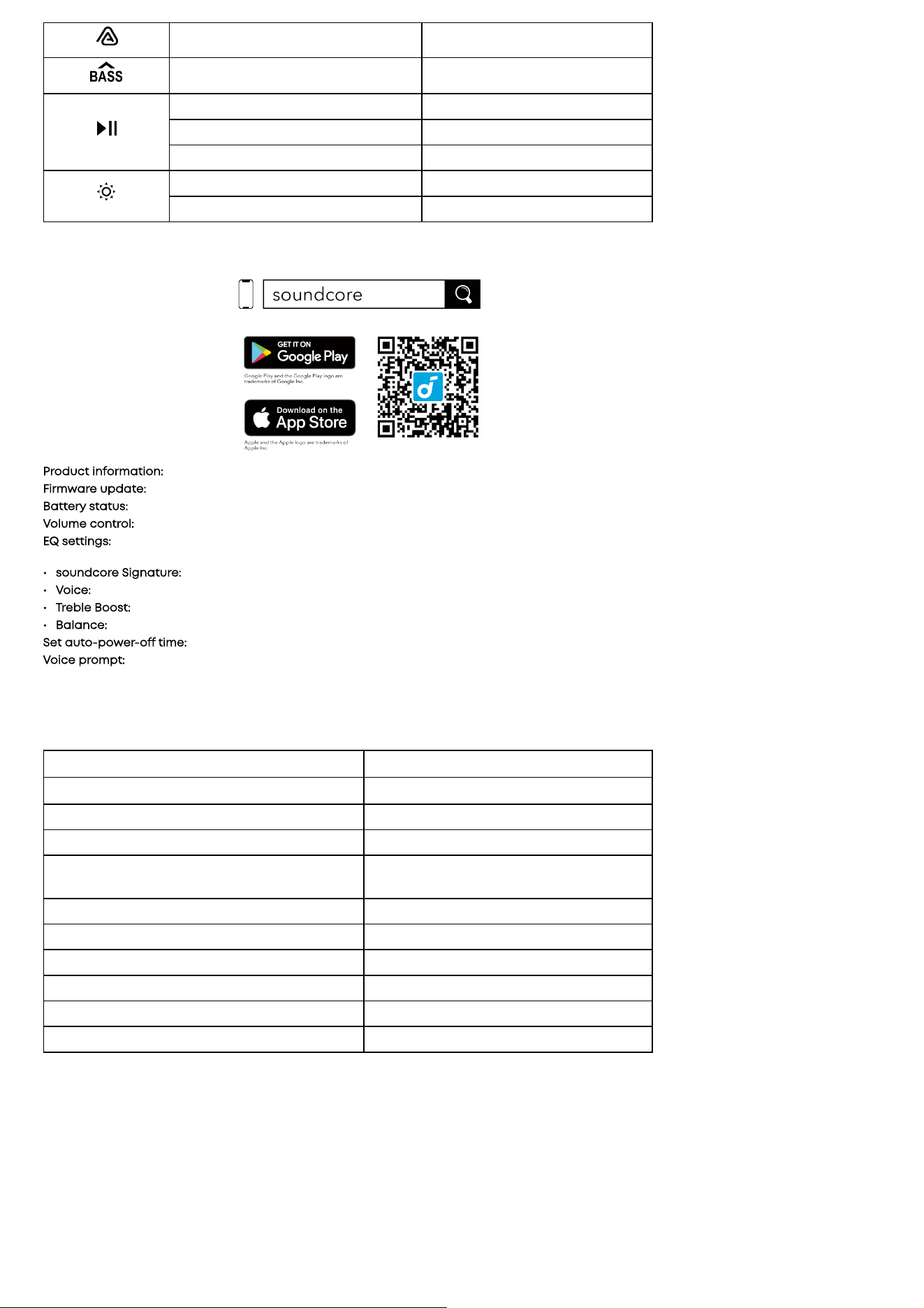
Press Enter / Exit Auracast Pairing Mode
Press Turn BassUp 2.0 On / O
Press Play / Pause
Press Twice Next Track
Press Three Times Previous Track
Press Once or Press Again Turn Light On/Switch Light Eects
Press and Hold for 2 Seconds Turn O
soundcore App
Download the soundcore app to enhance your experience.
Product information: Check the product name and soware version, or read the user manual.
Firmware update: You will be informed once a new version of firmware is detected when you connect the speaker with the app.
Battery status: Indicates the remaining battery level of your speaker.
Volume control: Adjust the volume level via the app without pressing the buttons on the speaker.
EQ settings: There are various preset EQ settings you can choose from in the app to optimize your experience while enjoying dierent music
genres. soundcore Signature: Standard EQ mode optimized for well-balanced sound.
• soundcore Signature: Standard EQ mode optimized for well-balanced sound.
• Voice: Voices stand out more clearly from other ambient sounds.
• Treble Boost: High frequencies are enhanced.
• Balance: No enhancement for high-frequency and low-frequency sounds.
Set auto-power-o time: Set an auto-power-o time. The speaker will automatically power o when the time is up.
Voice prompt: Mute or restore the voice prompt while powering on/o.
Reset
Press and hold the Bluetooth button and volume up button simultaneously for at least 4 seconds to reset the speaker.
Specifications
Charge Input
5V⎓3A, 9V⎓3A, 15V⎓2A, 20V⎓1.5A
Charge Output
5V⎓2A
Battery Capacity 7500mAh/7.3V
Audio Output Power 100W, Up to 140W
Speaker Driver
Woofer: 4.5 inch x 2, 50W
Tweeter: 0.75 inch x 2, 20W
Frequency Response 40Hz-20kHz
Charging Time 3 hours (with 30W input)
Play Time (varies by volume level and music content) 20 hours
Waterproof Level IPX7
Bluetooth Version Bluetooth 6.0
Bluetooth Range 100m
Compliance Information
Hereby, Anker Innovations Limited declares that this device is in compliance with The Product Security and Telecommunications Infrastructure
(Security Requirements for Relevant Connectable Products) Regulations 2023. For the Statement of Compliance, visit the website:
https://uk.soundcore.com/pages/psti-related.
Default Open Port: Classic Bluetooth
Port Description: Aer the device is powered on, Classic Bluetooth visibility (or pairing mode) is automatically enabled, providing Bluetooth
pairing (or control) services. The Bluetooth service is disabled when the device is powered o.
1. Power consumption in standby mode: ≤0.5W
2. Power consumption in networked standby mode: ≤2W
3. Power consumption in networked standby mode that all wired network ports are connected and all wireless network ports are activated:
0.27W
4. Power management: ≤ 20min
5. Information of applicable adapter:

Brand: ANKER
Manufacturer: Anker Innovations Limited
Model: A2337
Input: 100-240V~ 1.0A, 50-60Hz
Output: 5.0V 3.0A 15.0W / 9.0V 3.0A 27.0W / 12.0V 2.5A 30.0W / 15.0V 2.0A 30.0W / 20.0V 1.5A 30.0W
(30.0W Max)
This product does not use post-consumer recycled plastic or bio-based plastic.