[Safety Precautions and Warnings]
* Be sure to read the following carefully before assembly.
・To ensure safe assembly, work on a stable, spacious, and level surface.
・Exercise extreme caution when working in areas where children are present, and
ensure that an adult supervises and guides them at all times.
・Always use the included AC adapter. Do not use the included power cord with other
products.
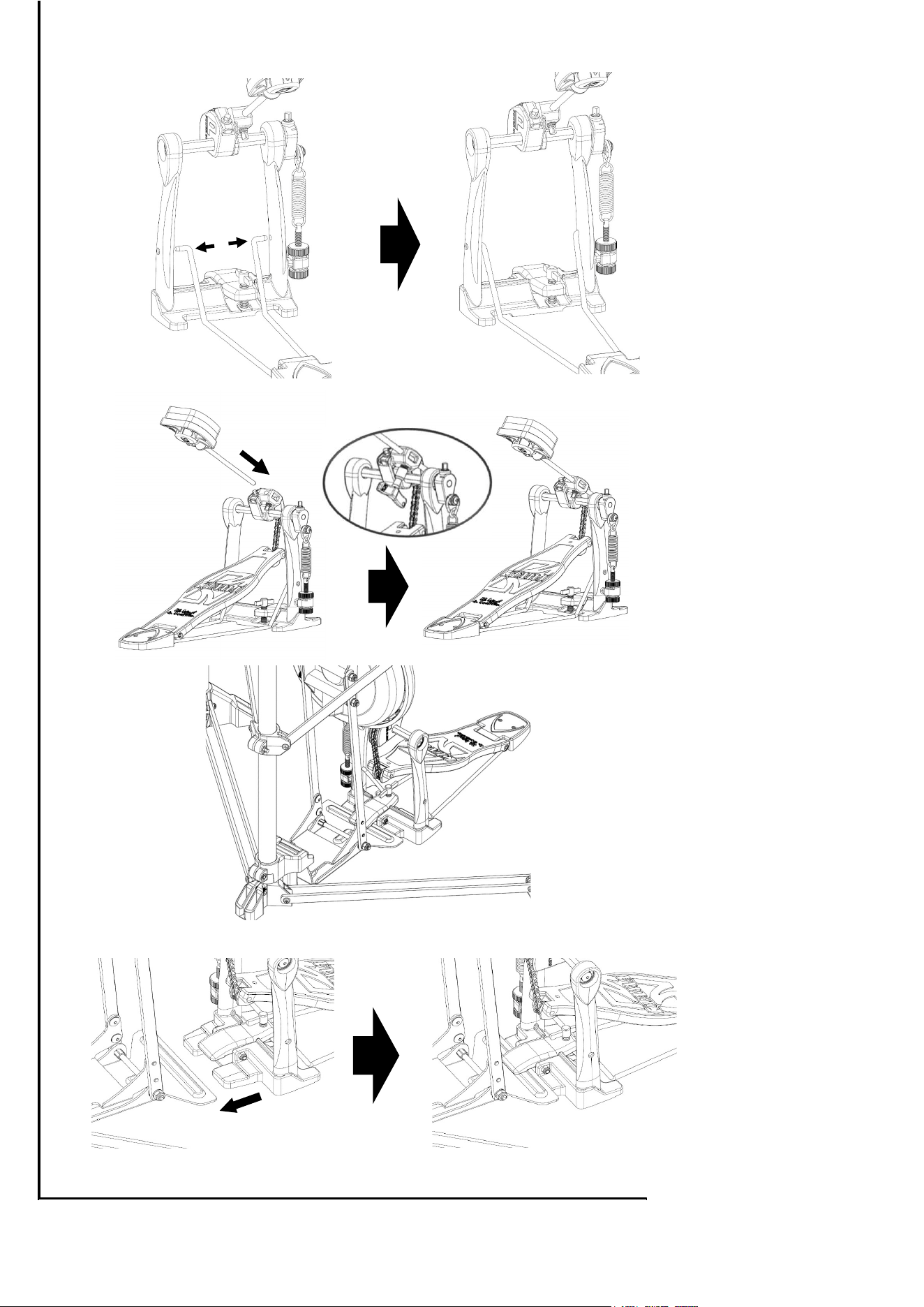
・Take great care not to pinch your hands or fingers when opening or closing the rack,
assembling or attaching the drum pedals, or attaching, removing, or adjusting the
position of other parts.
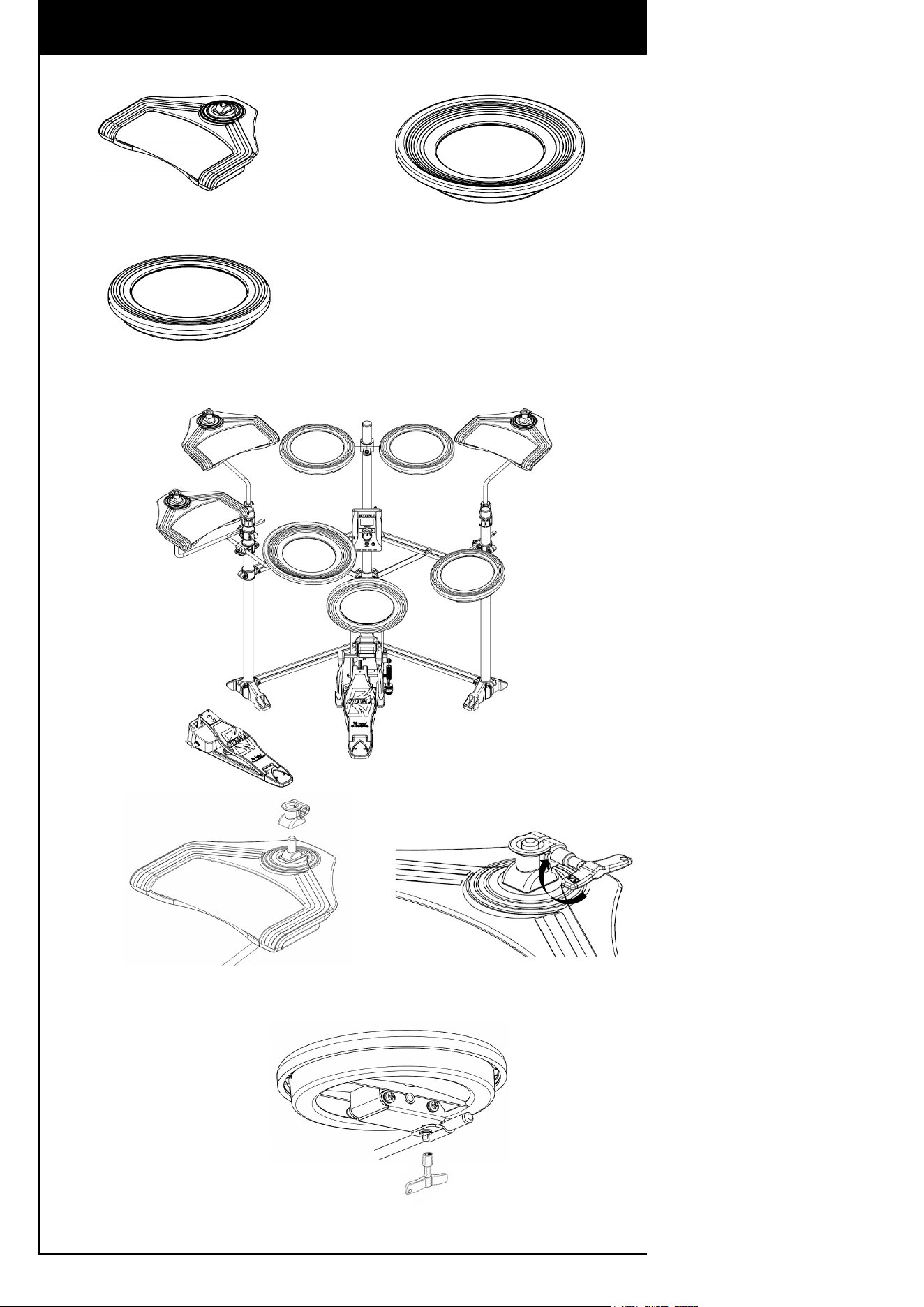
・Be careful not to overtighten any bolts. Applying excessive force may damage the
plastic parts.
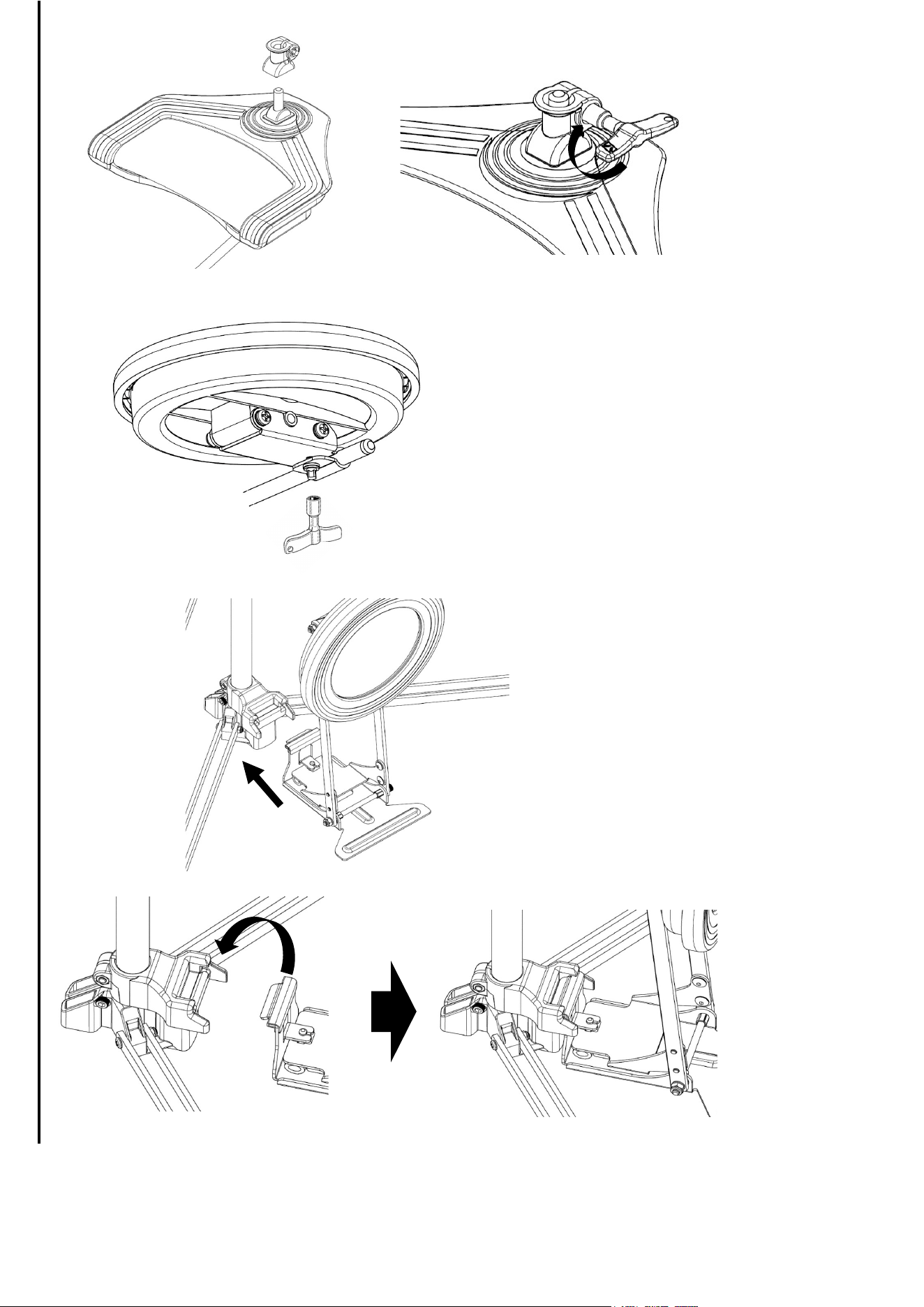
・Do not tighten the square-head bolts on the brackets attached to the back of the snare
pad or tom pads without first inserting the rods into them.Tightening the bolts without
the rods in place may deform the brackets, rendering them unusable.
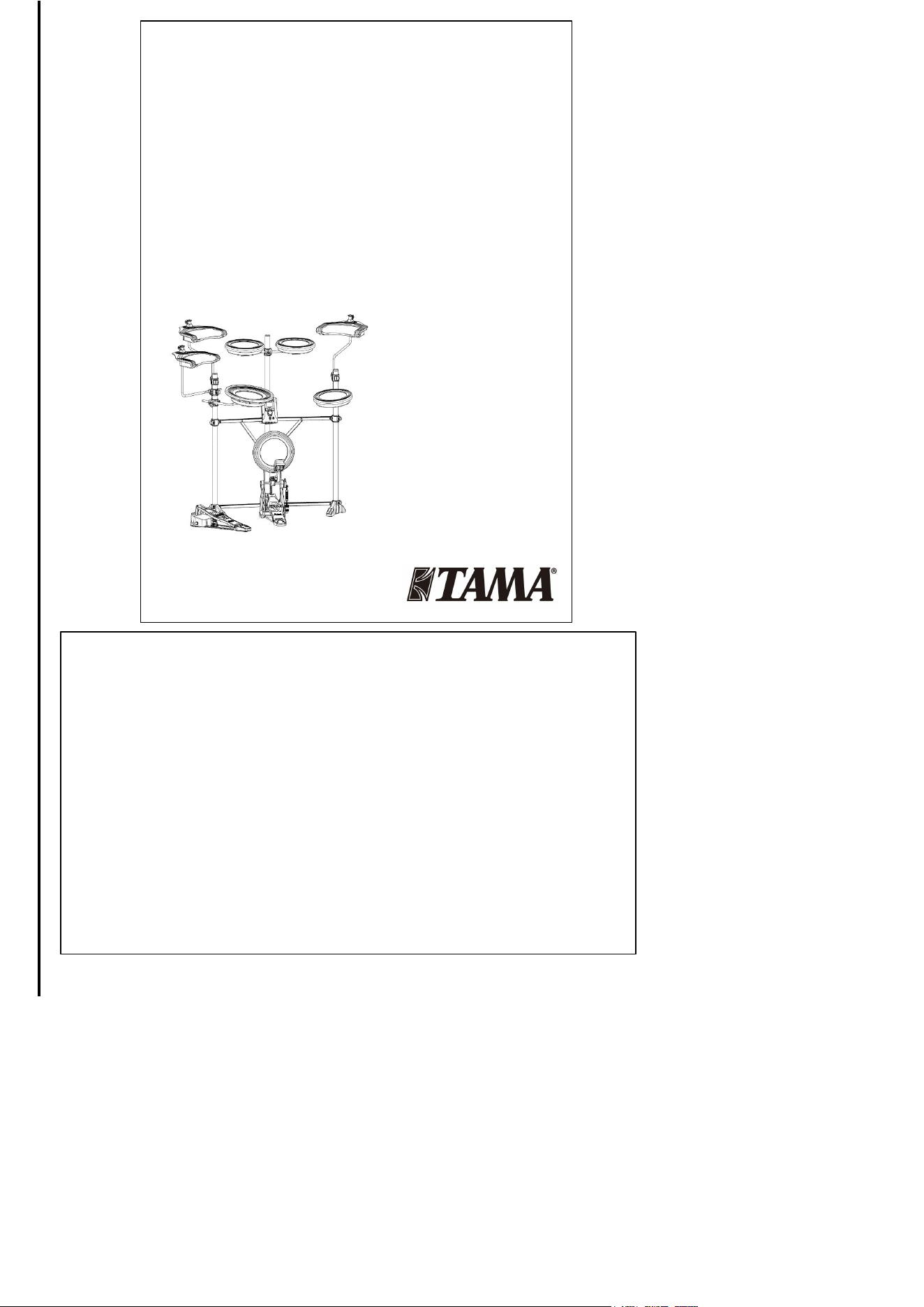
Quiet Touch Training E-Kit
Instruction Manual
取扱説明書
Bedienungsanleitung
Manuel d'utilisation
Manuale di istruzioni
Manual de instrucciones
Manual de instruções
Handleiding
使用说明书
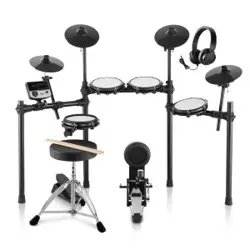
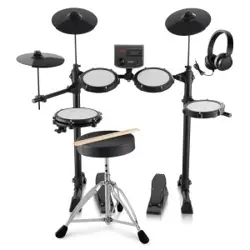
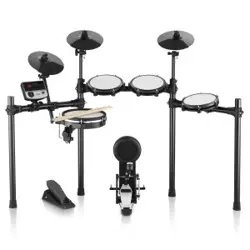
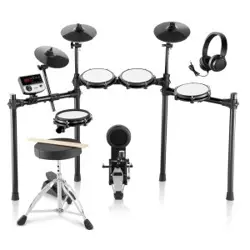
TQ208 / TQ107 / TQ208Z
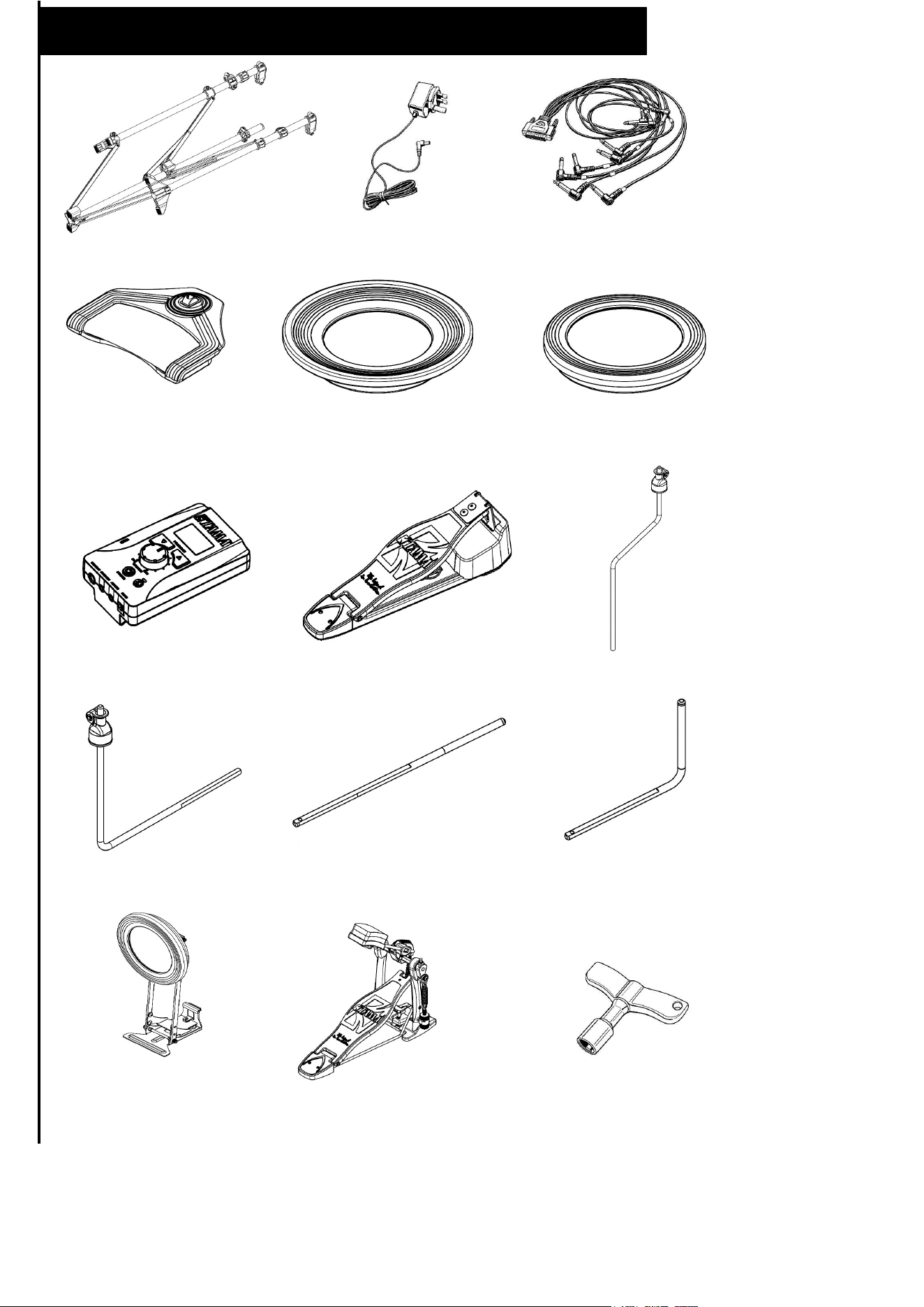
TQ208
x 1
x 1
x 1
x 1 x 1 x 2
x 1 x 1 x 2
x 3
x 1
x 3
x 1
x 1 x 1
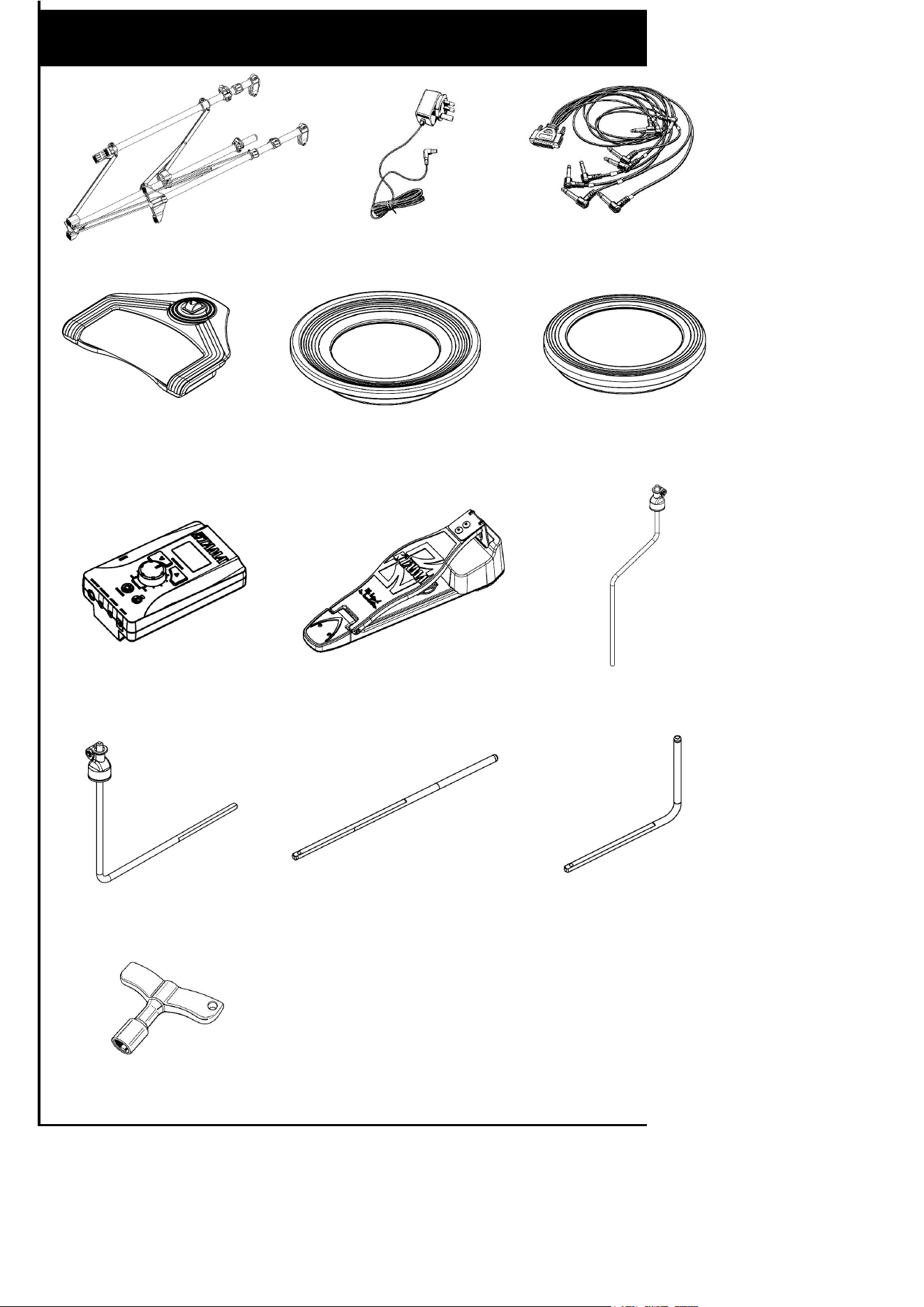
TQ107
x 1
x 1
x 1
x 1
x 2
x 2
x 1 x 1 x 2
x 3
x 1
x 3
x 1
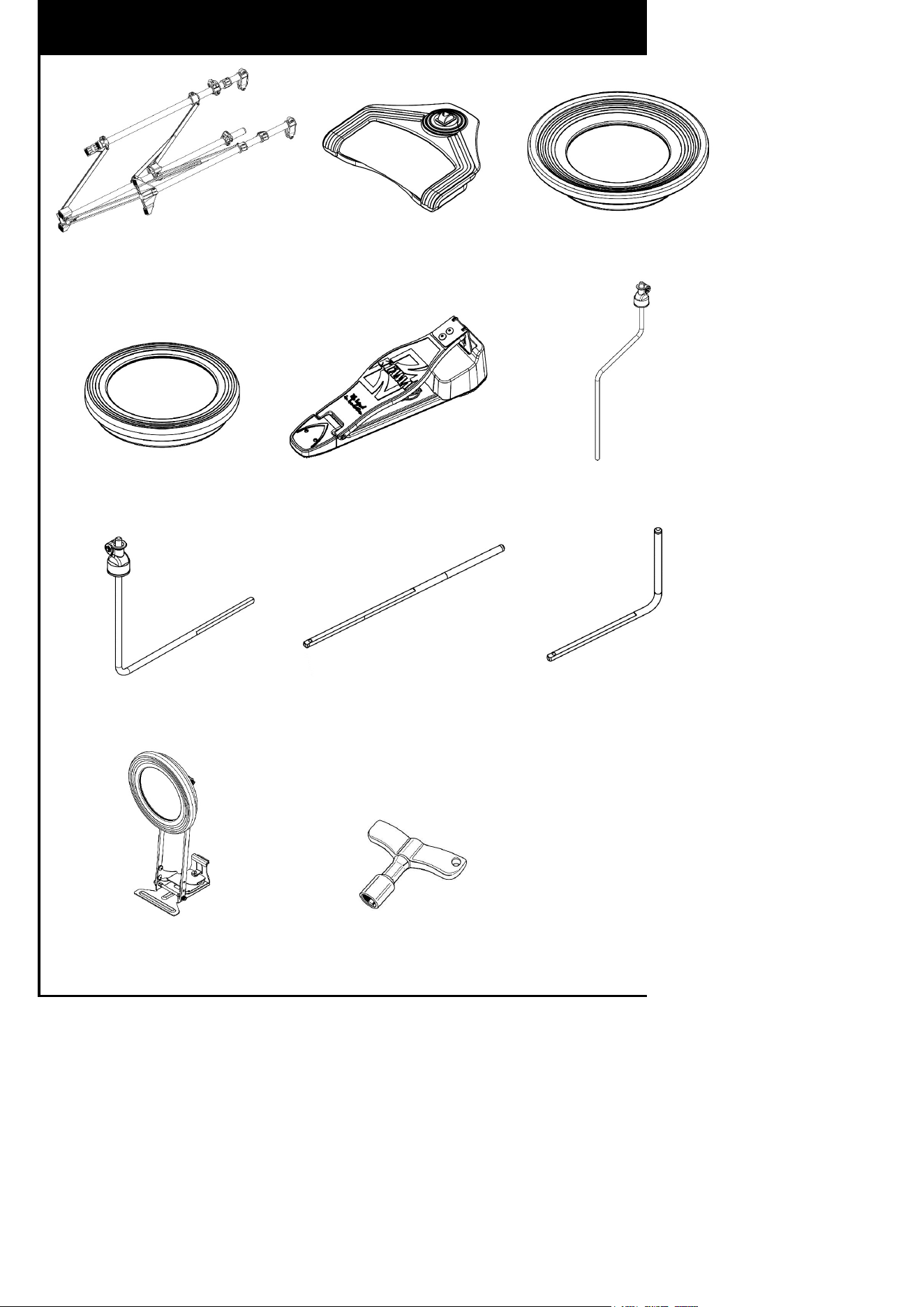
TQ208Z
x 1 x 3 x 1
x 1
x 1
x 2
x 1 x 1 x 2
x 1 x 1
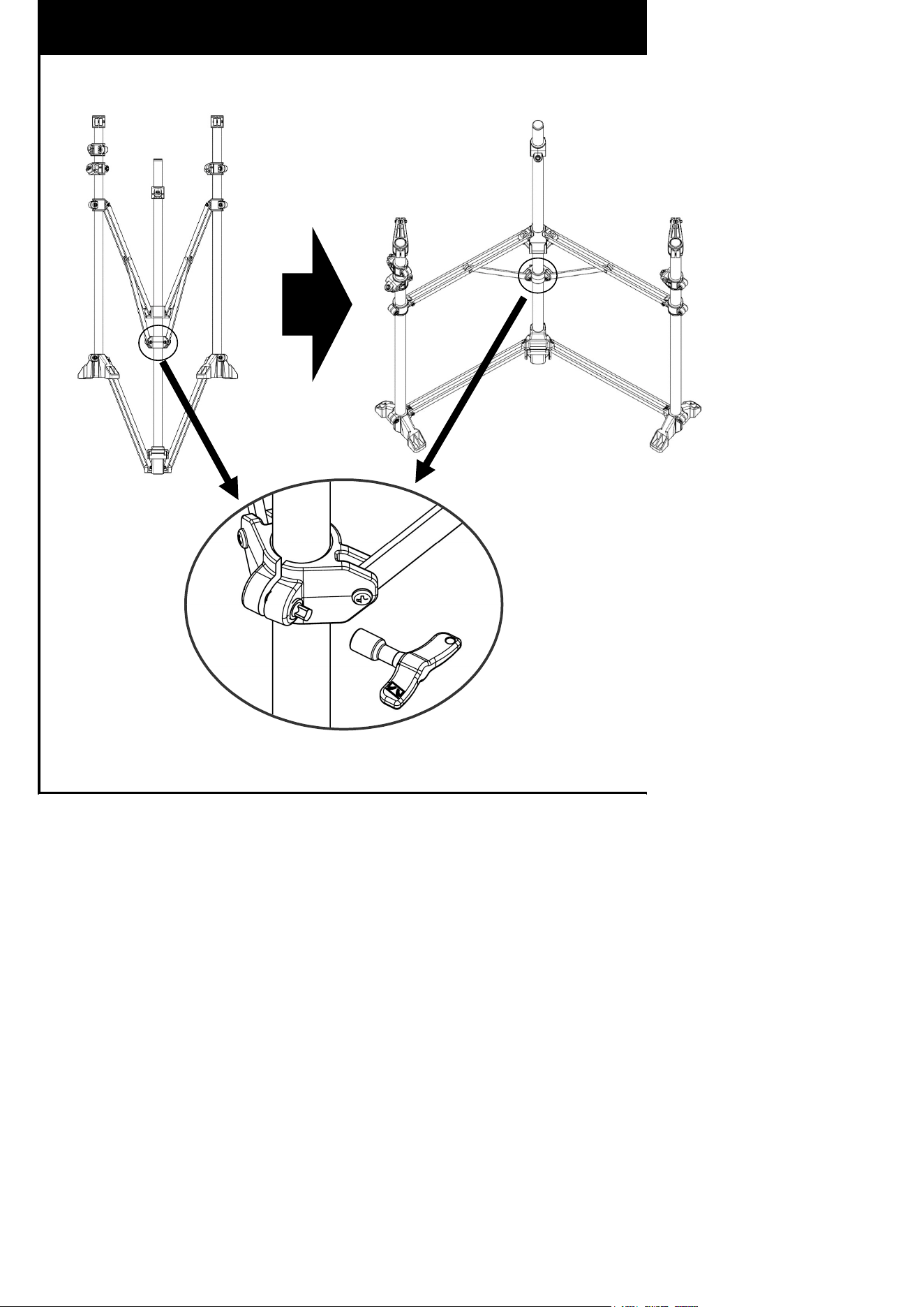
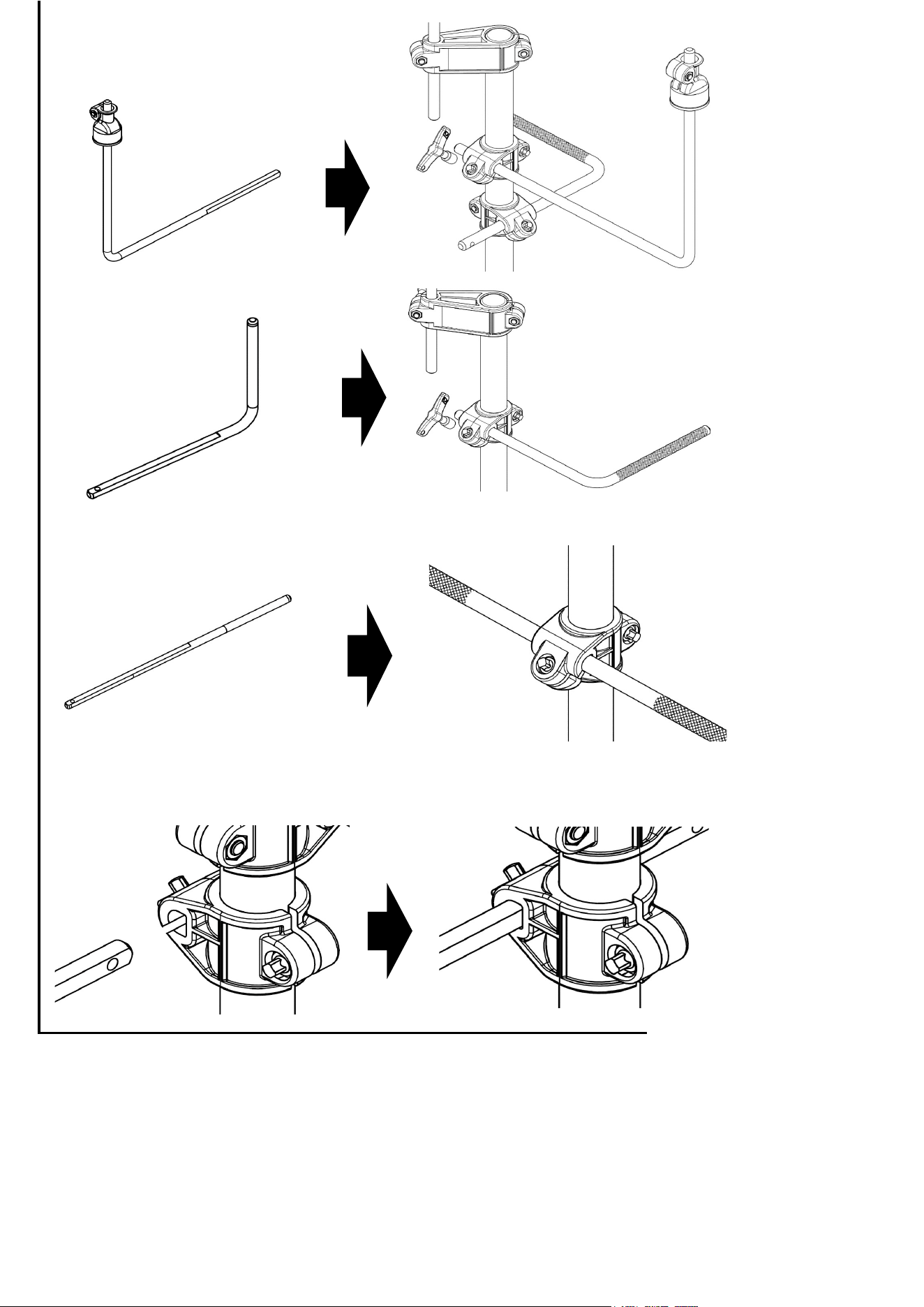
Assembling the stand
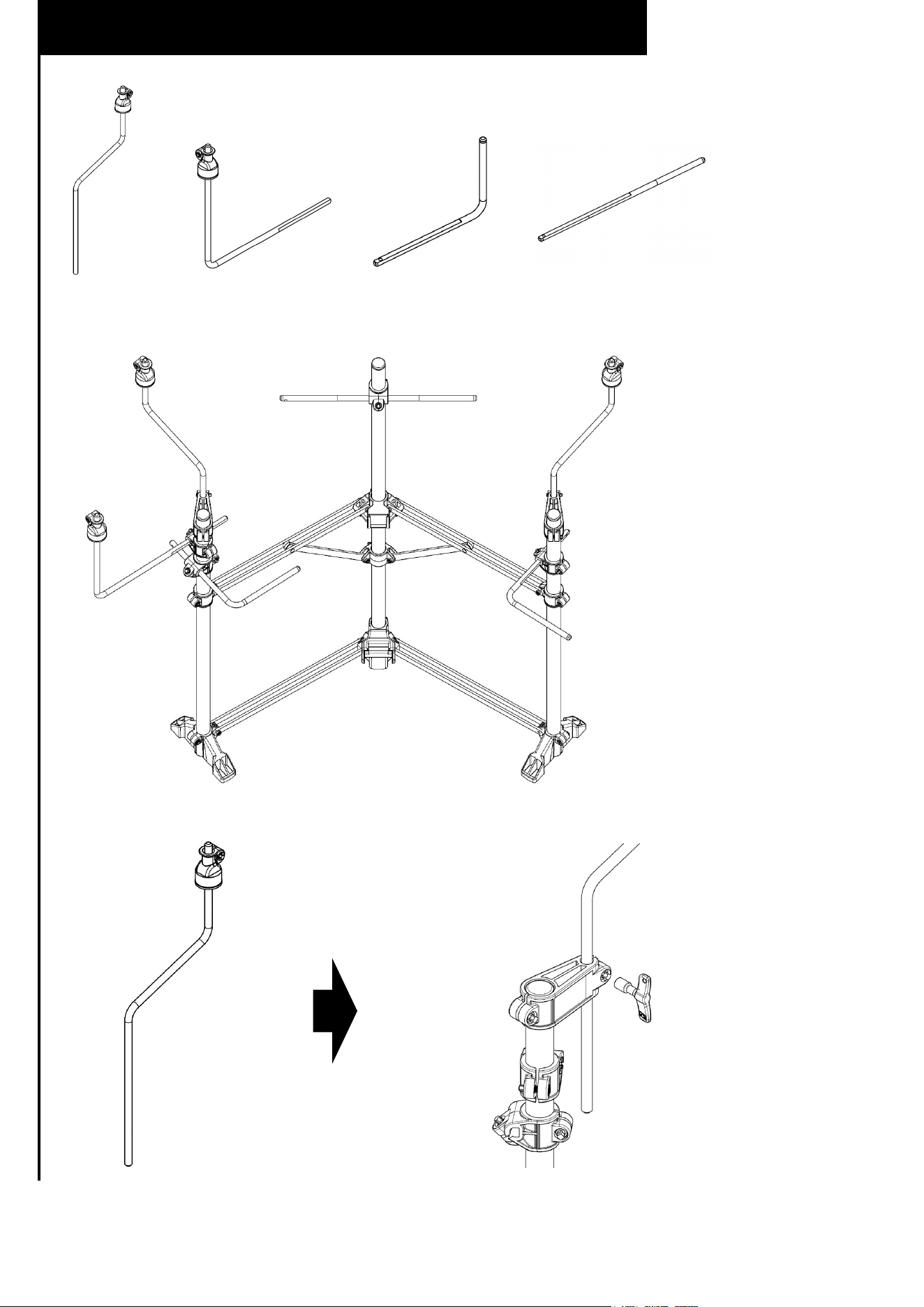
Installing each part to the stand
x 2
x 1 x 2
x 1
①
①
①
④
②
③
③
① ② ③ ④
②
④
③
②③④
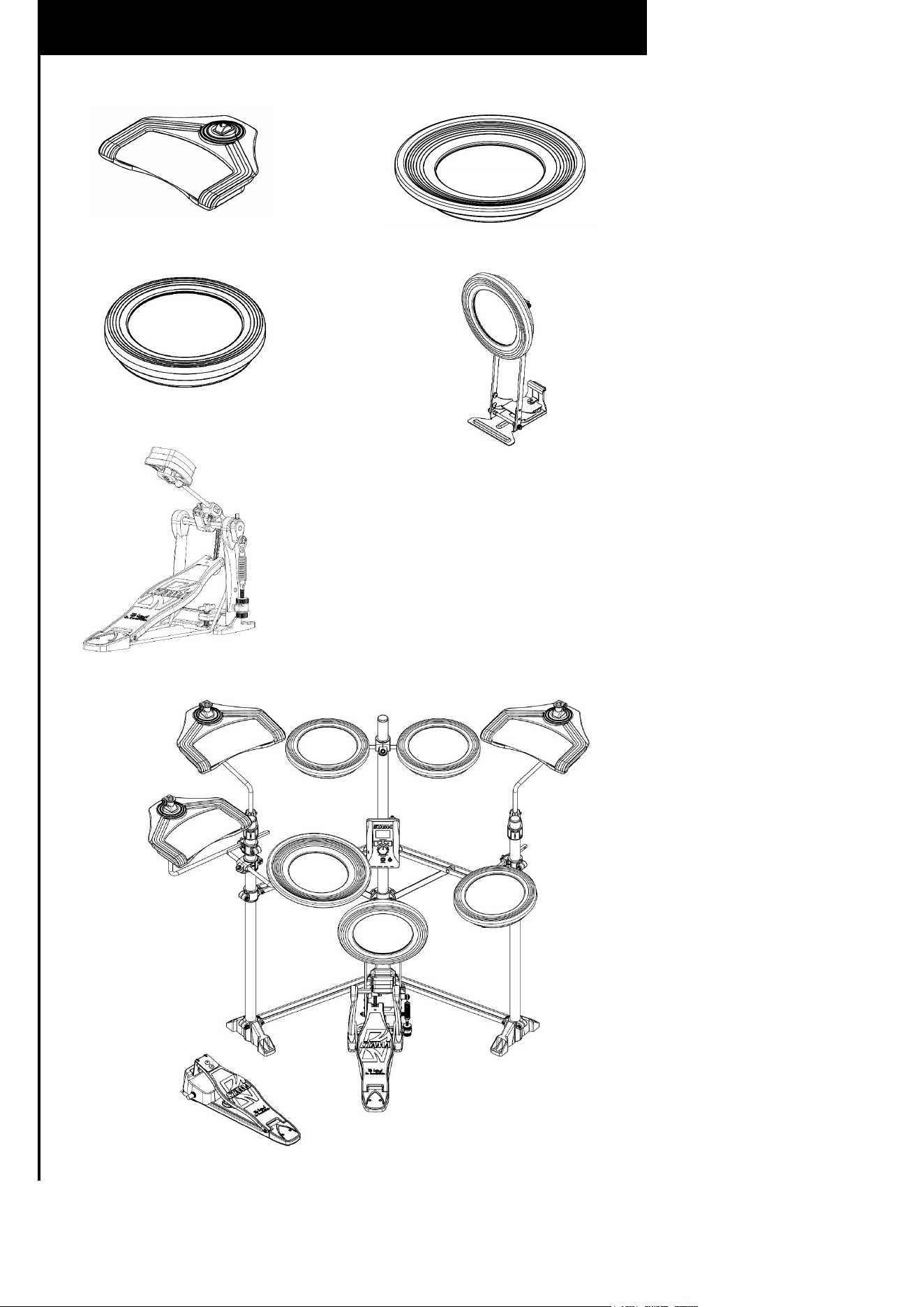
TQ208 / TQ208Z
x 3
①
x 1
②
x 3
③
x 1
④
①
①
①
③
③
③
②
④
⑤
⑤
①
②③
④
⑤
①
①
①
③
③
③
②
TQ107
x 3
①
x 1
②
x 3
③
①
②③
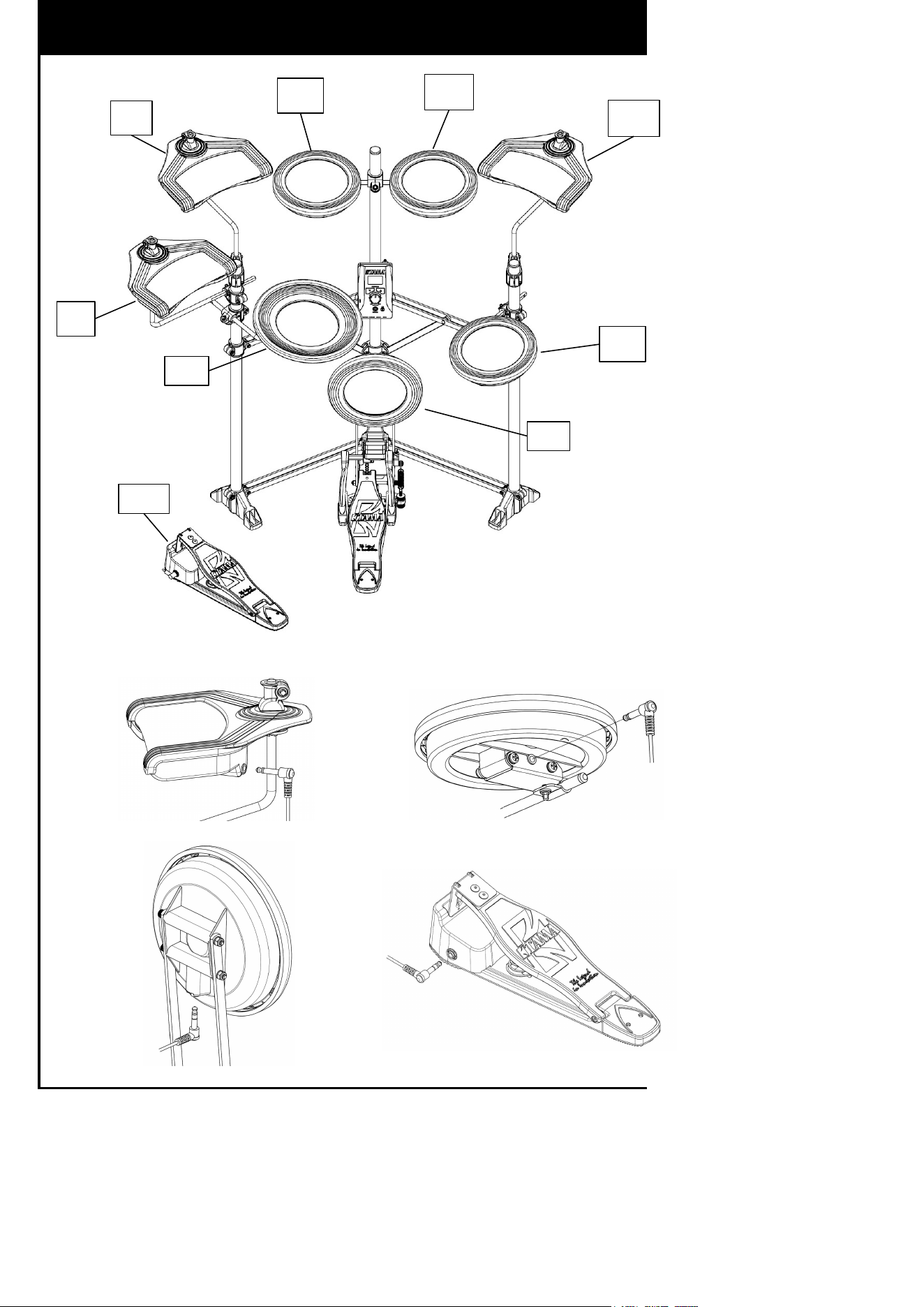
TQ208
HH
BD
SD
HHP
CR
TT1
TT2
RD
TT3
CR/RD/HH SD/TT1/TT2/TT3
BD
HHP
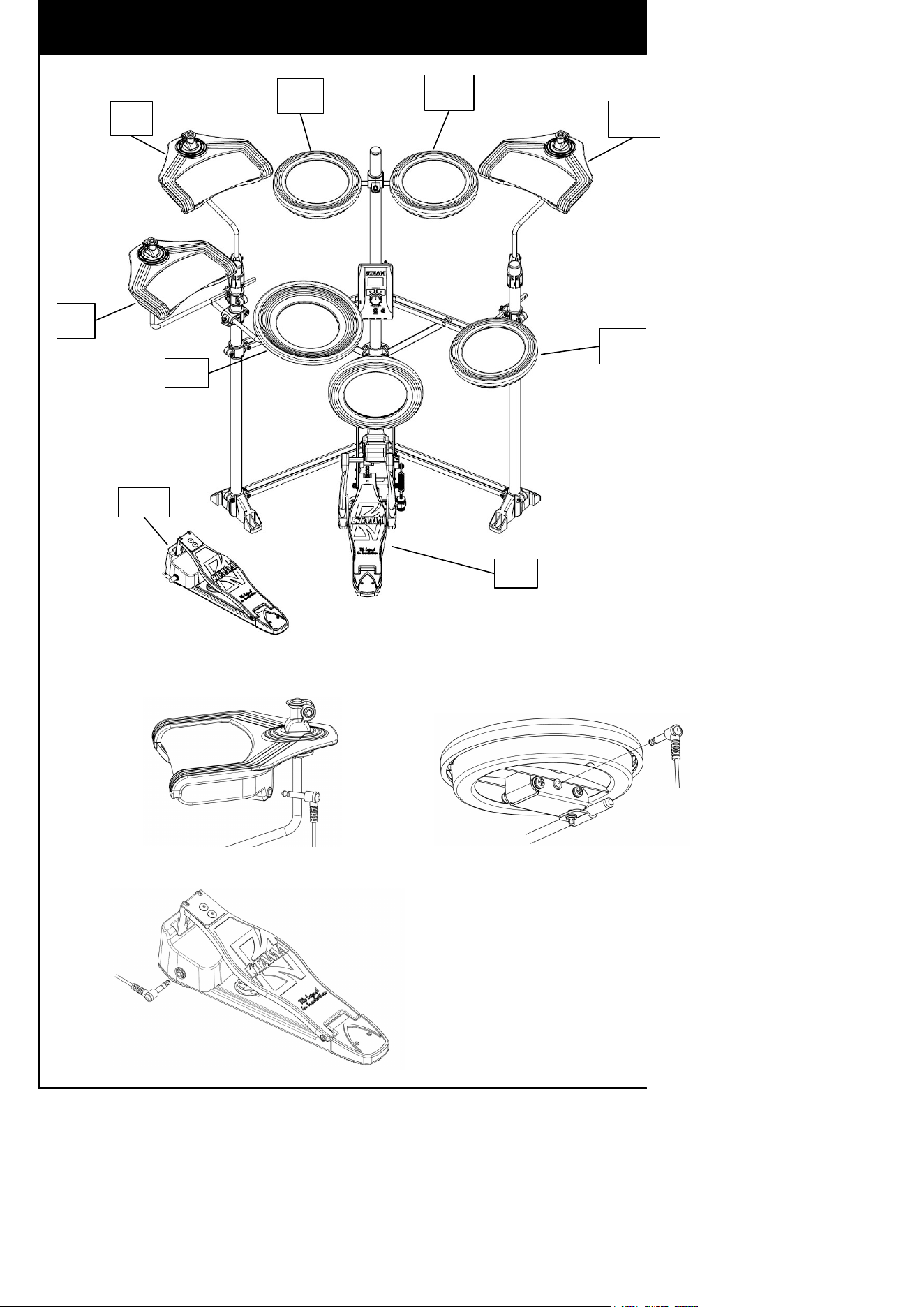
TQ107
HH
BD
SD
HHP
CR
TT1
TT2
RD
TT3
CR/RD/HH
SD/TT1/TT2/TT3
BD/HHP
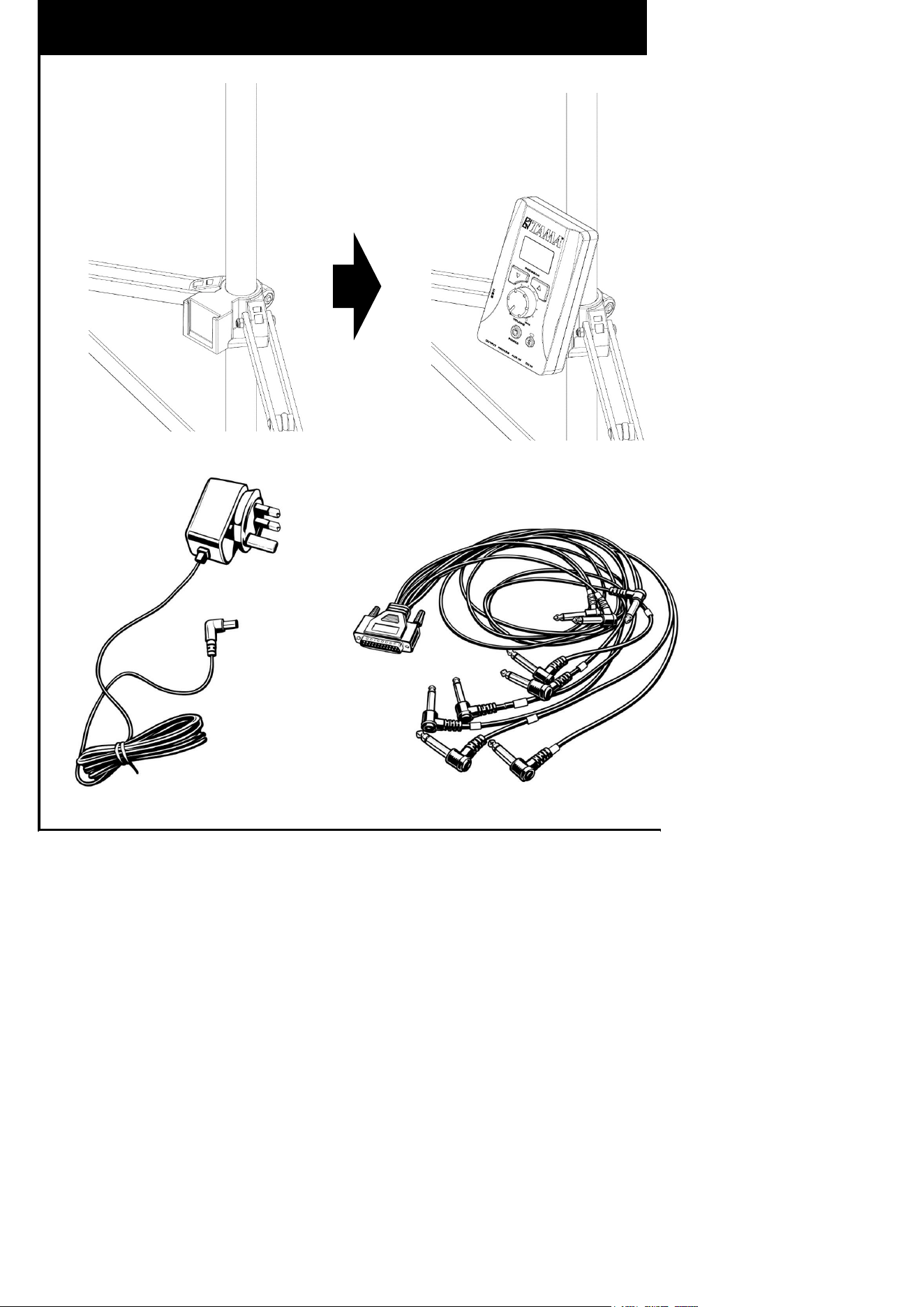
TQ208 / TQ107
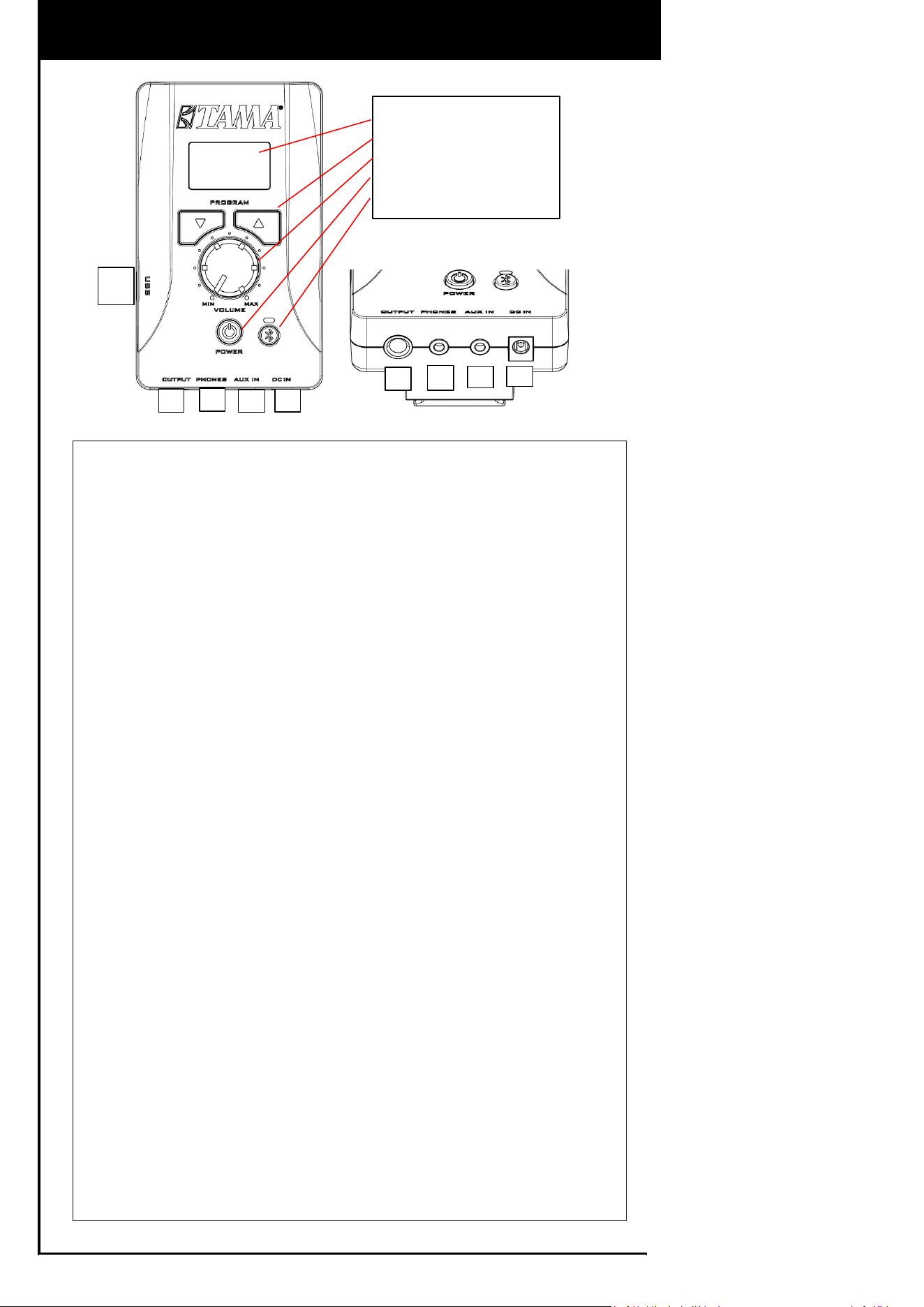
1. Front Panel
Displays the operating status and settings of the module.
You can check information such as power status, selected sound, and
connection status.
2. Sound Select Button
Allows you to switch between the 8 built-in sounds.
Each press of the button changes the sound sequentially.
3. Volume Knob
Adjusts the overall output volume of the unit.
Controls the volume of the drum sounds as well as external audio input
(AUX IN / Bluetooth).
4. Power Button
Turns the power of the unit on and off.
When the power is turned on, the module starts up and is ready for use.
5. Bluetooth Button
Press and hold this button to activate the Bluetooth function.
You can connect a smartphone or other Bluetooth-enabled device and play
external audio wirelessly through the unit.
6. OUTPUT
An output jack for connecting to external equipment such as an amplifier or
speaker.
Outputs the drum sounds and audio input from AUX IN.
7. PHONES
A jack for connecting headphones or earphones.
Allows you to enjoy playing without disturbing others.
8. AUX IN
An input jack for connecting external devices such as a smartphone or audio
player.
The input audio will be mixed with the drum sounds and played through the
outputs.
9. DC IN
The power input jack for connecting the supplied AC adapter.
1. Front Panel
2. Sound Select Button
3. Volume Knob
4. Power Button
5. Bluetooth Butn
Module Description:Part Names and Functions
6
7
8
9
10
6
7
8
9
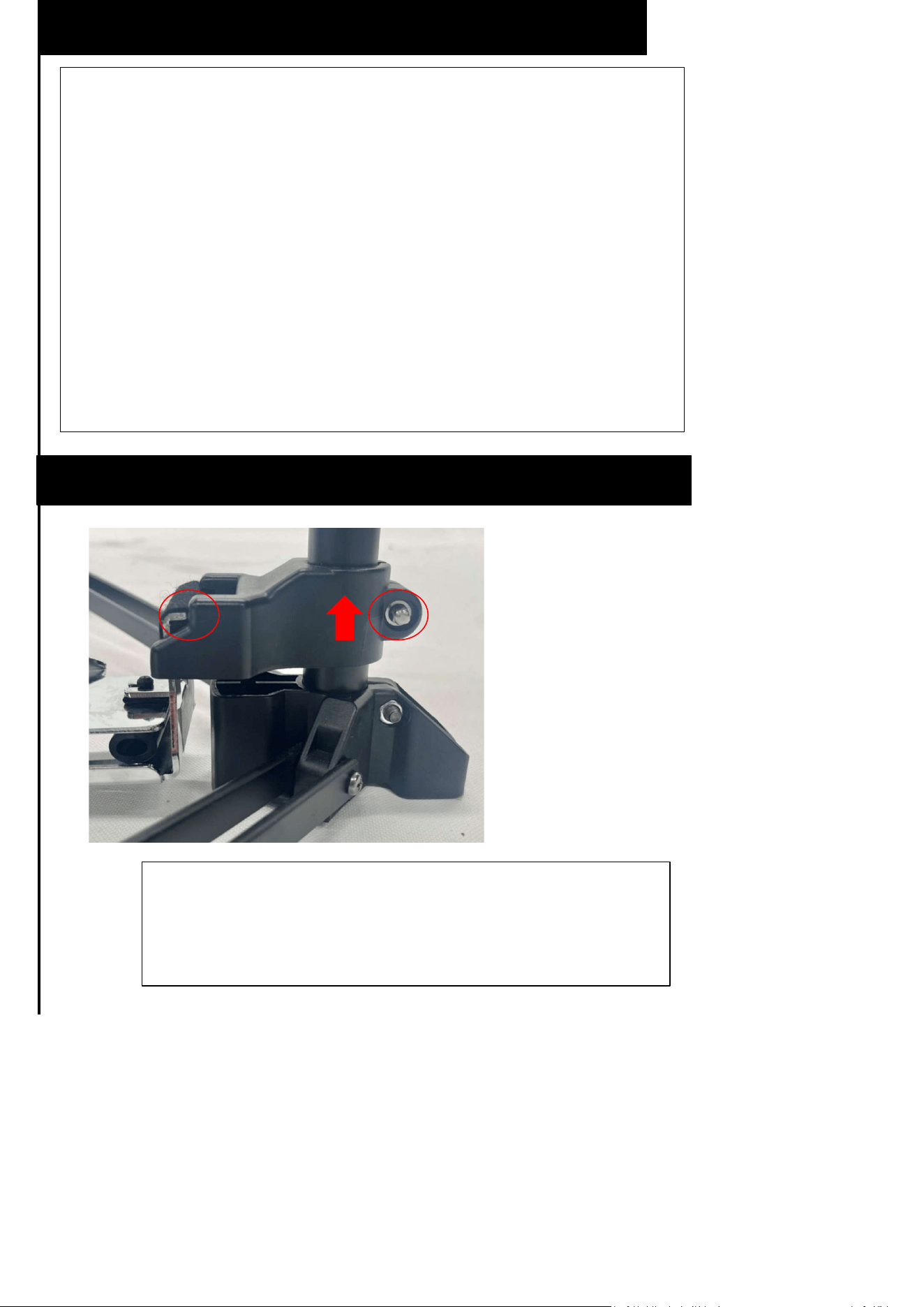
If you are using a pedal other than the one provided,
first loosen the hex head bolt indicated by the red circle,
attach the pedal, and then tighten the hex head bolt.
Using MIDI controller
Important Notes When Using Pedals from Other brand
■What Is a MIDI Controller?A MIDI controller is a device that
transmits performance data (such as strike intensity and timing) to
external devices as MIDI signals. This product allows you to output
the performance data from an electronic drum set as MIDI signals.
■How to UseConnect this product to a computer or external sound
source using a standard USB cable.When you strike a pad, a MIDI
signal is transmitted, and sound is produced by the connected
sound source (such as a DTM software sound source).
■Important Notes・MIDI signals are not audio.・Sound is produced
by the connected device (computer or sound source).・Settings on
the sound source side may be required.
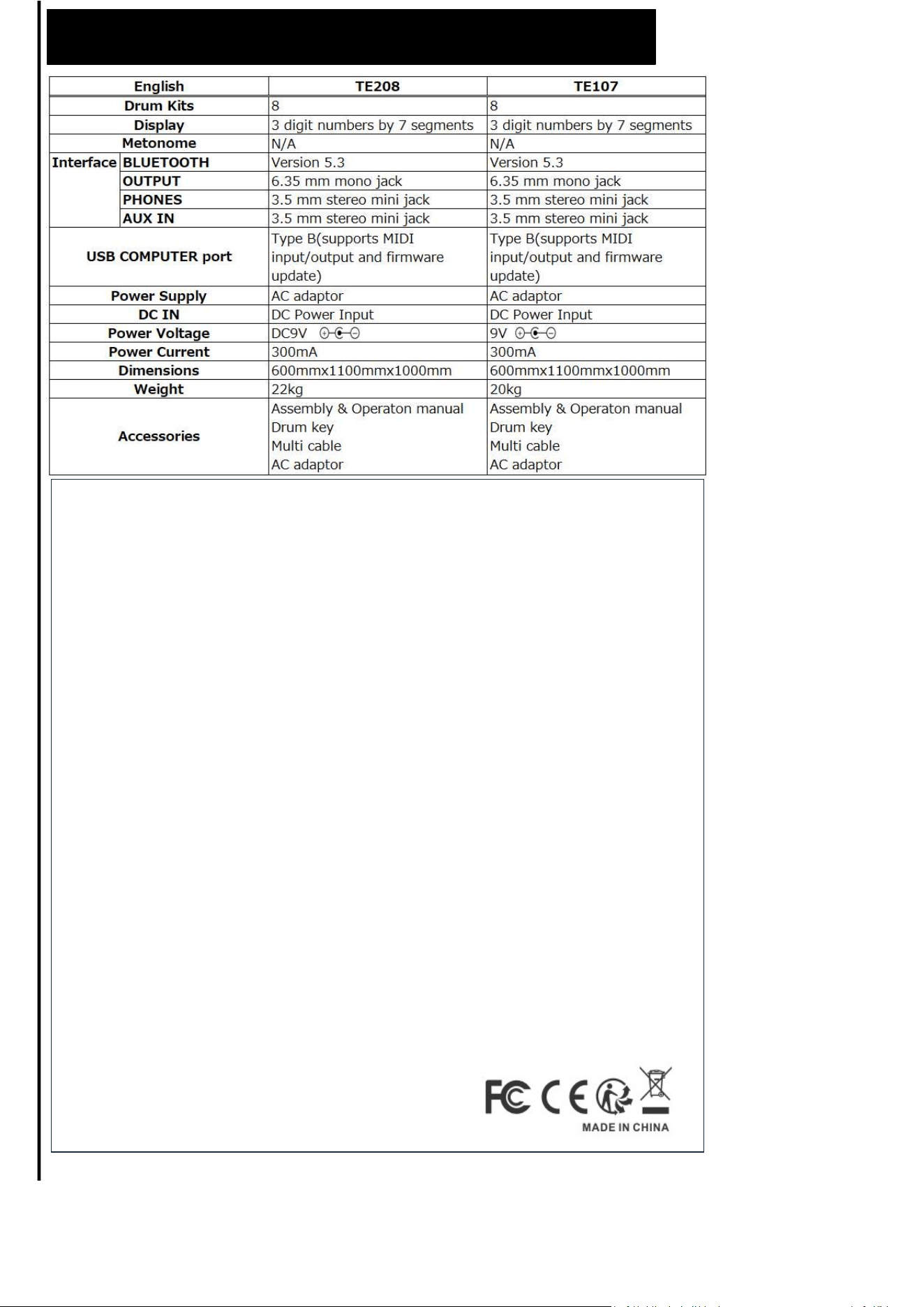
Main Specifications
FCC Statement
Changes or modifications not expressly approved by the party responsible for compliance could void the user's
authority to operate the equipment.
This equipment has been tested and found to comply with the limits for a Class B digital device, pursuant to Part 15 of
the FCC Rules. These limits are designed to
provide reasonable protection against harmful interference in a residential installation. This equipment generates uses
and can radiate radio frequency energy and, if not
installed and used in accordance with the instructions, may cause harmful interference to radio communications.
However, there is no guarantee that interference will not
occur in a particular installation. If this equipment does cause harmful interference to radio or television reception,
which can be determined by turning the equipment off
and on, the user is encouraged to try to correct the interference by one or more of the following measures:
-- Reorient or relocate the receiving antenna.
-- Increase the separation between the equipment and receiver.
-- Connect the equipment into an outlet on a circuit different from that to which the receiver is connected.
-- Consult the dealer or an experienced radio/TV technician for help
This device complies with part 15 of the FCC rules. Operation is subject to the following two conditions (1)this device
may not cause harmful interference, and (2) this
device must accept any interference received, including interference that may cause undesired operation.
IC Statement
This device contains licence-exempt transmitter(s)/receiver(s) that comply with Innovation, Science and Economic
Development Canada’s licence-exempt RSS(s).
Operation is subject to the following two conditions:
(1) This device may not cause interference; and
(2) This device must accept any interference, including interference that may cause undesired operation of the device.
The term “IC: “ before the certification/registration number only signifies that the Industry Canada technical
specifications were met. This
product meets the applicable Industry Canada technical specifications. Cet appareil contient des émetteurs /
récepteurs exemptés de licence conformes aux RSS (RSS)
d'Innovation, Sciences et Développement économique Canada. L'exploitation est autorisée aux deux conditions
suivantes : (1) l'appareil ne doit pas produire de
brouillage, et (2) l'utilisateur de l'appareil doit accepter tout brouillage radioélectrique subi, même si le brouillage est
susceptible d'en compromettre le
fonctionnement.a