Quick Reference Guide
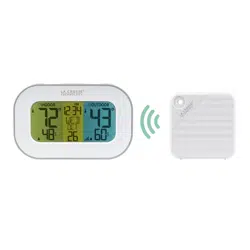
Thank you for purchasing the temperature and humidity probes. When used with Autel
diagnostic tools (sold separately), the probes measure ambient temperature and humidity
in various environments such as air conditioning vents, vehicle exterior and vehicle
interior, providing parameter-based evidence for air conditioning system diagnostics.
Our products are manufactured to a high standard and — when used according to these
instructions and properly maintained — will provide years of trouble-free performance.
Product Description
Front View Side View Bottom View
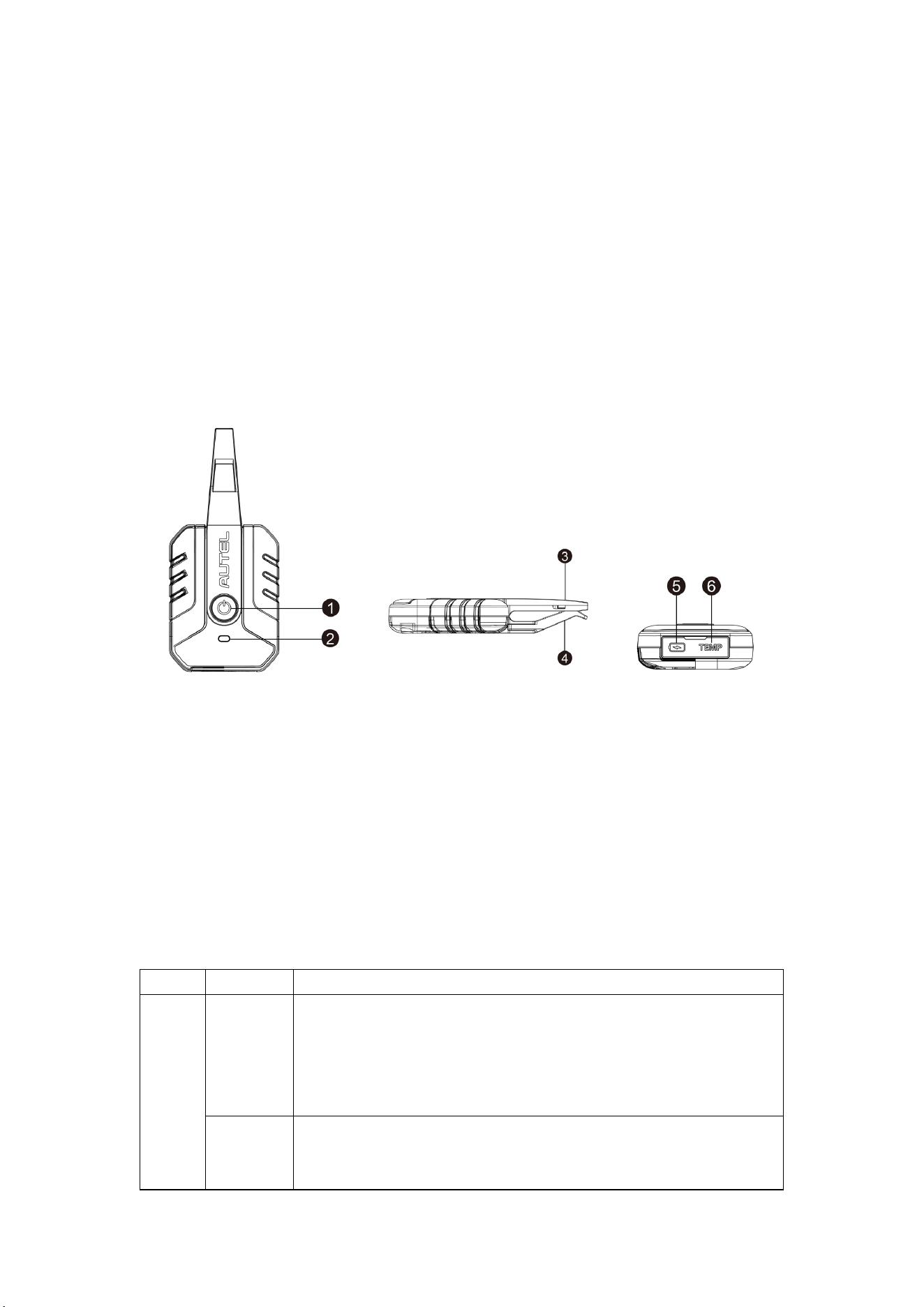
1. Power Button — long press to power on/off the device.
2. Status LED — refer to Table 1-1 Status LED Description for details on status LED.
3. Fixed Jaw — clamps onto the test object with the movable jaw.
4. Movable Jaw — clamps onto the test object with the fixed jaw. You can rotate the
movable jaw to fit the probes into narrow spaces.
5. USB Type-C Port — used for charging.
6. TEMP Port — connects the type K thermocouple.
Table 1-1 Status LED Description
LED Color Description
Status
Yellow
Flashes yellow when the temperature and humidity probes
are upgrading.
Lights solid yellow when the temperature and humidity
probes are performing a self-test, or a Bluetooth error occurs
during self-test.
Green
Lights solid green when the temperature and humidity probes are
ready for use and the battery level is normal (not charging), or
when the battery level is above the normal level (charging).
Wireless Temperature and Humidity Probes
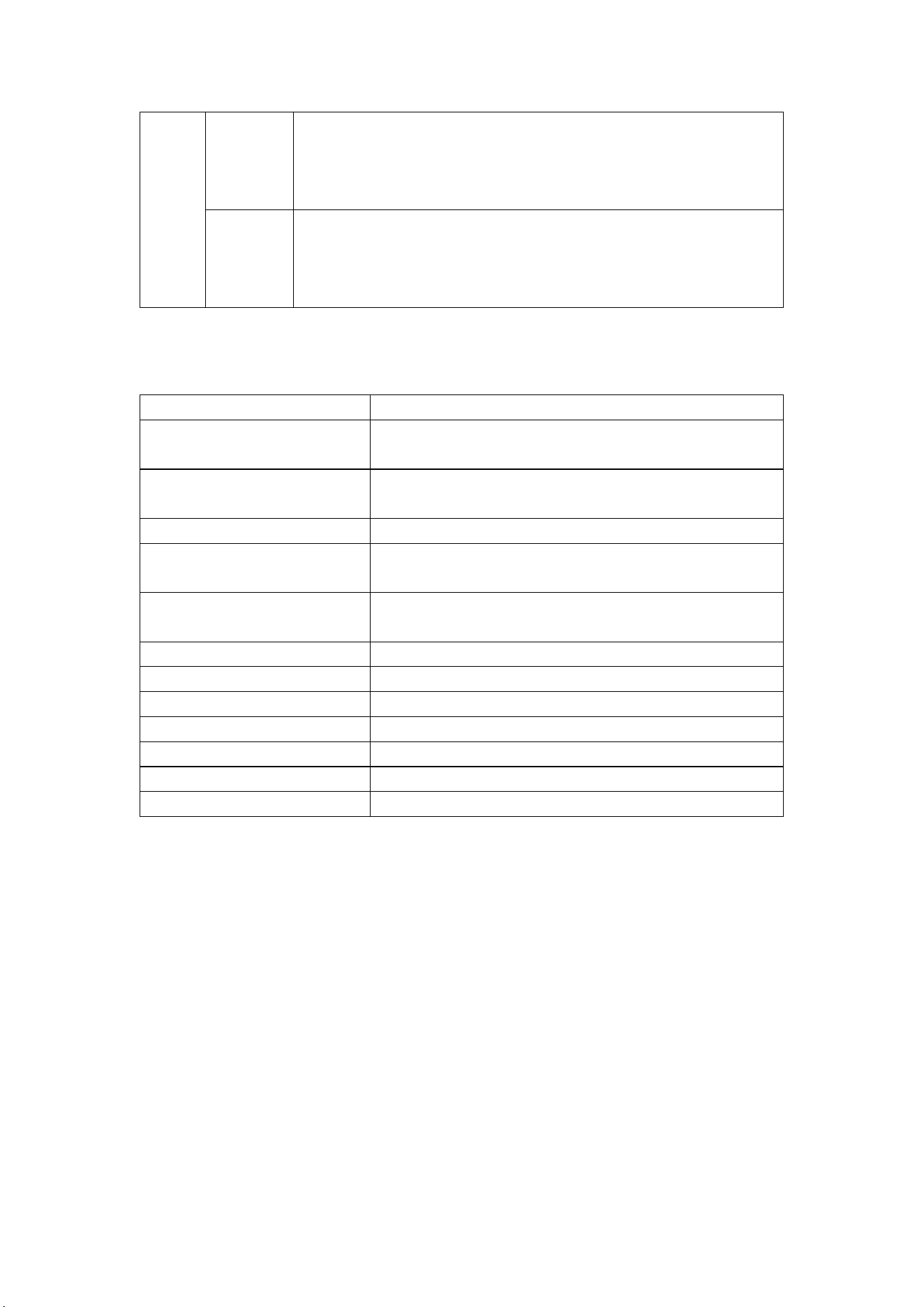
Blue
Lights solid blue when the temperature and humidity probes
are connected via Bluetooth, but there is
no data being
transmitted.
Flashes blue when transmitting Bluetooth data.
Red
Lights solid red when the temperature and humidity probes
are in a low battery level.
Flashes red when the battery level is lower than the normal
level during charging.
Technical Specifications
Item Description
Connectivity
BT V5.0
USB Type C
Power and Battery
USB Type-C 2.5W (5V/0.5A)
340 mAh lithium-polymer battery
Input Voltage USB-C input: 5V/0.5A
Measurement Range
Temperature: -40°C to 125°C (-40°F to 257°F)
Humidity: 10% RH to 90% RH
Accuracy
Temperature: ±1℃ (±1.8°F)
Humidity: ±5% RH
Continuous Operating Time More than 20 hours (when fully charged)
Wireless Range 50 m (164")
Radio Frequency 2.4 GHz
Operating Temperature -20℃ to 50℃ (-4°F to 122°F)
Storage Temperature -20℃ to 60℃ (-4°F to 140°F)
Weight 62.4 g (0.14 lbs.)
Dimensions (H x W x D) 111 mm (0.36") x 50 mm (0.16") x 19 mm (0.06")
Getting Started
WARNING: Before operating or maintaining this device, please read these instructions
carefully, paying extra attention to the safety warnings and precautions. Failure to do so
may cause damage and/or personal injury and will void the product warranty.
1. Long press the Power button to power on the temperature and humidity probes.
Ensure that the temperature and humidity probes are sufficiently charged or that they
are connected to the supplied DC power supply.
2. After powering on the MaxiHVAC tablet, connect the temperature and humidity
probes with the MaxiHVAC tablet via Bluetooth on the VCI Manager screen.
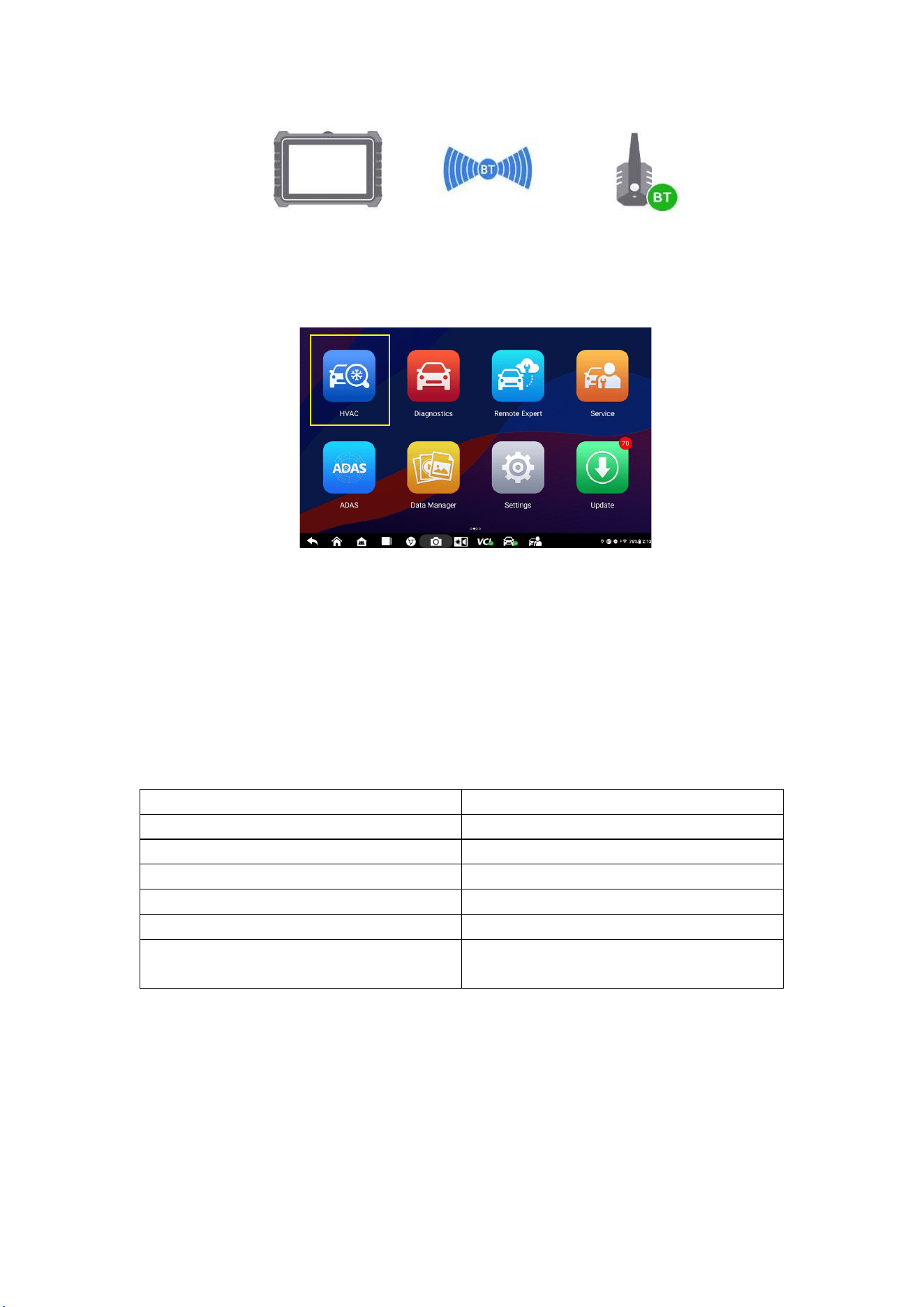
MaxiHVAC Tablet Temperature and
Humidity Probe
3. Tap HVAC on the MaxiHVAC Job Menu.
4. Follow the on-screen connection diagram to connect the equipment and the prompts
on the screen to perform the test. Tap Next to continue.
Maintenance
Clean the exterior of the temperature and humidity probes with a damp cloth. Do not
use detergents or solvents.
Packing List
Temperature and Humidity Probe - Red
Temperature and Humidity Probe - Blue
Type K Thermocouple
USB-C Cable
USB-C Adapter
Quick Reference Guide (This document)
Multi-language Documentation
Download Guide (Optional)
Warranty
Autel guarantees that the universal smart key is free from material and manufacturing
defects for a period of 12 months. Autel will at its discretion replace any merchandise
during the warranty period. The warranty shall be void if any of the following occurs:

1. Improper installation of the product;
2. Improper use;
3. Product damage due to collision, man-made damage or natural disasters;
4. Exceeding the product-specific use restrictions.
Compliance Information
Autel Intelligent Technology Corp., Ltd. hereby declares that the radio equipment types
THP-L/THP-R are in compliance with Directive 2014/53/EU.
The full text of the EU declaration of conformity is available at the following URL:
https://www.autel.com/download.jhtml
NOTE: The illustrations in this guide are for reference only. Actual product may differ.

FCC Information and Copyright
This equipment has been tested and found to comply with the limits for a Class B
digital device,
pursuant to part 15 of the FCC Rules.
These limits are designed to provide reasonable protection against harmful
interference in a residential installation. This equipment generates, uses and can
radiate radio frequency energy and, if not installed and used in accordance with the
instructions, may cause harmful interference to radio communications. However,
there is no guarantee that interference will not occur in a particular installation. If this
equipment does cause harmful interference to radio or television reception, which can
be determined by turning the equipment off and on, the user is encouraged to try to
correct the interference by one or more of the following measures:
—Reorient or relocate the receiving antenna.
—Increase the separation between the equipment and receiver.
—Connect the equipment into an outlet on a circuit different from that to which the
receiver is connected.
—Consult the dealer or an experienced radio/TV technician for help.
15.19 Labelling requirements.
This device complies with part 15 of the FCC Rules. Operation is subject to the
following two conditions:
(1)This device may not cause harmful interference, and
(2) this device must accept any interference received, including interference that may
cause undesired operation.
changes or modifications not expressly approved by the party responsible for
compliance could void the user's authority to operate the equipment.
FCC RF warning statement: the device has been evaluated to meet general RF
exposure requirement , The device can be used in portable exposure condition without
restriction.