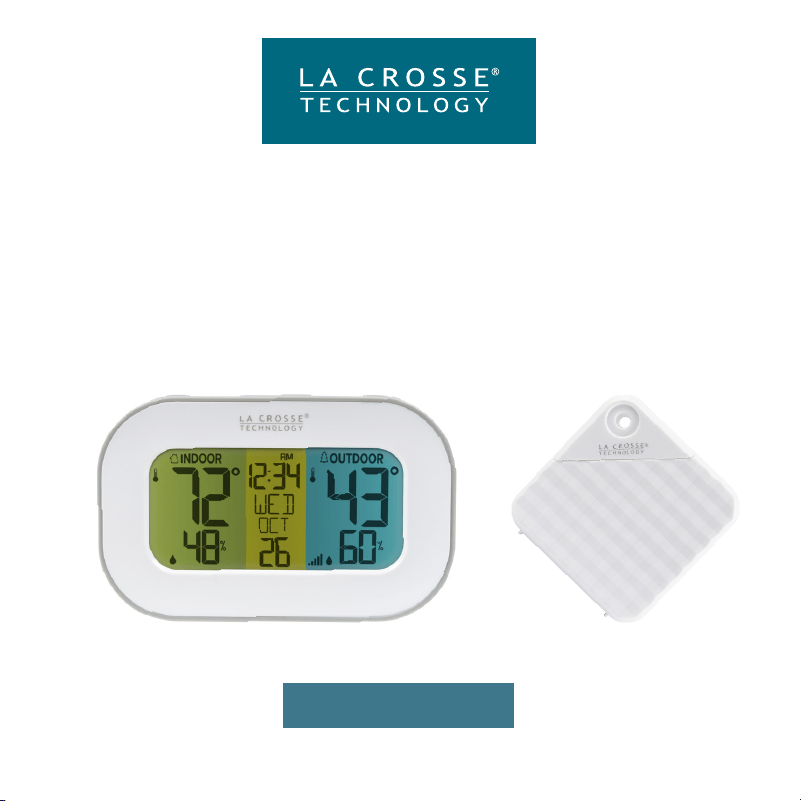
SET UP GUIDE
MODEL: 308-148
Wireless
Temperature & Humidity Station
POWER UP
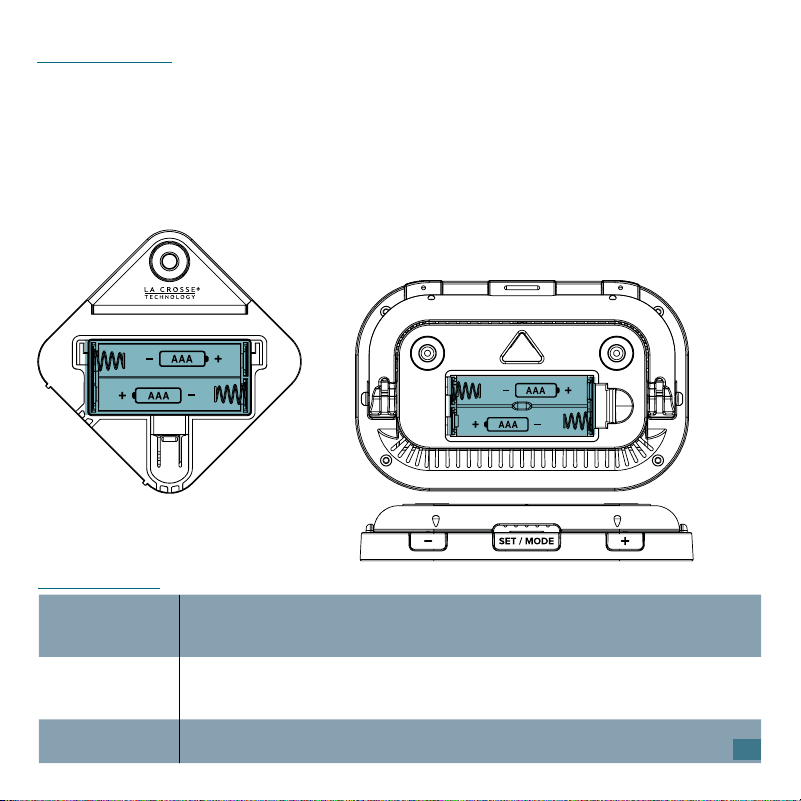
1. Insert 2-AAA batteries into your Outdoor Sensor.
2. Insert 2-AAA batteries into your Station.
3. Enter the Settings Menu to set the Time, Date, and Temperature.
4. Once the sensor is reading to your station, place the sensor outside in a
shaded location.
Sensor
TX147TH
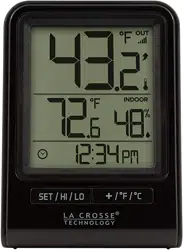
Station
308-148
BUTTONS
SET/MODE
Press then release to change viewing mode.
Hold to enter Settings Menu.
Settings: Press then release to move to next item.
+ (PLUS)
Press then release to view HI/LO records.
Hold to search for Add-on Sensor.
Settings: Press to adjust settings. Hold to adjust quickly.
- (MINUS)
Hold to reset all HI/LO Records.
Settings: Press to adjust settings. Hold to adjust quickly.
2
3
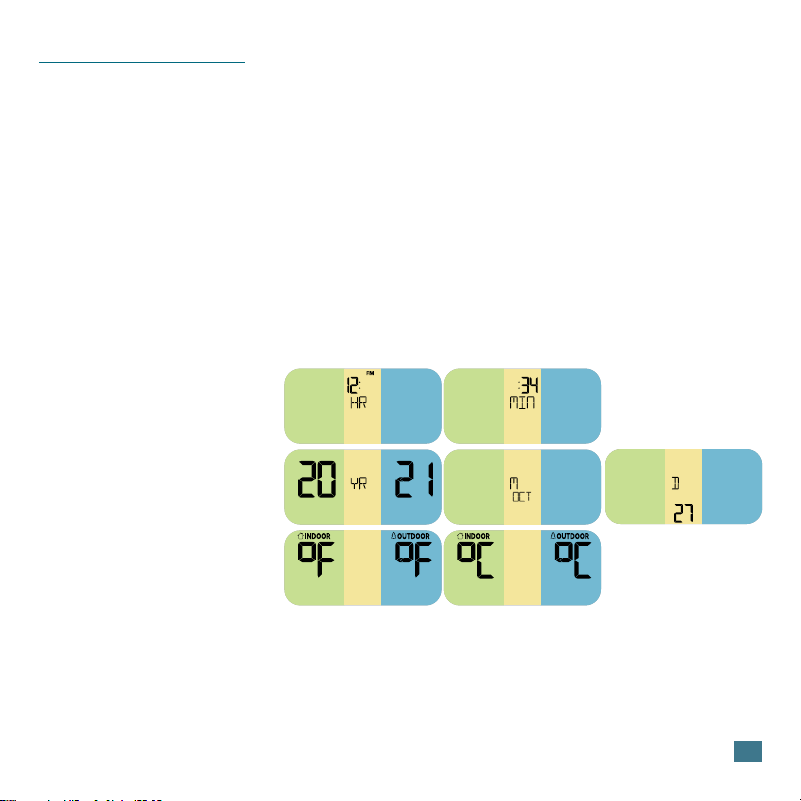
Settings Menu Order:
• Hour
• Minutes
• Year
• Month
• Date
• Fahrenheit/Celsius
Important: Only press or hold one button at a time to set your station.
1. Hold the SET/MODE button until the display changes to enter the
Settings Menu.
2. Press then release the + or - button to adjust the values.
Hold to adjust quickly.
3. Press then release the SET/MODE button to confirm and move to the
next item.
SETTINGS MENU
Weekday: Weekday will set automatically when Year, Month and Date are
set.
4
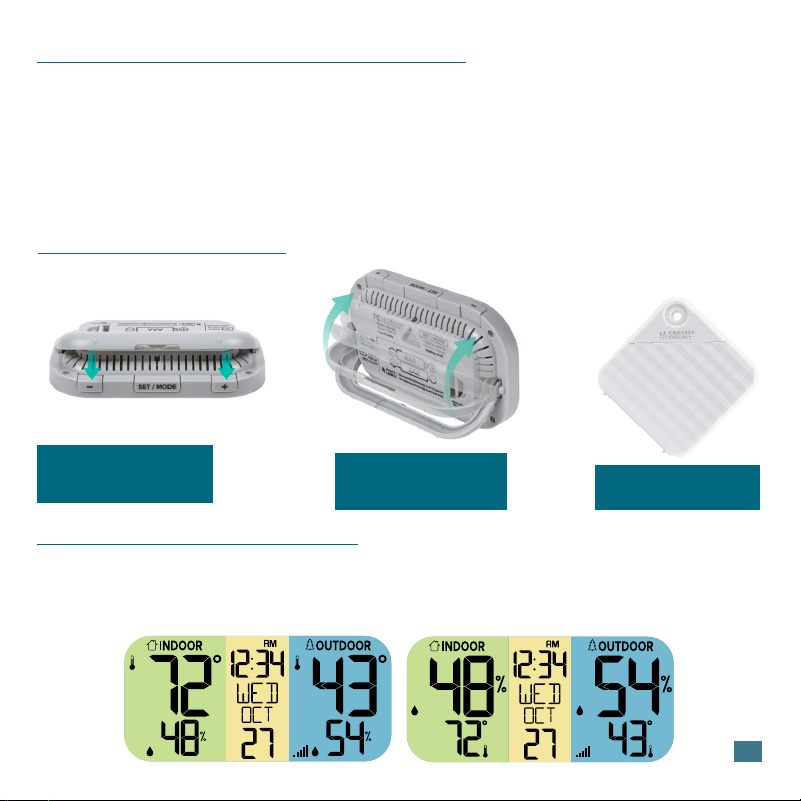
STATION AND SENSOR MOUNTING
Station: Place the display directly on a table using the built-in pull-down
stand on the back. Alternatively, hang it on a wall using the triangle hanging
hole on the back.
Sensor: Insert a screw through the front hanging hole to mount the sensor
outside in a shaded location. For more details, watch our video here:
bit.ly/th_sensor_mounting.
Built-in Stand Folds down
from back and clicks back
into place.
Use the Triangle Hanging
Hole on the back to mount
on a wall.
CUSTOM DISPLAY MODES
Press then release the SET/MODE button to view Temperature or Humidity
in large numbers. Station will stay on the selection.
Temperature Large Humidity Large
Position vertically to allow
condensation to drain out.
5
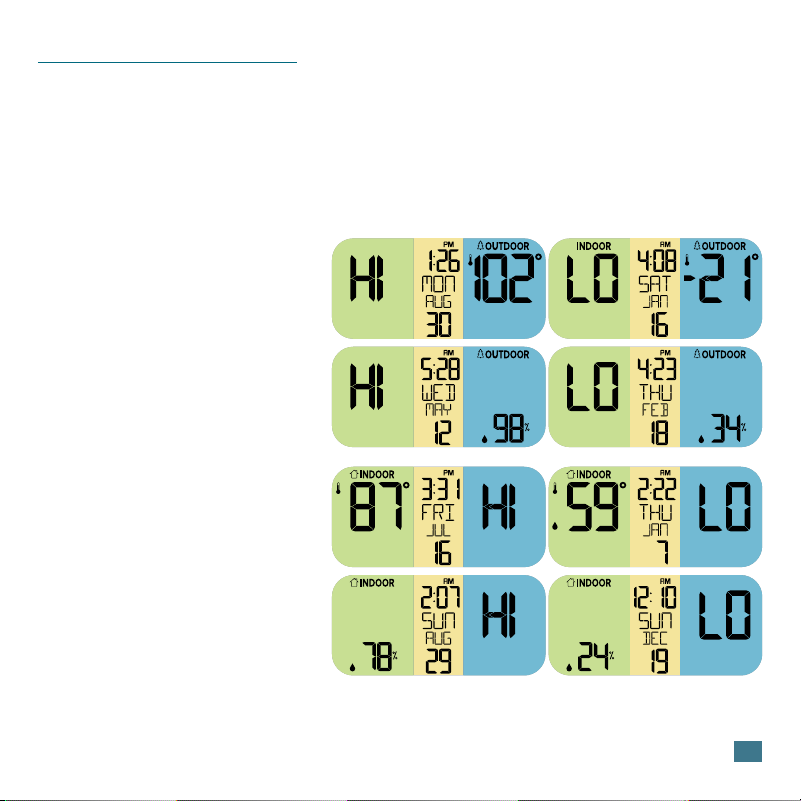
HIGH/LOW RECORDS
View Records:
Press then release the +
(PLUS) button to view high
and low records with time and
date stamp.
Viewing Order:
Outdoor HI Temp
Outdoor LO Temp
Outdoor HI Humidity
Outdoor LO Humidity
Indoor HI Temp
Indoor LO Temp
Indoor HI Humidity
Indoor LO Humidity
Reset Records:
While viewing a record, hold
the - (MINUS) button to reset
that individual record.
A full restart will reset all
records at once.
6
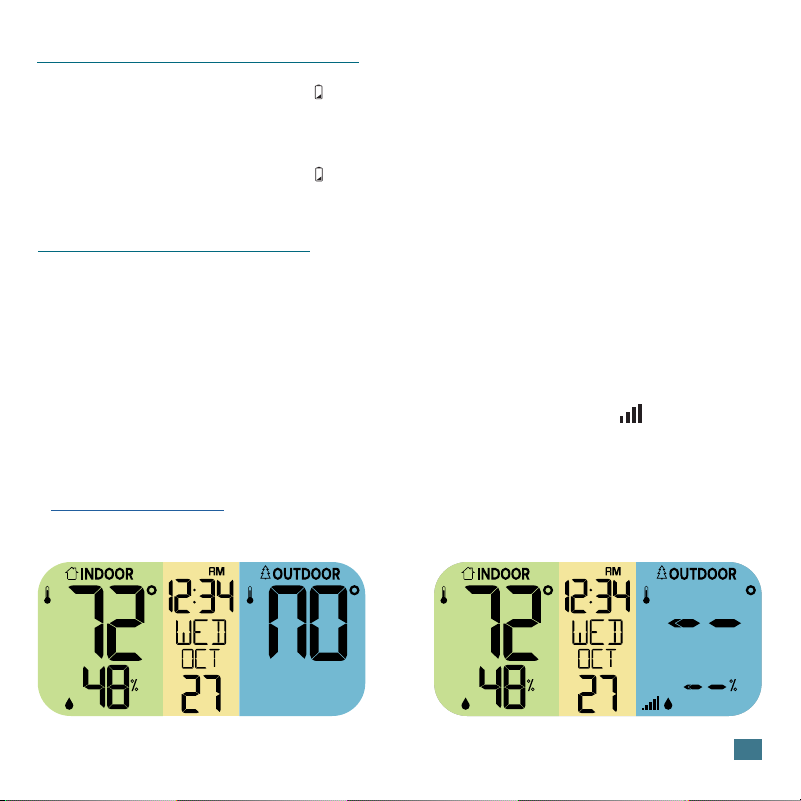
SEARCH FOR SENSOR
LOW BATTERY INDICATOR
• When the Low Battery Icon shows by the indoor temperature, replace
batteries in the station.
• When the Low Battery Icon shows by the outdoor temperature, replace
batteries in the sensor.
Lost Connection to Sensor Searching for Sensor
• If a sensor loses connection to the thermometer for any reason, the
thermometer will show NO on screen after 30 minutes.
• The thermometer will automatically search for 3 minutes every hour to try
and reconnect with the sensor.
• Install a new set of regular alkaline batteries into the sensor. Then hold
the + (PLUS) button on the station until the Reception Icon starts to
animate.
• If the connection still cannot be reestablished, visit our support page here:
bit.ly/basic_restart for further troubleshooting.
7
If you require additional support, get in touch with our
friendly customer support team based in La Crosse, WI.
Our Associates are available Mon-Fri: 8am-6pm CST
Phone: 1.608.782.1610
Email: bit.ly/contact_techsupport
Self-Help: bit.ly/308-148_support
WE’RE HERE TO HELP
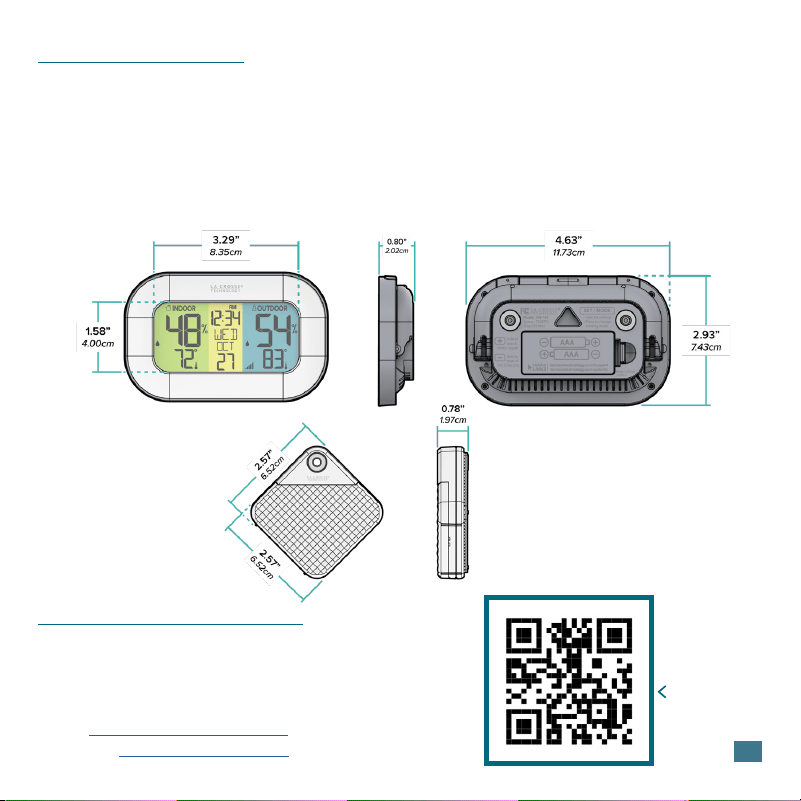
Station (308-148)
Power Requirements: 2 “AAA” batteries
(not included)
Battery Life: Up to 12 months
Temperature Range: 32ºF to 122ºF (0ºC to 50ºC)
Humidity Range: 10% to 99% RH
Dimensions: 4.63” L x 0.80” W x 2.93” H
(11.73cm L x 2.02cm W x 7.43cm H)
SPECIFICATIONS
SCAN HERE
Additional Info
and Support
Sensor (TX147TH)
Power Requirements: 2 “AAA” batteries
(not included)
Battery Life: Up to 12 months
Temperature Range: -40ºF to 140ºF (-40ºC to 60ºC)
Humidity Range: 10% to 99% RH
Transmission Range: 330 feet (100meters)
open air, 433MHz
Update Interval: About every 51 Seconds.
Dimensions: 2.57” L x 0.78” W x 2.57” H
(6.52cm L x 1.97cm W x 6.52cm H)
8
La Crosse Technology Ltd. provides a 1-year
limited-time warranty on this product relating
to manufacturing defects in materials &
workmanship. In accordance with the Song-
Beverly Act, in the state of California, the warranty
on this item becomes effective on the date of
delivery.
La Crosse Technology, Ltd,
2830 S. 26th St.
La Crosse, WI 54601
For Full Warranty Details, Visit:
www.lacrossetechnology.com/pages/warranty
Patents:
www.lacrossetechnology.com/pages/patents
Battery replacement instruction:
When batteries of dierent brand or type are
used together, or new and old batteries are used
together, some batteries may be over-discharged
due to a dierence of voltage or capacity. This
can result in venting, leakage, and rupture and
may cause personal injury.
• Do not mix Alkaline, Lithium, standard, or
rechargeable batteries.
• Always purchase the correct size and grade of
battery most suitable for the intended use.
• Always replace the whole set of batteries at
one time, taking care not to mix old and new
ones, or batteries of dierent types.
• Clean the battery contacts and those of the
device prior to battery installation.
• Ensure the batteries are installed correctly with
regard to polarity (+ and -).
• Remove batteries from product during periods
of non-use. Battery leakage can cause
corrosion and damage to this product.
• Remove used batteries promptly.
• For recycling and disposal of batteries, and
to protect the environment please check
the internet or your local phone directory for
local recycling centers and/ or follow local
government regulations.
WARRANTY
BATTERY INSTRUCTIONS
STAY IN TOUCH
Ask questions, watch set up videos, and
provide feedback on our social media outlets.
Follow La Crosse Technology on Youtube,
Facebook, Instagram, and X (Twitter).
WARNING This product can expose you to
chemicals including acrylonitrile,
1, 3-butadiene, and styrene, which are known
to the State of California to cause cancer and
birth defects or other reproductive harm.
For more information go to:
www.P65Warnings.ca.gov

9
This equipment has been tested and found to comply with the limits for a Class B digital device, pursuant
to part 15 of the FCC Rules. These limits are designed to provide reasonable protection against harmful
interference in a residential installation. This equipment generates, uses and can radiate radio frequency
energy and, if not installed and used in accordance with the instructions, may cause harmful interference
to radio communications. However, there is no guarantee that interference will not occur in a particular
installation. If this equipment does cause harmful interference to radio or television reception, which can be
determined by turning the equipment o and on, the user is encouraged to try to correct the interference by
one or more of the following measures:
Reorient or relocate the receiving antenna.
Increase the separation between the equipment and receiver.
Connect the equipment into an outlet on a circuit dierent from that to which the receiver is connected.
Consult the dealer or an experienced radio/TV technician for help.
This device complies with Part 15 of the FCC Rules. Operation is subject to the following two conditions:
( 1) This device may not cause harmful interference, and
(2) This device must accept any interference received, including interference that may cause undesired
operation.
Caution!
Any changes or modifications not expressly approved by the party responsible for compliance could void
the user’s authority to operate the equipment.
All rights reserved. This manual may not be reproduced in any form, even in part, or duplicated or
processed using electronic, mechanical or chemical process without the written permission of the publisher.
This booklet may contain errors or misprints. The information it contains is regularly checked and corrections
are included in subsequent editions. We disclaim any responsibility for any technical error or printing error,
or their consequences. All trademarks and patents are recognized.
This device contains licence-exempt transmitter(s)/receiver(s) that comply with Innovation, Science and
Economic Development Canada’s licence-exempt RSS(s). Operation is subject to the following two
conditions:
(1) This device may not cause interference.
(2) This device must accept any interference, including interference that may cause undesired operation of
the device.
FCC STATEMENT
CANADA STATEMENT
Designed in La Crosse, Wisconsin • Made in China • Printed in China • DC050624