User manual
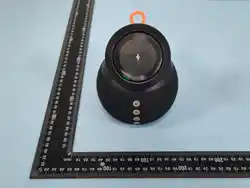
Speaker
WP-03D
2
3
4
5
6
6
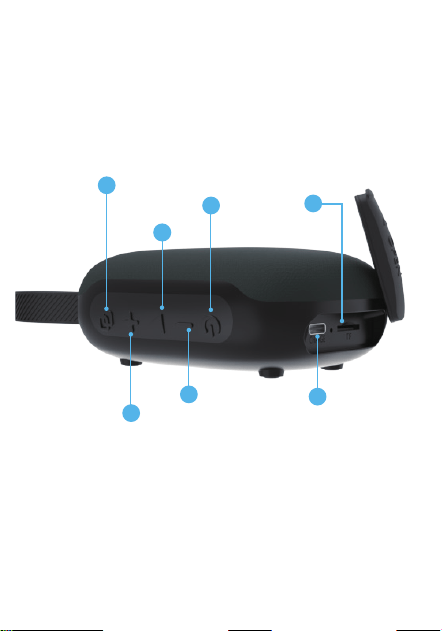
Type C Port
MicroSD
card slot
7
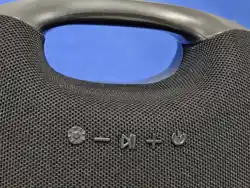
Volume down
Volume Up
Power ON / OFF
Play / Pause
TWS
1
Operation Instructions
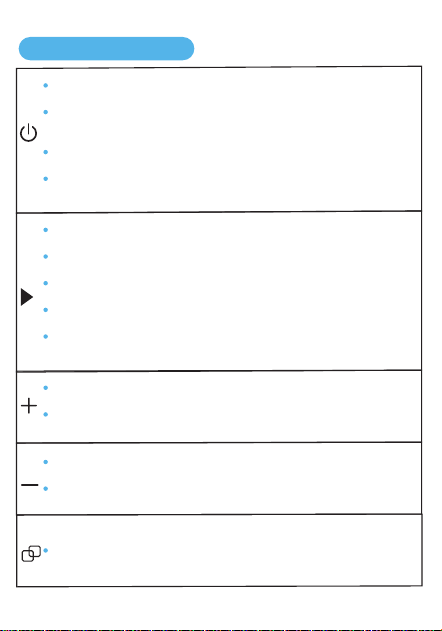
Power on/off: Long press the button for 3 seconds.
Light switching/off: Press briefly in sequence to switch the color
of the ambient lights or turn them off.
Call back: Double click the button.
Reset:Soft switch machine crashes, long press the power button
for 8 seconds to reset and shut down.
Play/Pause: Short press the button.
Next song: Double-click the button.
Previous song: Triple-click the button.
Answering/hanging up calls: Short press the button.
Mode switching: Press and hold for 2 seconds in sequence to
switch to BT/Micro SD/FM mode.
Volume +:Press and hold the button to rapidly increase the volume.
Volume +:Press the button continuously to increase the volume
step by step.
Volume -:Press and hold the button to rapidly reduce the volume.
Volume -:Press the button continuously to reduce the volume step
by step.
TWS connected or disconnected : Press the button briefly.

FM
Connection
Micro SD card: Insert Micro SD card (MP3, WAV audio only).
Type-c port: Charging.
Connect the USB cable to the PC/ power bank/adapter to obtain power. When the indicator
light shows red, it indicates that charging is in progress. The light going out indicates that it is full.
Plug the TYPE-C interface into the power cord and use it as an FM
external antenna.
* In FM mode, tap the button to search for channels.
* Press button twice in a row to go to the next channel.
* Press button three times in a row to go to the previous channe.
Wireless connection
Turn on the speaker and connect the phone BT to "WP-03D"
Note: Before wireless connection, the blue light blinks, and once paired, it will automatically
connect when used again.
TWS stereo mode Settings
1. Turn on two identical speakers and do not connect them to your phone
for the moment.
2. Press the button on either speaker briefly. When you hear "du du",
release it. After 3 to 4 seconds, you will hear a "ding ding" sound, indicating
that the TWS connection is successful. Connect your phone's BT to the
"WP-03D" device. The two speakers will play music in sync, creating a
surround sound effect.
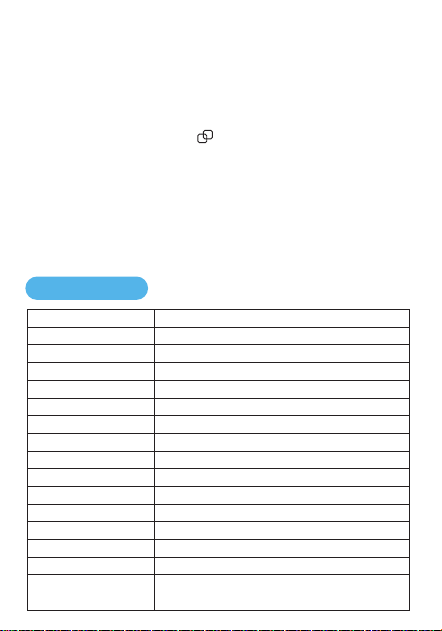
Model
BT
Micro SD card
TWS
BT receiving distance
Charging Voltage
Battery Life
Charging time
Battery Capacity
Channel system
Light control
Frequency
Radio
Waterproof performance
Ambient temperature
Storage temperature
and humidity
WP-03D
BT5.3
Support MP3, WAV
Support
Straight line accessibility ≥ 10 meters
2.5-12hours(subject to playback content and volume)
About 2 hours
1000mA3.7Wh
Mono
RGB iridescent lights
60Hz-20KHz
87~108MHz
IPX5
-0ºC ~ +60ºC
Working: 0~40℃, working humidity <70%,
storage humidity <70%
3. In TWS connection mode, the left and right channel devices can be
operated synchronously: play/pause, next song/previous song, volume
up/volume down, etc.
4. When restarting, the TWS will reconnect automatically.
5. To disconnect TWS: Press the button briefly. When you hear "din",
the connection is disconnected.
6. When the main speaker is turned off, the secondary speaker will also turn
off simultaneously. To restart, you need to turn on both speakers separately.
The application of TWS technology makes the left and right channels of the speaker independent
of each other and generally without physical connection, forming a stereo channel to provide users
with a better hearing experience.
Specifications
DC 5V/1A

Warnings and precautions when using the product
Do not use corrosive cleaning agents to clean the product.
Do not allow this product to be heated or close to fire.
Do not allow this product to be exposed to direct sunlight for a long time.
Do not dispose of this product in the fire to avoid explosion.
Do not attempt to remove this product for any modification.
If you do not use this product for a long time, please store it in a dry environment,
and charge the speaker at least once every 2 months to extend the life and avoid
extreme temperature and dust.

This device complies with part 15 of the FCC Rules. Operation is subject to the
following two conditions: (1) This device may not cause harmful interference, and (2)
this device must accept any interference received, including interference that may cause
undesired operation.
Any Changes or modifications not expressly approved by the party responsible for
compliance could void the user's authority to operate the equipment.
Note: This equipment has been tested and found to comply with the limits for a Class B
digital device, pursuant to part 15 of the FCC Rules. These limits are designed to
provide reasonable protection against harmful interference in a residential installation.
This equipment generates uses and can radiate radio frequency energy and, if not
installed and used in accordance with the instructions, may cause harmful interference
to radio communications. However, there is no guarantee that interference will not
occur in a particular installation. If this equipment does cause harmful interference to
radio or television reception, which can be determined by turning the equipment off and
on, the user is encouraged to try to correct the interference by one or more of the
following measures:
-Reorient or relocate the receiving antenna.
-Increase the separation between the equipment and receiver.
-Connect the equipment into an outlet on a circuit different from that to which the
receiver is connected.
-Consult the dealer or an experienced radio/TV technician for help.
FCC Radiation Exposure statement
The device has been evaluatec to meel general RF exposure requirement. The device
can be used in portable exposure condition without restriction.