Smartphone
→
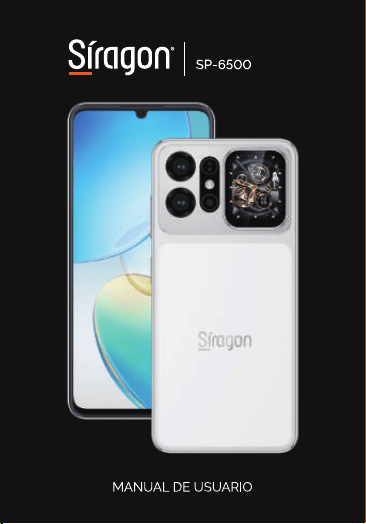
Smartphone
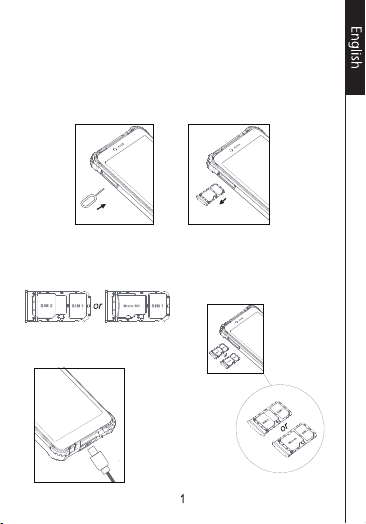
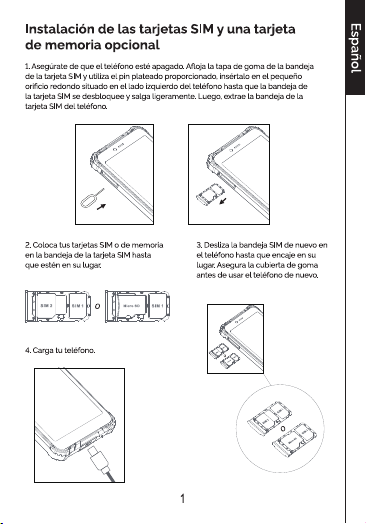
Installing the SlM cards and anoptional
memory card
1. Make sure the phone is turned off.Loosen the rubber cover of the SlM
cardtray, and use the silver pin provided, insert it into the small round
hole located on theleft-hand side of the phone until the SlMcard tray
unlocks and comes out slightly.Then pull the SlM card tray out of the
phone.
2. Place your SlM or memory cards
into theSlM card tray until they are
in place.
3. Slide the SlM tray back into
the phone untilit locks back
into place. Secure the rubber
cover before using the phone
again.
4. Charge your phone.
10101010

5