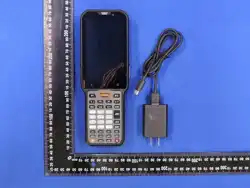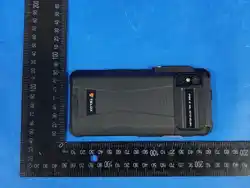
TE850
Quick Start Guide
Thanks for choosing our product!
This Quick Start Guide only applicable to: TE850.
Before using the product, please read the Quick Start Guide to fully
benefit from it.
Noce:
Always use original baeries and chargers. The warranty does not
cover damage caused by non-original baeries and/or chargers.
Connect the handheld and travel charger using the USB Cable.
Red light on the handheld indicates baery charging in progress.
Green lights on indicates fully charged.
Charging
USB Cable
To USB
Travel Charger
To Device
USB Port
Cauon
Avoid using any chemical agent including detergent, alcohol,
aerosol spray or oil preparaons as cleaning soluon.
Please power off and remove the baery before cleaning the
device.
Do not use the charger/USB port for charging, data transmission,
etc. unl the phone is completely dry.
Do not store the device in environments with electronically
corrosive materials.
Using dry and clean lint-free cloth or hairbrush to keep the
device and charger docking port clean.
Dry your device completely aer cleaning and before using it
again.
Although your device is quite sturdy, it is a complex piece of
equipment and can be broken. Avoid dropping, hing or
bending, or sing on it.
Make sure the charger/USB port, MicroSD card/SIM card slot
covers are properly seated, with no foreign objects obstrucng
the seals.
●
●
●
●
●
●
●
●
Device Status
Low baery
Charging
Fully charged
Red light (blinking)
Red light (constant)
Green light (constant)
Indicator Status
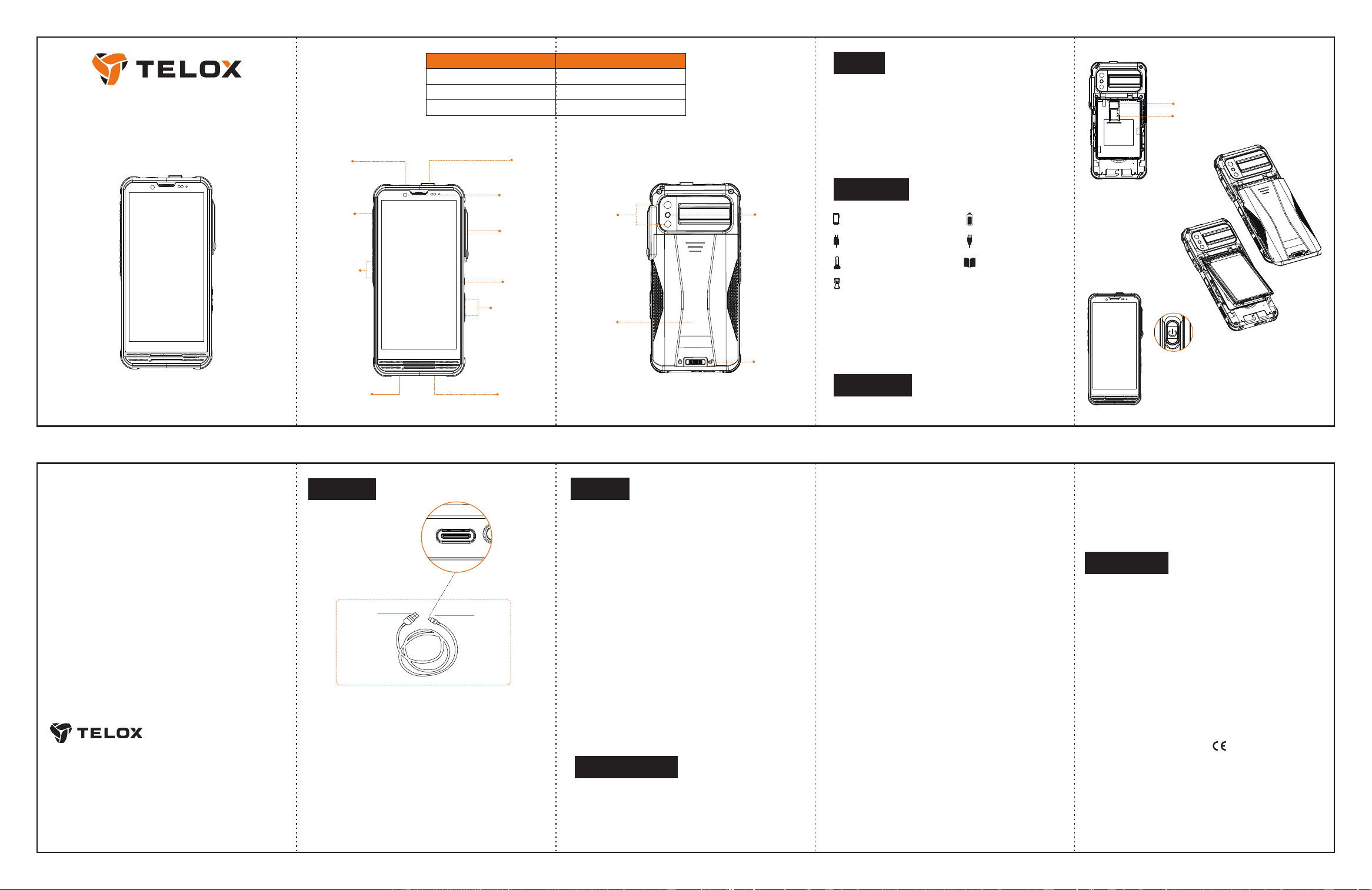
SOS Buon
Fingerprint
Power Buon
Volume Buons
Channel
Switch
Radio Grade
Audio Port
Charging pin
USB Type-C port
Front Camera
Rear Camera
Baery Cover
Lock Switch
Baery Cover
Noce:
Please check the above accessories before you discard the packing
material. Please contact your local dealer immediately if there is
any missing or damage parts.
3. Press and hold the power buon unl he
screen lights up to turn on the device. Press
the power buon to put the device screen to
sleep, press again to wake it up.
2. Insert the baery to
the device, then put the
baery cover on and
lock.
1.Insert the SIM/MicroSD Card into its slot.
This product involves constant upgrading and/or improvement,
our company reserves the right to change the specificaons of
soware and/or hardware menoned in this operang guide
without any prior noce. The product specificaons and infor-
maon menoned in the operang guide are for reference only.
■
■
Warranty period is 1 year from date of purchase.
Noce
Check list
Before Use
TE850×1 Baery×1
SIM Card2/MicroSD Card
SIM Card1
Belt Clip×1
Travel Charger×1 USB-C cable×1
Quick Start Guide×1
Programmable
Buons
FCC Statement
15.19 Labeling requirements.
This device complies with part 15 of the FCC Rules. Operaon is
subject to the following two condions: (1) This device may not
cause harmful interference, and (2) this device must accept any
interference received, including interference that may cause
undesired operaon.
15.21 Informaon to user.
Any Changes or modificaons not expressly approved by the party
responsible for compliance could void the user's authority to
operate the equipment.
15.105 Informaon to user.
This equipment has been tested and found to comply with the
limits for a Class B Digital Device, pursuant to Part 15 of the FCC
Rules. These limits are designed to provide reasonable protecon
against harmful interference in a residenal installaon. This
equipment generates uses and can radiate radio frequency energy
and, if not installed and used in accordance with the instrucons,
may cause harmful interference to radio communicaons.
However, there is no guarantee that interference will not occur in
a parcular installaon. If this equipment does cause harmful
interference to radio or television recepon, which can be
determined by turning the equipment off and on, the user is
encouraged to try to resolve the interference by one or more of
the following measures:
-- Reorient or relocate the receiving antenna.
-- Increase the separaon between the equipment and receiver.
-- Connect the equipment into an outlet on a circuit different from
that to which the receiver is connected.
-- Consult the dealer or an experienced radio/TV technician for
help.
Specific Absorpon Rate (SAR) Informa
on:
This product meets the government's requirements for exposure
to radio waves. The guidelines are based on standards that were
developed by independent scienfic organizaons through
periodic and thorough evaluaon of scienfic studies. The
standards include a substanal safety margin designed to assure
the safety of all persons regardless of age or health.
FCC RF Exposure Informaon and Statement The SAR limit of USA
(FCC) is 1.6 W/kg averaged over one gram of ssue. This device
was tested for typical body-worn operations when the device
used at 10mm from the product,
compliance
with FCC RF exposure
requirements. The use of belt clips, holsters and similar accessories
should not contain metallic components in its assembly. The use of
accessories that do not sasfy these requirements may not comply
with FCC RF exposure requirements, and should be avoided.
CE Warning
1. Risk of explosion if baery is replaced by an incorrect type.
Dispose of used baeries according to the instrucons.
2. The product shall only be connected to a USB interface of version
USB 2.0 or higher.
3. Adapter shall be installed near the equipment and shall be easily
accessible.
4. operang temperature shall not exceed 60 °C and shall not be
lower than -25 °C.
5. The plug serves as the disconnect device for the adapter.
6. The device complies with RF specificaons when the device used
at 5mm from the body without belt-clips, 0mm from the body with
the belt-clips, 25mm from the face.
7. The band 5150–5350 MHz indoor use only.
Hereby, Telo Communicaon (Shenzhen) Co., Ltd declares that this
Mobile phone product is in compliance with essenal requirements and
other relevant provisions of Direcve 2014/53/EU. This product is
allowed to be used in all EU Member States.
Tough Built, Mission Secured
Telo Communicaon (Shenzhen) Co.,Ltd
Tel:+86-755-86950766
E-mail:[email protected]
Add: Block B1305, Huizhi R&D Center, Longteng Community,
Xixiang Street, Bao'an District, Shenzhen, China
www.telox.com
零件
名称
DRW0001
制图 日期 图号:
审核 日期 版本: 单位: mm 投影:
批准 日期 比例: 1.000 图幅: A3 页码: 1-1
带 "*" 为检验尺寸
带 "()" 为参考尺寸
未注明公差
线性尺寸 角度尺寸
>10
`
0.1
`
0.5
~
5~10
`
0.08
0~5
`
0.05
标记 修订说明 日期 批准
Flash Light
Back Cover
零件
名称
DRW0001
制图 日期 图号:
审核 日期 版本: 单位: mm 投影:
批准 日期 比例:1.000图幅: A3 页码: 1-1
带 "*" 为检验尺寸
带 "()"为参考尺寸
未注明公差
线性尺寸 角度尺寸
>10
`0.1
`0.5~5~10 `0.08
0~5
`
0.05
标记 修订说明 日期 批准
零件
名称
DRW0001
制图 日期 图号:
审核 日期 版本: 单位: mm 投影:
批准 日期 比例: 1.000 图幅: A3 页码: 1-1
带 "*" 为检验尺寸
带 "()" 为参考尺寸
未注明公差
线性尺寸 角度尺寸
>10
`
0.1
`
0.5
~
5~10
`
0.08
0~5
`
0.05