WIRELESS CHARGING
LINEN VALET TRAY
SAFETY PRECAUTIONS
FCC STATEMENT
HOW TO USE:
TROUBLESHOOTING
PRODUCT SPECIFICATIONS
15 WATTS | FAST CHARGING
2IHQI1034
SUPPORT: 877 543 3540
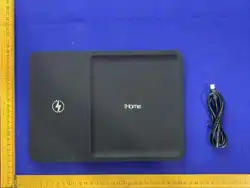
Package Includes:
(1) iHome Wireless Charging Valet Tray
(1) USB-C® to USB-C® Charging Cable
(1) User Manual
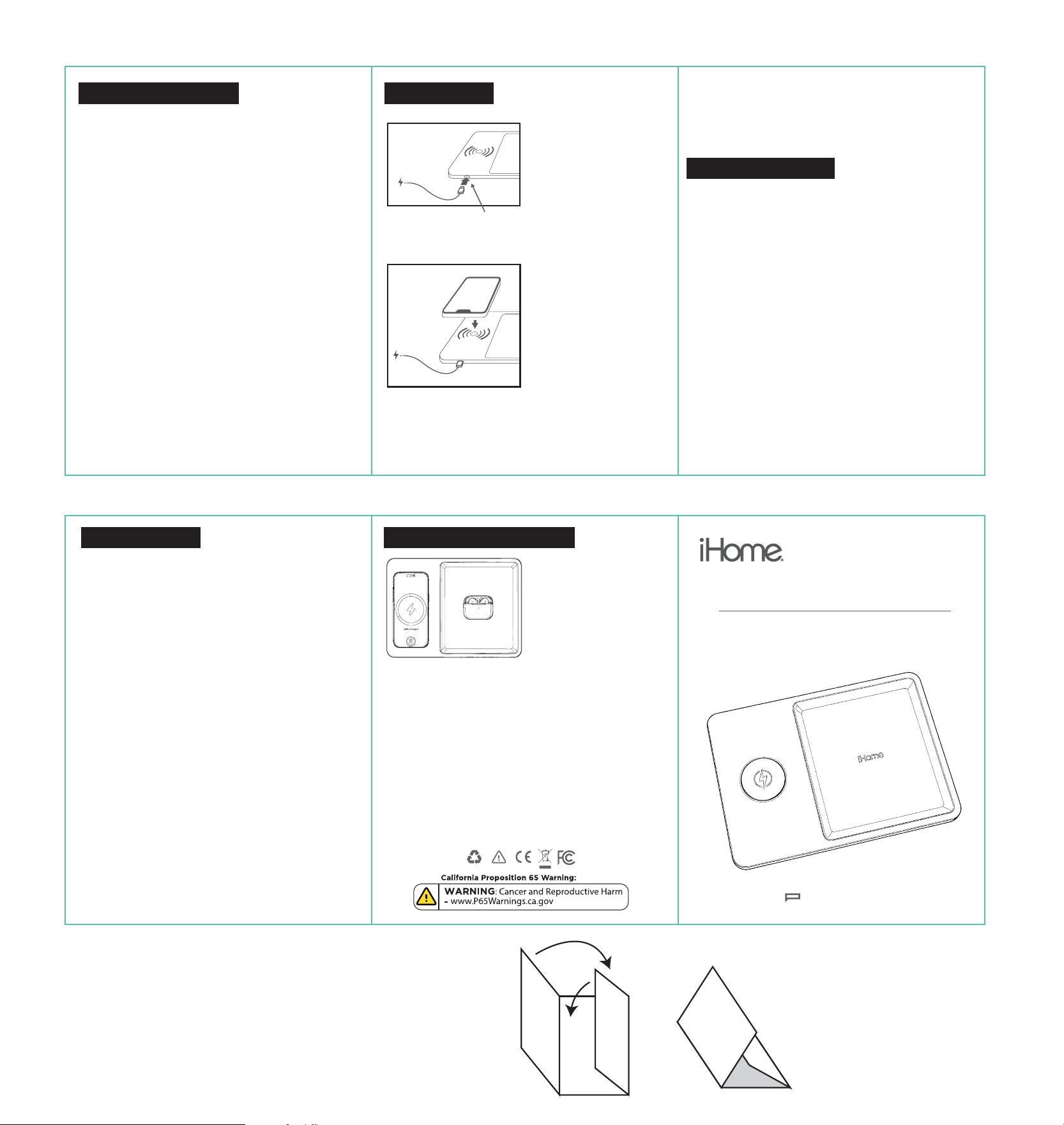
1. Connect the adapter to
the charging cable, then
connect it to the wireless
charger. The red and blue
lights will flash briefly, after
which the red light will
remain on, indicating that
the charger is powered on
but not charging.
Wireless Output: Max 15W
(compatible with 10W,
7.5W, 5W)
Input: DC 5V/2A, 9V/2A
(Type-C)
• Do not disassemble, puncture, or crush the product. No
user-serviceable parts inside.
• Do not expose to fire, high temperatures, or direct sunlight
for extended periods.
• Do not immerse in water or other liquids. This product is not
waterproof. If liquid enters, disconnect power immediately
and stop using.
• Use only certified chargers and cables. Uncertified adapters
may cause damage, overheating, or fire.
• Keep away from pacemakers and other medical devices.
Wireless charging may interfere with medical electronics.
Consult your doctor before use if you have a pacemaker or
implanted device.
• Do not place metal objects (keys, coins, paper clips) on the
wireless charging pad — they may cause overheating.
• Keep credit cards and magnetic-stripe cards away from the
charging area — may demagnetize.
• Use in well-ventilated areas. Do not cover the product with
blankets, pillows, or other insulating materials while charging.
• Stop using immediately if you notice swelling, leakage,
unusual odor, or excessive heat.
• Keep out of reach of children.
• Do not drop the product or subject it to strong physical impact.
• Unplug the charger during lightning storms or when not in
use for extended periods.WARNING: This product contains
electronic components. Improper use may result in fire,
electric shock, or injury.
• Note: The supplied manual artwork jumps from Section 4 to
Section 6; there is no Section 5 visible in the image.
2026 © Lifeworks Technology Group LLC. New York, NY 10018
iHome® is a registered trademark of SDI Technologies Inc., used
under license. iPhone® is a trademark of Apple Inc., registered
in the U.S. and other countries. All other brands and logos are
trademarks of their respective companies. *Actual products
may dier slightly from Images. MADE IN CHINA
FRONT
FRONT
1
2
This device complies with part 15 of the FCC Rules. Operation is subject to
the following two conditions:
(1) This device may not cause harmful interference, and
(2) this device must accept any interference received,
including interference that may cause undesired operation.
NOTE: This equipment has been tested and found to comply with the
limits for a wireless power charger, pursuant to Part 15 of the FCC Rules.
These limits are designed to provide reasonable protection against
harmful interference in a residential installation. This equipment
generates, uses and can radiate radio frequency energy and, if not
installed and used in accordance with the instructions, may cause
harmful interference to radio communications. However, there is no
guarantee that interference will not occur in a particular installation. If this
equipment does cause harmful interference to radio or television
reception, which can be determined by turning the equipment o and on,
the user is encouraged to try to correct the interference by one or more of
the following measures:
- Reorient or relocate the receiving antenna.
- Increase the separation between the equipment and receiver.
- Connect the equipment into an outlet on a circuit dierent from
that to which the receiver is connected.
- Consult the dealer or an experienced radio/TV technician for
help.
CAUTION: Changes or modifications not expressly approved by the party
responsible for compliance could void the user’s authority to operate the
product.
This equipment complies with FCC radiation exposure limits set forth for
an uncontrolled environment. This equipment should be installed and
operated with minimum distance 20cm between the radiator and your
body. This transmitter must not be co-located or operating in conjunction
with any other antenna or transmitter.
(the LED indicator lights are
hidden inside the charging port)
2. Place a Qi-compatible
device (such as a mobile
phone) in the center of the
wireless charger. The
charger will begin
charging the device, and
the red light will turn o
while the blue light stays
on.
3. When you remove the phone from the wireless
charger, the blue light will turn o and the red light
will turn on.
4. If you place a device without wireless charging
capability (e.g., an iPhone 7 Plus) or a metal object
like a coin on the wireless charger, the red and blue
lights will flash to indicate Foreign Object Detection
(FOD).
IPhone not charging: Ensure the phone is centered on
the charging pad. Remove thick or metal phone cases.
Confirm the tray is connected to power. Try a dierent
wall charger or cable.
Charging is slow: Use an 18W or higher USB-C PD/QC
wall charger. Ensure the phone is properly aligned.
Remove metal objects or cards between the phone
and pad.
Intermittent charging: Check phone alignment on the
pad. Ensure the cable is fully inserted at both ends. Try
a dierent power outlet.
Product gets warm: Slight warming during wireless
charging is normal. If uncomfortably hot, remove the
phone and disconnect power. Ensure no metal objects
are on the charging pad.
No power at all: Check the wall charger is working.
Ensure the cable is fully inserted. Try a dierent cable
and wall charger. Try a dierent power outlet.
Phone charges then stops: This may be normal if the
phone reaches 100%. If it stops early, reposition the
phone. Ensure no foreign objects are between the
phone and pad.
Operating Temperature: 0°C ~ 45°C
Storage Temperature: -10°C ~ 60°C