AM/FM Radio Earmuffs

TABLE OF CONTENTS
FITTING..................................................2
BATTERIES.............................................2
BUTTON FUNCTIONS...........................3
VOLUME FUNCTION.............................3
POWER ON/OFF....................................4
RADIO CONTROLS................................4
MEMORY PRESETS................................5
AUX CORD.............................................5
CLEANING & MAINTENANCE..............6
NEED SUPPORT?...................................6
2
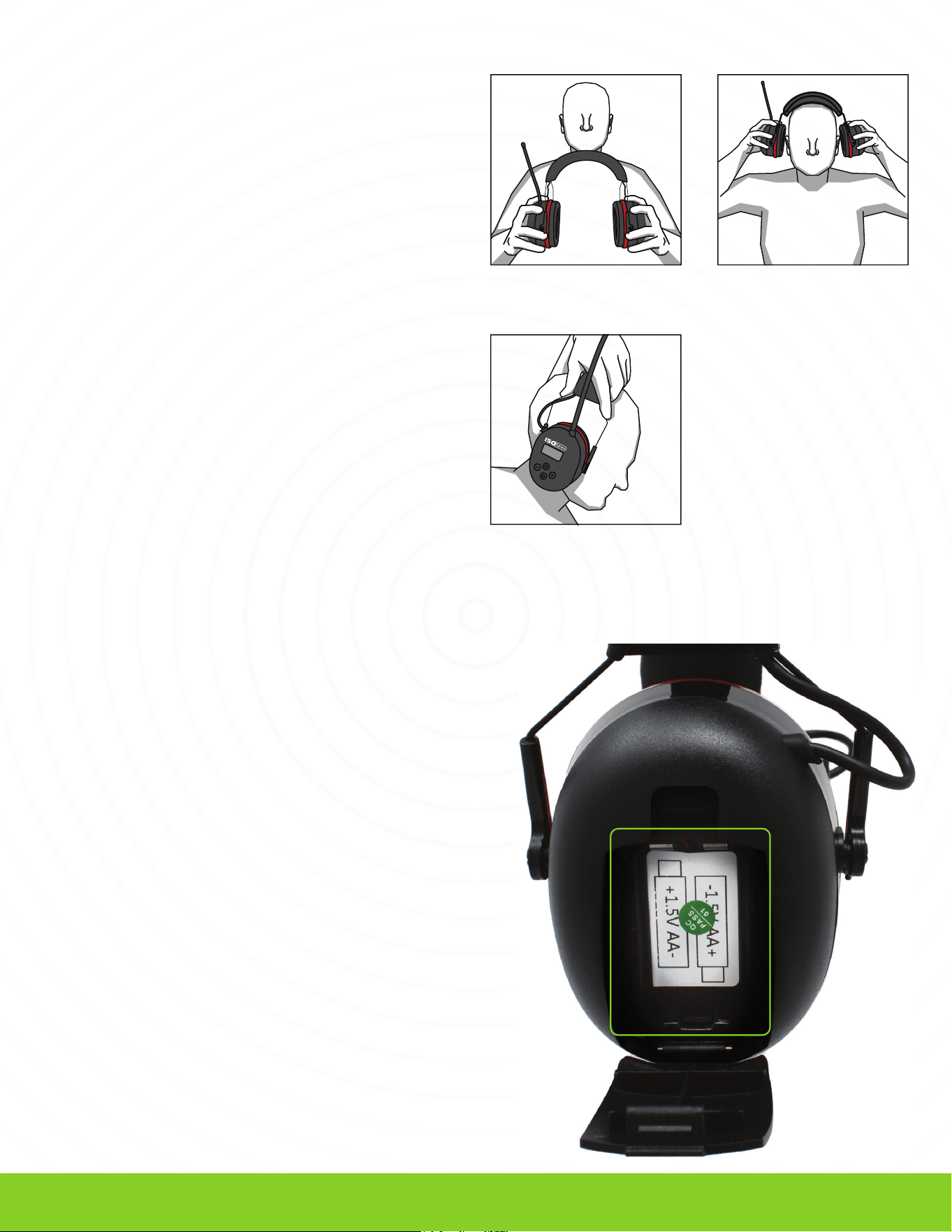
Figure 1 Figure 2
FITTING
Figure 3
These earmuffs use 2 AA batteries (not included) and
will hold a charge for up to 60 hours, depending on
usage. Once the batteries have been depleted, they
will need to be replaced. You will find the battery
compartment on the back of the left earmuff.
BATTERIES
Push down on the small clip at the top of the
battery door and pull it forward, opening the
battery compartment.
1
Pull the earcups apart. (Figure 1)
1
Place the product on your head. (Figure 2)
2
Adjust the earcup position by extending the
headband to ensure a good fit around the
ears. (Figure 3)
3
Place the 2 AA batteries in the battery
compartment. Ensure you have oriented the
batteries correctly.
2
3
To adjust the volume, turn the volume knob on the
bottom of the right earcup.
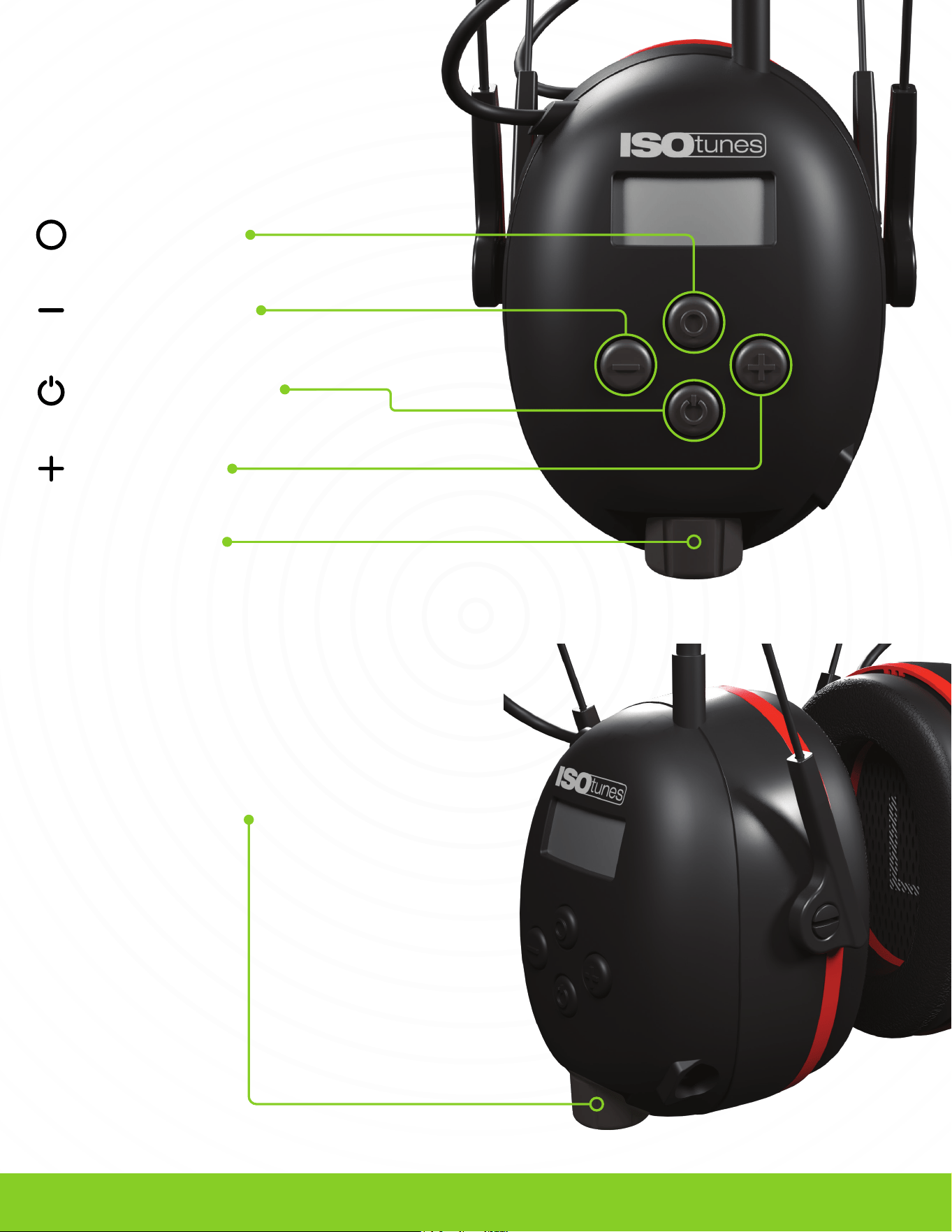
Volume Knob
Memory Button
Tune/Seek Down
Power/Audio Mode
Tune/Seek Up
BUTTON FUNCTIONS
VOLUME FUNCTIONS
CHANGE RADIO MODE
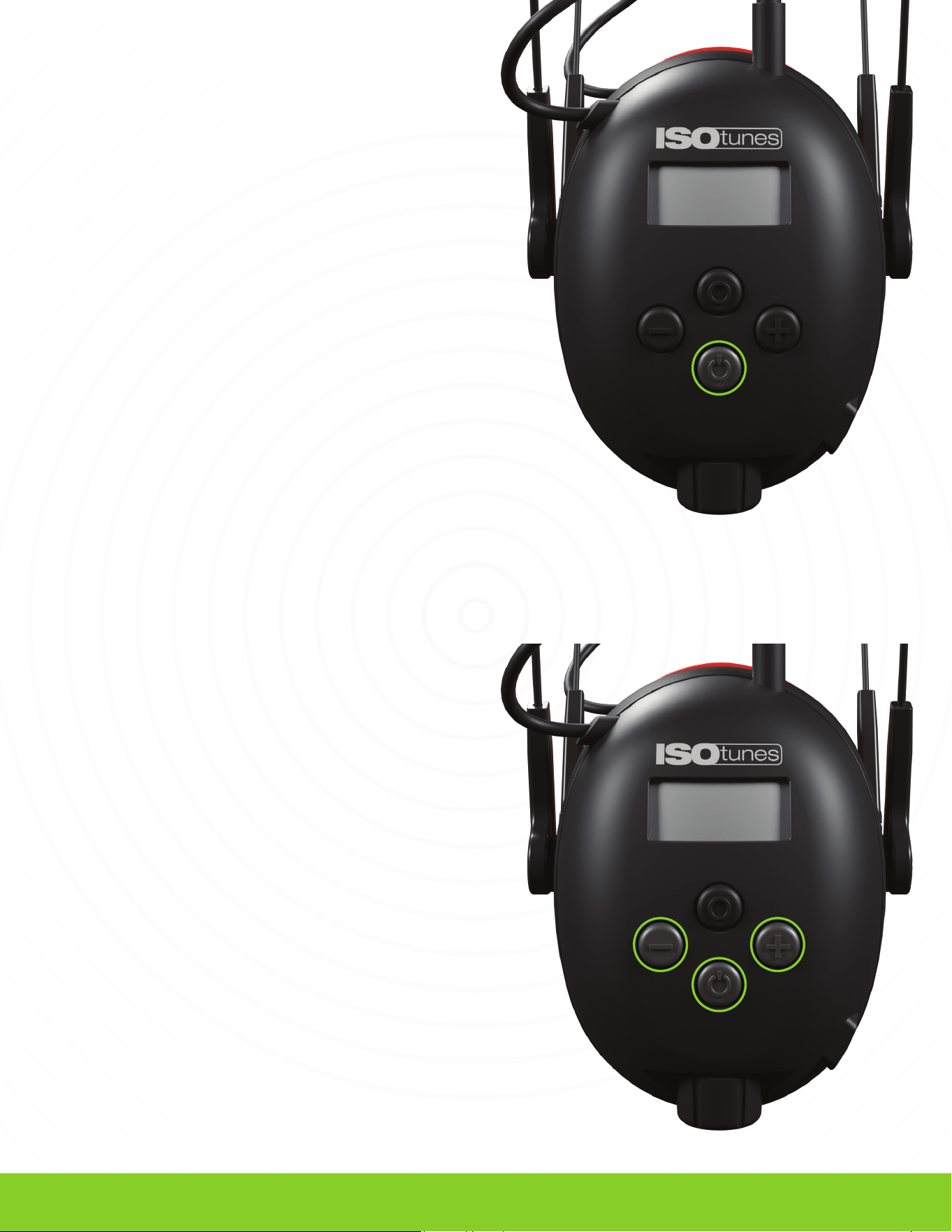
Press the Power Button once to rotate between AM
and FM modes.
RADIO TUNING
Tune: Go up by one station number
Single press the left minus (-) button or right plus (+)
button to tune up
Seek: Jump to the next available station
Press and hold the left minus (-) button or right plus
(+) button to seek up
POWER ON
Press and hold the power button. You will hear
“Power On.”
POWER OFF
Press and hold the power button. You will hear
“Power Off.”
4
POWER ON/OFF
RADIO CONTROLS
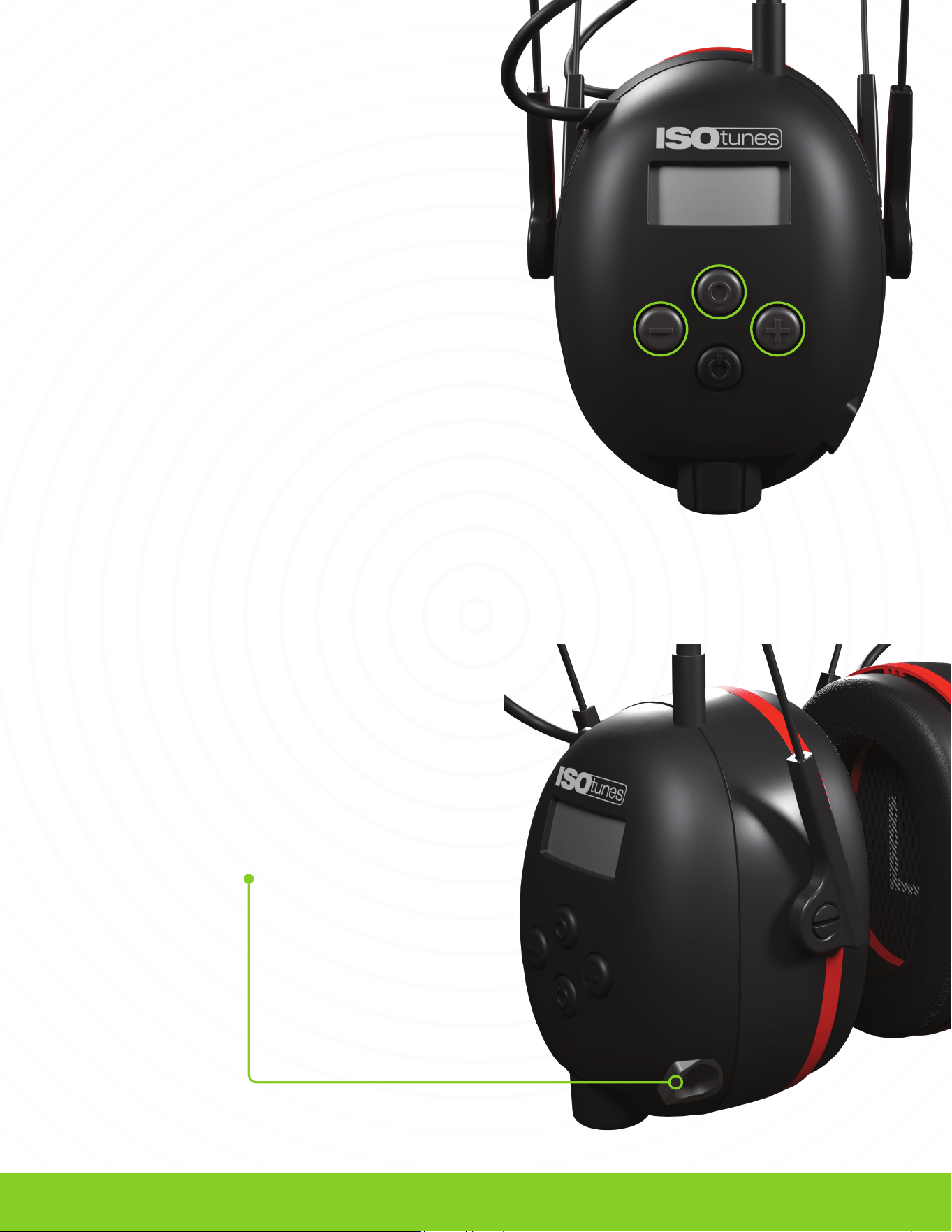
To listen to music via the line input use the 3.5 mm
audio cable included. Insert one end into the AIR
DEFENDER and insert the other end into your phone
or other personal media device.
Will not work for phone calls.
MEMORY PRESET STATIONS
To save a favorite station, first tune to the
desired station.
1
Press and hold the memory button (O) for
1 second, the display should flash once and
the preset number should appear.
2
Press the left minus (-) button or right plus (+)
button to adjust the preset number.
3
Press the memory button (O) again to save
the station in the selected preset.
4
Press the memory button (O) to cycle through
and access a memory preset station.
5
5
MEMORY
AUX CORD

TRILOGY
TM
foam ear cushions should be regularly
inspected for deterioration, cracking, or other
damage. TRILOGY
TM
cushions are disposable and
should be replaced over time. We recommend
replacing your ear cushions every 1- 3 months or
when they become damaged. Additional AIR
DEFENDER AM/FM ear cushions are available at
ISOtunes.com.
Ear cushions can be cleaned in between uses with a
damp cloth and water.
• Clean your product by gently wiping them with a
clean, damp cloth with mild soap.
• Do not immerse the product in water.
• Do not use abrasive cleaning solvents to
clean the product.
• If the products get wet from sweat or rain, please
discontinue use, and allow them to dry.
6
CONTACT CUSTOMER SERVICE
SUBSCRIBE AND SAVE
Receive automatic eartip and/or ear cushion
replacement deliveries. No commitments,
obligations, or surprise fees.
Visit:
ISOtunes.com/replacements
Show us your #ISOtunes in action!
CONNECT WITH US ON SOCIAL MEDIA
USA & Canada
+1 (317) 740-0419
Mon-Fri 9:00 AM - 5:00 PM EST
UK & Europe
CLEANING & MAINTENANCE
NEED SUPPORT?