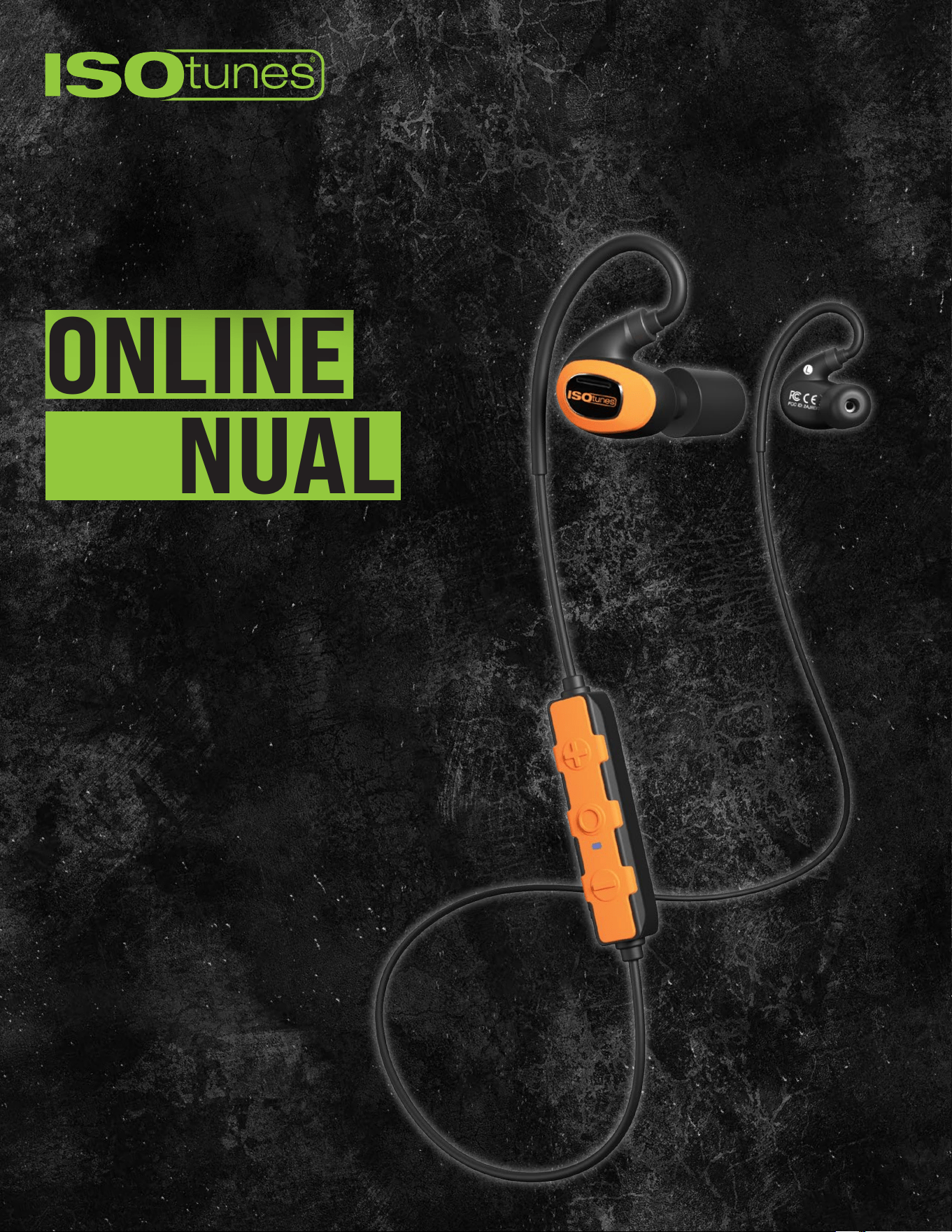
ONLINE
MANUAL
PRO 3.0

TABLE OF CONTENTS
Included ........................................... 3
Labeled Diagram ................................... 4
Fitting ............................................. 5
Eartip Choice .................................................. 5
Fitting Instructions ............................................. 6
Bluetooth .......................................... 7
Pairing ....................................................... 7
Dual Connect .................................................. 8
LE Audio & Auracast ............................................ 8
User controls ....................................... 9
Powering On/O ............................................... 9
Audio ........................................................ 9
Phone Calls ................................................... 9
Voice assistant ................................................ 9
Battery & Charging ................................ 10
Charging & Short charge .......................................10
Cleaning & Maintenance ............................ 11
Battery Level Announcements ...................................11
Troubleshooting ................................... 12
Reset .......................................................12
Customer Service .............................................12
3
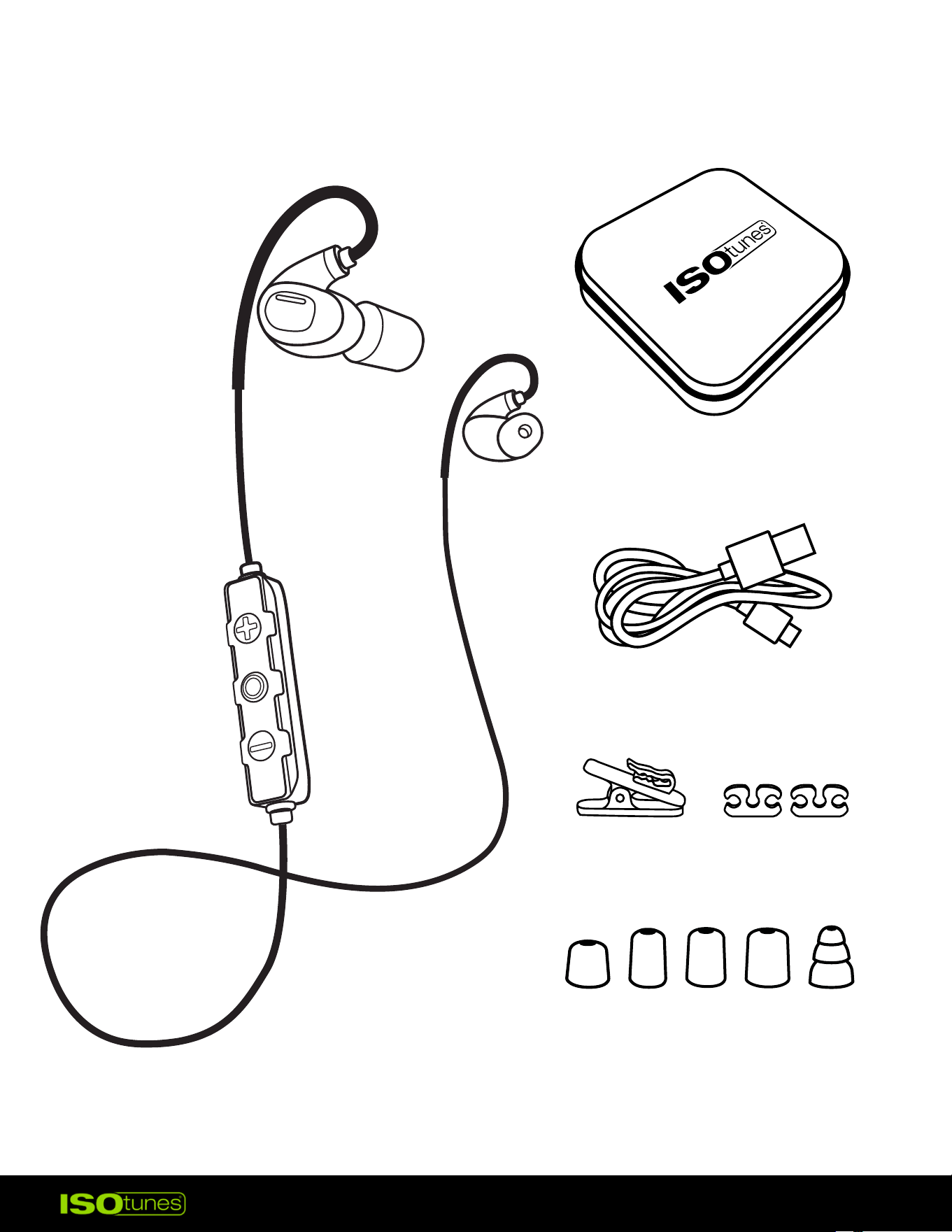
INCLUDED
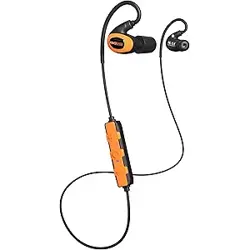
PRO 3.0 EARBUDS
USB-C CHARGING CABLE
RIGID CARRYING CASE
FOAM EARTIPS: XS, S, M, L
TRIPLE-FLANGE SILCONE EARTIPS
*Silicone eartips are included
only in North America
ALLIGATOR & CORD CLIPS
4
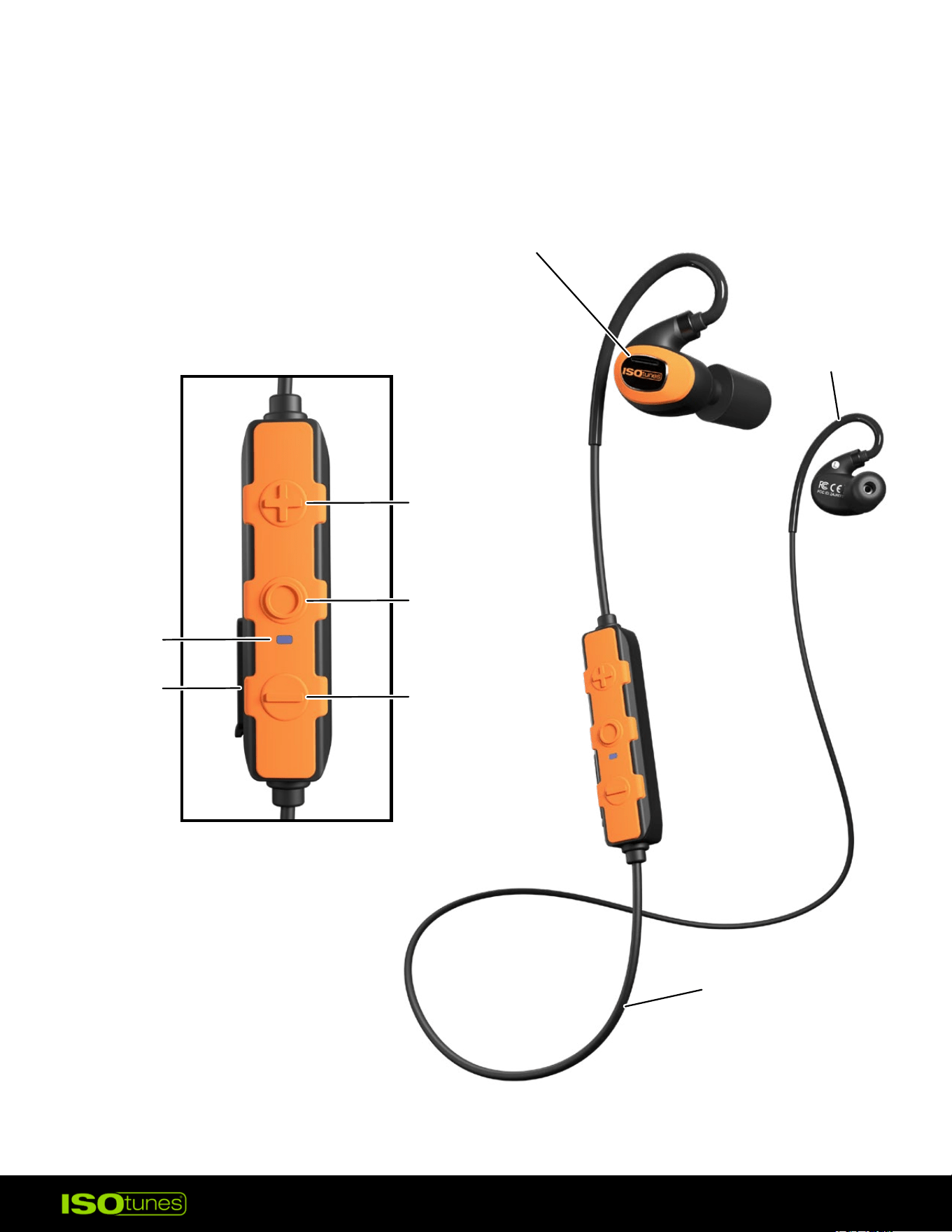
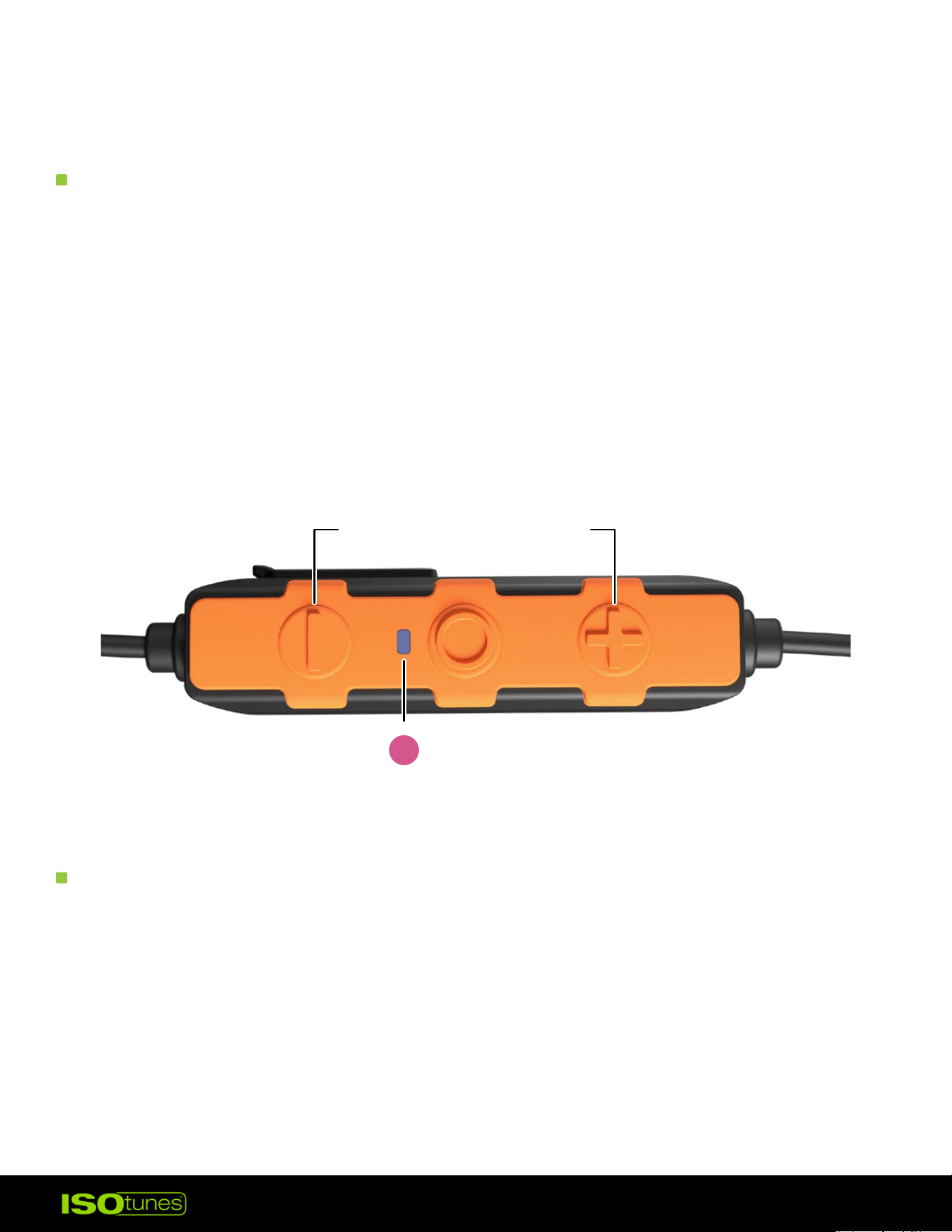
LABELED DIAGRAM
WIRE
CONTROLLER
EARHOOK
INDICATOR
LIGHT
CHARGING
INPUT
+ BUTTON
EARBUD
- BUTTON
MULTI-FUNCTION
BUTTON (MFB)
5
FITTING
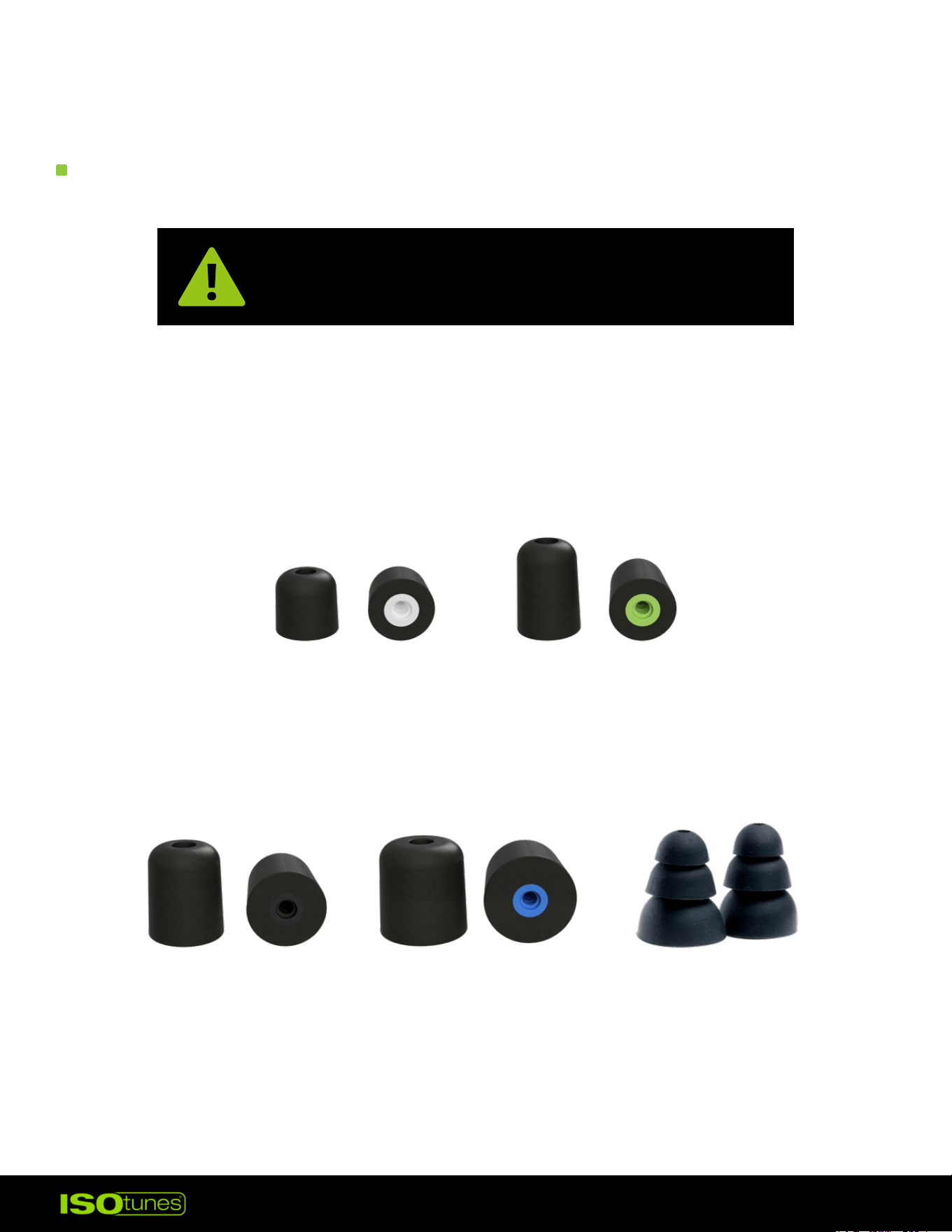
EARTIP CHOICE
Ensuring a secure t is the most critical step
to obtaining appropriate hearing protection.
X-SMALL TALL
WHITE CORE
SMALL TALL
GREEN CORE
MEDIUM TALL
BLACK CORE
LARGE TALL
BLUE CORE
TRIPLE-FLANGE
SILICONE
*
There are multiple sizes of eartips. For the best hearing protection, use
the largest eartip that ts your ear. The eartip should be snug, but not
too large that it falls out.
*Silicone eartips are included only in North America
6
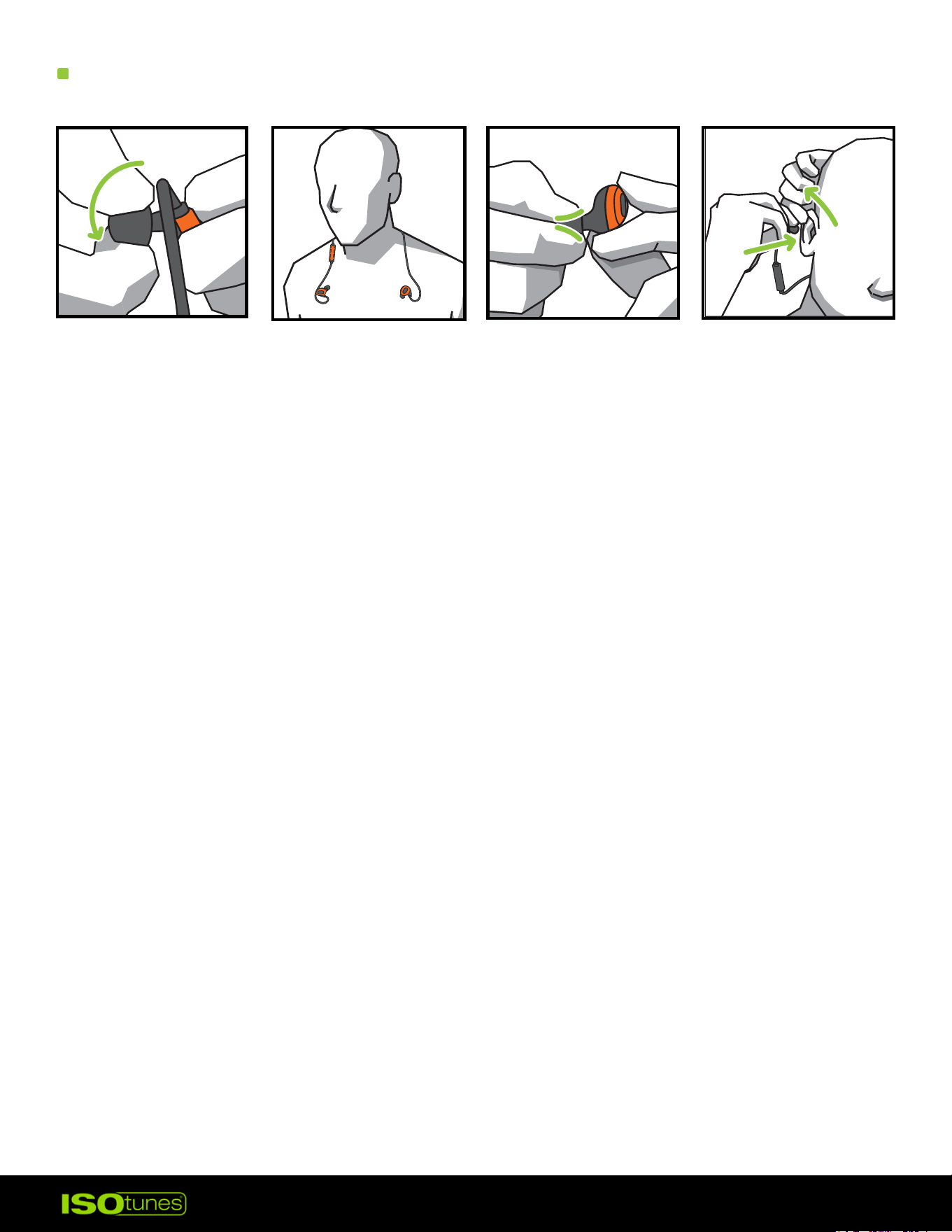
1. The eartip core is threaded, please screw eartips on or o the posts
(Figure 1). Do not push or pull.
2. Place the product around your neck so that each earbud is resting on
your chest (Figure 2).
3. Carefully roll and compress the foam tip between your ngers (Figure 3).
Do not squeeze.
4. When ready to insert into the ear, reach over your head with your
opposite hand and gently pull the top of your ear back and away from
your head to open your ear canal (Figure 4).
5. While holding your ear open, insert the eartip into your ear and push
the rolled eartip into your ear as deeply as comfortable. Hold the
product in place for about 10 seconds, allowing the foam to expand and
seal the ear.
6. Secure the earhook around the back of the ear. Repeat with the other
earbud and ear.
FITTING INSTRUCTIONS
Figure 1
Figure 3
Figure 4
Figure 2
7
BLUETOOTH
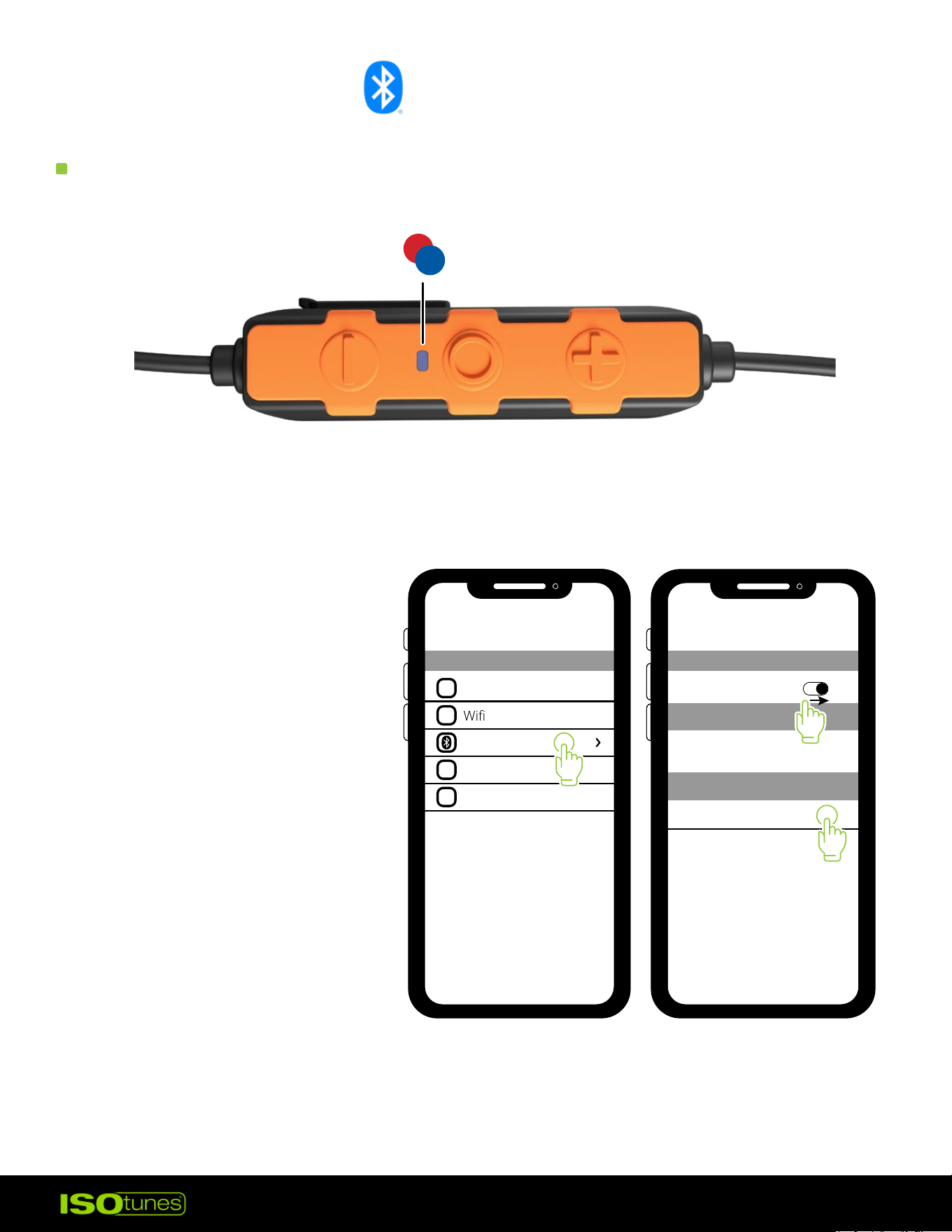
PAIRING
1. Open your Bluetooth
settings on your device.
2. Select “ISOtunes PRO 3.0.”
Pair and connect.
3. Once connected you
will hear “Bluetooth
Connected.”
INDICATOR LIGHT WILL FLASH BLUE AND RED
Airplane Mode
Bluetooth
Cellular
Personal Hotspot
OFF
1
Bluetooth
Bluetooth
Bluetooth
My Devices
Other Devices
ISOtunes PRO 3.0
2
3

8
DUAL CONNECT
LE AUDIO & AURACAST
1. This product can connect to two devices simultaneously such as your
phone and your computer.
2. Pair and connect to your rst device as described in Bluetooth Pairing.
This will be Device A.
3. Press and hold the multi-function button for 7 seconds.
4. You will hear “Power O,” keep holding the button until you hear
“Bluetooth Pairing Mode.”
5. Pair and connect to the 2nd device as described in Bluetooth Pairing.
This will be Device B.
6. On Device A, go to the Bluetooth settings and connect to the PRO 3.0.
Both devices are now connected.
WHAT IS LE AUDIO?
LE Audio is a new feature within Bluetooth technology. LE Audio allows
for better sound clarity at lower power usage. This provides a longer
battery life.
WHAT IS AURACAST?
Auracast allows opportunities like:
• Broadcasting audio to invite others to listen to the same audio
experience on separate devices
• Enjoying TV in public spaces, like the gym
• Being alert by hearing announcements and notications in public spaces
like the airport
To see if your phone or computer is compatible and supports
these features, please consult the device’s user manual or on the
manufacturer’s website.
9
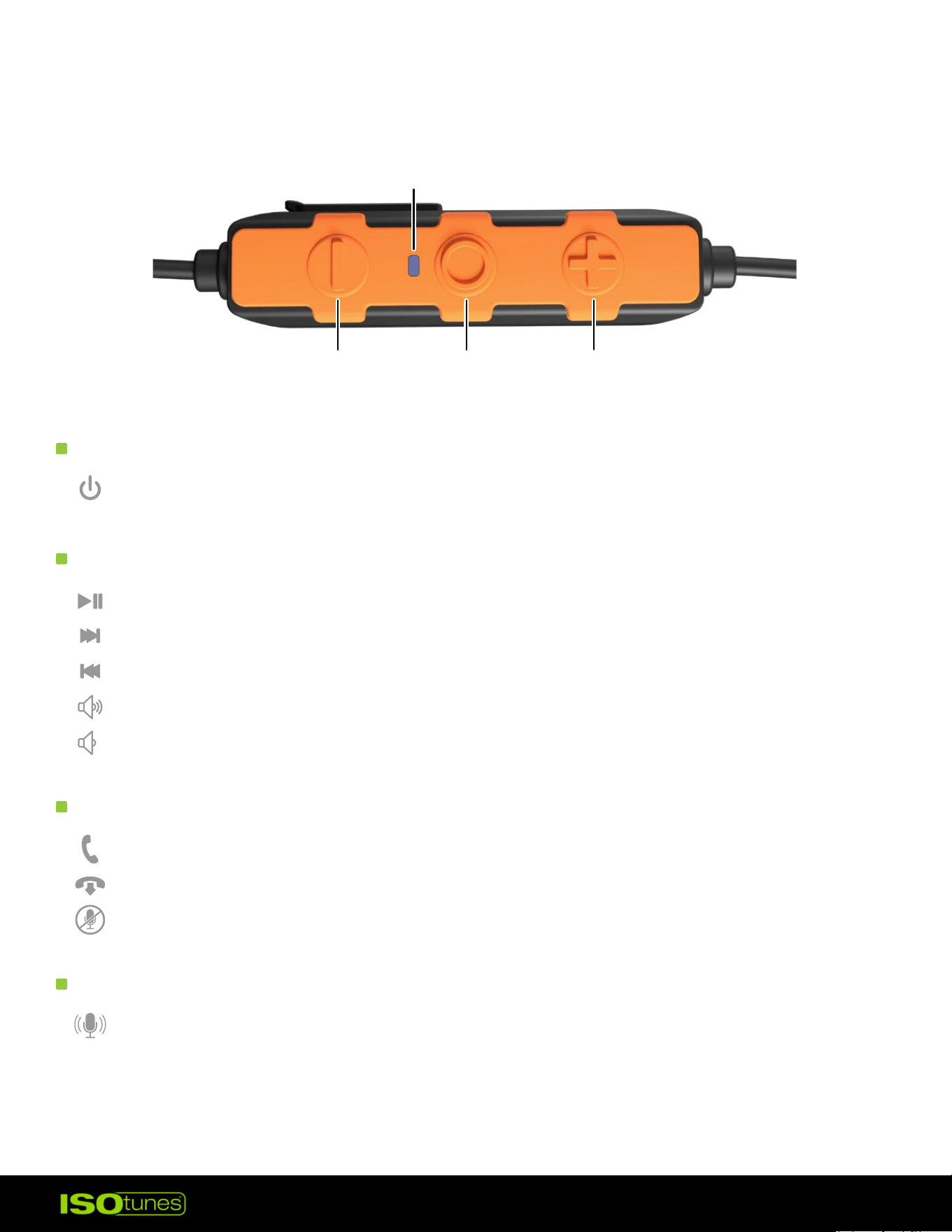
Power On/O — Press and hold MFB for 3 seconds
Play/Pause — Press MFB 1x
Next Track — Press MFB 2x
Previous Track — Press MFB 3x
Raise Bluetooth Volume — Press (+) button 1x
*
Lower Bluetooth Volume — Press (-) button 1x
*
Answer Call — Press MFB 1x
Deny/End Call — Press and hold MFB 2 seconds
Mute/Unmute — Press MFB 1x
Activate Assistant — Press and hold MFB 2 seconds
USER CONTROLS
POWERING ON/OFF
AUDIO
PHONE CALLS
VOICE ASSISTANT
MFB
PLUS (+)
LIGHT
MINUS (-)
*Double chime indicates minimum or maximum volume met
10
BATTERY & CHARGING
CHARGING & SHORT CHARGE
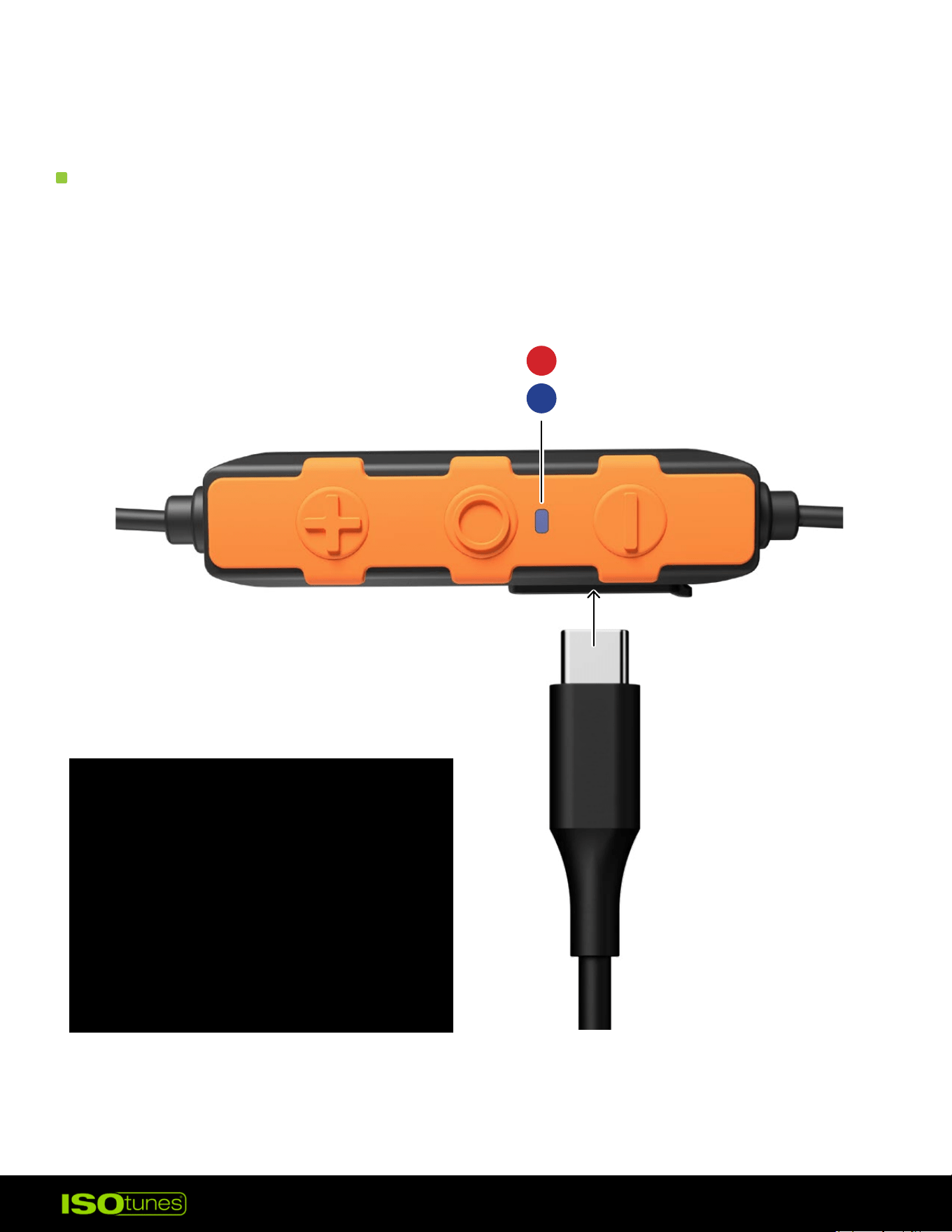
SOLID RED = CHARGING
SOLID BLUE = FULLY CHARGED
PRO 3.0 supports Bluetooth battery-level indicator on smart devices.
These earbuds are equipped with a short charging feature. This means you
can extend your listening by two hours with just a 10-minute charge.
Charging voltage should not
exceed 5 volts. We recommend
using the included charging cord
with a standard USB “charging
brick” or by plugging into your
computer. Avoid using adapters
or chargers rated higher, as this
can damage the device or cause
it to not charge.
11
BATTERY LEVEL ANNOUNCEMENTS
When powered on, PRO 3.0 will alert you of its battery level.
• Battery Level High
• Battery Level Medium
• Battery Level Low (~3 hours left)
• Low Battery, Please Charge (15 to 20 minutes left)
CLEANING & MAINTENANCE
• TRILOGY™ foam eartips should be regularly inspected for deterioration,
cracking, or other damage. The eartips can be cleaned in between uses
with a damp cloth and water. Over time, the eartips should be replaced.
• Eartips are disposable and should be replaced over time. Depending on
use, we recommend replacing them every 1- 3 months. Replacements
are available on our website.
• Clean your product by gently wiping them with a clean, damp cloth with
mild soap.
• Do not immerse the earbuds in water.
• Do not use abrasive cleaning solvents to clean the earbuds.
• If the earbuds get wet from sweat or rain, please discontinue use and
allow them to dry.
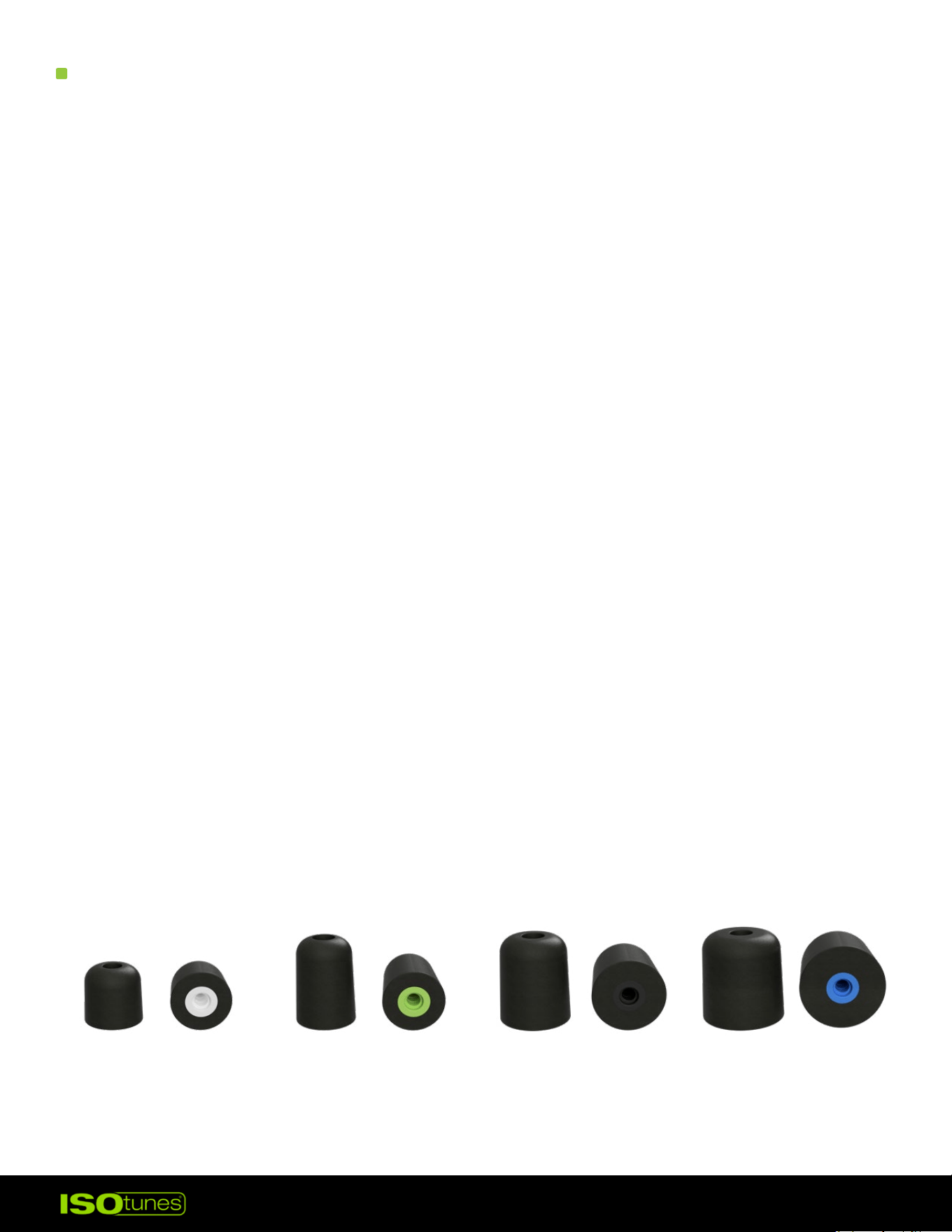
X-SMALL TALL
WHITE CORE
SMALL TALL
GREEN CORE
MEDIUM TALL
BLACK CORE
LARGE TALL
BLUE CORE
12
TROUBLESHOOTING
RESET
CUSTOMER SERVICE
1. Earbuds must be powered on.
2. Remove the earbuds from your Bluetooth connections.
3. Press and hold the Volume Up and the Volume Down buttons at the
same time. Hold for 4 seconds.
4. Product will shut o and you will hear “Power On,” followed by
“Bluetooth Pairing Mode.”
5. Follow the pairing steps to reconnect your device.
For more information, FAQs, or to reach out for further assistance —
• ISOtunes.com/support
• ISOtunes.ca/support
• ISOtunes.co.uk/support
• ISOtunes.eu/support
PRESS AND HOLD FOR 4 SECS
INDICATOR LIGHT WILL BLINK PINK 3X