
IT-60/61 ISOtunes TEAMCOMM User Manual
Catologue
1. Product Appearance, Structure & Weight Requirements .......................................... 1
1.1. User Interface ..................................................................................................... 1
1.1.1. Buttons (5 total) .......................................................................................... 1
1.1.2. Reliable Back Clip (replaceable) ................................................................... 1
1.1.3. Replaceable Antenna: .................................................................................. 2
1.1.4. Peripheral Interface ..................................................................................... 3
1.1.5. Display Interface .......................................................................................... 3
1.1.6. Display Information ..................................................................................... 3
1.1.7. Replaceable Battery Pack Design ................................................................. 3
1.2. Product Appearance Rendering .......................................................................... 4
1.2.1. IT-60 Overall Appearance ............................................................................ 4
1.2.2. IT-61 Overall Appearance ............................................................................ 5
1.3. Weight & Dimensions: ........................................................................................ 5
1.3.1. Weight: 153g ............................................................................................... 5
1.3.2. Dimensions: 215*63*41mm ........................................................................ 5
2. Product Function ........................................................................................................ 5
2.1. Full-Duplex Group Communication Function ...................................................... 5
2.2. Bluetooth Function ............................................................................................. 6
2.3. Wired Connection Function ................................................................................ 6
2.4. MIC Operating Mode Switching .......................................................................... 6
2.5. Function Operations ........................................................................................... 6
2.5.1. Starting Up ................................................................................................... 6
2.5.2. Shut Down ................................................................................................... 6
2.5.3. Adjust Volume ............................................................................................. 7
2.5.4. Adjust Channel ............................................................................................ 7
2.5.5. Other Functions ........................................................................................... 7
3. Product Performance and Specification Parameters ................................................. 7

3.1. Battery Power Supply : ..................................................................................... 7
3.2. Work Environment : ......................................................................................... 8
3.3. operating Time :Duration of Continuous Use: 12 hours ................................... 8
3.4. Charging Time: 3.5 hours. ................................................................................... 8
4. Precautions ................................................................................................................ 8
1. Product Appearance, Structure & Weight Requirements
1.1. User Interface
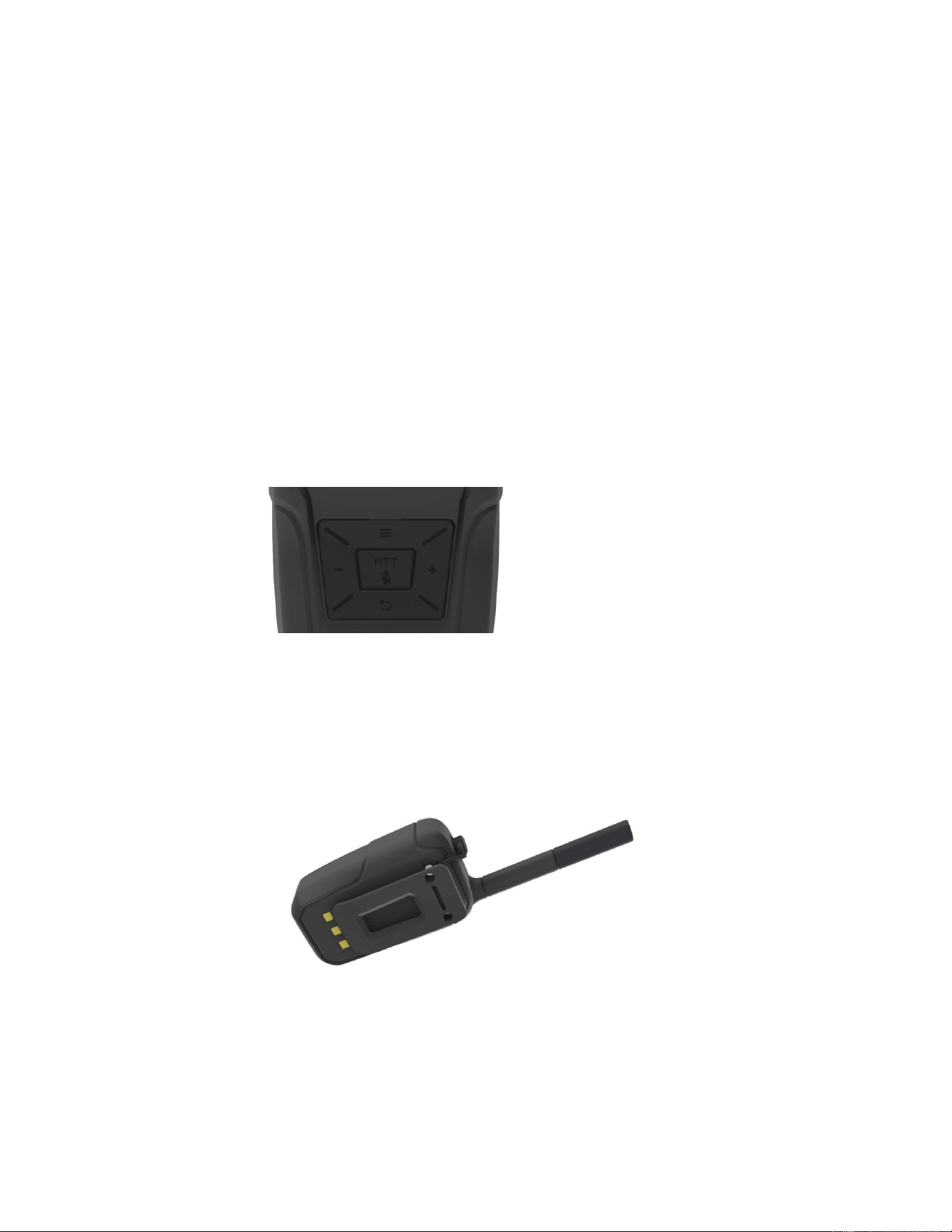
1.1.1. Buttons (5 total)
⚫ Function Button: Power ON/OFF & menu selection
⚫ Back Button: Return to the previous page
⚫ + Button: Volume increase & parameter switching
⚫ - Button: Volume decrease& parameter switching
⚫ Microphone Button (PTT): Voice transmission in PTT mode
1.1.2. Reliable Back Clip (replaceable)
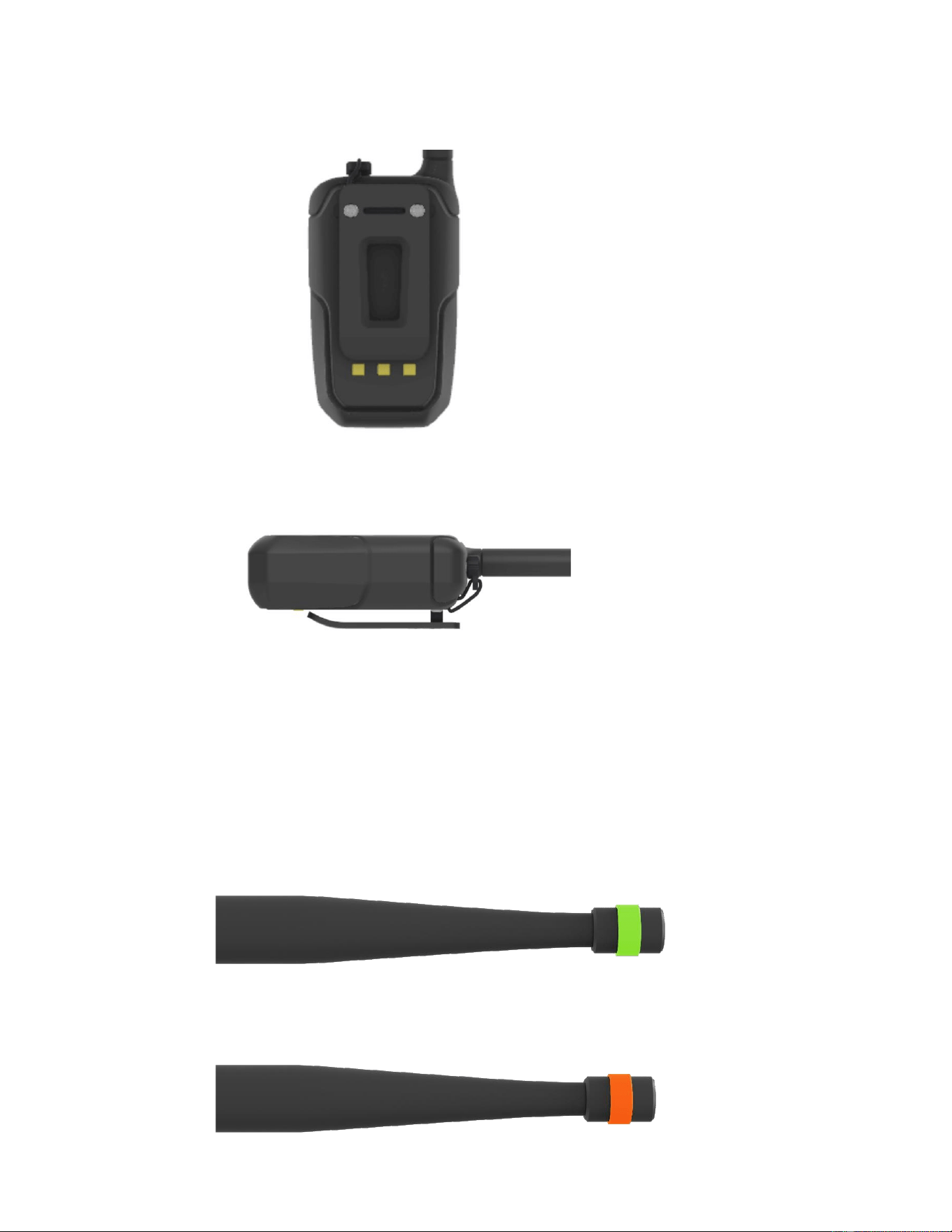
1.1.3. Replaceable Antenna:
The model is distinguished by the colour of the ring on the antenna.
IT-60 antenna
IT-61 antenna

1.1.4. Peripheral Interface
⚫ 3.5mm audio jack
⚫ TYPE-C charging port : located on the device
⚫ Replaceable battery pack:
◼ Connects to the device via contact spring
◼ Support dock charging
◼ Charging protect circuit built-in
⚫ SMA antenna interface
1.1.5. Display Interface
⚫ LED Display
⚫ OLED Display
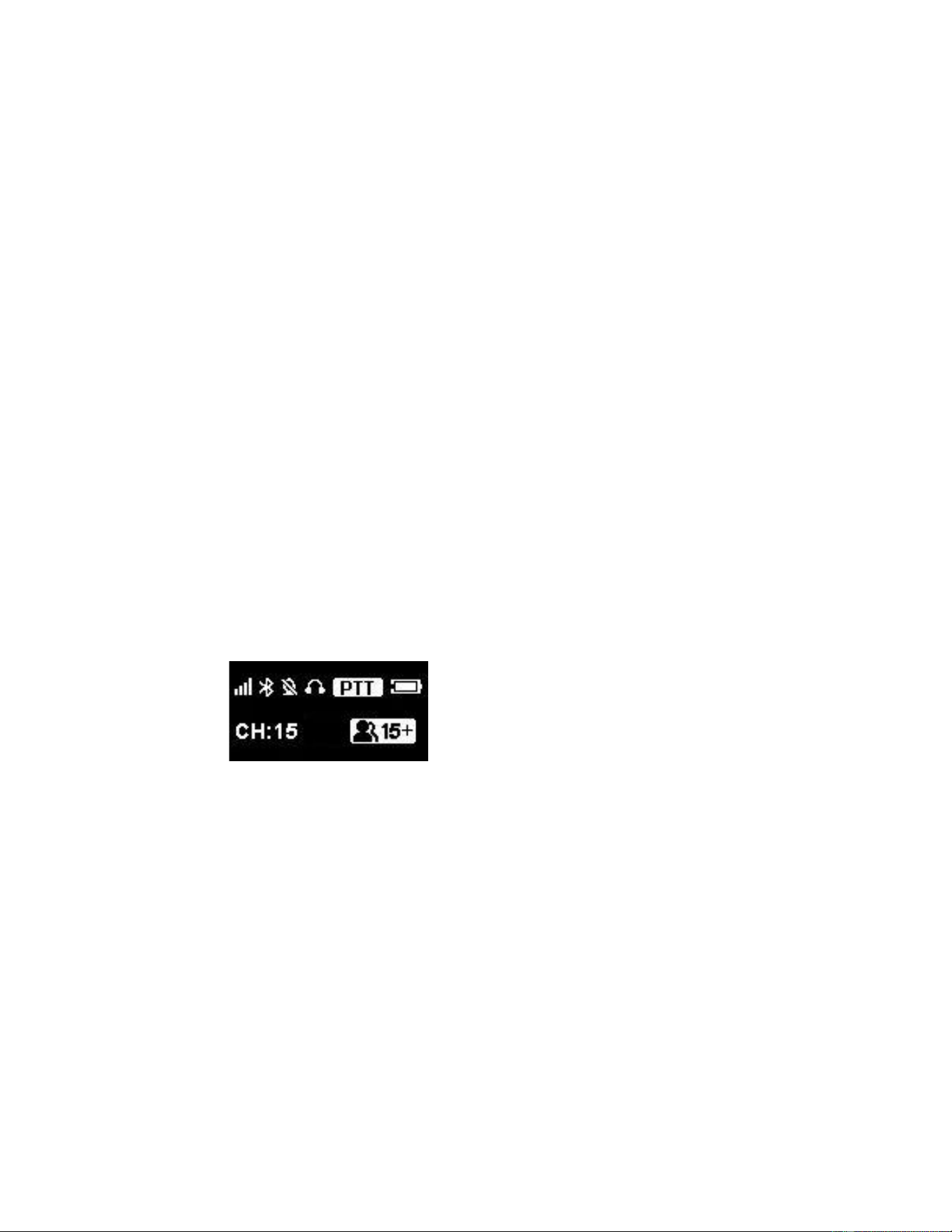
1.1.6. Display Information
⚫ Current working channel
⚫ Battery level
⚫ External device connection status: Bluetooth / 3.5mm jack
⚫ PTT operating pattern
⚫ PIN CODE input
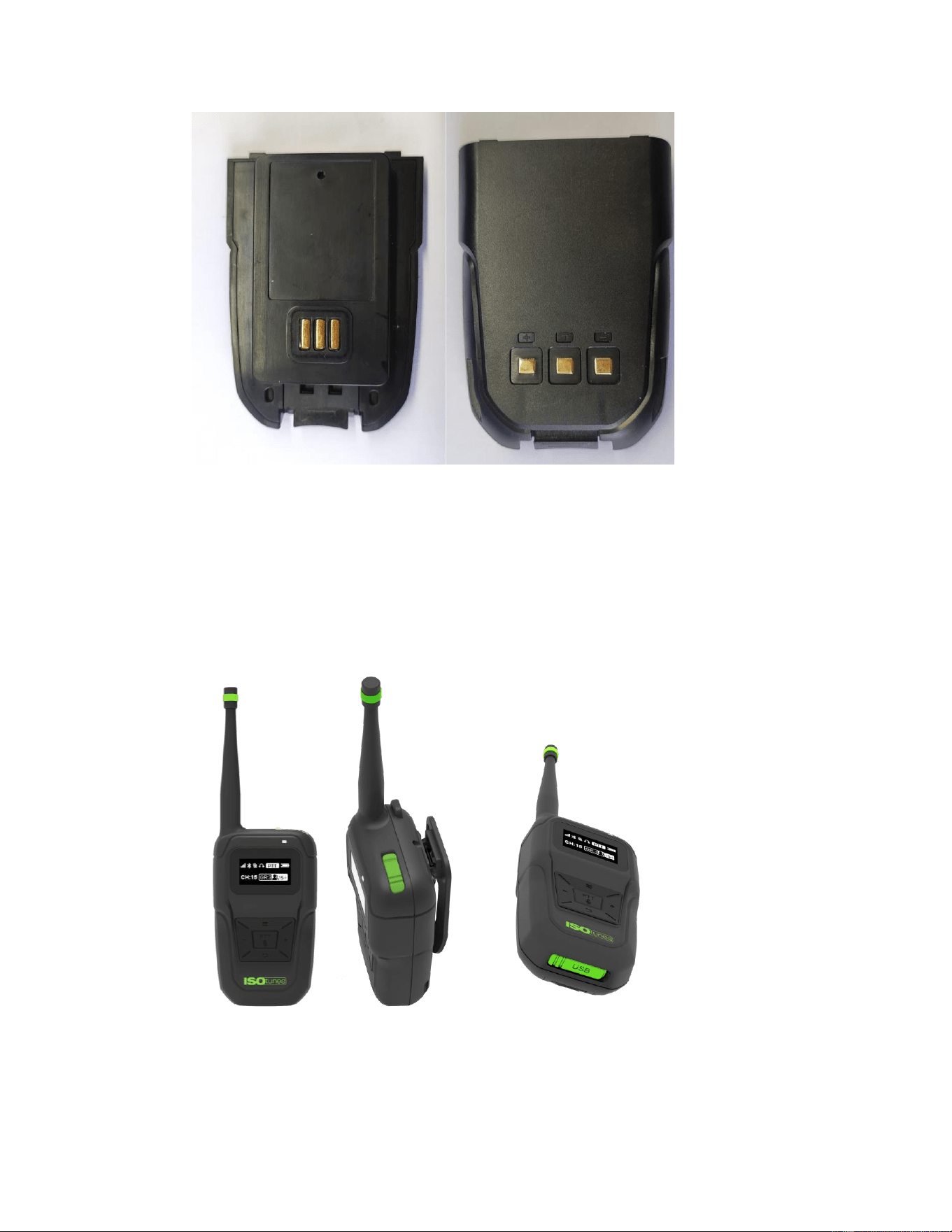
1.1.7. Replaceable Battery Pack Design
The battery pack can be detached from the device and charged independently.
1.2. Product Appearance Rendering
1.2.1. IT-60 Overall Appearance
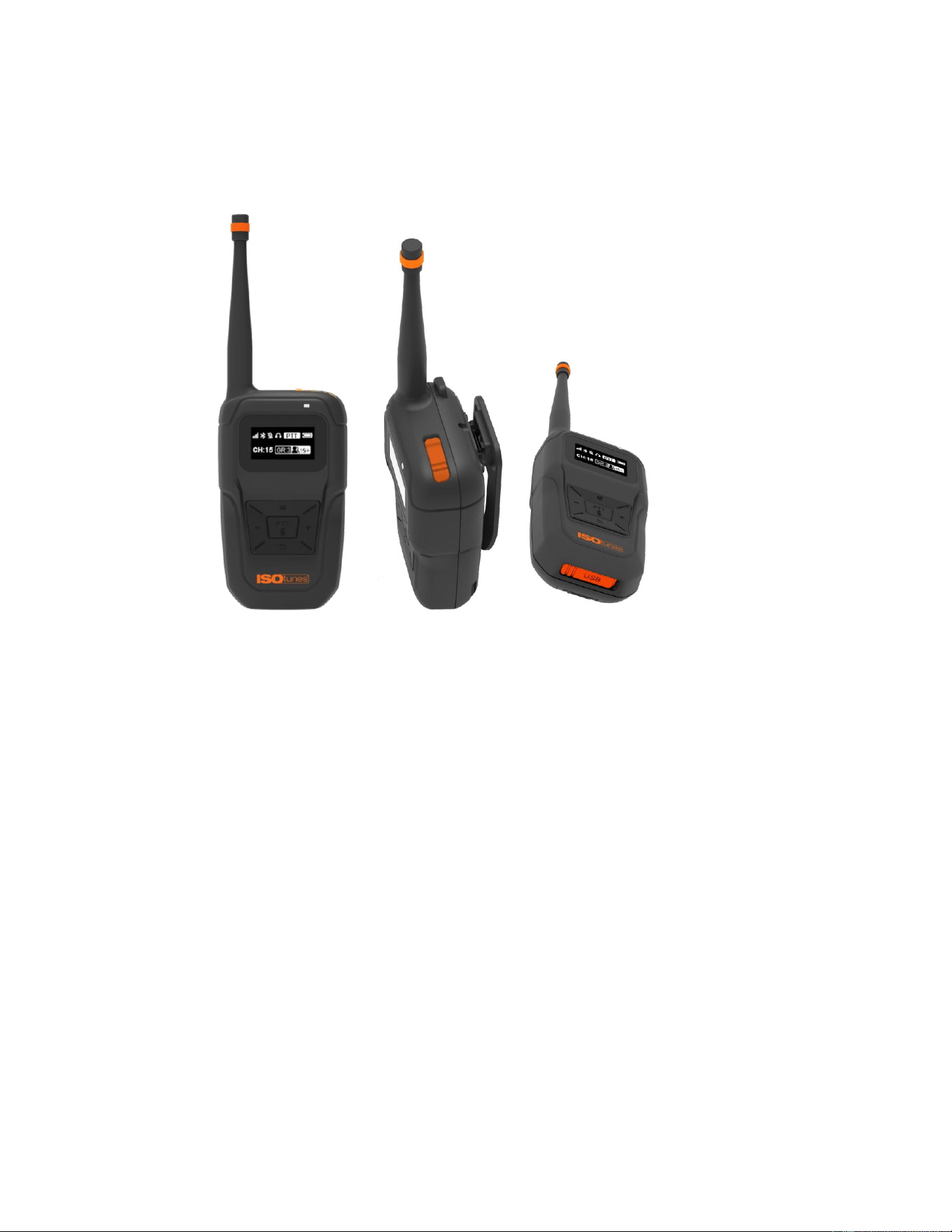
1.2.2. IT-61 Overall Appearance
1.3. Weight & Dimensions:
1.3.1. Weight: 153g
1.3.2. Dimensions: 215*63*41mm
2. Product Function
2.1. Full-Duplex Group Communication Function
The Group Communication handheld terminal supports Bluetooth headsets or wired
headsets to enable real-time, full-duplex wireless voice communication.

The device supports 16 channels. Each channel allows for at least 8 active speakers, and
supports a total of 250 listeners.
Each channel on the device supports private group calls (private chats) using a 4-digit
access code.
2.2. Bluetooth Function
The group communication device features a built-in source Bluetooth function, enabling
wireless connection with Bluetooth headsets. (the device cannot connect the smart phone
or other source Bluetooth device as a slave Bluetooth)
2.3. Wired Connection Function
The device is equipped with an integrated 3.5 mm audio jack.
2.4. MIC Operating Mode Switching
The device supports both full-duplex commuincation mode and Push-to-Talk (PTT) mode.
In PTT mode, voice transmission occurs only while the microphone button is pressed and
held.
2.5. Function Operations
2.5.1. Starting Up
Hold the function key for 3 seconds to power on the device.
2.5.2. Shut Down
Hold the function key for 3 seconds to turn off the device.
2.5.3. Adjust Volume
When the handheld device is powered on and connected to Bluetooth or wired headphones
while in the working page interface, you can adjust the headphone output volume using the
+/- buttons.
Bluetooth headphones and wired headphones allow separate volume adjustment.
When both Bluetooth and wired headphones are connected, only adjust the output volume
of the wired headphones.
No volume adjustment is available when no headphones are connected.
2.5.4. Adjust Channel
When the device is on the working page and the device is in the working interface, you can
switch channels using the +/-buttons.
Hold the + button 2 seconds to increase channel.
Hold the - button 2 seconds to decrease channel.
2.5.5. Other Functions
3. Product Performance and Specification Parameters
3.1. Battery Power Supply :
The replaceable battery pack design includes an integrated rechargeable lithium battery:
with 2000mAh

3.2. Work Environment :
⚫ Operating temperature: -10℃ to +55℃
⚫ Charging temperature: -10℃ to +45℃
3.3. operating Time :Duration of Continuous Use: 12 hours
3.4. Charging Time: 3.5 hours.
4. Precautions
⚫ Do not charge the battery while the device is in use.
⚫ Keep the device and Bluetooth headset within 10 meters of each other.
⚫ Do not turn on the device for use if the antenna is not installed.

Federal Communication Commission Interference Statement
FCC ID: 2AJRDIT-60
This device complies with Part 15 of the FCC Rules. Operation is subject to the following
two conditions: (1) This device may not cause harmful interference, and (2) this device
must accept any interference received, including interference that may cause undesired
operation.
This equipment has been tested and found to comply with the limits for a Class B digital
device, pursuant to Part 15 of the FCC Rules. These limits are designed to provide
reasonable protection against harmful interference in a residential installation. This
equipment generates, uses and can radiate radio frequency energy and, if not installed
and used in accordance with the instructions, may cause harmful interference to radio
communications. However, there is no guarantee that interference will not occur in a
particular installation. If this equipment does cause harmful interference to radio or
television reception, which can be determined by turning the equipment off and on, the
user is encouraged to try to correct the interference by one of the following measures:
-Reorient or relocate the receiving antenna.
-Increase the separation between the equipment and receiver.
-Connect the equipment into an outlet on a circuit different from that to which the
receiver is connected.
-Consult the dealer or an experienced radio/TV technician for help.
FCC Caution: Any changes or modifications not expressly approved by the party
responsible for compliance could void the user's authority to operate this equipment.
Radiation Exposure Statement:
This device meets the government’s requirements for exposure to radio waves.
This device is designed and manufactured not to exceed the emission limits for
exposure to radio frequency (RF) energy set by the Federal Communications
Commission of the U.S. Government.
The exposure standard for wireless device employs a unit of measurement known as the
Specific Absorption Rate, or SAR. The SAR limit set by the FCC is 1.6W/kg. Tests for
SAR are conducted using standard operating positions (10mm) accepted by the FCC
with the device transmitting at its highest certified power level in all tested frequency
bands.
The use of holsters and similar accessories should not contain metallic components in
its assembly, the use of accessories that do not satisfy these requirements may not
comply with FCC RF exposure requirements, and should be avoided.

IC Warning
This device complies with Innovation, Science and Economic Development Canada's
licenceexempt RSS standard(s). Operation is subject to the following two conditions:
(1) This device may not cause interference, and
(2) This device must accept any interference, including interference that may cause
undesired
operation of the device.
Le présent appareil est conforme aux CNR d'Industrie Canada applicables aux appareils
radio
exempts de licence. L'exploitation est autorisée aux deux conditions suivantes:
(1) l'appareil ne doit pas produire de brouillage, et
(2) l'utilisateur de l'appareil doit accepter tout brouillage radioélectrique subi, même si le
brouillage est susceptible d'en compromettre le fonctionnement
*RF warning for Mobile device:
For body worn operation, this device has been tested and meets the IC RF exposure
guidelines when used with an accessory designated for this product or when used with
an accessory that contains no metal and that positions the handset a minimum of 1.0 cm
from the body. Noncompliance with the above restrictions may result in violation of RF
exposure guidelines.
Pour une utilisation portée sur le corps, cet appareil a été testé et respecte les directives
d'exposition RF de l'IC lorsqu'il est utilisé avec un accessoire désigné pour ce produit ou
lorsqu'il est utilisé avec un accessoire ne contenant pas de métal et positionnant le
téléphone portable à au moins 1,0 cm du corps. Le non-respect des restrictions ci-
dessus peut entraîner une violation des directives d'exposition RF.