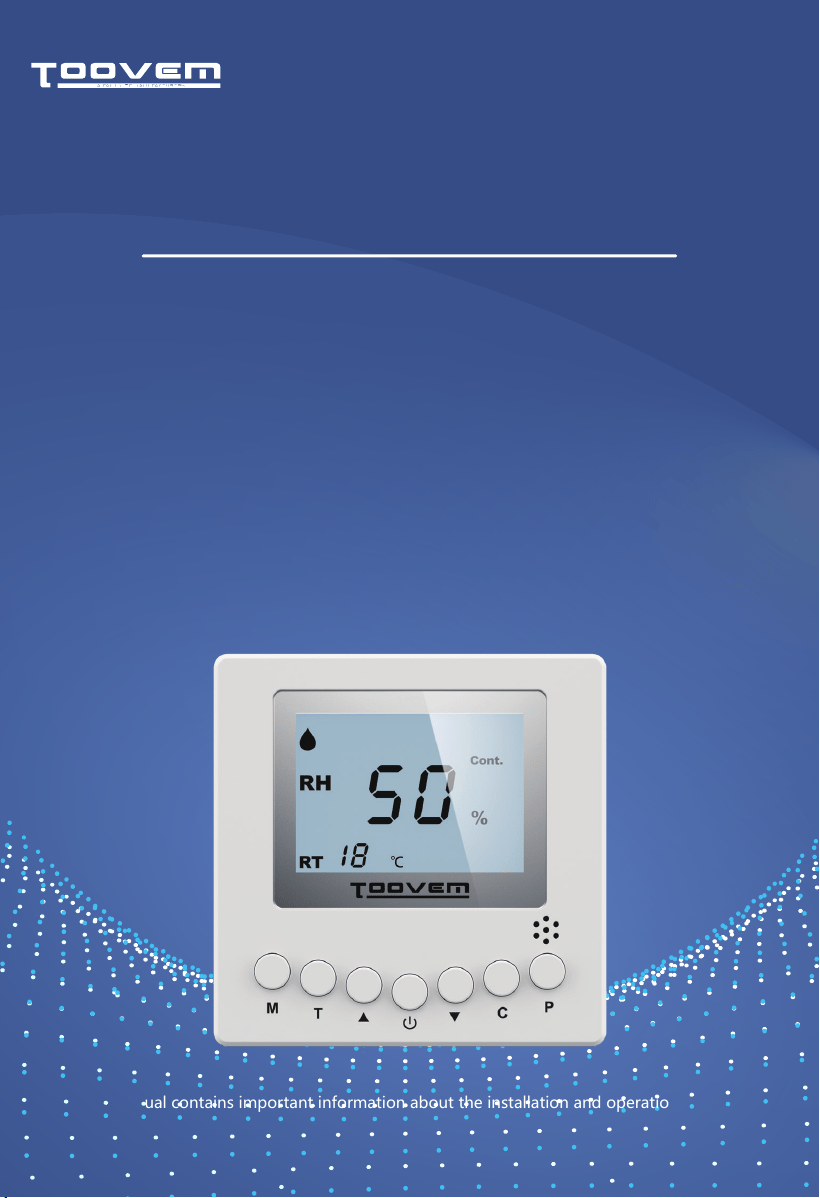
This user manual contains important information about the installation and operation of the Digital
Dehumidifier Remote Controller. Prior to using the product, we strongly recommend you thoroughly
review this manual and store it in a readily accessible location for future reference.
REMOTE
CONTROLLER
DIGITAL DEHUMIDIFIER
USER MANUAL
STEP 1
STEP 3
STEP 2
STEP 4
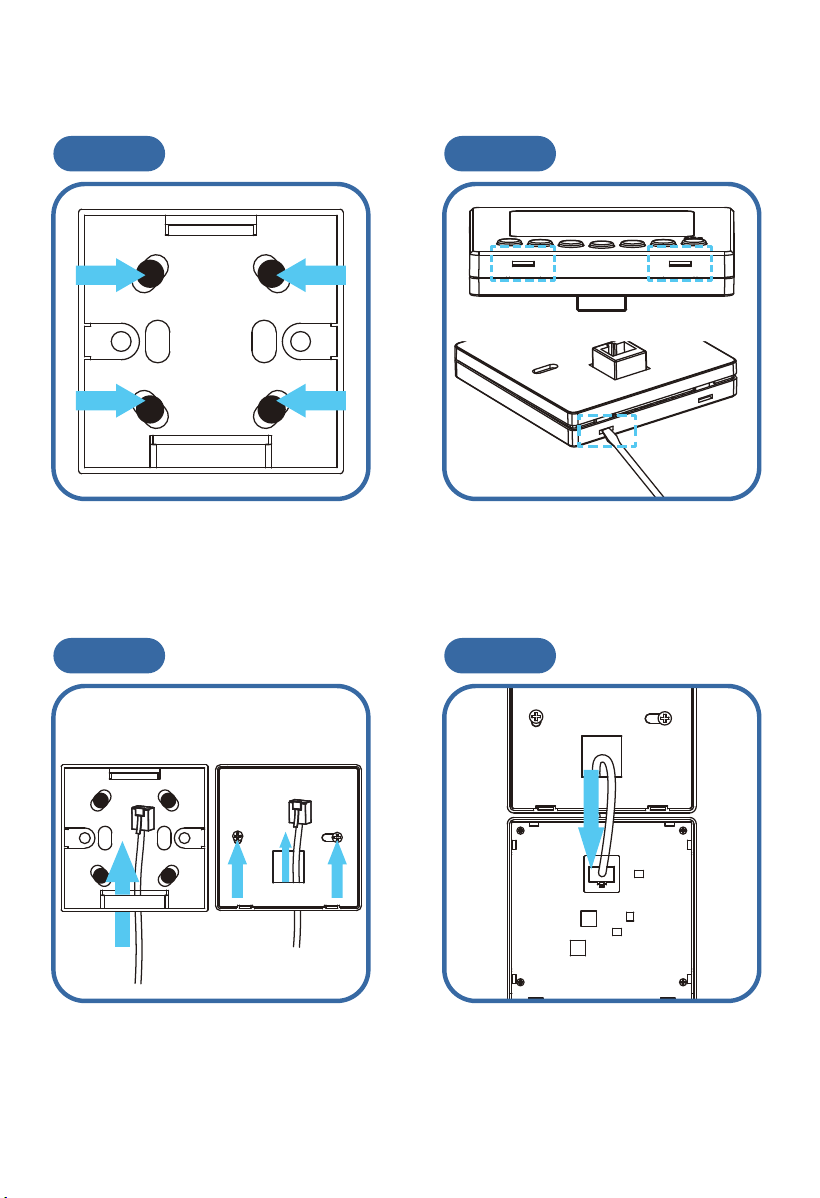
Installation Guidelines
Position the switch box in the desired
location and use the four screws
provided to secure in place.
Gently insert a flathead screwdriver
or a similar tool into the two slots
provided. Carefully pry the unit open
by applying gentle pressure.
Thread the wire through the
designated opening in the cover
shell. Next, align and secure the
switch box using two screws.
Insert the CAT-5 cable into the
corresponding port on the control
board. Listen for a distinctive clicking
sound, which indicates a successful
connection.
STEP 5 STEP 6
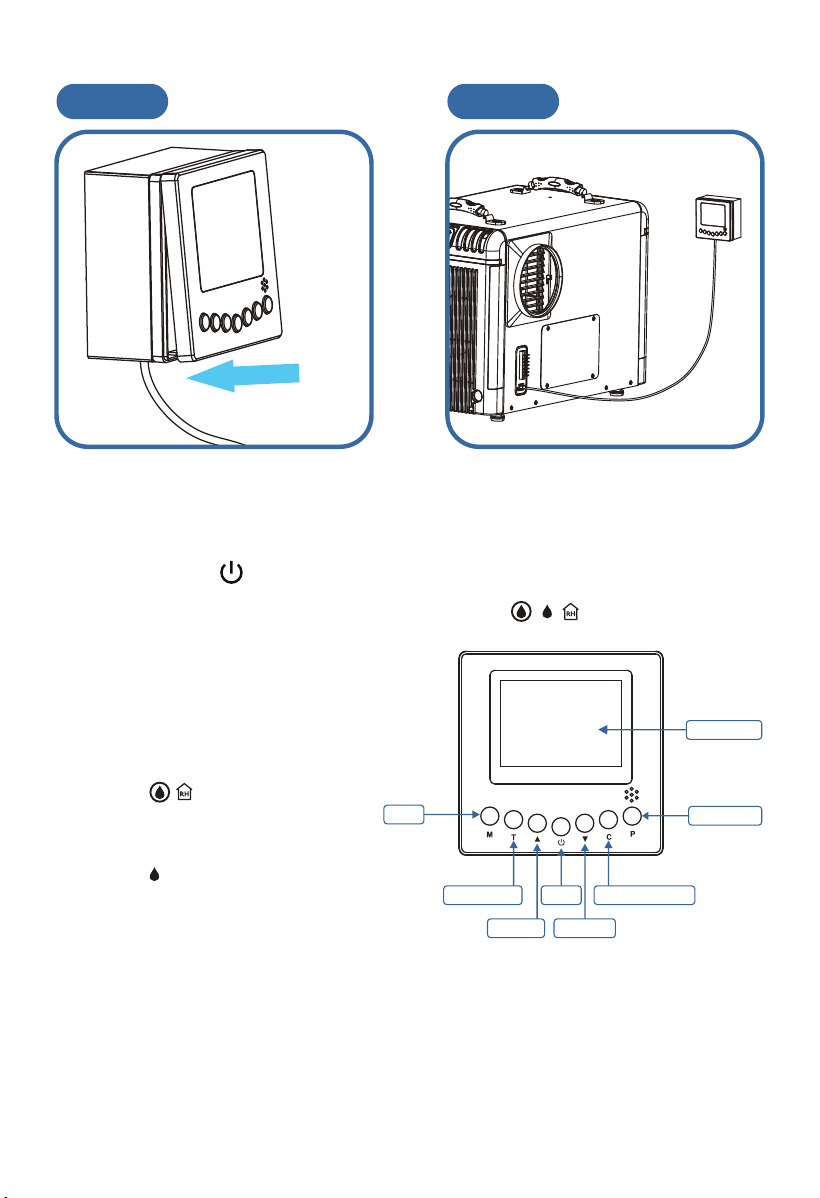
Attach the control board to the
switch box as shown above.
Connect the remote controller to the
unit.
Instructions
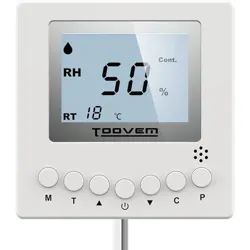
1. Power Button
Press the Power button once to turn the unit on/off. When one of the following icons is
displayed, it indicates that the dehumidifier is powered on.( )
2. Increase / Decrease ▲ ▼
Press the Up and Down arrow keys to adjust the
humidity level.
3. Mode M
Press the Mode button to toggle the
application mode.
● The icons ( ) indicate that the
dehumidifier is adjusting its operation
based on the relative humidity level in the
location of the remote controller.
● The icon ( ) indicates that the
dehumidifier is adjusting its operation
based on the relative humidity level in the
location of the dehumidifier.
4. Temperature T
Press the Temperature button to display the current temperature on the screen. Press the
button again to turn off the display.
5. Continuous Mode C
Press this button to switch the unit into continuous mode. Upon activation, it will appear
on the screen.
6. Drain Pump P
Press the Drain Pump button if the unit will not be in use for an extended period of time to
ensure safe storage.
Power
Mode
Temperature
Increase
Decrease
Continuous Mode
LCD Monitor
Drain Pump

Remote Controller Instructions
Compatible dehumidifiers offer the convenience of remote control
through an optional accessory, the TOOVEM Remote Controller. This
controller connects to your dehumidifier using a 25' CAT-5 cable.
The remote controller is equipped with an integrated sensor, providing
multiple options to remotely manage the dehumidifier while also being
able to monitor the environmental conditions around it.
One practical use of the remote controller is to install the dehumidifier in
one room and duct the conditioned air into another room equipped with
the remote controller. For example, you can install the dehumidifier in a
laundry room and duct the conditioned air into the living room. Mount
the remote controller in the living room, allowing its sensor to regulate
humidity and provide user-friendly controls.
Another potential application for the remote controller is to place the
dehumidifier in an area that is not easily accessible. For example, install
the dehumidifier in a crawl space and mount the remote controller in the
living room or garage for easy access. This setup provides a convenient
way to monitor the dehumidifier's operation without the need for
frequent physical access.