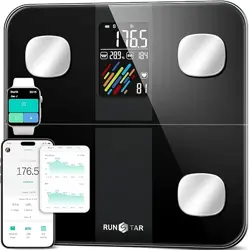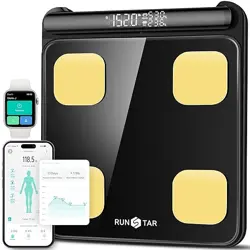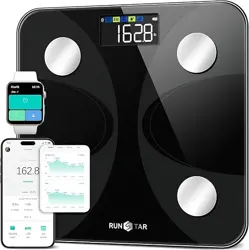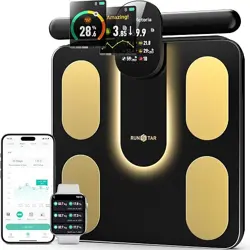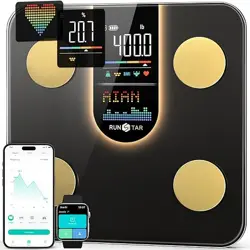
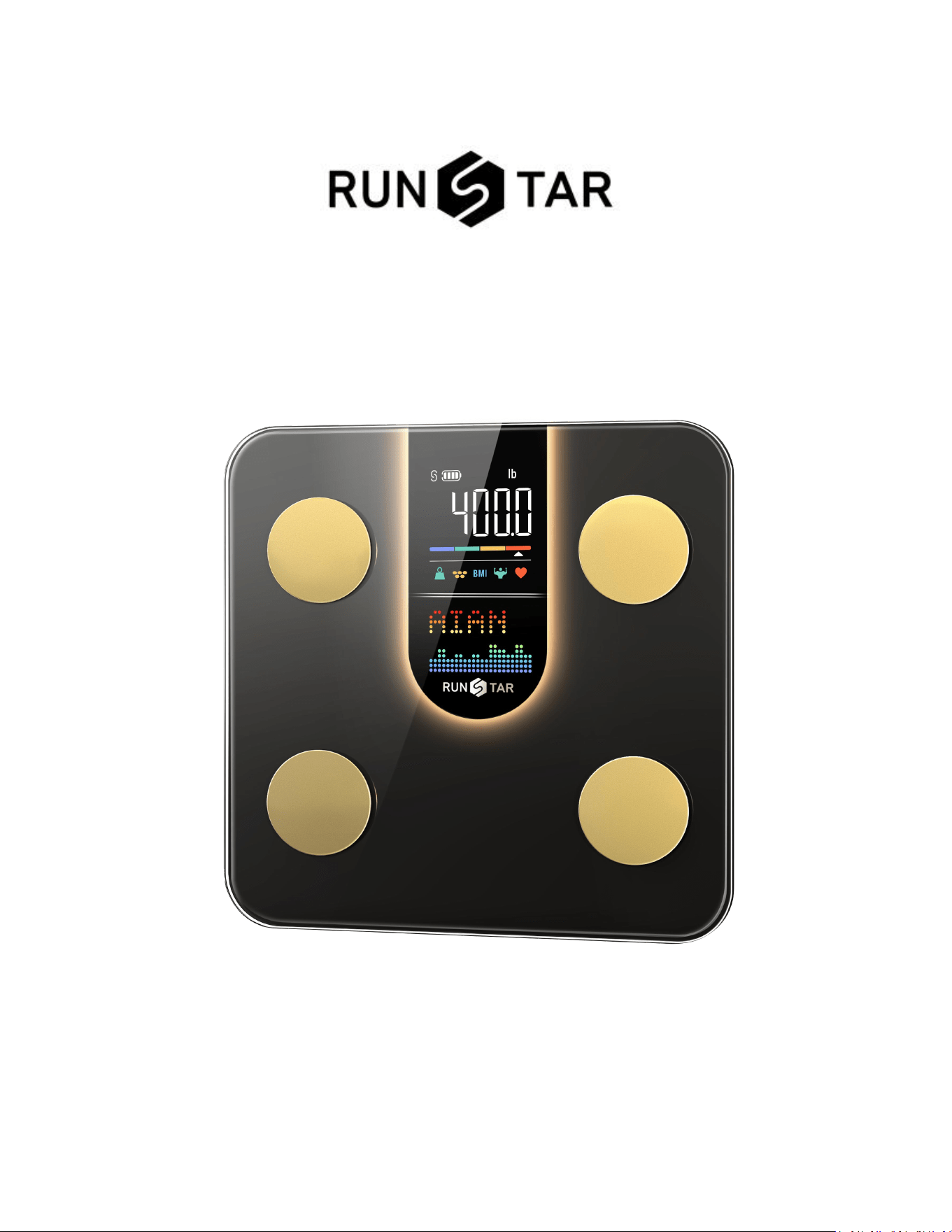
Smart Body Fat Scale
Model No.: FG2016LB-B
User Manual
Read this manual before using and save for future reference
FCC ID: 2AP3Q-FG2016LB-B
2
Visit https://www.runstar.com or scan the QR code below to register and get lifetime warranty:
Thank you for purchasing RunStar Smart Body Fat Scale, your ultimate choice for
comprehensive body analysis. This advanced scale provides unparalleled convenience by
measuring an extensive range of vital health indicators. With the smart body fat scale, you can
effortlessly monitor your body weight, BMI, body fat rate, fat-free body weight, subcutaneous
fat, visceral fat, body water, skeletal muscle, muscle mass, bone mass, protein levels, BMR,
body age, and much more. Experience a new level of precision and insight into your overall
well-being with the RunStar.
IMPORTANT: Prior to using the device, please carefully review the instructions in this manual.
Failure to follow the instructions or using the scale in ways not specified may lead to personal
injury or damage to the scale.
INDICATION SYMBOLS
LO
Low battery- Please replace new 4*1.5V AAA batteries.
Err
Overload- The max weighing capacity is 400lb / 180kg / 28st.
C
Calibration- -Please step off the scale and place it on an even surface.
Wait at least 10 seconds, then repeat the measuring process.

3
WARNING
★DO NOT use this scale if you have medical implants, such as pacemakers.
★DO NOT step on the edge of the scale or jump on it.
★DO NOT exceed the maximum weight capacity of 400 lb (180 kg / 28 st).
★DO NOT drop the scale or subject it to strong impacts, as this may damage the sensors.
★DO NOT immerse the scale in water or use chemical cleaning agents. Clean the scale with a
slightly damp cloth.
★Pregnant women and children under 14 years old should only use the weight function.
Other functions are not intended for them.
★Measurement results from this device are for reference only and not intended to diagnose
or treat any disease or abnormalities. Please consult your physician if you have any
questions or concerns related to your health.
★Always place the scale on a hard, dry, and flat surface before use.
★Make sure your feet are dry before stepping on the scale.
SPECIFICATIONS
Product Name: Smart Body Fat Scale
Model: FG2016LB-B
Weight Capacity: 400lb / 180kg / 28st
Increments: 0.1lb / 50g
Weight Units: lb / kg / st
LCD Display: 107 × 60 mm
Dimensions: 11*11*1 in / 278*278*27 mm
Battery: 4
×
1.5V AAA Batteries (inserted)
Platform: Tempered Glass
Auto-off: 15 Seconds
Operating Temperature: 10
℃
- 40
℃
Operation Humidity: 20% - 90%
SUPPORT DEVICES:
iOS 8.0 or higher
Android 6.0 or higher
4
ACCURACY RANGE:
50 kg: ±0.3 kg
100 kg: ±0.4 kg
180 kg: ±0.5 kg
110 lb: ±0.66 lb
220 lb: ±0.88 lb
400 lb: ±1.1 lb
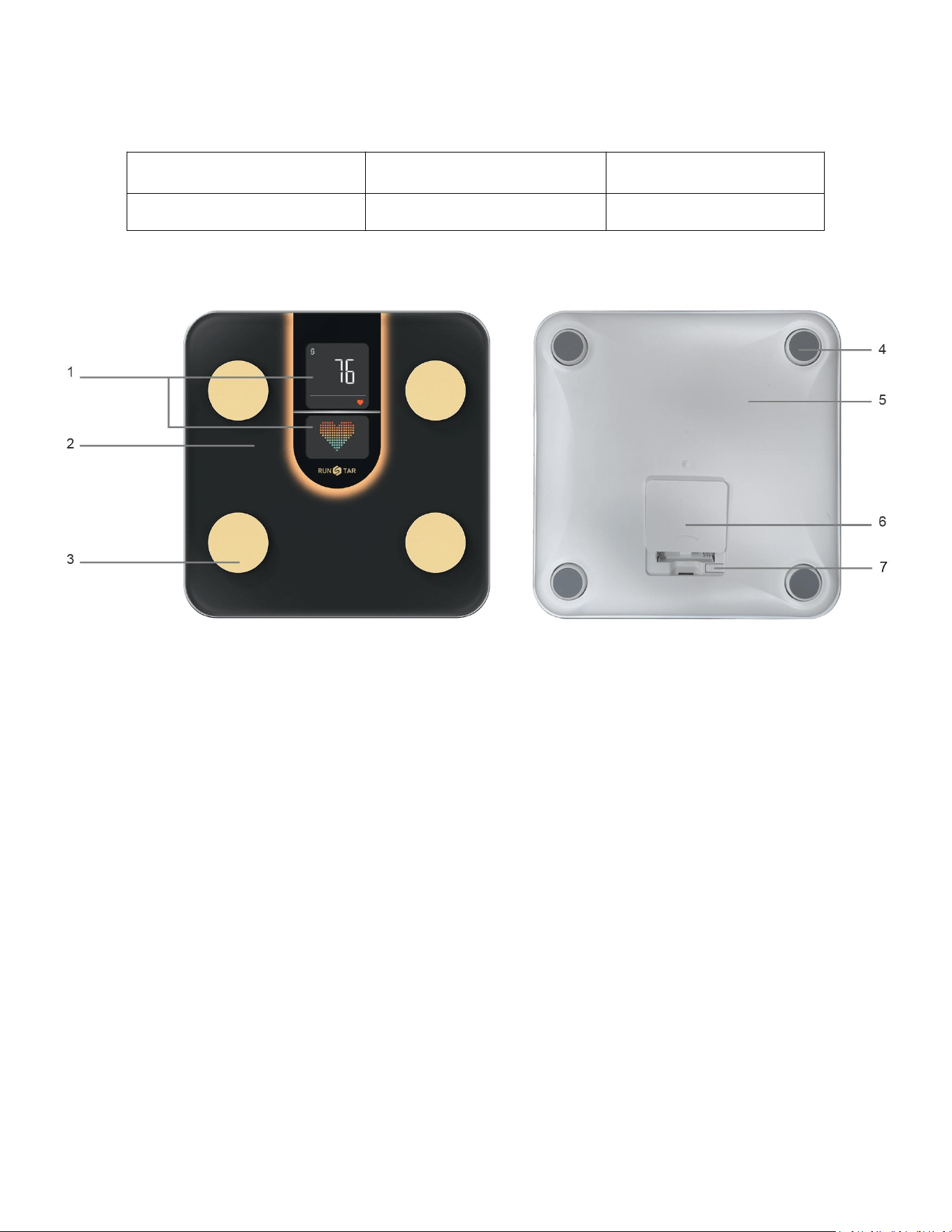
PRODUCT STRUCTURE
1. LCD Display
2. Tempered Glass
3. Foot Electrode
4. Anti-slip Foot Mat
5. Plastic Shell
6. Battery Compartment
7. Unit Conversion Button (inside)
BLUETOOTH SCALE BODY INDEX
●Body weight ●Body fat ●Heart rate ●BMI(Body mass index) ●Subcutaneous fat
●Muscle rate ●Fat-free body weight ●Body water ●Visceral fat ●Skeletal muscle
●
Muscle mass
●
Bone mass
●
Protein
●
Body age
●
Cardiac Index
●
Fat mass
●Protein mass ●Ideal body weight ●Body type ●Water weight ●Obesity level
●BMR
5
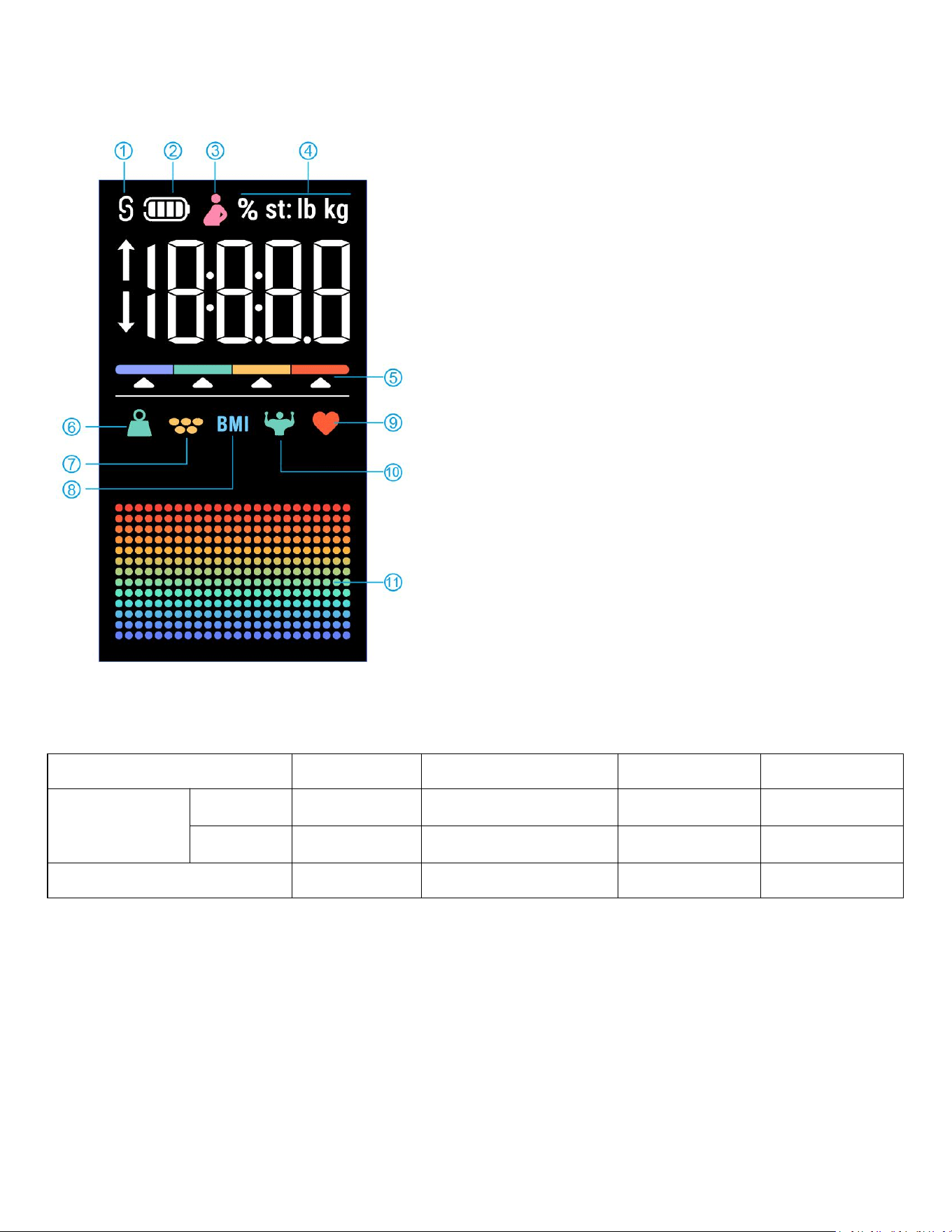
DISPLAY SCREEN
Functioning normally
* Body Type
Color
Light Blue
Green
Orange
Red
Body Fat
Male
<10%
10% ≤Body Fat<20%
≥20%
≥25%
Female
<18%
18% ≤Body Fat<28%
≥28%
≥33%
Body Type
Thin
Standard
Standard+
Overweight
DOWNLOAD AND REGISTER THE STARFIT APP
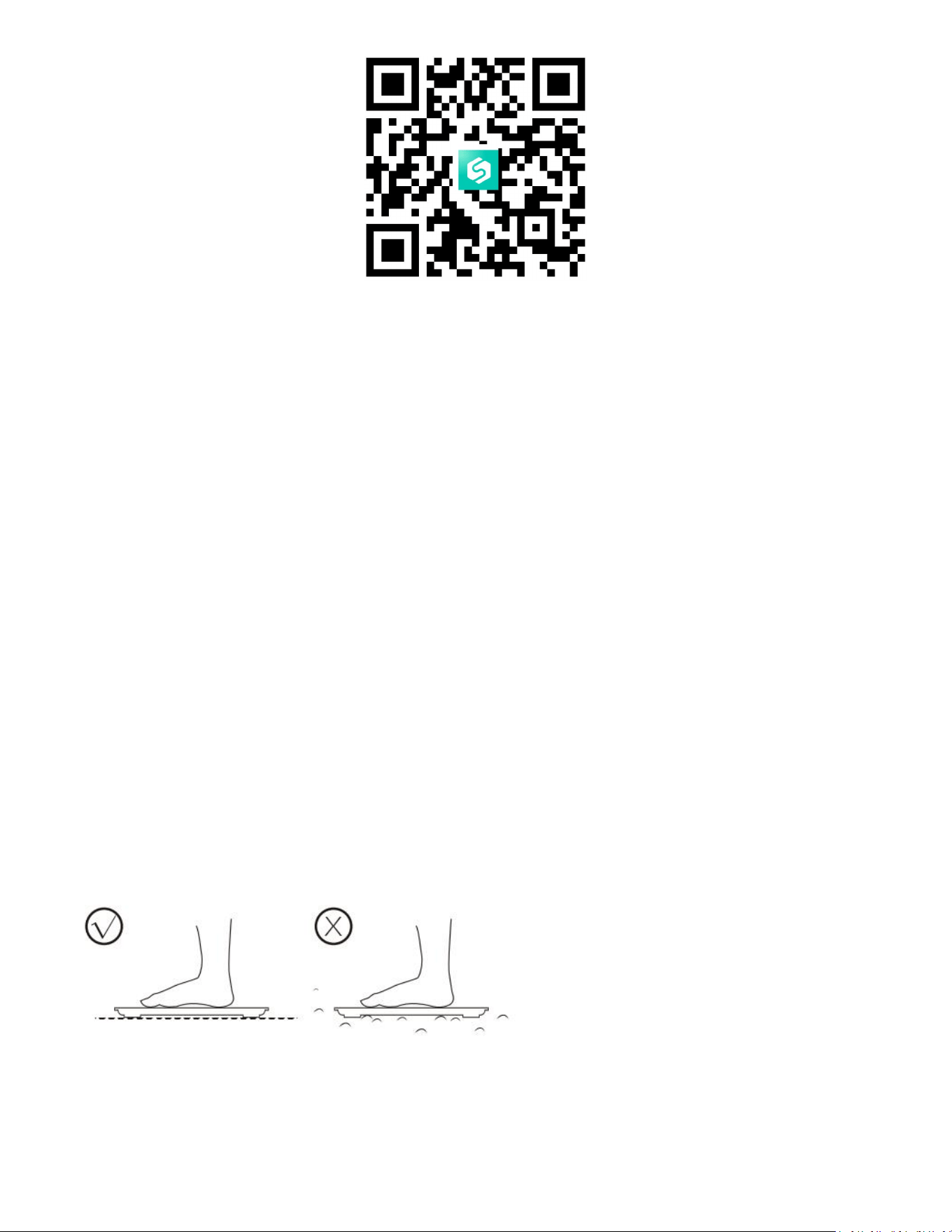
1. Scan the QR Code below to download the "Starfit" app, or download "Starfit" from the App
Store (iOS devices) and Google Play (Android devices). iPad and tablets are not supported yet.
1. Bluetooth Connected
2. Battery Volume
3. Pregnancy Mode
4. Units
5. Body Type *
6. Body Weight
7. Body Fat
8. BMI
9. Heart Rate
10. Muscle Rate
11. Recent Changes
6
2. During the installation process, please note that you must allow the app to use some of the
certain functions of your phone:
iOS: Make sure Bluetooth is on and Bluetooth Authorization is allowed.
Android: Make sure Bluetooth is on, GPS and Location is allowed.
3. The App icon will appear on your phone once the installation is completed.
4. Use your email address to register for a Starfit account, or simply log in with your Apple ID
or Google account. Fill in your personal information to complete the registration.
Note: Entering incorrect gender, age, or height information may result in inaccurate
measurement results.
HOW TO CONNECT THE SCALE TO STARFIT APP?
1. Place the scale on a hard, flat, non-carpeted floor.
2. Turn on the Bluetooth on your phone, and keep the scale powered on by slightly
stepping on it.
7
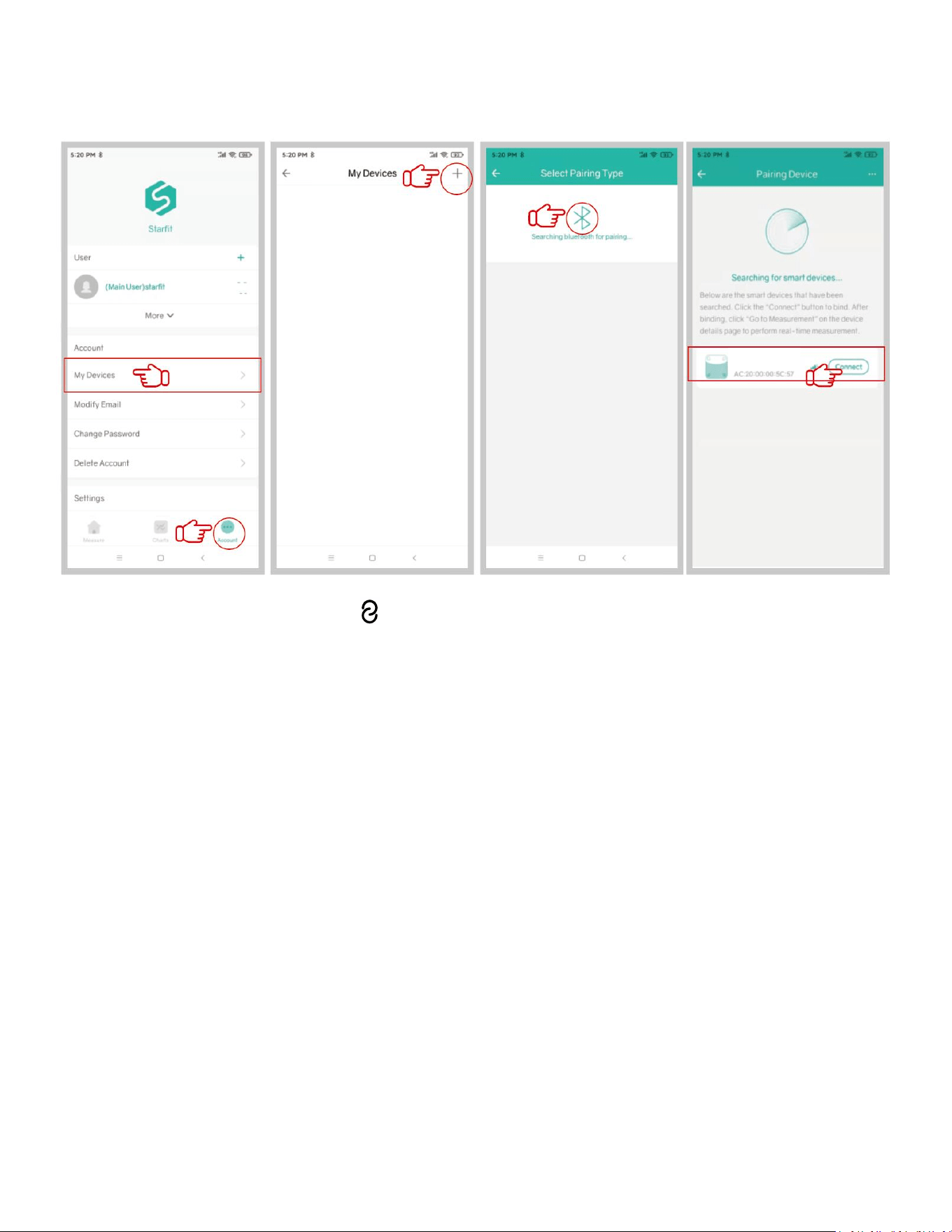
3. Open Starfit, click 'Account' → 'My Device' → '+' → 'Searching Bluetooth for pairing' to
find the scale 'Runstar-R9' to pair. And now your phone is connected to the scale.
※Once connected, the indicator " " will appear on the scale screen, and "Connected" will be
shown at the top of the "Measure" page in the app. If "Disconnected" is displayed, it indicates
a failed pairing, please repeat the steps above.
HOW TO TAKE A MEASUREMENT?
1. Step on and off the scale to activate the device. Wait until the display shows "0.00"
(lb/kg/st). Ensure that the Starfit app is on 'Measure' page, and that the scale is connected to
the app.
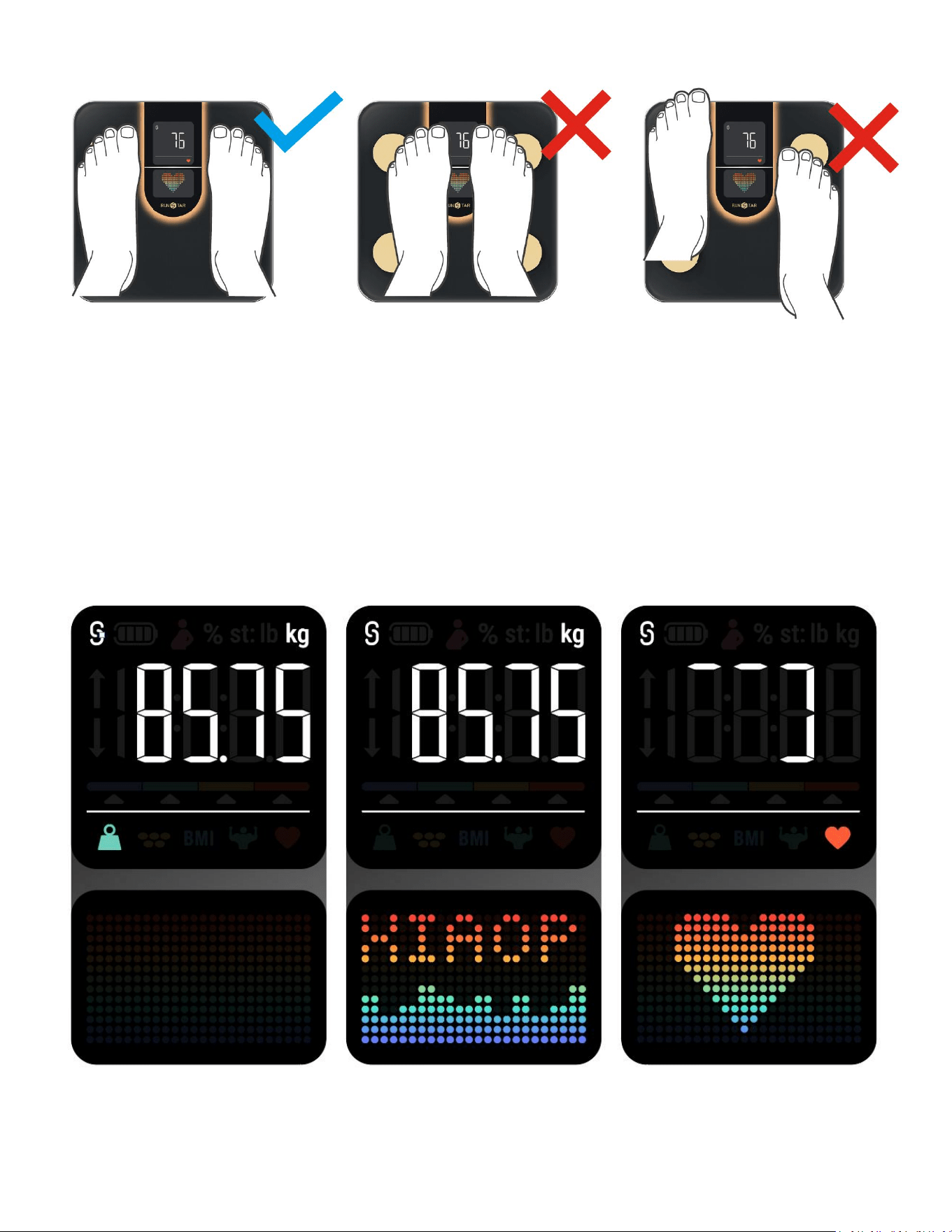
2. Step on scale with bare feet. Please make sure that the soles of your feet are in full contact
with 4 electrodes on the scale (pay attention to Left & Right direction), as shown in the figure
below.
Runstar-R9
8
Note:
If you are not barefoot or if your feet are excessively dry, or if your weighing posture is
incorrect, only your weight and BMI can be measured.
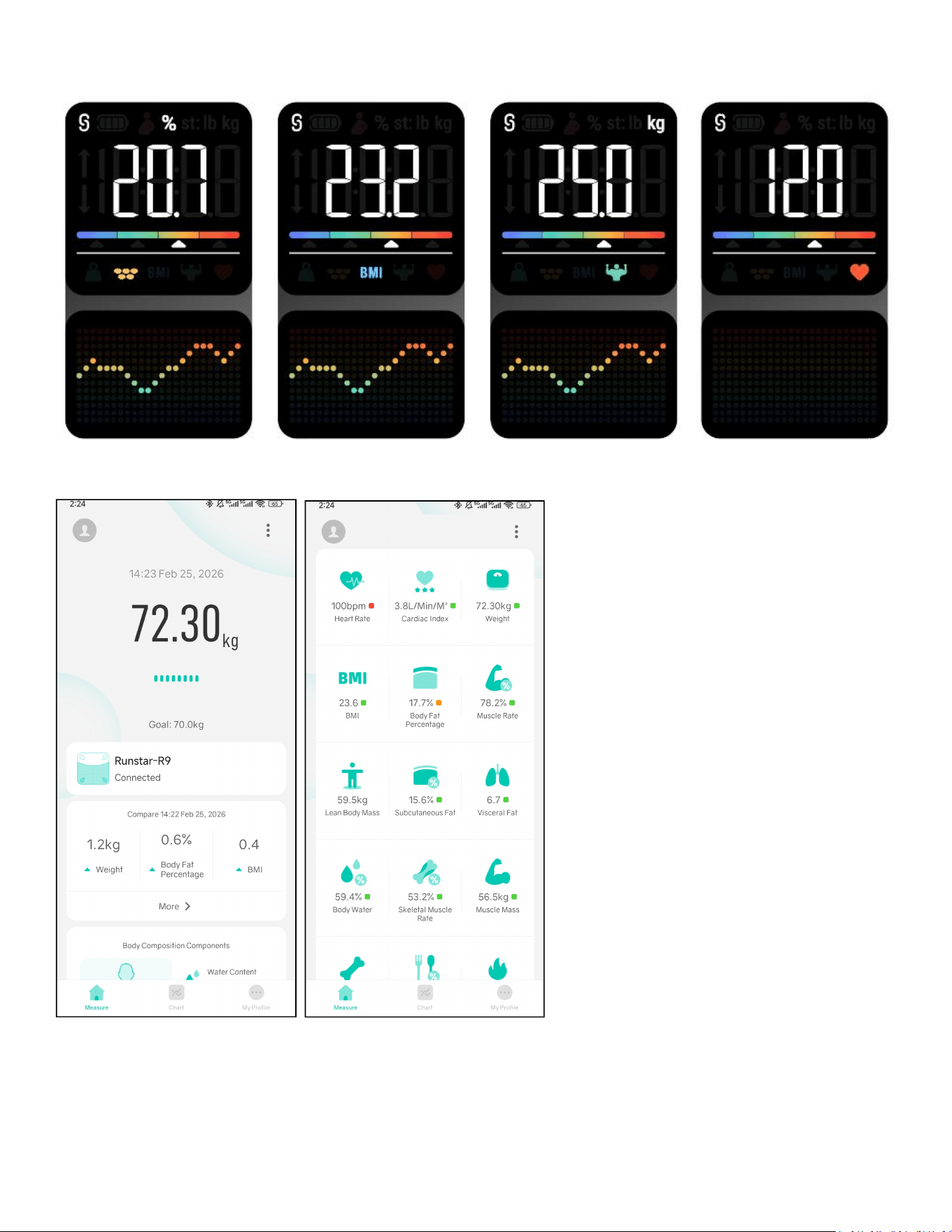
3. Once the scale has finished measuring your weight, please keep still for about 20 seconds to
complete the measurement.
9
4. Once measurement is completed, you can view 8 data directly on the display.
① You can view all 22 body metrics on the App:
10
② You can also view a comprehensive analysis by scrolling down.
UNLOCK MORE STARFIT APP FEATURES
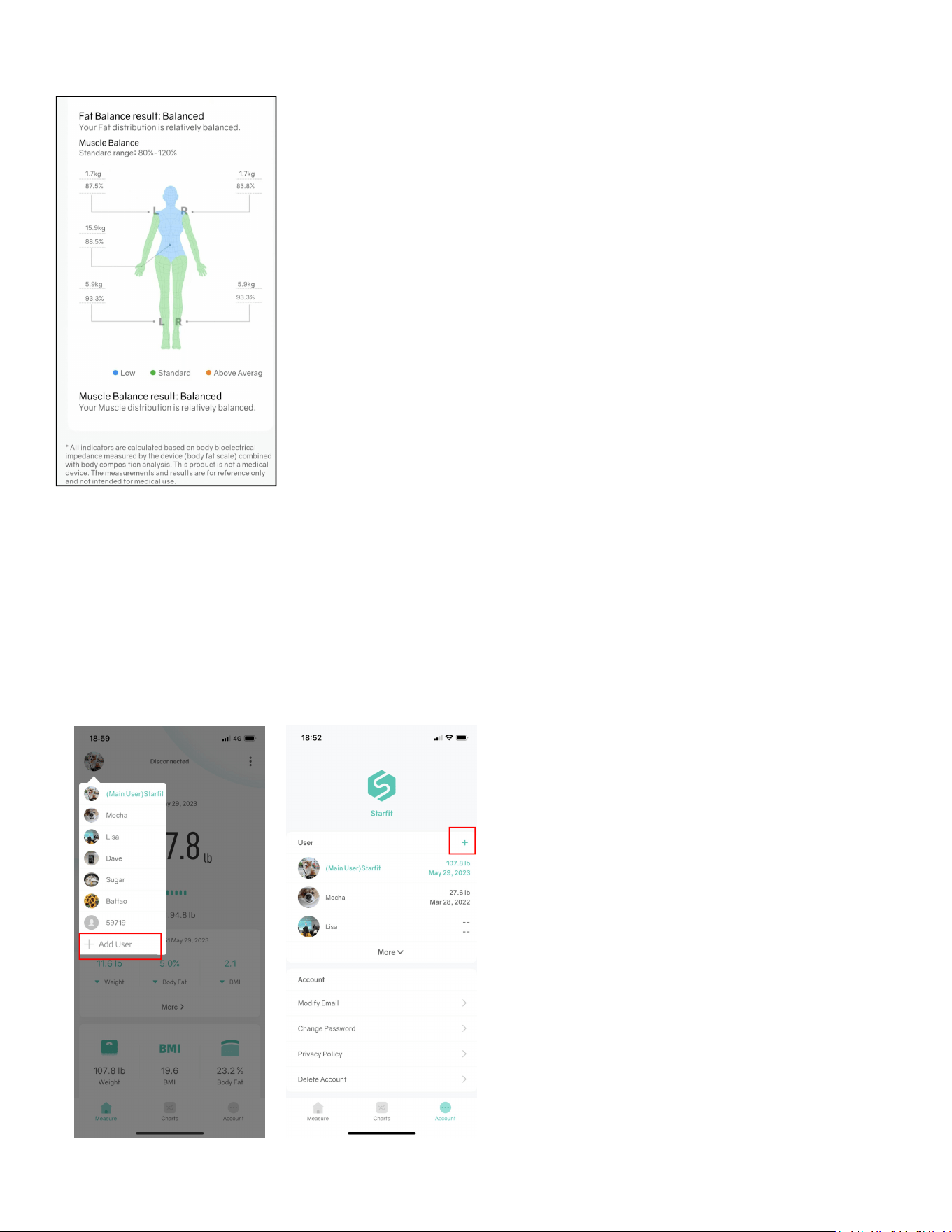
1. Add and Switch Users
Click the user avatar in the upper left corner of the 'Measure' page --> '+Add User', or click
'Account' --> 'User' --> '+' to add personal data. The smart scale can identify which user is
weighing.
*Please note that it will be invalid if the weight variance is less than 2 kg compared to the
previous measurement.
11
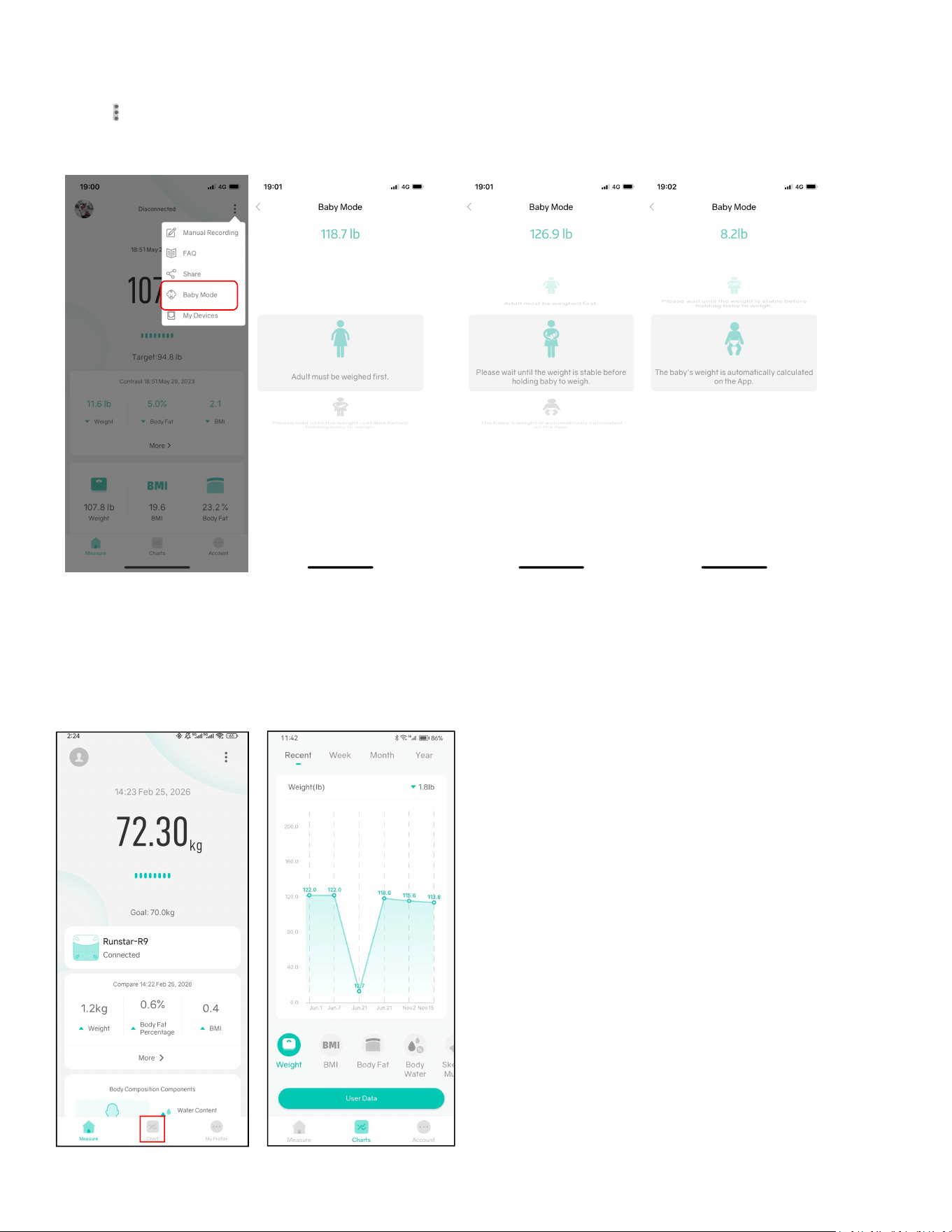
2. Baby Mode
Click ' ' --> 'Baby Mode'. An adult should step on the scale to weigh first. After the scale gets
the adult’s weight, please step off and hold the baby to weigh again. Starfit will automatically
calculate the baby’s weight.
3. Track Your Data
Click 'Charts' to view past measurement records in the form of a curve chart.
Click on 'User Data' to view past records of weight, BMI, Muscle Mass, Bone Mass, etc.. You can
also delete data or compare data from different dates.
12
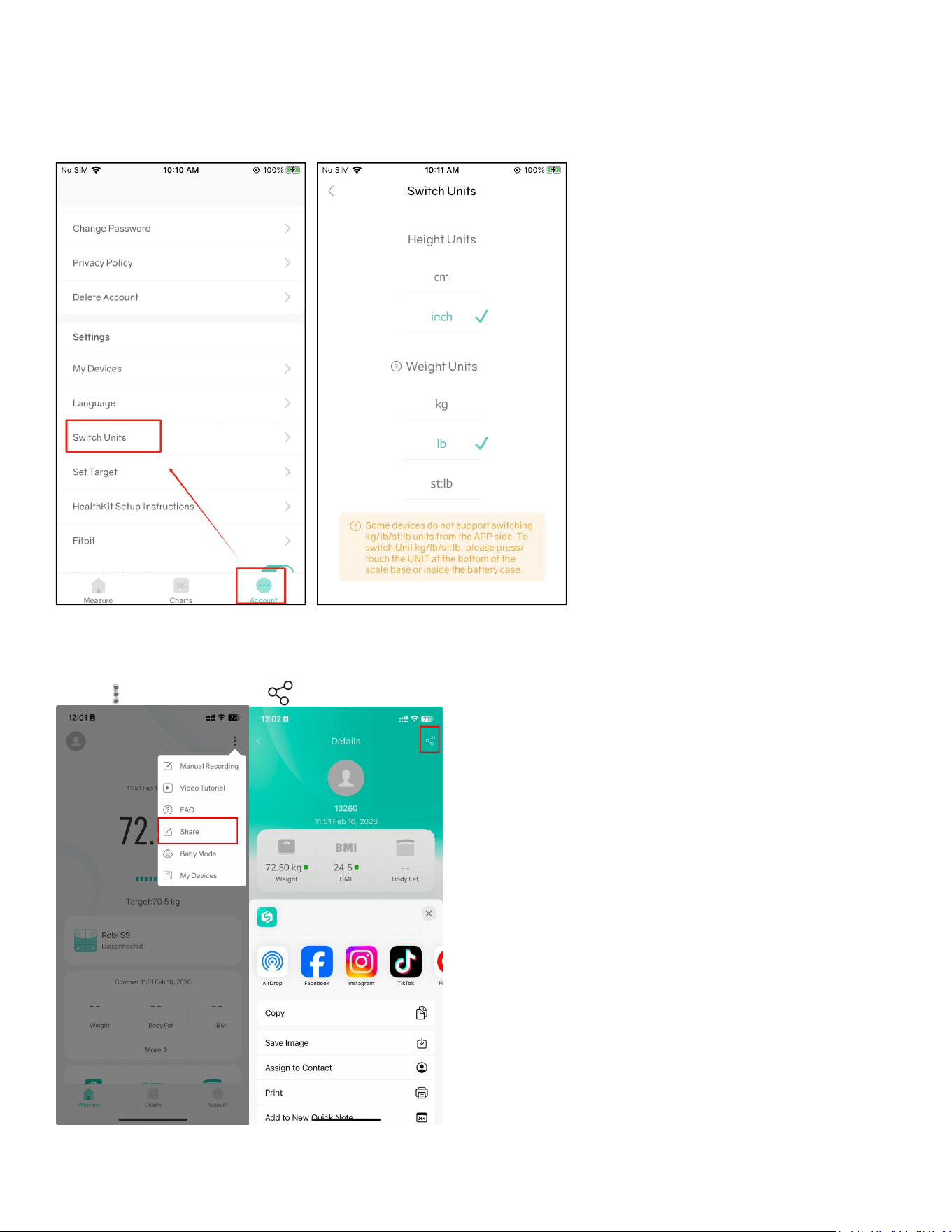
4. Switch Units
Click 'Account' --> 'Switch Units' to switch units.
* You can also open the battery compartment and press the Unit Conversion Button to switch
units.
5. Share Data
Click ' '--> 'Share' --> ' ' to share your data.

13
SPECIAL FEATURE: OFFLINE SUPPORTED
This scale provides offline functionality. Once the scale is initially connected, there is no need
to open the app for each measurement, simply make sure your phone is near the scale. In
offline mode, any successful measurement will be automatically synced the next time you
open the app.
To “claim” a result, manually click the red dot located beside the weight reading on the
"Measure" page within the app. This seamless process ensures that your data is constantly
updated for thorough analysis and tracking. It is important to note that the offline
measurement functionality will not activate if there is a weight variance exceeding 2 kg
compared to the previous measurement.
IMPORTANT TIPS
1. For the first use, please connect the scale to the Starfit app to access all functions and
measurement data. If not, the scale will only measure weight and BMI.
2. In order to obtain accurate measurement results, users should remove shoes and socks and
stand barefoot on the scale. If not, the scale will only measure weight and BMI.
3. When multiple users use the body fat scale, ensure the correct user is selected in the Starfit
app before weighing. Significant differences from the last recorded measurement for the
current user may cause the scale to only provide weight and BMI data.

14
FREQUENTLY ASKED QUESTIONS
1. Scale failed to connect.
•Make sure the scale is powered on and the Bluetooth on your smart phone is turned on.
•
Check the version of your smartphone, it must be iOS 8.0 or higher/Android 6.0 or higher.
•
Make sure your phone allows the App to use Bluetooth. If not, please turn it on in the phone
settings.
•Delete the device in APP and reconnect again.
2. No body fat data after weighing.
•
Make sure the scale is connected with the APP.
•
Ensure personal data is entered: gender, age, height.
•
The user must step onto the scale with bare feet.
•Make sure your feet and the scale are both dry.
•Make sure your measuring posture is correct and stand steadily on the scale for at least 20s.
•Check if the scale is connected with a different device.
3. Incorrect weight data.
•To ensure accurate measurements, it is essential to place the scale on a hard and flat surface.
This provides a stable foundation for the scale and helps maintain measurement precision.
•
Before using the scale, please inspect each foot mat located on the back of the scale. Ensure
that there is no debris or obstructions stuck to the bottom of the mats
• Remove and reinstall the batteries before taking another measurement.
4. Recalibrate the scale.
•
Remove and reinstall the batteries
•
Step on the scale and then step off until it displays "0.00".
5.The scale does not turn on.
•Remove and reinstall the batteries.
•
Replace new batteries.
•
If it doesn
’
t work, please contact the RunStar customer service team for a new replacement.

15
FCC Statement
Operation is subject to the following two conditions:
(1) This device may not cause harmful interference.
(2) This device must accept any interference received, including interference that may cause
undesired operation.
Note: This equipment has been tested and found to comply with the limits for a Class B digital
device, pursuant to part 15 of the FCC Rules. These limits are designed to provide reasonable
protection against harmful interference in a residential installation.
This equipment generates, uses and can radiate radio frequency energy and, if not installed
and used in accordance with the instructions, may cause harmful interference to radio
communications. However, there is no guarantee that interference will not occur in a particular
installation. If this equipment does cause harmful interference to radio or television reception,
which can be determined by turning the equipment off and on, the user is encouraged to try to
correct the interference by one or more of the following measures:
Reorient or relocate the receiving antenna.
• Increase the separation between the equipment and receiver.
• Connect the equipment into an outlet on a circuit different from that
to which the receiver is connected.
• Consult the dealer or an experienced radio/TV technician for help.
16
Battery Advice
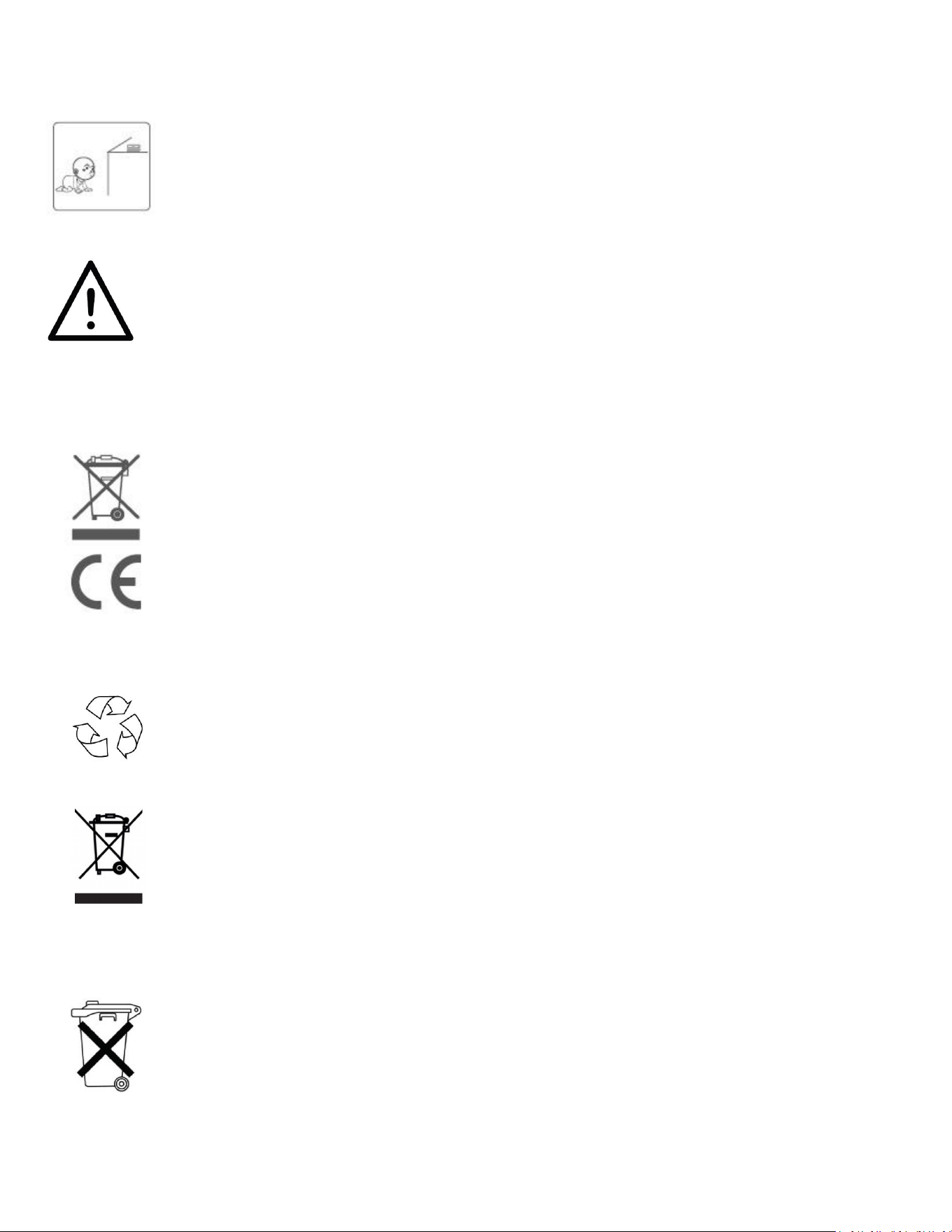
Keep the scale far away from children to keep them safe and prevent
accidents.
Keep the batteries and other small parts securely out of reach by children to
prevent the potentially fatal risk of accidental ingestion.
Do not expose the battery to heat or fire, which will easily cause an explosion.
For your safety, refrain from using the scale if you suspect or detect a battery
leakage.
Ensure responsible disposal of waste electrical products by refraining from
disposing of them with household waste. Instead, please prioritize recycling at
designated facilities, where available. For guidance on proper recycling
methods, kindly consult your local Authority or retailer for expert advice on
recycling procedures. Together, let's contribute to a sustainable future by
disposing of electrical products in an environmentally conscious manner.
Disposal
The packaging material is recyclable. Please dispose of it in an environmentally
protective way or take it to a recycling center.
Please dispose of the device in an environmentally protective way or take it to
The recycling center for used electrical and electronic devices. You can obtain more
information from your local authorities.
To protect the environment, the battery cannot be disposed of in normal
household waste. Please separate it from the device before disposing or take it
to a suitable collection area. For more information, please focus on the relevant
statutory regulations governing the disposal of batteries.