USER MANUAL
W
arning:
T
his device complies with Part 15 of the FCC Rules. Operation is subject to the following two
c
onditions: (1) this device may not cause harmful interference, and (2) this device must accept any
i
nterference received, including interference that may cause undesired operation.
C
hanges or modifications not expressly approved by the party responsible for compliance could
v
oid the user's authority to operate the equipment.
N
OTE: This equipment has been tested and found to comply with the limits for a Class B digital
d
evice, pursuant to Part 15 of the FCC Rules. These limits are designed to provide reasonable
p
rotection against harmful interference in a residential installation. This equipment generates, uses
a
nd can rad iate radio frequency energy and, if not installed and used in accordance with the
i
nstructions, may cause harmful interference to radio communications. However. there is no
g
uarantee that interference will not occur in a particular installation.
I
f this equipment does cause harmful interference to radio or television reception which can be
d
etermined by turning the equipment off and on, the user is encouraged to try to correct the
i
nterference by one or more of the following measures:
-
-Reorient or relocate the receiving antenna.
-
- Increase the separation between the equipment and receiver
-
-Connect the equipment into an outlet on a circuit different from that to which the receiver is
c
onnected.
-
-Consult the dealer or an experienced radio/TV technician for help
N
OTE: This d evice and its antenna(s) must not be co-located or operation in conjunction with any
o
ther antenna or transmitter
T
he device has been evaluated to meet general RF exposure requirement. The device
c
an be used in portable exposure condition without restriction.
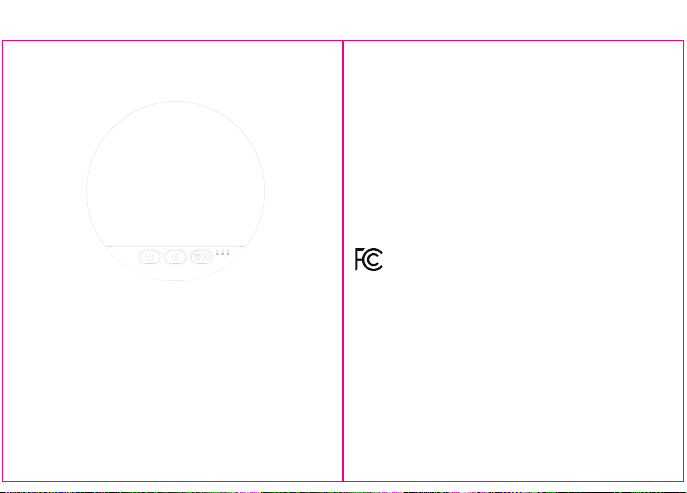
FRONT
#25713
H
OW TO USE
B
edside speaker, a new gadg et for listening to music while sleeping. Simply press it into the concave
p
it on the pillow and place It under your ears.
B
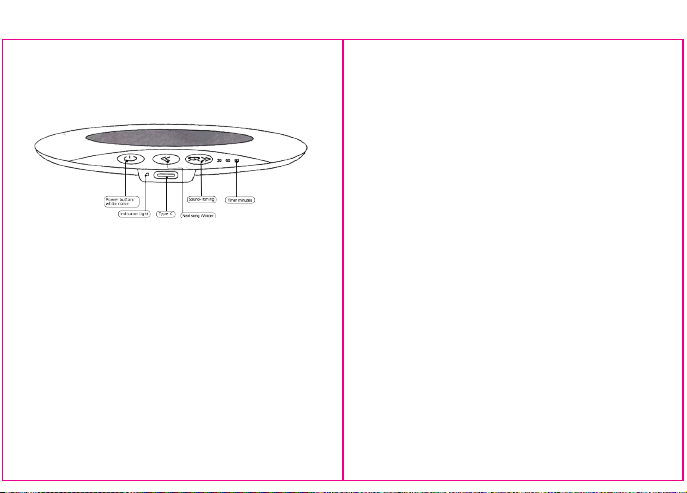
ASIC OPERATION
P
ower on/off: Press and hold the 1 button for 3 seconds to turn on the device and enter Bluetoot h
p
airing mode. When the device Is turned on, click to switch between white noise mode and
B
luetooth mode.
B
luetooth pairing: Power on> Turn on your phone's Bluetooth> and click on pairing to connect.
T
imed shutdown: Click the 3 buttons to set the timer. Optional 30 minute, 60 minute, and 90 minute
c
ycles are available.
S
ound addition and subtraction: Long press button 2 to increase volume, long press button 3 to
d
ecrease volume.
U
p and down songs: Click the 2 button to move on to the next song.
H
IDDEN FEATURE
V
ocal broadcast | Low battery reminder | Bluetooth disconnection | Over distance reminder
(
shutdown after 10 minutes of disconnection) Supports fast charging | Charging works | Pairing
m
emory, Power on and reconnect the phone | Pause external playback of the phone when turned
o
ff | Prevent d isturbance
BACK