QUICK SETUP GUIDE
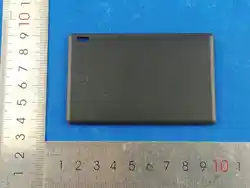
Slim Locator Card
2-Pack for iOS
NS-TAGSLIM2PK,RHK116,NS-TAGSLIM,
NS-TAGSLIM4PK
Before using your new product, please read these instructions to prevent any damage.
PACKAGE CONTENTS
• Slim locator card (2)
• Lanyard (2)
• Quick Setup Guide
FEATURES
• Compatible with Find My app
• Bluetooth technology helps you nd lost backpacks, purses, and more
• Small, lightweight design with lanyard can easily be carried around
• Audible notication alerts you when in range of your missing item
• Operating range works within 65 ft. (19.81 m.) indoors and up to 164 ft.
(49.98 m) outdoors
COMPATIBILITY
• Works with Find My app.
• Works with iPhone/iPad iOS 14.5 or newer and macOS 12.5 or newer
OVERVIEW
SETTING UP YOUR SLIM LOCATOR CARD
1 On your smartphone or tablet:
• Turn on Bluetooth.
• Turn on location by tapping Settings > Privacy & Security, then turn
on Location Services.
2 Swipe down and tap Find My to allow access to the location, then turn on
Precise Location.
USING YOUR SLIM LOCATOR CARD FOR THE
FIRST TIME
Initially you need to pair your slim locator card with your smartphone or tablet.
1 Press the power button on your slim locator card briey until you hear the
beep indicating your card is in pairing mode.
2 Open the Find My app, tap Add Item, then choose Other Supported
Item.
3 When Insignia Slim Locator appears on the list, tap Connect and follow
the on-screen instructions to complete the setup.
TURNING OFF YOUR SLIM LOCATOR CARD
If you don’t plan to use your slim locator card for an extended period, you
should turn it o to conserve the battery.
1 Press and hold the power button for three seconds to switch your slim
locator to power o.
2 To turn it back on, click the power button.
SETTING UP “LOST MODE”
To mark an item as lost when the slim locator card is out of range from the
owner, you need to turn on the Lost Mode.
1 Open the Find My app,
2 Click Items at the bottom of the screen, then click the name of the lost item.
3 Under Lost Mode, click Enable. Follow the instructions on the screen and
enter a phone number where you can be contacted. To enter an email
address instead, click Use Email Address. Then click Enable.
Note: Make sure to allow notications from the Apple Find My app.
VIEWING YOUR SLIM LOCATOR CARD ON THE
MAP
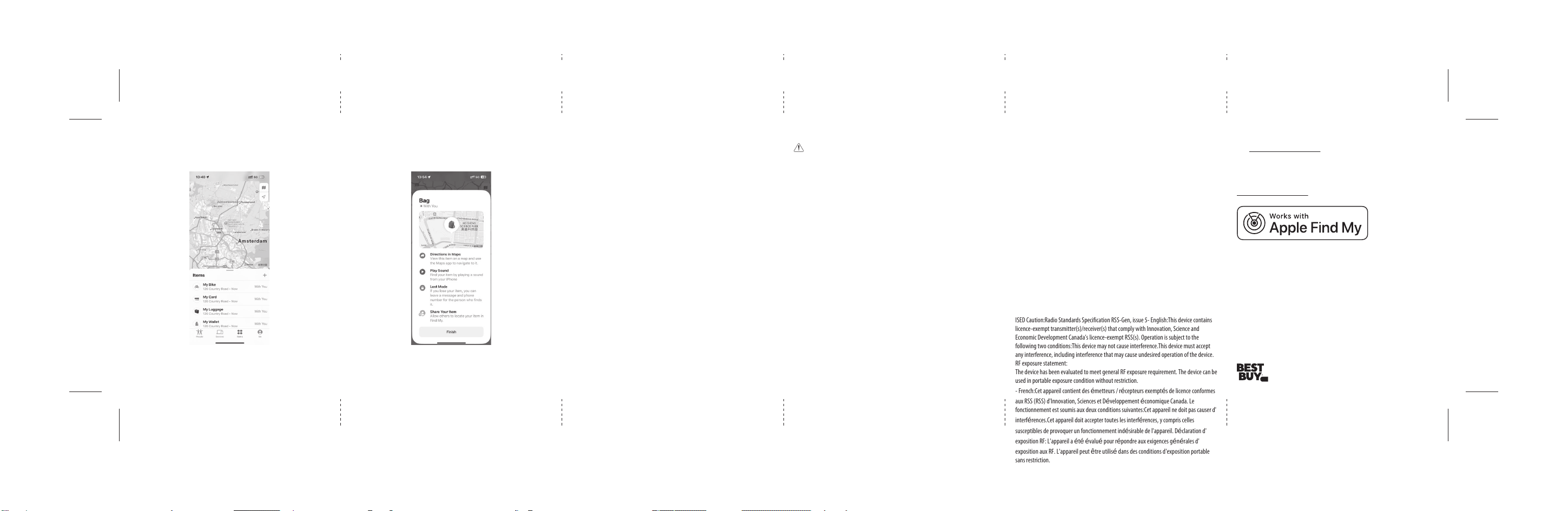
1 Open the Find My app, then click the Items tab.
2 Select the Insignia Slim Locator you want to locate in the Items list.
3 If the slim locator card is within range of your device or the Apple Find My
network has detected it recently, you can see it on the map. The updated
location and time-stamp will be shown under its name.
4 If the slim locator card is out of range of your device or any devices in the
Apple Find My network, you can see its last known location and time. To
receive notications when your slim locator card is within range of your
device or detected by the Apple Find My network, turn on Notify When
Found under Notications.
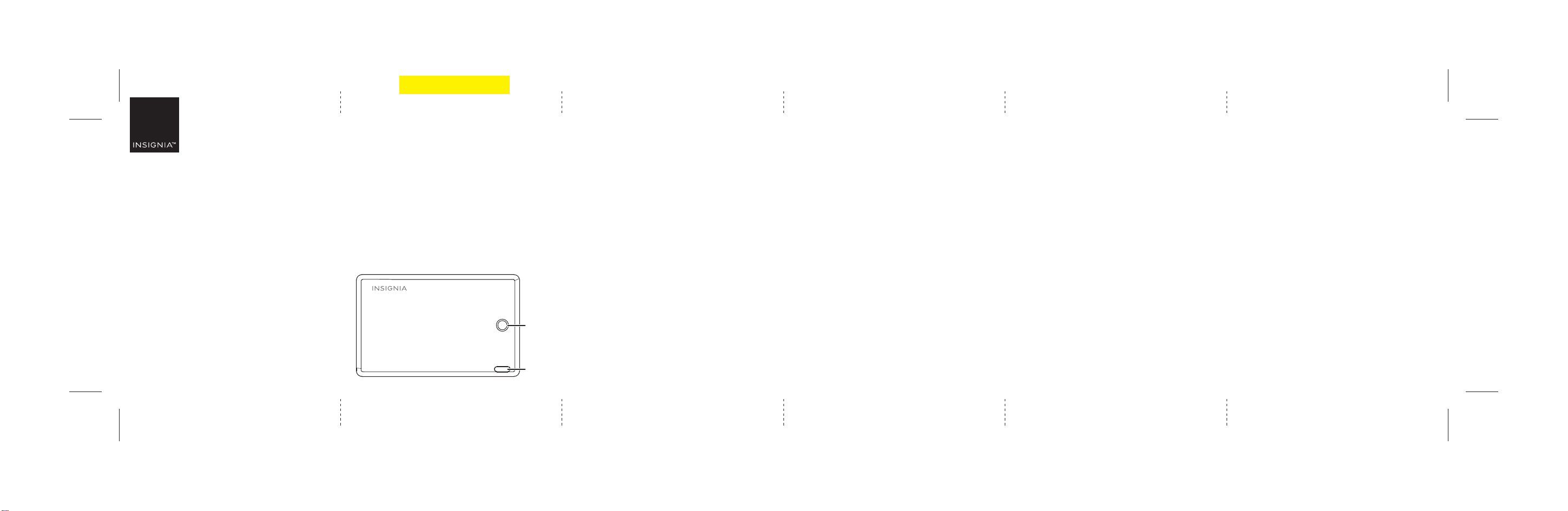
Power
button
Lanyard
loop
PLAYING SOUND
1 Open the Find My app on your iPhone, iPad, or MacBook, then click the
Items tab.
2 In the Items list, select the Insignia Slim Locator you want to play a
sound.
3 Click Play Sound. If your slim locator card is within range of the Bluetooth
signal, it will play a sound.
4 To stop this sound before your slim locator card stops automatically, you
click Stop Sound.
Final at size: 15.35 × 3.15 in. (390 × 80 mm)
Fold size: 2.56 × 3.15 in. (65 × 80 mm)
NS-TAGSLIM2PK_26-0228_QSG_V1_EN.ai 1 6/3/2026 7:38:13 PMNS-TAGSLIM2PK_26-0228_QSG_V1_EN.ai 1 6/3/2026 7:38:13 PM
PMN: NS-TAGSLIM2PK, NS-TAGSLIM, NS-TAGSLIM4PK, RHK116
V1
FINAL
FOR PRINT
RESETTING YOUR SLIM LOCATOR CARD
1 Briey press the button twice, holding it down on the second press for ve
seconds, then wait until you hear two beeps to conrm that the reset was
successful. The Tag can now be paired again.
2 If the Insignia Slim Locator does not appear on the list, make sure that it is
powered on, and place it close to the device you want to connect to. Then try
to connect again.
3 The slim locator card can only be used on one Apple device at a time. If you
want to add it to a new device you must remove it from the current device.
DETECTING UNWANTED PAIRING
1 If any tag or other Find My network accessory product is left far away from its
owners and moved with you for a period of time, it can send a notication to
your Apple device through the Find My app.
2 These features are purposely built to prevent unknowing attempts to locate
you, and if you feel your safety has been threatened, contact local law
enforcement.
This product has included the function of preventing unauthorized locating
by others. It should not be used to locate people and property that does not
belong to you. In many countries and regions around the world, it is a crime
to use these products to locate someone without their consent.
SAFETY INFORMATION
WARNING
1. Do not dismantle or modify the product.
2. Do not store the product in wet conditions.
3. Do not use the product near heat sources.
4. Do not let water or any other liquid ow into the inside part of the product’s
interface. This would cause damage to the product.
5. Avoid direct sunlight.
6. Keep away from children and pets to prevent accidental ingestion.
7. Stop using the product if overheating occurs.
8. Use a dry soft cloth to clean the surface of the product and avoid using harsh
chemicals or strong detergents.
SPECIFICATIONS
• Dimensions: 3.34 × 2.11 × .12 in. (85.8 × 53.6 × 3.00 mm)
• Weight: .56 oz. (16 g)
• Bluetooth: BLE 5.1
• Battery: CR2032 / 225 mAh
LEGAL NOTICES
This device complies with part 15 of the FCC Rules. Operation is subject to the following two
conditions: (1) This device may not cause harmful interference, and (2) this device must
accept any interference received, including interference that may cause undesired operation.
Changes or modications not expressly approved by the party responsible for compliance
could void the user's authority to operate the equipment
Note: This equipment has been tested and found to comply with the limits for a Class B
digital device, pursuant to part 15 of the FCC Rules. These limits are designed to provide
reasonable protection against harmful interference in a residential installation. This
equipment generates, uses and can radiate radio frequency energy and, if not installed and
used in accordance with the instructions, may cause harmful interference to radio
communications. However, there is no guarantee that interference will not occur in a
particular installation. If this equipment does cause harmful interference to radio or
television reception, which can be determined by turning the equipment o and on, the user
is encouraged to try to correct the interference by one or more of the following measures:
• Reorient or relocate the receiving antenna.
• Increase the separation between the equipment and receiver.
• Connect the equipment into an outlet on a circuit dierent from that to which the receiver
is connected.
LOCATING YOUR ITEM
The location-tracking feature operates automatically. The Find My app
• Consult the dealer or an experienced radio/TV technician for help.
Shielded cables must be used with this unit to ensure compliance with the Class B FCC limits.
ISED Caution:Radio Standards Specification RSS-Gen, issue 5- English:This device contains
licence-exempt transmitter(s)/receiver(s) that comply with Innovation, Science and
Economic Development Canada’s licence-exempt RSS(s). Operation is subject to the
following two conditions:This device may not cause interference.This device must accept
any interference, including interference that may cause undesired operation of the device.
RF exposure statement:
The device has been evaluated to meet general RF exposure requirement. The device can be
used in portable exposure condition without restriction.
- French:Cet appareil contient des émetteurs / récepteurs exemptés de licence conformes
aux RSS (RSS) d'Innovation, Sciences et Développement économique Canada. Le
fonctionnement est soumis aux deux conditions suivantes:Cet appareil ne doit pas causer d'
interférences.Cet appareil doit accepter toutes les interférences, y compris celles
susceptibles de provoquer un fonctionnement indésirable de l'appareil. Déclaration d'
exposition RF: L'appareil a été évalué pour répondre aux exigences générales d'
exposition aux RF. L'appareil peut être utilisé dans des conditions d'exposition portable
sans restriction.
records the last known location where the item was detected.
FINDING YOUR ITEM
Click the item on your Apple Find My APP list. It will show you the last known
location.
V1 ENGLISH 26-0228
ONE-YEAR LIMITED WARRANTY
Visit www.insigniaproducts.com for details.
CONTACT INSIGNIA:
For customer service, call 1-877-467-4289 (U.S. and Canada)
www.insigniaproducts.com
To use the Apple Find My app to locate this item, the latest version of iOS, iPadOS, or
macOS is recommended.
The Find items app on Apple Watch requires the latest version of watchOS.
Use of the Works with Apple badge means that a product has been designed to work
specically with the technology identied in the badge and has been certied by the
product manufacturer to meet Apple Find My network product specications and
requirements. Apple is not responsible for the operation of this device or use of this
product or its compliance with safety and regulatory standards.
Apple, Apple Find My, Apple Watch, Find My, iPhone, iPad, iPadOS, Mac, macOS and
watchOS are trademarks of Apple Inc. IOS is a trademark or registered trademark of
Cisco in the U.S. and other countries and is used under license.
INSIGNIA is a trademark of Best Buy and its aliated companies.
Distributed by Best Buy Purchasing, LLC
Richeld, MN 55423
©2026 Best Buy. All rights reserved.
NS-TAGSLIM2PK_26-0228_QSG_V1_EN.ai 2 6/3/2026 7:38:16 PMNS-TAGSLIM2PK_26-0228_QSG_V1_EN.ai 2 6/3/2026 7:38:16 PM

