TG-487
B
TG-487
USER MANUAL
�*�:
-
f:Hl
: BT EDR V5.4
�M
t
:
�ML2CAP/A2DP/AVRCP
,
*
fz: iH� % . t �� iM
�£m�Mii;
�MHSP/HFP
(
Handsfree profile
)
, �
��
,
��FL ;
-
JHUt�
: 1OM
-
�
tttt
: godb
-
�
: 8OOmAh
-
: 3.7V
-
m
:
*
�
�
L
rnn
1
5
H
(
���
-
PlJW\J
: 52mm•1
-
PlJW
$
: 40/SW * 1
-�$
i� : 12OHz-2OKHz
-R : 1O9x49.7x86.6mm
-
�mm
:
�25og
-
: 5V/5OOmA
-
B
: �2.5H
��
L *
�
f!i$
, �
M
i*o
2
,
�MFM
,
�
■
Q
Product specifications:
-Wir
eless: BT EDR V5.4
Support L2CAP/A2DP/AVRCP, can
receive AUDIO signal and control the
AUDIO device.
Support HSP/HFP
(
Handsfree profile
)
, with
HANDS-FREE functions.
-Working distance:1OM
-SNR:9Odb
-Battery: 3.
7
V about 8OOmAh
-Normal volume playing time: about 1.5
hours
-Speaker driver: C52mm•1
-Speaker Power: 5W•l
-Frequency response:12OHz-2OKHz
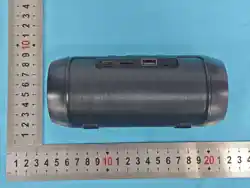
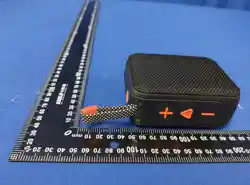
-Unit size: 109x49.7xB6.6mm
-Unit weight about 25Og
(
not includ
accessories
)
-Charging:5V/O.5A
-Charging time:about 2.5H
Product Feature:
1.lnternational advanced wireless chip
and circuit design techniques, support
wireless devices.
2.With FM function, can search radio
station broadcast automatically
3.With Hi-Fi speaker, to make sure the
clear and bright sound.
4.Support Micro SD card and USB card,
3 0
3
, �Jt���. �m;t
HJL
4
,
�TFU
o
5
, �rnm
1O
*o
6
, tr. �JJ,*o
7
,
�f
1
Hl
�
LEDn,
�Hc
�*��-m��. *��
EQ� 0
8
,
�MTWS
�
L
®
®
play MP3 format audio.
5.The wireless working distance is 10
meters.
6.lt will close automatically after 30
mins if disconnect Wireless .
7.A variety of flashing LED lights with
different colors, color lights flash follow
the melody.
8.Support TWS.
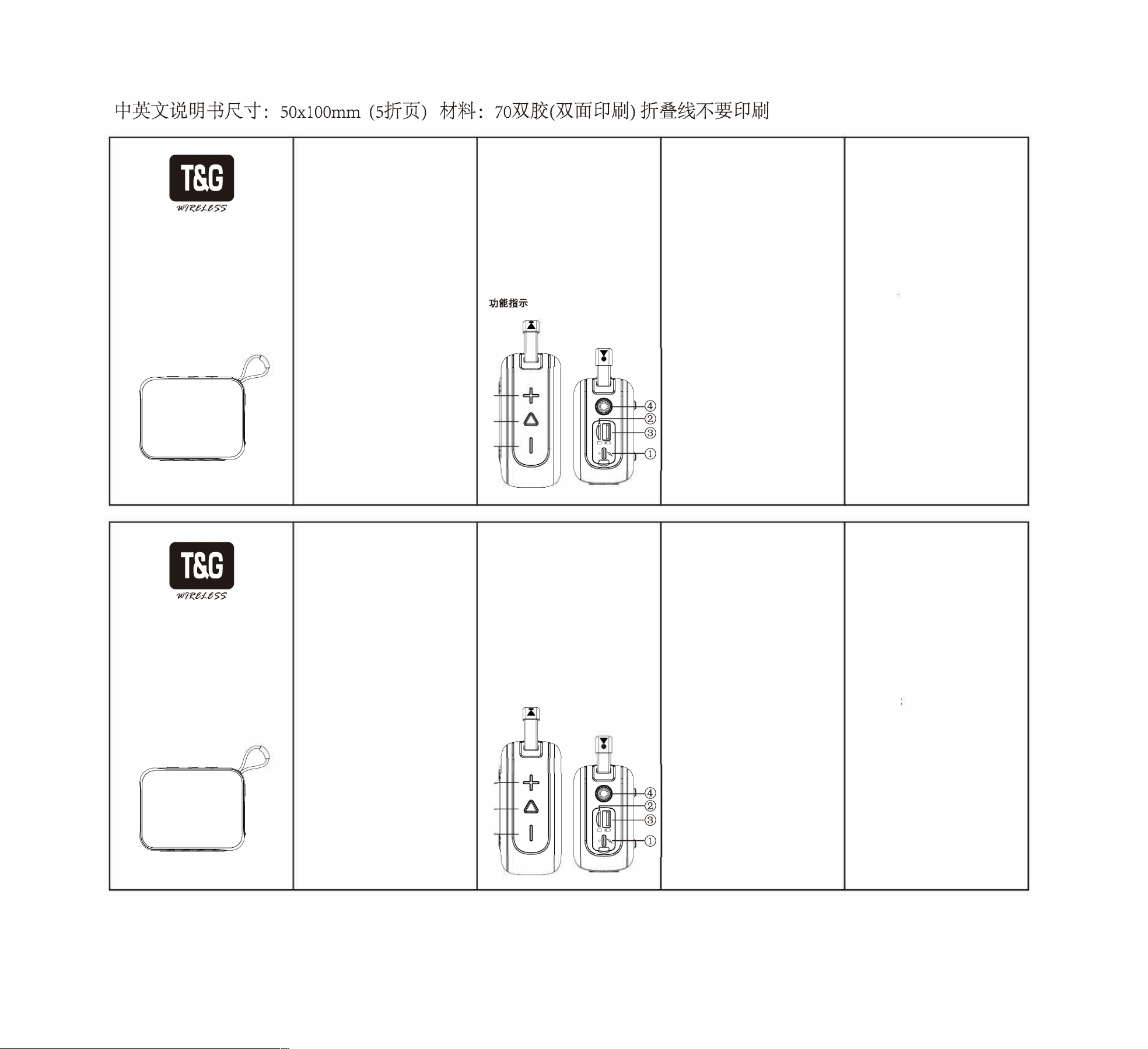
Key and slot function:
1.DC 5V slot Use the standard USB
TYPE-C charging cable for power
charging.
®
®
DC 5V
Q, (
type-c USB
* Q) 0
TF�
A
: TFAiHi
MP3
�
o
@ U�A : UAB1Hi
MP3
�
o
@ Ut*
:
tt�.
B1 *JV�:
-
*
(TF
,
U
,
)
f�Ut� ; m,
TWS
E
;
-TWS:
3
B
�
t�5�m. xxm�-3
mm
2-3
sQMPH�-e
mm�pgPT
WS
,
mP ; H�mHmm
j�
TWS
E
;
@�m
:
-
*
(TF
,
U
,
)
' �"
/
�"' t�
�
mxt;
-
FM
{�
�i §�
■
3,
�3ftt§�-
A.
'
-
� # m:� ;5n. �
iAB1- �fQ
,
2.TF slot It can decode and play MP3
format audio when put TF card into
the slot.
3.USB slot It can decode and play MP3
format audio when put the USB card
into the slot.
4.Power switch: Press long for power
on /power off.
-When play music, short press to
switch model
(
USB card/TF
card/Wireless /FM
)
.
-TWS:Keep the two speaker under
Wireless mode without pairing, press
the
"
M
"
key for 2-3 seconds either of
the speaker until hear a hint a, now it is
TWS mode ,then can paire the mobile.
Disconnect the wireless connection
and then long press the M button to
cancel the TWS function.
5.Play/Pause
-When play music,
(
USB card/TF
card/Wireless
)
, short press for
"
play/pause
"
. Long press to switch the
iridescent light effect mode.
-In FM mode, press short to search
station automatically, press again to
stop searching.
-Under wireless mode with mobile
paired, when call coming, press short
to answer a call hands-free, press
-ii. xXmmi o
@ *{�
,
ti"-"*
"�" m�m*�
f□
H*tmx ;
*B�t�
. �"-"*
"0"o
*
=
-
t
,
iw
±t□
m%5s.
Jl�:�Uo
-
�
1u1m!l� ttmm
B�§*o
-Uf□
TF
(FAT32n
1
)
0
again to hand up, press twice to ring
up a call.
6.When play music, Press short for last
song, long press to turn down the
volume; Double-click the volume down
key to turn off and on the iridescent
Ii g ht effect.
7.When play music, press short for next
song, long press to turn up the
volume.
NOTE:
-In the FM mode, put in micro
charging cable to increase the FM
radio signal
-If this speaker crash during use, you
can press and hold the power button
for 8 seconds to reset and shut down.
-USB (32Gmax) /TF card (32Gmax)
pis use FAT32 format.

This equipment has been tested and found to comply with the limits for a Class
B digital device, pursuant to part 15 of the FCC Rules. These limits are
designed to provide reasonable protection against harmful interference in a
residential installation. This equipment generates, uses and can radiate radio
frequency energy and, if not installed and used in accordance with the
instructions, may cause harmful interference to radio communications.
However, there is no guarantee that interference will not occur in a particular
installation. If this equipment does cause harmful interference to radio or
television reception, which can be determined by turning the equipment off and
on, the user is encouraged to try to correct the interference by one or more of
the following measures:
• Reorient or relocate the receiving antenna.
• Increase the separation between the equipment and receiver.
• Connect the equipment into an outlet on a circuit different from that to which
the receiver is connected.
• Consult the dealer or an experienced radio/TV technician for help.
Caution: Any changes or modifications to this device not explicitly approved
by manufacturer could void your authority to operate this equipment.
This device complies with part 15 of the FCC Rules. Operation is subject to the
following two conditions: (1) This device may not cause harmful interference,
and (2) this device must accept any interference received, including
interference that may cause undesired operation.
The device has been evaluated to meet general RF exposure requirement.
FCC Warning Statement: