safely-you.com | 415-579-3630 | 36 Clyde St, San Francisco, CA Rev 1.2 2/26
User Manual
Wall Button and Pendant
Overview
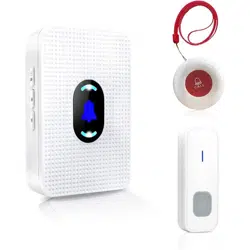
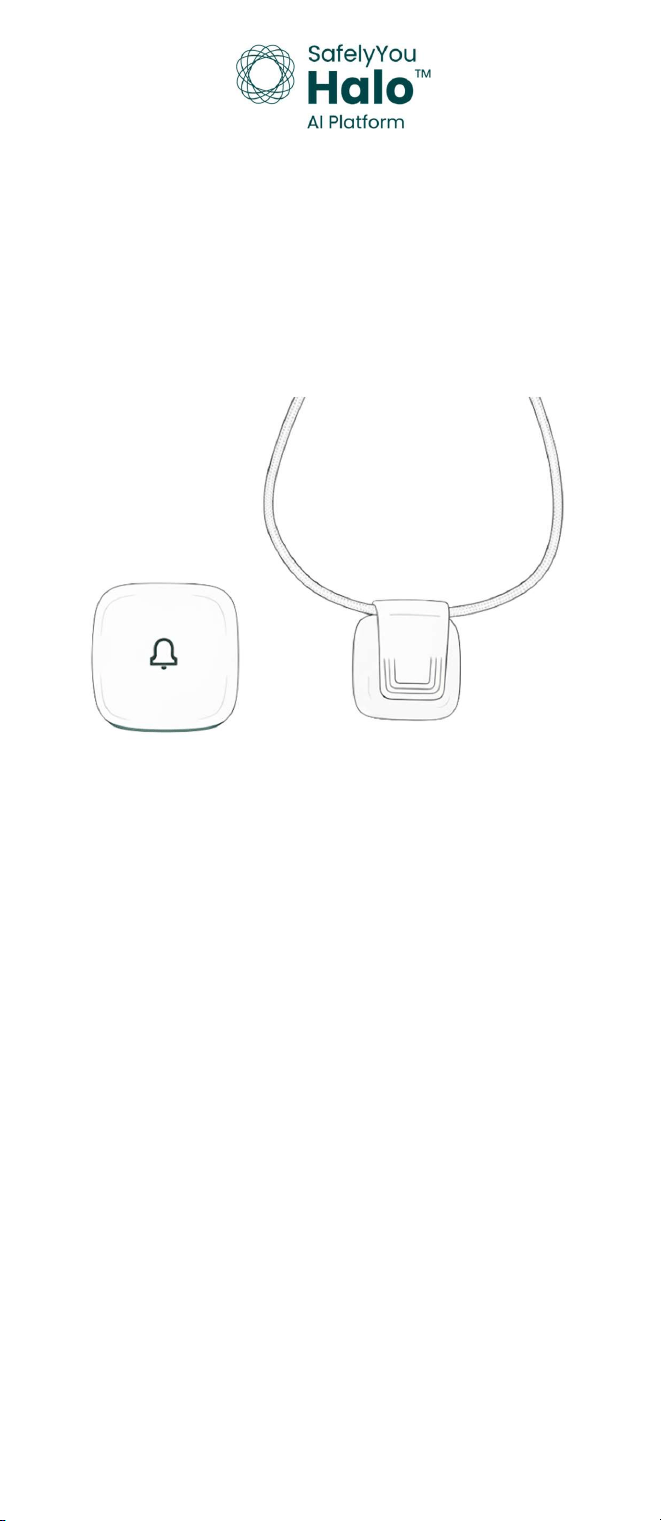
The SafelyYou Halo™ Wall Button and Pendant are devices that are used by
facility residents to request assistance from facility staff members. Users
simply need to push and release the white area of the Wall Button or
safely-you.com | 415-579-3630 | 36 Clyde St, San Francisco, CA Rev 1.2 2/26
press and release the ribbed area of the clip on the Pendant to activate
either device and transmit a request. Both of these devices are installed
and activated by SafelyYou trained technicians.
In the Box
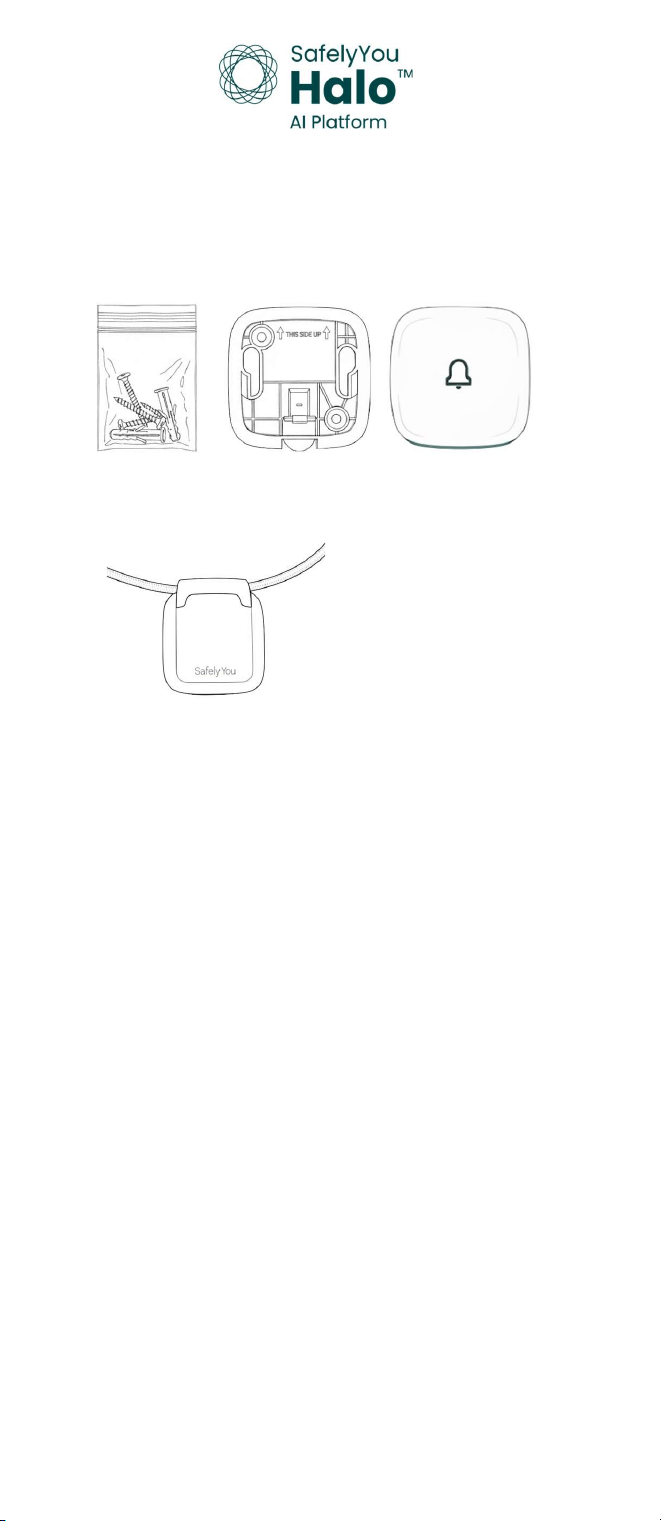
SafelyYou Halo™ Wall Button
Wall Button Wall Plate
Wall Plate Mounting Tape and Anchors with Screws
SafelyYou Halo™ Pendant
Pendant Lanyard
Batteries are shipped separately and furnished by SafelyYou.
A CR2450 coin cell battery is required for device operation.
Installation
An installed and activated SafelyYou Halo™ Gateway is required prior to
activation and installation of a SafelyYou Halo™ Wall Button or Pendant.
Installation of all items should be performed by a SafelyYou trained technician.
safely-you.com | 415-579-3630 | 36 Clyde St, San Francisco, CA Rev 1.2 2/26
What You Will Need
Activated Halo Gateway
Drill with 1/8” bit
Mini Phillips head screwdriver
Mini slot head screwdriver
Small Spirit Level
SafelyYou Installation App
Access to site network
safely-you.com | 415-579-3630 | 36 Clyde St, San Francisco, CA Rev 1.2 2/26
Finding the appropriate installation location: It’s important to determine the
best location for installation of the Wall Button. Locations will vary based on
different area configurations. Ideal mounting locations include on walls at light
switch or lower heights or as required by local standards in different regions.
When installing the Wall Plate on drywall, mounting anchors and screws
(included) are recommended while ensuring that there are no hidden
obstructions behind the drywall. Installations on fiberglass, tile, similar surfaces
or furniture are best suited for mounting tape (included). In all cases, please
observe the correct direction of the Wall Plate using the arrows in the Wall Plate
and ensure that the Wall Plate is installed level.
Preparation: The SafelyYou authorized installer will use the installation App to
activate these devices after Wall Plate installation and battery insertion.
Battery Installation: Once the Wall Plate for the Wall Button is installed, the
next steps of battery installation and activation with the installation app should
follow. The Pendant battery should be installed prior to attaching the included
clip and lanyard to the Pendant, followed by activation by the SafelyYou
authorized installer with the installation app.
See the following diagrams for battery installation in both devices. Battery
removal and installation should only be performed by authorized
representatives.
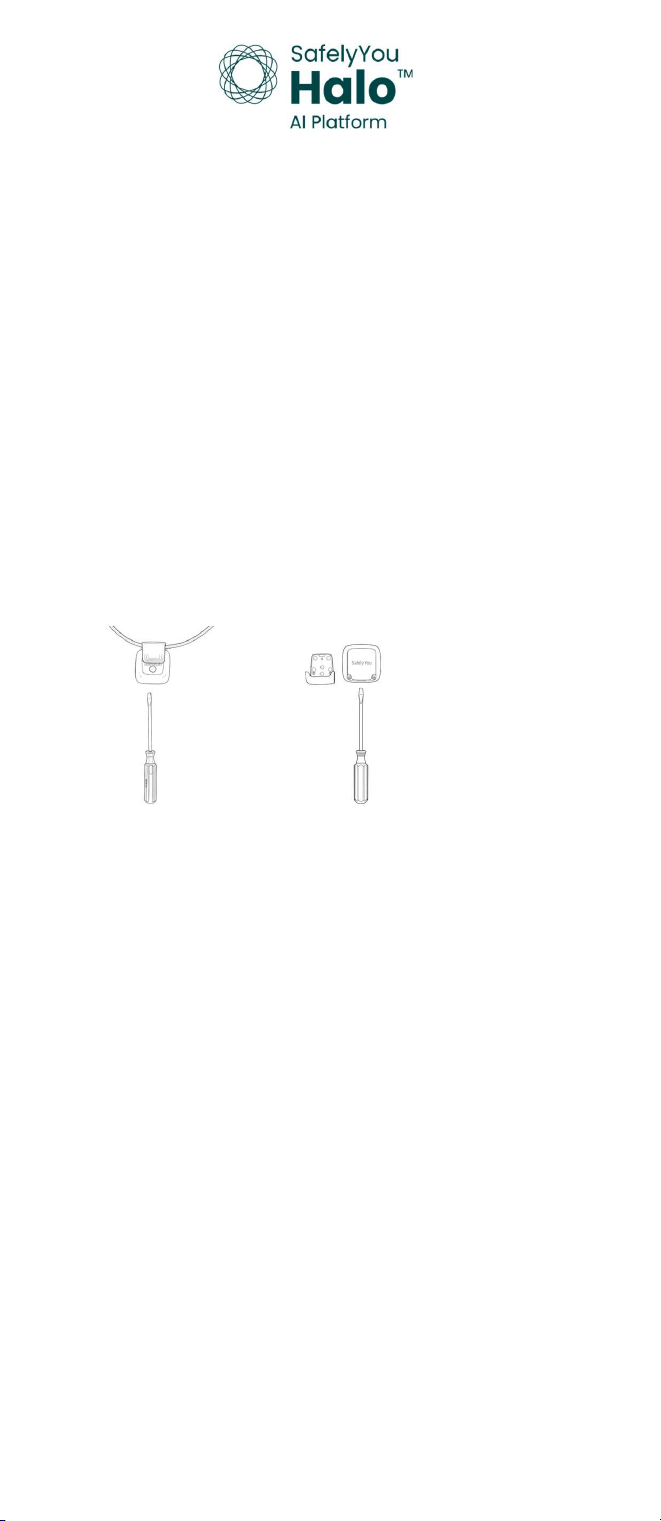
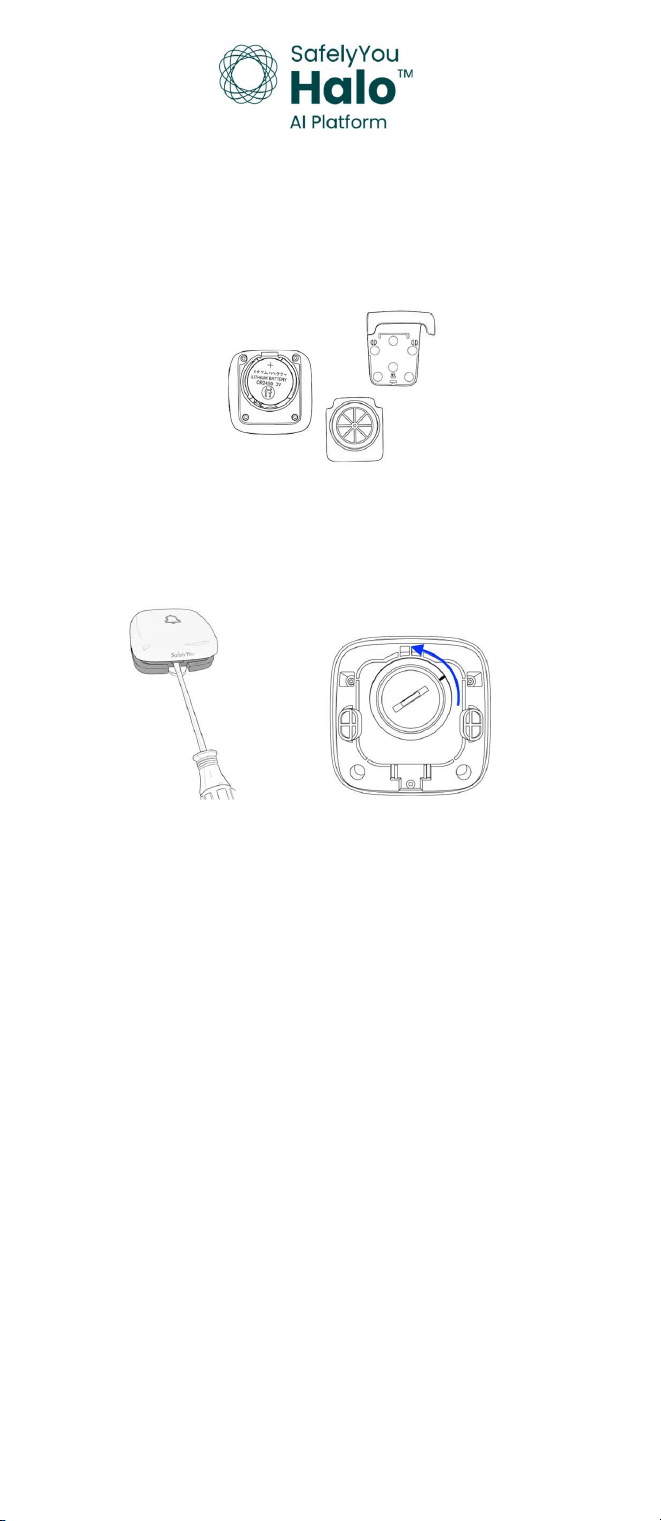
Use a small slot head screwdriver in the provided slot under the clip to loosen
the clip. Remove the clip and set it to one side.
Using the same screwdriver from the prior step, use the slot provided under the
battery door to carefully remove the battery door.
safely-you.com | 415-579-3630 | 36 Clyde St, San Francisco, CA Rev 1.2 2/26
Install or replace the battery, placing it so that the positive side (marked with a +)
is facing you. Replace the battery cover and the clip with lanyard. Wait up to one
minute and verify that the LED illuminates blue. If the device has not yet been
activated, follow the steps outlined in the next section. If the device has already
been activated, resume normal use.
________________________________________________________________________________
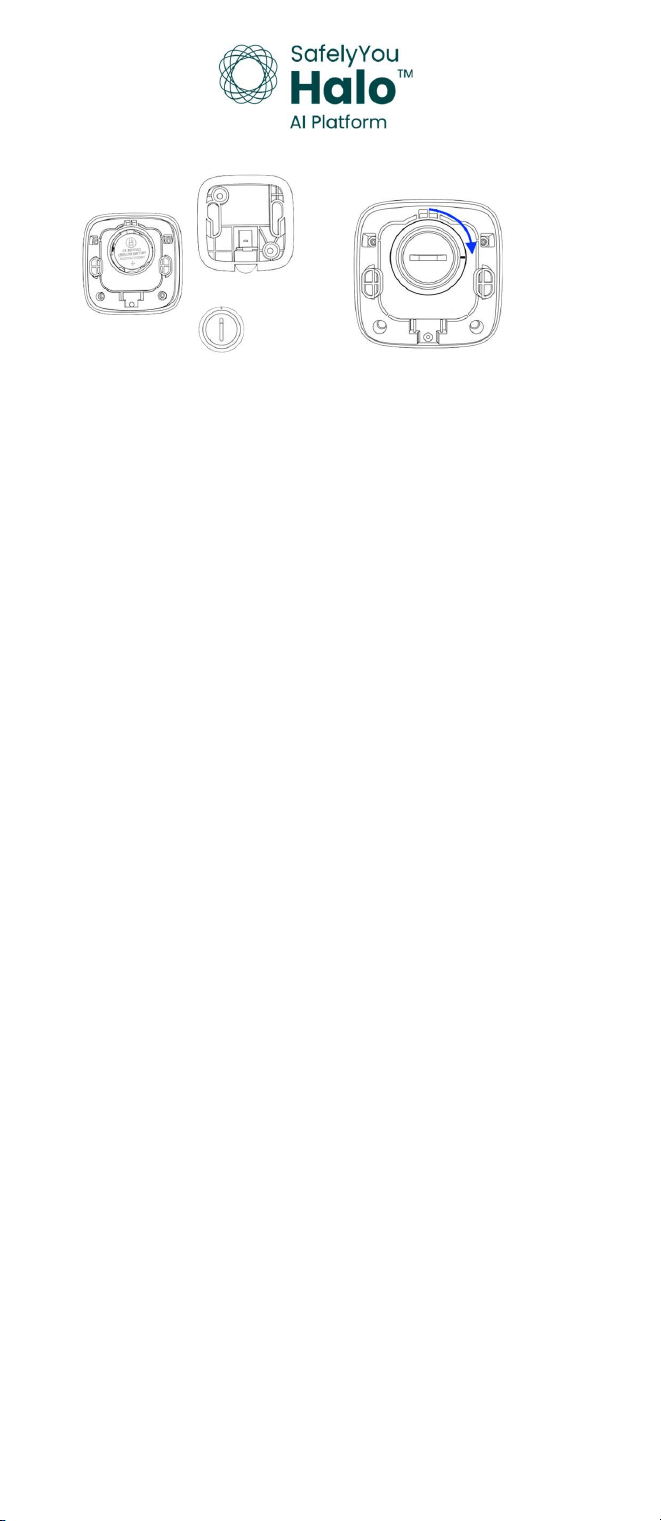
Use a small slot head screwdriver in the provided slot under the Wall Button to
remove it from the Wall Plate. Using the same screwdriver from the prior step or
a properly-sized coin, use the slot provided in the round battery cover to
carefully turn the cover counter-clockwise and then remove it.
safely-you.com | 415-579-3630 | 36 Clyde St, San Francisco, CA Rev 1.2 2/26
Install or replace the battery, placing it so that the positive side (marked with a +)
is facing you. Note the mark on the battery cover, lining it up with the upper
mark on the rear of the Wall Button. Using the same screwdriver from the prior
step, use the slot provided in the round battery cover to carefully turn the cover
clockwise until the mark on it and the lower one on the rear of the button are
aligned. Wait up to one minute and verify that the LED illuminates blue. If the
device has not yet been activated, follow the steps outlined in the next section. If
the device has already been activated, resume normal use.
Initial Activation: Once the device has had a battery correctly installed,
activation will be performed as follows.
Up to one minute after battery installation, the device blue LED will start to blink
once every two seconds. This indicates that the device is ready for the installer
to begin system activation using a Bluetooth connection via the installation App.
Once the App has connected to the device, the blue LED will switch to blinking
twice every two seconds.
Using the App, the installer will verify the ID and type (Wall Button or Pendant) of
the device being activated. The QR code on the device will be scanned by the
installer as an additional verification step to match the device to the one
connected to the App.
Once the prior steps are completed, the installer will assign the device to a user.
For the Wall Button, the location of that device will then be selected.
safely-you.com | 415-579-3630 | 36 Clyde St, San Francisco, CA Rev 1.2 2/26
As a final confirmation step of successful device activation, the device LED will
blink green three times to verify successful connection to the Gateway.
Note: If the device is unable to successfully connect to the Gateway, the device LED
will blink red three times to indicate that the connection was unable to be established.
The device will automatically retry to establish a connection to the Gateway. When
that is successful, the device LED will blink green three times.
Questions: Please contact your SafelyYou representative with any questions that
you may have or call 415-579-3630.
safely-you.com | 415-579-3630 | 36 Clyde St, San Francisco, CA Rev 1.2 2/26
Resident Use
One or more Wall Buttons are installed in your living space and assigned to
you. A Pendant that is to be worn following Care Staff recommendations has
also been provided to you. You are to use these to alert the Care Staff that
you need something from a member of the Care Staff team. Pressing any of
your devices, Wall Buttons or Pendant, will send an alert to the Care Staff
team to come see you. Simply use whatever device is most convenient to you
when you want to send a request.
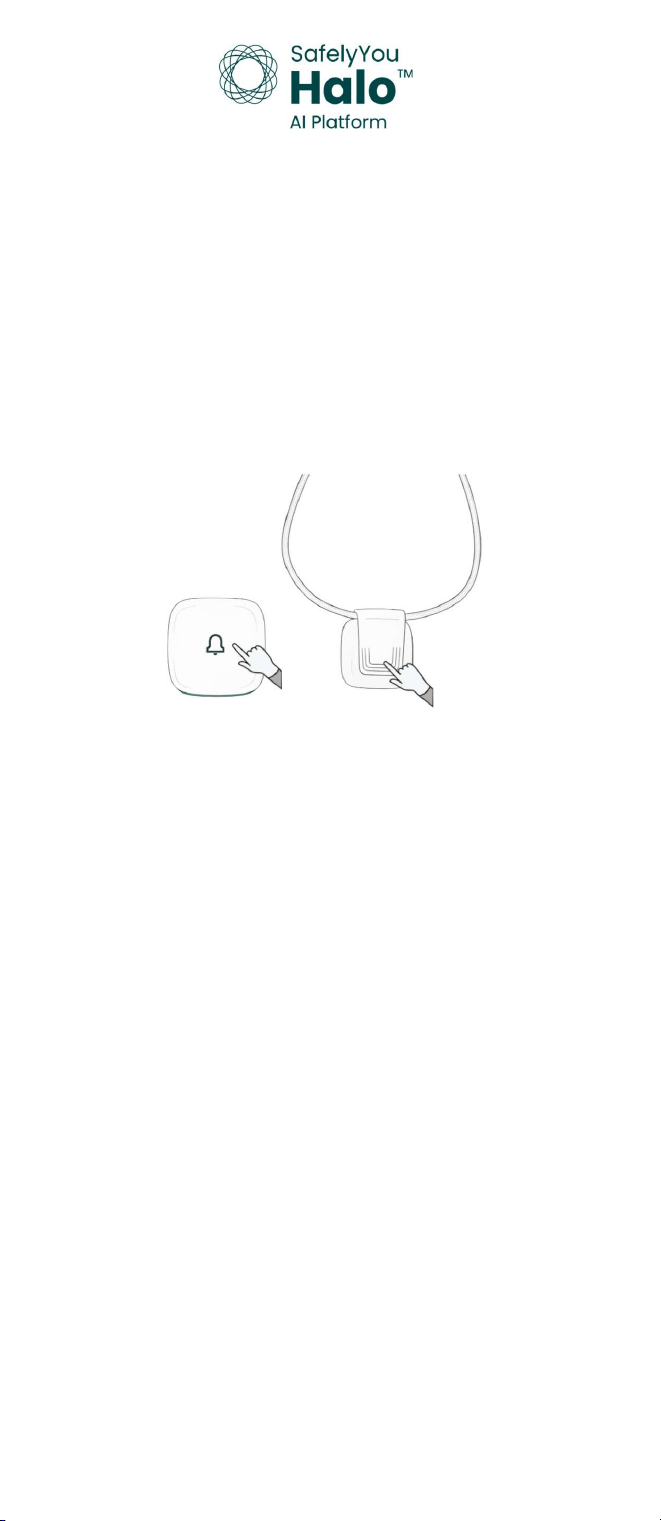
To press the Wall Button, simply press and release the white front area of the
button. For the Pendant, just press and release the ribbed area of the clip. A
successful press will show a light in the lower area of the Wall Button or
Pendant for a brief time. One press and release followed by a brief light of
either device is all you need to do to send a message to the Care Staff team.
Questions: Please contact your Care Staff Team.
safely-you.com | 415-579-3630 | 36 Clyde St, San Francisco, CA Rev 1.2 2/26
Care Staff Use
Residents will use the SafelyYou Halo™ System to request assistance from Care
Staff.
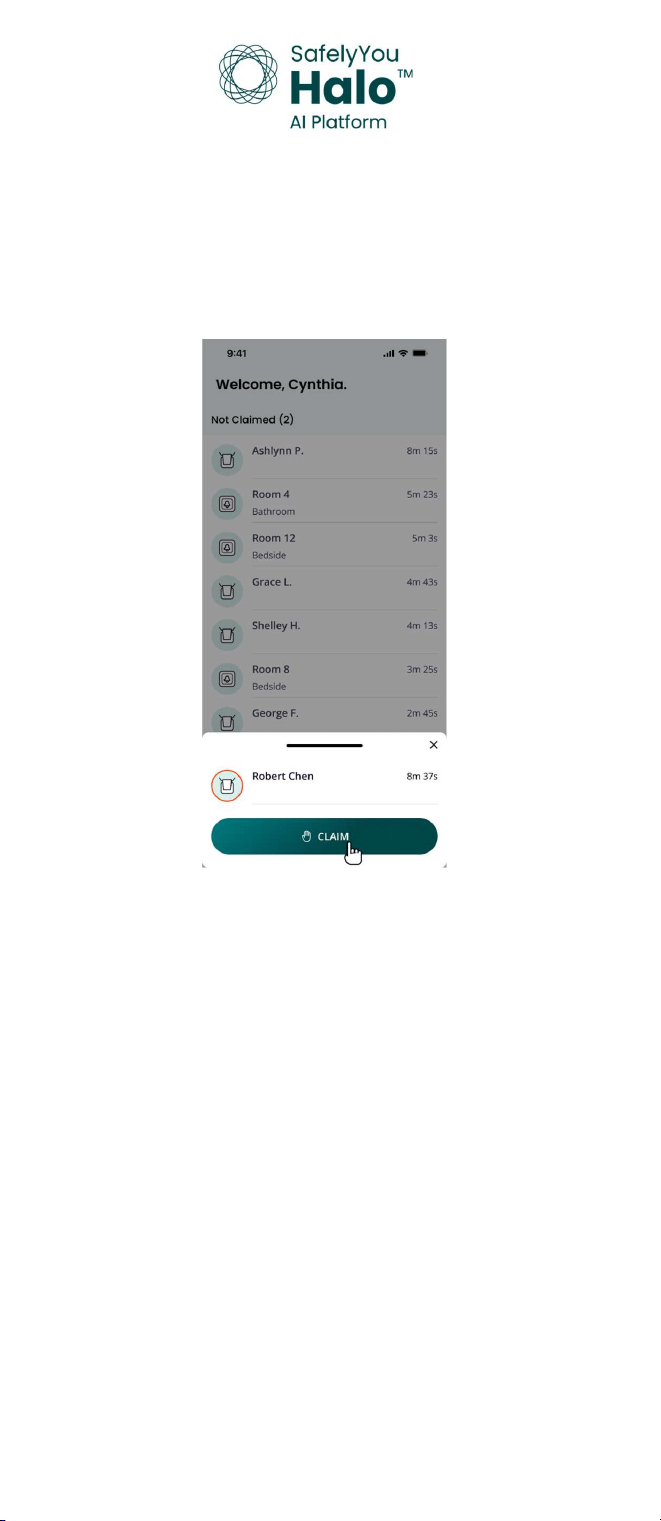
Notification of a request is delivered to the Care Staff via the SafelyYou App.
Any member of the Care Staff that is available may view the list of current
alerts that are not claimed and claim one from this list and then check on that
Resident.
safely-you.com | 415-579-3630 | 36 Clyde St, San Francisco, CA Rev 1.2 2/26
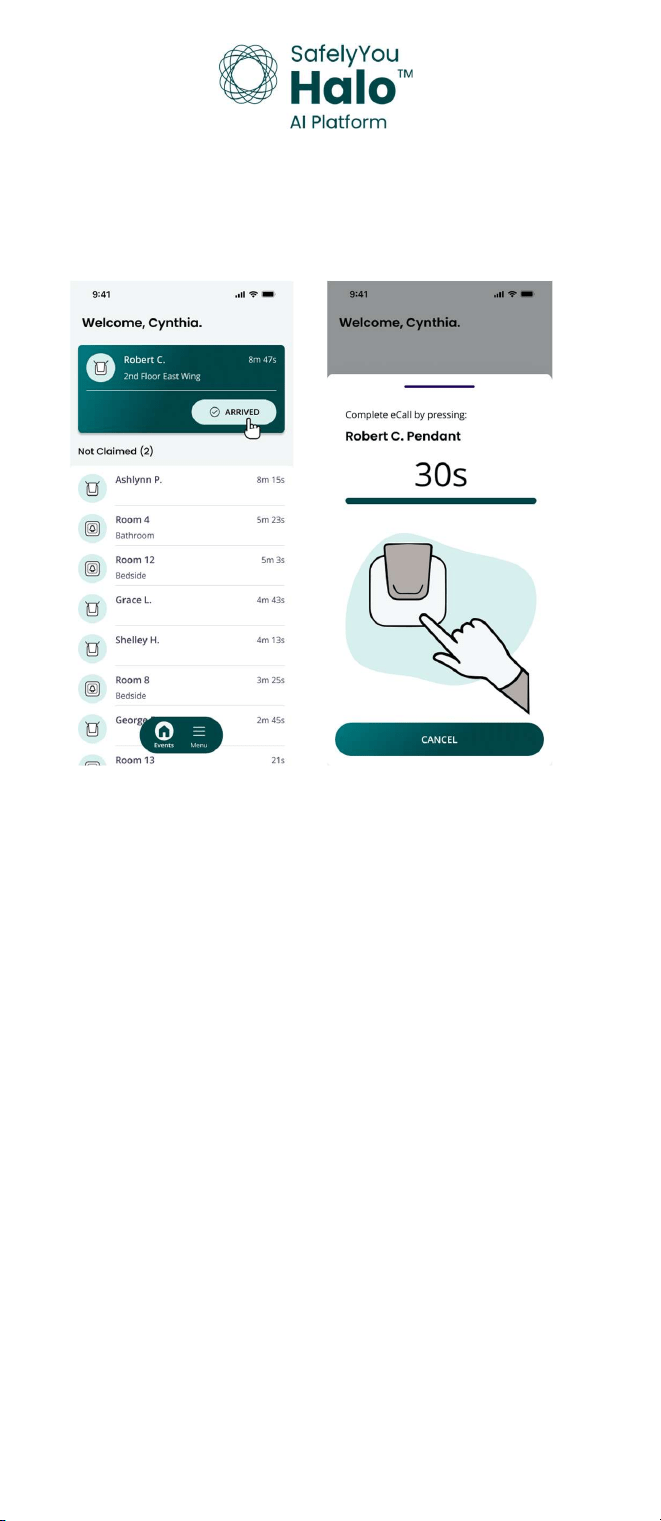
After claiming an alert and responding to a request, the Staff Member simply
selects Arrived to the Resident in the App. Once Arrived has been selected,
clearing the call must be completed by the Care Team member within the
time shown by pressing the button on the Residents’ device shown in the
App.
Questions: Please contact your SafelyYou representative with any questions that
you may have or call 415-579-3630.
safely-you.com | 415-579-3630 | 36 Clyde St, San Francisco, CA Rev 1.2 2/26
Compliance statements
Federal Communications Commission (FCC) statement
This equipment has been tested and found to comply with the limits
for a Class B digital device, pursuant to part 15 of the FCC Rules. These
limits are designed to provide reasonable protection against harmful
interference in a residential installation. This equipment generates,
uses and can radiate radio frequency energy and, if not installed and
used in accordance with the instructions, may cause harmful
interference to radio communications. However, there is no guarantee
that interference will not occur in a particular installation. If this
equipment does cause harmful interference to radio or television
reception, which can be determined by turning the equipment off and
on, the user is encouraged to try to correct the interference by one or
more of the following measures:
1. Reorient or relocate the receiving antenna.
2. Increase the separation between the equipment and receiver.
3. Connect the equipment into an outlet on a circuit different from that
to which the receiver is connected.
4. Consult the dealer or experienced radio TV technician for help.
This device complies with part 15 of the FCC Rules. Operation is
subject to the following two conditions:
1. This device may not cause harmful interference, and
2. This device must accept any interference received, including
interference that may cause undesired operation.
CAUTION:
Any changes or modifications not expressly approved by the grantee
of this device could void the user's authority to operate the
equipment.
RF Exposure Warning
This equipment complies with FCC radiation exposure limits set forth
for an uncontrolled environment. This transmitter must not be co-
located or operating in conjunction with any other antenna or
transmitter.
safely-you.com | 415-579-3630 | 36 Clyde St, San Francisco, CA Rev 1.2 2/26