ERM ELECTRONIC SYSTEMS
LTD
16 Hasar Shapira St. Rishon Lezion
7570418 Israel
Email: info@ermtelematics.com
Tel: +972-3-9413313
GPS 4G Tracker TUBE (cat1)
Operational Manual
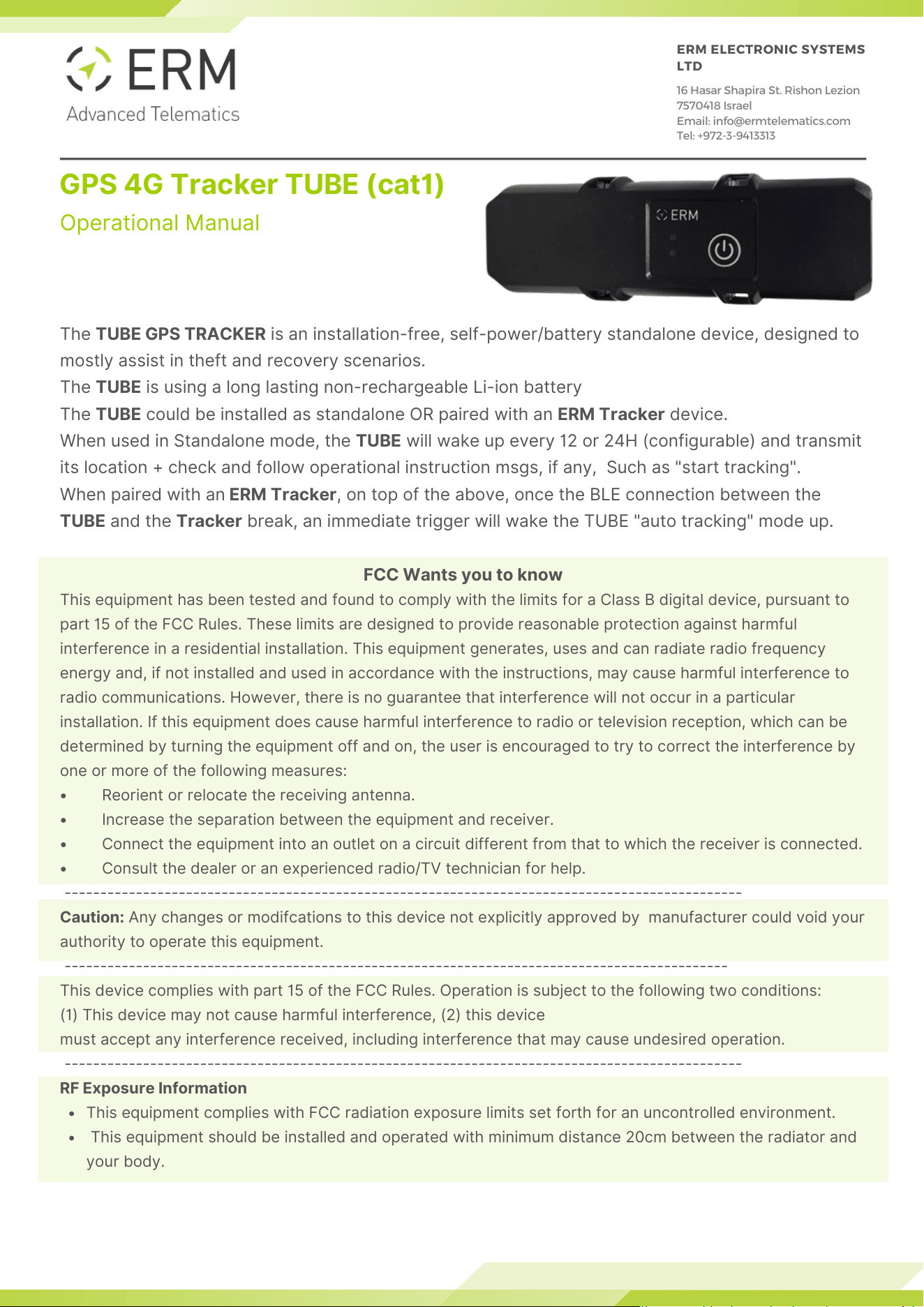
The TUBE GPS TRACKER is an installation-free, self-power/battery standalone device, designed to
mostly assist in theft and recovery scenarios.
The TUBE is using a long lasting non-rechargeable Li-ion battery
The TUBE could be installed as standalone OR paired with an ERM Tracker device.
When used in Standalone mode, the TUBE will wake up every 12 or 24H (configurable) and transmit
its location + check and follow operational instruction msgs, if any, Such as "start tracking".
When paired with an ERM Tracker, on top of the above, once the BLE connection between the
TUBE and the Tracker break, an immediate trigger will wake the TUBE "auto tracking" mode up.
FCC Wants you to know
This equipment has been tested and found to comply with the limits for a Class B digital device, pursuant to
part 15 of the FCC Rules. These limits are designed to provide reasonable protection against harmful
interference in a residential installation. This equipment generates, uses and can radiate radio frequency
energy and, if not installed and used in accordance with the instructions, may cause harmful interference to
radio communications. However, there is no guarantee that interference will not occur in a particular
installation. If this equipment does cause harmful interference to radio or television reception, which can be
determined by turning the equipment off and on, the user is encouraged to try to correct the interference by
one or more of the following measures:
• Reorient or relocate the receiving antenna.
• Increase the separation between the equipment and receiver.
• Connect the equipment into an outlet on a circuit different from that to which the receiver is connected.
• Consult the dealer or an experienced radio/TV technician for help.
-----------------------------------------------------------------------------------------------
Caution: Any changes or modifcations to this device not explicitly approved by manufacturer could void your
authority to operate this equipment.
---------------------------------------------------------------------------------------------
This device complies with part 15 of the FCC Rules. Operation is subject to the following two conditions:
(1) This device may not cause harmful interference, (2) this device
must accept any interference received, including interference that may cause undesired operation.
-----------------------------------------------------------------------------------------------
RF Exposure Information
This equipment complies with FCC radiation exposure limits set forth for an uncontrolled environment.
This equipment should be installed and operated with minimum distance 20cm between the radiator and
your body.
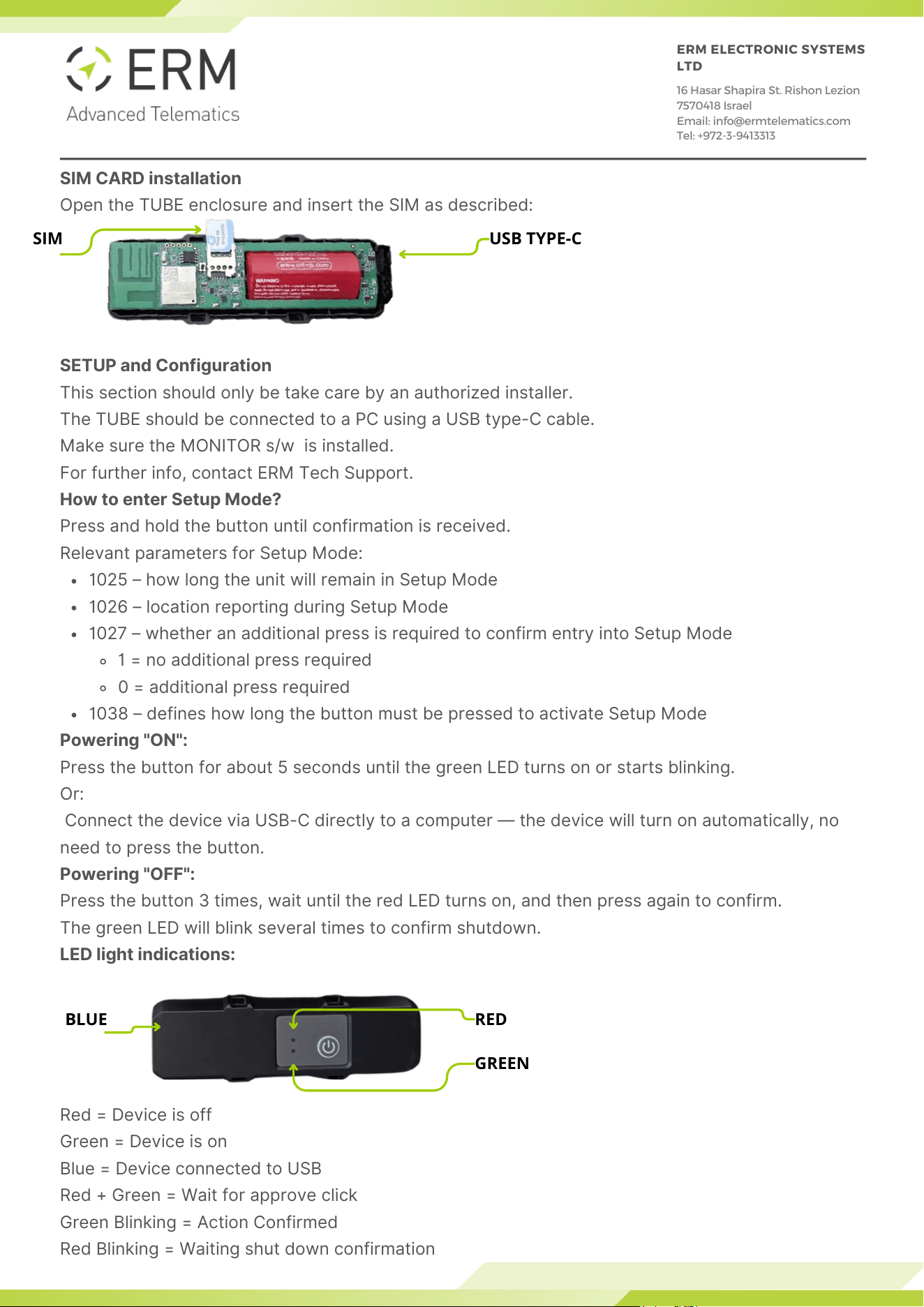
SIM CARD installation
Open the TUBE enclosure and insert the SIM as described:
SETUP and Configuration
This section should only be take care by an authorized installer.
The TUBE should be connected to a PC using a USB type-C cable.
Make sure the MONITOR s/w is installed.
For further info, contact ERM Tech Support.
How to enter Setup Mode?
Press and hold the button until confirmation is received.
Relevant parameters for Setup Mode:
1025 – how long the unit will remain in Setup Mode
1026 – location reporting during Setup Mode
1027 – whether an additional press is required to confirm entry into Setup Mode
1 = no additional press required
0 = additional press required
1038 – defines how long the button must be pressed to activate Setup Mode
Powering "ON":
Press the button for about 5 seconds until the green LED turns on or starts blinking.
Or:
Connect the device via USB-C directly to a computer — the device will turn on automatically, no
need to press the button.
Powering "OFF":
Press the button 3 times, wait until the red LED turns on, and then press again to confirm.
The green LED will blink several times to confirm shutdown.
LED light indications:
Red = Device is off
Green = Device is on
Blue = Device connected to USB
Red + Green = Wait for approve click
Green Blinking = Action Confirmed
Red Blinking = Waiting shut down confirmation
ERM ELECTRONIC SYSTEMS
LTD
16 Hasar Shapira St. Rishon Lezion
7570418 Israel
Email: info@ermtelematics.com
Tel: +972-3-9413313
SIM USB TYPE-C
BLUE RED
GREEN