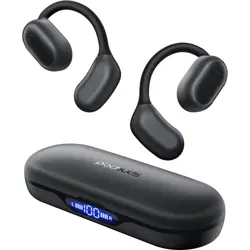
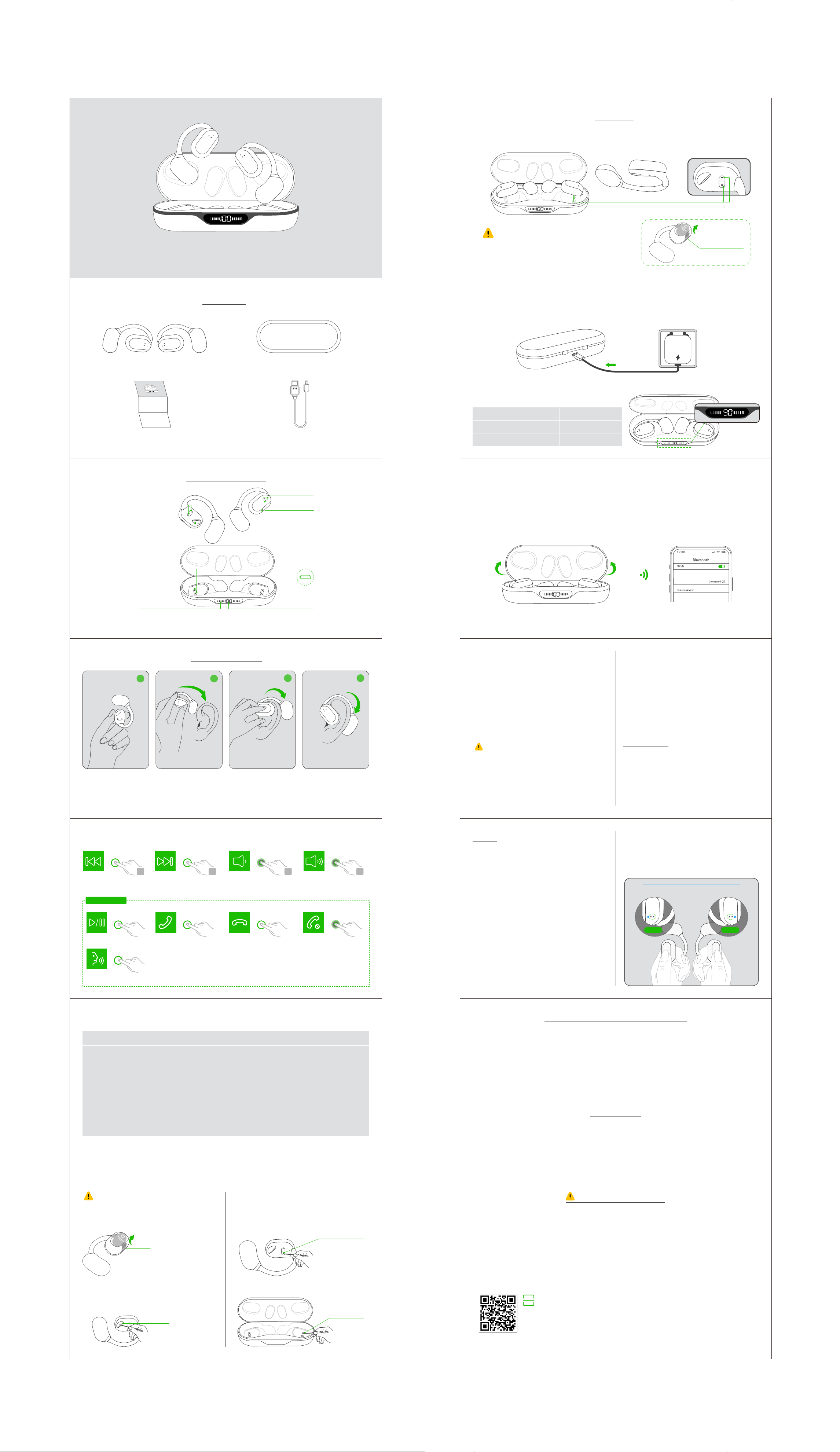
Type-C port
Earbuds
charging status
Charging case
power display
Charging contact
Charging pins
Earbuds LED light
Touch control area
Built-in mic
Speaker
Play/Pause
Tap x 2
Activate the Voice Assistant
(* Must in non-music mode or standby mode)
Tap x 2
Answer Call
Tap x 2
End Call Reject Call
Hold for 3s
OPERATING THE EARBUDS
Tap x 3
Last Song Volume -
Hold
Tap x 3
Next Track
Tap x 3
Volume +
Hold
In single mode, the R/L earbud do not support volume +/-, only play/pause and next track.
L R L R
L/R Earbuds
The earbud status light
blinks Red & Blue
3 times
Tear o the protective film
Earbuds x 1 Pair Charging Case x 1
Type-C Cable x 1User Manual x 1
IN THE BOX
1. Ensure the earplug
facing downwards
PRODUCT OVERVIEW
HOW TO WEAR IT?
2. From top to bottom,
place the ear hook
behind your ear
3. Adjust by twisting for
comfort and secure
4. You are all set
1. Pleasekeeptheearbuds and chargingcaseoutofextremeheatorhumidity.
2. Pleasepreventthedevicefrombeingstricken,dropped,warped,soakedetc.
3. Pleasedonotdismantletheearbuds orchargingcase.
4. Pleasedonotoverchargethedeviceforalongtime,otherwiseitwilldecreasethebattery'slifespan.
5. Pleasestopusingthedeviceifitcausesanydiscomfortorpain.
6. UseDC5V-1Achargers/adapterscertifiedbyaregulatedmanufacturer.
Note: Repeated charging or discharging of the earbuds will cause the battery performance to degrade over time,
which is normal for all rechargeable electronics.
FCC CAUTION
Any changes or modifications not expressly approved by the party responsible for compliance could void the user's
authority to operate the equipment.
This device complies with part 15 of the FCC Rules. Operation is subject to the following two conditions.
(1) This device may not cause harmful interference, and (2) this device must accept any interference received,
including interference that may cause undesired operation.
HOW TO SYNC VOLUME ON ANDROID?
To protect users from potential hearing damage, Android's limit on max volume is quite low for Bluetooth audio
devices.
If you feel the volume is too low, please access developer options and enable absolute volume, so you'll able to
max the volume at your own volition and to the full capabilities of your Bluetooth earphones.
1. Symptom
◆ When only one side play music.
◆ When you can't find "O8" on your device.
◆ Occur connection issues.
2. Solution
❶ Delete all "O8" on your phone and deactivate the
Bluetooth setting.
❷ Quick click both earbuds 5 times simultaneously,
their LED will flash Red & Blue light 3 times to indicate
that both earbuds are fully reset.
❸ Then put the earbuds in the charging case and
charge them for a while.
❹ Now, pick up the earbuds to turn them on, activate
the Bluetooth setting on your device and select "O8"
to connect, it should work properly.
If not, please put the earbuds back to the charging
case and repeat the steps above.
RESET
Pair with Other the Device
If you want to pair O8 Wireless earbuds with a new
device, you could:
▷ Disconnect "O8" from the last paired device, search
and connect "O8" on your new device, it will work
properly.
▷ You can also reset the earbuds, then search and
connect "O8" on your new device.
Disconnect a mobile device
Place the earbuds in the charging case and close
the lid of the case, then the earbuds will disconnect
& power o automatically.
CHARGING
Charge the Earbuds
Place the earbuds exactly in the case, close the lid of the case and the earbuds will start charging.
Product Model
FCC ID
Charging interface
Bluetooth Protocol
Transmission Range
Battery of Each Earbud
Battery of Charging Case
O8
2ATJ2-X19
Type-C
HFP/A2DP/AVRCP/HSP
≤33 feet (without obstacle)
65mAh/3.7V/0.24Wh
600mAh/3.7V/2.22Wh
Note: The Type-C charging port is on the back of the charging case.
1 2
3 4
SPECIFICATIONS
MONO MODE
(Only Left/Right Earbud is being Used)
You can use one earbud alone, leave another earbud
in the charging case.
* When in Dual mode, put one earbud into the charging
case.
* Or only take one earbud out of the charging case,
then search & connect "O8" on your device.
Note: Please remove the protective film from the earbuds
and place the earbuds in the correct position before the earbuds
start charging.
Manually Power on/o
▷ If the earbuds are out of the charging case and
power o, just touch & hold both earbuds for 2s to
turn them on.
Note: If the earbuds are not connected to your
device over 5 minutes, the earbuds will power o
automatically.
▷ Touch and hold either earbud for 5s, their LED will
flash Red light 3 times and both earbuds will power
o at the same time. (You can't turn them o when
they are connected to your device.)
SAFETY PRECAUTIONS
CAUTION
① Please remove the protective film before use,
otherwise the earbuds will not be able to charge.
To fix charging issue
③ If the earbuds can't be charged, please clean the
magnet charging contacts on the earbuds and the
charging pins on the case with alcohol wipes.
To make sound louder
② Please clean the protective grille of both earbuds if
the sound becomes low.
Charging Contact
Charging Pin
Protective Grille
www.pocbuds.vip
O8 Open Ear Headphones
USER MANUAL
Charge the Charging Case
1. Connect the small end of the Type cable to the Type-C port on the back of the charging case.
2. Connect the other end to a USB-A wall charger (not provided) or computer, the charging case power display
begins to flash.
Input: DC 5V
Charging case status light
LIGHT ACTIVITY
L/R Digital tube ups and downs
Digital number flashes
L/R earbud charging
Case charging
SYSTEM STATE
Tear o the
protective film
For second time use, when you open the charging case, they will connect to your device automatically.
PAIRING
Connect using the Bluetooth menu on your mobile device
Note: Please charge the earbuds fully when first time use.
Step 1- Enable Bluetooth on your device. (* The Bluetooth feature is usually found in the Settings menu)
Step 2- Open the charging case, the earbuds will automatically power on and enter pairing mode.
Step 3- For first time pairing, activate Bluetooth setting on your phone, search and connect "O8".
O8
Tap x5
O8 Open Ear Headphones
USER MANUAL
Remove me
Remove me
Tap x5
Kindly scan the QR code to activate the lifetime warranty of your earbuds within 15 days.