尺寸:60X80 mm
方式:折页
材质: 105g铜版纸
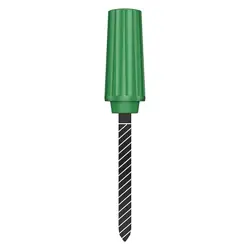
Smart Plant soil sensor
Product Instruction manual
Soil Sensor is a portable testing device designed for
agricultural planting and gardening enthusiasts. With high
precision and real - time monitoring capabilities, it can
accurately measure soil temperature and humidity data.
This enables users to promptly understand soil environmen-
tal conditions, providing a reliable basis for scientific plant
irrigation, fertilization, and growth management.
The device utilizes advanced sensor technology and boasts
features such as user - friendly operation, high - precision
measurement, and stable performance. It is suitable for a
wide range of scenarios, including household potted plants,
farmland, greenhouses, and more.
This device complies with Part �� of the FCC Rules. Operation is subject
to the following two conditions: (�) this device may not cause harmful
interference, and (�) this device must accept any interference received,
including interference that may cause undesired operation.
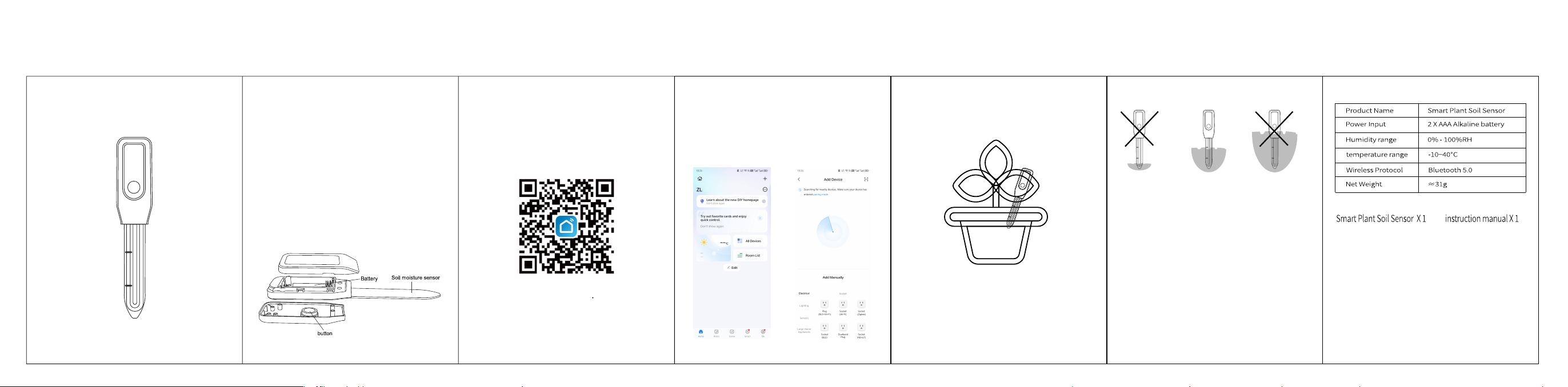
�.Download and open the app
Search for "Smart Life" in the App Store or scan the QR code
in the manual to download and install the app. If it's your
first time using it, tap the "Register" button to create an
account. If you already have an account, tap the "Login"
button.
"�. Power on the device
Insert two AAA batteries into the product. Press and hold the
power button for � seconds until the indicator light flashes
greener, indicating the device has entered network pairing
mode."
�.Please place your cellphone as close as possible to the
device. Then, turn on the Wi-Fi and Bluetooth on your
cellphone.
�.Open the home page of the “Smart Life” App. Click “Add
Device” or the “+” icon to add smart devices within the app.
�.Insert the Smart Humidistat into the flowerpot. If the soil is
too dry, thoroughly water the soil first, and then insert the
device.
·After inserting the device into the soil, it will start reading
data within � - � minutes.
·The data will only be saved for the last � days.
�.Before installing the Kao Monitor into the ground, always
clean the outer surface of the device.
�. Sow the soil sensor into the soil at a depth that is within
the scale of the ruler, crossing the upper or lower limit will
affect the accuracy of the reading.
�.After sowing the device into the soil, please wait �-�
minutes before reading the test parameters.
· Change or modifications not expressly approved by the
manufacturer responsible for compliance could void the
user's authority to operate the equipment.
· To prevent injury, keep this device away from babies and
children. Do not use in cribs, strollers, or playpens. This
device is not a toy.
Product Description Preparation
Note
Warning
Product Parameters
Packing List
FCC Statement:
This device complies with part 15 of the FCC Rules. Operation is subject to the
following two conditions:
(1) This device may not cause harmful interference, and
(2) this device must accept any interference received, including interference
that may cause undesired operation. This equipment has been tested and found to comply with the
limits for a Class B digitaldevice, pursuant to part 15 of the FCC Rules. These limits are designed
to provide reasonable protection against harmful interference in a residential
installation. This equipment generates, uses and can radiate radio frequency
energyand, if not installed and used in accordance with the instructions, may cause
harmfulinterference to radio communications. However, there is no guarant ee that
interference will not occur in a particular installation. If this equipment does
causeharmful interference to radio or television reception, which can be determined
byturning the equipment off and on, the user is encouraged to try to correct the
interference by one or more of the following measures:
—Reorient or relocate the receiving antenna.
—Increase the separation between the equipment and receiver.
—Connect the equipment into an outlet on a circuit different from that to which the receiver is
connected.
—Consult the dealer or an experienced radio/TV technician for help. Caution: Any changes or
modifications not expressly approved by the party responsible
for compliance could void the user's authority to operate the equipment.
This equipment complies with FCC radiation exposure limits set forth for an
uncontrolled environm ent. This transmitter must not be co-located or
operating in conjunction with any other antenna or transmitter.