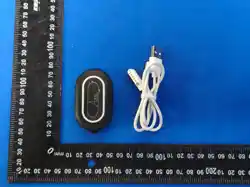

Product Name: AQPU PET SMART TRACKER
Model No.: O-001
Charging & Power On
This tracker has no power button. First time use:
Charge for about 2 hours using the magnetic charging cable. The tracker will power
on automatically while charging.
Charging: Red ring light stays ON.
Fully charged: Red ring turns OFF; small green light stays ON.
Important:
Always use the original charging cable to ensure proper power-on and charging.
To prevent battery failure, charge the tracker at least once a month if not in
use.
Quick activation
1. Get the app. Scan the QR code to download the Aqpu app.
2. Sign up or log in. Open the app and create an account or log in.
3. Add your tracker. Enter the tracker ID or scan the QR code on the back.
4. Activate. Choose a subscription plan and follow the prompts.
Note: A subscription is required for cellular connectivity, which enables real‑
time tracking.
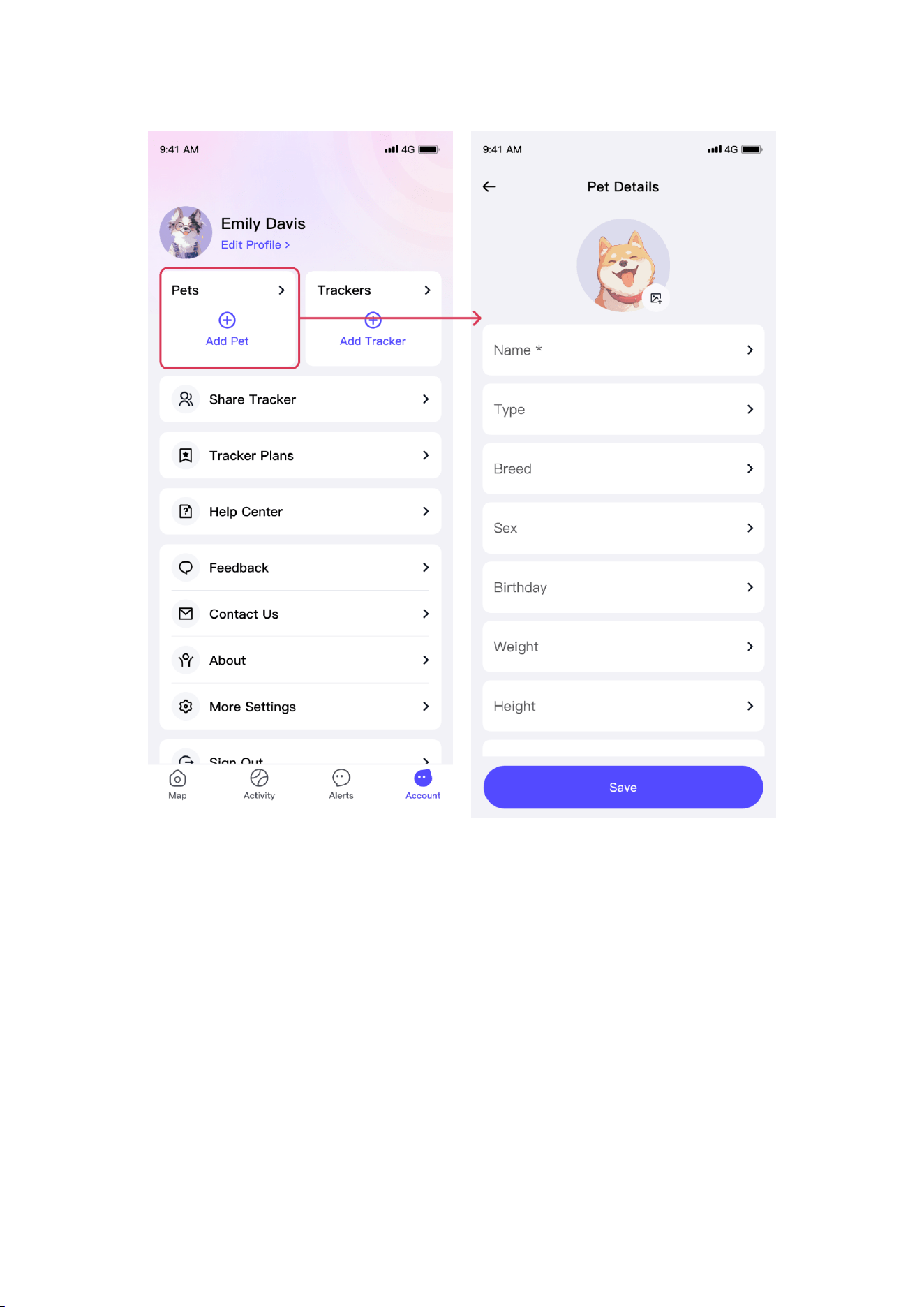
Add a pet
1. Tap Account on the bottom bar.
2. Select Pets, then tap Add New Pet.
3. Enter your pet's details and tap Save.
Link tracker to pet
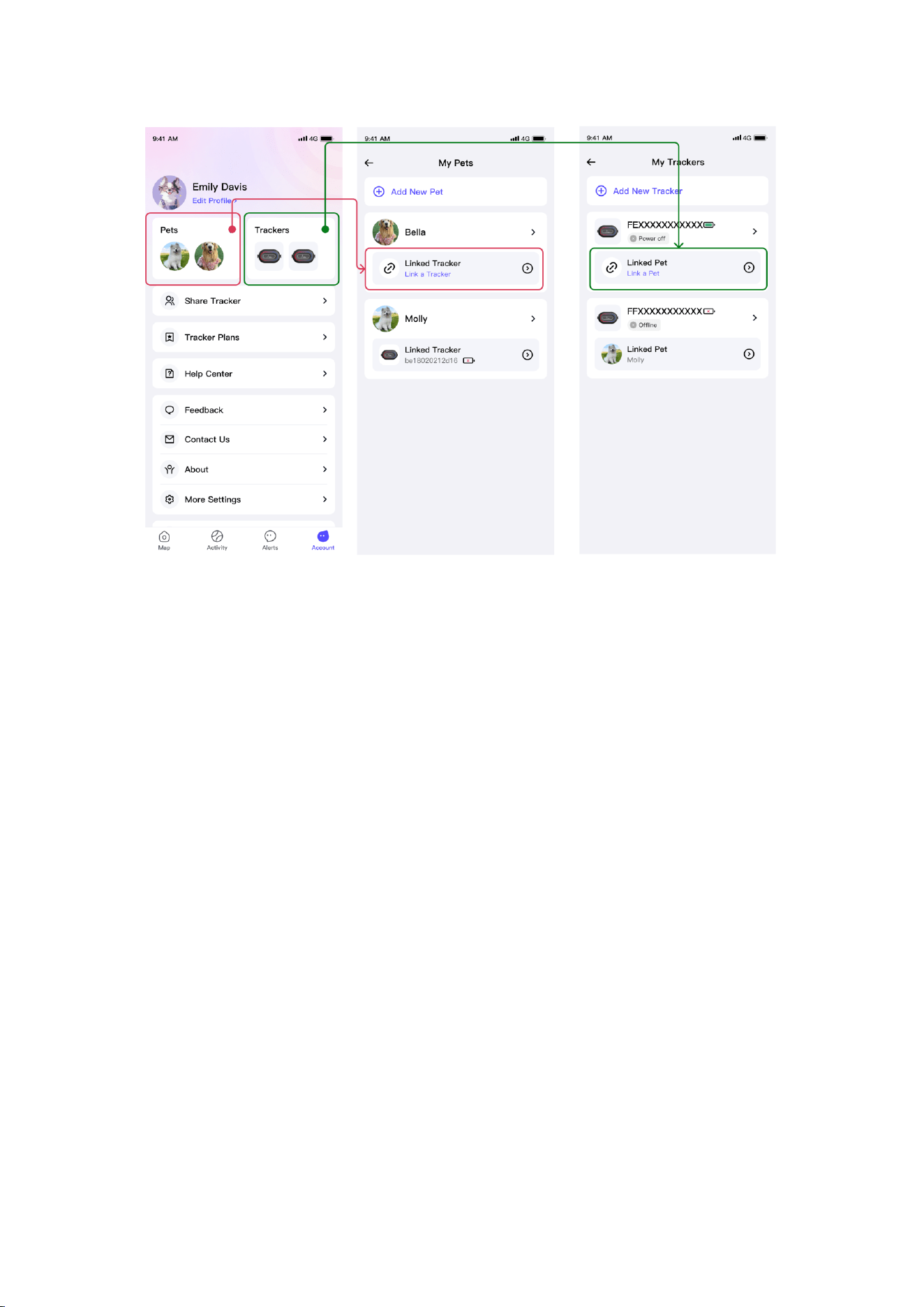
You can link a tracker to a pet in two ways:
From the Pets page
Account > Pets > select a pet > Linked Tracker > choose a tracker
From the Trackers page
Account > Trackers > select a tracker > Linked Pet > choose a pet
Get in touch
Thank you for choosing Aqpu.
We're committed to providing you with reliable support. If you have any questions,
please reach out to us:
Email: service@zjsckd.com
Regulatory & Safety Information
FCC STATEMENT : This device complies with Part 15 of the FCC Rules.
Operation is subject to the following two conditions: (1) This device may
not cause harmful interference, and (2) This device must accept any
interference received, including interference that may cause undesired
operation. Warning: Changes or modifications not expressly approved by
the party responsible for compliance could void the user's authority to
operate the equipment. NOTE: This equipment has been tested and found to
comply with the limits for a Class B digital device, pursuant to Part 15
of the FCC Rules. These limits are designed to provide reasonable
protection against harmful interference in a residential installation.
This equipment generates uses and can radiate radio frequency energy and,

if not installed and used in accordance with the instructions, may
cause harmful interference to radio communications. However, there
is no guarantee that interference will not occur in a particular
installation. If this equipment does cause harmful interference to
radio or television reception, which can be determined by turning the
equipment off and on, the user is encouraged to try to correct the
interference by one or more of the following measures: Reorient or
relocate the receiving antenna. Increase the separation between the
equipment and receiver. Connect the equipment into an outlet on a
circuit different from that to which the receiver is connected.
Consult the dealer or an experienced radio/TV technician for help.
FCC Radiation Exposure Statement: This equipment complies with FCC
radiation exposure limits set forth for an uncontrolled environment.
Important Safety Instructions
Medical Devices
This product contains magnets and radio transmitters that may interfere
with pacemakers, defibrillators, and other implanted medical devices. Maintain a
minimum distance of 6 inches (15 cm) between the tracker and the medical
device. Consult your physician and medical device manufacturer before use.
Battery Safety
This device contains a lithium-ion battery. Do not disassemble, crush, or
puncture the device. Do not expose to fire or high temperatures. Use only the
provided magnetic charging cable. Charge in a well-ventilated area. Discontinue
use if the battery swells or overheats.
Choking Hazard
This device contains small components. Keep away from children and pets to
prevent accidental swallowing.
Disposal
Please recycle the device and battery according to local laws and regulations.
Do not dispose of in household waste.
For support, contact: [email protected]