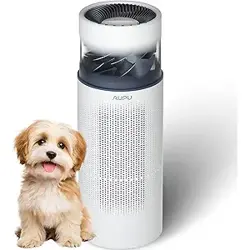

AUPU 2 in 1 Air Purifier and Humidifier
Product User Manual
Main Unit
Humidifier
Filter
Turn off and disconnect the power adapter.
Remove the machine main unit.
Remove the HEPA filter&humidifier filter component.
Rotate the water filter cartridge counterclockwise
according to the arrow to remove the water filter
cartridge.
Replace the humidifier filter, HEPA filter, and water
filter cartridge, clean the water tank, and reinstall.
Humidifier
Filter
Holder
HEPA
High-efficiency
Air Filter
Humidifier Filter &
HEPA Filter Component
Note:
1. The theoretical lifespan of the humidifier filter and water filter cartridge is
2000 hours, and the theoretical lifespan of the HEPA filter is 4000 hours. The
actual lifespan may vary based on indoor environmental conditions.
2. It is recommended to rinse the humidifier filter with clean water
every 10 days.
Sensor
Body Air Inlet
Power Switch
/Drainage Outlet
1
2
3
4
5
6
7
8
·Product Features·
·Cleaning and Maintenance & Product Details·
6、This product supports control and use through the Smart Life APP.
7、Screen Off Function: Operate in the Smart Life APP settings; by default, it is in the off state. The off state means that, without any button operation,
the screen brightness will automatically decrease after a period, but the screen will not be turned off. When the screen-off function is enabled, the display
screen will automatically turn off, entering the screen-off state.
8、Timer: In the powered-on state, press the button to enter the delayed shutdown setting interface. The icon in the display will light up, and the
"h" icon will blink. The screen will show the delayed shutdown time. Click the button to adjust the time. After setting, wait for a few seconds, and the
device will automatically exit the setting interface. If a delay time is set, the icon will light up; otherwise, the delay icon will go off.
Product Main Function
Air Humidification
Water Purification Air Purification Smart Life
Custom Mode
Adjustment
Auxiliary Function
I.Product Function Correspondence Table
II.Function Introduction
·Safety Warning·
Please be sure to install this product correctly according to the manual,
otherwise there may be risks of electric shock, fire, personal injury, and
other damages.
Do not allow children or intellectually disabled individuals to operate this
product to avoid causing personal or property damage.
This product is only use in indoor environments and is not suitable
for use in environments with combustible gases, metallic dust,
aerosols. Do not use in outdoor environments.Don't be used in
industrial dust removal and humidification.
Before using the product, it should be placed on a dry, flat, and stable
surface to avoid leaks or other damages.
Leave at least 20 centimeters of space around the product to ensure
proper operating space for the machine.
Do not place the product in direct sunlight. Avoid using this product in
humid or high-temperature environments (such as bathrooms, toilets,
and kitchens).
Do not immerse the product in water. To prevent interference,
maintain a sufficient distance between the product and other
appliances such as TV, radio, microwave ovens, etc.
When moving the machine, unplug the power first and wait for 5
minutes. During movement, do not tilt or place the machine upside
down to avoid water damage.
This product is only intended for use with the original machine's
matching power adapter. If the power supply or power cord becomes
aged or damaged, please replace it promptly. Do not use a damaged or
aged power supply.
If the power adapter or power cord is damaged, please contact AUPU
customer service for assistance. Do not attempt to replace it yourself.
Avoid pulling or dragging the power cord when moving the product.
Strictly prohibit touching the power plug with wet hands to prevent
electric shock. If there is dust or water stains on the power plug, please
wipe it clean with a dry towel.
When unplugging the power cord, do not pull or tug on the cord; when
unplugging the plug, grasp the plug instead of the cord. Do not pull or
place heavy pressure on the power cord, and keep the power cord
away from high temperatures.
READ AND SAVE THESE INSTRUCTIONS
·Connect the power adapter·
·Power on·
· Purification/Purification&Humidification Mode Switch·
·Fill water from the top·
·Function Description·
The power socket is located on the back of the machine.
Please securely plug in the power adapter for the initial use.
Press the power button once to turn on the machine.
Single click to switch between purification
and purification-humidification modes.
Purification-only Operating Mode
Press the “Fill Water” button
Friendly Reminder:
Custom Humidity
30%-70% 0-12h Strong/Auto/Sleep Levels 1-5
Independent Timer Mode Switch Fan Speed/Level Adjustment
During the process, if you do not press the fill water button, water may splash out.
When the water level reaches 100%, please stop adding water to avoid overflow.
Add water while the fan
is in a stationary state
Check the water level in real-time
through the indicator light ring
Water level at 30% Water level 100%
Click the “ ” fill water button
again to complete the water filling
Purification and Humidification
Operating Mode
No need to add water,
you can skip the fourth step.
When the " " water shortage icon is illuminated,
water needs to be added first.
Safety
Placement and Handling
Power Supply Information
If the machine has not been used for a long time, please empty the
water tank. If the product is damaged or experiences abnormalities
such as immersion, unusual sounds, strange odors, high temperatures,
etc., please stop using it immediately.
Please do not place any other objects in the water inlet to avoid
accidental immersion into the machine.
Before storing the machine with water in the tank, please move it
steadily to a suitable area. Drain the excess water through the
drainage hole and avoid direct pouring to prevent water damage to
the machine.
Do not open or remove the casing for repairs without authorization, as it
may pose a risk. Regardless of the cause of damage to this product, it
must be repaired by professional maintenance personnel.
Do not use any components, water filter cartridge, or humidifier filter
produced by other manufacturers; otherwise, it may damage the
product. The consequences arising from this are the responsibility of the
consumer.
Do not pour liquids containing impurities or corrosive substances into the
water inlet to avoid product damage.
Do not insert hands, sticks, or other objects into the air vent or the
interior of the machine to avoid product damage and personal injury.
Before replacing the humidifier filter or water filter cartridge, it is
necessary to turn off the machine and unplug the power plug to prevent
accidents.
Please unplug the power plug before filling water or cleaning. The
product must be disconnected from the power source before cleaning or
any other maintenance.
To Reduce The Risk Of Fire, Electric Shock Or Injury To Persons, Do Not
Use Replacement Parts That Have Not Been Recommended By The
Manufacturer (e.g. Parts Made At Home Using A 3D Printer).
In use
Warning
AUPU 2 in 1 Air
Purifier and Humidifier
Mode Selection
Fan Speed Mode
"Strong" Mode
"Auto" Mode
"Sleep" Mode
/ Levels 1-5
Automatic Adjustment
Automatic Adjustment
Automatic Adjustment
55%(30-70%)
55%(30-70%)
55%(30-70%)
Humidity Adjustment Level Adjustment
Water Filter
Cartridge
When the humidifier filter is dry to start humidification, there will be a small amount
of water flow sound during the wetting process, and the water flow sound will
disappear when humidifier filter is completely wetted. Please rest assured that use!
1、Air Humidification: Humidifies the air through a cold evaporation humidification structure.
2、Water Purification: Utilizes electrolytic water sterilization, water filter cartridge, and physically antibacterial humidifier filter to effectively purify water
quality and inhibit bacterial growth.
3、 Air Purification: Utilizes a high-efficiency air filter (HEPA) to effectively filter or remove particles, VOCs, allergens, and odors from the air.
4、Custom Mode Adjustment: By using the mode button “ ”, you can set three commonly used modes: Strong, Auto, and Sleep. You can also customize
the target environmental humidity (30% - 70%) by using the custom humidity button “ ” . Additionally, you can adjust the fan speed levels from 1 to 5
using the “ ” fan speed button.
5、 For optimal purification performance when using this product's purfication function, remove the entire humidifier filter assembly in the middle and
retain only the HEPA filter.
9
Humidity Maintenance
Mechanism Indicator Light
Water Shortage
Indicator Light
Water Level Display Ring
Mode Display:
Strong, Auto, Sleep Modes
APP Extension Function
Operation Indicator Light
Replace Water Filter
Cartridge and Humidifier
Filter Indicator Light
Replace HEPA
(High-Efficiency Air Filter)
Indicator Light
Allergen Removal Function
Indicator Light
Humidification Function
On Indicator Light
Wi-Fi Indicator Light
Timer
Indicator Light
Child Lock
Indicator Light
Air Quality
Indicator Light
Odor Removal Function Indicator Light
The Wi-Fi indicator light blinking indicates that the purifier is waiting to connect to the network. If it is not connected within 15 minutes, the blinking
will stop. Restarting or resetting can initiate the connection again. A steady Wi-Fi indicator light indicates that the purifier is successfully connected
to the network.
Replace HEPA indicator light on indicates that the consumable's lifespan is almost exhausted, and the HEPA filter needs to be replaced promptly.
Air quality indicator light: Blue-green indicates good, yellow indicates moderate, and red indicates bad.
The humidity maintenance mechanism indicator light turning on indicates that the machine has reached the target humidity. It will activate the humidity
maintenance mechanism, maintaining the environmental humidity around the target by either stopping operation or adjusting the level.
· Interface Display·
Air Quality Indicator Light
Bad
Moderate
Good

Before maintenance, the product must be disconnected from the power supply.
1. Draln the remaining water in the body and place the machine upside down;
2.Open the base bottom cover and set aside;
3.After removing the pump, twist counterclockwise to dismantle the pump.
remove the rotor, and clean the rotor and pump body with water (install the rotor in the groove)
4.Install back on the machine in order after cleaning.
5.lt is recommended to clean it every 3-6 months.
Display Code Cause of Malfunction Troubleshooting
15
16
17
14
13
12
11
10
·Lifespan of Filter·
Eb
Communication failure between the
main control and the power board
Reorient or relocate the receiving antenna.
Connect the equipment into an outlet on a circuit different from that to which the receiver is connected.
Increase the separation between the equipment and receiver.
Consult the dealer or an experienced radio TV technician for help.
Please disconnect the power supply of the product.
let it sit for a while, and then power it on aqain.
If the issue is not resolved, please contact AUPU customer service.
Please disconnect the power supply of the product.
let it sit for a while, and then power it on aqain.
If the issue is not resolved, please contact AUPU customer service.
Communication failure between the water
level detection board and the power board
Ec
12 monthsAverage day use 11 hours
Average day use 22 hours
Average day use 11 hours
Average day use 22 hours
Average day use 11 hours
Average day use 22 hours
9 months
6 months 4 months
6 months 4 months
3 months 2 months
6 months 4 months
3 months 2 months
The machine comes with a reminder function for replacing the humidifier filter, HEPA filter, and water filter cartridge. When the detected lifespan is
less than 100 hours, the product will issue a reminder, and the indicator light will illuminate (see Interface Display for details). After replacing
consumables, long-press the “Fill Water” button for 3 seconds to reset the filter life monitor. (If you have replaced other consumables that have not
been prompted for replacement, please reset them through the app, otherwise, the lifespan monitor will not accurately recognize the replacements).
Note: Depending on the water quality in different regions and variations in air quality in the usage environment, the lifespan may be shortened or extended.
Sensor Inlet
Inverted, bottom side up.
Assemble the water pump
to the cushioning silicone pad,
and then close the bottom cover.
Please confirm that the connection
terminals are correctly inserted.
Remove the pump.
Front Cover
Cushioning
Silicone Pad
Water Pump
Seal Ring
Rotor
Shell
Open the bottom of the base.
Cleaned and screwed back on Remove the rotor from the pump
Please don't let the seal fall off.
Twist the pump counterclockwise.
Lever open the buckle Open the component Flip and clean the dust
·Smart Control·
·User Manual Download·
·Replace the Humidifier Filter, Water Filter Cartridge, and HEPA Filter·
·Connect to Smart Life App·
1. Download the Smart Life App by searching for “Smart Life” in your smartphone's app store. Install the app and ensure that your
home Wi-Fi is able to connect to the internet.
2. When the product is powered-on state, long-press the “M”button for 3 seconds to activate Wi-Fi connection. And then open
the Smart Life App, click on the “+” in the top right corner to add a device, and follow the prompts provided by the app.
3. Choose the AUPU Air Purifier and Humidifier, connect to Wi-Fi, enter the password, click “Next”. During the connection process,
if a prompt appears saying “Smart Life is trying to turn on or off Wi-Fi”, please click “Allow once”.
4. Once the device is successfully added, it will automatically redirect to the operational interface.
Scan the QR code to download the Smart Life app.
After installation, please add the device within the
app and follow the prompts.
Please download the electronic version of the user
manual on the AUPU Amazon product page or the
official website “https://iaupu.com/.”
AUPU 2 in1 Air Purifier and Humidifier supports networking (only supports 2.4GHz Wi-Fi). To use it, download and install
the Smart Life App and follow the specific steps below:
·Maintenance and Care·
Maintenance of PM2.5 and
VOC Sensors:
1. While filtering the air, HEPA captures large particles such as cotton and lint on the
surface. Excessive accumulation can increase the air resistance of HEPA, affecting the
machine's air intake.
2. It is recommended to clean the filter surface once a month.
3. Cleaning method: Remove the entire HEPA from the machine. Use a vacuum cleaner
to remove accumulated debris from the outer surface. If there is less lint on the surface,
you can wipe it with a clean tissue.
Note: Do not wash HEPA with water.
1. Use a vacuum cleaner to clean the sensor's external air inlet. It is recommended to clean it every 3-6 months.
2. Internal cleaning of the sensor should be performed under the guidance of customer service.
3. Internal cleaning process of the sensor: Drain any remaining water and remove the HEPA component. Use a flat-head screwdriver to pry open the outer
cover of the sensor, flip it over, use a brush to clean the dust, and reinstall it following the original path.
NOTE: This equipment has been tested and found to comply with the limits for a Class B digital device, pursuant to Part 15 of the
FCC Rules. These limits are designed to provide reasonable protection against harmful interference in a residential installation.
This equipment generates, uses, and can radiate radio frequency energy and, if not installed and used in accordance with the
instructions, may cause harmful interference to radio communications. However, there is no guarantee that interference will not
occur in a particular installation. If this equipment does cause harmful interference to radio or television reception, which can be
determined by turning the equipment off and on, the user is encouraged to try to correct the interference by one or more of the
following measures:
Warning: Changes or modifications to this unit not expressly approved by the party responsible for compliance could void the
user’s authority to operate the equipment.
Before maintenance and care,
the product must be disconnected
from the power supply.
Cleaning and Maintenance of HEPA:
1. Water Tank Maintenance: If you haven't used the humidification mode for an extended period (3-5 days), please drain the accumulated water in the
machine to prevent bacteria growth.
2. Water Replacement Reminder: If the water in the tank has been stored for several days (and exceeds 10% capacity), the machine, in a connected state
through the Smart Life app, will send a "Water Replacement Reminder" notification (this function requires connection to the Smart Life app).
3. Water Tank Scaling Cleaning: Remove the machine head, HEPA components, and the water filter cartridge. Fill half of the water tank with clean water,
add citric acid mixed at a ratio of 1:20 with water, soak for 1 hour, then use a long-handled brush to scrub the tank walls (if there is scaling in the electrolytic
water module, it can be cleaned simultaneously). After cleaning, drain the water and rinse the tank with clean water until it is thoroughly clean.
4. Humidifier Filter Maintenance: Due to the role of the humidifier filter in filtering water and air during the humidification process, to avoid discoloration and
odors, it is recommended to clean the humidifying sponge weekly.
5. Humidifier Filter Cleaning: Remove the machine head, take out the humidifier filter, soak it in a solution of dish soap mixed at a ratio of 1:500 with water
for 10 minutes, then hand wash. Rinse the sponge with clean water until it is thoroughly clean after cleaning.
Humidifier Filter and Water Tank Cleaning and Maintenance:
Note: Ensure the seal ring inside the pump is properly installed after disassembly and reassembly.
Please watch the cleaning video in “https://iaupu.com/pages/support".
When the machine encounters a fault code, it stops working, the digital display shows the fault code, and the alarm beeps 3 times.
GENTLE
REMINDER
Avoid water
immersion.
Here is a PM2.5
VOC sensor.
·Operation Indicators·
Turn-on/Standby
Sterilization
Fill Water
Reset Filter
Custom
Humidity
Child Lock
Timer
Silent
Mode Fan Speed
Level
Purification and
Humidification/Purification
Reset WiFi
Turn-off Electrolytic Water
Sterilization Level Switching
Short Press
Long Press for 3 Seconds
① Reset Wi-Fi: In the powered-on state, long-press the button for 3 seconds to activate Wi-Fi connection. A continuous beep lasting 1.5 seconds will
sound, and the Wi-Fi indicator light will flash, indicating it has entered the connection state.
② Resetting the Lifespan of Humidifier Filter, Water Filter Cartridge, and HEPA Filter: After replacing the humidifier filter, water filter cartridge, or HEPA filter,
long-press the button for 3 seconds to reset and prompt the replacement of consumables. (If you have replaced other consumables simultaneously, you
need to reset them in the App.)
③ Child Lock: In the powered-on state, long-press the button for 3 seconds to toggle the child lock on/off.
④ Silent: In the powered-on state, long-press the button for 3 seconds to toggle mute on/off.
⑤ Standby Sterilization: This function can inhibit the breeding of bacteria in the water, reduce the probability of odor occurrence, and is recommended for
use. (This function has power-off memory. When it is in the on state, it will automatically start after reconnecting the power.)
⑥ Electrolytic Water Sterilization Level Switching: The electrolytic water sterilization module has multiple levels and runs by default in "P1" mode. You can
switch levels by long-pressing the button for 3 seconds. (P1 - Mild sterilization level, P2 - Moderate sterilization level, P3 - Strong sterilization level)
⑦ Purification&Humidification/Purification: In the powered-on state, press the button to switch between the purification and purification with
humidification modes. In the ‘Purification’ mode, the humidification function will be turned off, and the machine can still operate normally even if the water
tank is empty. In the ‘Purification with Humidification’ mode, the machine will activate the humidification function and automatically stop working when the
water tank is empty, waiting for water.
Handle Handle
AP - C1
250*250*720
6.4kg
24V
Product Name
Rated Voltage
(Main Unit)
Product Model
Product Net Weight
Rated Power
Ideal Room Size
Product Dimensions
(in millimeters)
Rated Humidification
Capacity
Water Tank Capacity
CADR(Clean Air Delivery
Rate for Particulate Matter)
Noise (Sound Power Level)
Noise (Sound Pressure Level)
Sleep Mode Noise
(Sound Power Level)
Sleep Mode Noise
(Sound Pressure Level)
Types of Water
Suitable for Adding
AUPU 2 in 1 Air
Purifier and Humidifier
1100mL/h
5.5L
Tap water,
Purified water
≤65dB(A)
48W
≤51.8dB
330m³/h/194CFM
≤32.5dB(A)
≤19.5dB
Note:
* Effective for larger rooms,
but purification will take longer.
320 ft² / 30 m²
·This ideal room size is based on 5 air
changes per hour(ACH).
773 ft² / 72 m²
·This ideal room size is based on 2 air
changes per hour(ACH).
Carefully lift the
main unit head
upwards and
separate it from
the lower body.
Pull up the handle for the humidifier
filter, separate the humidifier filter,
water supply bracket, and HEPA filter, and
replace the consumables that have
reached their lifespan (Note: The water
supply bracket is not a consumable and can
be reused).
Rotate the water filter cartridge
counterclockwise according to
the switch indicator to remove it.
Insert the new water filter cartridge in
the manner indicated (align the notch
indicator with the upper water column
at the center) and press down. Rotate
clockwise to close according to the
direction indicated by the switch.
Lift the HEPA
component
upwards using
the handles on
both sides.
·Basic Parameters·
When should I Replace the Filter?
HEPA filter should be replaced every 4000 hours or 12 months.Water filter cartridge should be replaced every 2000 hours or 12 months. Humidifier
filter should be replaced every 2000 hours or 12 months. Replacing the filter involves measuring two values and prioritizing the one that is
completed first to determine when to replace the filter.
Depending on the quality of your environment, the quality of your water, the frequency of use and the frequency of maintenance, the life of the
consumables may increase or decrease. It means you will need to replace the filter more frequently, even if replacement indicator light is off.
Replace Filter Use Time Reference Table
HEPA Filter
Water Filter Cartridge
Humidifier Filter
Frequency of use
Frequency of use
Frequency of wash
Air Quality Moderate
Water Quality Good
Wash every week
Water Quality Bad
Wash per two weeks
Air Quality Bad
18
Warranty Regulations:
·Service·
·Pump Maintenance and Care·
·Faults and Alarms·
·FCC COMPLIANCE·
·ATTRIBUTIONS·
Warranty Period: The product is covered by a one-year warranty.
Consumables such as the humidifier filter, water filter cartridge, and HEPA filter are not covered by the warranty.
To initiate a warranty claim, a purchase receipt (original invoice, electronic invoice, online shopping delivery note) must be provided
to determine the warranty start date.
If a purchase receipt cannot be provided, the default warranty start date is: Factory date + Three months.
Non-Warranty Regulations:
This product is a household purifier with humidifier and is not suitable for construction dust removal, industrial dust removal, and
similar scenarios. If the product is used in non-routine household environments and malfunctions occur, it will not be covered by the
warranty.
Damage caused by not following the product's instructions for use, maintenance, and storage.
Damage caused by force majeure.
Damage caused by non-designated professionals during component inspection and repair.
After-sales Service:
If you have any questions or need assistance, please contact the store where you made the purchase. For any issues within or outside
the warranty period, AUPU will adhere to the principle of 'Customer First' and make every effort to assist you.
Other trademarks and trademark information are those of their respective owners.
Smart Life and all related logos are trademarks of TUYA LLC or its affiliates.
App Store® is a trademark of Apple Inc.
Wi-Fi® is a registered trademark of Wi-Fi Alliance®.
Manufacturer by Zhejiang AUPU Home Style Corporation Limited
[email protected] https://iaupu.com/
20241106-V/2

