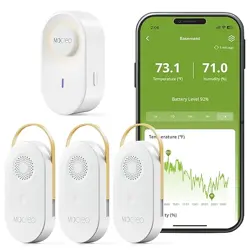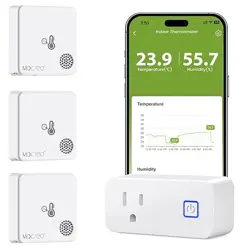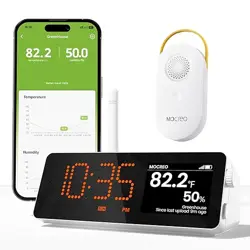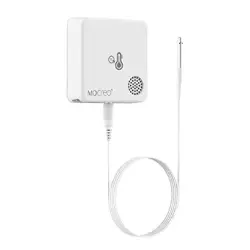
ST9 Thermo-Hygrometer Sensor
User Manual
9
Installation
3. Paste the Sensor Body on the outside of reptile tank
and place the probe inside.
4. Mount the probe away from water jets and try to
avoid liquid condensation on the probe. When there is
condensation on the probe, it will affect the test
accuracy and accurate measurement results can only
be obtained after the condensation has evaporated.
5. Do not immerse the probe in water for a long
period of time as this may shorten its service life.
1. Please place the Hub at a relatively high position.
The suggested distance between the Hub and Sensor
is within 131ft (No obstacles, signal value stronger
than 20% is ideal).
11
Test the Effectve Distance
● Place the paired ST9 Sensor in the location you
environment).
● Poke the Sensor pinhole for 1s and release.
After 20~30 seconds, Tap the corresponding
want to monitor. The suggested distance between
the Hub and Sensor is within 82ft (Household
Sensor card on the App to reach the Sensor
Settings Page and view the signal value, signal
value stronger than 20% is ideal.
10
MOCREO products enjoy a 12-Month limited warranty
(start from the date when customer receives the
product), which applies only to hardware components
of the device that are not subject to accident, misuse,
neglect, fire, or other external causes, alterations,
repair.
Warranty
12
Customer Service
Disclaimer
13
FCC ID (Sensor) : 2A36D-ST4
FCC ID (Hub) : 2A36D-H1
FCC Statement
14
15
These limits are designed to provide reasonable
protection against harmful interference in a residential
installation. This equipment generates uses and can
radiate radio frequency energy, if not installed and
used in accordance with the instructions, may cause
harmful interference to radio communications.
16
(v1.2)
The contents about how to use the product and
the App guidance are only for reference, please
refer to the actual situation for specific application.
If there is something differs from the instruction
during using the product, pease contact MOCREO
Support for updates. This product is for detecting
and monitoring only, MOCREO is not responsible
for any property damage or other consequences of
the use of this product.
This device complies with part 15 of the FCC Rules.
Operation is subject to the following two conditions:
(1) This device may not cause harmful interference.
(2) This device must accept any interference received,
including interference that may cause undesired
operation.
Warning: Changes or modifications not expressly
approved by the party responsible for compliance
could void the user's authority to operate the
equipment.
Note: This equipment has been tested and found to
comply with the limits for a Class B digital device,
pursuant to part 15 of the FCC Rules.
● Reorient or relocate the receiving antenna.
● Increase the separation between the equipment
and receiver.
● Connect the equipment into an outlet on a circuit
different from that to which the receiver is connected.
● Consult the dealer or an experienced radio/TV
technician for help.
However, there is no guarantee that interference
will not occur in a particular installation. If this
equipment does cause harmful interference to radio
or television reception, which can be determined
by turning the equipment off and on, the user is
encouraged to try to correct the interference by one
or more of the following measures:
Search [ MOCREO Sensor ] on YouTube to watch the setup video tutorials.
+1 (530) 988-8608
https://mocreo.com/doc/manual/support/faq.html
MOCREO Sensor
2. Please make sure the sensor probe was inserted
firmly (Note ST9 probe is waterproof but the Sensor
Body is not).
1
Introduction
2
What’s in the Box
Product Parameter
Pin Clip
x1
Adhesive
x1
Micro USB Cable
x1
l
User Mannual
x1
ST9 Thermo-Hygrometer Sensor
User Manua
Sensor Body
x1
3
Specifications
4
Google Play MOCREO AppApp Store
1
Download MOCREO App
4
Sensor Joins the Hub
5
Select the Hub
7
Add the Sensor
6
Poke the Sensor
Setup
6
Note:
● Please make sure the Bluetooth of your mobile
device (smart phone/ tablet) is enabled during the
whole setup process.
● The Bluetooth and GPS can be turned off after
the Sensor setup is completed.
Tap the [+] Button on the upper right of the MOCREO
Home Page and select 'Climate Sensor -ST9' (Please
ensure that the Hub is successfully bound).
Climate Sensor - ST9
Select Product
No paired sensor? Click here.
7
Poke the Sensor pinhole with a pin for 1s and release,
then the indicator light of Sensor will flash (Please
complete this operation within 60 seconds, and you
can add up to 10 Sensors at a time).
8
Select the Sensor you want to add and click on the
"Add Button" (up to 10 Sensors can be added at a
time). When the appears on the Sensor card, it
means the Sensor is successfully added. Please wait
until all Sensors status to become complete.
Add Devices
Add
000030
Mac:30:AE:A4:00:00:30
000034
Mac:30:AE:A4:00:00:34
Add Devices
We are all set!
000030
Mac:30:AE:A4:00:00:30
000034
Mac:30:AE:A4:00:00:34
Wireless Connection
Model
Communication Range
Dimensions
Weight (Including Probe)
Battery (Rechargeable)
Temperature Measuring Rage
Temperature Accuracy
Humidity Measuring Rage
Humidity Accuracy
Bluetooth
ST9
131ft/40m (No Obstacles)
2.4 X 2.4 X0.7inch (L x W x H)
76g
3.7V 1800mAh Lithium Battery
Cable Length
±0.5°F/0.3°C(Typ.)
0 ~ 100%RH (No Condensation)
1.5m
-40°F~221°F(-40°C~105°C)
±3%RH (Typ.)
Select the Hub
Unnamed
MC90380C629088
1.5m Sensor Probe
x1
● MOCREO ST9 Thermo-Hygrometer Sensor can
detect and record ambient temperature and
humidity in real-time.
● Detectable Temperature Range: -40°F ~ 221°F.
● Detectable Humidity Range: 0~100%RH.
● Three Alarm Methods: E-Mail Alert, App Push
Notification, Hub Beeping.
● The ST9 Thermo-Hygrometer Sensor uses IP67
waterproof probe, making it undisturbed in humid
environments and delivering reliable measurements
(Note: Sensor body is not waterproof).
Search “MOCREO Sensor” on Google Play/App
Store or scan the QR Code below to download
the MOCREO Sensor App and register a MOCREO
account on the App Before adding Sensors, Please
ensure that the Hub is successfully bound. If you
have not setup a Hub, please consult the Hub
Manual or ST9 Temperature Sensors Kit Manual
to setup the Hub.
1s
2
Setup Tutorial
3
Turn on the Bluetooth
5
Make sure the Bluetooth is ON during the whole
setup process.
Please scan the QR code below to watch the setup
turorial.
6. The working temperature range of the Sensor is
this range, the data monitored might be inaccurate
from -40°F to +221°F (-40°C to +105°C). When
exceedin of the device that are not subject to accident,
misuse, or the Sensor might be damaged.
5V 1A
Charging Port
Setup
pinhole
Indicator Light
(Built in)
3.5mm
Probe Port
N/A