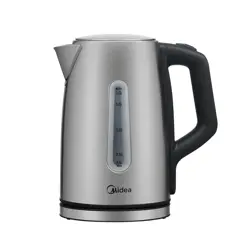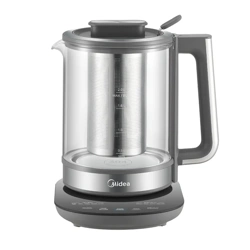
MKT200DTDGS
USER MANUAL
ELECTRIC KETTLE
Warning: Before using this product, please read this manual carefully and keep it for future reference.
The design and specifications are subject to change without prior notice for product improvement.
Consult with your dealer or manufacturer for details.
All diagrams in this manual are for illustration purposes only. The appearance of your actual product
may vary.

THANK YOU LETTER
Thank you for choosing Midea! Before using your new Midea product, please read
this manual thoroughly to ensure that you know how to operate the features and
functions that your new appliance offers in a safe way.
01
CONTENTS
02
05
06
07
31
31
SAFETY INSTRUCTIONS
SPECIFICATIONS
PRODUCT OVERVIEW
OPERATING INSTRUCTIONS
CLEANING AND MAINTENANCE
TRADEMARKS, COPYRIGHTS AND LEGAL STATEMENT
41
DATA PROTECTION NOTICE
11
TROUBLESHOOTING
21
1 YEAR LIMITED WARRANTY
02
Danger
This symbol indicates that there are dangers to the life and health of
persons due to extremely flammable gas.
Warning of electrical voltage
This symbol indicates that there is a danger to life and health of
persons due to voltage.
Warning
This symbol indicates a hazard with a medium level of risk which, if
not avoided, may result in death or serious injury.
Caution
This symbol indicates a hazard with a low degree of risk which, if
not avoided, may result in minor or moderate injury.
Attention
This symbol indicates important information (e.g. damage to
property), but not danger.
Observe instructions
This symbol indicates that a service technician should only operate and
maintain this appliance in accordance with the operating instructions.
The following safety guidelines are intended to prevent unforeseen risks or damage from
unsafe or incorrect operation of the appliance. Please check the packaging and appliance
on arrival to make sure everything is intact to ensure safe operation. If you find any
damage, please contact the retailer or dealer.
Read these operating instructions carefully and attentively before using the kettle and
keep them nearby for later use.
Intended Use
Explanation of Symbols
SAFETY INSTRUCTIONS
Please note modifications or alterations to the appliance are not allowed for your safety.
Unintended use may cause hazards and loss of warranty claims.

IMPORTANT SAFEGUARDS
When using electrical appliances, basic safety
precautions should always be followed, including the
following:
Read all instructions.
Do not operate any appliance with a damaged cord
or plug or after the appliance malfunctions or has
been damaged in any manner. Return the appliance to
the nearest authorized service facility for examination,
repair, or adjustment.
To protect against fire, electrical shock and injury to
persons, do not immerse the cord, plugs, or base in
water or other liquid.
Do not touch hot surfaces. Use handles or knobs.
Scalding may occur if the lid is removed during the
brewing cycles.
Do not use outdoors. This appliance is for household
Close supervision is necessary when any appliance is
used by or near children.
This appliance is not intended for use by persons
(including children) with reduced physical, sensory
or mental capabilities, or lack of experience and
knowledge, unless they have been given supervision or
instruction concerning use of the appliance by a person
responsible for their safety.
Children should be supervised to ensure that they do
not play with the appliance.
The appliance is only to be used with the stand
provided.
IMPORTANT
IMPORTANT
IMPORTANT
03
IMPORTANT
IMPORTANT
IMPORTANT
use only.
SAFEGU
CAUTION: Ensure that the appliance is switched off
or unplugged before removing it from its stand.
Warning: Do not spill water or any other liquid on the
stand connector.
Do not use the appliance for other than intended use.
Unplug the kettle from outlet when not in use and before
cleaning. Allow the kettle to cool before putting on or
taking off parts, and before cleaning the appliance.
The use of accessory attachments not recommended
by the appliance manufacturer may cause injuries.
Do not let the power cord touch hot surfaces or hang
over the edge of the table or counter.
Do not place on or near a hot gas or electric burner, or
in a heated oven.
The appliance is only to be used with the stand provided.
SAFEGU
SAVE THESE IN
SAFEGU
SAVE THESE IN
SAVE THESE IN
SAVE THESE IN
04
ANT ANT
ANT ANT ANT ANT
WARNING: avoid spillage on the stand connector.
Do not open the lid during a heating cycle.
Heating element surface is subject to residual
heat after use.
Heating element surface is subject to residual heat after
use.
WARNING: Do not remove the lid while the water
is boiling.
CAUTION: Position the lid so that steam is directed
away from the handle.
- Do not pour any beverage powders into the kettle.
If using a beverage powder (such as hot chocolate mix
or powdered formula), heat only water in the kettle and
mix the hot water and powder in a separate container.
If the kettle is overfilled, boiling water may be ejected.

SPECIFICATIONS
MKT200DTDGSProduct Model
Rated voltage
Rated frequency
Rated power
120V~
60Hz
1500W
Rated frequency
60Hz
Rated frequency
60Hz
Rated Capacity
2.0L
05
SAFEGU
SAVE THESE IN
SAFEGU
SAVE THESE IN
SAFEGU
SAVE THESE IN
SAVE THESE IN
SAVE THESE IN
SAFEGU
VE THESE IN
SAFEGU
VE THESE IN
SAFEGU
VE THESE IN
VE THESE IN
VE THESE IN
VE THESE IN
VE THESE IN
VE THESE IN
Power cord requirements:
a) A short power-supply cord is provided to reduce
risks resulting from becoming entangled in or tripping
overa longer cord.
b) Extension cords are available and may be used if
care is exercised in their use.
c) If an extension cord is used:
1) The marked electrical rating of the detachable
power-supply cord or extension cord should be at least
as great as the electrical rating of the appliance.
2) If the appliance is grounded, the extension cord
should be a grounding-type 3-wire cord.
3) The longer cord should be arranged so that it will not
drape over the counter top or table top where it can be
pulled on by children or tripped over.
SAVE THESE INSTRUCTIONS
ARDSARDS
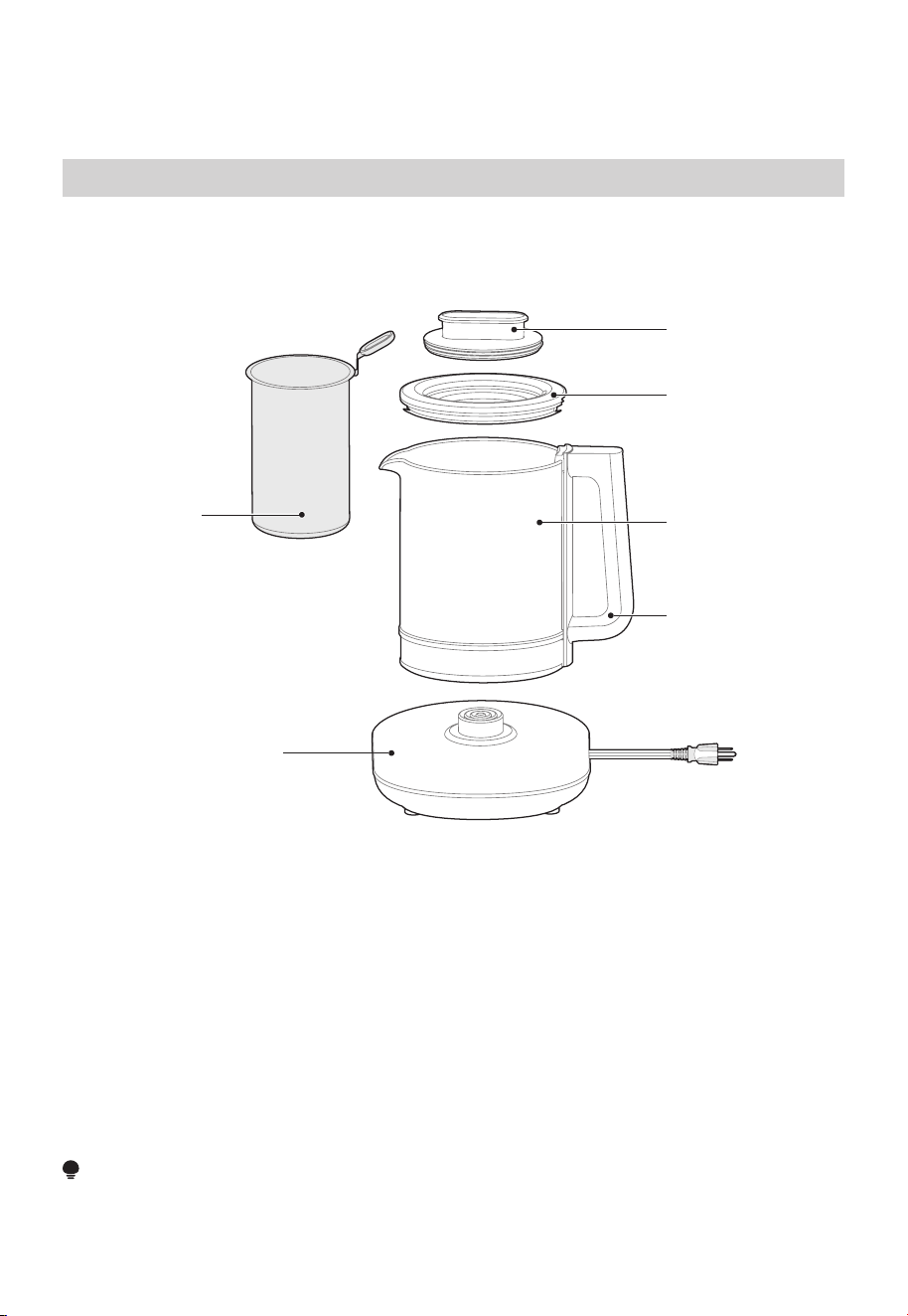
Parts and Features
Lid
Tea Basket
Sealing Ring
Glass jar
Handle
Base
ARDS
PRODUCT OVERVIEW
Part Name
NOTE
All diagrams in this manual are for illustration purposes only. The appearance of your
actual product may vary.
06
S
ARDSARDSARDS
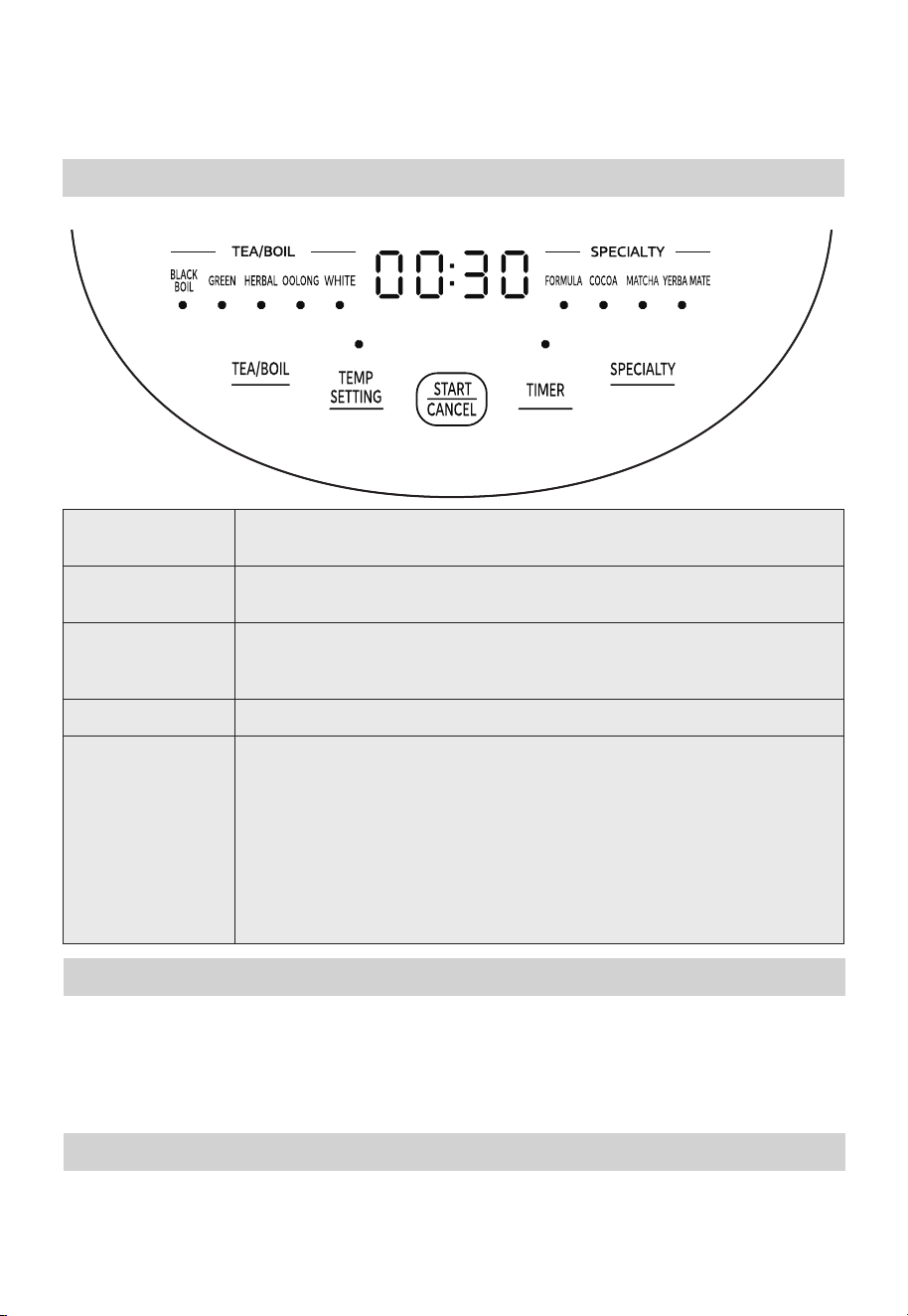
TEA/BOIL
Press to cycle through the available tea or boil settings:
BLACK/BOIL, GREEN, HERBAL, OOLONG and WHITE.
SPECIALTY
Press to cycle through the available specialty beverage settings:
FORMULA, COCOA, MATCHA, and YERBA MATE.
TEMP SETTING
After selecting a Tea/Boil or Specialty setting, press Temp
Setting to cycle through the three available temperature settings
for your selected beverage.
START/CANCEL
Press to start or cancel the heating process.
TIMER
After selecting a Tea/Boil or Specialty Setting, press the
【TIMER】button to set the countdown time within the range of
30 minutes to 24 hours. The kettle will begin heating after the
countdown time has passed.
Press and hold the【TIMER】button to quickly adjust the
countdown time.
After setting the Timer, press the【START/CANCEL】button. The
remaining time will display on the control panel. Once the Timer
reaches 0:00, the kettle will automatically begin heating.
OPERATING INSTRUCTIONS
Control Panel
07
STANDBY
If there is no operation while the kettle is in standby mode, it will beep and the display
will go dark. Press any key to return to standby mode and display the current water
temperature.
When the kettle is powered on, there will be a long beep and all indicator lights will flash
once. Press any button to display the current water temperature. The kettle is now in
standby mode.
KEEP WARM MODE
Keep Warm mode will maintain a temperature of 122°F for 12 hours. During Keep Warm
mode, you may hear an occasional clicking sound. To exit Keep Warm mode, press
Start/Cancel.

08
STRUCTIONSSTRUCTIONSSTRUCTIONSSTRUCTIONSSTRUCTIONS
212°F. The kettle will stop heating
BLACK/BOIL 212°F
The default temperature for the BLACK/BOlL setting is 212°F. The kettle will stop
heating once the target temperature is reached, then enters Keep Warm mode to
maintain a temperature of 122°F for 12 hours.
The default temperature for the COCOA setting is 140°F. The kettle will stop heating
once the target temperature is reached, then enters Keep Warm mode to maintain a
temperature of 122°F for 12 hours.
The default temperature for GREEN is 175°F. The kettle will stop heating once the target
temperature is reached, then enters Keep Warm mode to maintain a temperature of
122°F for 12 hours.
GREEN 175°F
The default temperature for the HERBAL setting is 210°F. The kettle will stop heating
once the target temperature is reached, then enters Keep Warm mode to maintain a
temperature of 122°F for 12 hours.
HERBAL 210°F
The default temperature for the OOLONG setting is 195°F. The kettle will stop heating
once the target temperature is reached, then enters Keep Warm mode to maintain a
temperature of 122°F for 12 hours.
OOLONG 195°F
The default temperature for the WHITE setting is 185°F. The kettle will stop heating once
the target temperature is reached, then enters Keep Warm mode to maintain a
temperature of 122°F for 12 hours.
WHITE 185°F
The default temperature for the FORMULA setting is 104°F. The kettle will stop heating
once the target temperature is reached, then enters Keep Warm mode to maintain a
temperature of 104°F for 12 hours.
FORMULA 104°F
COCOA 140°F
The default temperature for the MATCHA setting is 160°F. The kettle will stop heating
once the target temperature is reached, then enters Keep Warm mode to maintain a
temperature of 122°F for 12 hours.
MATCHA 160°F
The default temperature for the YERBA MATE setting is 185°F. The kettle will stop
heating once the target temperature is reached, then enters Keep Warm mode to
maintain a temperature of 122°F for 12 hours.
YERBA MATE 185°F
If the kettle is dry, the boil dry protection function will automatically stop any heating to
prevent the electric kettle from being damaged.
If the boil dry protection triggers, unplug the power cord from the outlet and wait about
10 minutes for the kettle to cool down naturally.
Do not use cold water to cool the kettle down, as that could reduce the service life of the
heating system.
BOIL DRY PROTECTION
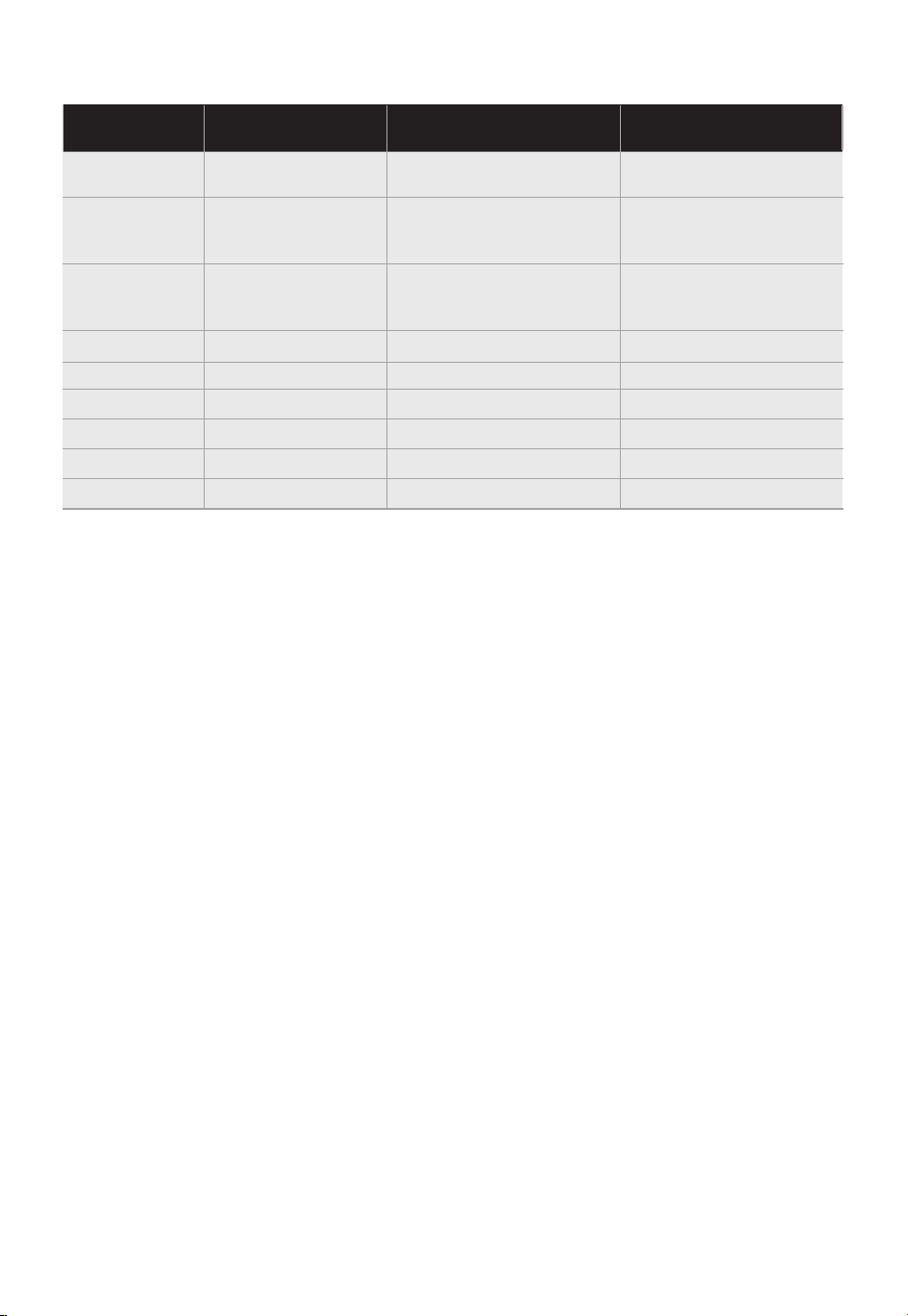
Tea recommendations
Preset
Default Tempera-
ture
Recommended Drink
Types
Temp Setting Range
for Beverage
BLACK/BOIL 212°F
Black Tea with Milk
Pu'erh
For Black tea
195°F-205°F-212°F
GREEN 175°F
Sencha
Gyokuro
Jasmine
160°F-165°F-175°F
HERBAL 210°F
Fruit Teas
Rooibos
Peppermint
195°F -205°F -210°F
195°F Most Oolong Teas 185°F-195°F-205°F
WHITE 185°F Most White Teas 175°F-185°F-195°F
FORMULA 104°F 104°F-115°F-120°F
COCOA 140°F 140°F-150°F-160°F
MATCHA 160°F 160°F-170°F-180°F
YERBA MATE 185°F 175°F-185°F-195°F
This table includes recommended guidelines. The ideal temperature ranges may
vary according to personal preference. Experiment with your favorite tea and adjust
temperature and steep times to suit your taste.
09
NOTE:
OOLONG
Automatic Boiling Point Detection
• When this kettle is used for the first time, it will automatically detect and record the
boiling point for the area where it was used. The time needed to boil water may be slightly
longer during first use. After first use, the boiling time will return to normal.
• When using this kettle to boil water for the first time, we recommend using 1.2L of water
to avoid splashing hot water during boiling point detection.
• If this product is moved from a high-altitude to a low-altitude area, please complete a
BLACK/BOIL function to detect and reset the boiling point of the new area. If the boiling
point is not reset, the water may not boil correctly.
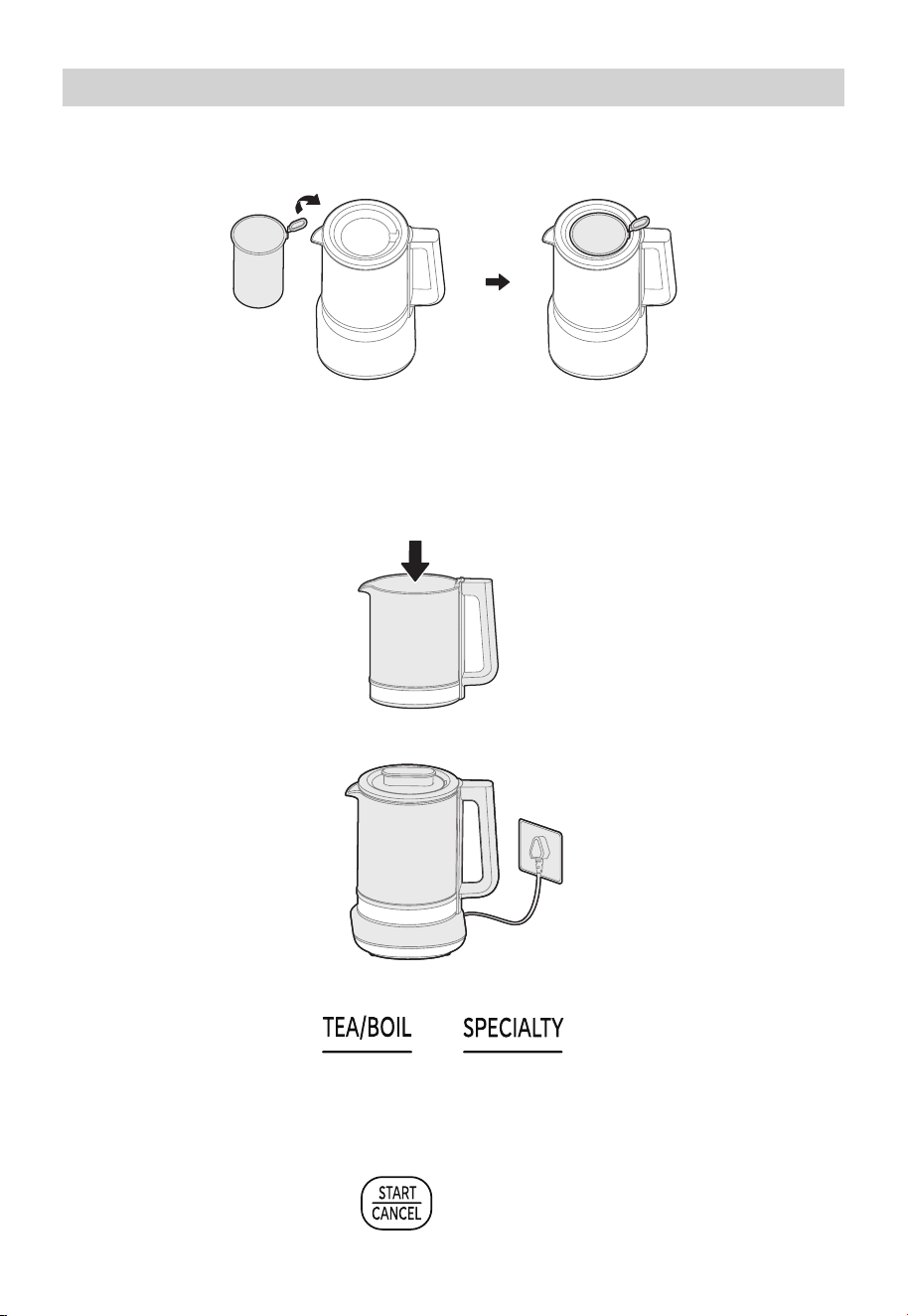
Place the tea basket into the sealing ring. The tea basket handle should fit into the groove
on the inside of the sealing ring.
Operation Instructions
Installing the Tea Basket
1 0
4. OPTIONAL: Change the Temperature or Timer settings.
Temperature Setting: Press the Temp Setting button to cycle through three different
temperature settings.
Timer Setting: Press the Timer Setting button to increase the countdown time in
half-hour increments. The kettle will not begin heating until the countdown time has
passed.
2. Place the kettle body on the power base, close the kettle lid, and plug in the power
base. Do not open the lid during a heating cycle.
3. Press any key to enter standby mode, then press the [TEA/BOIL] or
[SPEClALTY] button to select a brewing function.
1. Open the lid and fill the kettle with fresh water. Keep the water level between the MIN
IM
PORTANT: This kettle is designed to heat water or brew tea from tea leaves. If you
Heating water
0.5 L fill level and MAX 2.0 L fill level. Make sure the water level is between the MIN
and MAX marks with or without the tea basket installed.
are using a beverage powder (such as hot chocolate mix), please heat only water
in the kettle, then mix the hot water and powder in a separate container.
5.
Press Start/Cancel to begin.
1 1
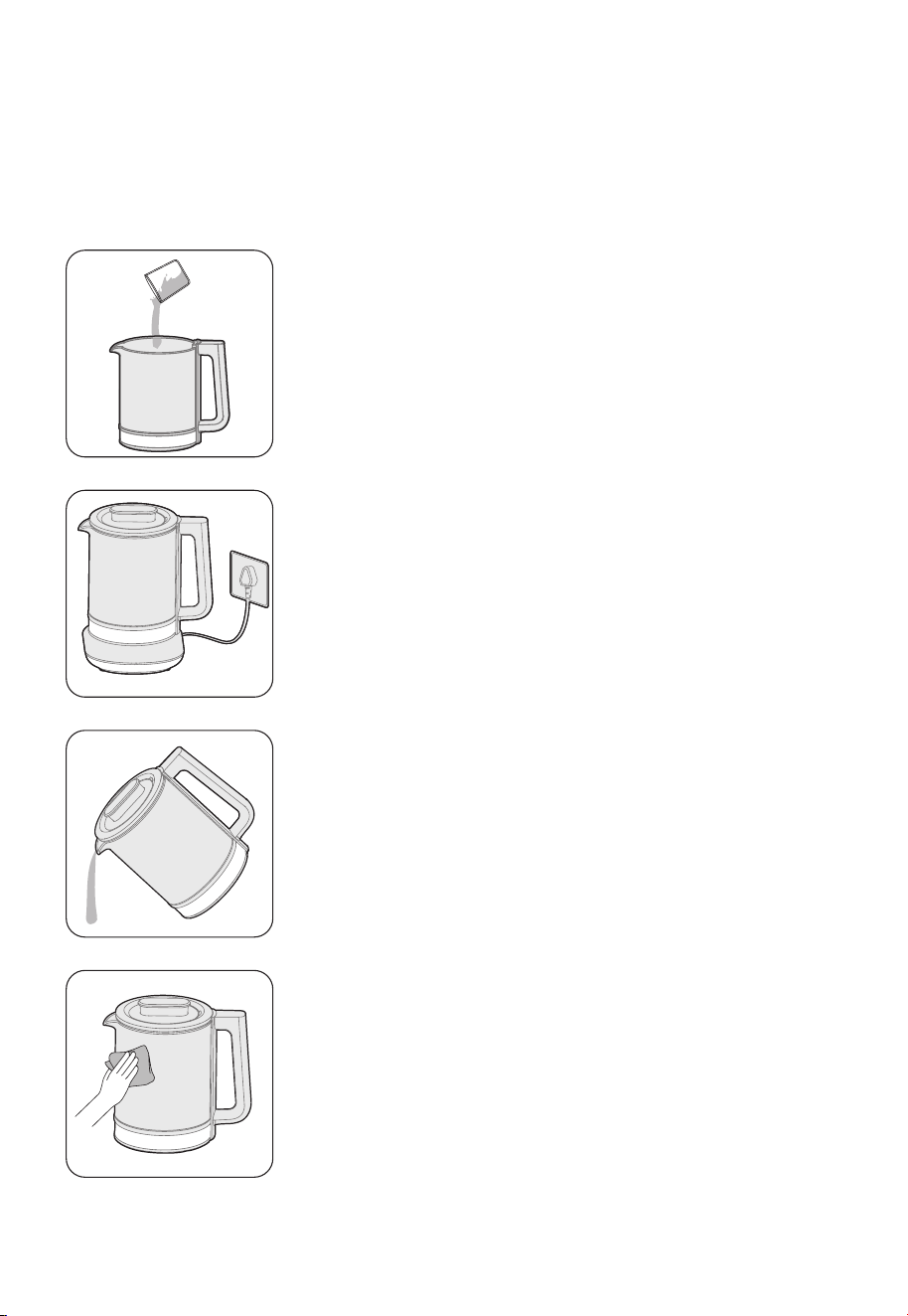
1. Remove the kettle from the base and remove the
tea basket. Add a descaling agent and clean water
to the kettle. The water level should be between
the MIN and MAX marks (0.5-2.0 L).
2. Close the lid and return the kettle to the base.
Plug in the base and press the [TEA/BOIL], then
select [BLACK/BOIL] to boil.
3. Let the solution stand for at least 60 minutes,
then discard the descaling agent solution.
4. Rinse the inner pot with clean water, then wipe it
dry with a clean, soft cloth.
Cleaning the Tea Basket
CLEANING AND MAINTENANCE
The tea basket can be cleaned in the dishwasher or hand-washed with regular
dish detergent.
1 2
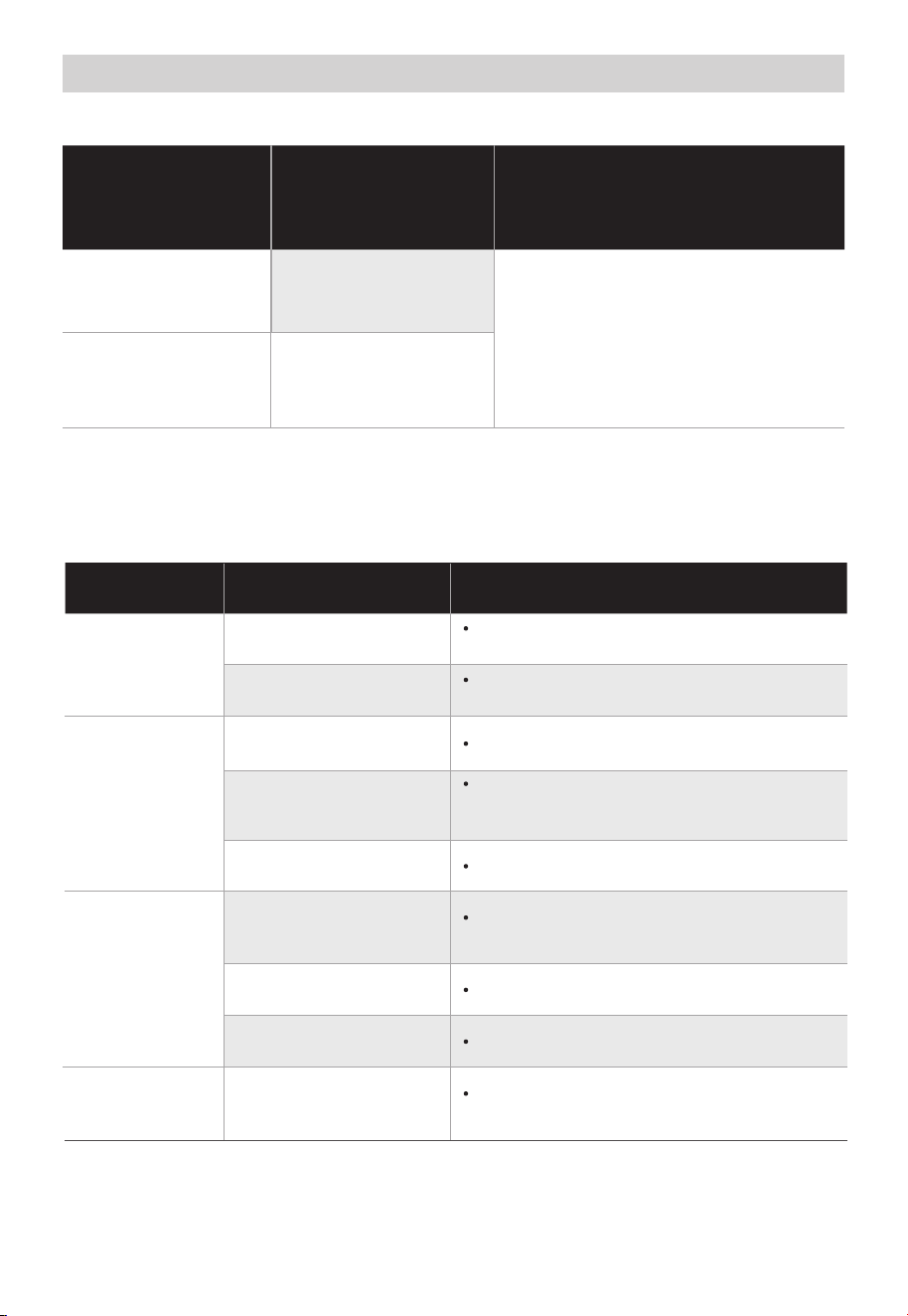
Error Codes
When the display panel displays an error code, use the above table to identify
and address the issue. If the problem cannot be resolved, contact Midea
customer service for assistance.
Service guide
Possible causes
Solutions
C1
Sensor overheat
protection
Disconnect the power, check
that the settings are correct,
then wait for a while before
powering the kettle on and using
it again. If the problem persists,
please contact Midea customer
service.
E2
Sensor short-circuit
protection
Error code on
display panel
If you are experiencing any issues with your product, please check the above
table for potential solutions before calling for service. Call 1-866-646-4332 or
visit https://www.midea.com/us/Support.
TROUBLESHOOTING
Problem Possible causes Solutions
Indicator lights
are off
The plug is not
plugged in properly
Check that the power plug is properly
inserted.
Lighting wire fault
Contact Midea customer service for
maintenance.
The kettle
does not
heat
There is no brewing
function selected
Select a function.
The product is in Timer
Countdown mode.
This is normal. Wait for the timer to
count down or press Start/Cancel and
select the function again.
Appliance breakdown
Contact Midea customer service.
No response
after pressing
buttons
The machine is
currently operating a
brewing program
This is normal. Press Start/Cancel to
cancel the brewing program.
There is water on the
operation panel
Wipe the operation panel dry.
Appliance breakdown
Contact Midea customer service.
Kettle making
clicking sound
Exit Keep Warm mode to stop the
sound.
This is normal when the
kettle is in Keep Warm
mode.

1 3
The logo, word marks, trade name, trade dress and all versions there of are
trademarks, copyrights and other intellectual property rights, and all goodwill derived
valuable assets of Midea Group and/or its affiliates (“Midea”), to which Midea owns
from using any part of an Midea trademark. Use of Midea trademark for commercial
purposes without the prior written consent of Midea may constitute trademark
infringement or unfair competition in violation of relevant laws.
This manual is created by Midea and Midea reserves all copyrights thereof. No entity or
individual may use, duplicate, modify, distribute in whole or in part this manual, or
bundle or sell with other products without the prior written consent of Midea.
All the described functions and instructions were up to date at the time of printing this
manual. However, the actual product may vary due to improved functions and designs.
TRADEMARKS, COPYRIGHTS
AND LEGAL STATEMENT
DATA PROTECTION NOTICE
For the provision of the services agreed with the customer,
we agree to comply without restriction with all stipulations of applicable data protection
law, in line with agreed countries within which services to the customer will be delivered,
as well as, where applicable, the EU General Data Protection Regulation (GDPR).
Generally, our data processing is to fulfil our obligation under contract with you and for
product safety reasons, to safeguard your rights in connection with warranty and
product registration questions. In some cases, but only if appropriate data protection is
ensured, personal data might be transferred to recipients located outside of the
European Economic Area.
Further information are provided on request. You can contact our Data Protection
Officer via [email protected]. To exercise your rights such as right to object your
personal date being processed for direct marketing purposes, please contact us via

1 YEAR LIMITED WARRANTY
This is the only express warranty for this product and is in lieu of any other warranty or
condition. This product is warranted to be (1) year from the date of original purchase.
During this period, your exclusive remedy is repair or replacement of this product or any
component found to be defective, at our option; however, you are responsible for all
costs associated with returning the product to us and our returning the product or
component under this warranty to you. If the product or component is no longer
available, we will replace with a similar one of equal or greater value. This warranty does
not cover wear from normal use, and damages to the product resulting from accident,
alteration, abuse, or misuse. This warranty extends only to the original consumer
purchaser or gift recipient. Keep the original sales. This warranty is void if products is
used for other than single family household use or subjected to any voltage and
waveform. We exclude all claims for special, incidental, and consequential damages by
breach of express or implied warranty. All liability is limited to amount of the purchase
price. Every implied warranty, including any statutory warranty or condition of
merchantability prohibited by law, in which case such warranty or condition is limited to
the duration of this written warranty. Legal rights that vary depending on where you live.
Some states or provinces do not allow limitations on implied warranties or special,
incidental consequential damages, so the foregoing limitations may not apply to you.
Please note that failure to complete and submit this form does not diminish your
warranty.
In the event of a warranty period claim, question, comments or if service is required for
this product, please contact the Customer Service Center:
1-866-646-4332
Business Hours
Mon - Fri: 8am - 7pm (EST)
Sat: 9am - 4pm (EST)
Note: Contact the Customer Service Center to order replacement parts.
1 4
Midea America Corp.
300 Kimball Drive Parsippany, NJ 07054