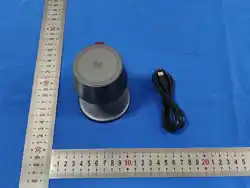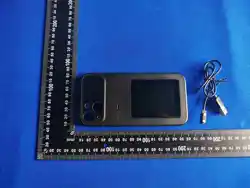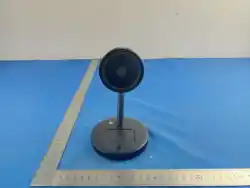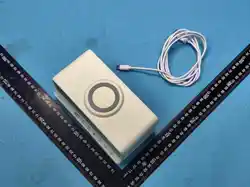
产品规格
USB输入: 5V 3A 9V 3A
手机输出: 15W(最大)
耳机输出: 5W(最大)
手表输出: 3W(最大)
眼镜输出: 5W(最大)
眼镜盒输出: 5W(最大)
手机充电距离: ≤4MM
材质: ABS+PC
五合一
磁吸无线充电器
使用说明书
User Manual
尺寸:60x90mm
材质:105G铜板纸
折叠:风琴折
正反面四色印刷
Compatible Devices
Warnings
1. Input Compatibility: Compatible with QC 2.0/3.0, PD
3.0, and other fast charging protocols.
2. Power Adapter Requirement: Do not use a charger with
an output rating lower than 5V/3A. Insufficient power may
cause failure to charge multiple devices simultaneously or
intermittent charging. It is recommended to use an
adapter with an output of 5V/3A, 9V/3A, or higher.
3. Device-Specific Maximum Charging Power: iPhone
12–17 series supports up to 7.5W; Samsung phones
support up to 10W; Google phones, general Android
models, and Huawei phones support up to 15W.
4. Non-Magnetic Phones: For non-magnetic phones,
please attach a magnetic ring before using this product.
5. Physical Handling: Do not excessively squeeze or
impact the device.
6. Magnetic Cards: Keep ID cards, bank cards, and other
magnetic cards with strips or chips away from the phone
5in1
Charger Station
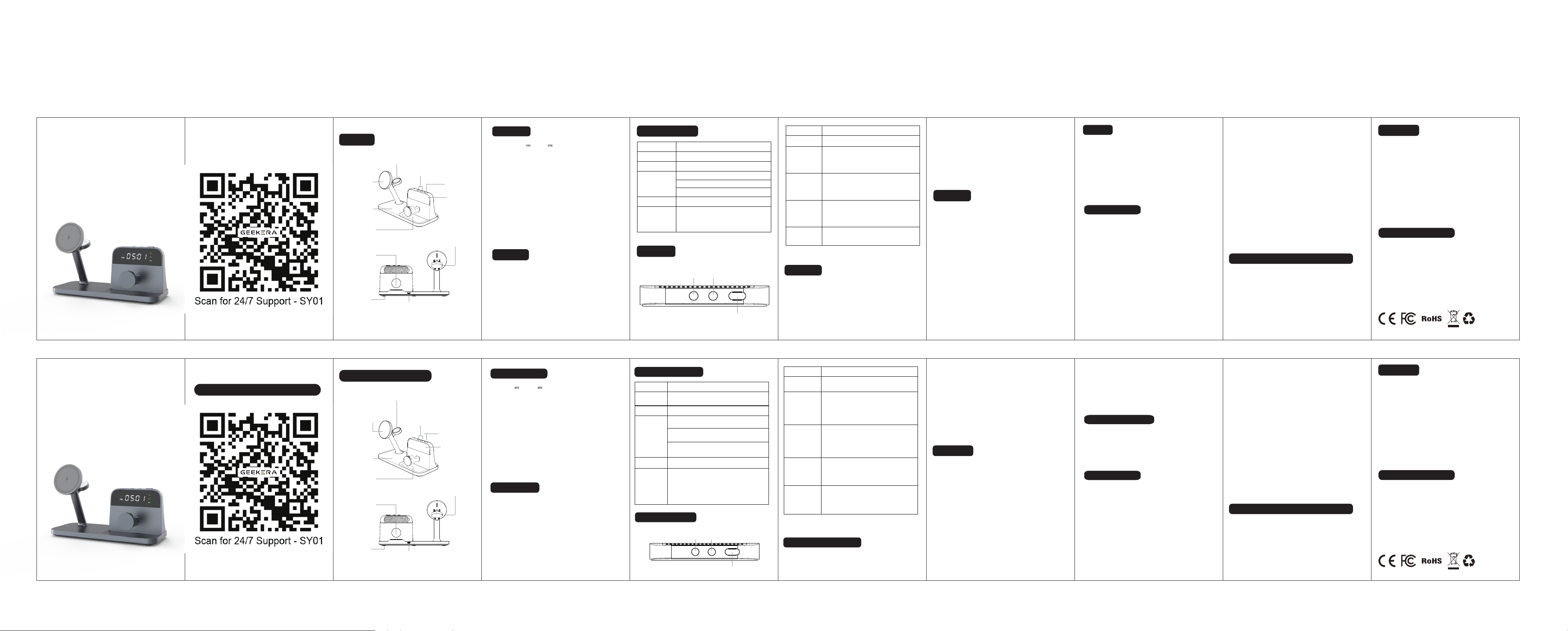
功能组件
1. 接通电源,给产品通电。
2. 将手机/手表/耳机/眼镜/眼镜盒放到对应的充
电位置,均正常充电。
使用步骤
注意事项
LED 智能指示灯
按键操控
1. 输入兼容:QC 2.0/3.0、PD 3.0等快充协议
2. 请勿使用输出规格低于5V/3A的充电头,功率不足
会出现无法同时充电或断充问题,建议搭配5V/3A
9V/3A 以上规格适配器进行供电。
3. iPhone 12-17系列最大充电功率7.5W;三星手机
最大充电功率10W;谷歌手机、安卓通用机型、华为
手机最高支持15W。
4. 非磁吸手机,请加装引磁环后再使用本产品。
5. 请勿过度挤压、撞击本设备。
6. 请勿将身份证、银行卡等带磁条/芯片的磁卡靠近
手机充电区域,避免磁卡消磁失效。
7. 充电区域严禁放置金属异物;手机请勿使用全包
金属壳、内置金属配件的保护壳,金属材质会阻隔
无线充电信号,造成充电异常、无法充电。
适用设备
1. 智能手机:iPhone 12~17全系列。(三星手机、谷
歌手机、通用安卓手机、华为手机需自带无线充电功
能方可使用,并佩戴磁吸手机壳)
2. 智能手表:Apple Watch全系列,支持无线磁吸充
电
3. 智能耳机: AirPods 3 MagSafe 版、AirPods Pro
手机无线
充电区域
耳机无线
充电区域
手表无线
充电区域
手表无线
充电区域
眼镜充电位
眼镜盒充电位
USB-C接口
加减按键
“-”按键 “+”按键
功能按键
功能按键
显示屏
防滑垫
模式
通电 时钟常亮,充电指示灯5S熄灭
功能
双击功能键
12、24小时制切换
(12小时制显示AM或PM,
两个都不显示是24小时制)
关闭/打开显示屏
(关屏后时钟功能正常)
长按2S
功能键
*注: 断电后时钟复位需重新设置时间
*Note: Clock resets after power cut, please reset
time again.
单击功能键
分钟数字个位闪烁,单击“+-”键
调整数字,可长按快速调整数字,
确认数字后再次单击进入时钟调整
单击功能键
两次
时钟数字个位闪烁,单击“+-”键
调整数字,可长按快速调整数字,
确认数字后再次单击保存时间
模式
通电
待机
充电
检测到异物
时钟常亮,充电指示灯5S熄灭
时钟常亮
手机充电指示灯常亮5秒熄灭
无
眼镜充电指示灯常亮5秒熄灭
眼镜盒充电指示灯常亮5秒熄灭
手机充电位指示灯闪烁提醒,
耳机手表无指示灯
(眼镜+眼镜盒无此功能)
屏幕指示灯
充满
Touch Buttons
Mode Functions
Mode
Powered
Standby
Wireless
Charging
FOD
Full Charged
Magnetic Phone
Charging Pad
Anti-Slip Mat
USB-C Power Input Port
1 × 5-in-1 Magnetic Wireless Charger
1 × QC3.0 Power Adapter
1 × USB-C Charging Cable
2 × Power Conversion Plugs
1 × User Manual
Input: 5V 2A 9V 2A
Phone Output: 15W (Max)
Earbuds Output: 5W (Max)
Watch Output: 3W (Max)
Glasses Output: 5W (Max)
Glasses Case Output: 5W (Max)
Phone Charging Distance:≤4MM
Materials: ABS+PC
1. Connect the charger to power outlet.
2. Put devices on matched slots, auto charging
starts.
1. Smartphones: iPhone 12–17 full series. (Samsung,
Google, general Android, and Huawei phones must have
built-in wireless charging capability and be used with a
magnetic phone case.)
Glasses Case
Charging Slot
Smart Glasses
Charging Slot
Time Adjust
Buttons (+/-)
Mode & Time
Setting Button
Digital Clock
Display
Powered
Clock turned on; Light turns off after
5 seconds.
Double-click
the function
button
12/24-Hour Mode Switch
(In 12-hour mode, "AM" or "PM" is
shown; when neither appears, the
clock is in 24-hour mode.)
Press and hold
the function
button for
2 seconds.
Long press: Turn screen on/off.
Clock keeps working.
Press the
function
button once.
The units digit of the minutes flashes.
Press "+" or "‒" to adjust the number
(long press for fast adjustment). Press
the function button again to enter clock
adjustment.
Press the
function
button twice.
The units digit of the hour flashes.
Press "+" or "‒" to adjust the number
(long press for fast adjustment). Press
the function button again to save the
time.
Clock turned on; Light turns off after
5 seconds.
Clock always on
Phone charging indicator lights up for
5 seconds then turns off.
Smart glasses charging indicator lights
up for 5 seconds then turns off.
Smart glasses case charging indicator
lights up for 5 seconds then turns off.
Charging indicator on the phone
charging pad blinks as a reminder.
No indicators for earbuds or watch.
(Not available for glasses or glasses
case.)
Screen Indicator Light
No light when fully charged
Product Specs
Package Contents
FCC Statement
How to Use
LED Status Light
有问题请联系我们!
Functional component
“-”Button “+”Button
Function Button
For questions, please contact us
Warranty
Warranty
After-Sales Service
The warranty period of this product is 24 months. From the
date of purchase, you'll enjoy a free warranty within the
warranty period with valid documents.
Note:
The following conditions are not covered by the warranty:
1. Unable to provide formal purchase certificate.
2. Damage caused by man-made or irresistible factors.
3. Accidental damage. (Misuse, abuse or neglect)
4. lmproper repair or alteration by unauthorized persons.
5. Operation without following the manual's instructions.
* The company reserves the right to make the final
interpretation of the above-mentioned after-sales terms and
restrictions.
If you have any questions or concerns, feel free to contact
us via Amazon:
1. Go to your "Orders".
2. Find your order in the list.
3. Click "Get help with order".
4. Select the problem with your order.
5. Choose the "Subject" from the displayed list.
6. Contact the seller.
This device complies with Part 15 of the FCC rules.
Operation is subject to the following two conditions: 1)
this device may not cause harmful interference, and 2)
this device must accept any interference received,
including interference that may cause undesired
operation.
Note: This equipment has been tested and found to
comply with the limits for a Class B digital device,
pursuant to part 15 of the FCC Rules. These limits are
designed to provide reasonable protection against
harmful interference in a residential installation.This
equipment generates uses and can radiate radio
Made in China
frequency energy and, if not installed and used in
accordance with the instructions, may cause harmful
interference to radio communications. However, there is
no guarantee that interference will not occur in particular
installation. If this equipment does cause harmful
interference to radio or television reception, which can be
determined by turning the equipment off and on, the user
is encouraged to try to correct the interference by one or
more of the following measures:
--Reorient or relocate the receiving antenna.
--Increase the separation between the equipment and
receiver.
--Connect the equipment into an outlet on a circuit
different from that to which the receiver is connected.
--Consult the dealer or an experienced radio/TV
technician for help.
Changes or modifications not expressly approved by the
party responsible for compliance could void the user’s
authority to operate the equipment.
FCC Radiation Exposure Statement
This device complies with FCC RF radiation exposure
limits set forth for an uncontrolled environment. This
transmitter must not be co-located or operating in
conjunction with any other antenna or transmitter.
This device must operate with a minimum distance of
20cm between the radiator and user body.
FCC Statement
After-Sales Service
The warranty period of this product is 24 months. From the
date of purchase, you'll enjoy a free warranty within the
warranty period with valid documents.
Note:
The following conditions are not covered by the warranty:
1. Unable to provide formal purchase certificate.
2. Damage caused by man-made or irresistible factors.
3. Accidental damage. (Misuse, abuse or neglect)
4. lmproper repair or alteration by unauthorized persons.
5. Operation without following the manual's instructions.
* The company reserves the right to make the final
interpretation of the above-mentioned after-sales terms and
restrictions.
If you have any questions or concerns, feel free to contact
us via Amazon:
1. Go to your "Orders".
2. Find your order in the list.
3. Click "Get help with order".
4. Select the problem with your order.
5. Choose the "Subject" from the displayed list.
6. Contact the seller.
This device complies with Part 15 of the FCC rules.
Operation is subject to the following two conditions: 1)
this device may not cause harmful interference, and 2)
this device must accept any interference received,
including interference that may cause undesired
operation.
Note: This equipment has been tested and found to
comply with the limits for a Class B digital device,
pursuant to part 15 of the FCC Rules. These limits are
designed to provide reasonable protection against
harmful interference in a residential installation.This
equipment generates uses and can radiate radio
frequency energy and, if not installed and used in
accordance with the instructions, may cause harmful
interference to radio communications. However, there is
Made in China
no guarantee that interference will not occur in particular
installation. If this equipment does cause harmful
interference to radio or television reception, which can be
determined by turning the equipment off and on, the user
is encouraged to try to correct the interference by one or
more of the following measures:
--Reorient or relocate the receiving antenna.
--Increase the separation between the equipment and
receiver.
--Connect the equipment into an outlet on a circuit
different from that to which the receiver is connected.
--Consult the dealer or an experienced radio/TV
technician for help.
Changes or modifications not expressly approved by the
party responsible for compliance could void the user’s
authority to operate the equipment.
FCC Radiation Exposure Statement
This device complies with FCC RF radiation exposure
limits set forth for an uncontrolled environment. This
transmitter must not be co-located or operating in
conjunction with any other antenna or transmitter.
This device must operate with a minimum distance of
20cm between the radiator and user body.
charging area to avoid demagnetization or damage.
7. Metal Objects & Cases: Do not place metal objects on
the charging area. Do not use fully enclosed metal phone
cases or cases with built-in metal components, as metal
may block wireless transmission and cause charging
errors or failure
五合一磁吸无线充电器*1
USB-C 充电线*1
适配器*1
眼镜盒充头*2
说明书*1
包 装
Earbuds
Charging Pad
Watch Charging Pad
Watch
Charging Pad
2,AirPods Pro 3,AirPods 2 (无线充电盒款)、三星耳
机,以及所有搭载Qi无线充电盒的蓝牙耳机均可充
电使用
4. 雷朋智能眼镜:Ray-Ban Meta Wayfarer/Sky-
ler/Headliner。(不包含:Oakley/Blayzer/Display)
5. 眼镜盒:Ray-Ban Meta Wayfarer/Skyler/Head-
liner 眼镜盒。
2. Smartwatches: Apple Watch full series, supporting
wireless magnetic charging.
3. Wireless Earbuds: AirPods 3 MagSafe version, AirPods
Pro 2, AirPods Pro 3, AirPods 2 (wireless charging case
version), Samsung earbuds, and all Bluetooth earbuds
with a Qi-compatible wireless charging case.
4. Ray-Ban Smart Glasses: Ray-Ban Meta Wayfarer /
Skyler / Headliner. (Not compatible with Oakley / Blayzer /
Display models.)
5. Glasses Case: Ray-Ban Meta Wayfarer / Skyler /
Headliner charging case.
Multi - Functional Charging
Station

FCC Statement
This device complies with part 15 of the FCC Rules. Operation is subject to the following two
conditions: (1) This device may not cause harmful interference, and (2) this device must accept
any interference received, including interference that may cause undesired operation.
Note: This equipment has been tested and found to comply with the limits for a Class B digital
device, pursuant to part 15 of the FCC Rules. These limits are designed to provide reasonable
protection against harmful interference in a residential installation. This equipment generates,
uses and can radiate radio frequency energy and, if not installed and used in accordance with the
instructions, may cause harmful interference to radio communications. However, there is no
guarantee that interference will not occur in a particular installation. I
f this equipment does
cause harmful interference to radio or television reception, which can be determined by turning
the equipment off and on, the user is encouraged to try to correct t he interference by one or
more of the fol lowing measures:
—Reorient or relocate the receiving antenna.
—Increase the separation between the equipment and receiver.
—Connect the equipment into an outlet on a circuit different from that to which the receiver is
connected.
—Consult the dealer or an experienced radio/TV technician for help.
Note: The Grantee is not responsible for any changes or modifications not expressly approved by
the party responsible for compliance. such modifications could void the user's authority to
operate the equipment.
The device has been evaluated to meet general RF exposure requirement.
To maintain compliance with FCC's RF exposure guidelines, the distance must be at least 20 cm between the radiator and your
body, and fully supported by the operating and installation configurations of the transmitter and its antenna(s).