Qingdao Magene Intelligence Technology Co.,Ltd.
USER MANUAL
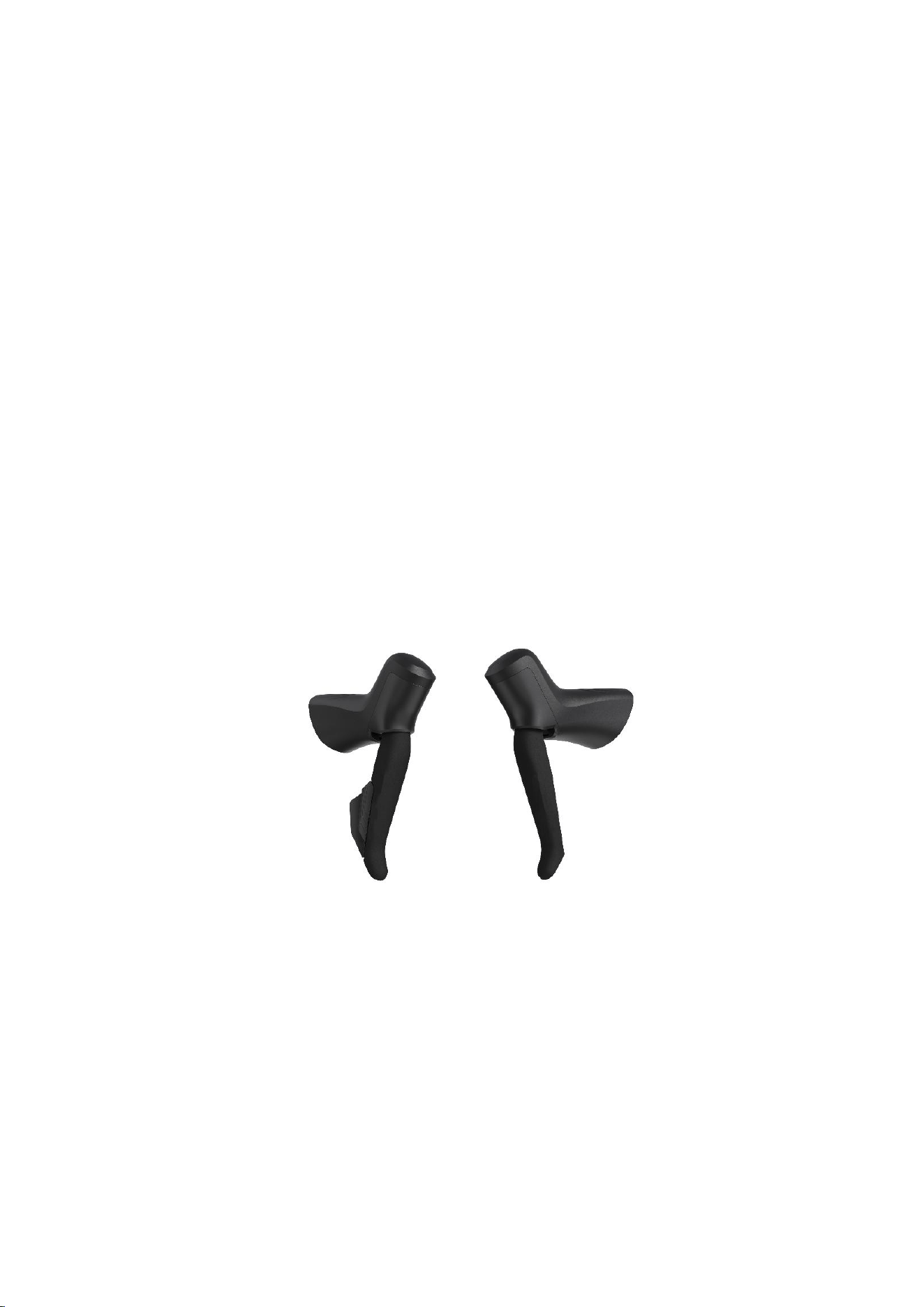
Shifter
ST200
P0117253BR
Qingdao Magene Intelligence Technology Co.,Ltd.
1. Product Overview
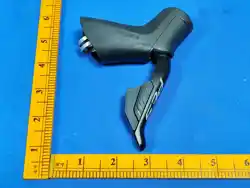
ST200 supports both BLE and 2.4G protocols. It works with other wireless
device to offer corresponding function such as eBike display, eBike electronic
derailleur.
2. Specification & Introduction
2.1. Specification Parameters
Operation Temperature(℃)
-20~50
Storage Temperature(℃)
-25~55
Waterproof Grade
IPX7
Weight
425g
Indicator
Dual-color single LED
Power Supply
CR1/3N
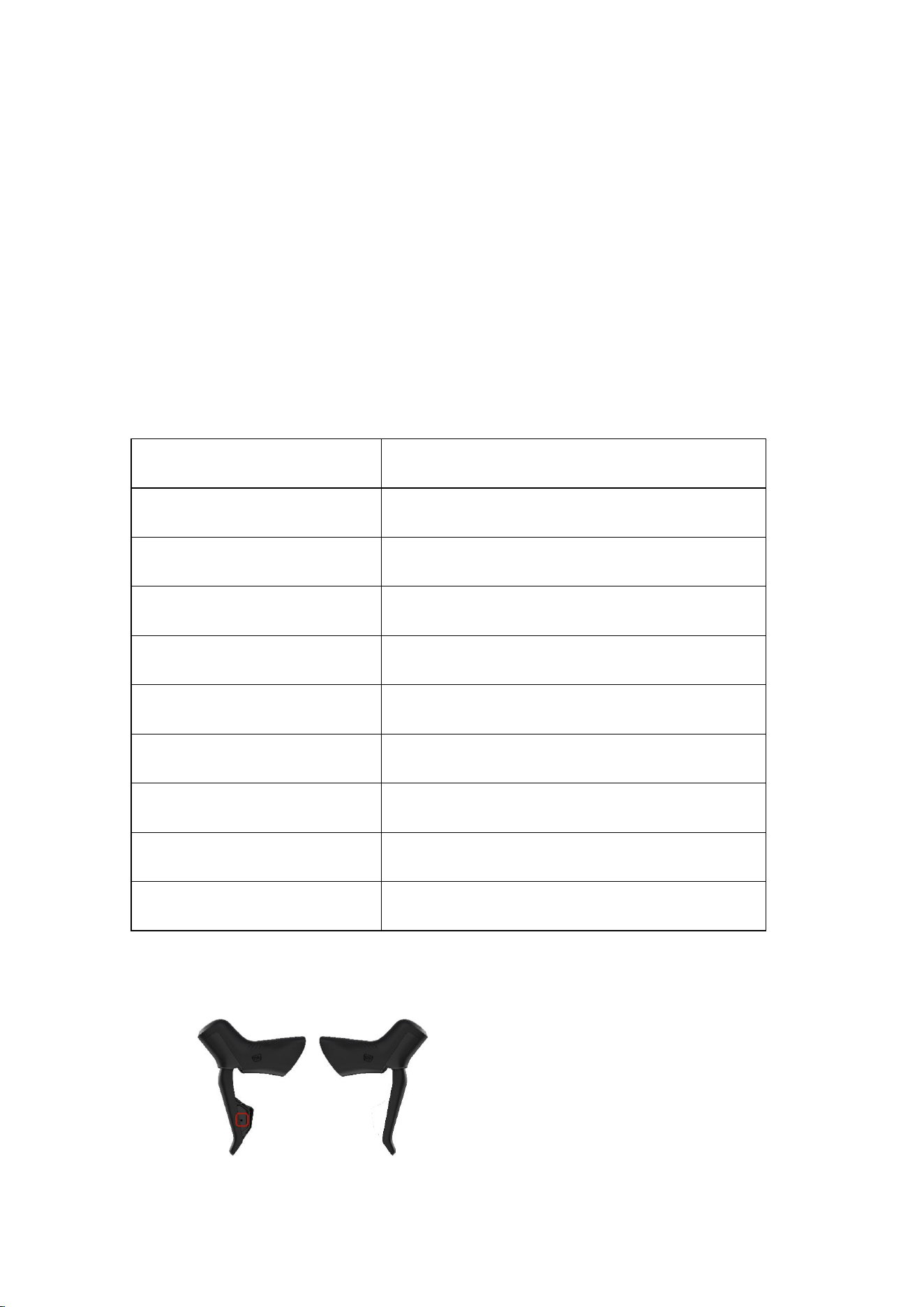
Button Quantity
3 buttons
Communication
BLE/2.4G
APP
Yes (Magene Factory)
Upgrade
Yes (Magene Factory)
2.2. Indicator Introduction
Qingdao Magene Intelligence Technology Co.,Ltd.
Indicator
Device status
Green indicator blinks 5 times
Search and connect to other device through BLE
Red indicator blink 1 time
Search and connect to other device through 2.4G
2.3. Button Introduction
n Introduction
One button single press, one button long press, two buttons long press
2.4. Function
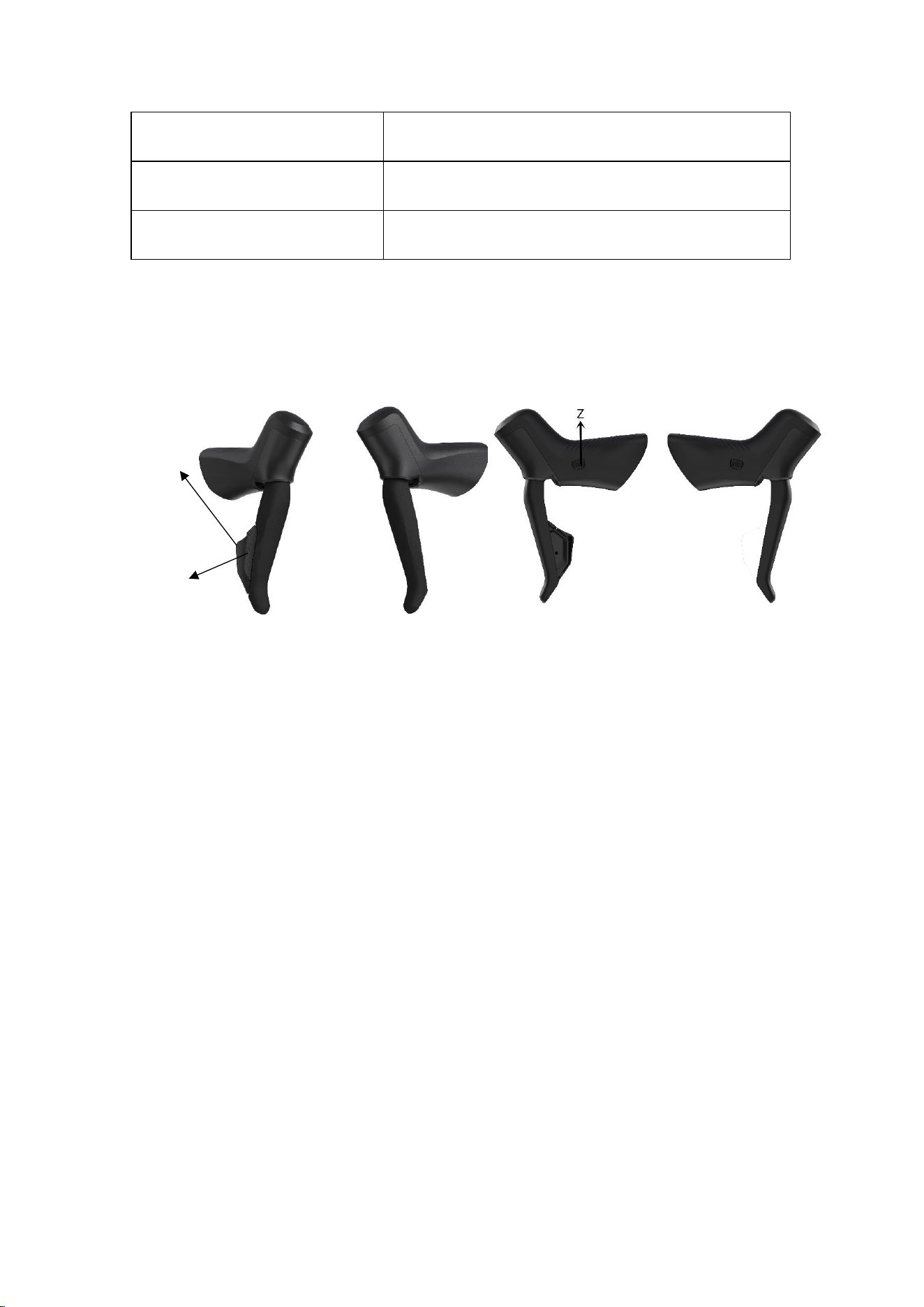
1. The shifter is in sleep mode, when press any button, the button will be awake, if
red indicator blink 1 time, it searches and connects to other device through 2.4G, if
green indicator blinks 5 times, it searches and connects to other device through BLE
2. Once shifter connects with other device, the indicator doesn’t blink anymore
even press any button
3. To reduce power consumption, shifter will automatically enter sleep mode in 3
minutes of inactivity
4. Long press “-”and “M”, shifter can enter switch mode which you can switch
2.4G communication and BLE communication through APP “nRF Connect”
X
Y
Qingdao Magene Intelligence Technology Co.,Ltd.
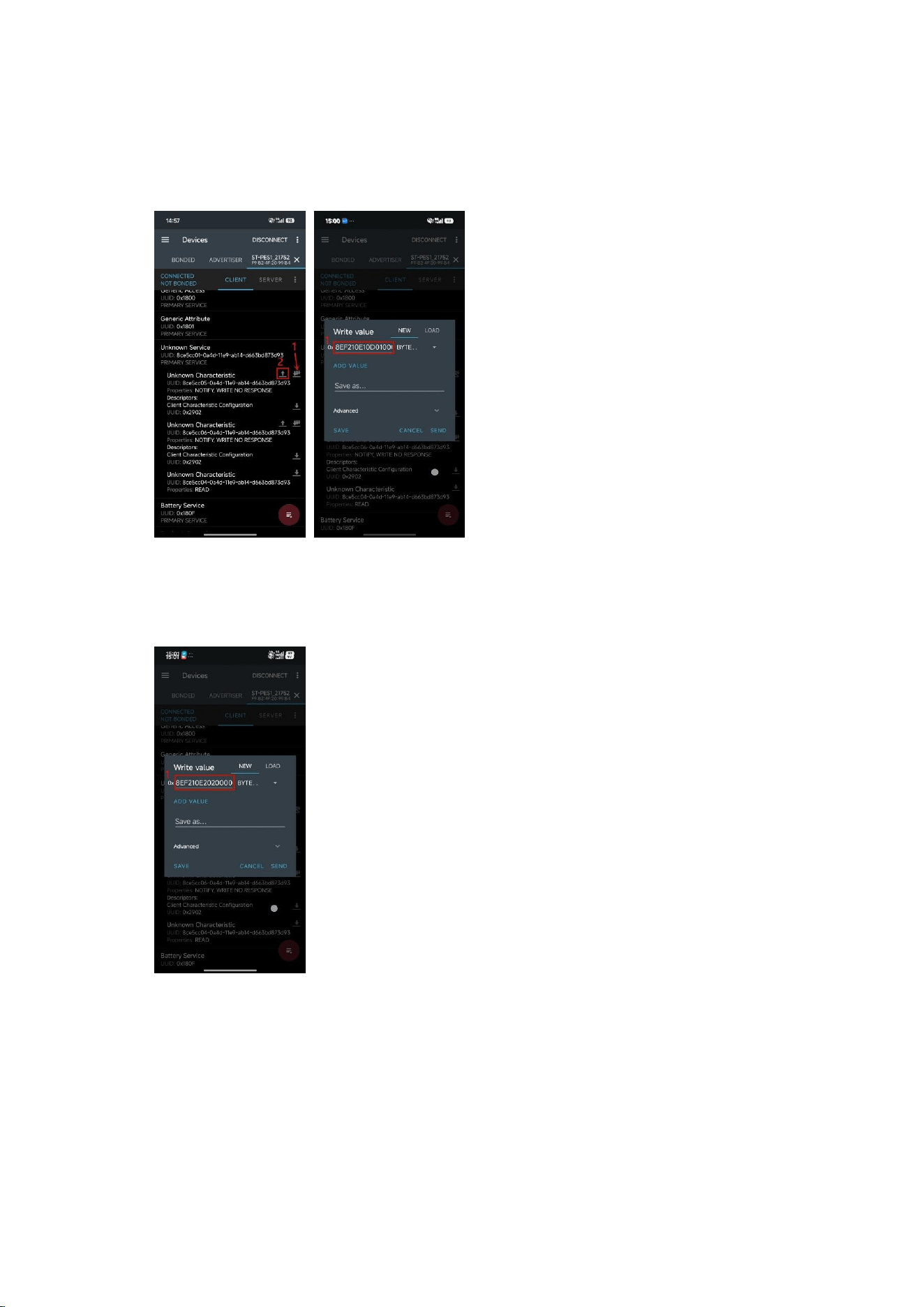
① ST200 is under BLE and switch to 2.4G
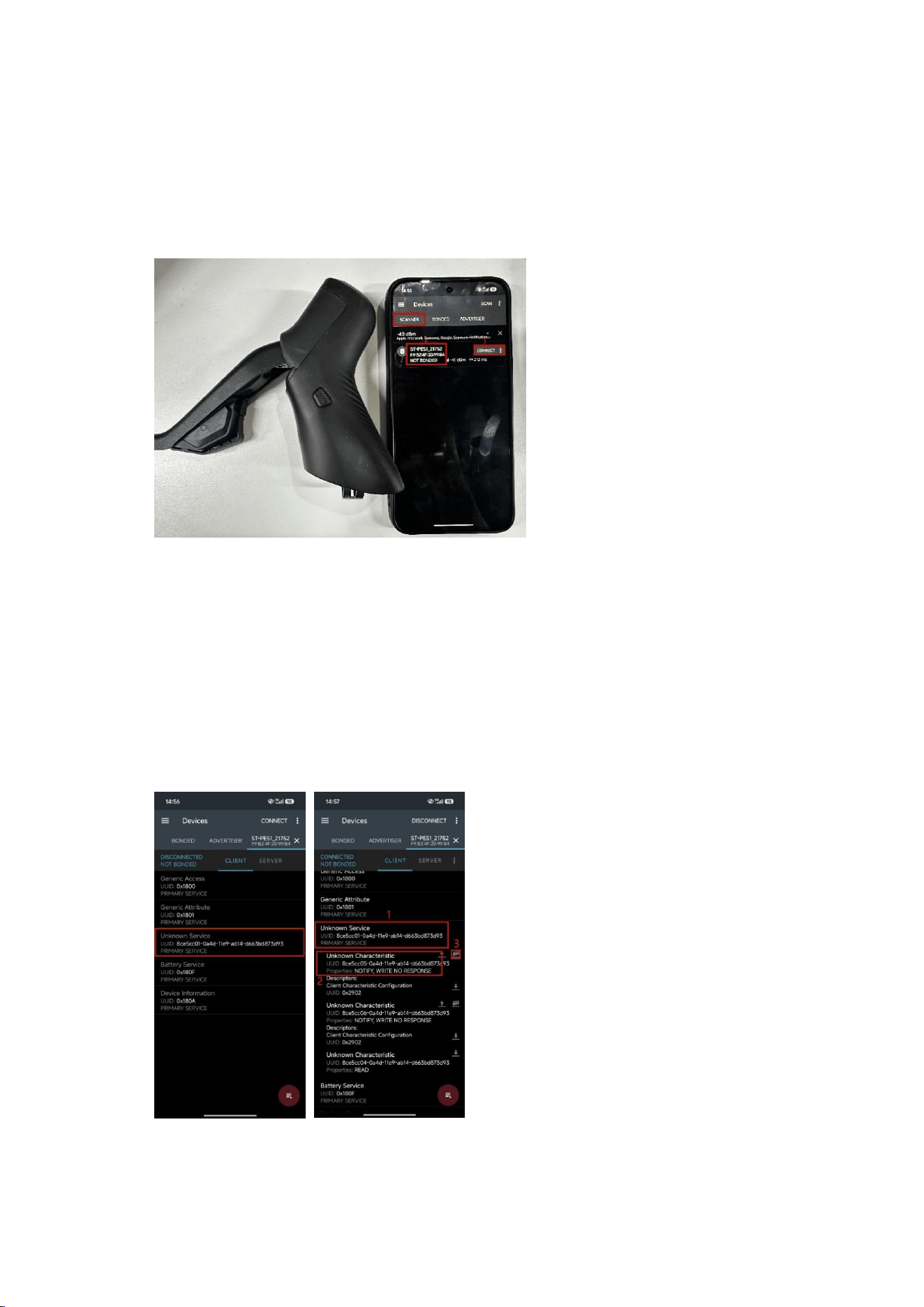
- Open APP“nRF Connect”, put phone and ST200 together, find the device with
“ST-PES1”character on APP, click “CONNECT”
-
-Find“CLIENT”-“Unknown
Service”-“
8ce5cc01-0a4d-11e9-ab14-d663bd873d93
”, click to get inside. Find
“Unknown Characteristic”- “
8ce5cc05-0a4d-11e9-ab14-d663bd873d93
”, click
right side three arrows, then you can send message to ST200 and receive message
from ST200
-
- After confirming three arrows icon switch to following icon, then you can send
Qingdao Magene Intelligence Technology Co.,Ltd.
message to ST200 and receive message from ST200, click the icon just left besides
three arrows icon and input “8EF210E10D010000000000”, then click “SEND”
-
- Click the icon just left besides three arrows icon again and input
“8EF210E202000000020000”(Di
fferent from up one)
, then click “SEND”
-
- Click “Z”button on ST200 to check the light status, it’s successfully switched
from BLE to 2.4G if the light “Green - 300ms on 300ms off, last 1 minute”,
otherwise repeat above operations
② ST200 is under 2.4G and switch to BLE
Qingdao Magene Intelligence Technology Co.,Ltd.
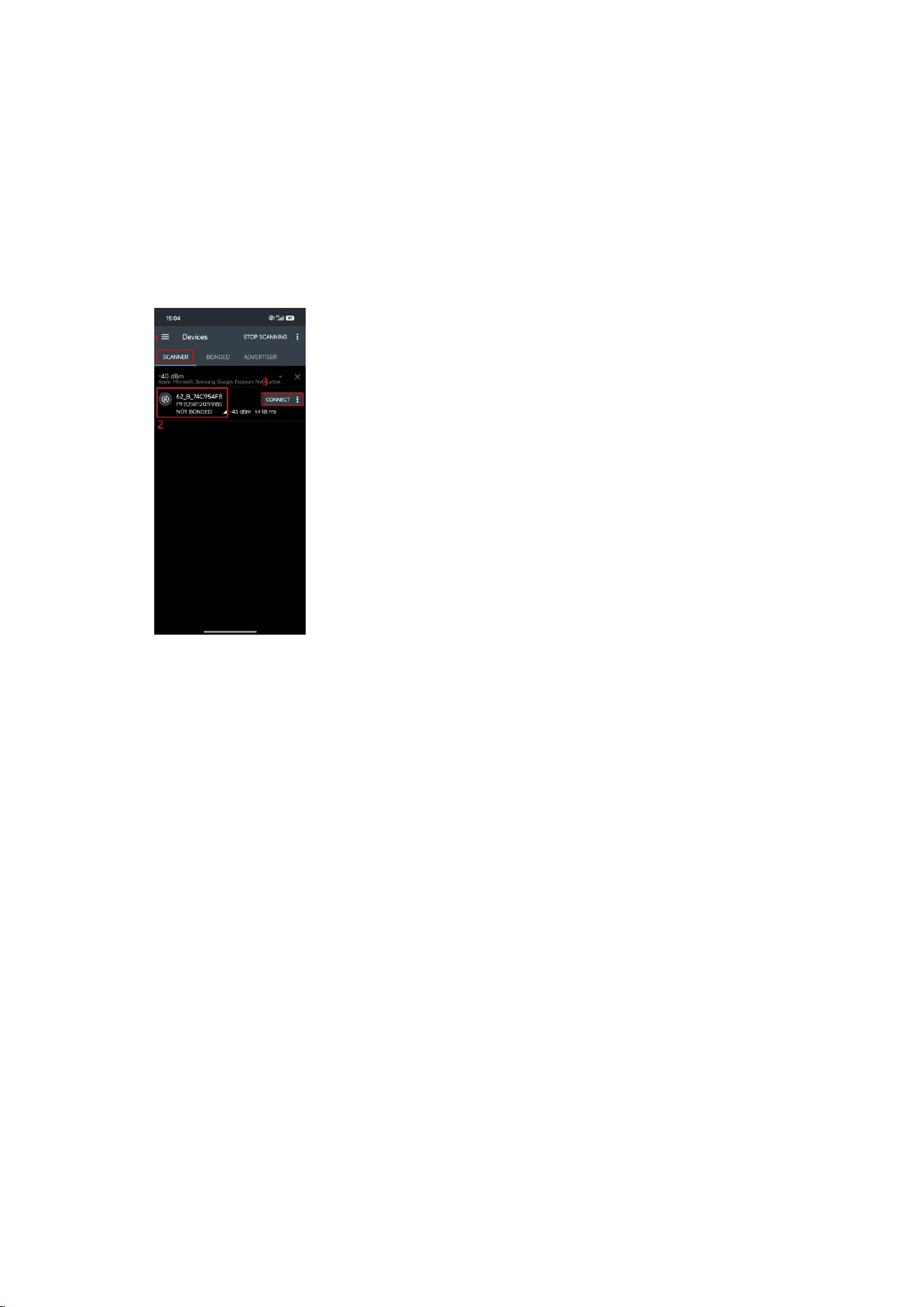
- Long press “X” 10s on ST200 until the light “Red - 100ms on 100ms off,
continuous”, release button
- Open APP“nRF Connect”, put phone and ST200 together, find the device with
“62_B”character on APP, click “CONNECT”
-
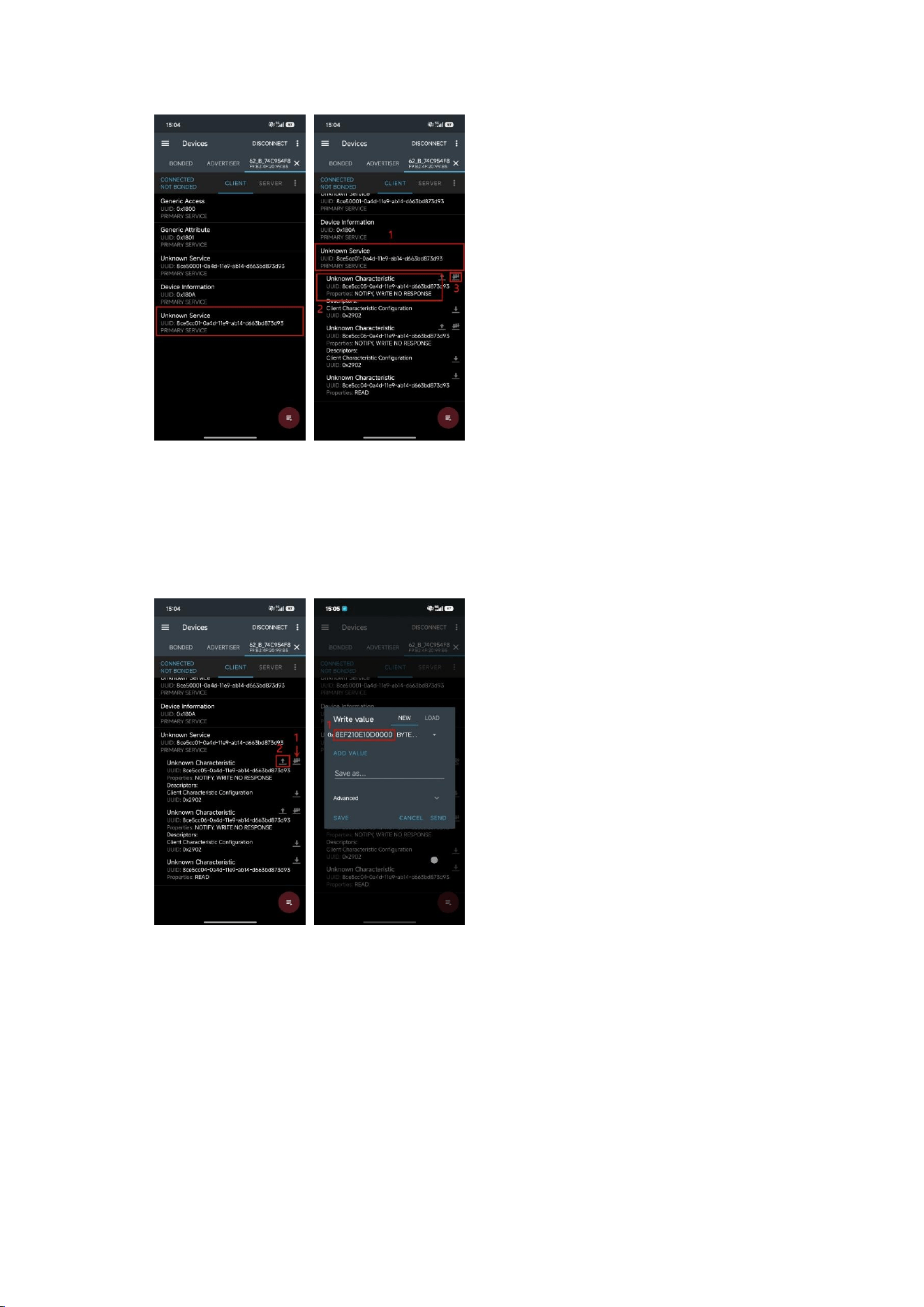
-Find“CLIENT”-“Unknown
Service”-“
8ce5
cc01-0a4d
-11e9-ab14-d663bd873d93
”, click to get inside. Find
“Unknown Characteristic”- “8ce5cc05-0a
4d-11e9-ab14-d663bd873d93
”, click
right side three arrows, then you can send message to ST200 and receive message
from ST200
Qingdao Magene Intelligence Technology Co.,Ltd.
-
- After confirming three arrows icon switch to following icon, then you can send
message to ST200 and receive message from ST200, click the icon just left besides
three arrows icon and input “8EF210E10D000000000000”, then click “SEND”
-
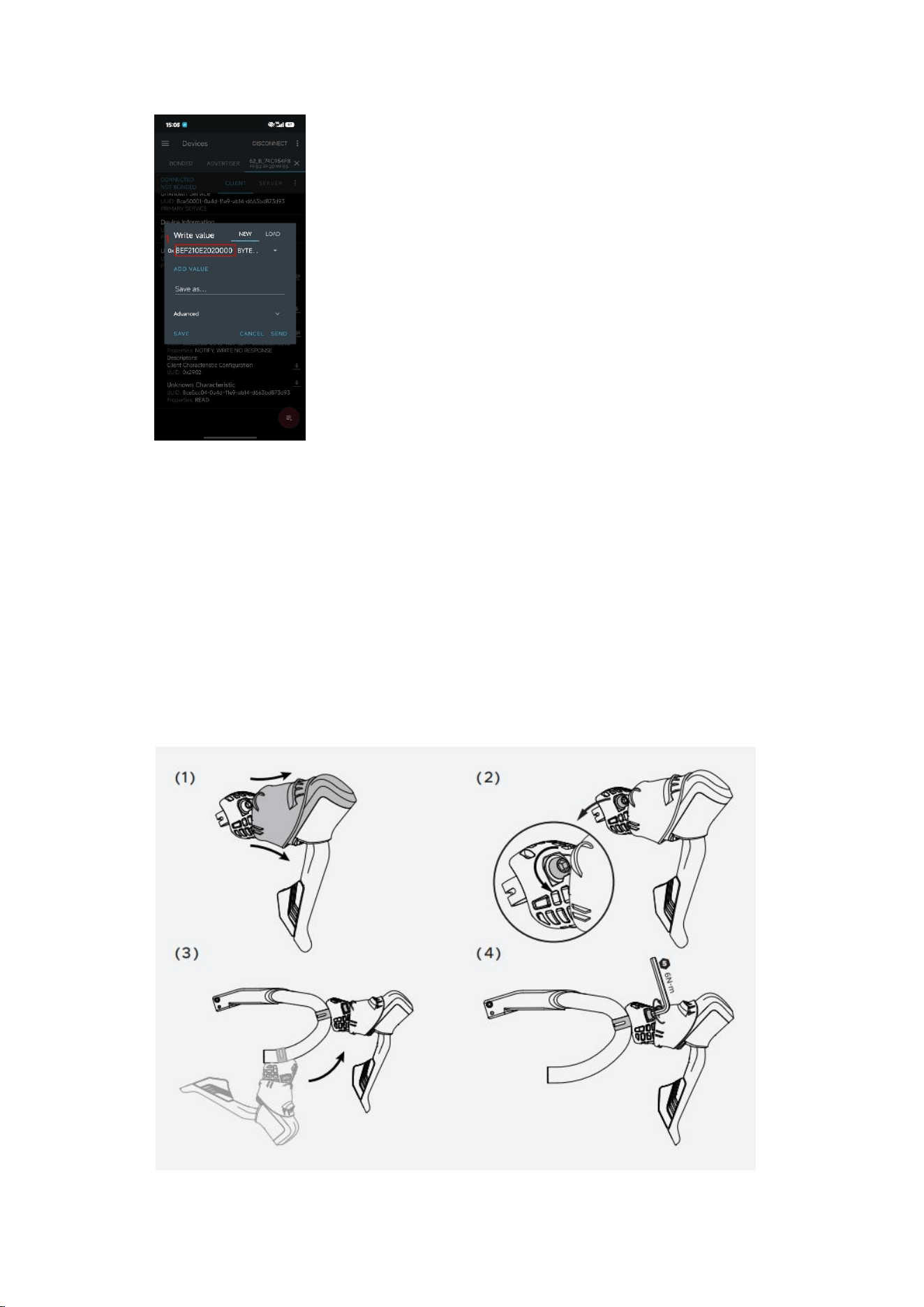
- Click the icon just left besides three arrows icon again and input
“8EF210E202000000020000”(Diff
erent from up one)
, then click “SEND”
Qingdao Magene Intelligence Technology Co.,Ltd.
-
- Click “Z”button on ST200 to check the light status, it’s successfully switched
from 2.4G to BLE if the light “Green - 500ms on 500ms off, last 5s”, otherwise
repeat above operations
3. Installation
3.1. Install the Shifter
Qingdao Magene Intelligence Technology Co.,Ltd.
(1) Firstly, flip the bracket cover from the back according to the direction of the
arrow to expose the clamp screw at the top of the shifter
(2) Loosen the clamp screw appropriately
(3) Insert shifter into handlebar and adjust the position
(4) Tighten clamp screw with 5mm hex wrench (6N·m)
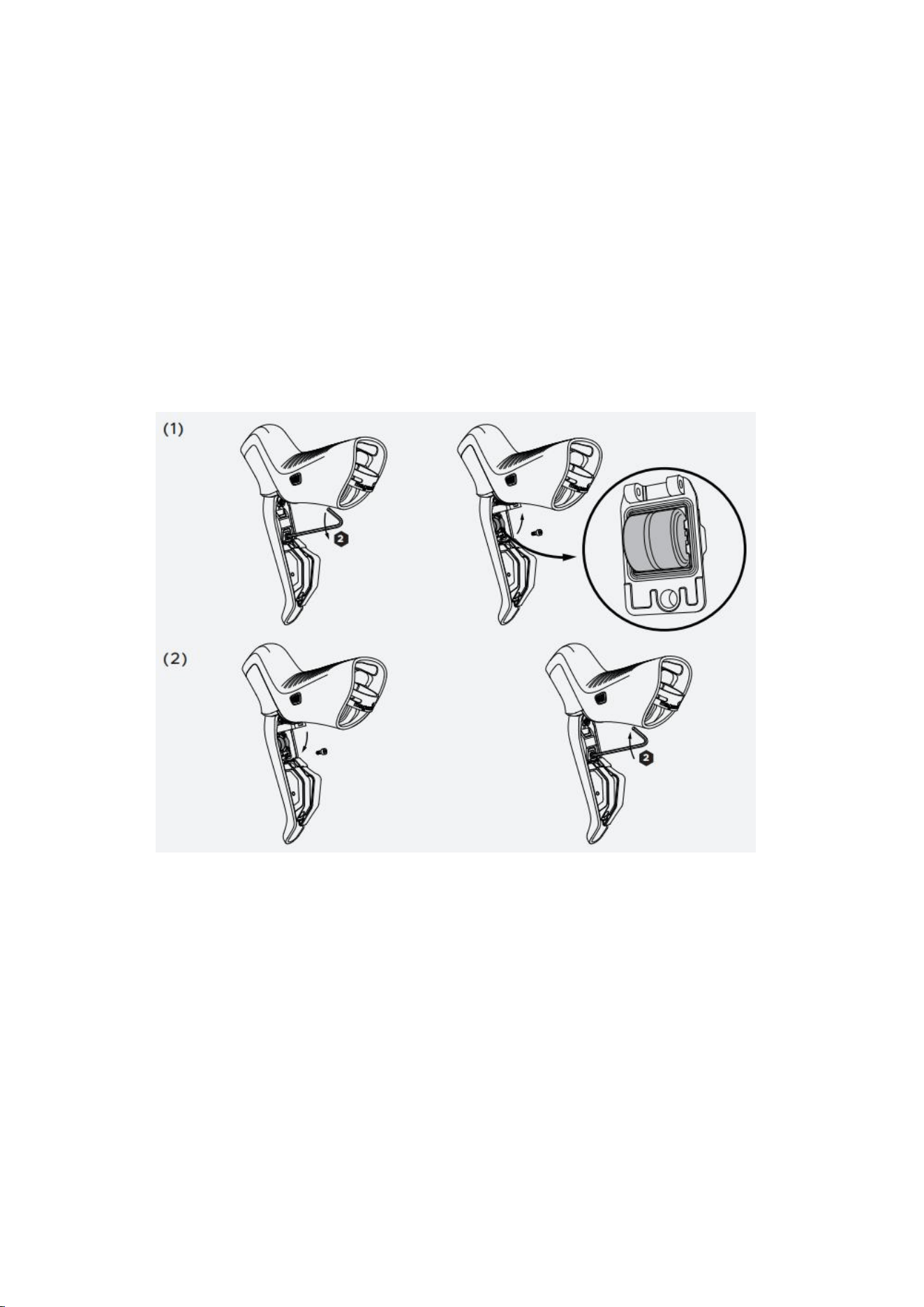
3.2. Battery Replacement
(1) Remove battery cover screw according to arrow direction, open the battery
cover upwards and replace battery
(2) Close the battery cover according to the arrow direction, tighten the battery
cover clockwise
WEEE (Waste Electrical and Electronic Equipment) European Directive
2012/19/EU

Qingdao Magene Intelligence Technology Co.,Ltd.
This symbol on the product or on its packaging indicates that this
product must not be disposed of with your household waste. Instead,
it is your responsibility to dispose of your waste equipment by
handing it over to a designated collection point for the recycling of
waste electrical and electronic equipment. The separate collection
and recycling of your waste equipment at the time of disposal will
help to conserve natural resources and ensure that it is recycled in a
manner that protects human health and the environment. For more
information about where you can drop off your waste equipment for
recycling, please contact your local city office, your household waste
disposal service or the shop where you purchased the product.
CE Declaration of Conformity
Hereby, Qingdao Magene Intelligence Technology Co., Ltd. declares that this
product is in compliance with the Directive 2014/53/U. The full text of the EU
declaration of conformity is available at the following internet
address: https://magenefitness.com/certificate.html
FCC Statements
This device complies with part 15 of the FCC rules. Operation is subject to the
following two conditions:
(1) This device may not cause harmful interference.
(2) This device must accept any interference received, including interference
that may cause undesired operation.

Qingdao Magene Intelligence Technology Co.,Ltd.
NOTE: The manufacturer is not responsible for any radio or TV interference
caused by unauthorized modifications or changes to this equipment. Such
modifications or changes could void the user's authority to operate the
equipment.
NOTE: This equipment has been tested and found to comply with the limits for
a Class B digital device, pursuant to part 15 of the FCC Rules. These limits are
designed to provide reasonable protection against harmful interference in a
residential installation. This equipment generates, uses and can radiate radio
frequency energy and, if not installed and used in accordance with the
instructions, may cause harmful interference to radio communications.
However, there is no guarantee that interference will not occur in a particular
installation. If this equipment does cause harmful interference to radio or
television reception, which can be determined by turning the equipment off
and on, the user is encouraged to try to correct the interference by one or
more of the following measures:
Reorient or relocate the receiving antenna.
Increase the separation between the equipment and receiver.
Connect the equipment into an outlet on a circuit different from that to
which the receiver is connected.
Consult the dealer or an experienced radio/TV technician for help.
RF Warning

Qingdao Magene Intelligence Technology Co.,Ltd.
The device has been evaluated to meet general RF exposure requirement. The
device can be used in portable exposure condition without restriction. Federal
Communication Commission (FCC) Radiation Exposure Statement: Power is so
low that no RF exposure calculation is needed.