①
②
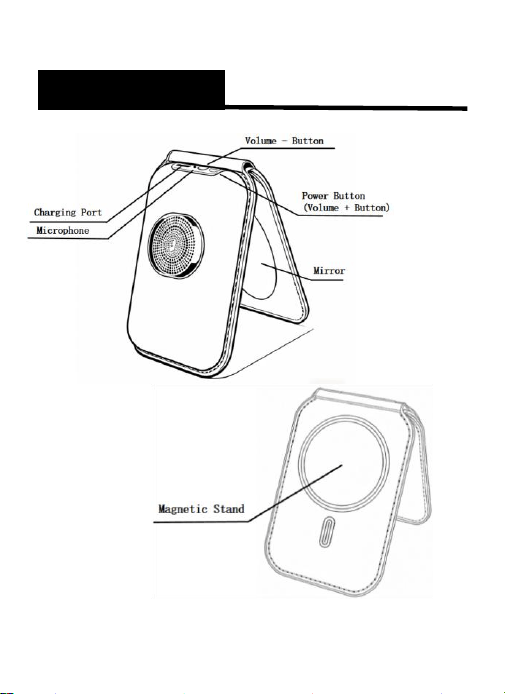
Product Structure
d i a g r a m
③
Model :
Lightingle-01
Bluetooth Version:
V5.3
Bluetooth Range:
10 meters
output power :
5W
Speaker specification:
4 Ω / 5 W
Frequency response:
250Hz-18kHz
Battery capacity :
1200mAh/3.7V
Charge input:
DC 5V1A(Type-C)
Play time:
Approx. 8 hours
Charging Time :
1-2 hours
Product Dimension:
4.13 x 2.83 x 0.71in
Product Parameter

④
Power on & Power off :
Power On: Press and hold the power button for 3
seconds. The device will play the voice prompts
"Power On" and "Bluetooth Mode." The blue
indicator will flash continuously, indicating the
device has entered Bluetooth pairing mode.
Power Off: While the device is on, press and hold
the power button for 3 seconds until the device
plays the voice prompt "Power Off," then the device
will shut down.
Device Connection :
After powering on, the Bluetooth speaker enters
pairing mode indicated by a flashing blue light.
Turn on your device's Bluetooth, select 'HBL-003'
from the device list, and the speaker will play a
'Connected' sound.
Once connected, the device will automatically
reconnect in the future as long as your Bluetooth is
enabled.
Volume up: Short press the power button
Volume down: Short press the volume " - " key
Play/Pause: Double press the volume “-” Button
TWS Pairing Mode: Double press the Power Button
Operation Instructions

⑤
1. Replacement: Defective products can be
exchanged for the same model within 3 months
of purchase (subject to inspection). Note:
Packaging must be intact. Physical damage is
excluded.
2. Not Covered: Damage resulting from misuse,
unauthorized repair, or accidents is not covered
by the warranty.
3. Validation: Please present this card for
service. Lost or altered cards will invalidate the
warranty.
Warranty
⑥
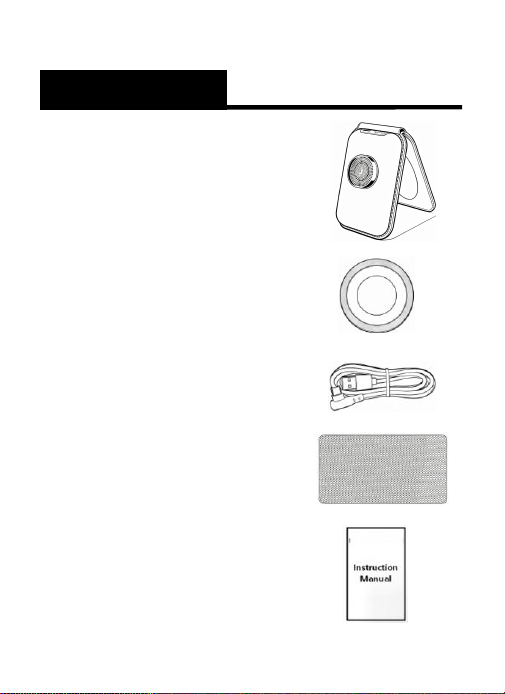
1X Product
2X Metal Ring Sticker
1X Type-C Charging cable
1X Anti-slip pad
1X User Manual
Packing List
⑦
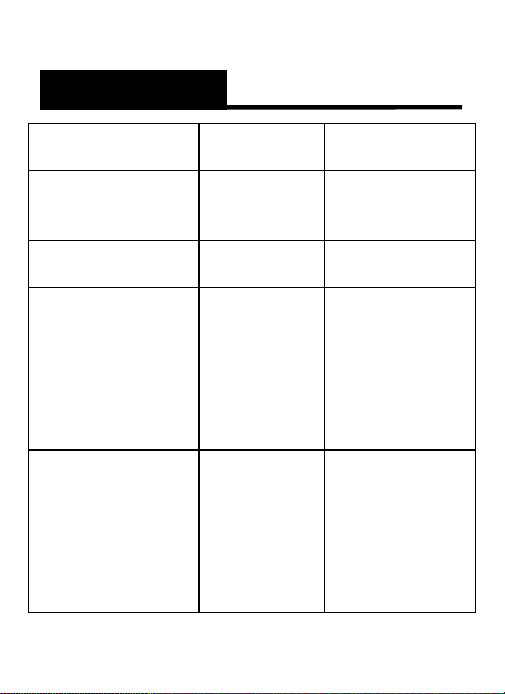
Problem
Possible
Cause
Solution
Power
Failure/Won’t
Turn On
The battery
is low.
Charge the
product for 1-
2 hours.
No Sound After
Pairing
Incorrect
pairing
Re-pair
No charging
Indicator
The
charger
has no
voltage
output
Check if the
charger is
properly
connected or
if the power
switch is
turned on.
Cannot Play
music
The phone
does not
support
this feature
Requires a
phone or
device that
supports
A2DP for
stereo music
playback.
Problems and Solutions

⑧
.
1. To prolong battery life, please avoid using the
speaker while charging. Please use a power
adapter that complies with safety certification
standards.
2. Do not attempt to remove the built-in lithium-
ion battery. Never dispose of the battery in a fire.
3. Avoid short-circuiting. Do not allow metal
objects to touch the charging ports or battery
terminals.
4. Do not crush, puncture, or subject the battery
to strong impact.
5. Do not expose to moisture, corrosive
environments, or extreme heat (>60°C/140°F).
Warning
⑨
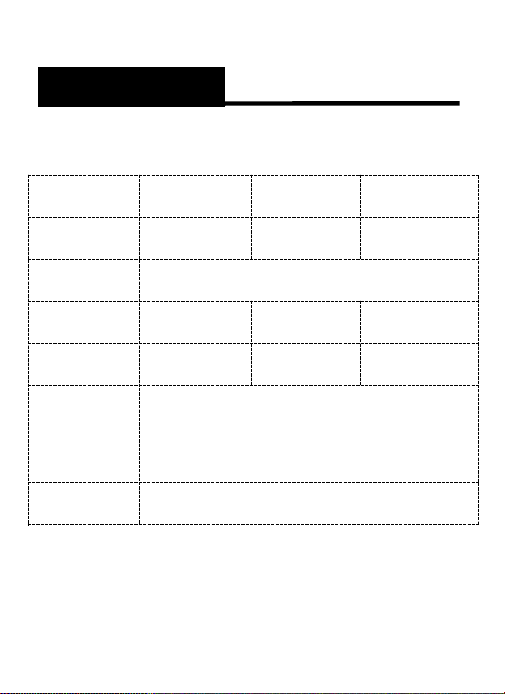
Product Warranty Card
Note: To be filled in by the maintenance organization
Customer
name
Contact
number
Product
model
Purchase
date
Customer
address
Purchase
channels
Contact
number
Business
Name
Maintenance
time
Fault
description
Repair
results
Warranty

⑩
1. Before use, check the product for any defects.
If any issues are found, contact your dealer or
the online store promptly.
2. To extend product lifespan, avoid using on
uneven or vibrating surfaces.
3. To maintain product performance, keep it dry
and avoid pressure.
4. The company reserves the right to modify or
update product specifications without prior
notice due to ongoing product development.
Manufacturer:
Shenzhen Changsu Technology Development
Co., LTD
Address:
Zhipeng Industrial Park, Fuhai Street, Bao'an
District, Shenzhen,China
Thank you for choosing our product. Please
retain this card and your purchase invoice for
warranty service
Precautions
Manufacturer information

⑪
FCC Warning
This device complies with Part 15 of the FCC
Rules. Operation is subject to the following
two conditions:
(1) This device may not cause harmful
interference, and (2) this device must accept
any interference received, including
interference that may cause undesired
operation.
NOTE 1: This equipment has been tested and
found to comply with the limits for a Class B
digital device, pursuant to part 15 of the FCC
Rules. These limits are designed to provide
reasonable protection against harmful
interference in a residential installation. This
equipment generates, uses and can radiate
radio frequency energy and, if not installed

⑫
and used in accordance with the instructions,
may cause harmful interference to radio
communications. However, there is no
guarantee that interference will not occur in
a particular installation. If this equipment
does cause harmful interference to radio or
television reception, which can be
determined by turning the equipment off
and on, the user is encouraged to try to
correct the interference by one or more of
the following measures:
-Reorient or relocate the receiving antenna.
-Increase the separation between the
equipment and receiver.
-Connect the equipment into an outlet on a
circuit different from that to which the
receiver is connected.
-Consult the dealer or an experienced
radio/TV technician for help.

⑬
NOTE 2: Any changes or modifications to this
unit not expressly approved by the party
responsible for compliance could void the
user's authority to operate the equipment.
The device has been evaluated to meet
general RF exposure requirement. The
device can be used in portable exposure
condition without restriction.