安全注意事项
FCC 警告
警告:此设备符合FCC(联邦电信委员会)的第15条规则。它的操作受以下两个条
件约束:
(1).此设备可能不会产生有害干扰;
(2)本设备必须允许接受任何接收到的干扰,包括可能导致意外操作的干扰。
未经合规责任方明确批准的变更或修改可能会使用户失去操作设备的权限。
注:根据美国联邦通信委员会规则第15部分的规定,该设备经过测试,符合B类
数字设备的限制。这些限制旨在提供合理的保护,防止住宅安装中的有害干扰。
该设备产生、使用并可辐射射频能量,如果不按照说明安装和使用,可能会对无
线电通信造成有害干扰。然而不能保证在特定的安装中不会发生干扰。如果该
设备确实对无线电或电视接收造成有害干扰,可以通过关闭和打开设备来确定,
则鼓励用户尝试通过以下一种或多种措施来纠正干扰:-调整接收天线的方向或
位置。
--增加设备与接收器之间的距离
--将设备连接到与接收器连接的电路不同的插座上。
--向经销商或有经验的无线电/电视技术人员寻求帮助。
注意:此设备及其天线不得与任何其他天线或发射器一起放置或操作射频暴露
声明为遵守FCC的射频暴露指南,本设备应安装和操作本设备时,应与人体散热
器保持至少20厘米的距离。本设备及其天线不得与任何其他天线或发射器共置
或一起使用。
LED随贴屏
使用说明书
全彩LED屏/自定义编辑
APP下载与蓝牙连接
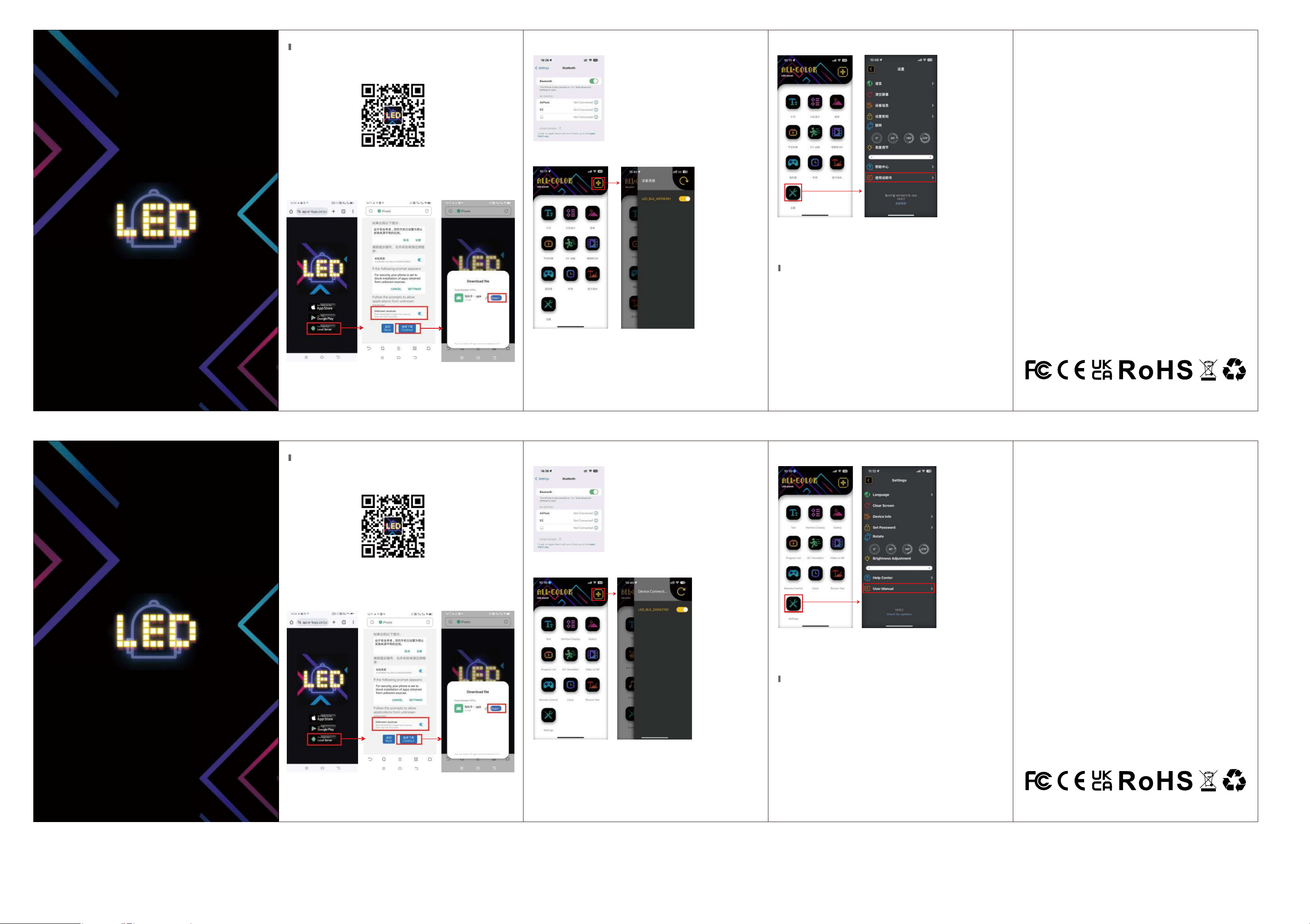
1.手机扫描下面二维码进行下载安装或者进入Google Play/APP store 搜索
“iPixel Color”进行下载
扫码下载APP
2、如果你没有APP Store/Google Play,请点击第三方从本地服务浏览器搜索
“iPixel Color”或扫码下载
①
②
3.打开手机蓝牙
4.连接蓝牙设备
注:
① 第一次打开APP,有是否允许权限选项,请都选择允许
② 请点击“设备连接”,添加设备
③ 若手机无法搜索到设备,请检查是否打开定位!
5.详细电子说明书
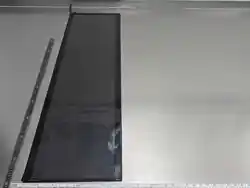
1. 柔性屏幕可弯曲,但须遵守制造商规定的最小半径(R50mm),严禁大力弯
折、死折可能导致屏幕损坏。
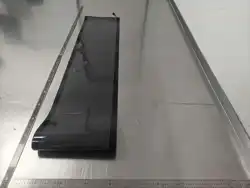
2. 切勿在屏幕上放置重物;切勿将背面的屏幕卷起,可能会造成屏幕胶体破裂
以及PCB电路断裂。
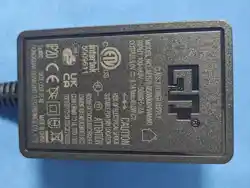
3. LED 随贴屏电源线为专用供电线,严禁私自拆线、接线、改装或接驳非原装
配件。违规操作可能导致短路、发热、起火等安全隐患,由此造成的设备损坏
及人身财产损失,将由使用者自行承担。
4. 如果发生部分故障,请立即断电并联系支持不要私自拆卸。
①
②
LED Matrix Panel
User Manual
Full Color LED Screen/Custom Editing
5. Detailed electronic instruction manual
1. The flexible screen can be bent, but it must comply with the minimum radius
(R50mm) specified by the manufacturer. Do not bend it forcefully or sharply, as
this may cause damage to the screen.
2. Do not place heavy objects on the screen; do not roll up the screen on the back,
as this may cause the screen adhesive to break and the PCB circuit to fracture.
3. The power cord of the LED self-adhesive screen is a dedicated power supply
line. Do not disassemble, connect, modify or connect non-original accessories
privately. Improper operation may lead to short circuits, overheating, fires and
other safety hazards. Any equipment damage and personal property loss caused
thereby shall be borne by the user.
4. If a partial malfunction occurs, immediately cut off the power and contact support.
Do not disassemble it privately.
Downloading the App and connecting via Bluetooth
1.Scan the QR code below to download and install app with your mobile phone,
or enter Google Play/App Store and search for “iPixel Color” to download
Scan the QR code and download the App
2. If you don't have the App Store/Google Play, please click on the third-party
option and search for “iPixel Color”using the local service browser, or scan the QR
code to download
3.Turn on the Bluetooth on your mobile phone
Note:
① When you first open the APP, there is an option to allow permissions. Please
select "Allow" for all.
② Please click "Device Connection" to add the device.
③ If your phone cannot detect the device, please check if the location function is
enabled!
4. Connect to Bluetooth devices
Safety Precautions
Warning:
This device complies with Part 15 of the FCC Rules. Operation is subject
to the following two conditions:
(1) This device may not cause harmful interference.
(2) This device must accept any interference received, including interference
that may cause undesired operation.Changes or modifications not expressly
approved by the party responsible for compliance could void the user's
authority to operate the equipment.
NOTE: This equipment has been tested and found to comply with the limits
for a Class B digital device, pursuant to Part 15 of the FCC Rules. These
limits are designed to provide reasonable protection against harmful interference in
a residential installation. This equipment generates, uses and can radiate
radio frequency energy and, if not installed and used in accordance with
the instructions, may cause harmful interference to radio communications.
However. there is no guarantee that interference will not occur in a particular
installation. If this equipment does cause harmful interference to radio or
television reception which can be determined by turning the equipment off
and on, the user is encouraged to try to correct the interference by one or
more of the following measur
es:
--Reorient or relocate the receiving antenna.
-- Increase the separation between the equipment and receiver
--Connect the equipment into an outlet on a circuit different from that to
which the receiver is connected.
--Consult the dealer or an experienced radio/TV technician for help
NOTE: This device and its antenna(s) must not be co-located or operation
in conjunction with any other antenna or transmitter RF Exposure Statement
To maintain compliance with FCC's RF Exposure guidelines, this equipment
should be installed and operated with minimum distance of 20cm the radiator
human body. This device and its antenna(s) must not be co-located or
operation in conjunction with any other antenna or transmitter.