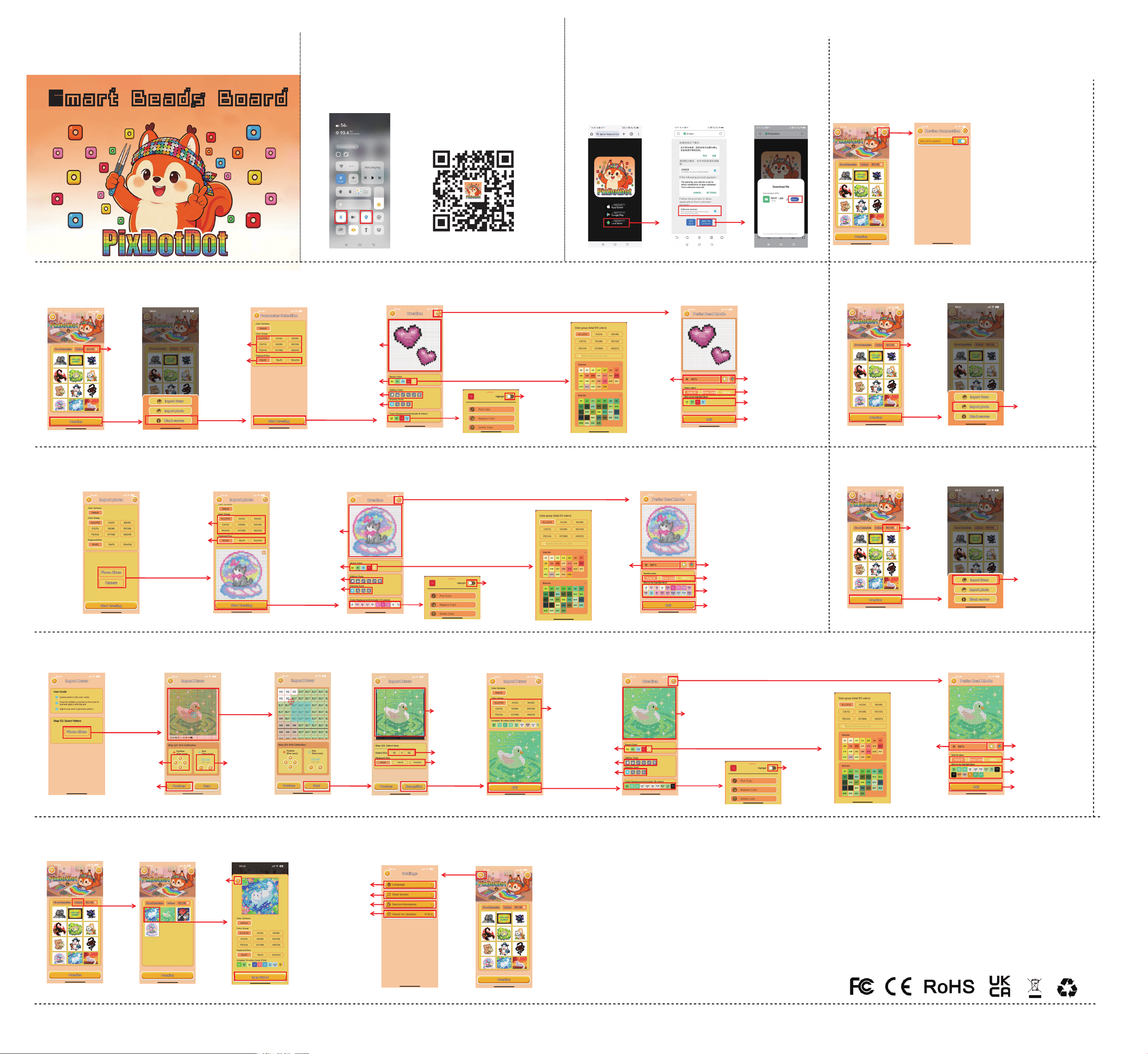
3.Device Connection
2.If you don't have App Store or Google Play,
please click the third option to download
via your local browser.
①
②
1.
Firstly, Please turn on Bluetooth and Location
4.Blank Canvas for DIY Creation
5.Import Images for DIY Creation
Smart Beads BoardSmart Beads Board
8.APP Settings
Scan the QR code below to download and install app with
your mobile phone, or enter Google Play/APP Store
and search for “
PixDotDot
” to download
Scan the QR code and download the APP
Note:
1:When you open the APP for the first time,
please Allow to all permissions
2:Please click the + sign to add a Bluetooth device
3:If Bluetooth cannot be searched on your
Android phone, please check if you have
turned on the GPS.
5.Import Images for DIY Creation
FCC Warning
This device complies with Part 15 of the FCC Rules. Operation is subject to the following two conditions:
(1) This device may not cause harmful interference,
(2) this device must accept any interference received, including interference that may
cause undesired operation.
NOTE 1: This equipment has been tested and found to comply with the limits for a Class B digital device,
pursuant to part 15 of the FCC Rules. These limits are designed to provide reasonable protection against
harmful interference in a residential installation. This equipment generates, uses and can radiate radio
frequency energy and, if not installed and used in accordance with the instructions, may cause harmful
interference to radio communications. However, there is no guarantee that interference will not occur
in a particular installation. If this equipment does cause harmful interference to radio or television reception,
which can be determined by turning the equipment off and on, the user is encouraged to try to correct the
interference by one or more of the
following measures:
- Reorient or relocate the receiving antenna.
- Increase the separation between the equipment and receiver.
-Connect the equipment into an outlet on a circuit different from that to which the
receiver is connected.
-Consult the dealer or an experienced radio/TV technician for help.
NOTE 2: Any changes or modifications to this unit not expressly approved by the party
responsible for compliance could void the user's authority to operate the equipment.
The device has been evaluated to meet general RF exposure requirement. The device
can be used in portable exposure condition without restriction.
Collect
Materials
Enter fuse bead mode
Delete
Preview
Settings
Language
Clear Screen
Device Information
APP Update
Color Group
Model
Pegboard Size
Add Brush Color
Save Pattern and Enter Bead Mode
Enter Edit Mode
Eraser / Fill / Color Picker
Undo / Redo / Clear All
Brush
Creation Area
Highlight Toggle
White LED Display /
Color LED Display
Full Bright Switch /
Color Code Switch / Mirror
Click to display color
number individually
Enter Edit Mode
Adjust Product
Brightness
View / Zoom In
Zoom Out / Move
Replace Existing Colors
Import images from
phone album Or take
photos with your phone
Color Group
Pegboard Size
Model
Next page
Enter Edit Mode
Eraser / Fill / Color Picker
Undo / Redo / Clear All
Brush
Creation Area
View / Zoom In
Zoom Out / Move
Replace Existing Colors
Add Brush Color
Save Pattern and Enter Bead Mode
Highlight Toggle
Adjust Product
Brightness
White LED Display /
Color LED Display
Full Bright Switch /
Color Code Switch / Mirror
Click to display color
number individually
Enter Edit Mode
Eraser / Fill / Color Picker
Undo / Redo / Clear All
Brush
Creation Area
View / Zoom In
Zoom Out / Move
6.Import Pixel Drawings for DIY Creation
7.Collect materials
Import drawings
from phone album
Zoom View
Adjust crosshair
position
Grid Size
Adjustment
Previous step
Next Step
Drag the blue box
to adjust the range
Drawing Size
Pegboard Size
Identify Drawing
Save Pattern and Enter Perler Bead Mode
Edit Pattern Color Numbers
Color Group
Add brush color
Highlight Switch
Adjust product
brightness
Replace existing colors
Model
Next page
6.Import Pixel Drawings for DIY Creation
White LED Display /
Color LED Display
Full Bright Switch /
Color Code Switch / Mirror
Click to display color
number individually
Enter Edit Mode