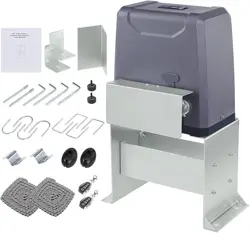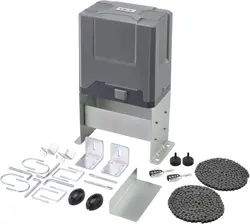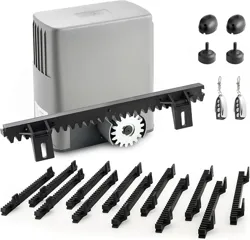
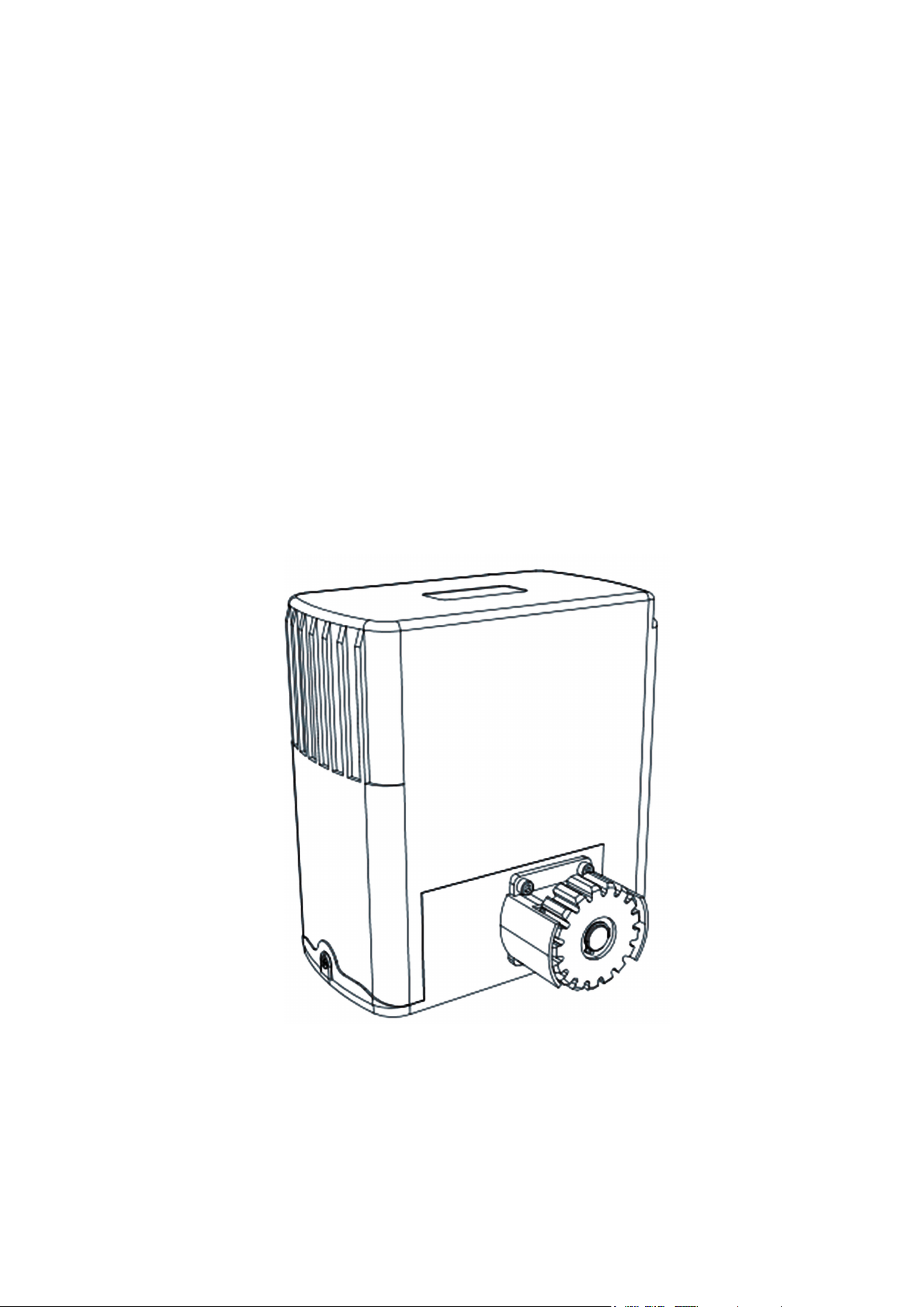
SL600AC
SLIDING GATE OPENER
USER MANUAL
V20230201
Read Carefully Before Use
Keep for Future Reference

1
• Read these instructions
CAREFULLY
before installation and use. Provide them to any technician used to
install, maintain, or repair this device and provide them with the device if it is ever given or sold to a third party.
• Install and use this gate opener
ONLY
in accordance with these instructions and all applicable local and
national laws and regulations. Adding clearly visible warning signs is a requirement for UL 325 compliance and
may be necessary in your area. Only use the device for its intended purpose, opening and closing a single
sliding gate for Class I residential vehicular trac. Always aim to minimize public exposure to potential hazards
such as pinch points. Failure to do so may result in serious property damage and severe personal injury.
• Install and use this gate opener only on firm level ground. Install and use this device so that its motor and
other hazardous components are not in public areas and are protected as much as possible from unauthorized
access and use. There should be adequate clearance between your gate and any nearby structures to prevent
any possibility of a pinching or crushing hazard during use. If this is impossible, the area should be guarded as
well as possible and warnings clearly placed nearby.
•
ONLY
allow trained technicians to install and repair this device and its electrical connections. Disconnect all
power from electronic components during installation and maintenance except as instructed for safely testing
functionality.
• Conrm
BEFORE
any digging that there are no nearby gas, power, or other utility lines or that all such lines
have been fully disabled and cleared to allow safe work.
•
ONLY
use this device for a single sliding gate intended for vehicular trac. Pedestrians should be provided with
a separate access point far enough away to ensure they never come into contact with the moving vehicular
gate.
•
DO NOT
install this device in any area prone to ooding or in locations exposed to ammable or explosive
fumes.
•
ONLY
use this device with gates of compatible weight and size and stable, compatible, and well-grounded
power sources. Do not use with ungrounded power strips, 3-to-2 prong adapters, DC batteries, or DC solar
power systems.
•
ONLY
use well-connected and maintained Module 4 gate racks with this device. Never use this device for gates
wider than 40 feet (12 m) and never allow the sprocket to carry the weight of the gate. Keep the rack correctly
positioned so all weight is distributed to the gate’s own wheels during operation.
•
ONLY
install xed controls for the gate where they cannot be reached over, under, around, or through the gate.
They should also be far enough away that operators cannot contact the moving gate during use. For full UL 325
compliance, there should be a clear line of sight between the controls and the gate but it should be located at
least 6 feet (2 m) away from any of the gate’s moving parts.
•
NEVER
allow children to play on or around this device or its attached gate. Keep controls away from children
and out of their reach at all times and warn them of the gate’s danger.
•
NEVER
pair a remote control for this device with any other control board. Never attempt to operate this device
with two or more remotes or control devices at the same time.
• All provided components of this device are weatherproofed to withstand normal rain. Ensure adequate
insulation and protection of all electrical connections and never direct pressurized water against any part of this
device.
• Keep your gate well maintained and its track free of grime and debris. Periodically conrm that it runs smoothly
under manual operation.
•
DO NOT
use if any component is missing, loose, worn, or damaged. Tighten, repair, or replace problematic
parts before further use. Only replace components with identical parts and always fully replace damaged
electrical cords.
Warning!
SAFETY INFORMATION
2
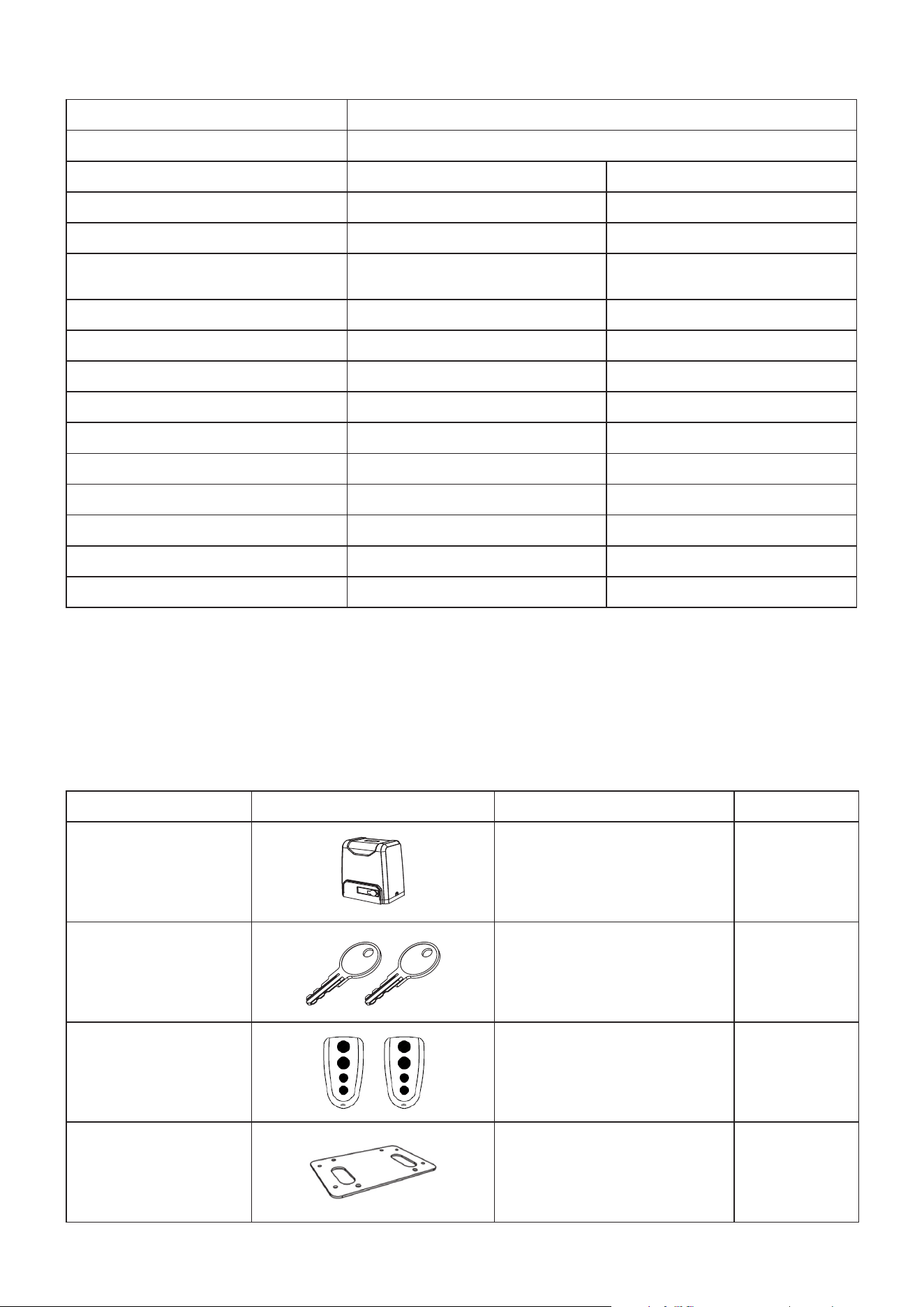
Model SL600AC
Input Power
110–120 V~ 60 Hz
Rated Power
0.37 hp 280 W
Torque
11.8 lb.-ft. 16 N·m
Duty Cycle
S2 20 min. S2 20 min.
Max. Gate Weight
1300 lb.
0.65 T
600 kg
0.6 MT
Max. Gate Speed
42.5 fpm 13 m/min.
Gear/Rack Type
Module 4 Module 4
Provided Rack Length
13 ft. 396 cm
Max. Gate Length
40 ft. 12.2 m
Max. Noise
56 dB 56 dB
Temp. Range
−4° to 158°F −20° to 70°C
Weatherproong
IP44 IP44
Max. Remotes
40 40
Remote Range
98.4 ft. 30 m
Remote Frequency
433.92 MHz 433.92 MHz
SPECIFICATIONS
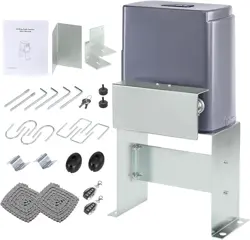
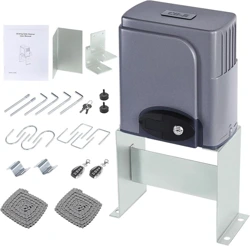
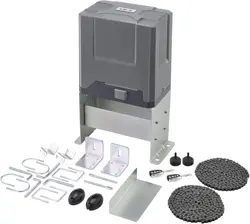
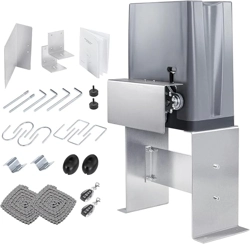
PACKAGE LIST
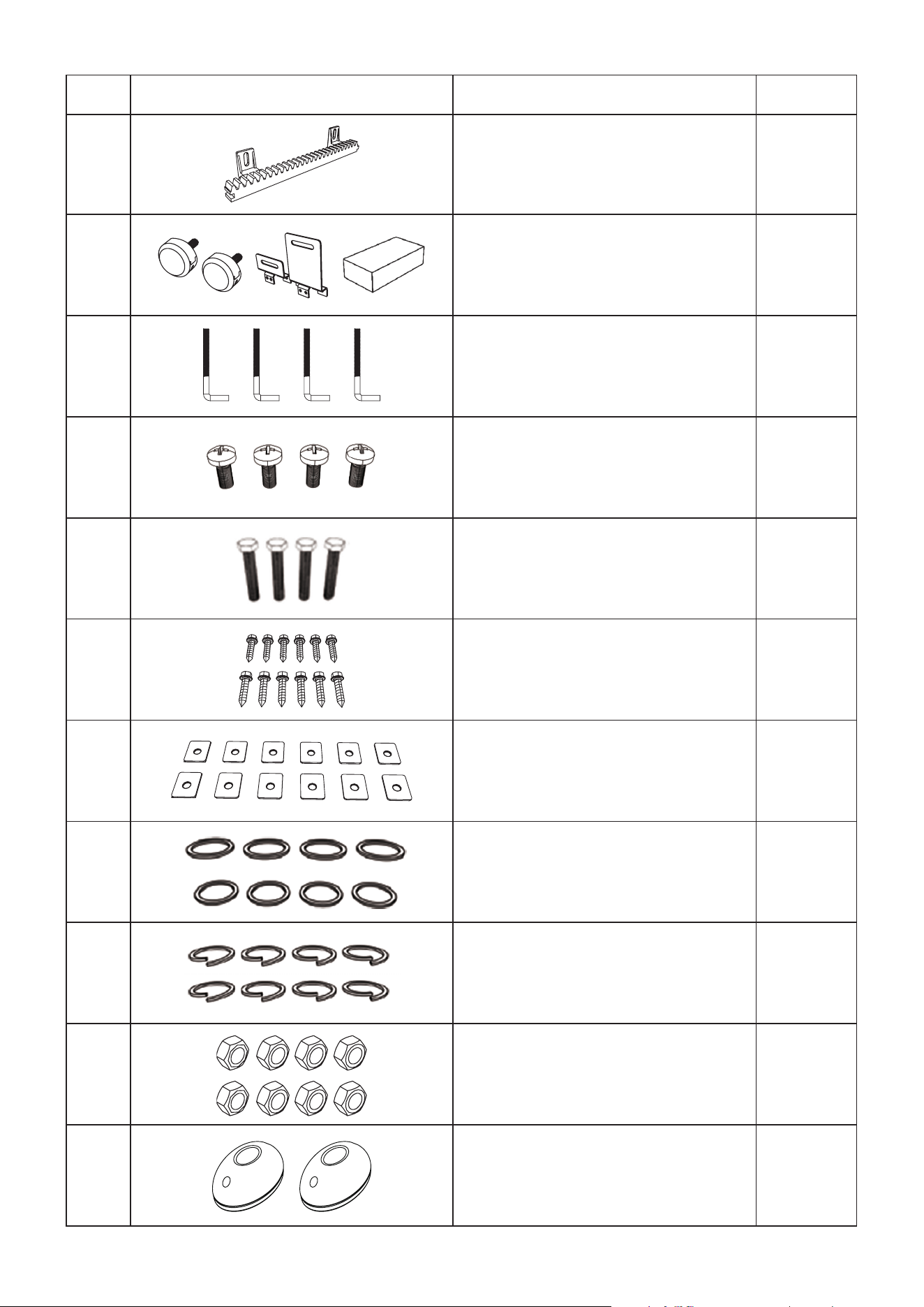
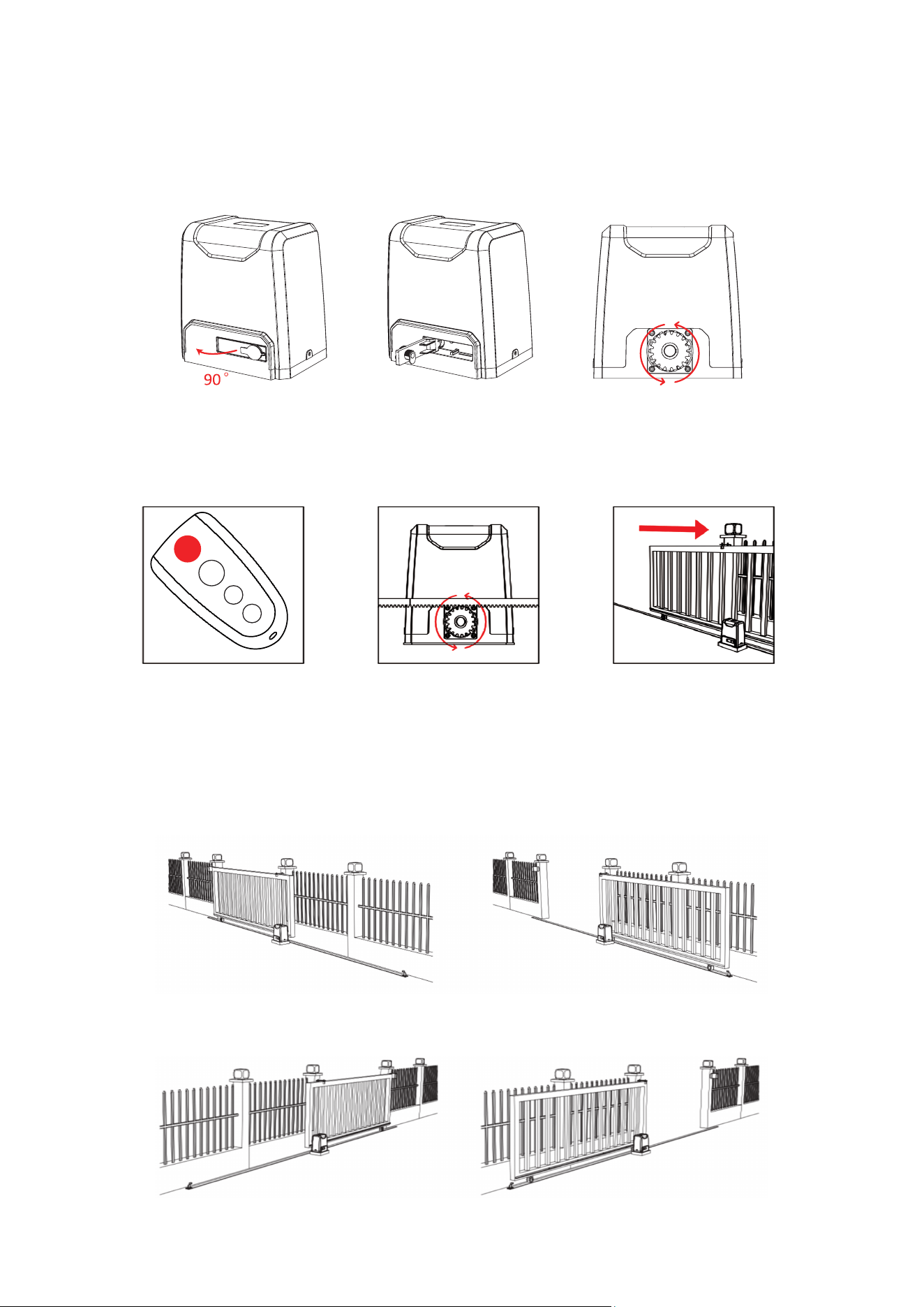
When you first receive your new gate opener, confirm that you have received all of the following parts. A few
additional xtures and washers are included as spares. You may wish to keep the original packaging through your
warranty period to speed any returns, but be sure to prevent any children or pets from playing with it.
No. Picture Name Quantity
A
Motor and Control Board 1
B
Manual Release Keys 2
C
Remote Controls 2
D
Mounting Plate 1
3
No. Picture Name Quantity
E
Module 4 Racks 12
F
Limit Switches with Accessories 2
G
M8 Foundation Bolts 4
H
M6×18 Mounting Bolts 4
I
M8×40 Hex Bolts 4
J
Self-Tapping Screws 24
K
Mounting Lugs 24
L
M8 Flat Washers 10
M
M8 Spring Washers 10
N
M8 Nuts 12
O
Infrared Sensor Set 1
4
Initial Testing and Setup
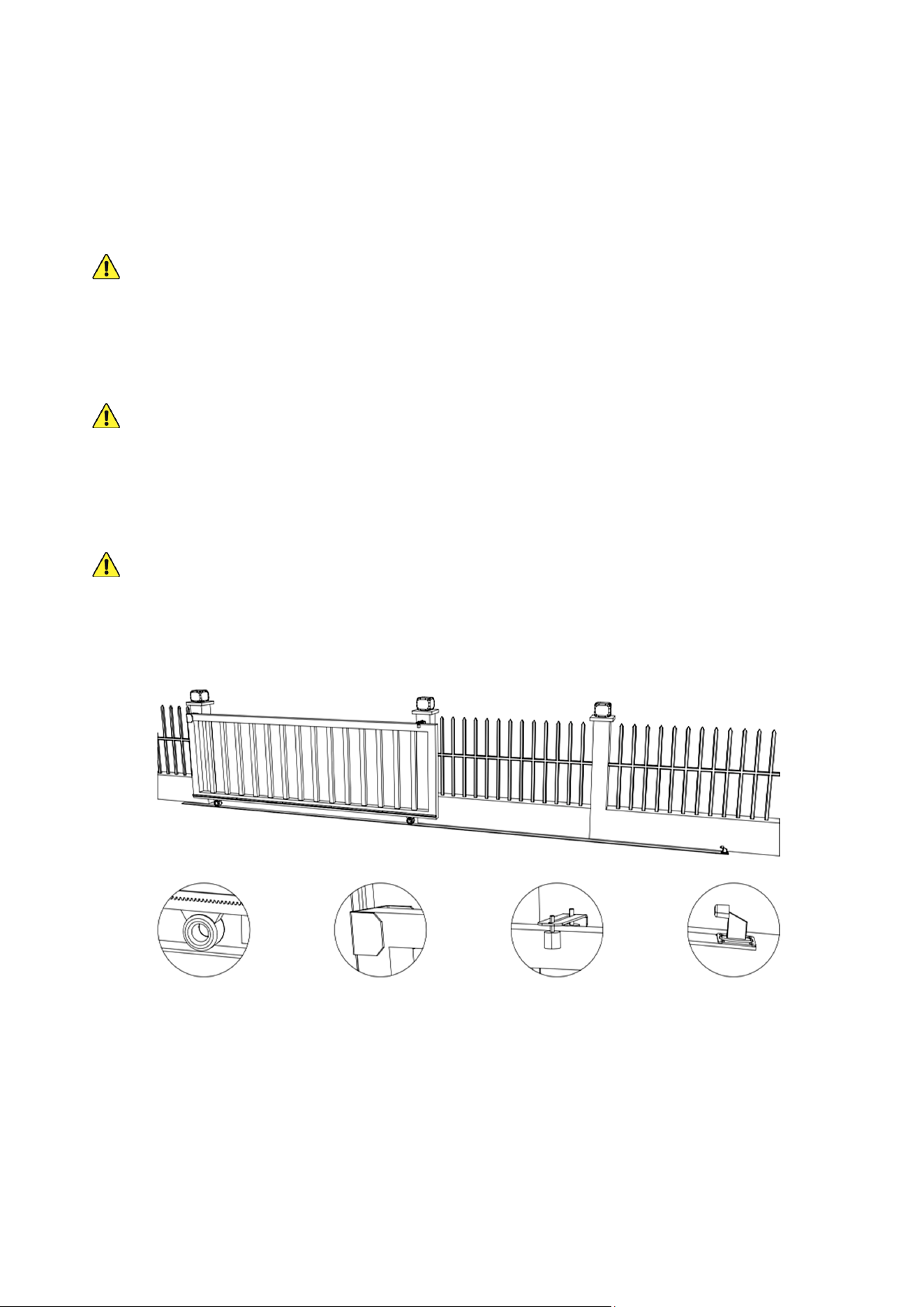
1. When you rst receive your motor (A), use one of the manual release keys (B) to open the motor’s release bar
90°. This releases the main gear’s normal locking mechanism for manual testing. Conrm that the gear rotates
freely and smoothly by hand. Close the release bar and lock the gear back into its normal operation.
2. Plug the motor into any stable, compatible, and well-grounded power source. Use one of the provided remote
controls (C) to conrm its operation. The top button on both remotes should come already paired to your motor’s
circuit board. If they are not, see the instructions for Remote Pairing below.
The default setting for this gate opener is single-button control, which helps prevent accidents and malfunctions
from contradictory inputs. Press the top button once to start the motor. This should cause the main gear to begin
turning counterclockwise, which opens gates towards the right. If you will need to install your opener on the left
side of your gate, see the instructions for Reversing Direction below.
Standard Right Side Installation
Closed
Closed
Open
Open
Optional Left Side Installation
INSTALLATION
5
Press the button again to stop the gear. Press the button a third time to start the motor again in reverse. This
should cause the gear to begin turning clockwise, which closes gates from the right. Press the button a fourth
time to stop it again.
3. Test the magnetic limit switches (F) by starting the motor turning in either direction and bringing one of the
magnets close. The detector is located inside the case above and to the right of the turning gear. Move the
magnet around to nd the exact location, marking it if needed. Conrm that each magnet stops the wheels
turning in each direction when brought near the detector. If there is any problem or issue with the magnetic limit
switches, contact Customer Service before continuing with installation.
Keep the motor and other devices
FULLY
disconnected from power for the rest of installation, except as
instructed for testing operation.
4. Double check your gate’s weight and size. Conrm that your gate opener will be able to provide the necessary
torque for safe and consistent operation. Conrm that your gate does not exceed 40 feet (12.2 m) in length.
Check how far your gate will need to move to open and close as needed. If your gate will need to move more than
13 feet (4 m), you will need to purchase additional Module 4 racks and connect them with those already provided
with your device. Be sure any additional track is completely identical and ush with the rest.
NEVER
use weak or incompatible track with this device and
ALWAYS
ensure the track is securely
fastened and completely ush prior to any use.
5. Double check your gate’s condition. Conrm that it is properly installed on rm and level ground entirely within
your own property. Conrm that it moves smoothly and remains completely plumb and level both vertically and
horizontally along its entire path. Its wheels and guides should rotate easily and be free of any corrosion, dirt, or
grime. Any track should be cleaned and rmly mounted along its entire length. There should be adequate space
at both ends to avoid any pinching or crushing hazard once movement is automated.
If it is impossible to eliminate hazardous areas around your gate, each one should be blocked o and
clear warnings posted.
Conrm that your gate includes all of the following features or their equivalent. In particular, be sure it will be
able to rmly mount the Module 4 rack and that end catches and stops on both sides are prepared so your gate
can never roll o its designated path.
Track and Wheels End Catch Guide Rollers End Stop
For full UL 325 compliance, place one or more warning signs so that they are clearly visible to anyone near the
gate on either side. Such signs should warn of the possibility of serious injury or death from the moving gate,
warn against allowing children nearby, and guide pedestrians to keep clear and use a separate entrance. As
potential pinch points, access to exposed wheels must also be restricted using roller guards. Similarly, the gate
and nearby fence or wall must be constructed so that they do not provide
ANY
openings below a height of 4
feet (1.2 m) above the ground where a 2¼″ (5.8 cm) diameter sphere would be able to pass through.
6. Provide a separate gate for pedestrians if needed. Once automated, the main gate should
ONLY
be used for
vehicular trac. Be sure the pedestrian access is clearly visible or clearly marked from the area of the gate, but
it should be located safely away from the main gate’s range of motion.
6
7. Provide a stable, compatible, and well-grounded power connection for the gate opener. The motor’s outlet
should be within sight of the gate, protected from the elements, and equipped with a GFCI, RCD, or circuit
breaker. It should be at least 3 feet (1 m) high to minimize damage from weather. If possible, place the outlet
higher than 5 feet (1.5 m) to limit access by children and animals.
It is recommended that any wiring near the gate run underground inside PVC pipe or conduit to minimize any
possibility of tripping or accidental damage. The wiring for the outlet or power connection should be a 3-core
cable at least 16 AWG (1.5 mm²) thick. If your gate’s position is further than 300 feet (90 m) from the nearest
power source, the wire should be at least 14 AWG (2.5 mm²) thick. At distances beyond 1000 feet or 300 m, a
professional electrician should be consulted to safely deal with the expected voltage drop.
8. When properly congured and activated, the gate opener’s collision reaction system
functions as a Type A entrapment protection and an attentive user and the device
remote function together as a Type B1 non-contact sensor. Users should also install
the provided infrared sensors, especially if any additional access method is added.
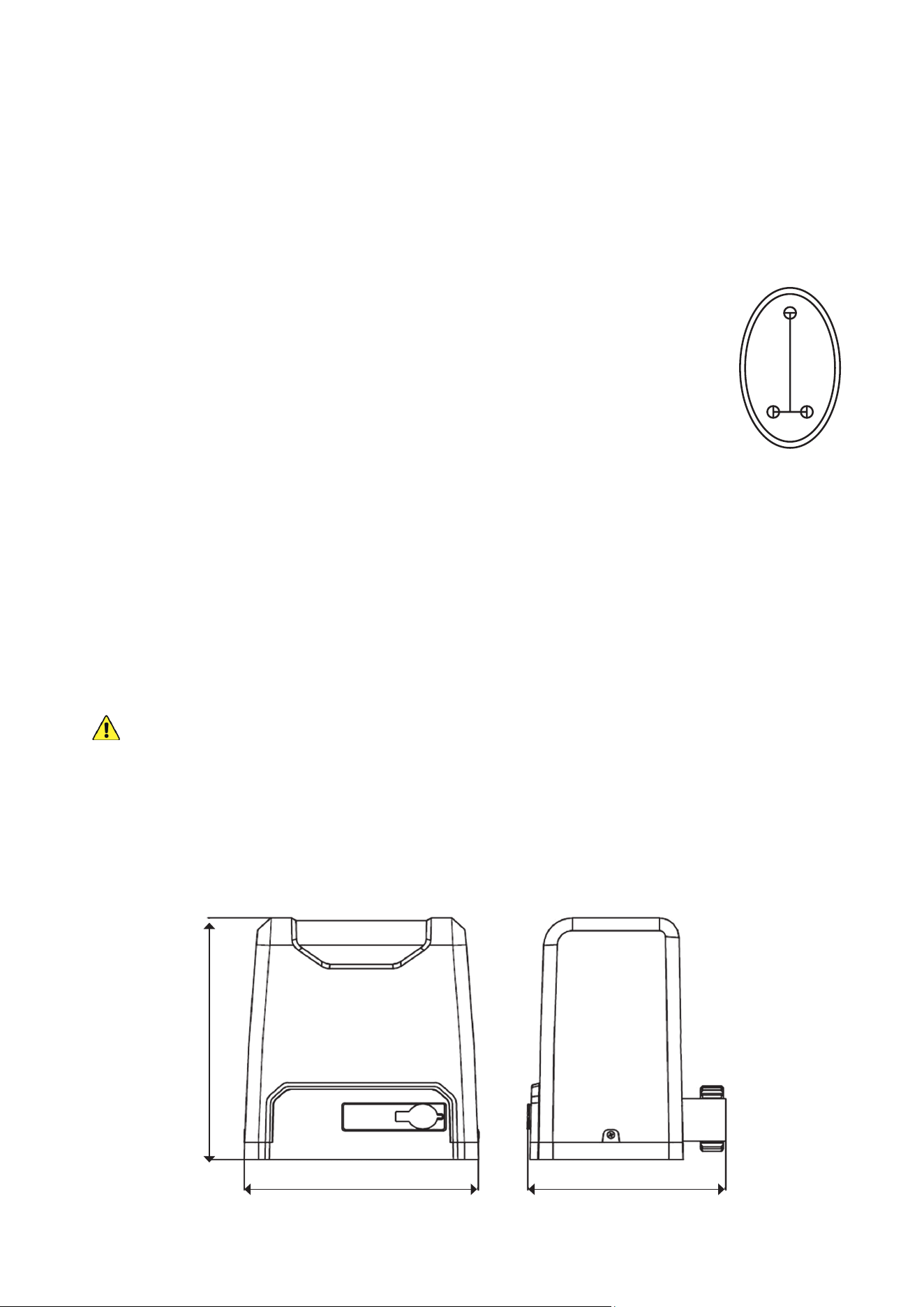
To use the infrared sensors, prepare locations for them on opposite sides of your
gate. They should be directly across from one another at least 6′7″ (2 m) apart but no
further apart than 65 feet (20 m). If possible, they should be placed where they will be
shielded from direct sunlight. Pilot holes for their support bolts (not included) should be
placed as shown.
Each sensor will need a connection to the circuit board and a source of 12V DC power. This can be provided
from the motor circuit board’s +15V pin (
7
) or separately. The signal line from the receiver—the sensor with a
5-pin terminal—and any power lines should be prepared ahead of time. Additional wires should be at least 22
AWG (0.5 mm²) thick. If possible, these lines and those from any other control or access system should also be
placed underground inside a PVC pipe or conduit separate from the one used for the motor's power cord. Again,
all wiring connections should be insulated and protected to withstand rain and inclement weather.
Base Installation
Your motor
MUST
be rmly secured for safe use. Do not attempt to use it loose or only secured to thin
pavement.
1. Prepare a suitable location for the motor (A) beside either end of your gate. The default settings are for placement
on the right side of your gate when facing out from your property. It can be installed on the left side but some
settings will need to be reversed for some functions like automatic closure to work properly.
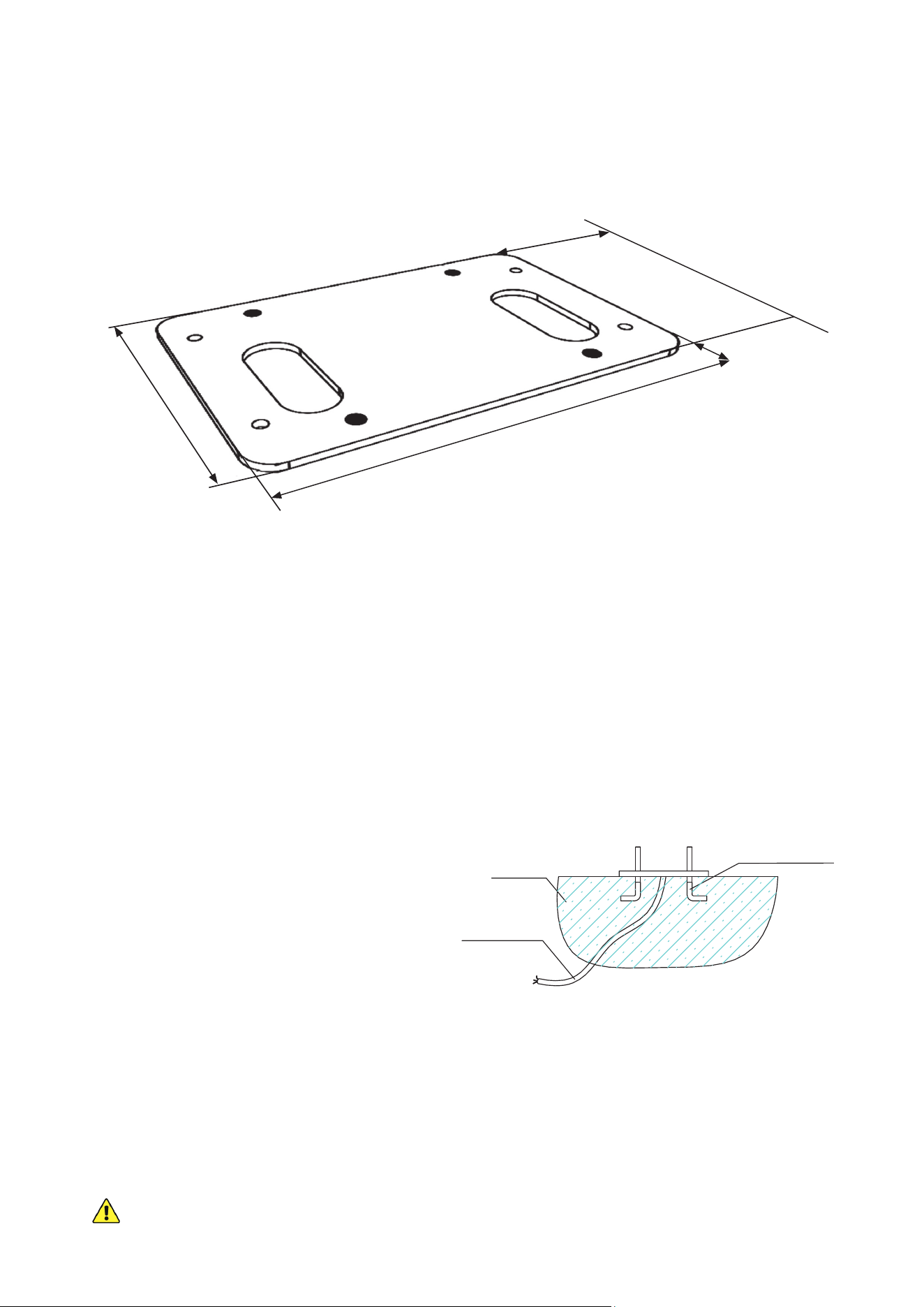
2. The motor itself will need an area of 10.7×9 inches (27.1×22.8 cm).
11 in. (28 cm)
10.7 in. (27.1 cm)
9 in. (22.8 cm)
1.77 in.
4.5 cm
0.79 in.
2 cm
7
3. If the area beside your gate already has concrete at least 10 inches (25 cm) thick, you can attempt to secure the
gate opener to it with a drill and suitable fasteners (not included). Simply nd the right position for the mounting
plate and use it to mark the locations for your anchor bolts.
If the area beside your gate is covered with earth or thin pavement, you will need to create a concrete platform
to fully anchor the motor. Dig a hole about 20 inches long, 14 inches wide, and 8 inches deep (50×35×20 cm).
Prepare a form box with the same dimensions and t it into the hole. Nonstick spray can be used to minimize
moisture absorption and ease its future removal.
4. Fill the form with concrete. You will need a minimum of 1.25 cubic feet (35 L or 0.035 m³) of concrete, equivalent
to a bit more than two standard 80 lb. bags or three standard 60 lb. bags. Aim for at least a 4000 psi or C30
strength mix. A metal wire or cage frame can be added near the sides to further shape and reinforce your
concrete foundation.
5. While the concrete is still wet, adjust the cables’
PVC pipes as needed and insert the four
M8 foundation bolts (G) as shown. Use the
mounting plate to conrm that they are properly
positioned and aligned, remembering to leave
the correct distance from the future location
of the motor to the gate. For best results, coat
the foundation bolts in a protective solution to
minimize corrosion during their time in the wet
concrete and afterward.
Alternatively, you can simply create a solid
foundation, position the motor and wiring as
needed once it dries, and then use your drill and
suitable fasteners to anchor the motor to the
concrete.
6. Carefully level the upper surface of the concrete.
7. Wait at least 24 hours for the concrete to set, protecting the area from any rain or other weather as needed.
8. Remove the form box from around the concrete. Pack the surrounding soil tightly back into place to hold the
new foundation. Adjust the concrete and surrounding dirt as needed to ensure it is snuggly t, rmly positioned,
and completely level.
If you ever subsequently notice the gate opener rocking with the concrete during use, add additional
concrete or further secure the base as needed.
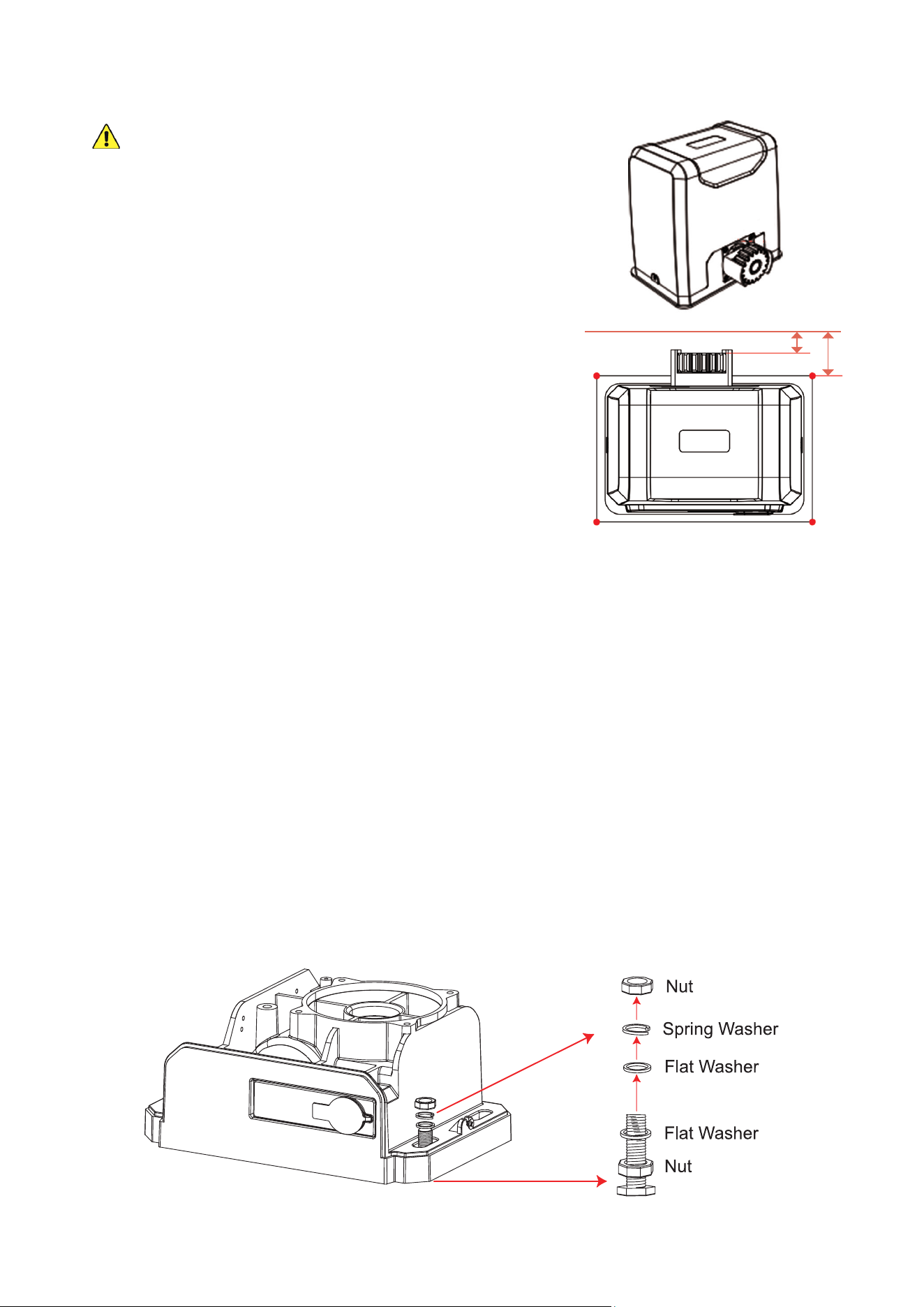
The outer edge of the gear will need to be positioned almost exactly ¾″ (19 mm) from the nearest part of the gate.
The mounting plate (D) can be used to more easily check and mark initial placement, but its outer edge will need
to be positioned 2⅛″ (5.5 cm) from the nearest part of the gate to adjust for the width of the gear itself. The middle
of the plate should be set at least one foot (30 cm) from the nearest end of the gate to allow enough space on the
track for the limit switches and to avoid any possibility of derailment.
Foundation Bolt
Concrete
Power Line
7 in.
17.7 cm
10.6 in.
27 cm
2.1 in.
5.5 cm
12 in.
30.5 cm
8
Motor Installation
Using two people may make some parts of the following
process much easier.
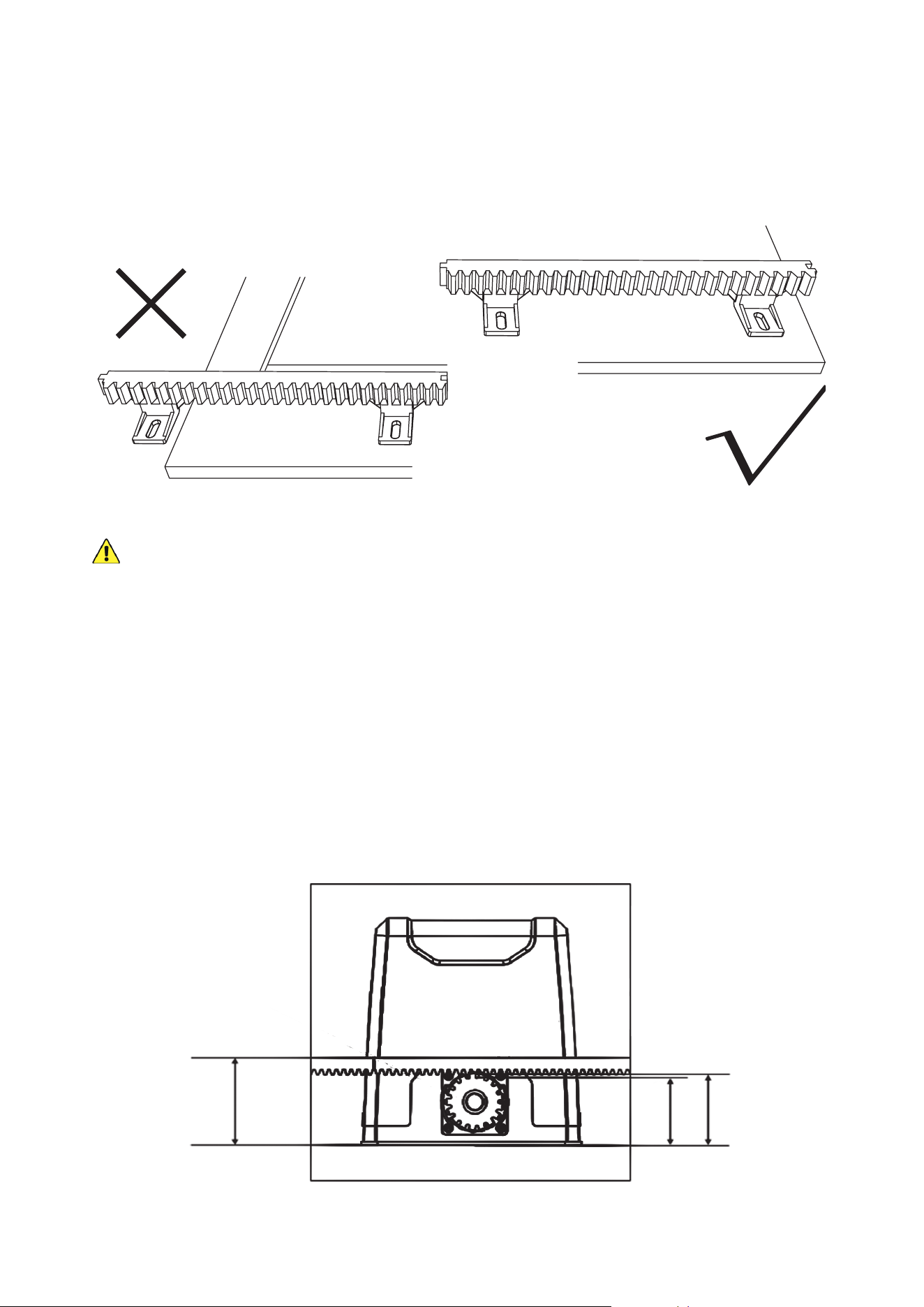
1. Remove the bolts on each side of the protective casing of the
motor (A). Use your release key (B) to unlock the gear again.
2. Position the mounting plate (D) loosely onto the foundation bolts
(G) and position the motor loosely onto the mounting plate. You
can place two M8 nuts (N) between them now to approximate the
motor’s nal height or simply make the appropriate allowances in
the following steps.
3. Position one of the Module 4 racks (E) so that it rests on top of the
motor’s main gear. Move the rack so that it is positioned properly—
completely ush against the gate—while at the same time moving
the motor as well to keep its main gear positioned properly under
the rack’s teeth. Once both rack and motor are well positioned,
mark the locations on the gate and the foundation. It should match
the diagram at the right.
4. Hold both rack and motor in place while you manually move the
gate along its entire length. The gate should be so smooth and well
aligned that the rack slides along without a problem.
Correct any alignment or binding problem with the gate until the
motor and rack can be held smoothly in place and well aligned through the gate’s entire range of motion.
5. Once the gate is completely open, confirm that there will be at least 1 foot (30 cm) between the middle of
the main gear and the far end of the gate. This will allow enough room for the limit switch and help avoid any
possibility of accidental derailment. If necessary, move the gate opener over and then repeat the positioning
and alignment steps above.
6. Once the motor is fully correctly positioned, mark everything before removing the piece of track and the motor
itself. You can hold the motor in place using only the foundation bolts and nuts—with or without the mounting
plate—but it is recommended you use the mounting plate, the foundation bolts and nuts, and the M8×40 hex
bolts (I). The additional components, along with their at (L) and spring washers (M), should give your motor a
rmer hold and give you more exibility to carefully adjust its height and keep everything completely level.
The recommended arrangement is shown below, but add or remove washers and make other adjustments as
needed so that everything is completely level, well aligned, and rmly held in place once you’re done.
A
A
0.7–0.8 in. (17–21 mm)
B
2.1–2.2 in. (53–57 mm)
B
9
7. Remove the protective cover from the motor circuit board. Keep its fasteners nearby.
NEVER
make electrical connections while the motor’s power supply is active. Disconnect the GFCI, RCD,
or circuit breaker before any wiring attempt.
8. If you will need to directly wire your power source into the motor’s circuit
board, connect your wires to the main power terminal, the only one
with three pin positions. Use a small athead screwdriver to loosen and
tighten the terminal screws as needed. Connect the ground wire to the
top
PE
pin, the live wire to the central
L
pin, and the return or neutral line
to the bottom
N
pin. Be sure no wiring is left bare and exposed.
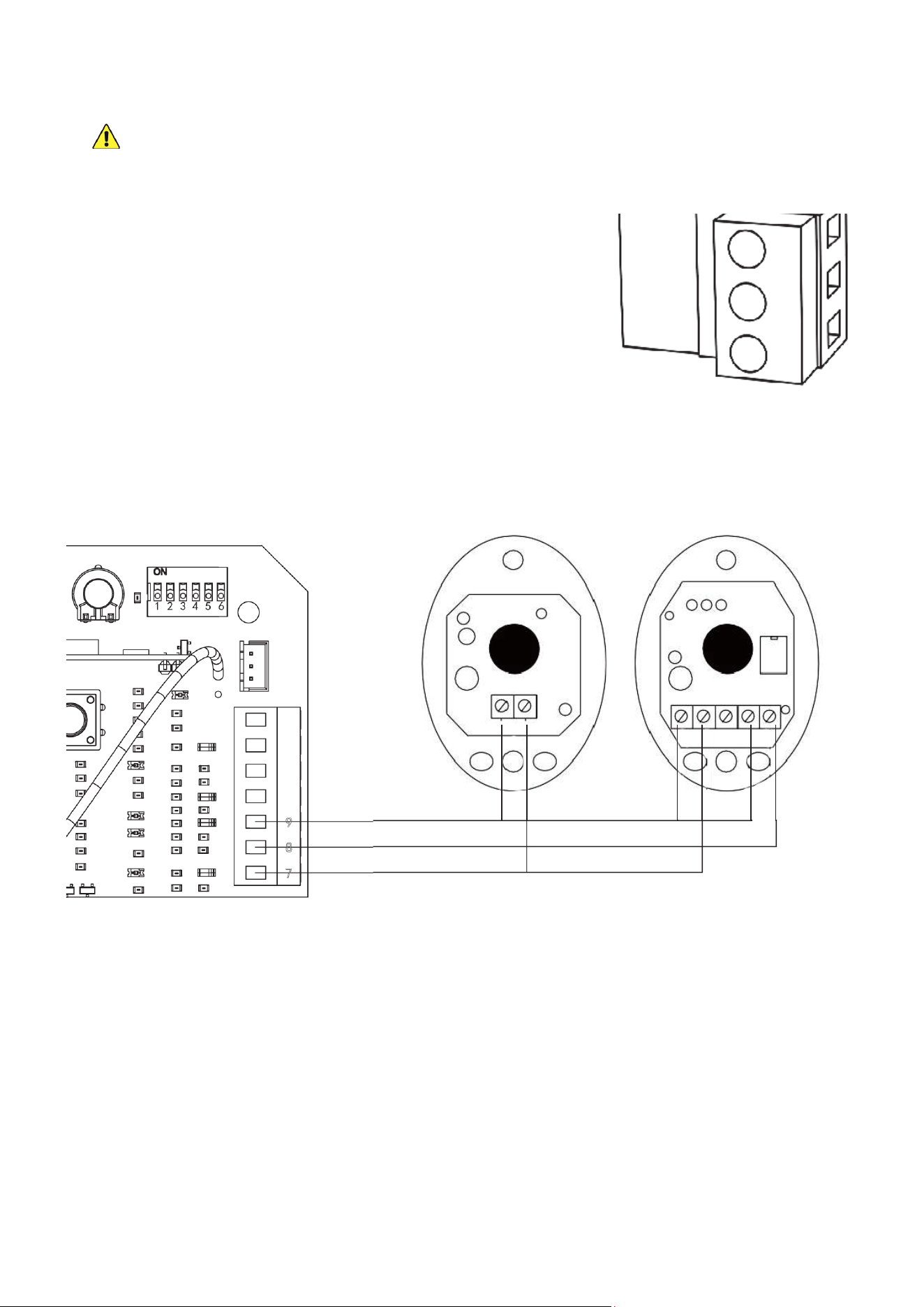
9. If you will be using the provided infrared sensors, nd the long terminal
next to the circuit board’s DIP switches. Remove the wire shorting pins
8
and
9
together. Connect the wiring from your infrared sensors as shown.
The sensors’
V+
pins should be connected to the bottom +15V pin (
7
);
the receiver’s
NC
pin should be connected to the central NC pin (
8
); and
the sensors’
V−
pins and the receiver’s
COM
pin should all be connected
to the top GND pin (
9
).
10. Arrange the wiring for your motor as needed, being sure it will be protected from the moving gate. Use conduit,
silicone, or other sealant to minimize exposure to the elements and limit access by insects.
PE
L
N
Transmitter Receiver
10
Rack Installation
1. Before placing your racks, lay them out in position along the entire length of the gate where they will need to
be installed. Check that both ends have at least one foot (30 cm) beyond the expected position of the main
gear for their limit switch and ensure that you will not end up with a small piece of a rack at the end that is only
supported by a single brace.
All of the gate racks you install
MUST
be supported by at least
TWO
separate braces to remain securely
held and properly aligned over time.
If you
do
end up with too little of a rack at the end, the best solution is to scoot all of the racks over together, so
that enough space is created by moving the rst that both braces on the last rack now t onto your gate. If this
is impossible, you can purchase a shorter or longer compatible Module 4 rack that will allow proper placement
of the other pieces or simply use one fewer rack and move the gate less far out of the way.
Mark the nal arrangement as needed.
2. Slide the gate nearly closed and position the rst piece of the rack just above the motor’s main gear. It may help
to lock the main gear back into normal operation, holding it tight. Once the rack is precisely positioned, screw
one of the mounting lugs (K) and self-tapping screws (J) into the nearest support bracket on the far side of the
motor opposite your entrance. For best results, use an impact driver. Next, put another lug and another self-
tapping screw into a support bracket on the near side of the rack closer to your entrance. The distances should
almost exactly match those in this diagram:
4.9 in.
(113 mm)
3.3 in.
(83 mm)
3.7 in.
(93 mm)
11
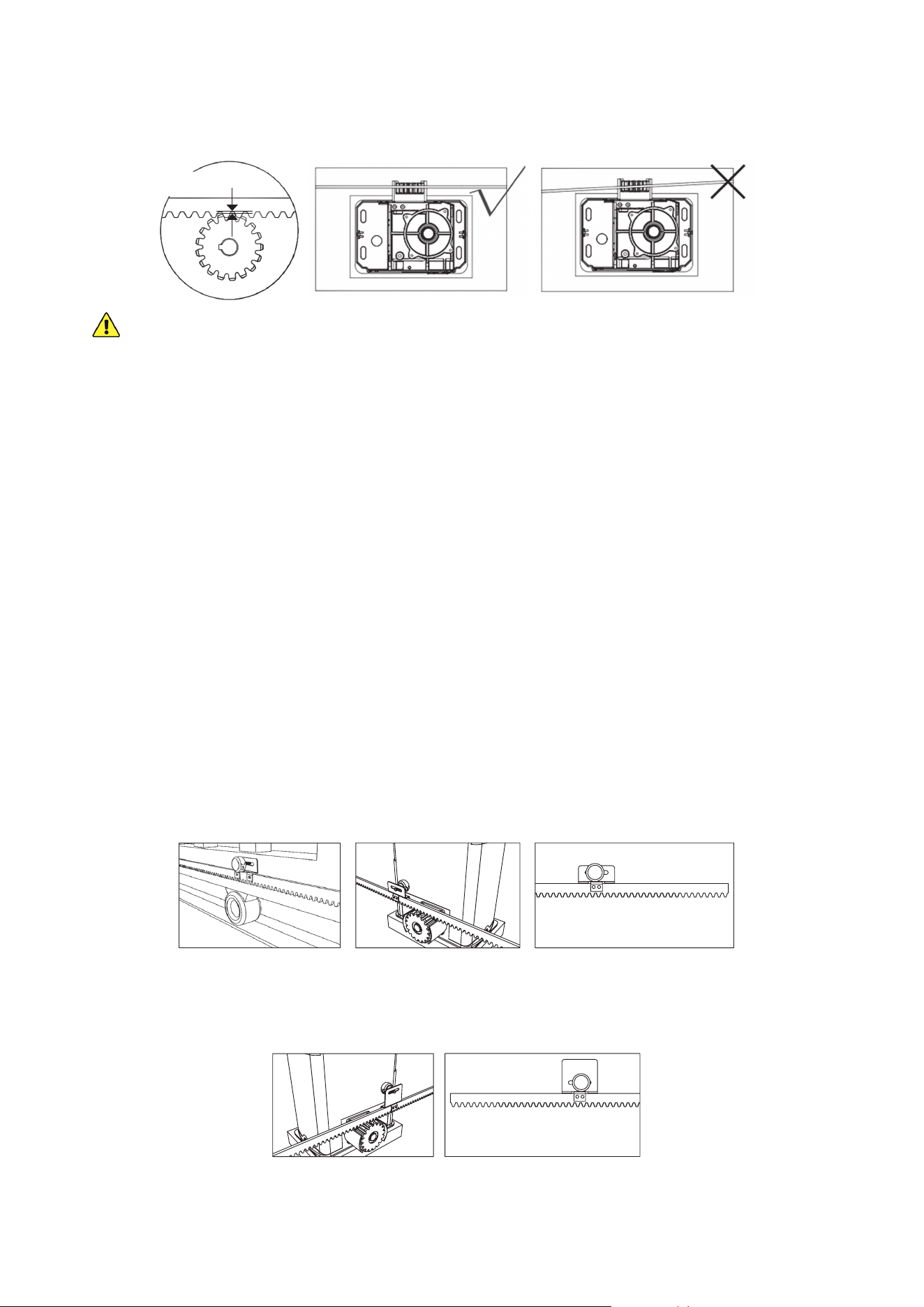
3. Unlock your main gear with your release key and move the gate back and forth. The gear should turn freely
without binding along the entire length of the rack. The rack should remain in the same perfectly straight line
over the gear from one end to the other, and there should be a space of about 40–80 mil (1–2 mm) between the
gear and the rack along its entire length.
0.04–0.08 in.
(1–2 mm)
AT NO POINT
should the main gear directly support the weight of the gate.
If the placement of any rack causes the gear to directly support the weight of the gate, this
WILL
cause
malfunctions, premature failure, and void any warranty stated or implied. Loosen the screw, adjust the bracket
around it, adjust any other parts of the racks to maintain alignment, and tighten everything back into place.
4. Repeat the same process, testing, and adjustment with the next length of rack. Slot it into place beside the rst,
support it using the mounting lugs and self-tapping screws, and adjust it as needed to keep everything level
and smooth without forcing the main gear to directly bear the weight of the gate. Repeat this for the rest of the
racks, conrming each time that the small gap between the rack and the gear’s teeth is evenly maintained.
5. If the nal position of the racks leaves dangerous or unsightly excess length sticking out either side of your
gate, fully tighten the screws supporting all of its brackets and then remove the excess length with a hacksaw,
angle grinder, or similar tool.
6. If any brackets were left unsupported as you went, close the gate back and add the additional lugs and self-
tapping screws. Continue checking the gear’s placement and making any necessary adjustments as you go.
Limit Switch Installation
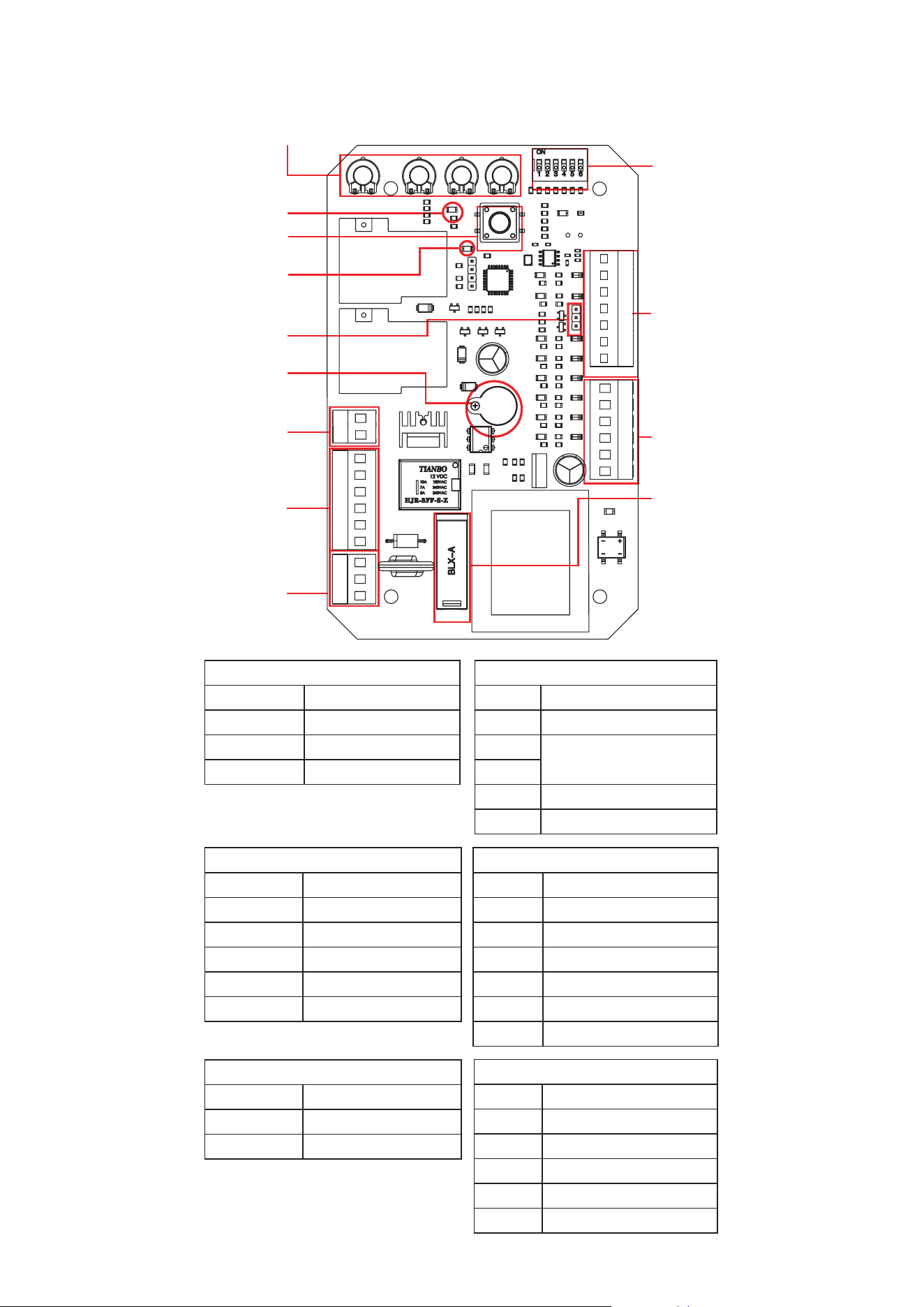
1. The two limit switches (F) are designed to attach to the rack, signaling to the motor when to stop in either
direction. They should work in conjunction with your gate’s end stops and brackets to automatically bring the
gate to a gentle stop at the exact best position every time. Neither the limit switches nor the end stops and
brackets should be used without the other.
2. To position the close limit switch, roll the gate to its completely closed position and then roll it back open about
6–7¾″ (15–20 cm). This will give your gate space to come to a more gentle stop once the limit activates.
3. Fit a magnet onto the shorter limit switch. Slide its bolt through the hole in the switch mount and tighten it into
place with its M8 at washer (L), spring washer (M), and nut (N). Fit the limit switch onto the rack as shown,
positioning it beside the motor's internal magnetic limit detector and tightening it into place with two M6×18 bolts (H).
4. Repeat the process on the other side. Roll the gate to its completely open position and then roll it back closed
about 6–7¾″ (15–20 cm) to provide space for it to roll to a stop ahead of your end stops and brackets. Fit the
magnet onto the taller limit switch, fasten it into place, t the limit switch onto the rack as shown, and tighten it
into place just like before.
5. Roll the gate from one end to the other, checking that the limit switches do not touch the motor and move
smoothly beside it. Use the manual release key to lock the motor back into standard operation.
6. If you have not already done so, mount the infrared sensors and fully connect and bind their wiring.
Open Position Limit Switch
(Reverse for Left Side Use)
Closed Position Limit Switch
(Reverse for Left Side Use)
12
ADJUSTMENT
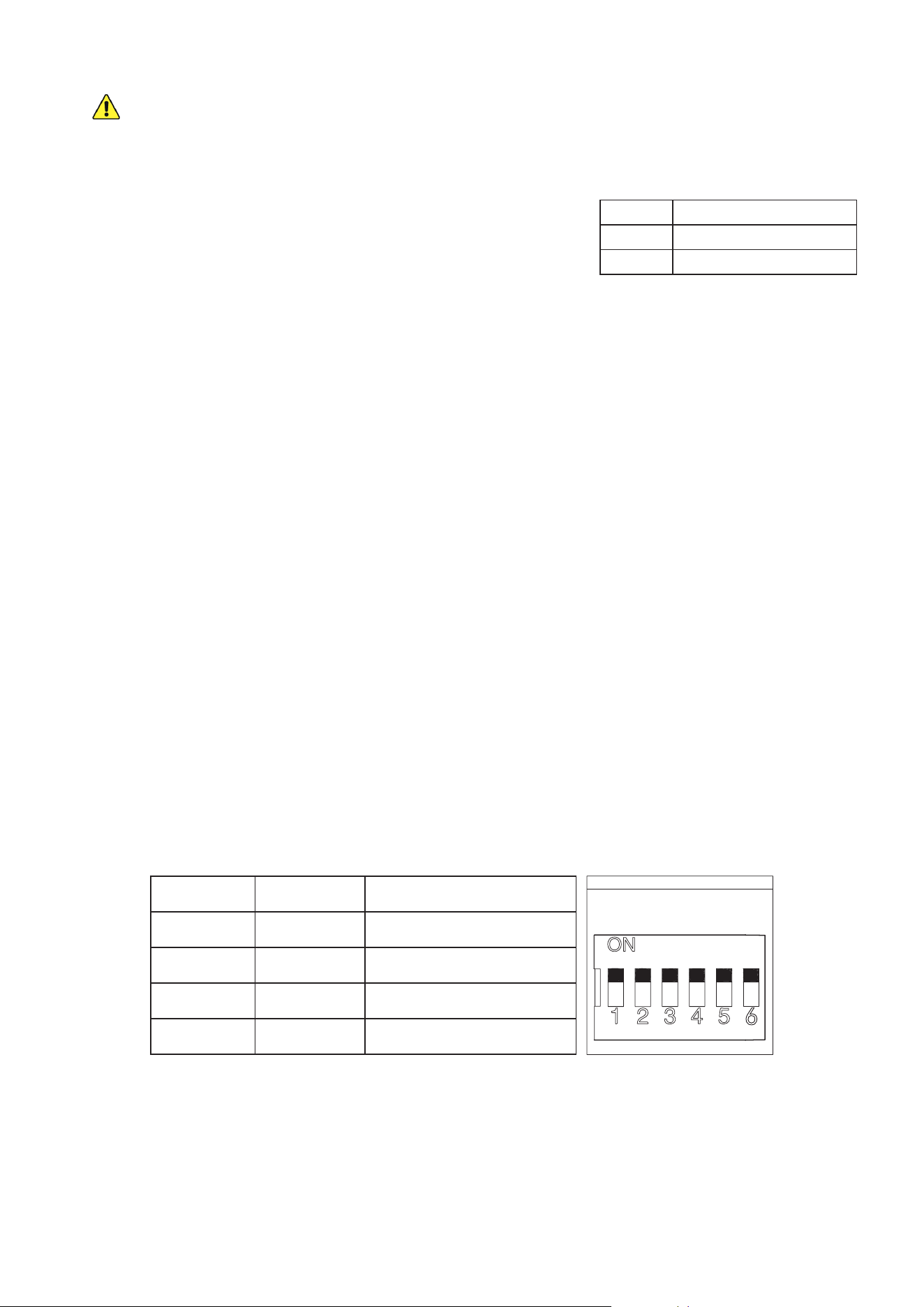
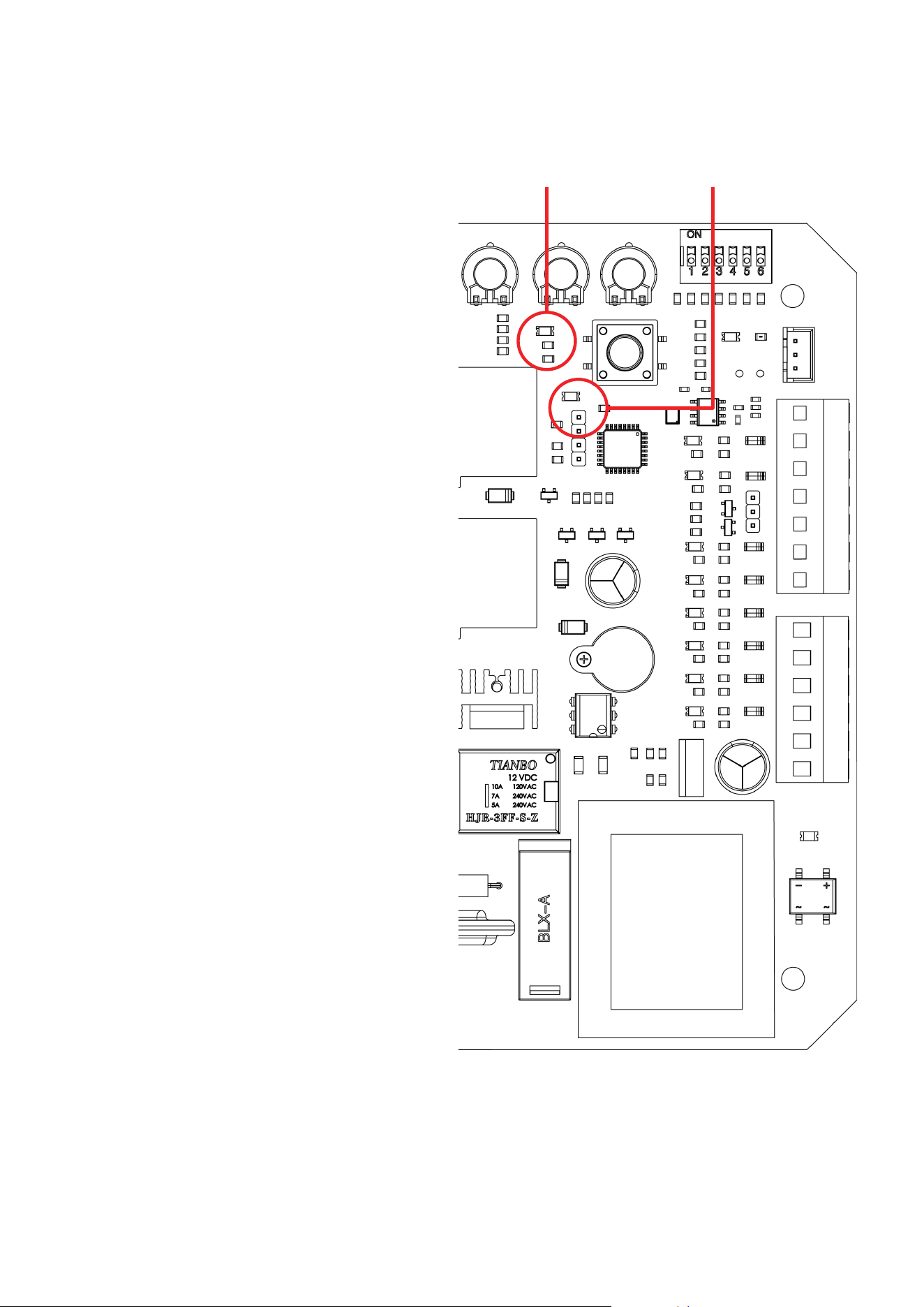
Circuit Board Diagram
Adjustment Knobs
Power Indicator
Pairing Indicator
DIP Switches
J5 Terminal
J2 Terminal
10A Fuse
Pairing Button
Alarm Switch
Alarm
J6 Terminal
J4 Terminal
J3 Terminal
Adjustment Knobs
VR1
Obstruction Sensitivity
VR2
Braking Force
VR3
Slow Stop Distance
VR4
Starting Force
DIP Switches
1
Deactivate Slow Start
2
Reverse Direction
3
Autoclose Time
4
5
Deactivate Collision Close
6
Remote Operation Mode
J4 Terminal
MOT1
Live Motor Pin
MOT2
Neutral Motor Pin
MCOM
Common Motor Pin
LAMPL
Live Alarm Light Pin
LAMPN
Neutral Light Pin
PE
Ground Pin
J5 Terminal
13
Open Limit Pin
12
Common Limit Pin
11
Close Limit Pin
10
Sensor Signal Pin
9
IR Ground Pin
8
IR NC Signal Pin
7
IR 15V Supply Pin
J2 Terminal
6
Pedestrian Signal Pin
5
Cyclical Signal Pin
4
Common Signal Pin
3
Stop Signal Pin
2
Open Signal Pin
1
Close Signal Pin
J3 Terminal
PE
Mains Ground Pin
L
Mains Live Pin
N
Mains Neutral Pin
13
NEVER
adjust any wiring or board setting while the gate is connected to power unless specically directed
otherwise. Disconnect the circuit from power, make your adjustment, and then restore power to test the
eect.
DIP2 Eect
UP Right Side Operation
DOWN Left Side Operation
Reversing Direction
The default placement for this system is on the right side of sliding gates
when looking out from the property. This is controlled by the up position
of DIP Switch
2
. If you are installing your system on the left side of your
gate, make sure that this switch is ipped down away from the word
ON
before connecting the gate to power.
Changing Command Modes
The default command mode for this system is single-button operation. Pressing a single button on the remote
will cycle through the commands OPEN→STOP→CLOSE→STOP. This is controlled by the down position of DIP
Switch
6
. If you prefer to use four separate buttons for the dierent commands, make sure that this switch is ipped
up towards the word
ON
before connecting the gate to power. Be aware that this setting makes accidents and
excessive wear from contradictory commands more likely and is not recommended.
Toggling the Movement Alarm
By default, the circuit board produces an alarm or buzzing noise when the motor is active. This is controlled by
the position of the small wire connecting Pins
1
and
2
on the Alarm Switch terminal. If you prefer to deactivate this
safety feature, move the wire to connect Pins
2
and
3
on the Alarm Switch terminal instead. Be aware that this can
make accidents more likely and is not recommended.
Activating Autoclose
By default, the gate remains open indenitely until it receives a command to close. This is controlled by the joint
down position of DIP Switches
3
and
4
. To set the gate to close 12 seconds after reaching its maximum open
position, ip switch
4
up towards the word
ON
. To set the gate to close 24 seconds after reaching its maximum
open position, ip switch
3
up but leave switch
4
down. To set the gate to autoclose after 36 seconds, ip both
switches up. Because of the additional risk involved in the gate moving without direct instruction and supervision,
be sure that the gate’s obstruction sensitivity, stop speed, and similar setting are working as intended. Using the
movement alarm, infrared sensor, and other safety equipment is also highly recommended while autoclose is
active. (DIP Switch
5
can be ipped up to disable the automatic closure that occurs when a collision is detected, but
this is not recommended for most users.)
DIP3 DIP4 Eect
UP UP 36 Second Delay
UP DOWN 24 Second Delay
DOWN UP 12 Second Delay
DOWN DOWN Manual Closure
Adjusting the Gate’s Sensitivity
The leftmost adjustment knob
VR1
controls obstruction sensitivity. The far left position is the most sensitive to any
obstruction but may cause overreaction, e.g., to strong winds or leaves along the gate’s track. Moderate settings
are ne for most users, but careful trial and error can nd the ideal settings for your situation.
14
Adjusting the Gate’s Forcefulness
Various settings control the forcefulness of the gate. The gate normally minimizes wear by speeding up gradually as
it begins moving. DIP Switch
1
can be ipped up to deactivate this soft start. (This can damage the system and is
not usually recommended.) Similarly, the rightmost adjustment knob
VR4
controls the gate’s initial force. The far left
position minimizes wear on the motor and gate but may cause it to react too sluggishly. The 2nd knob
VR2
controls
the braking force of the motor. Again, the far left position minimizes wear on the motor and gate but may react too
slowly to obstructions and limit switches, causing a forceful collision with the end stops and brackets. The 3rd knob
VR3
controls the sensitivity to the limit switches. The far left position responds immediately and disables any soft
stop, but this can cause unnecessary wear and even cause your gate to stop before reaching its end bracket.
Remote Pairing
The top button of both included remotes (C) should come already paired with your gate opener. Up to 38 additional
remotes or wireless control buttons can be paired to the gate’s circuit board. Be sure that they use the 433.92 MHz
(LPD433 Channel 35) radio band or can be congured to do so.
NEVER
pair the same button to 2 dierent gates or devices at the same time.
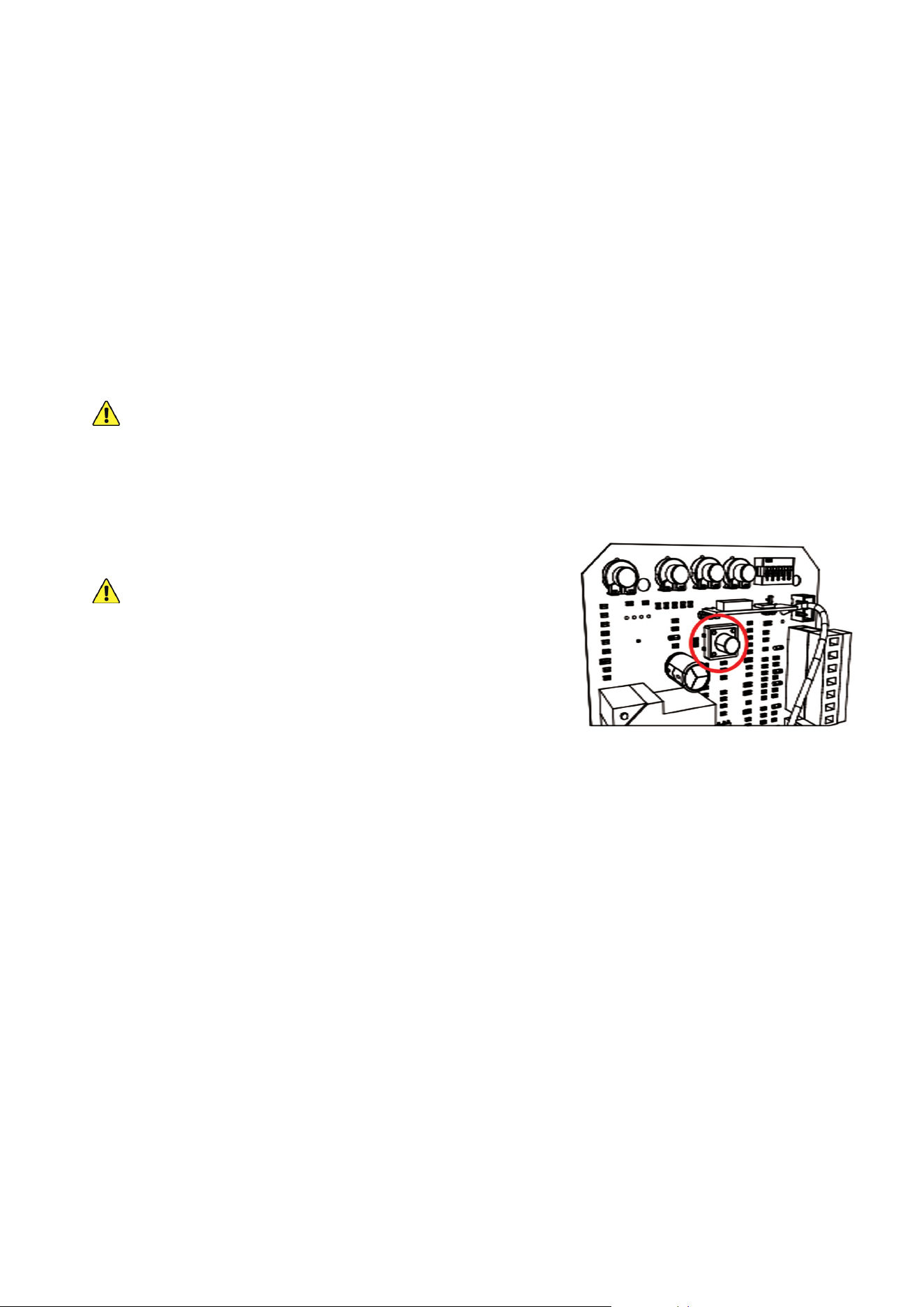
1. Remote pairing must be done with the circuit board exposed and connected to power. Be careful and only touch
the pairing button while the circuit is live. Disconnect the motor’s power while its casing is being removed and
replaced or making any other adjustment besides remote pairing.
2. Press the remote pairing button long enough for the nearby
indicator light to come on.
DO NOT
hold the button down, as this has a dierent eect.
3. Press the remote button to be paired or enter a passcode and
press the open button on your wireless control.
4. Press the same button on the remote again or reenter the
passcode and press the open button again on the wireless
control. The remote indicator light should ash and then go out.
5. The button or keypad is now paired and can be used to open or close the gate. This pairing should remain
stored in memory even when power to the gate opener is cut accidentally or at its circuit breaker.
6. Test that your gate responds correctly to commands from the new remote or keypad. When you are nished
pairing and testing, disconnect the gate from power, replace the motor’s covers and fasteners, and restore
power.
Unpairing Remotes
This board cannot unpair an individual remote. If you need to remove lost remotes from the system’s memory,
you will need to delete
ALL
stored remotes at once. Open the motor and circuit board casing as before, press and
HOLD
the pairing button, and wait for the indicator light to come on and then turn o. Use any remote to test that all
stored remotes have been purged.
Once this process is successful, pair the remotes that you want to continue using in the same way as before.
15
INITIAL TESTING
1. If the motor is located on the right side of your
gate, conrm that DIP Switch
2
is toggled up. If the
motor is located on the left side, make sure that
DIP Switch
2
is toggled down.
2. Clear any obstacles from the gate’s path and keep
all bystanders away.
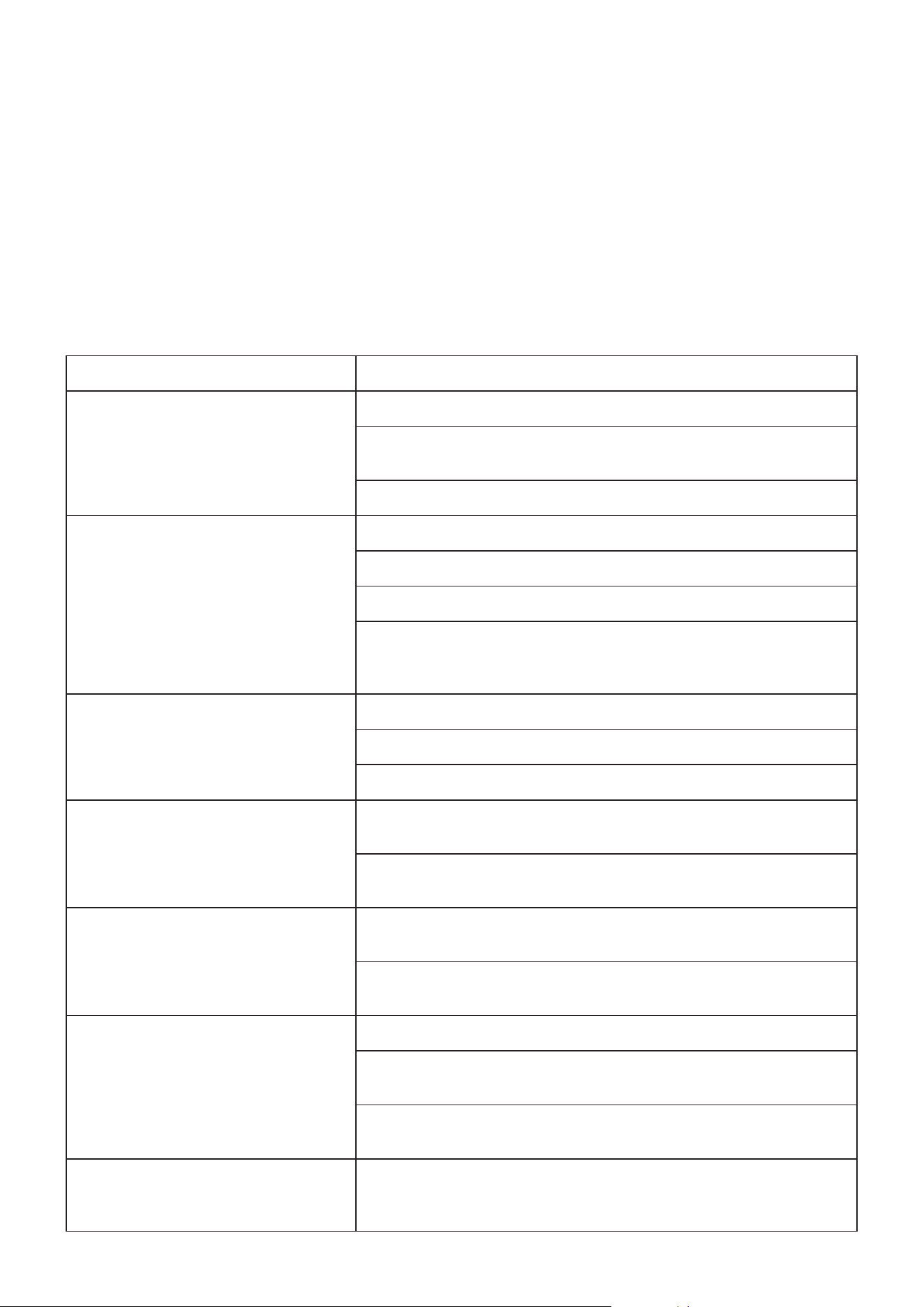
3. Activate the power to your motor. The power and
infrared (
8
) indicator lights should come on.
4. Test the infrared sensors by blocking the path
between the two sensors with any obstacle. The
infrared indicator light (
8
) should turn o. Remove
the obstacle. The indicator light should come
back on.
5. The top button on both of your remote controls
should already be paired with your motor. They use
a single control mode at a distance of up to 98 feet
(30 m). Pressing either button should cycle through
the commands OPEN→STOP→CLOSE→STOP.
The remote pairing indicator light should come on
each time a signal is received.
6. When the gate reaches the open limit switch, the
open limit indicator light (
13
) should come on and
the gate should come to a stop.
Be ready to manually stop the gate using the
remote if the limit switch does not activate correctly.
If the limit switch is so close that it contacts the
motor housing or is so distant that it fails to activate
the motor’s sensor, adjust its support bracket as
needed to correct the problem. If the limit switch
stops the gate too early or too late, adjust the
location of the support bracket so that the gate will
gently stop in the correct place.
7. If you have activated the automatic close function,
test that it works correctly. Wait the set amount
of time, and see if the gate begins closing
automatically. Conrm that the remote can still stop
the gate when it is closing automatically.
8. When the gate reaches the close limit switch, the
close limit indicator light (
11
) should come on and
the gate should come to a stop. Again, be ready to
quickly stop the gate with the remote if needed and
adjust the support bracket as needed.
9. Test both remotes through the full cycle of
commands.
10. Deactivate the power to your motor using its
circuit breaker. If any abnormalities have been
detected during testing, make the necessary
adjustments—e.g. by repositioning the infrared
sensors, realigning the limit switches, or adjusting
the control panel’s sensitivity settings—or contact
Customer Service. Once everything is functioning,
replace the circuit board and motor covers and
their fasteners, reconnect power, and enjoy!
Power Remote Pairing
13
11
8
Indicator Lights
16
• Always supervise children and pets near the gate, the motor, and their controls to prevent accidents.
• Always fully disconnect your motor from its power supply before removing its cover or making any adjustments
to its wiring. Use trained and licensed electricians for rewiring or electrical repair work.
• Keep your gear and guide tracks clean and free of any corrosion, grime, or obstructions.
• Lubricate wheels and rollers as needed.
• If your gate is not in regular use, test your gate opener’s operation at least once a month. If any problems are
noticed during testing or normal use, disconnect the motor from power, unlock the gate, and test manually that
the gate still moves smoothly on its own. Tighten, repair, or replace problematic parts as needed. Only use
identical components and always fully replace damaged or malfunctioning electrical cables.
MAINTENANCE
TROUBLESHOOTING
Possible Problems Typical Solution(s)
The gate does not open or close
normally and no indicator lights
activate on the circuit board.
Verify that the power supply is functioning properly.
Check that the fuse is not blown. If necessary, replace it with an
identical 10A 250V fuse.
Have a certied electrician rewire your system.
The gate opens but does not close.
Remove any obstacles that might be in the gate’s path.
Check the placement of the limit switches.
Check the gate direction switch on the circuit board.
If it has been removed, replace the short wire between the NC and
GND pins (Pins 8 and 9) on the circuit board’s infrared sensor terminal
or correct the wiring for your infrared sensors.
A remote control does not activate the
gate.
Change the remote control’s battery.
Pair the remote control button to the board again.
Remove any obstruction between the motor and the remote.
The motor makes noise but the gate
does not move.
Remove any obstruction from the motor, main gear, track, or gate
path.
Have a certied electrician check the gate opener’s capacitor. Replace
or rewire it if necessary.
The circuit breaker trips repeatedly.
Remove any other devices from the circuit providing the motor’s power
and conrm it is not unstable or experiencing surges.
Have a certied electrician check the power supply line and motor line
for short circuits. Repair if necessary.
The gate suddenly stops or reverses
when moving.
Remove any obstacles that might be in the gate’s path.
Check the infrared sensors, their wiring, and the circuit board indicator
lights, adjusting as necessary.
Check the limit switches, their placement, and the circuit board
indicator lights, adjusting as necessary.
An obstruction to the infrared sensors
stops the gate from opening but
doesn’t stop it from closing.
Correct the direction settings on the circuit board to match your
motor’s placement.

17
Electrical products should not be disposed of with household products. In the EU and UK, according
to the European Directive 2012/19/EU for the disposal of electrical and electronic equipment and its
implementation in national laws, used electrical products must be collected separately and disposed
of at the collection points provided for this purpose. Locations in Australia, Canada, and the United
States may have similar regulations. Contact your local authorities or dealer for disposal and
recycling advice.
DISPOSAL
CONTACT US
Thank you for choosing our products! If you have any questions or comments, contact us at
contact@b2csupportpro.com and we'll resolve your issue ASAP!
For a .pdf copy of the latest version of these instructions, use the appropriate app on your
smartphone to scan the QR code to the right.
SGO-RA11-A0
Rev. 1 Feb. 2023