USER’S Manual
SR-611
CAUTION:
This Walkie-Talkie is the product with excellent design and advanced technology. The following suggestions
will help you fulfill your obligations under warranty terms and understand the safety knowledge of using
walkie-talkie.
1. Don’t try to disassemble the walkie-talkie. Unauthorized disassemble may cause damage to the
walkie-talkie.
2. This machine can use universal qualified mobile phone charger(5V).
3. Don’t expose the machine to sun for a long time or put it on a overheated place.
4. Don’t place it in a dusty or damp place.
5. Don’t use strong chemicals, cleaning agents or strong lo tions to clean walkie-talkie.
6. If it is found to emit peculiar smell or smoke, place it on the open ground to avoid injury, and contact the
distributor in time.
7. Don’t use the machine inflammable, explosive or other place where walk ie-talkie is prohibited.
8. In order to obtain the best communication performance, it is rec ommended that least distance between
walkie-talkies is 2 meters.
9. Please abide the local wireless management regulations, Contact with the distributor if you have any
questions.
Checklist:
Open the package carefully, check the product and accessories according to the following list:
Please conduct your distributor immediately if any damaged or missing happened!
NO. Item QTY
1
Walkie-talkie
1
2 Charger 1
3 Charging line 1
4 Earphone 1
5 User manual 1
Function & De scription:
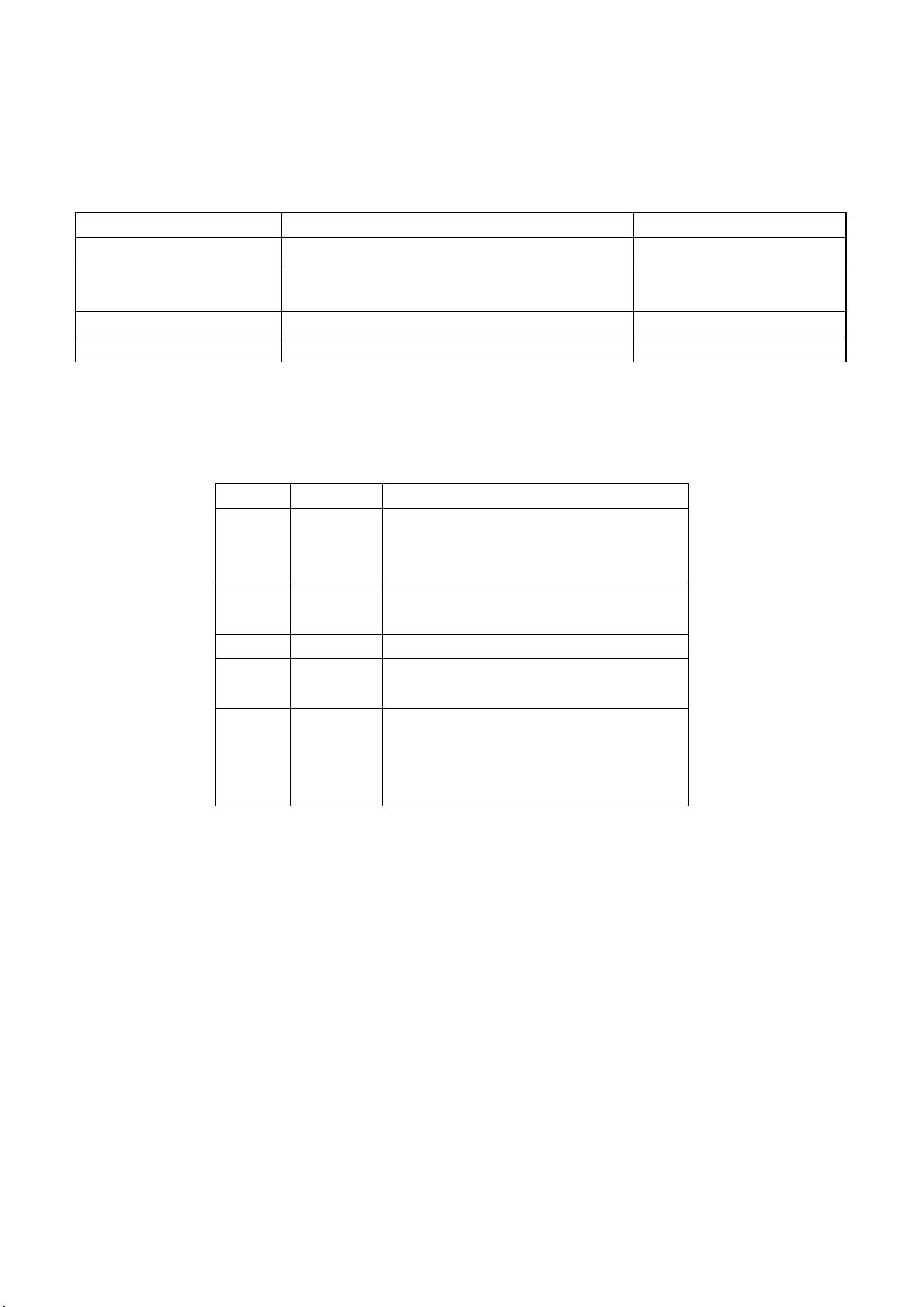
Function Description Remark
Channel 22 channels Default:22 channel
CTCSS/DCS Normal:38 CTCSS+61CDCSS Can be adjusted in normal
mode only.
Volume
Receiving vlume
1-8
Battery saving Extending standby time
LED Description:
LED(ON) STATUS Description
Red Transmitting Red Led is lighted while transmitting Signals
(PTT key is pressed)
Green Receiving Green Led is lighted while receiving Signals
Blue Battery full Blue led is lighted while charging the battery full
R-G B
blinking
Charging The LED is blinking (R-G-B) while charging
Led
Blinking
Slowly
Standby
mode
Indicator
Blinking(Blue)
:
Battery meter (higher than 75%)
Blinking(Cyan): Battery meter(50%-75%)
Blinking(Yellow)
:
Battery meter (10%-50%)
Blinking(Red)
:
Battery Low(less than 10%)
5.:机l充电插孔
7.话筒
1.电源键
8.指示灯
『
6.PTT
6.PTT
4.-下翻键
2.P键(锁定)
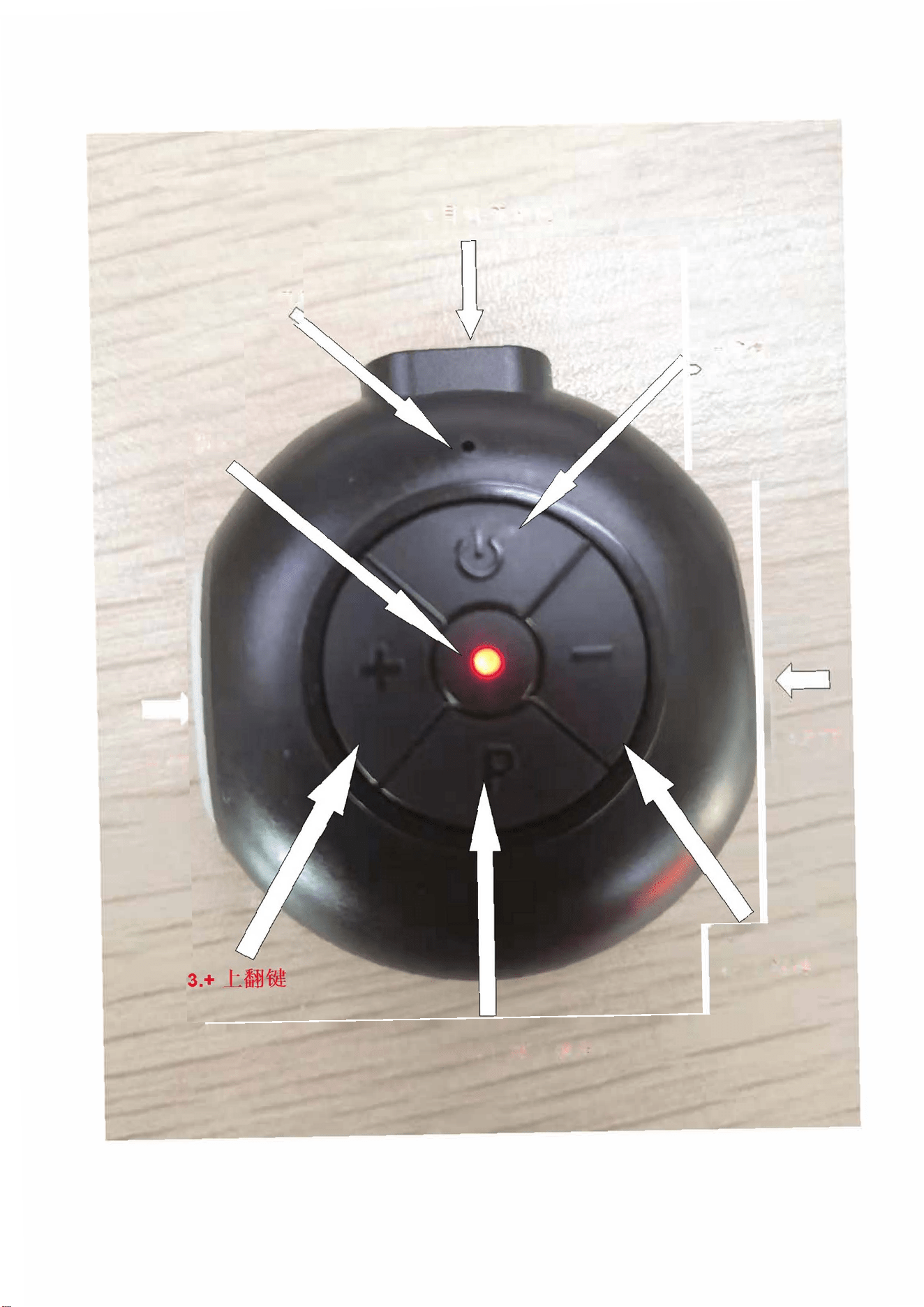
Unit Description:
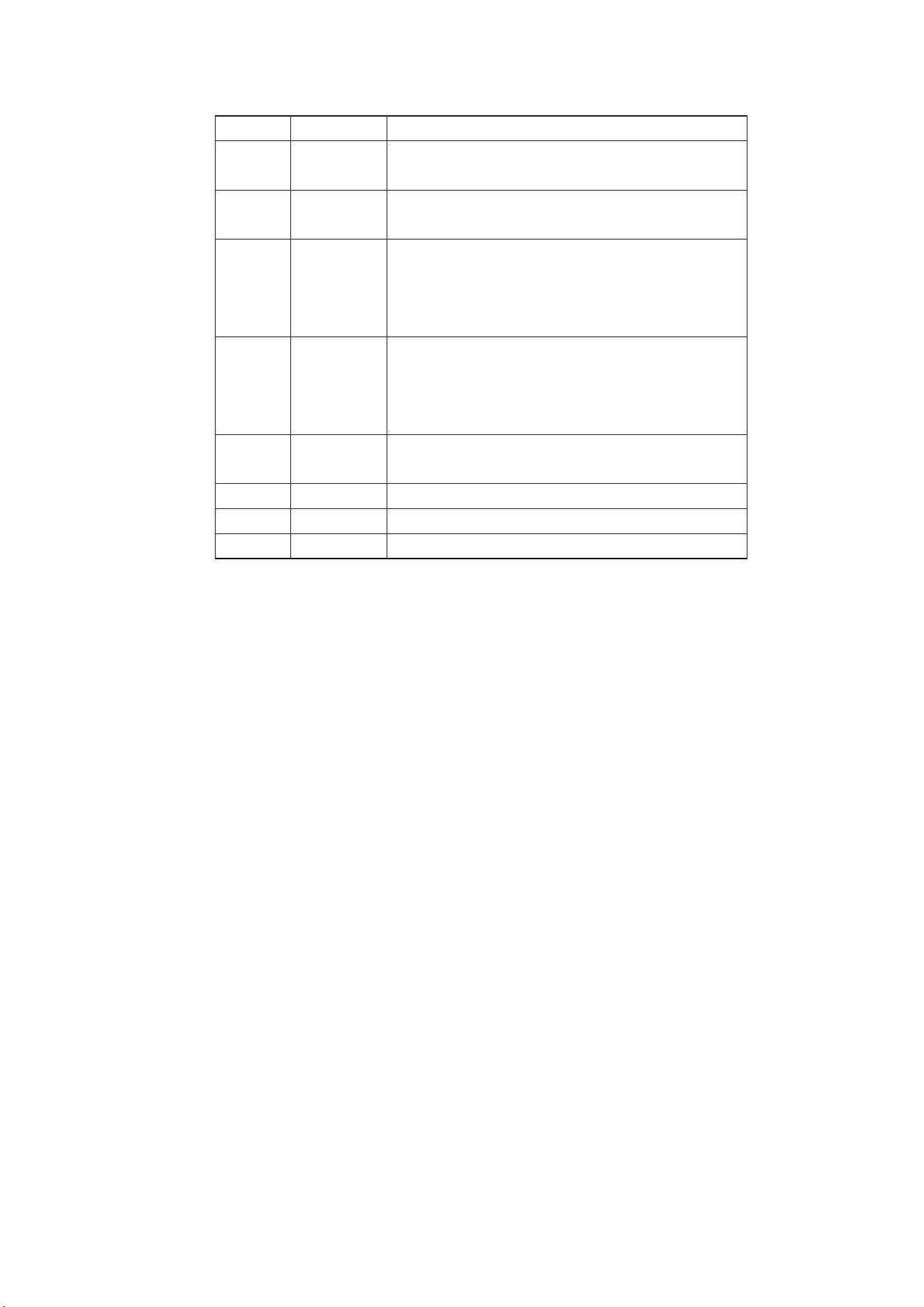
No. Name Description
1 Power key Power ON/OFF:Press Power key continuously for 2
seconds, to turn ON/OFF.
2 Pkey
Press P key for 2 seconds to Lock/Unlock the key.
Press P key shortly
:
Voice prompt current channel.
3 +
(Up key)
1.Press the key shortly to adjust the channel, Press
the key for 2 seconds to adjust the receiving
volume.(key unlocked mode).
2.To Increase channel/volume while upper mode.
4 -
(Down
key)
1.Press the key shortly to adjust the channel, Press
the key for 2 seconds to adjust the receiving
volume.(key unlocked mode).
2.To Decrease channel/volume while upper mode.
5 TYPE C
Socket
Earphone(Antenna)/Charge & Program Interface
6 PTT
Push To Talk key
7 Microphone Send the Voice
8 LED Indicate Walkie-Talkie work ing status
F
ast Function Guide:
1、Power ON/OFF
Power ON: Press the power key for 2 seconds while power off, “Power on” will be heard and the radio will enter
the standby mode.
Power OFF:Press the power key for 2 seconds while power on, “Di” will be heard and the radio will power off.
2、Channel Setting
Press the up/down key shortly to adjust the channel, current channel Voice prompt will be heard, Press “+” or
“-“ key to Increase/Decrease Channel.
*Notice: If you want to chang e the setting, please Unlock the radio firstly.
3、CTCSS/DCS setting
Default CTCSS is set as 67Hz.
4、Volume Setting
Press the "+" or "-" key continiously for 2 seconds, a prompt machine volume, such as the current volume

is set to 5, "volume 5" promptwill be heard. The red light will flash twice, press the "+" or "-" key to add a nd
decrease the volume, Press to the PTT button to save Settings and enter standby mode. In the volume setting
state, if no key operation is pressed within 5 seconds, you will hear a beep and return to the standby mode.
*Notice: If you want to change the setting, please Unlock the r adio firstly.
5、Keylocksetting
Manually locking: In standby mode, Press P keys for 2 seconds and you will hear a key tone of the lock key. At
this time, all the keys an d functions are locked except the power on/off function and PTT function.
Automatic locking: If there is no key is pressed over 30 seconds, the key will be automatically locked (to
prevent Trigging by mistake).
Unlock: Wh en the machine is locked, Press the P key for 2 seconds, and you will hear the unlock prompt key.
At this ti me, the lock key function will be r emoved.
5、 Channel promote
Press the P key shortly, the current channel number will be heard.
Battery Information:
■ Charge note
Please charge the radio that is new or unused for a lo ng time before use. When the battery power is found to be
low, the red light of the radio flashes, and a "Please charge" p rompt sound is heard in the he adset. The
transmission is prohibited, and the battery needs to be charged at this time.
The Red-Green-Blue Led flashes alternately while charging. The Led turn to Blue while the battery is full.

FCC statement
This device complies with Part 15 of the FCC Rules. Operation is subject to the following two
conditions: (1)
this device may not cause harmful interference, and (2) this device must accept any interference
received,
including interference that may cause undesired operation.
Changes or modifications not expressly approved by the party responsible for compliance could
void the
user's authority to operate the equipment.
NOTE: This equipment has been tested and found to comply with the limits for a Class B digital
device, pursuant to Part 15 of the FCC Rules. These limits are designed to provide reasonable
protection against harmful interference in a residential installation. This equipment generates,
uses and can radiate radio
frequency energy and, if not installed and used in accordance with the instructions, may cause
harmful interference to radio communications. However, there is no guarantee that interference
will not occur in a particular installation. If this equipment does cause harmful interference to radio
or television reception,
which can be determined by turning the equipment off and on, the user is encouraged to try to
correct the interference by one or more of the following
measures:
-- Reorient or relocate the receiving antenna.
-- Increase the separation between the equipment and receiver.
-- Connect the equipment into an outlet on a circuit different from that to which the receiver is
connected.
-- Consult the dealer or an experienced radio/TV technician for help.
This device and its antenna(s) must not be co-located or operation in conjunction with any other
antenna or
transmitter.
Hold the transmitter approximately 2 inches (25mm) from your face and speak in a normal voice,
with the
antenna pointed up and away.
Specific Absorption Rate (SAR) information:
walkie-talkie meets the government's requirements for exposure to radio waves. The guidelines
are based on standards that were developed by independent scientific organizations through
periodic and thorough evaluation of scientific studies. The standards include a substantial safety
margin designed to assure the safety of all persons regardless of age or health. FCC RF Exposure
Information and Statement the SAR limit of USA (FCC) is 8.0 W/kg averaged over one gram of
tissue. Device types: walkie-talkie has also been tested against this SAR limit.
This device was tested for typical body-worn operations with the back of the walkie-talkie kept
0mm body-worn Side and 25mm Front of face Side. To maintain compliance with FCC RF
exposure requirements, use accessories that maintain 0mm body-worn Side and 25mm Front of
face Side separation distance between the user's body and the back of the walkie-talkie. The use
of
belt clips, holsters and similar accessories should not contain metallic components in its assembly.

The use of accessories that do not satisfy these requirements may not comply with FCC RF
exposure requirements, and should be avoided.
RF Energy Exposure Awareness and Control Information and Operational Instructions for
Occupational Use
Notice: this radio is intended for use in occupational/controlled conditions where users have full
knowledge
of their exposure and can exercise control over their exposure to meet the occupational limits in
FCC and
International standards. This radio device is NOT authorized for general population consumer use.
Federal Communication Commission (FCC) Regulations
When Waterproof walkie-talkie is used as a consequence of employment, the FCC requires users
to be
fully aware of and able to control their exposure to meet occupational requirement. Exposure
awareness can
be facilitated by the use of a product label directing users to specific user awareness information.
Your
Waterproof walkie-talkie has a RF Exposure Product Label. Also, your Waterproof walkie-talkie
Radio
user manual includes information and operating instructions required to control your RF exposure
and
satisfy compliance requirements.
Compliance with RF Exposure Standards
Your Waterproof walkie-talkie is designed and tested to compliance with a number of national and
international standards and guidelines for human exposure to radio frequency electromagnetic
energy. This
radio compliance with the IEEE (FCC) and ICNIRP exposure limits for occupational/controlled RF
exposure
environments at operating duty factors of up to 50% talk – 50% listen and is approved for
occupational use
only. In terms of measuring RF energy for compliance with these exposure guidelines, your radio
generates
measureable RF energy only while it is transmitting (during talking), not when it is receiving
(listening) or in
standby mode.
Your Waterproof walkie-talkie complies with the following RF energy exposure standards and
guidelines:
● United States Federal Communications Commission (FCC), Code of Federal Regulations;
● Institute of Electrical and Electronic Engineers (IEEE) C95.1
● International Commission on Non-lionizing Radiation Protection (ICNIRP)
RF Exposure Compliance and Control Guidelines and Operating Instructions for Two-Way Radio
Operations
To control your exposure and ensure compliance with the occupational/controlled environment
exposure
limits, always adhere to the following procedures;
● DO NOT remove the RF Exposure Label from the device

● User awareness instructions should accompany device when transferred to other users.
Operational Instructions and Training Guidelines
To ensure optimal performance and compliance with the occupational/controlled environment RF
energy
exposure limits in the above standards and guidelines, users should transmit no more than 50% of
the time
and always adhere to the following procedures;
● In front of the face, hold the radio in a vertical position with microphone (and other parts of
the radio including the antenna) at least one inch (2.5 centimeters) away from the nose or lips.
Keep the
radio at a proper distance is important to ensure compliance.
Note: RF exposure decrease with increasing distance from the antenna.
● Body Worn Operation; when worn the body, always place the radio in an approved clip,
holder, or body harness for this product.
Using approved body-worn accessories is important because the use of non-approved
accessories may
results in exposure levels, which exceed the occupational/controlled environment RF exposure
limits
Using only approved supplied or replacement antennas, batteries, and audio accessories, use of
nonapproved antennas, batteries, and wired or wireless accessories may exceed the applicable
RF exposure guidelines (IEEE, ICNIRP or FCC).