GENUINE LEATHER
1935c
Stay connected.
Break free.
Swissdigital Design Find My network (FMN) SDD Wallet works with the Apple Find My
network helping to locate belongings in an easy and secure way. The Find My network
is acrowdsourced network of almost one billion Apple devices that use Bluetooth wireless
technology to detect missing devices or items nearby, and report theirapproximate location
back to the owner in the Find My app. The entire process isend-to-end encrypted and
anonymous, so no one else, not even Apple or SwissdigitalDesign can view a device's
location or information.Visit www.apple.com for more information.
For optimal performance, fully charge the wallet before first use.
-Locate the button on the front of the SDD Wallet.
-Press the button for four times.
1. Instructions for use
2. How to pair
3. Additional Tips
1.1 Activating the SDD wallet
3.1 Learn more-Serial number lookup
1.2 Allowed permissions
SDD Wallet
User Manual
Fig: 2
Fig: 3
Fig: 1
2“
5 cm
Press the button “ ”on the wallet once and release when hearing a “Beep”.
The red light will flash, signaling that it is activated. To achieve the best response,
use your fingertip to press the button.
In Settings - General - App - Find My (Apple’s built in App), allow the use of application
page permissions: allow you to find Bluetooth devices, allow notifications, allow to use
location, allow to use wireless data, etc.
Allow applications to run in the background with unlimited battery usage, which may
shorten the battery life of your mobile device (If you set an application to run in the
background with limited battery usage, the application may not work as expected and
notifications may be delayed.
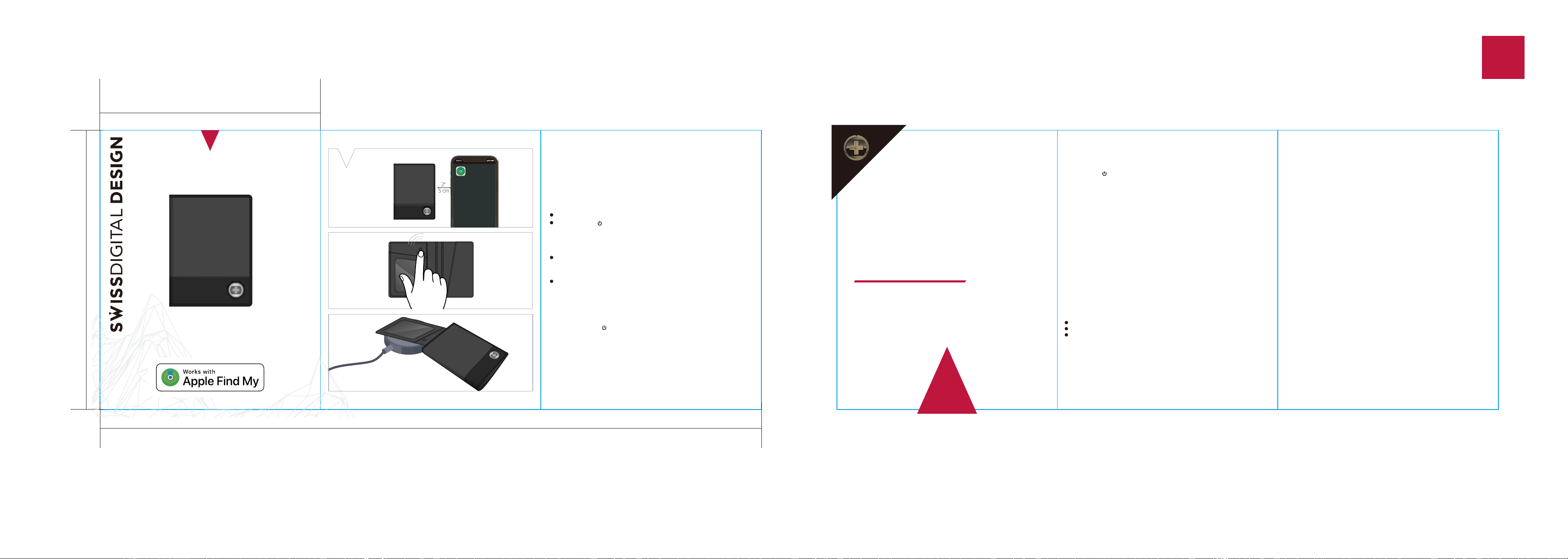
2.1 Place the SDD wallet next to your IOS device. (Fig: 1)
2.2 Long press the “ ”button on the SDD wallet for about 0.6-3 seconds, the SDD
wallet is successfully awakened when you hear a single “Beep” and see the red light
flash once. (Fig: 2)
2.3 Open the "Find My" app that comes with your device.
2.4 Click on "Item - Add - Add another item - Searching for item(SDD Wallet)
- Connect - Continue - Continue - Agree - Finish”.
2.5 Unpair the SDD Wallet by clicking “Remove” on the bottom of operation page.
-Locate the button of the SDD Wallet.
-Press the button 5 times and 5 beeps will sound and the LED light will flash 5 times.
3.2 How to disable
3.3 Restore factory settings
Apple, Apple Find My, Apple Watch, Find My, iPhone, iPad, iPadOS, Mac, macOS and
watchOS are trademarks of Apple Inc., registered in the U.S. and other countries. IOS
is a trademark or registered trademark of Cisco in the U.S. and other countries and is
used under license.
To use the Apple Find My app to locate this item, the latest version of iOS, iPadOS,
or macOS is recommended.
Use of the Works with Apple badge means that a product has been designed to work
specifically with the technology identified in the badge and has been certified by the
product manufacturer to meet Apple Find My network product specifications and
requirements. Apple is not responsible for the operation of this device or use of this
product or its compliance with safety and regulatory standards.
7.FCC Caution
This device complies with part 15 of the FCC Rules.
Operation is subject to the following two conditions:
(1) This device may not cause harmful interference, and
(2) this device must accept any interference received, including interference that may
cause undesired operation.
Any changes or modifications not expressly approved by the party responsible for
compliance could void the user's authority to operate the equipment.
NOTE: This equipment has been tested and found to comply with the limits for a Class B
4. Warnings
The SDD Wallet is not anti-theft. It only shows the last location where your item was
separated from your mobile device.
5. Warranty
One-year limited warranty. Physical damage caused by the user is not covered.
6. Declaration of conformity
digital device, pursuant to Part 15 of the FCC Rules. These limits are designed to provide
reasonable protection against harmful interference in a residential installation. This
equipment generates, uses and can radiate radio frequency energy and, if not installed
and used in accordance with the instructions, may cause harmful interference to radio
communications. However, there is no guarantee that interference will not occur in a
particular installation.
If this equipment does cause harmful interference to radio or television reception, which
can be determined by turning the equipment off and on, the user is encouraged to try to
correct the interference by one or more of the following measures:
-- Reorient or relocate the receiving antenna.
-- Increase the separation between the equipment and receiver.
-- Connect the equipment into an outlet on a circuit different from that to which the receiver
is connected.
-- Consult the dealer or an experienced radio/TV technician for help.
The device has been evaluated to meet general RF exposure requirement. The device can
be used in portable exposure condition without restriction.
6.1Specifications
Product Name : SDD Wallet
Model Name : SWISSDIGITAL DESIGN 4
Manufacturer : SWISSDIGITAL DESIGN
Long press the “ ” button for 10s without releasing, about 3s you will hear a "Beep",
the red light flashes once, about 5s you will hear two “Beep" “Beep", the red light flashes
twice, to about 10s you will hear four “Beep", “Beep", "Beep", "Beep", the red light flashes
four times or emits a long beep, and then release the hand. It is successfully restored to
the factory settings.
3.4 Wireless charging
Place the wallet with the "Locate with Apple Find My" logo facing directly against the
wireless charger's surface, ensuring full and close contact. (Fig: 3) A full charge takes
2-3 hours. The indicator light shows red when charging and green when fully charged.
(A wireless charger is not included.)
249mm
83mm
105mm
FRONT BACK
www.swissdigital.com