Model: iPCV3 IB (English)
Size: 102 x 160 mm
Mat’l: 85gsm, WF paper, 1C + 1C
Color: Black text on white background
Apr. 21, 2026
Front Back
© 2026 SDI Technologies, Inc. All rights reserved.
Questions? Visit https://support.ihome.com/
Printed in ChinaiCV4VM-042526-A
Important Safety Instructions
Never charge batteries unattended. When charging batteries, you should always remain in constant
observation to monitor the charging process and react to potential problems that may occur.
If at any time you witness a battery starting to balloon, swell up, smoke or hot, discontinue charging
process immediately, disconnect the battery and observe it in a safe place for approximately 15
minutes. This may cause the battery to leak, and the reaction with air may cause the chemicals to ignite,
resulting in re.
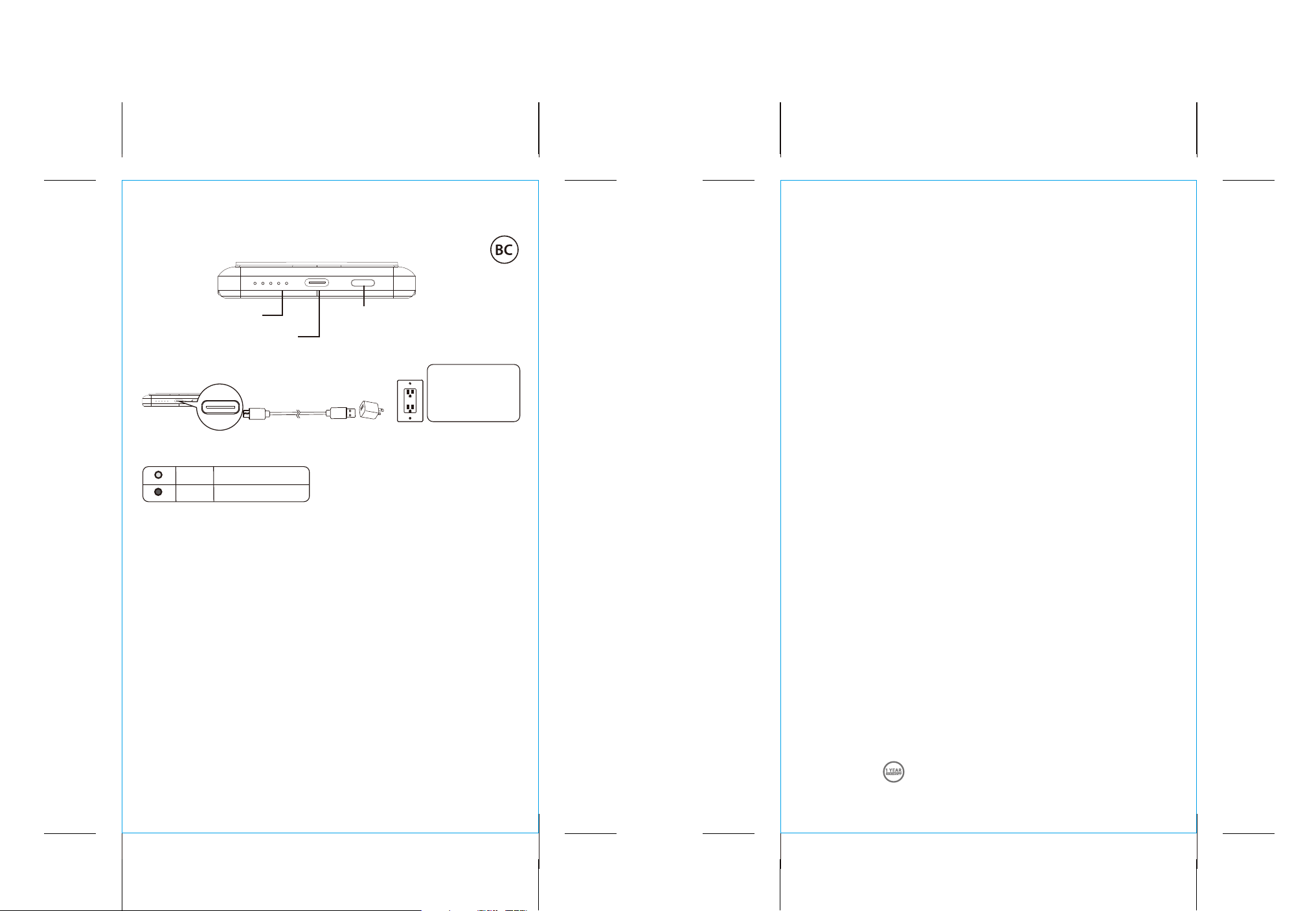
Top View
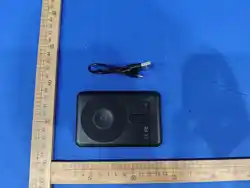
Model: iPCV3
iHome
Charging The Powerbank
USB AC adaptor
5V/1A
(not included)
USB-C charging
cable (included)
CHARGE UNIT
BEFORE USE
ABOUT 4 HOURS
FCC Information
This device complies with Part 15 of the FCC Rules, operation is subject to the following two conditions:
(1) This device may not cause harmful interference, and (2) this device must accept any interference received,
including interference that may cause undesired operation.
• Warning: Changes or modications to this unit not expressly approved by the party responsible for
compliance could void the user’s authority to operate the equipment.
• NOTE: This equipment has been tested and found to comply with the limits for a Class B digital device,
pursuant to Part 15 of the FCC Rules.
These limits are designed to provide reasonable protection against harmful interference in a residential
installation. This equipment generates, uses and can radiate radio frequency energy and, if not installed
and used in accordance with the instructions, may cause harmful interference to radio communications.
However, there is no guarantee that interference will not occur in a particular installation. If this equipment
does cause harmful interference to radio or television reception, which can be determined by turning the
equipment o and on, the user is encouraged to try to correct the interference by one or more of the
following measures:
• Reorient or relocate the receiving antenna.
• Increase the separation between the equipment and receiver.
•
Connect the equipment into an outlet on a circuit dierent from that to which the receiver is connected.
• Consult the dealer or an experienced radio/TV technician for help.
ISED Information
This device contains licence-exempt transmitter(s)/receiver(s) that comply with Innovation, Science and
Economic Development Canada’s licence-exempt RSS(s). Operation is subject to the following two
conditions:
(1) This device may not cause interference.
(2) This device must accept any interference, including interference that may cause undesired operation
of the device.
Any Changes or modications not expressly approved by the party responsible for compliance could void
the user’s authority to operate the equipment.
L’émetteur/récepteur exempt de licence contenu dans le présent appareil est conforme aux CNR
d’Innovation, Sciences et Développement économique Canada applicables aux appareils radio exempts
de licence. L’exploitation est autorisée aux deux conditions suivantes :
(1) L’appareil ne doit pas produire de brouillage;
(2) L’appareil doit accepter tout brouillage radioélectrique subi, même si le brouillage est susceptible d’en
compromettre le fonctionnement.
Tout changement ou modication non expressément approuvé par la partie responsable de la
conformité peut annuler l'autorité de l'utilisateur à utiliser l'équipement.
CAN ICES-3(B) / NMB-3(B)
USB-C Input / Output Port
POWER BANK + WALLET
MAGNETIC
On/O Button
Short press to begin charging your devices
(connect the cable), if necessary.
Short press to see the remaining capacity.
LED Indicators
Shows Power Bank battery level:
~25%, 50%, 75% and 100%.
Battery Charging Status
charging*
fully charged*
Flash
ON
* Charging indicator located at the top of unit.
Before using the product for the rst time,
please charge the Power Bank for about 3-5
hours or until all 4 LED Lights stay on.
1. Please ensure that the Power Bank is fully charged.
2. Short press the ON/OFF button to start Wireless Charging function of the Power Bank, if necessary.
3. Place your iPhone (new generation that is MagSafe compatible) or other smartphone (Qi compatible
with magnetic back) onto the Wireless Charging Area for Smartphone. If you are using Android phone
which has wireless charging function, you can use the metal ring on your phone and use magnetic
wireless charging.
4. Place your Apple Watch onto the Wireless Charging Area for Apple Watch.
5. It would start charging your device.
1. Please ensure that the Power Bank is fully charged,
and then unplugged.
2. Please use your device’s USB charging cable that is
applicable to charge your device (not included),
connect one end to the Type-C output and the
other end to your device.
3. It would start charging your device.
• If battery level indicators do not light up when charging the Power Bank, please ensure that Type-C
Charging Cable and power source is connected properly. Also please ensure that your power source is On.
• If Power Bank does not charge device once connected, please ensure that your device’s USB charging cable
is well-connected.
• If your phone model is compatible with wireless charging and you are unable to charge it wirelessly, please
remove your phone case and retry.
• Placement of some smart phones on the magnetic surface for wireless charging might need to be adjusted,
in order for their internal components to make contact appropriately and begin wireless charging.
LED Status Indicators
Wireless charging
Troubleshooting
Charging your Devices
Warnings
• Do not let the device fall down the oor. The internal circuit might get damaged.
• We suggest you put the battery in an enclosure to protect it from damages byliquid or dropping from
height accidentally.
•
Never store or charge battery pack in extreme temperatures, since extreme temperature could ignite re.
• Store battery at room temperature between 40 and 80 degrees F for best results.
• Do not expose battery pack to direct sunlight (heat) for extended periods.
• Storing battery at temperatures greater than 170 degrees F for extended periods of time (more than 2
hours) may cause damage to battery and possible re.
• Must keep battery pack away from children.
• Do not attempt to disassemble the device as it may cause damage.
• Do not immerse in water or any other liquids.
• Do not operate the unit if it has been wet or moist to prevent against electric shock, explosion and/or
injury to yourself and damage to the unit.
• Do not use the unit it has been dropped or damaged in any way.
• Repairs to electrical equipment should only be performed by a qualied electrician. lmproper repairs
may place the user at serious risk.
• Do not use the unit with wet hands.
• Keep the unit free from dust, lint etc.
• Do not use this unit for anything other than its intended useKeep the unit out of reach of children.
• This unit is not a toy.
FCC ID: EMOIPCV3A
IC: 986B-IPCV3A
HVIN: iPCV3a