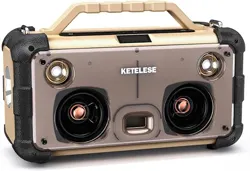
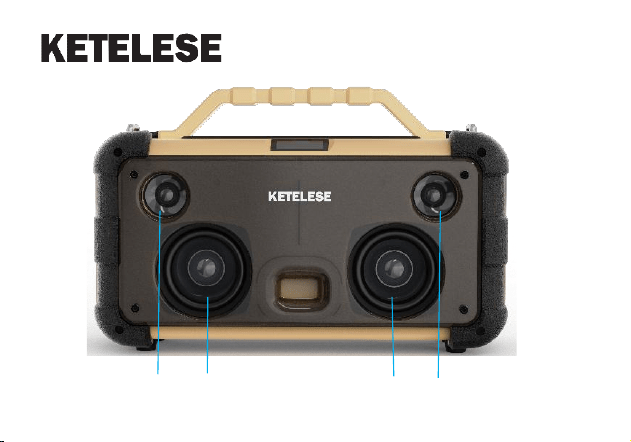
Portable Glass Speaker
Novel Engineering glass speaker
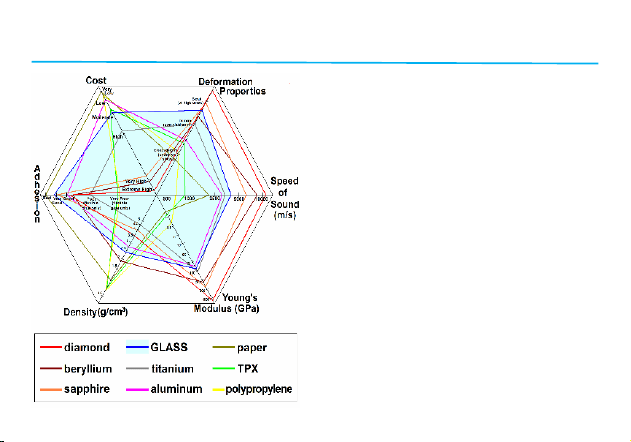
Why we Choose glass?
It is from a large amount of research data
and patent authorization
Novel Engineering glass:
Natural and authentic sound has always
been our attempt and pursuit to bring people
a comfortable hearing, using thin and tough
glass (amorphous SiO2) as a sound
radiation film for various traditional and novel
speaker driver designs. In this way, the
performance of the speaker can be greatly
improved, and we hope that this new product
can also bring you a different feeling

Tech Support Service
Please contact us immediately if you need any tech support service and have any
after-sale problems. We will give feedback to you within 24 hours.

After-sales service and support
Warranty Period
15 months from the date of purchase of the product.
Free service
During the product warranty period, if the product quality problem causes the failure, get
in touch with the dealer according to the manual to enjoy free maintenance.
The following conditions are not warranted
1. The product repair label has been damaged;
2. Damage caused by self-disassembly;
3. Failure caused by falling and man-made mechanical damage;
4. Failure or damage caused by force majeure such as natural disasters.
5. Damage caused by incorrect usage method, violation of operations including but not
limited to the product manual.
Please read this manual carefully before using the product and keep it properly.
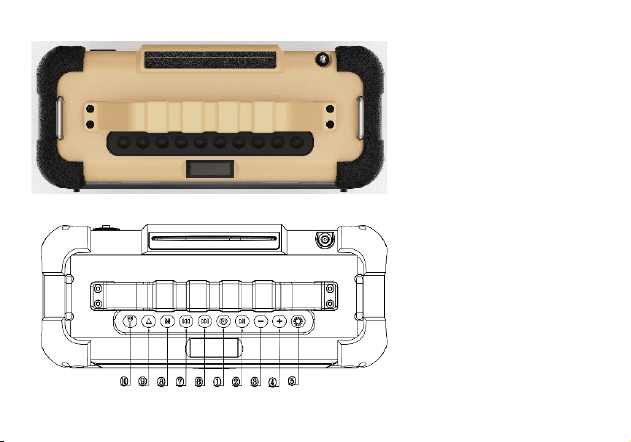
Power Switch
Pause/Play
VOL-
VOL+
Lighting
Next
Previous
Mode
CD In&Out bin/EQ Button
Flashlight
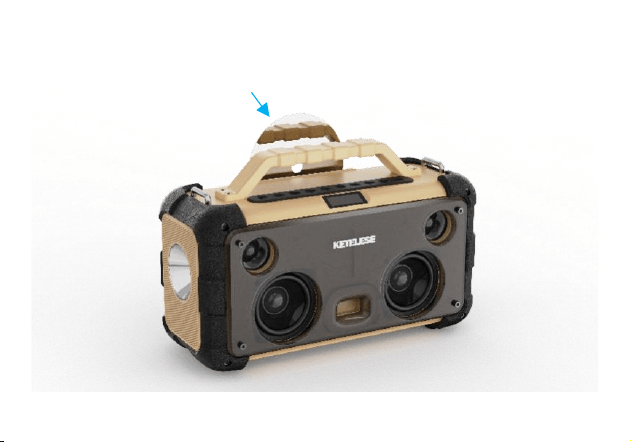
Bright side of CD orient to the front of speaker
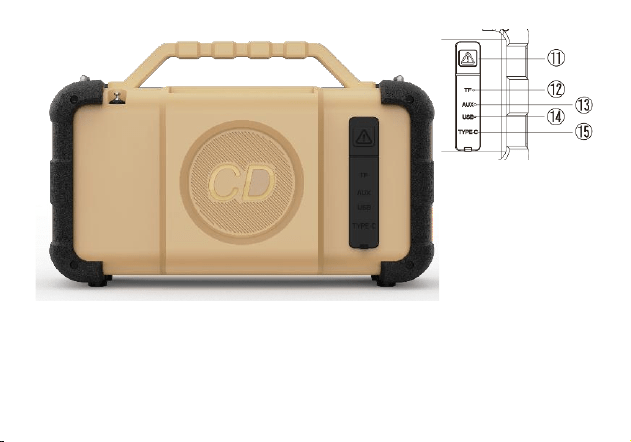
○
11 Drive Beast
○
12 TF Card
○
13 AUX
○
14 USB A
○
15 TYPE-C
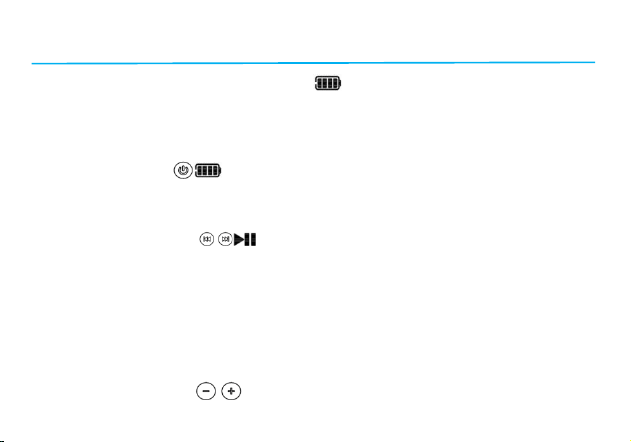
Operations
1. Plug in DC Power Supply to charge
The red light flashes for every 1 second when plug in power supply and start
charging. When it is fully charged, red light stays on. It supports charging during
using.
2. Power ON/OFF
Press and hold the “Power” button for 3 seconds to power on or power off. Will
hear sound playing “Power on” or “Power off”.
3. Play/Pause Button
Please note that short press the play/pause button is play/pause function with
sound playing “Play” or “Pause” under the mode of below: Bluetooth
connection/CD mode/TF mode/USB mode insertion status detection.
Under TWS mode: press and hold play/pause button for 3 seconds to activate
TWS search function or disconnect TWS.
Under FM mode: When the desired station is found, short press the play/pause
button to manually store the function.
4. Volume +/- Button

Short press to adjust the volume for each level, long press to quickly adjust.
5. Lighting Button
Adjust the brightness of the lighting: short press the button to switch between
weak, medium, strong and off. Press and hold the button for 3 seconds to quickly
turn off the lights.
6. Next/Previous Buttons
Please note that the next/previous functions available only under below modes:
Bluetooth connection/CD mode/TF mode/USB mode insertion status detection.
Next music: short press next button.
Previous music: short press previous button.
FM mode search: Enter FM mode, press and hold next/previous button for 3
seconds to automatically search stations backward/forward, short press to
manually fine tuning.
7. Mode Switching Button
Short press the mode switching button to switch between BT/USB/TF/CD/AUX/FM
mode.
Bluetooth disconnection: Long press the mode switching button for 3 seconds to
disconnect/reset Bluetooth and will have sound playing “Bluetooth disconnected”.

8. CD in/out button
Short press this button to let CD in or out.
Press and hold this button for 3 seconds to select indoor or outdoor mode.
9. Flashlight Button
Adjust the brightness of the flashlight: short press the button to switch between
weak, medium, strong, burst and off. Press and hold the button for 3 seconds to
quickly turn off the flashlight.
10. Drive the Beast Button
Short press this button to turn on or off the animal repellent effect. If on, will have
loud and noisy sound with flashing light to drive the beast.

Scenarios
Scenario 1. Music Mode
1. Short press the mode switch button to switch to Bluetooth mode. Will have sound
playing “Bluetooth mode” and display BE and flashing.
2. Turn on your phone's Bluetooth and search for the device. Click on "DK21"to pair.
Will have sound playing “Bluetooth connected”. The on the screen will keep on
after successfully pair the Bluetooth.
3. Open the music player app on the phone and start to play the music.
Scenario 2. CD Mode
1. Short press the mode switch button to switch to CD mode.
2. Put CD in, wait few seconds to read the CD and then start to play music
automatically. The screen will display the CD songs sequence number at first,
then disappear and show playing duration of song.
Special Note: In CD mode, put CD with mirror side forward to speaker, will wait
10~15seconds to decode the CD then start playing.
Scenario 3. Card insertion / AUX Mode
1. Automatically enter the corresponding mode after inserting a USB card, TF card.

2. After entering the corresponding mode, will sound a mode prompt and then start
playing the songs. The screen will display the corresponding mode logo and
play/pause status.
Scenario 4. FM Mode
1. Short press the mode switch button to switch to FM mode.
2. After entering FM mode, keep press mode button for 3 seconds to automatically
search and save stations.
3. Under FM mode, press Previous/Next to switch and play between saved stations.
4. Under FM mode, keep press Previous/Next to automatically search stations and
stop and play when find station with signal.
5. Under FM mode, press Play/Pause button to play/pause the FM.
Special note: To use FM mode, pull out the rod antenna before using this mode.
Scenario 5. TWS Mode
1. Turn on both speakers, switch both speakers to Bluetooth mode, and then press
and hold the mode switch button for 3 seconds to disconnect the speakers from
the phone's Bluetooth.
2. Press and hold the play/stop button on one of the speakers, and the host TWS will
start searching for another auxiliary machine to pair. After TWS pairing succeeds,
it will has sound playing "TWS connected".

3. Connect the host speaker with phone via Bluetooth, search for "DK21". Click on
the name to pair. After successfully pairing the Bluetooth and open APP to play
music, two speakers will play it simultaneously.
Special note: The speaker TWS function currently only supports the connection
of two speakers, and does not currently support pairing and connection of three or
more speakers.

Product Specification
Bluetooth name: DK21
IC Solution: BP1048+HT328C
Bluetooth Rev. No: V5.3
Transmission Frequency: 2.402GHz~2.480GHz
Bluetooth Profile: A2DP, AVRCP
Audio Decoding: SBC
Transmission Power: CLASS 2
Wireless Range: ≥10m
Supported audio interfaces:USB Card, TF Card, CD, FM, AUX 3.5mm audio
Battery capacity: 7.4V/7800mAh
Charging interface: Type-C
Charging voltage: 5V/3A,9V/2A,15V/1.8A, 20V/1.5A
IP rating: IPX6
Size Specification:342*142*221mm
Weight: About: 3.3kg

Audio output specification
Speaker outer Diameter: 3 inches*2+1.25 inches*2
Speaker Impedance: 4Ω±15 %
Speaker Power: 15W+5W
Sensitivity: 80dB±3 dB(3 inches),87.5dB±3 dB(1.25 inches)
Frequency Range: 50~20KHz
THD: 5% 1KHz

Safety and General Information
This device has been tested and found to comply with the limits for a Class B digital
device, pursuant to Part 15 of the FCC Rules. These limits are designed to provide
reasonable protection against harmful interference in a residential installation. This
device generates, uses and can radiate radio frequency energy and, if not installed and
used in accordance with the instructions, may cause harmful interference to radio
communications.
However, there is no guarantee that interference will not occur in a particular installation.
If this device does cause harmful interference to radio or television reception, which can
be determined by turning the device off and on, the user is encouraged to try to correct
the interference by one or more of the following measures:
--Reorient or relocate the receiving antenna.
--Increase the separation between the device and receiver.
--Connect the device into an outlet on a circuit different from that to which the receiver is
connected.
--Consult the dealer or an experienced radio/TV technician for help
Changes or modifications not expressly approved by the party responsible for
compliance could void the user's authority to operate the equipment