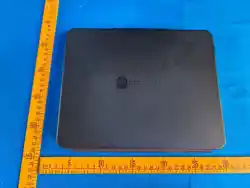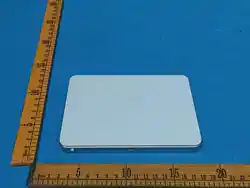
1. The Trackcard® Tag - Product Overview
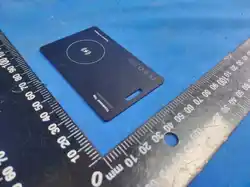
The Trackcard® Tag is a smart tracker in card format for iOS
users. Simply slip it into your wallet and find it anytime
with your iPhone.
Thanks to direct integration with the Apple Find My network,
it works completely anonymously, securely and worldwide.
2. Requirements
• An iPhone with iOS 14.5 or later
• The Find My app (free in the App Store)
• Bluetooth & internet connection
The card is permanently linked to your iPhone after first
pairing. To use it with another device, it must be reset (see
section 6).
3. Getting Started & Setup
How to pair the Trackcard with your iPhone:
1. Open the Apple Find My app
2. Press the power button on the Trackcard and release it
(you'll hear a beep)
3. In the Items tab, tap "+" and then "Add Other Item"
4. Hold the card near your iPhone and wait until the device
name pops up. Then tap "Connect"
5. Choose any name and an emoji
6. Confirm with Apple ID → Done
If you have pairing issues: The first pairing can take a
while, so be generously patient. Try switching networks (like
from Wi-Fi to cellular) or reset the Trackcard if needed (see
section 7).
4. Daily Use
Turn on: Quick button press → you'll hear a beep (auto-turns
off after 10 min. if not paired)
Turn off: Hold button for exactly 3 sec. and release → two
beeps confirm it's off
Status check: Double-tap button → beep if it's on
Finding it: Use the app to make it beep or check the map to
see where it is
5. Special Features
Lost Mode: If you lose it, turn on "Lost Mode" in the Find My
app. Tap "Mark as Lost" → add your contact info. Anyone who
finds it can see your details through the app and you'll get
notified when it's found.
HEADS UP: In "Lost Mode" your Trackcard is locked and can't
be paired with other devices. DON'T remove it from the app or
it'll stay locked forever.
Share location: In the app, hit "Share Item" so family
members can help you search.
Stalker protection: If your iPhone spots an unknown Trackcard
following you around, you'll get an alert. This only happens
when it's not paired to your phone.
6. Reset/Unpair Device
1. Remove the Trackcard from the Find My app
2. Rapidly press the power button 5 times, holding it down on
the 5th press
3. When you hear a little tune, it's reset → Now you can pair
it again (see section 3)
7. Troubleshooting
• Trackcard not showing up? → Check Bluetooth & internet or
restart your iPhone
• No sound? → Battery might be dead, time to charge
• Won't connect? → Try resetting it
8. Charging & Battery
How to charge your Trackcard®:
• Plug a compatible wireless charger into power (sorry,
charger not included)
• Place the Trackcard charging-side down (back of card) on
the center of your wireless charging pad
• Red LED means it's charging
• Green LED means it's fully charged
• Full charge usually takes under 2 hours
WARNING: Only use compatible wireless chargers. Apple Watch
Chargers are NOT compatible. Battery life depends how much
you use it – making it beep a lot will drain it faster.
9. Contact & Support
Questions or need help?
Just hit us up at [email protected] – we've got you
covered! And thanks for actually reading the whole manual. :-)
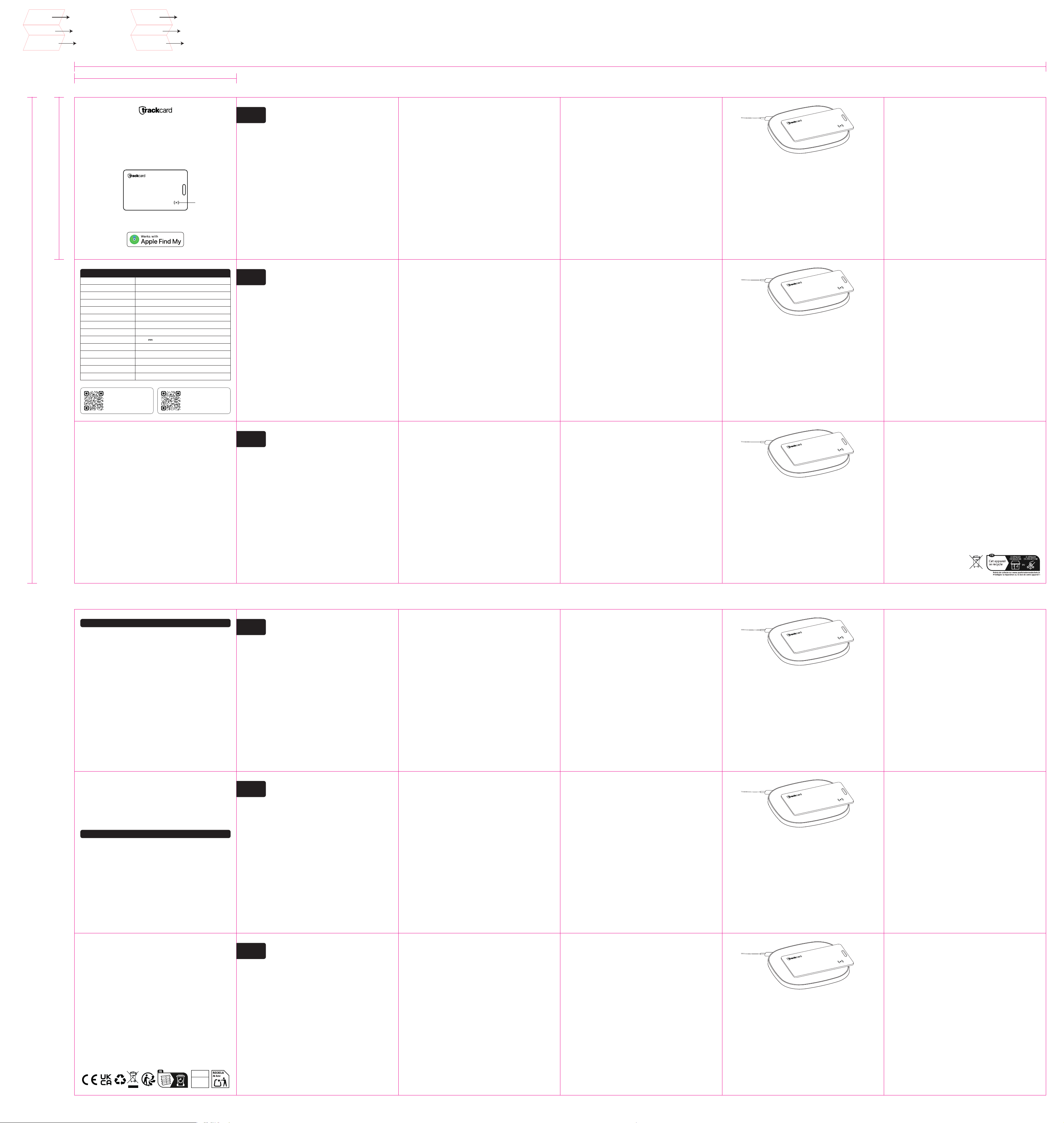
Trackcard Tag
User Manual
Power Button
FCC Compliance Statement
Any changes or modifications not expressly approved by the party responsible for compliance
could void the user's authority to operate the equipment.
NOTE: This equipment has been tested and found to comply with the limits for a Class B digital
device, pursuant to Part 15 of the FCC Rules. These limits are designed to provide reasonable
protection against harmful interference in a residential installation. This equipment
generates, uses and can radiate radio frequency energy and, if not installed and used in
accordance with the instructions, may cause harmful interference to radio communications.
However, there is no guarantee that interference will not occur in a particular installation.
If this equipment does cause harmful interference to radio or television reception, which can
be determined by turning the equipment off and on, the user is encouraged to try to correct
the interference by one or more of the following measures:
- Reorient or relocate the receiving antenna.
- Increase the separation between the equipment and receiver.
- Connect the equipment into an outlet on a circuit different from that to which the receiver
is connected.
- Consult the dealer or an experienced radio/TV technician for help.
EN
User Manual
1. Das Trackcard® Tag - Produktübersicht
Das Trackcard® Tag ist ein smarter Tracker im Kartenformat
für iOS Nutzer. Du legst es einfach ins Portemonnaie und
findest es jederzeit mit deinem iPhone wieder.
Dank direkter Integration mit dem Apple "Wo ist?"-Netzwerk
funktioniert das komplett anonym, sicher und weltweit.
2. Voraussetzungen
• Ein iPhone mit iOS 14.5 oder neuer
• Die App "Wo ist" (kostenlos im App Store)
• Bluetooth & Internetverbindung
Die Karte ist nach der ersten Kopplung fest mit deinem iPhone
verbunden. Für die Nutzung mit einem anderen Gerät muss sie
zurückgesetzt werden (siehe Abschnitt 6).
3. Erste Schritte & Einrichtung
So koppelst du die Trackcard mit deinem iPhone:
1. Öffne die Apple "Wo ist?" (Find My) App
2. Drücke die Einschalttaste der Trackcard und lasse sie los
(ein Signalton bestätigt dies)
3. Tippe im Reiter Objekte auf "+" und dann auf "Anderen
Gegenstand hinzufügen"
4. Halte die Karte in die Nähe deines iPhones und warte, bis
der Gerätename im Popup erscheint. Tippe dann auf "Verbinden"
5. Wähle einen beliebigen Namen und ein Emoji
6. Mit Apple-ID bestätigen → Fertig
Falls Probleme bei der Kopplung auftreten: Der erste
Koppelungsvorgang kann etwas dauern, bitte bleib geduldig.
Netzwerk wechseln (z.B. zwischen WLAN und mobilem Netz) oder
falls nötig, Trackcard zurücksetzen (siehe Abschnitt 7).
4. Bedienung im Alltag
Einschalten: Taste kurz drücken → Signalton ertönt (schaltet
sich nach 10 Min. ohne Kopplung wieder aus)
Ausschalten: Taste genau 3 Sek. gedrückt halten und loslassen
→ zwei Töne bestätigen das Ausschalten
Status: Taste 2x kurz drücken → Signalton, wenn eingeschalten
Ortung: Per App den Signalton abspielen oder die Standort-
karte nutzen zur Lokalisation/Navigation
5. Besondere Funktionen
Verloren-Modus: Aktiviere bei Verlust den "Verloren Modus".
In der "Wo Ist?"-App auf "Als verloren markieren" tippen →
Kontaktdaten eingeben. Finder können per App deine hinter-
legten Infos sehen und du wirst beim Fund benachrichtigt.
ACHTUNG: Im "Verloren-Modus" ist deine Trackcard gesperrt und
kann nicht mit einem anderen Gerät gekoppelt werden. Das
Gerät NICHT aus der App entfernen, da die Trackcard sonst
gesperrt bleibt.
Standort teilen: In der App auf "Objekt teilen" wählen. So
können z.B. Familienmitglieder mithelfen beim Suchen.
Ungewollte Verfolgungserkennung: Erkennt dein iPhone eine
fremde Trackcard in deiner Nähe, erhältst du eine Benachrich-
tigung. Diese Warnungen erscheinen nur, wenn die Trackcard
nicht mit deinem iPhone gekoppelt ist.
6. Gerät zurücksetzen/entkoppeln
1. Entferne die Trackcard aus der "Wo ist?"-App
2. Drücke den Einschaltknopf 5x sehr schnell und halte ihn
beim 5. Mal direkt gedrückt
3. Sobald eine Melodie ertönt, ist die Karte zurückgesetzt
→ Jetzt kannst du sie erneut koppeln (siehe Abschnitt 3)
7. Hilfe bei Problemen
• Trackcard wird nicht erkannt? → Bluetooth & Internet prüfen
oder iPhone neu starten
• Kein Ton? → Akku möglicherweise leer, bitte aufladen
• Keine Verbindung möglich? → Gerät zurücksetzen
8. Aufladen & Akku
So lädst du die Trackcard® auf:
• Schließe ein kompatibles kabelloses Ladegerät an eine
Stromquelle an (Ladegerät leider nicht im Lieferumfang
enthalten)
• Lege die Trackcard mit der markierten Ladefläche (Rückseite)
auf die Mitte der Ladefläche deines Induktions-Ladegeräts
• Die LED leuchtet rot, sobald die Karte geladen wird
• Vollgeladen wechselt die LED zu Grün
• Ein kompletter Ladezyklus dauert meist weniger als 2 Stunden
WARNHINWEIS: Verwende nur kompatible kabellose Ladegeräte.
Apple Watch Ladegeräte sind NICHT kompatibel. Die Batterie-
laufzeit hängt von der Nutzung ab – häufiges Verwenden der
"Signalton"-Funktion kann den Akku schneller entladen.
9. Kontakt & Support
Du hast Fragen oder brauchst Hilfe?
Melde dich einfach bei uns unter [email protected] – wir
sind für dich da! Und Danke fürs Lesen der gesamten
Anleitung. :-)
EU-Konformitätserklärung
Hiermit erklärt Superark Ltd, dass der Funkanlagentyp Trackcard Tag (Modell: TC01) der
Richtlinie 2014/53/EU und der Richtlinie 2011/65/EU entspricht. Der vollständige Text der
EU-Konformitätserklärung ist unter der folgenden Internetadresse verfügbar:
https://www.trackcard.eu/docs
Das Symbol der durchgestrichenen Mülltonne weist darauf hin, dass Elektro- und Elektronikgeräte
nicht mit dem Hausmüll entsorgt werden dürfen. Geben Sie Altgeräte an geeigneten Sammelstellen
oder an Ihren Händler zurück, um eine umweltgerechte Entsorgung zu gewährleisten.
DE
Bedienungsanleitung
1. Le Trackcard® Tag - Aperçu du produit
Le Trackcard® Tag est un tracker au format carte pour iOS.
Glisse-le dans ton portefeuille et retrouve-le à tout moment
avec ton iPhone.
Grâce à son intégration au réseau Apple "Localiser", son
usage reste anonyme, sécurisé et valable partout dans le
monde.
2. Prérequis
• Un iPhone avec iOS 14.5 ou plus récent
• L'app "Localiser" (gratuite sur l'App Store)
• Bluetooth & connexion internet
La carte est définitivement liée à ton iPhone après le
premier jumelage. Pour l'utiliser avec un autre appareil,
elle doit être réinitialisée (voir section 6).
3. Premiers pas & configuration
Comment jumeler la Trackcard avec ton iPhone :
1. Ouvre l'app Apple "Localiser"
2. Appuie sur le bouton de la Trackcard et relâche (tu
entends un bip)
3. Dans l'onglet Objets, tape sur "+" puis "Ajouter un autre
objet"
4. Tiens la carte près de ton iPhone et attends que le nom de
l'appareil s'affiche. Tape ensuite sur "Connecter"
5. Choisis un nom et un emoji
6. Confirme avec ton Apple ID → Terminé
Si le jumelage pose problème : Le premier jumelage peut
prendre du temps, sois patient. Essaie de changer de réseau
(Wi-Fi vers données mobiles) ou réinitialise la Trackcard si
besoin (voir section 7).
4. Utilisation quotidienne
Allumer : Appui rapide → tu entends un bip (s'éteint après 10
min. si pas jumelé)
Éteindre : Maintiens exactement 3 sec. et relâche → deux bips
confirment l'extinction
Vérifier le statut : Double-clic → bip si c'est allumé
La retrouver : Utilise l'app pour la faire biper ou regarde
la carte pour voir où elle est
5. Fonctionnalités spéciales
Mode Perdu : Si tu la perds, active le "Mode Perdu" dans
l'app Localiser. Tape sur "Marquer comme perdu" → ajoute tes
coordonnées. Celui qui la trouve peut voir tes infos via
l'app et tu seras notifié quand elle est retrouvée.
ATTENTION : En "Mode Perdu", ta Trackcard est verrouillée et
ne peut pas être jumelée à d'autres appareils. Ne la supprime
PAS de l'app sinon elle restera verrouillée pour toujours.
Partager la position : Dans l'app, appuie sur "Partager
l'objet" pour que ta famille puisse t'aider à chercher.
Protection anti-traque : Si ton iPhone détecte une Trackcard
inconnue qui te suit, tu reçois une alerte. Ça n'arrive que
si elle n'est pas jumelée à ton téléphone.
6. Réinitialiser/découpler
1.Retire la Trackcard de l'app Localiser
2. Appuie rapidement 5 fois sur le bouton, en le maintenant
au 5ème appui
3. Quand tu entends une petite mélodie, c'est réinitialisé
→ Tu peux maintenant la jumeler à nouveau (voir section 3)
7. Dépannage
• Trackcard introuvable ? → Vérifie Bluetooth & internet ou
redémarre ton iPhone
• Pas de son ? → Batterie peut-être morte, temps de recharger
• Connexion impossible ? → Essaie de la réinitialiser
8. Charge & batterie
Comment charger ta Trackcard® :
• Branche un chargeur sans fil compatible (désolé, pas inclus
dans la boîte)
• Place la Trackcard face de charge vers le bas (verso de la
carte) au centre de ton chargeur sans fil
• LED rouge = en charge
• LED verte = complètement chargée
• Charge complète prend généralement moins de 2 heures
ATTENTION : Utilise seulement des chargeurs sans fil
compatibles. Les chargeurs Apple Watch ne sont PAS compati-
bles. L’autonomie dépend de ton usage – faire sonner la carte
souvent vide la batterie plus rapidement.
9. Contact & support
Des questions ou besoin d'aide ?
Écris-nous à [email protected] – on est là pour toi !
Et merci d'avoir lu tout le manuel. :-)
Le symbole de la poubelle barrée indique que
les équipements électriques et électroniques
ne doivent pas être jetés avec les ordures
ménagères. Rapportez les anciens appareils à
un centre de collecte ou à votre distributeur
pour un traitement approprié.
FR
Mode d'emploi
Déclaration de conformité de l'UE
Par la présente, Superark Ltd déclare que le type d'équipement radioélectrique Trackcard
Tag (Modèle : TC01) est conforme aux directives 2014/53/UE et 2011/65/UE. Le texte complet
de la déclaration UE de conformité est disponible à l'adresse internet suivante :
https://www.trackcard.eu/docs
1. Il Trackcard® Tag - Panoramica del prodotto
Il Trackcard® Tag è un tracker intelligente a formato tessera
per utenti iOS. Basta infilarlo nel portafoglio e ritrovarlo
quando vuoi con il tuo iPhone.
Grazie all'integrazione diretta con la rete Apple "Dov'è",
funziona in modo completamente anonimo, sicuro e mondiale.
2. Requisiti
• Un iPhone con iOS 14.5 o successivo
• L'app "Dov'è" (gratuita sull'App Store)
• Bluetooth e connessione internet
La carta rimane collegata permanentemente al tuo iPhone dopo
il primo abbinamento. Per usarla con un altro dispositivo,
deve essere ripristinata (vedi sezione 6).
3. Primi passi e configurazione
Come abbinare la Trackcard al tuo iPhone:
1. Apri l'app Apple "Dov'è"
2. Premi il pulsante della Trackcard e rilascialo (sentirai
un beep)
3. Nella scheda Oggetti, tocca "+" e poi "Aggiungi altro
oggetto"
4. Tieni la carta vicino al tuo iPhone e aspetta che appaia
il nome del dispositivo. Poi tocca "Connetti"
5. Scegli un nome qualsiasi e un emoji
6. Conferma con l'Apple ID → Fatto
Se hai problemi di abbinamento: Il primo abbinamento può
richiedere tempo, abbi pazienza. Prova a cambiare rete (da
Wi-Fi a dati cellulare) o ripristina la Trackcard se
necessario (vedi sezione 7).
4. Uso quotidiano
Accendere: Pressione rapida → sentirai un beep (si spegne
dopo 10 min. se non abbinata)
Spegnere: Tieni premuto esattamente 3 sec. e rilascia → due
beep confermano lo spegnimento
Controllare stato: Doppio tocco → beep se è accesa
Trovarla: Usa l'app per farla suonare o guarda la mappa per
vedere dov'è
5. Caratteristiche speciali
Modalità Smarrito: Se la perdi, attiva la "Modalità Smarrito"
nell'app Dov'è. Tocca "Segna come smarrito" → aggiungi le tue
info di contatto. Chi la trova può vedere i tuoi dati tramite
l'app e riceverai una notifica quando viene trovata.
ATTENZIONE: In "Modalità Smarrito" la tua Trackcard è
bloccata e non può essere abbinata ad altri dispositivi. NON
rimuoverla dall'app o resterà bloccata per sempre.
Condividi posizione: Nell'app, premi "Condividi oggetto" così
la tua famiglia può aiutarti a cercare.
Protezione anti-stalking: Se il tuo iPhone rileva una
Trackcard sconosciuta che ti segue, riceverai un avviso.
Succede solo quando non è abbinata al tuo telefono.
6. Ripristinare/scollegare
1. Rimuovi la Trackcard dall'app Dov'è
2. Premi rapidamente 5 volte il pulsante, tenendolo premuto
alla 5ª volta
3. Quando senti una melodia, è ripristinata → Ora puoi
abbinarla di nuovo (vedi sezione 3)
7. Risoluzione problemi
• Trackcard non trovata? → Controlla Bluetooth e internet o
riavvia il tuo iPhone
• Nessun suono? → La batteria potrebbe essere scarica, ora di
ricaricare
• Non si connette? → Prova a ripristinarla
8. Ricarica e batteria
Come ricaricare la tua Trackcard®:
• Collega un caricatore wireless compatibile (scusa, non
incluso nella confezione)
• Metti la Trackcard con l'area di ricarica verso il basso
(retro della carta) al centro della tua base di ricarica
wireless
• LED rosso = in carica
• LED verde = completamente carica
• Ricarica completa di solito richiede meno di 2 ore
AVVERTENZA: Usa solo caricatori wireless compatibili. I
caricatori Apple Watch NON sono compatibili. La durata della
batteria dipende da quanto la usi - farla suonare spesso la
scaricherà più velocemente.
9. Contatti e supporto
Domande o serve aiuto?
Scrivici a [email protected] - siamo qui per te!
E grazie per aver letto tutto il manuale. :-)
Dichiarazione di conformità UE
Con la presente, Superark Ltd dichiara che il tipo di apparecchiatura radio Trackcard Tag
(Modello: TC01) è conforme alla Direttiva 2014/53/UE e alla Direttiva 2011/65/UE. Il testo
completo della dichiarazione di conformità UE è disponibile al seguente indirizzo internet:
https://www.trackcard.eu/docs
Il simbolo del cassonetto barrato indica che le apparecchiature elettriche ed elettroniche non
devono essere smaltite con i rifiuti domestici. Restituire i prodotti usati ai punti di
raccolta o al rivenditore per un corretto smaltimento ambientale.
IT
Istruzioni per l'uso
1. De Trackcard® Tag - Productoverzicht
De Trackcard® Tag is een slimme tracker in kaartformaat voor
iOS-gebruikers. Stop hem gewoon in je portemonnee en vind hem
altijd terug met je iPhone.
Dankzij directe integratie met het Apple "Zoek mijn" netwerk
werkt dit volledig anoniem, veilig en wereldwijd.
2. Vereisten
• Een iPhone met iOS 14.5 of nieuwer
• De app "Zoek mijn" (gratis in de App Store)
• Bluetooth en internetverbinding
De kaart is permanent verbonden met je iPhone na de eerste
koppeling. Om hem met een ander apparaat te gebruiken, moet
hij gereset worden (zie sectie 6).
3. Eerste stappen en instelling
Hoe je de Trackcard koppelt aan je iPhone:
1. Open de Apple "Zoek mijn" app
2. Druk op de knop van de Trackcard en laat los (je hoort een
piepje)
3. In het tabblad Items, tik op "+" en dan op "Ander item
toevoegen"
4. Houd de kaart bij je iPhone en wacht tot de apparaatnaam
verschijnt. Tik dan op "Verbinden"
5. Kies een naam en een emoji
6. Bevestig met Apple ID → Klaar
Als je koppelingsproblemen hebt: De eerste koppeling kan even
duren, heb geduld. Probeer van netwerk te wisselen (van Wi-Fi
naar mobiele data) of reset de Trackcard indien nodig (zie
sectie 7).
4. Dagelijks gebruik
Aanzetten: Snelle druk → je hoort een piepje (gaat uit na 10
min. als niet gekoppeld)
Uitzetten: Houd precies 3 sec. ingedrukt en laat los → twee
piepjes bevestigen het uitschakelen
Status checken: Dubbeltik → piepje als hij aan is
Vinden: Gebruik de app om hem te laten piepen of bekijk de
kaart om te zien waar hij is
5. Speciale functies
Verloren-modus: Als je hem kwijt bent, zet "Verloren-modus"
aan in de Zoek mijn app. Tik op "Geef op als verloren" → voeg
je contactinfo toe. Wie hem vindt kan je gegevens zien via de
app en je krijgt een melding als hij gevonden wordt.
LET OP: In "Verloren-modus" is je Trackcard vergrendeld en
kan niet gekoppeld worden aan andere apparaten. Verwijder hem
NIET uit de app of hij blijft voor altijd vergrendeld.
Locatie delen: In de app, tik op "Item delen" zodat je
familie kan helpen zoeken.
Anti-stalking beveiliging: Als je iPhone een onbekende
Trackcard detecteert die je volgt, krijg je een waarschuwing.
Dit gebeurt alleen als hij niet gekoppeld is aan je telefoon.
6. Resetten/ontkoppelen
1. Verwijder de Trackcard uit de Zoek mijn app
2. Druk snel 5 keer op de knop, houd hem ingedrukt bij de 5e
keer
3. Als je een melodietje hoort, is hij gereset → Nu kun je
hem opnieuw koppelen (zie sectie 3)
7. Problemen oplossen
• Trackcard niet gevonden? → Check Bluetooth en internet of
herstart je iPhone
• Geen geluid? → Batterij is misschien leeg, tijd om op te
laden
• Verbindt niet? → Probeer hem te resetten
8. Opladen en batterij
Hoe je je Trackcard® oplaadt:
• Sluit een compatibele draadloze lader aan op stroom (sorry,
lader niet meegeleverd)
• Leg de Trackcard met de oplaadkant naar beneden (achterkant
van kaart) in het midden van je draadloze oplaadpad
• Rode LED = aan het laden
• Groene LED = volledig opgeladen
• Volledige lading duurt meestal minder dan 2 uur
WAARSCHUWING: Gebruik alleen compatibele draadloze laders.
Apple Watch-laders zijn NIET compatibel. Batterijduur hangt
af van hoeveel je hem gebruikt - hem vaak laten piepen maakt
de batterij sneller leeg.
9. Contact en ondersteuning
Vragen of hulp nodig?
Mail ons op [email protected] - we staan voor je klaar!
En bedankt voor het lezen van de hele handleiding. :-)
EU-conformiteitsverklaring
Hierbij verklaart Superark Ltd dat het type radioapparatuur Trackcard Tag (Model: TC01) conform
is met Richtlijn 2014/53/EU en Richtlijn 2011/65/EU. De volledige tekst van de EU-conformite-
itsverklaring kan worden geraadpleegd op het volgende internetadres:
https://www.trackcard.eu/docs
Het symbool van de doorgestreepte afvalbak geeft aan dat elektrische en elektronische
apparatuur niet bij het huishoudelijk afval mag worden weggegooid. Breng oude apparaten naar
een inzamelpunt of naar uw verkoper voor correcte verwerking.
NL
Gebruikershandleiding
1. El Trackcard® Tag - Resumen del producto
El Trackcard® Tag es un localizador inteligente en formato
tarjeta para usuarios de iOS. Simplemente mételo en tu
cartera y encuéntralo cuando quieras con tu iPhone.
Gracias a la integración directa con la red Apple "Buscar",
funciona de forma completamente anónima, segura y mundial.
2. Requisitos
• Un iPhone con iOS 14.5 o posterior
• La app "Buscar" (gratis en la App Store)
• Bluetooth y conexión a internet
La tarjeta queda vinculada permanentemente a tu iPhone tras
el primer emparejamiento. Para usarla con otro dispositivo,
debe reiniciarse (ver sección 6).
3. Primeros pasos y configuración
Cómo emparejar la Trackcard con tu iPhone:
1. Abre la app Apple "Buscar"
2. Pulsa el botón de la Trackcard y suéltalo (oirás un
pitido)
3. En la pestaña Objetos, toca "+" y luego "Añadir otro
objeto"
4. Mantén la tarjeta cerca de tu iPhone y espera a que
aparezca el nombre del dispositivo. Luego toca "Conectar"
5. Elige cualquier nombre y un emoji
6. Confirma con el Apple ID → Listo
Si tienes problemas de emparejamiento: El primer empareja-
miento puede tardar, ten paciencia. Prueba a cambiar de red
(de Wi-Fi a datos móviles) o reinicia la Trackcard si es
necesario (ver sección 7).
4. Uso diario
Encender: Pulsa rápido → oirás un pitido (se apaga tras 10
min. si no está emparejada)
Apagar: Mantén exactamente 3 seg. y suelta → dos pitidos
confirman que se apaga
Comprobar estado: Doble toque → pitido si está encendida
Encontrarla: Usa la app para que pite o mira el mapa para ver
dónde está
5. Características especiales
Modo Perdido: Si la pierdes, activa el "Modo Perdido" en la
app Buscar. Toca "Marcar como perdido" → añade tu info de
contacto. Quien la encuentre puede ver tus datos en la app y
te notificarán cuando la encuentren.
OJO: En "Modo Perdido" tu Trackcard se bloquea y no se puede
emparejar con otros dispositivos. NO la quites de la app o se
quedará bloqueada para siempre.
Compartir ubicación: En la app, dale a "Compartir objeto"
para que tu familia te ayude a buscar.
Protección anti-acoso: Si tu iPhone detecta una Trackcard
desconocida que te sigue, recibirás una alerta. Solo pasa
cuando no está emparejada a tu teléfono.
6. Reiniciar/desemparejar
1. Quita la Trackcard de la app Buscar
2. Pulsa rápidamente 5 veces el botón, manteniéndolo en la 5
ª
vez
3. Cuando oigas una melodía, se ha reiniciado → Ya puedes
emparejarla otra vez (ver sección 3)
7. Solución de problemas
• ¿No aparece la Trackcard? → Revisa Bluetooth e internet o
reinicia tu iPhone
• ¿Sin sonido? → La batería puede estar agotada, hora de
cargar
• ¿No conecta? → Prueba a reiniciarla
8. Carga y batería
Cómo cargar tu Trackcard®:
• Conecta un cargador inalámbrico compatible (perdón, no viene
incluido)
• Pon la Trackcard con la zona de carga hacia abajo (parte
trasera) en el centro de tu base de carga inalámbrica
• LED rojo = cargando
• LED verde = completamente cargada
• Carga completa suele tardar menos de 2 horas
AVISO: Solo usa cargadores inalámbricos compatibles. Los
cargadores de Apple Watch NO son compatibles. La duración de
la batería depende de cuánto la uses - hacerla pitar mucho la
agotará más rápido.
9. Contacto y soporte
¿Preguntas o necesitas ayuda?
Escríbenos a [email protected] - ¡estamos aquí para ti!
Y gracias por leer todo el manual. :-)
Declaración de conformidad de la UE
Por la presente, Superark Ltd declara que el tipo de equipo radioeléctrico Trackcard Tag
(Modelo: TC01) es conforme con la Directiva 2014/53/UE y la Directiva 2011/65/UE. El texto
completo de la declaración UE de conformidad está disponible en la siguiente dirección de
internet: https://www.trackcard.eu/docs
El símbolo del cubo de basura tachado indica que los aparatos eléctricos y electrónicos no
deben eliminarse con los residuos domésticos. Devuelva los productos antiguos a puntos de
recogida o a su distribuidor para una eliminación adecuada.
ES
Manual de instrucciones
EN: This device is intended for personal item tracking only. It is not designed for tracking
persons without their knowledge or consent. Unauthorised tracking of individuals may violate
applicable laws.
The built-in battery is not user-replaceable. Do not attempt to open the device. At end of
life, dispose of the device at a designated collection point in accordance with local
regulations.
This device complies with EU radiation exposure limits for an uncontrolled environment (EN
50663:2017).This device may be operated in all EU and EEA member states without restrictions.
DE:Dieses Gerät dient ausschließlich zur Ortung persönlicher Gegenstände. Es ist nicht zur
Ortung von Personen ohne deren Wissen oder Zustimmung bestimmt. Die unbefugte Ortung von
Personen kann gegen geltendes Recht verstoßen.
Der eingebaute Akku ist nicht vom Benutzer austauschbar. Versuchen Sie nicht, das Gerät zu
öffnen. Entsorgen Sie das Gerät am Ende seiner Lebensdauer an einer ausgewiesenen Sammelstelle
gemäß den örtlichen Vorschriften.
Dieses Gerät entspricht den EU-Grenzwerten für Strahlenbelastung in einer unkontrollierten
Umgebung (EN 50663:2017).
FR:Cet appareil est destiné exclusivement à la localisation d'objets personnels. Il n'est pas
conçu pour localiser des personnes à leur insu ou sans leur consentement. La localisation non
autorisée de personnes peut constituer une infraction aux lois en vigueur.
La batterie intégrée n'est pas remplaçable par l'utilisateur. Ne tentez pas d'ouvrir
l'appareil. En fin de vie, éliminez l'appareil dans un point de collecte désigné conformément
aux réglementations locales.
Cet appareil est conforme aux limites d'exposition aux rayonnements de l'UE pour un environne-
ment non contrôlé (EN 50663:2017).
ES:Este dispositivo está destinado exclusivamente a la localización de objetos personales. No
está diseñado para rastrear personas sin su conocimiento o consentimiento. El rastreo no
autorizado de personas puede infringir la legislación vigente.
La batería integrada no es reemplazable por el usuario. No intente abrir el dispositivo. Al
final de su vida útil, deseche el dispositivo en un punto de recogida designado de acuerdo con
la normativa local.
Este dispositivo cumple con los límites de exposición a radiaciones de la UE para un entorno
no controlado (EN 50663:2017).
IT:Questo dispositivo è destinato esclusivamente alla localizzazione di oggetti personali. Non
è progettato per localizzare persone a loro insaputa o senza il loro consenso. La localizzazi-
one non autorizzata di persone può violare le leggi vigenti.
La batteria integrata non è sostituibile dall'utente. Non tentare di aprire il dispositivo. Al
termine della vita utile, smaltire il dispositivo presso un punto di raccolta designato in
conformità alle normative locali.
Questo dispositivo è conforme ai limiti UE di esposizione alle radiazioni per un ambiente non
controllato (EN 50663:2017).
NL:Dit apparaat is uitsluitend bestemd voor het lokaliseren van persoonlijke voorwerpen. Het
is niet ontworpen voor het volgen van personen zonder hun medeweten of toestemming.
Ongeoorloofd volgen van personen kan in strijd zijn met de geldende wetgeving.
De ingebouwde batterij is niet door de gebruiker vervangbaar. Probeer het apparaat niet te
openen. Voer het apparaat aan het einde van de levensduur af bij een aangewezen inzamelpunt
overeenkomstig de lokale voorschriften.
Dit apparaat voldoet aan de EU-limieten voor blootstelling aan straling in een ongecontroleerde
omgeving (EN 50663:2017).
Important Information
EN: Warnings
Do not disassemble or attempt to open the device. This product contains a built-in lithium-
polymer battery. Discontinue use immediately if the device appears swollen, deformed or
damaged. Do not expose to fire, heat sources or temperatures above 45 °C. Do not use or store
in a high-temperature environment. Keep out of reach of children. Use only compatible wireless
chargers for charging. Smartwatch chargers are not compatible. Using incompatible chargers may
cause damage or fire.
DE: Warnhinweise
Das Gerät nicht zerlegen oder versuchen zu öffnen. Dieses Produkt enthält einen eingebauten
Lithium-Polymer-Akku. Verwenden Sie das Gerät nicht weiter, wenn es aufgebläht, verformt oder
beschädigt erscheint. Nicht Feuer, Hitzequellen oder Temperaturen über 45 °C aussetzen. Nicht
in Umgebungen mit hohen Temperaturen verwenden oder lagern. Von Kindern fernhalten. Zum
Aufladen ausschließlich kompatible kabellose Ladegeräte verwenden. Smartwatch-Ladegeräte sind
nicht kompatibel. Die Verwendung inkompatibler Ladegeräte kann zu Beschädigung oder Brand
führen.
FR: Avertissements
Ne pas démonter ni tenter d'ouvrir l'appareil. Ce produit contient une batterie lithium-
polymère intégrée. Cessez immédiatement l'utilisation si l'appareil semble gonflé, déformé ou
endommagé. Ne pas exposer au feu, à des sources de chaleur ou à des températures supérieures
à 45 °C. Ne pas utiliser ni stocker dans un environnement à haute température. Tenir hors de
portée des enfants. Pour la charge, utiliser uniquement des chargeurs sans fil compatibles.
Les chargeurs de montres connectées ne sont pas compatibles. L'utilisation de chargeurs
incompatibles peut provoquer des dommages ou un incendie.
ES: Advertencias
No desmonte ni intente abrir el dispositivo. Este producto contiene una batería integrada de
polímero de litio. Deje de usar el dispositivo inmediatamente si aparece hinchado, deformado
o dañado. No exponer al fuego, a fuentes de calor ni a temperaturas superiores a 45 °C. No
utilizar ni almacenar en un entorno de alta temperatura. Mantener fuera del alcance de los
niños. Para la carga, utilice únicamente cargadores inalámbricos compatibles. Los cargadores
de relojes inteligentes no son compatibles. El uso de cargadores incompatibles puede causar
daños o incendio.
IT: Avvertenze
Non smontare né tentare di aprire il dispositivo. Questo prodotto contiene una batteria
integrata ai polimeri di litio. Interrompere immediatamente l'uso se il dispositivo appare
gonfio, deformato o danneggiato. Non esporre a fiamme, fonti di calore o temperature superiori
a 45 °C. Non utilizzare né conservare in ambienti ad alta temperatura. Tenere fuori dalla
portata dei bambini. Per la ricarica, utilizzare esclusivamente caricatori wireless compatibi-
li. I caricatori per smartwatch non sono compatibili. L'uso di caricatori incompatibili può
causare danni o incendi.
NL: Waarschuwingen
Demonteer het apparaat niet en probeer het niet te openen. Dit product bevat een ingebouwde
lithium-polymeer batterij. Stop onmiddellijk met het gebruik als het apparaat opgezwollen,
vervormd of beschadigd lijkt. Niet blootstellen aan vuur, warmtebronnen of temperaturen boven
45 °C. Niet gebruiken of bewaren in een omgeving met hoge temperaturen. Buiten bereik van
kinderen houden. Gebruik voor het opladen uitsluitend compatibele draadloze laders.
Smartwatch-laders zijn niet compatibel. Het gebruik van incompatibele laders kan schade of
brand veroorzaken.
WARNING
Technical Specifications
Model TC01
Bluetooth Version 5.2
Frequency Band 2402-2480MHz
Max. RF Power < 5dBm (e.i.r.p.)
Battery Li-Po (Lithium-Polymer) ~4g
Rated Capacity 155mAh 3.7V
Operating Time Up to 6 months (usage dependent)
Charging Wireless Charging (RX Only)
Voltage Limit 4.2V
IP Rating IP68
Operating Temp. 0°C – 35°C
Storage Temp. -20 °C – 60 °C
Dimensions 85.5 × 54 × 1.7 mm
Weight Approx. 14g
Pairing the Trackcard® requires iOS 14.5 or later. The Apple Find My network provides an easy,
secure way to locate compatible personal items using the Find My app on your iPhone, iPad, Mac,
or the Find Items app on Apple Watch. To use the Apple Find My app to locate this item, the
latest version of iOS, iPadOS, or macOS is recommended. The Find Items app on Apple Watch
requires the latest version of watchOS.Use of the Works with Apple badge means that a product
has been designed to work specifically with the technology identified in the badge and has been
certified by the product manufacturer to meet Apple Find My network product specifications and
requirements. Apple is not responsible for the operation of this device or use of this product
or its compliance with safety and regulatory standards. Apple, Apple Find My, Apple Watch, Find
My, iPhone, iPad, iPadOS, Mac, macOS and watchOS are trademarks of Apple Inc. iOS is a trademark
or registered trademark of Cisco in the U.S. and other countries and is used under license.
GB Declaration of Conformity
Hereby, Superark Ltd declares that the radio equipment type Trackcard Tag (Model: TC01) is in
compliance with The Radio Equipment Regulations 2017 (SI 2017 No. 1206) & The Restriction of
the Use of Certain Hazardous Substances in Electrical and Electronic Equipment Regulations 2012
(SI 2012 No. 3032). The full text of the GB declaration of conformity is available at the
following internet address: https://www.trackcard.eu/docs
Manufacturer: Superark Ltd | Dimokratias 31, 8028 Paphos, CY | [email protected]
UK REP: Evatost Consulting Ltd | 32 Threadneedle St, London EC2R 8AY, UK
2026 Trackcard® by Poledot | All rights reserved
PAP22
Raccolta
carta
Scan for help and
more info
link.trackcard.eu/support
MORE INFO
Scan for further
languages
link.trackcard.eu/manuals
OTHER LANGUAGES
WEEE
This symbol on the product(s) and/or accompanying documents indicates that, under Directive
2012/19/EU on waste electrical and electronic equipment (WEEE), used electrical and electronic
equipment should not be mixed with general household waste. For proper treatment, recovery and
recycling, please take this product(s) to designated collection points where it will be
accepted free of charge.
Disposing of this product correctly will help save valuable resources and prevent any potential
negative effects on human health and the environment, which could otherwise arise from
inappropriate waste handling.
Please contact your local authority for further details of your nearest designated collection
point. Penalties may be applicable for incorrect disposal of this waste, in accordance with
your national legislation.
For professional users in the European Union
If you wish to discard electrical and electronic equipment (EEE), please contact your dealer
or supplier for further information.
For disposal in countries outside of the European Union
This symbol is only valid in the European Union (EU). If you wish to discard this product please
contact your local authorities or dealer and ask for the correct method of disposal.
EU Declaration of Conformity
Hereby, Superark Ltd declares that the radio equipment type Trackcard Tag (Model: TC01) is in
compliance with Directive 2014/53/EU & Directive 2011/65/EU.
The full text of the EU declaration of conformity is available at the following internet
address: https://www.trackcard.eu/docs
82mm
492mm
82mm
246mm
USER MANUAL (EN)
1 正面
BEDIENUNGSANLEITUNG (DE)
MODE D'EMPLOI
MANUAL DE INSTRUCCIONES(ES)
2 背面
ISTRUZIONI PER L'USO (IT)
GEBRUIKERSHANDLEIDING (NL)
TRACKCARD TAG