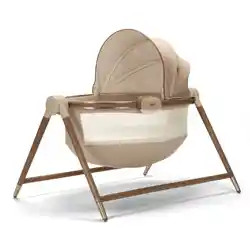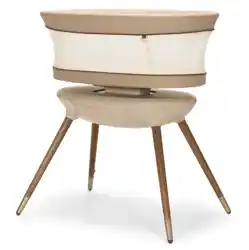
Sabine
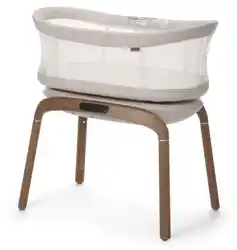
Motorized Bassinet
BT136
Call 1-800-544-1108
Visit www.maxicosi.com
Text 1-812-652-2525
(US and Canada only, carrier fees may apply)
©2025 Dorel Juvenile Group, Inc. (800) 544-1108 www.maxicosi.com. Styles, colors, and labeling may vary. Made in CHINA. Distributed by Dorel
Juvenile Group, Inc., 2525 State St., Columbus, IN 47201-7494. Dorel Juvenile Canada, 2233 Argentia Road, Suite 110, Mississauga, ON L5N 2X7.
Representante exclusivo en Chile: DOREL JUVENILE CHILE S.A. Av. del Parque 4161, oficina 602 A, Huechuraba, Santiago, Chile - Fono: 56 2 24971500
- www.infanti.cl - www.dorel.cl. Importado y distribuido en Perú por: COMEXA COMERCIALIZADORA EXTRANJERA S.A. SUCURSAL DEL PERÚ -
Los Libertadores 455, San Isidro, Lima 27, Lima, Perú RUC 20431062870 – Fono: 4413029 – www.infanti.com.pe. En Centro América, Caribe y
Ecuador por: Best Brands Group S.A. – Av. Balboa, Bay Mall Plaza, Planta Baja, local 9, Panamá. - Fono: (507) 300 2884. En Colombia por:
Baby Universe S.A.S. - Vía 40 No. 77-29, Barranquilla, Colombia - Fono: (575) 353 1110 Importador: DJGM, S.A. DE C.V. Gabriel Mancera
No. 1041 Col. Del Valle, Benito Juárez C.P. 03100 México, Ciudad de México R.F.C. DJG140305GN9 Tel. (55) 67199202
Learn More
Email [email protected]
4358-8790 01.08.26

32
Parts List ........................................................................................................................................................................................6
Assembly .....................................................................................................................................................................................8
Navigating the Touch Panel ................................................................................................................................................ 12
Care and Maintenance ........................................................................................................................................................... 16
Warranty .................................................................................................................................................................................... 18
FCC Statement ......................................................................................................................................................................... 19
Table of Contents
For indoor use only. Suitable for infants up to 20 lb (9.1 kg).
Read all instructions before assembly and use of product. Keep instructions for future reference.
Failure to follow these warnings and the instructions could result in serious injury or death.
SUFFOCATION HAZARD
Babies have suffocated:
•
on pillows, comforters, and extra padding
•
In gaps between a wrong size mattress, or extra padding and product sides
•
NEVER add soft bedding or padding
•
Use ONLY mattress provided by the manufacturer
• Always place baby on back to sleep to reduce the risk of SIDS and suffocation.
WARNING
continued on next page

54
FALL HAZARD—To help prevent falls, DO NOT use this product when the infant begins to push up on hands
and knees or has reached 20 lb (9.1 kg), whichever comes first.
• If a sheet is used with the pad, use only the one provided by the product manufacturer or one specifically
designed to fit the dimension of the product mattress.
• Strings can cause strangulation! DO NOT place items with a string around a child’s neck, such as hood
strings or pacifier cords. DO NOT suspend strings over a product or attach strings to toys.
• DO NOT use if any part of the bassinet is broken, torn, or missing. Contact Consumer Care for replacement
parts and instructional literature if needed.
• To reduce the risk of fire or electrical shock, DO NOT expose this product to water or moisture.
• This monitor function is not intended to be used as a medical monitor and its use should not replace proper
adult/parental supervision. You should check your child’s activity at regular intervals as this monitor will not
alert parents to the silent activities of a child.
• NEVER attempt to disassemble the product. This is dangerous and will void the warranty.
• Test monitor function periodically when in use and changing locations.
•
Use only the adapter supplied with this product. Incorrect adapter polarity or voltage can seriously damage the product.
• To prevent entanglement and overheating, DO NOT use extension cords.
• The adapter and device may become slightly warm to the touch during operation. This is normal.
• ALWAYS unplug the AC adapter from the wall during extended periods of non-use.
• Check to make sure wall outlet plates are not unusually hot to the touch. If they are, immediately unplug
cords from these outlets.
• Check that all outlet connections are in good condition so that adapter is not loose or that no wiring is
exposed. Have a qualified, licensed electrician check the wiring as soon as possible.
• DO NOT place adapter/wall plug under a window where a child might use it to step on and/or to reach
something that might be dangerous.
76
Parts List
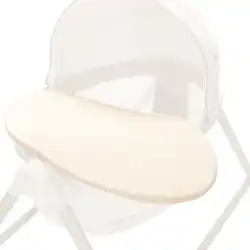
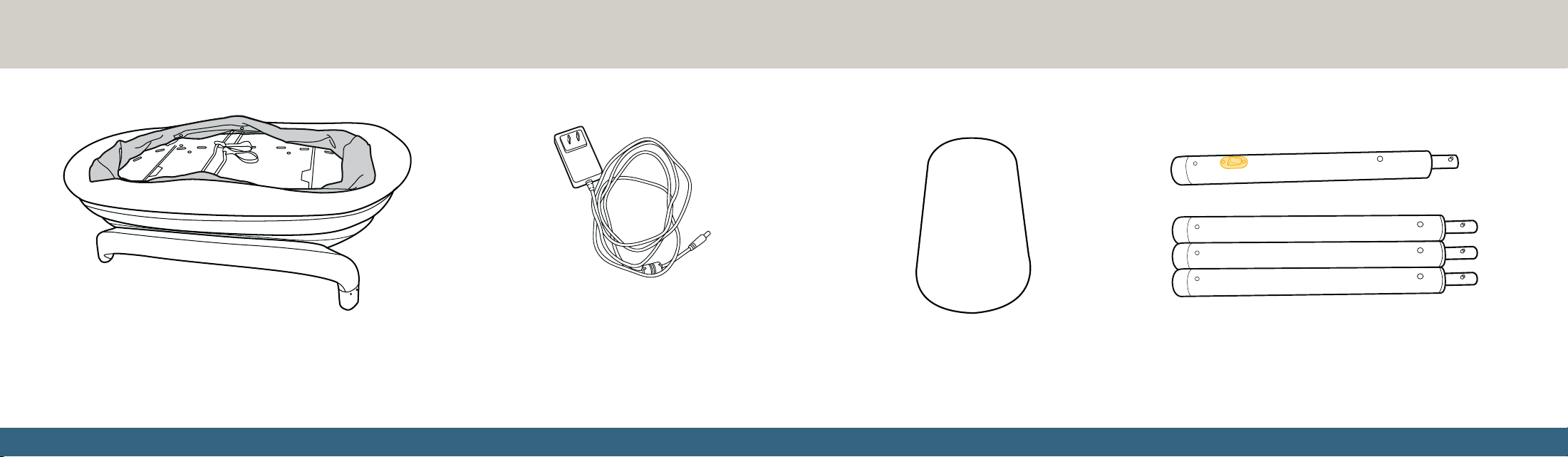
Bassinet basket Power cord Mattress pad and cover Legs (including leg with electrical plug)
Lay out and identify all the parts. Adult assembly required. No tools required.
98
Assembly
1
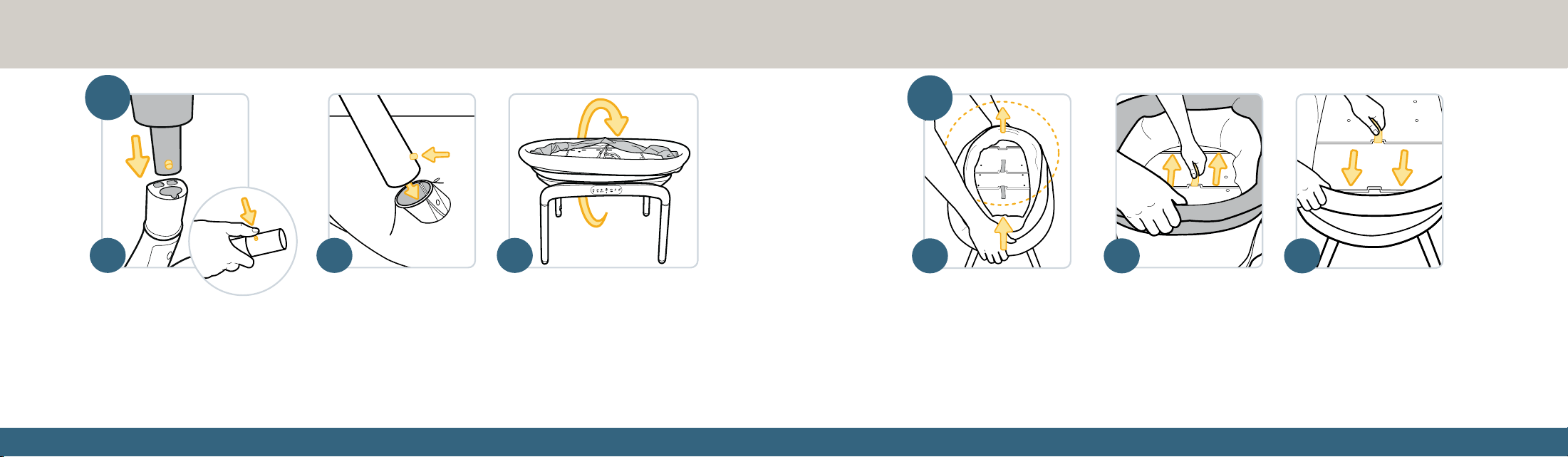
Install the Legs
a. On a flat, clean surface, turn the bassinet upside down. Press in the pin on the leg with the electric plug
while inserting it into the leg opening with the metal extension until the pin clicks into position.
Pull gently on the leg to make sure it is attached securely.
b. Repeat this process to insert the other three legs in any of the three remaining leg openings.
c. Once all four legs are in place, turn the bassinet right side up.
a b c
2
a b c
Assemble the Basket
a. Lift the rim of the bassinet up with both hands.
b. While holding the rim with one hand, pull one tab toward the end of the bassinet with the
other hand until the bar enters the slot.
c. Repeat this process with the other tab. Confirm that both tabs are securely in place by
pushing the rim down and ensuring the bassinet does not collapse.
continued on next page
1110
d e
3
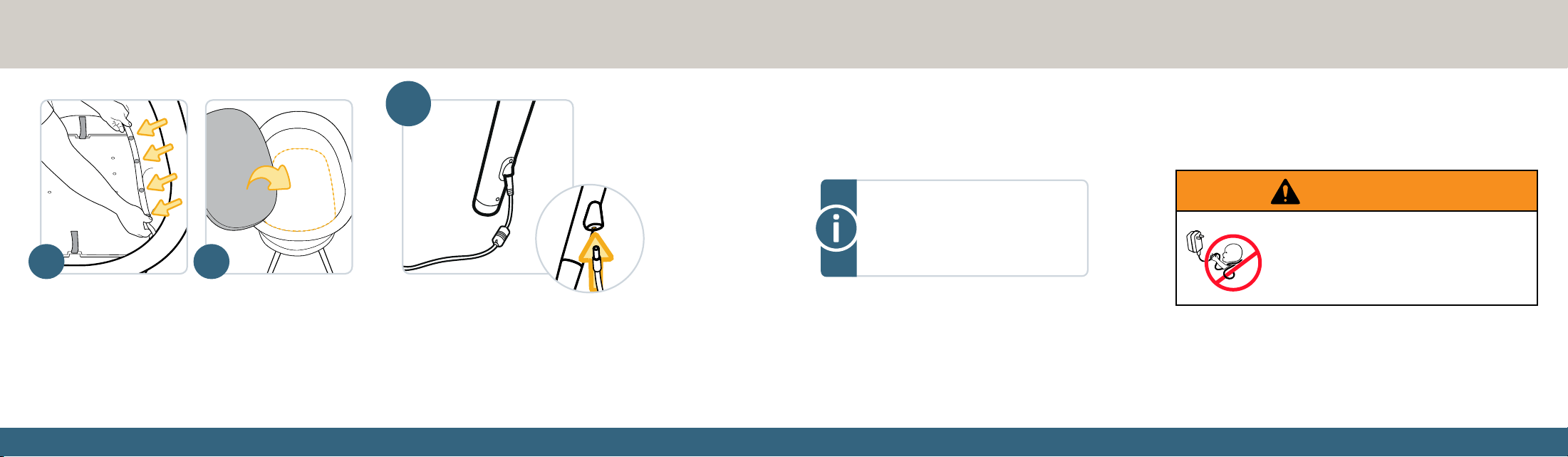
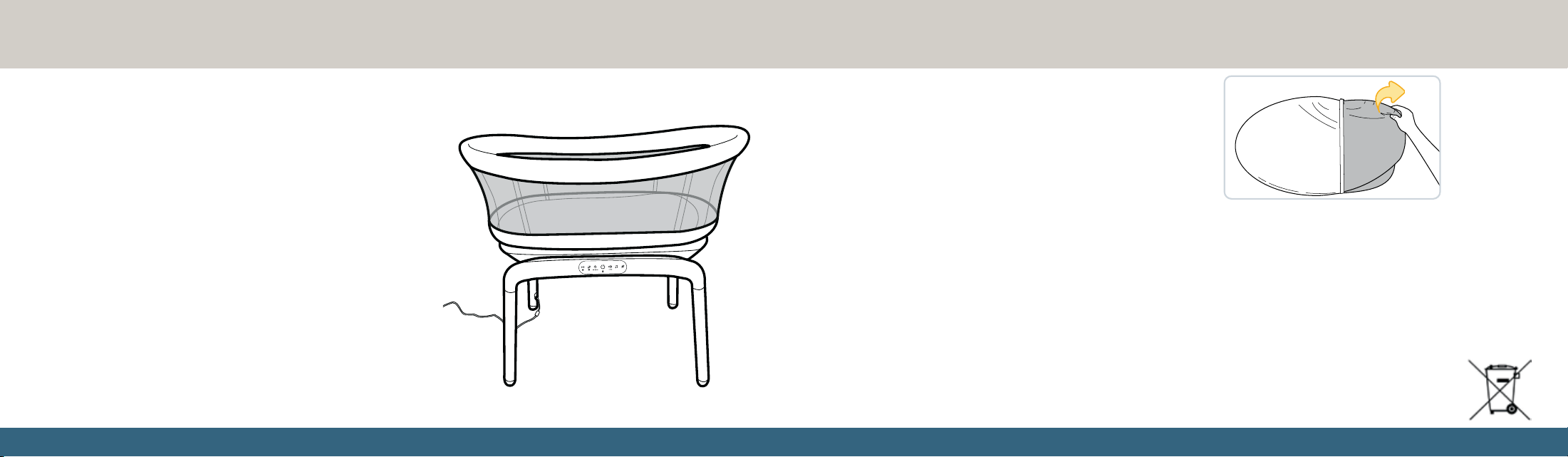
Plug in the Adapter
Insert the adapter into the leg
with the electrical plug. Plug
the power cord into a nearby
wall outlet.
Power adapter:
Input: 110 VAC 50/60 Hz
Output: 12 VDC 2A (Bassinet input)
WARNING
STRANGULATION HAZARD
• Children have STRANGLED in cords.
• Keep this cord out of the reach of children
(more than 3 ft (0.9 m) away).
d. On each side of the bassinet, snap the bottom of the
mesh sides to the base.
e. Place the mattress pad with cover into the bassinet.
1312
Navigating the Touch Panel
30 60 90
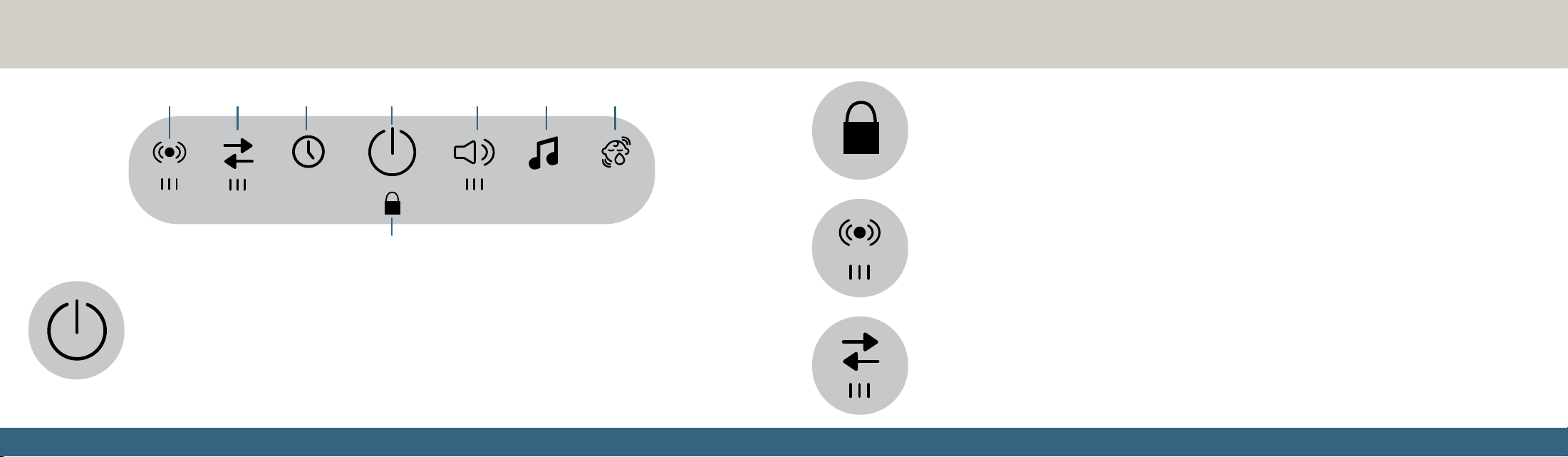
PowerTimerGlidingVibration Volume Music Scenes
30 60 90
Power
When plugged in, the bassinet’s Power icon will remain lit and all other icons will be dark when the
bassinet is off. Tap the Power icon to turn the bassinet on. All other icons will light up when turned on.
Tap the Power icon again to turn the bassinet off. All functions will stop and the bassinet will automatically
return to its default position.
DO NOT turn the bassinet off by unplugging it; unplug the power cord only after turning the bassinet off via
the Power button.
Vibration
The bassinet has three levels of vibration, indicated by the three bars below the icon. Tap the Vibration icon
once to start the vibration at the lowest level, then tap the icon again to raise the level.
To stop the vibration, tap the Vibration icon when it is at its highest level (when all three bars are lit) or tap
and hold the Vibration icon for two seconds.
30 60 90
Gliding
The bassinet has three levels of gliding, indicated by the three bars below the icon. Tap the Gliding icon once
to start the motion at the lowest level, then tap the icon again to raise the level.
To stop the gliding, tap the Gliding icon when it is at its highest level (when all three bars are lit) or tap and
hold the Gliding icon for two seconds.
30 60 90
continued on next page
Lock
30 60 90
Lock
To lock the bassinet, tap and hold the Lock icon for five seconds. While locked, no other features of the
bassinet can be changed. Gliding, vibration, volume, and music cannot be changed while the bassinet is
locked. The power button is also disabled while the lock is active.
To unlock the bassinet, tap and hold the Lock icon for five seconds.
1514
Volume and Music
Tap the Music icon to start playing one of five built-in sounds. Each tap of the Music icon will
cycle through the five sound selections. The five built-in sounds are white noise, heavy rain,
beach waves, classical melody, and soft piano. Tap and hold the Music icon for two seconds to
turn it off.
While music is playing, tap the Volume icon to increase the volume. There are three levels of volume available.
To turn Volume and Music off, tap the Volume icon at its highest level (when all bars are lit) or tap and hold the Volume icon for
two seconds.
Cry Detection
Tap the Cry Detection icon to enable the cry detection feature. While active, this feature will initiate the lowest
level of gliding and vibration if the bassinet detects one minute of sustained crying. If crying continues for one
more minute, the speed or vibration will increase to max speed. If crying continues for a total of five minutes, all
motions, vibrations, and sounds should stop.
Alternatively, you can store a specific set of settings, referred to as a ‘scene’, to automatically play when
the Cry Detection icon is tapped. To set a scene, select the desired level of gliding, vibration, and music. Tap and hold the Cry
Detection icon for three seconds while these settings are enabled to save these settings as a scene. A chime will sound to
confirm the scene has been saved. When a scene has been set, it will play automatically if sustained crying is detected. To delete
the saved scene, tap and hold the Cry Detection icon for three seconds while the unit is not moving or playing any sounds.
30 60 90
30 60 90
30 60 90
Timer
When the bassinet is being used for gliding, vibration, and/or music, tap the Timer icon to set a timer for
the bassinet to automatically turn off. Tap the Timer icon once to set a timer for 30 minutes, twice for 60
minutes, and three times for 90 minutes. The selected time will light up and blink for the duration.
To turn the timer off, tap the Timer icon when it is at its highest level (when set for 90 minutes) or tap and
hold the Timer icon for two seconds.
30 60 90
1716
Replaceable Parts
• Bassinet legs (including leg with electrical plug)
• Power cord
• Mattress pad and cover
If a part is missing or damaged or you have any questions about this product, contact Consumer Care. Do not return to the place of
purchase. Call 1-800-544-1108, text 1-812-652-2525, visit maxicosi.com, or email [email protected]. Have the model number
ready (BT136), the product serial number (found on the bassinet under the mattress pad), and a brief description of the part.
Disposal
At the end of the product life cycle, you should not dispose of this product with normal household waste. Take this
product to a collection point for the recycling of electronic equipment in accordance with your local laws. Some of the
product materials can be reused if you take them to a recycling point. By reusing some parts or raw materials from used
products, you make an important contribution to the protection of the environment.
Washing the Mattress Cover
Remove the cover from the mattress pad.
Machine wash the pad on a cold, gentle cycle, then line dry.
Care and Maintenance
Cleaning the Bassinet Basket
Unplug the power cord before spot cleaning. Spot clean only the
fabric and base board using a damp cloth. DO NOT use harsh
cleaning products.
Cleaning the Bassinet Base
Clean with a slightly damp cloth or with an anti-static cloth. ALWAYS
unplug the base from the electrical outlet before cleaning. NEVER
use cleaning agents or abrasive solvents. DO NOT clean any part
of the product with thinners or other solvents and chemicals—this
may cause permanent damage to the part, which is not covered by
the warranty. Keep product away from hot, humid areas or strong
sunlight, and DO NOT let it get wet.
Every effort has been made to ensure high standards of reliability of
your product. However, if something does go wrong, please do not
try to repair it yourself—contact Consumer Care for assistance.

1918
Dorel Juvenile Group, Inc. warrants to the original purchaser that this product (Sabine Motorized Bassinet) is free from material and workmanship
defects when used under normal conditions for a period of two (2) years from the date of purchase. Should the product contain defects in material
or workmanship, Dorel Juvenile Group, Inc. will repair or replace the product, at our option, free of charge. Purchaser will be responsible for all costs
associated with packaging and shipping the product to Dorel Juvenile Group Consumer Care Department at the address noted on back cover and all
other freight or insurance costs associated with the return. Dorel Juvenile Group will bear the cost of shipping the repaired or replaced product to the
purchaser. Product should be returned in its original package accompanied by a proof of purchase, either a sales receipt or other proof that the product
is within the warranty period. This warranty is void if the owner repairs or modifies the product or the product has been damaged as a result of misuse.
This warranty excludes any liability other than that expressly stated previously, including but not limited to, any incidental or inconsequential damages.
SOME STATES DO NOT ALLOW THE EXCLUSION OR LIMITATION OF INCIDENTAL OR CONSEQUENTIAL DAMAGES, SO THE ABOVE
LIMITATION OR EXCLUSION MAY NOT APPLY TO YOU. THIS WARRANTY GIVES YOU SPECIFIC LEGAL RIGHTS, AND YOU MAY ALSO
HAVE OTHER RIGHTS THAT MAY VARY FROM STATE TO STATE.
IC Information
This device complies with Industry Canada license-exempt RSS standard(s). Operation is subject to the following two conditions:
(1) this device may not cause interference, and (2) this device must accept any interference, including interference that may
cause undesired operation of the device.
Under Industry Canada regulations, this radio transmitter may only operate using an antenna of a type and maximum (or lesser)
gain approved for the transmitter by Industry Canada. To reduce potential radio interference to other users, the antenna type
and its gain should be so chosen that the equivalent isotropically radiated power (e.i.r.p.) is not more than that necessary for
successful communication. This Class B digital apparatus complies with Canadian ICES-003.
Warranty
FCC Statement
This device complies with part 15 of the FCC Rules. Operation is subject to the following two conditions:
1. This device may not cause harmful interference, and
2. This device must accept any interference received, including interference that may cause undesired operation.
RADIO AND TELEVISION INTERFERENCE:
This equipment has been tested and found to comply with the limits for a Class B digital device, pursuant to part 15 of the FCC
Rules. These limits are designed to provide reasonable protection against harmful interference in a residential installation. This
equipment generates, uses and can radiate radio frequency energy and, if not installed and used in accordance with the instructions,
may cause harmful interference to radio communications. However, there is no guarantee that interference will not occur in a
particular installation. If this equipment does cause harmful interference to radio or television reception, which can be determined by
turning the equipment off and on, the user is encouraged to try to correct the interference by one or more of the following measures:
1. Reorient or relocate the receiving antenna.
2. Increase the separation between the equipment and receiver.
3. Connect the equipment into an outlet on a circuit different from that to which the receiver is connected.
4. Consult the dealer or an experienced radio/TV technician for help.
Note: Changes or modifications not expressly approved by Dorel Juvenile Group can void your authority to operate this equipment
under Federal Communications Commission’s rules.
Use of other accessories may not ensure compliance with the FCC exposure guidelines.
FCC Radiation Exposure Statement: This equipment complies with FCC radiation exposure limits set forth for an uncontrolled
environment. This transmitter must not be co-located or operating in conjunction with any other antenna or transmitter.