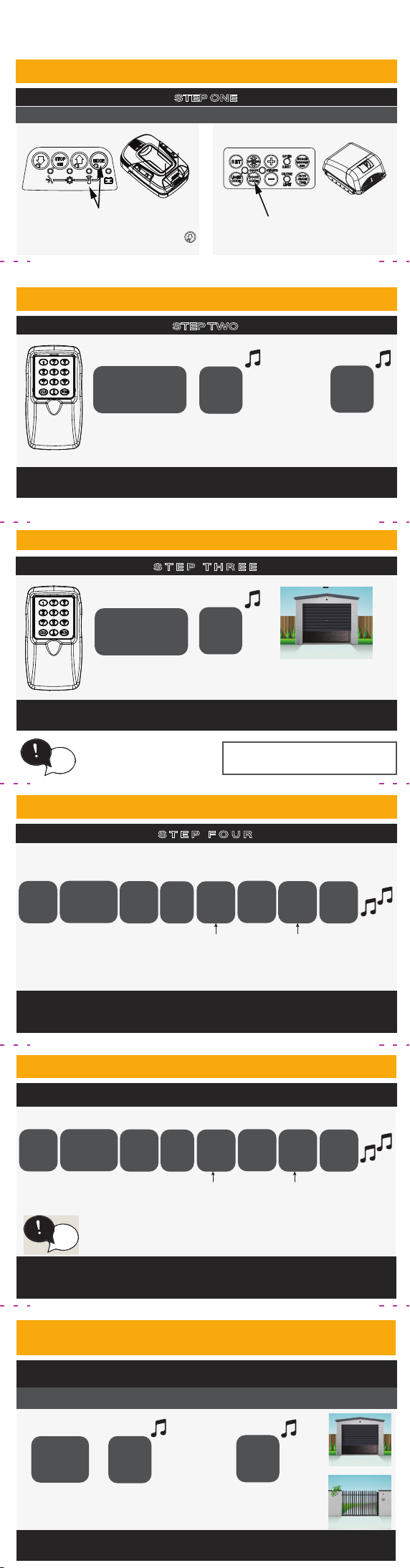
Press the MODE button until the
TRANSMIT LED is lit. Press and HOLD the
button and go to STEP 2.
Press and hold DOOR CODE button and go
to STEP 2.
OR
ACTIVATE: The CODE mode on the door operator by;
The garage door opener will indicate that CODING has been
completed.
STEP TWO
CREATE YOUR OWN PIN
OPEN THE PACKAGING
STEP ONE
CODE IN THE KEYPAD
tip
FACTORY PIN: Keep in
safe place and retain for
future use.
FACTORY
PIN
1
Release for 2
secs
1
Enter
HOLD button 1
for 2 secs
HOLD again
for 2 secs
Pressing Button 1 again within 10 seconds will control the garage
door again.
STEP THREE
CONTROLLING THE GARAGE DOOR
1
Enter
Press and HOLD
button 1
Until door starts
to operate
This PIN will now operate the keypad instead of FACTORY PIN.
Keep the FACTORY PIN in safe place as this is required to
FACTORY RESET the keypad.
STEP FOUR
FACTORY
PIN
1
FCN
Enter
Use number
buttons & enter
a 4 digit PIN
Enter your
new PIN
FCN
FCN
YOUR
PIN
YOUR
PIN
FCN
Press Press
Press
Press
Press
ADDING ADDITIONAL PINS
The Keypad will give a long beep to indicate the PIN has been
accepted.
The new PIN can now operate the door.
EXISTING
PIN
2
FCN
Enter
Use number
buttons & enter
a 4 digit PIN
Enter your
new PIN
FCN
FCN
NEW
PIN
NEW
PIN
FCN
Press Press
Press
Press
Press
All users can now enter their PIN followed by the programmed
number button to control device.
CODING OTHER
KEYPAD BUTTONS
1-8
Release for 2
secs
1-8
Enter
HOLD a button
1-8 for 2 secs
HOLD same button
again
for 2 secs
2
nd
Garage
Gate
PIN
tip
Three long beeps after pressing button 2, indicates
memory is full.
The Keypad buttons can be programmed to operate other
functions or devices.
ACTIVATE: The CODE mode on the garage door or device
Up to 29 additional PINs can be added
FACTORY
PIN
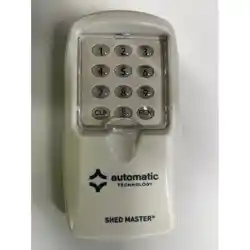
WIRELESS KEYPAD TRANSMITTER
KPX-7V4AM & KPX-7V4SM
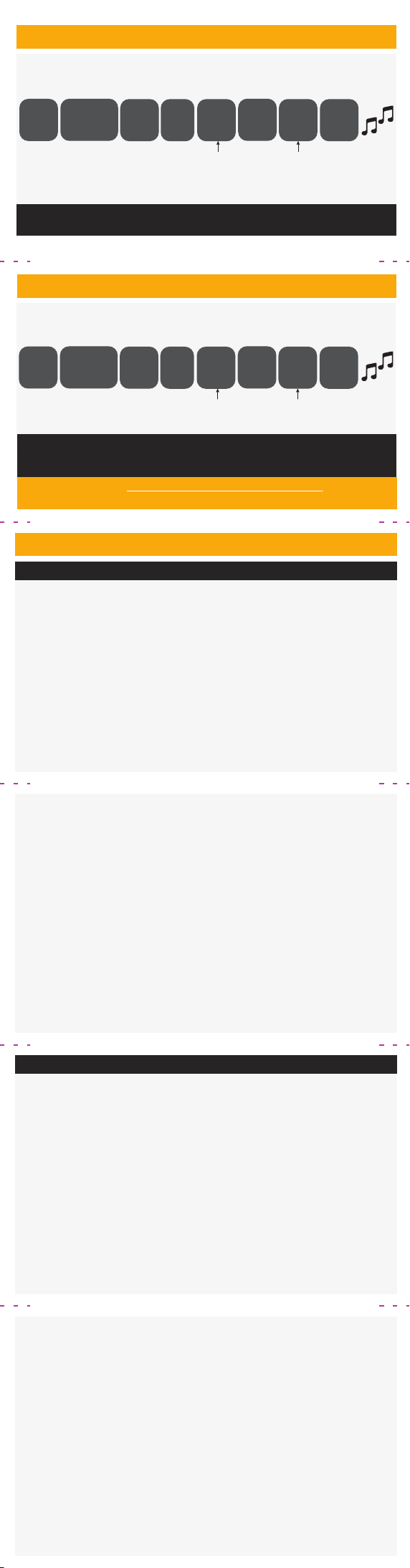
CHANGING A PIN
The new PIN can now operate the door.
EXISTING
PIN
4
FCN
Enter
Enter your
new PIN
FCN
FCN
NEW
PIN
NEW
PIN
FCN
Press Press
Press
Press
Press
Enter your
new PIN
DELETING A PIN
EXISTING
PIN
4
FCN
Enter
Enter
FCN
FCN
0000
FCN
Press Press
Press
Press
Press
Enter
0000
NOTE: If the last PIN in the memory is deleted then the keypad is
factory reset.
Refer to CREATE YOUR OWN PIN to start again.
Refer to automatictechnology.com for
extended programming
USA AND CANADA
TRANSMITTERS COMPLIANCE STATEMENT
This device complies with Innovation,
Science and Economic Development
Canada’s licence-exempt RSS(s).
This device complies with Part 15 of the
FCC Rules. Operation is subject to the
following two conditions: (1) This device
may not cause harmful interference,
and (2) this device must accept any
interference received, including
interference that may cause undesired
operation.
NOTE: This equipment has been tested
and found to comply with the limits for
a Class B digital device, pursuant to
Part 15 of the FCC rules. These limits
are designed to provide reasonable
protection against harmful interference
in a residential installation.
This equipment generates, uses and
can radiate radio frequency energy
and, if not installed and used in
accordance with the instructions, may
cause harmful interference to radio
communications. However, there is no
guarantee that interference will not
occur in a particular installation. If this
equipment does cause harmful
interference to radio or television
reception, which can be determined by
turning the equipment off and on, the
user is encouraged to try to correct the
interference by one or more of the
following measures:
• Reorient or relocate the receiving
antenna.
• Increase the separation between the
equipment and receiver.
• Connect the equipment into an
outlet on a circuit different from that
to which the receiver is connected.
• Consult your local dealer or an
experienced radio/TV technician for
help.
WARNING: Any changes or
modifications not expressly approved
by the grantee could void the user’s
authority to operate this equipment.
DÉCLARATION DE CONFORMITÉ DE L’ÉMETTEUR
L’émetteur/récepteur exempt de
licence contenu dans le présent
appareil est conforme aux CNR
d’Innovation, Sciences et
Développement économique Canada
applicables aux appareils radio
exempts de licence. L’exploitation est
autorisée aux deux conditions
suivantes:
1. L’appareil ne doit pas produire de
brouillage;
2. L’appareil doit accepter tout
brouillage radioélectrique subi,
même si le brouillage est
susceptible d’en compromettre le
fonctionnement.
REMARQUE: Cet équipement a été
testé et déclaré conforme aux limites
applicables à un appareil numérique de
classe B, conformément à la partie 15
des règles de la FCC. Ces limites visent
à assurer une protection raisonnable
contre les interférences nuisibles dans
une installation résidentielle.
Cet équipement génère, utilise et peut
émettre de l’énergie radiofréquence et,
s’il n’est pas installé et utilisé
conformément aux instructions, peut
causer des interférences nuisibles aux
communications radio. Cependant, il
n’est pas garanti qu’aucune
interférence ne se produira dans une
installation particulière. Si cet
équipement cause des interférences
nuisibles à la réception radio ou
télévision, ce qui peut être déterminé
en éteignant puis en rallumant
l’équipement, l’utilisateur est
encouragé à essayer de corriger
l’interférence par une ou plusieurs des
mesures suivantes:
• Réorienter ou déplacer l’antenne de
réception.
• Augmenter la distance entre
l’équipement et le récepteur.
• Brancher l’équipement sur une prise
d’un circuit différent de celui auquel
le récepteur est connecté.
• Consulter votre revendeur local ou
un technicien radio/TV expérimenté
pour obtenir de l’aide.
AVERTISSEMENT: Tout changement
ou toute modification non
expressément approuvé par le
bénéficiaire peut annuler le droit de
l’utilisateur à utiliser cet équipement.