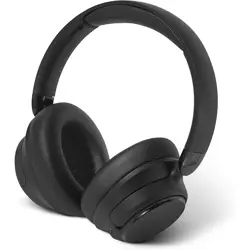

EPZ Noise Cancelling Wireless Bluetooth Headphones H10 User Guide
Power Button ANC
Power on:Hold 2s
Power off:Hold 5s Noise cancelling on / Transparency Mode / Noise cancelling off (cycle): Single press
Playback Volume +:Single press
Play / Pause:Single press Previous:Hold 2s
Calls
Answer / End call:Single press
Switch audio to phone:Press the Play button twice Volume -:Single press
Reject call:Hold the Play button for 2s Next:Hold 2s
Voice assistant (Bluetooth connected, not in a call):Press twice
Other Functions
Clear pairing history: Press and hold the Volume + and Volume - buttons simultaneously for 5s to clear pairing
records and enter pairing mode automatically.
Secure pairing mode: The default pairing password is “0000”.
Battery / Volume display: Currently supported on iOS devices only. Compatibility may vary on other devices.
Out of connection range: The headphones will enter reconnection mode automatically. If no device reconnects
within 3 minutes, the headphones will power off automatically.
OTA firmware upgrade: When connected via Bluetooth and battery level is above 10%, firmware can be updated
through the EPZ App.
*Functions available in the EPZ App may vary depending on the smartphone model and operating system version.
Please contact customer support for more after-sales information.
Product Warranty
EPZ provides after-sales service in accordance with applicable consumer protection and product quality regulations.
Within the one-year limited warranty period from the date of purchase, you are entitled to return, replacement, and
repair services as applicable. Warranty service requires a valid order number or proof of purchase.
1.7-day no-reason return & exchange (online purchases only)
2.For products repaired or replaced under warranty, the warranty period will continue from the original purchase
date of the product. Replacement service is limited to one time within the one-year warranty period
3.If the product experiences any performance failure listed in the Product Performance Failure Table and the issue is
confirmed through inspection, the following services will be provided free of charge.
Service Type
Service Policy
Return
Return due to product quality issues within 7 days from the date of delivery
Replacemen
Replacement due to product quality issues within 1 year from the date of delivery
Repair
Repair due to product quality issues within 1 year from the date of delivery
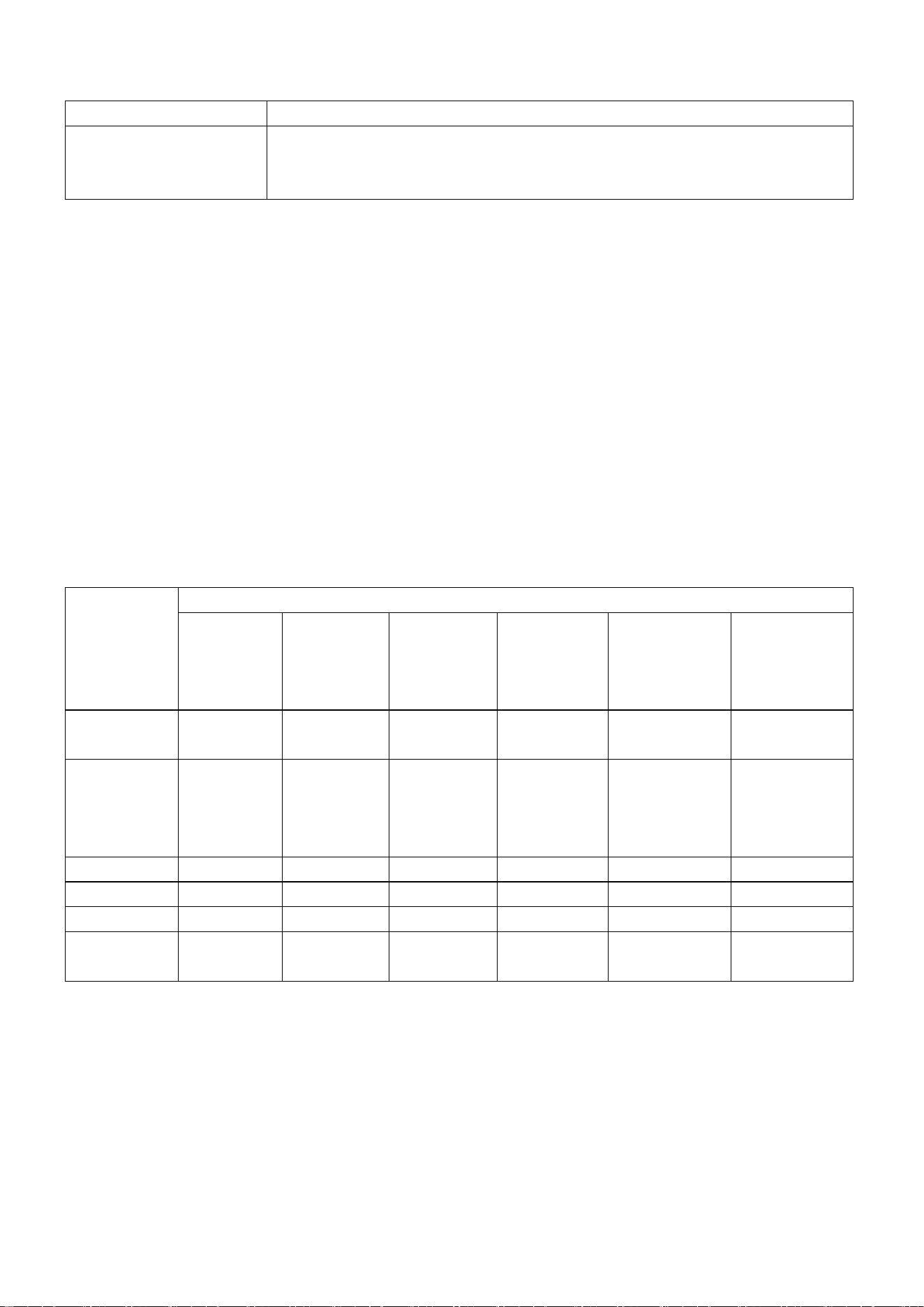
Product Performance Failure Table
Product Name
Performance Failures
Noise Cancelling Wireless
Bluetooth Headphones
Button operation failure
No audio output
Warranty Exclusions:
1.Damage caused by unauthorized repair, misuse, neglect, abuse, liquid exposure, accidents, modification, use of
non-original accessories, or tampering with labels, anti-counterfeit marks, or serial labels.
2.Products beyond the one-year warranty period.
3.Damage caused by force majeure events.
4.Failures not listed in the Product Performance Failure Table.
5.Damage to the product or accessories caused by human factors resulting in issues listed in the Product
Performance Failure Table.
6.Any accessories or promotional gifts included with the product.
For more services, please visit the official EPZ website: www.epzsz.com and click “Service”.
Environmental Protection
Names and Content of Hazardous Substances in the Product
Part Name
Hazardous Substances and Elements
(Pb)
Lead (Pb)
(Hg)
Mercury (Hg)
(Cd)
Cadmium
(Cd)
(Cr6vl)
Hexavalent
Chromium
(Cr(VI))
(PBB)
Polybrominated
Biphenyls (PBB)
(PBDE)
Polybrominated
Diphenyl Ethers
(PBDE)
Headphone
housing
O
O
O
O
O
O
PCB and
electronic
components
X
O
O
O
O
O
Battery
X
O
O
O
O
O
Ear cushions
O
O
O
O
O
O
Accessories
O
O
O
O
O
O
Charging
cable
X
O
O
O
O
O
This table is prepared in accordance with SJ/T 11364.
O: Indicates that the content of the hazardous substance in all homogeneous materials of the component is below
the limit specified in GB/T 26572.
X: Indicates that the content of the hazardous substance in at least one homogeneous material of the component
exceeds the limit specified in GB/T 26572.
Notes
1. Please read this user manual carefully before use and keep it properly for future reference.
2. For first use, fully charge the product before operation.

3. If the product is not used for an extended period (over 3 months), please recharge it periodically.
4. Use only certified charging cables and power adapters manufactured by reputable suppliers and compliant with
third-party certification standards.
In dry environments, wearing the product may cause static electricity, which may result in a brief tingling sensation in
the ears. This is not a product defect.
Prolonged listening at high volume may cause hearing damage.
If you are in an environment where awareness of surrounding sounds is required, please disable Active Noise
Cancelling mode.
Warnings
Do not disassemble, repair, or modify the product for any reason, as this may cause fire or permanent damage.
Do not expose the product to extremely low or high temperatures (below 0°C or above 45°C).
Do not use the product during thunderstorms, as lightning may cause malfunction and increase the risk of electric
shock.
Avoid contact with liquids.
Follow local laws and regulations. Do not use this device while driving.
This product is not a toy and may contain small parts. Avoid prolonged listening at high volume.
Do not place the earbuds into fire or a heating oven, as this may cause explosion or leakage of flammable liquids or
gases.
Do not use fast chargers or ultra-fast charging adapters to avoid overheating or fire hazards.
This device contains a built-in battery that is non-removable. Do not attempt to disassemble or replace the battery.
*
FAQ FAQ
The headphones cannot be powered on. How to solve this issue?
Please check whether the headphones have sufficient battery. If not, charge the product before use.
1. After successfully connecting the headphones to an Android device, how can I ensure proper media audio
playback?
After pairing, tap the icon next to the connected device name and ensure that the “Media audio” option is enabled.
1. After connecting to an Android device, there is no call audio. How to solve this issue?After pairing, tap the icon
next to the connected device name and ensure that the “Phone audio” option is enabled.
2. The Bluetooth connection is unstable or intermittently disconnects. How to solve this issue?
Keep the headphones as close as possible to the phone and avoid physical obstructions.
(Wi-Fi/GPRS);
Avoid environments with strong wireless interference (e.g., Wi-Fi, mobile data congestion areas).
Ensure the phone’s antenna is not blocked.
When using third-party music apps, why do some functions not match the user manual?
Due to differences in system definitions and third-party application settings, some functions may vary.
It is recommended to use the system’s default music player for optimal compatibility.
Product Name: Noise Cancelling Wireless Bluetooth Headphones
Model: H10
Headphone Weight: 270 g
Product Dimensions: 181 × 183 × 81 mm
Battery Capacity: 600 mAh
Charging Time: Approx. 120 minutes
Playback Time (ANC off): Up to 80 hours
Playback Time (ANC on): Up to 60 hours

Speaker Impedance: 32 Ω
Wireless Range: 10 m (in open, unobstructed environments)
Bluetooth Version: Bluetooth 5.4
Bluetooth Profiles: HSP, HFP, A2DP, AVRCP
Input: 5V⎓1A
Operating Temperature: 0°C to 45°C
Frequency Range: 2402–2480 MHz
LDAC mode: Battery life depends on real usage conditions
All specifications are based on laboratory test conditions.
Playback time is measured using ACC format at 50% volume under laboratory conditions. Actual performance may
vary depending on device settings, environment, usage habits, and other factors.
This device complies with part 15 of the FCC Rules. Operation is subject to the
following two conditions: (1) This device may not cause harmful interference, and (2)
this device must accept any interference received, including interference that may cause
undesired operation.
Any Changes or modifications not expressly approved by the party responsible for
compliance could void the user's authority to operate the equipment.
Note: This equipment has been tested and found to comply with the limits for a Class B
digital device, pursuant to part 15 of the FCC Rules. These limits are designed to
provide reasonable protection against harmful interference in a residential installation.
This equipment generates uses and can radiate radio frequency energy and, if not
installed and used in accordance with the instructions, may cause harmful interference
to radio communications. However, there is no guarantee that interference will not
occur in a particular installation. If this equipment does cause harmful interference to
radio or television reception, which can be determined by turning the equipment off and
on, the user is encouraged to try to correct the interference by one or more of the
following measures:
-Reorient or relocate the receiving antenna.
-Increase the separation between the equipment and receiver.
-Connect the equipment into an outlet on a circuit different from that to which the
receiver is connected.
-Consult the dealer or an experienced radio/TV technician for help.
FCC Radiation Exposure statement
The device has been evaluatec to meel general RF exposure requirement. The device
can be used in portable exposure condition without restriction.