User Manual
ZYC06
lmportant safety instructions.
Please read all instructions before use.
Wireless Charger

First of all, thanks so much for your attention to our products!
In order to better understand and use this socket, please read the
instruction carefully before using and keep it for future use.
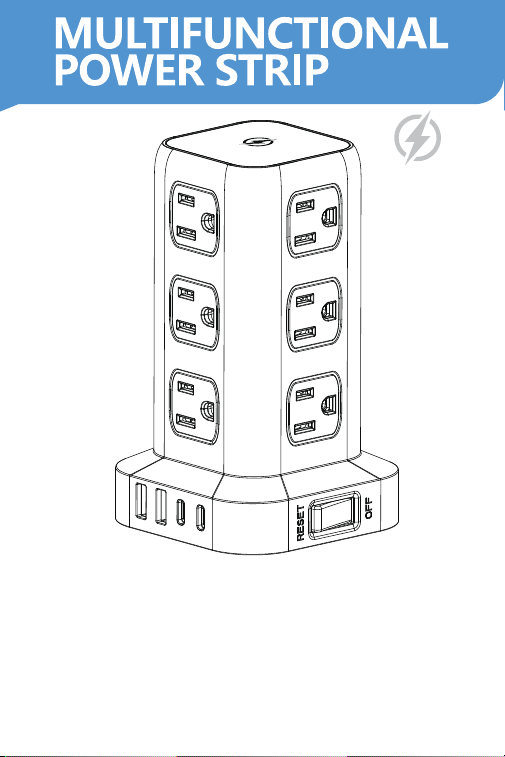
Thank you for choosing our product. This vertical socket is a
multi-plug and multi-hole USB socket, which is also a safety and
mufti-functional for home and office with multiple combination styles.
1. Vertical Socket * 1
2. User Manual * 1
I. Products Applications
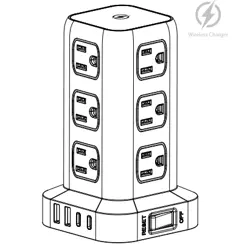
ll. Product Description
lll. Package List
1. Suitable for different areas. Such as offices, home life, etc.
2. Built in overload protection that keeps the electrical appliance safe
& your life is secured.
3. USB charging port supports multiple mobile devices charging and
supports single port 2.4A current output.
IV. Product Features
- 1 -
1. The product is installed with 10A overload protection switch, the
overalloperating current shall not exceed 10A for electricity safe use.
2. The device features multiple 5V DC USB charging ports and a 15W
wireless charging capability, enabling fast charging for smartphones,
iPads, MP3 players, digital cameras, and other devices.
3. The power socket jack is built with 750°℃ fire-retardant materials.
4. Part of the product series with safety protection door,to ensure
thesafety of electricity.
5.We design anti-slip cushion at the bottom of the product to
preventslippage and slip during the use of the product.

1. Protected against dampness, moisture, used in dry condition only
(Please do not use in bathrooms, etc.)
2. Please use the product in a safe environment to ensure safely use
of electricity (no power above 1250W, current not exceeding 10A).
3. Please do not coiled use extension cable socket, if coiled use, the
actual carrying current value will be lower than its setting power.
4. When multiple power is plugged in at the same time, the total
power of the load shall not exceed the maximum permissible power.
5. When the USB interface of the product enters the protection state
because of the output short circuit and overload, it will not be able
tocharge normally, Please press the overload protection switch after
removing the faulty equipment, and then it will restore to normal.
V. Attention
Vl. Parameter
- 2 -
Model No.: ZYC06
Maximum current: 10A
Voltage: 125V~
Power: 1250W
Frequency: 60Hz
USB-A Output: 5V⎓2.4A
USB-C Output: 5V⎓3.0A
Wireless Charging: 15W
USB Total Output: 5V⎓3.4A
Material: PC+Firepoof material
Using Temperature: -10℃~+40℃
Power cord specification : 3*0.824mm²
Safe protect: Overload protector

1. The total power of the connected electrical equipment shall not
exceed the rated power of the product.
2. When multiple power is plugged in at the same time, the total
power of the load shall not exceed the maximum permissible power.
3. Do not disassemble the unit if not professional.
4. Please stay away from the heat source.
5. Do not test the opening force of the protective door with
conductors or other tools when the product is powered on.
Vll. Warnings
VllI. FCC Statement
- 3 -
This device complies with part 15 of the FCC Rules. Operation is
subject to the following two conditions:
(1) This device may not cause harmful interference, and
(2) this device must accept any interference received, including
interference that may cause undesired operation.
Warning: changes or modifications not expressly approved by the
party responsible for compliance could void the user’s authority to
operate the equipment.
Note: This equipment has been tested and found to comply with the
limits for a Class B digital device, pursuant to part 15 of the FCC
Rules. These limits are designed to provide reasonable protection
against harmful interference in a residential installation. This
equipment generates, uses and can radiate radio frequency energy
and, if not installed and used in accordance with the instructions,
may cause harmful interference to radio communications. However,
there is no guarantee that interference will not occur in a particular
installation. If this equipment does cause harmful interference to
radio or television reception, which can be determined by
turning the equipment off and on, the user is encouraged to try to
correct the interference by one or more of the following measures:
—Reorient or relocate the receiving antenna.
—Increase the separation between the equipment and receiver.
IX. Instructions on switches
Main switch & overload protection switch
1. "Reset" position and light on: Tuming on all AC outlets and USB
ports.
2. "Off" position and light off: Turning off all AC outlets and USB ports.
- 4 -
—Connect the equipment into an outlet on a circuit different from
that to which the receiver is connected.
—Consult the dealer or an experienced radio/TV technician for help.
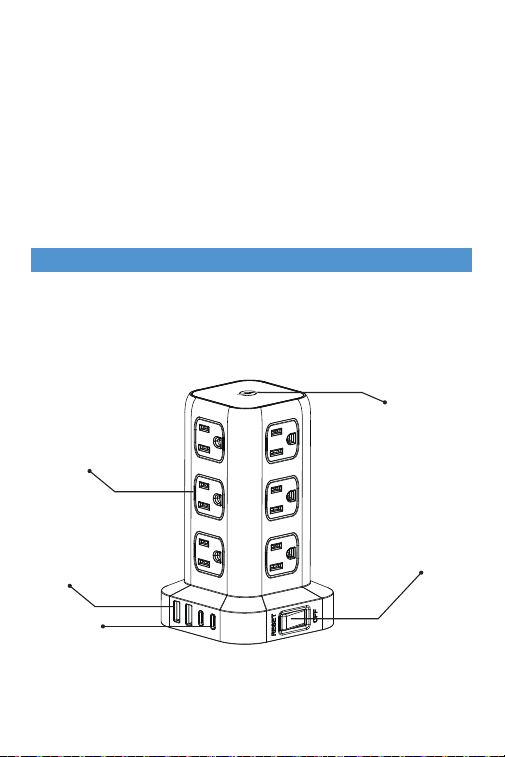
Main switch &
Overload protection
Wireless Charger
USB-C Port
USB-A Port
AC Outlets
Note: The Grantee is not responsible for any changes or modifications
not expressly approved by the party
responsible for compliance. such modifications could void the user's
authority to operate the equipment.
The device has been evaluated to meet general RF exposure
requirement.
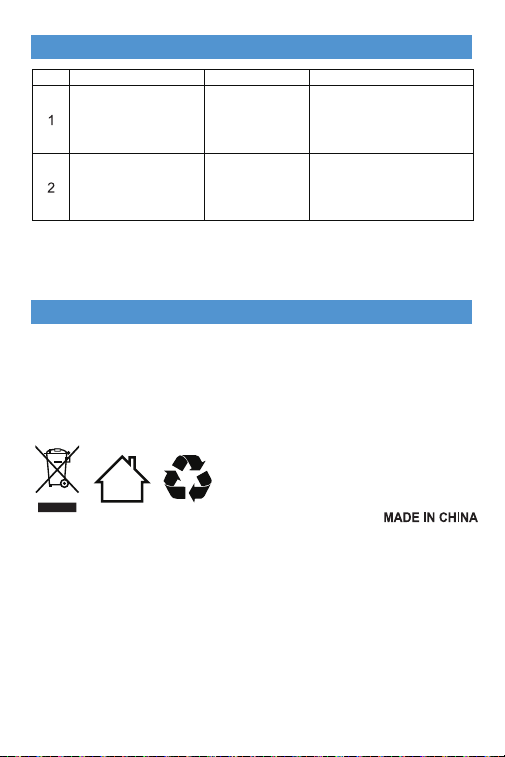
X. Troubleshooting
Item Issue Description
Main Switch off
automatically
Overload
protection works
Please plug off some
electrical appliances and
turn on the main switch for
you to use it again
USB ports don't work
Main switch
may not turn on
Please turn main switch on
Reasons Solution
Remark: please contact us in time if all above-mentioned solutions
don't solve your issues.
- 5 -
Name: Shenzhen XingMaoDian Technology CO., Ltd
Address: 3F Building A, NO.46 Chuangyi Road, Gaofeng Community,
DaLang Street, LongHua district, ShenZhen, China
Manufacturer
CAN ICES-003 (B) / NMB-003 (B)