User Manual
Thank you for choosing our 7 Port USB 2.0 Hub
& wireless microphone. Please read the
following instruction before using the product.
If you have any questions, feel free to contact
Products Composition
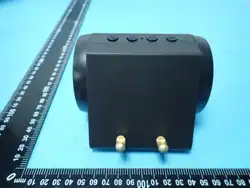
This product is mainly composed of two parts:
USB 2.0 HUB and wireless lavalier microphone.
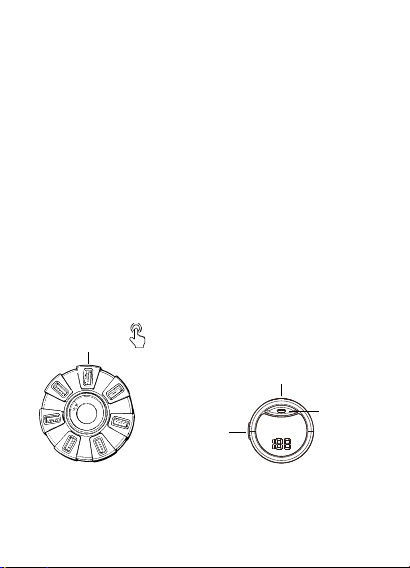
USB 2.0 HUB
RGB Light
Controller
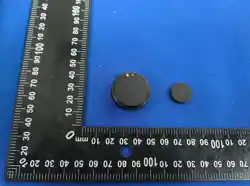
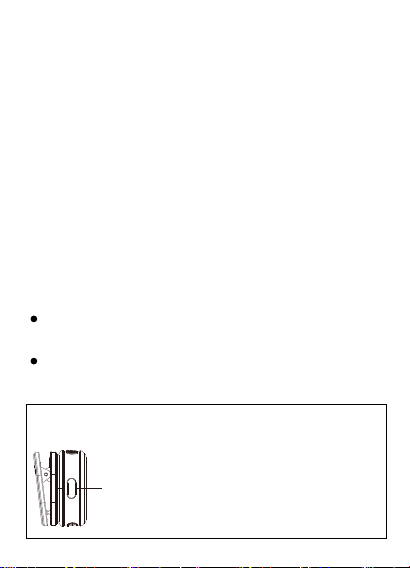
Wireless Mic
Mic
On/Off
Mic
Charging Port
Mic
Indicator
Instruction
【Using the USB 2.0 Hub】
【Using the Microphone】
Plug the USB expander into your computer
while the computer is powered on; it is ready
to use.
Plug the USB expander into your computer
while the computer is powered on; it is ready
to use.
Microphone Power Button Functions
Power On
Pairing: Microphone indicator flashes red
and green alternately.
Paired successfully: Microphone indicator
stays green.
Long press: Power on / Power off
Single click: Noise reduction on/off
Double click: Mute on/off

Double click the microphone power button
to enter mute mode. The indicator stays red.
Double click again to exit mute.
Mute
After the microphone is powered on and
paired successfully, deep noise reduction is
enabled by default (indicator stays green).
Single click the power button to disable
noise reduction (indicator flashes green).
Click again to enable noise reduction.
Noise Reduction
Long press the microphone power button for
3 seconds to turn off the microphone.
Power Off
Place the microphone into the USB Hub; it will
Charging
*The microphone is ready for use once
paired successfully.
automatically power off and start charging.
Charging stops automatically when full.
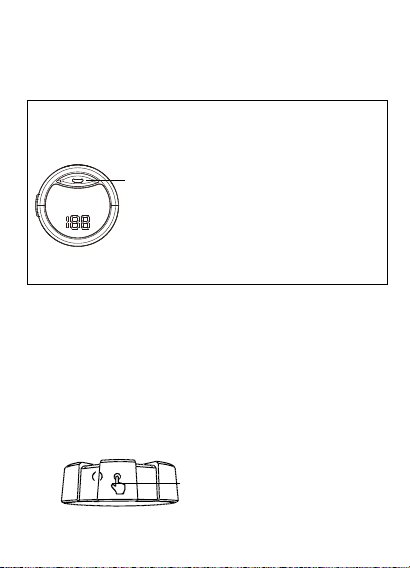
After the expander is plugged into the
computer, it defaults to rainbow mode. To
adjust or turn off the lighting, single click the
finger‑pattern area on the side of the HUB.
RGB Lighting Control
Pairing: Red and green flashing
Paired successfully: Green steady
Noise reduction on: Green steady
Noise reduction off: Green flashing
Mute: Red steady
Low battery: Red flashing
Microphone Indicator Status
Single Click

Packing
1. USB 2.0 HUB * 1
2. Wireless Microphone * 1
3. User Manual * 1
1st click: Blue, red, green, yellow 4 lights rotate
clockwise
2nd click: Red, green, blue, pink, orange, purple,
white lights cycle sequentially
3rd click: Lights off

This device complies with part 15 of the FCC Rules. Operation is subject to the
following two conditions: (1) This device may not cause harmful interference, and (2)
this device must accept any interference received, including interference that may cause
undesired operation.
Any Changes or modifications not expressly approved by the party responsible for
compliance could void the user's authority to operate the equipment.
Note: This equipment has been tested and found to comply with the limits for a Class B
digital device, pursuant to part 15 of the FCC Rules. These limits are designed to
provide reasonable protection against harmful interference in a residential installation.
This equipment generates uses and can radiate radio frequency energy and, if not
installed and used in accordance with the instructions, may cause harmful interference
to radio communications. However, there is no guarantee that interference will not
occur in a particular installation. If this equipment does cause harmful interference to
radio or television reception, which can be determined by turning the equipment off and
on, the user is encouraged to try to correct the interference by one or more of the
following measures:
-Reorient or relocate the receiving antenna.
-Increase the separation between the equipment and receiver.
-Connect the equipment into an outlet on a circuit different from that to which the
receiver is connected.
-Consult the dealer or an experienced radio/TV technician for help.
FCC Radiation Exposure statement
The device has been evaluatec to meel general RF exposure requirement. The device
can be used in portable exposure condition without restriction.