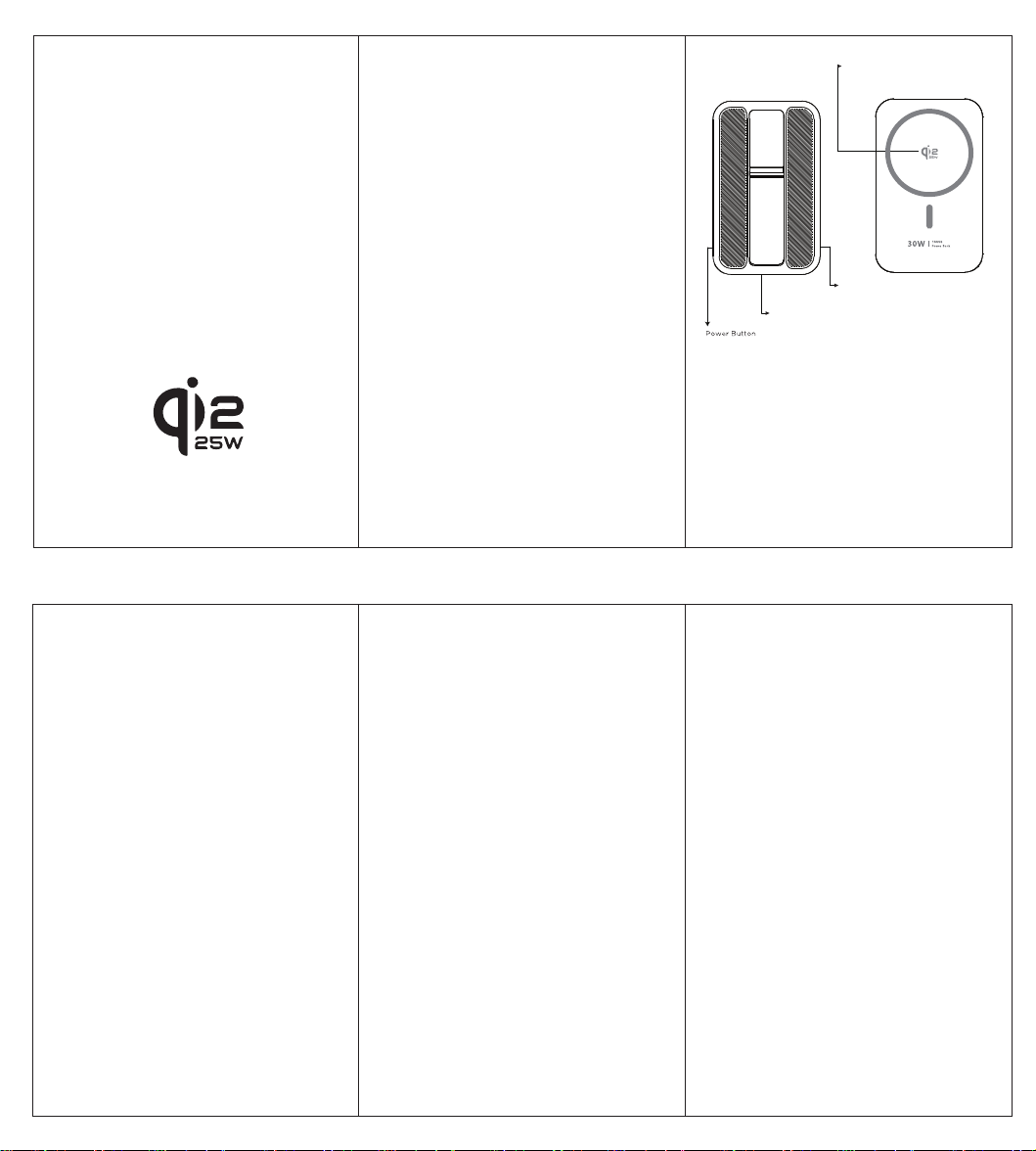
Power indication:
Short press power key, the display shows capacity
in digital。
Congratulations on your purchase! We recognize
the stress and annoyance of running out of
battery power when you are on the go, so we
created the power bank, a quick and easy way to
stay connected and powered up no matter where
you are.Featuring dual USB-C outputs, you can use
powerbank to charge your tablet, most
smartphones, MP3 players,mini speakers and
other digital devices.
With the user`s own Apple cable or connector,
it can also charge iPhone and iPad devices.
Safety Precautions
Please note: Improper use may result in product
damage, decreased battery life and loss of
charging capacity not covered by the
manufactures warranty.
● Check device voltage for compatibility before
use
● Only charge the unit from your computer or a
certified approved power adaptor (certification
depends on your region)
● Do not store powerbank in high or low
temperature environments, small enclosed areas
without ventilation or place in fire
● Do not drop, bump, throw or shake the unit,
this may damage internal components
● Do not disassemble or try to repair or modify
● Do not allow the unit to come in contact with
water or moisture
● If battery becomes excessively hot, emits
odour, gets dented or experiences any abnormal
deformity you should stop using it immediately.
● Only dispose of battery at authorized recycling
centre
● Do not use harsh chemicals or cleaning agents
on the exterior of this unit
Charging your Devices
Please note: Always check the voltage
compatibility of your device before connecting
to the power bank.
● Insert your device’s regular USB charging
cable into the output port of power bank
● Insert the other end into your electronic device
● Your device should indicate that charging has
started.
● When you are finished with charging please
remove the USB-C cable from the power bank.
Charging the power bank
Please note: Before using your power bank for the
first time, please charge it to full This unit requires
3-4 full charges and drain cycles before the battery
is optimized to its full potential. The unit should be
recharged every 3 months when not in use.
● Insert the regular USB end into the output USB
jack of computer or wall outlet adaptor.
● Insert the USB-C end into the input port on
the power bank.
● The display will turn and breath showing.
● The display will light continuously when power
bank is charged fully.
USB-C1 In : 5V-3A/9V-3A/12V-2.5/15V-2A/20V-1.5A
USB-C1 Out: 5V-3A/9V-3A/12V-2.5/15V-2A/20V-1.5A
USB-C2 In : 5V-3A/9V-3A/12V-2.5/15V-2A/20V-1.5A
USB-C2 Out: 5V-3A/9V-3A/12V-2.5/15V-2A/20V-1.5A
Wireless Out: 5W/7.5W/10W/15W/25W(Qi2.2 MPP)
Specifications:
● USB-C1/2 Input : 5V-3A/9V-3A/12V-2.5/
15V-2A/20V-1.5A
● USB-C1/2 Output: 5V-3A/9V-3A/12V-2.5/
15V-2A/20V-1.5A
● Wireless Output: 5W/7.5W/10W/15W/
25W(Qi2.2 MPP)
● Total Output: 5V-3A Max
● Capacity:5000mAh/7.8V/39Wh
● Size: 63*102*22.3mm
● Weight: 225g
mAh
FCC Warning:
This device complies with part 15 of the FCC Rules. Operation is
subject to the following two conditions: (1) This device may not
cause harmful interference, and (2) this device must accept any
interference received, including interference that may cause
undesired operation.
Any changes or modifications not expressly approved by the party
responsible for compliance could void the user's authority to
operate the equipment.
NOTE: This equipment has been tested and found to comply with
the limits for a Class B digital device, pursuant to Part 15 of the
FCC Rules. These limits are designed to provide reasonable
protection against harmful interference in a residential installation.
This equipment generates, uses and can radiate radio frequency
energy and, if not installed and used in accordance with the
instructions, may cause harmful interference to radio
communications. However, there is no guarantee that interference
will not occur in a particular installation.
If this equipment does cause harmful interference to radio or
television reception,which can be determined by turning the
equipment off and on, the user is encouraged to try to correct
the interference by one or more of the following measures:
-- Reorient or relocate the receiving antenna.
-- Increase the separation between the equipment and receiver.
-- Connect the equipment into an outlet on a circuit different
from that to which the receiver is connected.
-- Consult the dealer or an experienced radio/TV technician for
help.
FCC Radiation Exposure Statement
The device has been evaluated to meet general RF exposure
requirement.

