User guide
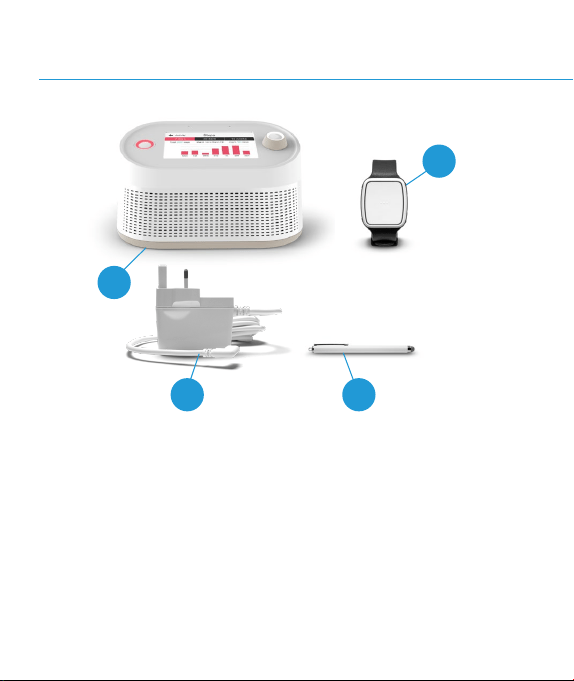
Content of the pack
1. Vibby Hub
2. Vibby Oak S
3. Vibby Hub power supply (depending on country usage)*
4. Touchscreen stylus with microber tip (optional)
4
1
2
The information and screens presented in this user manual are subject to change
over time. Please visit: https://telecomdesign.com/downloads/ to keep up with
updates for the Vibby Hub.
* Non contractual picture
MATP0851 V2
3

Table of Contents
1.0
1.1
1.2
1.3
2.0
2.1
2.2
2.3
2.4
3.0
3.1
3.2
3.3
3.4
3.5
3.6
3.7
4.0
4.1
4.2
4.3
5.0
5.1
5.2
5.3
Vibby Oak S overview
Vibby Oak S features
Using the Vibby Oak S with the Hub
Wearing the Vibby Oak S
Using the Vibby Hub
Recommendations
Front view of your Vibby Hub
Back view of your Vibby Hub
Bottom view of your Vibby Hub
The Vibby Hub applications
Home screen
Screen saver
Applications menu
Home environment
Weather forecasts
FM radio
Activity
Alarms and falls
Acknowledgement of alarms and fall alarms from the
Vibby Oak S
Acknowledgement of alarms sent from the Vibby Hub
Alarm verication
Settings
Settings
Important system alerts
Critical system alerts
4
6
8
10
12
14
16
18
20
22
24
26
28
30
32
34
36
38
46
48
50
52
54
56
58

1.0
Vibby Oak S overview
1.1 Vibby Oak S features
B
A
A
2
1
Automatically detect heavy falls.
Allows the user to manually send an alarm.
3
Tracks your physical activity (number of steps, number of
oors climbed, distance traveled, recommended walking
duration).
7
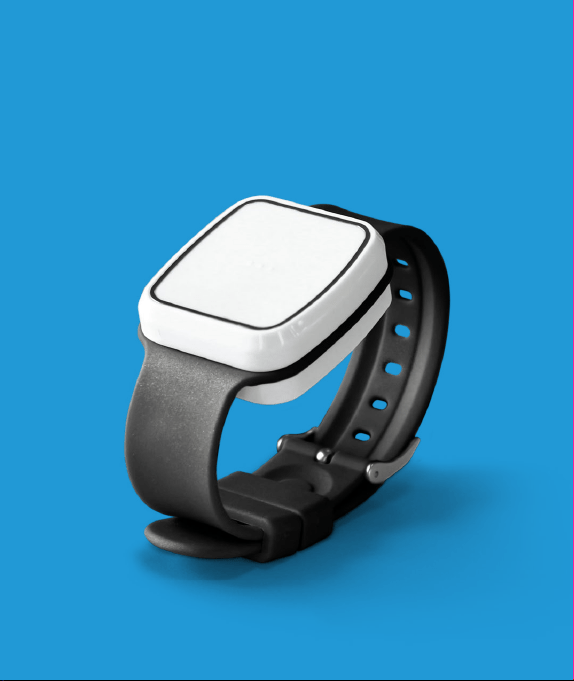
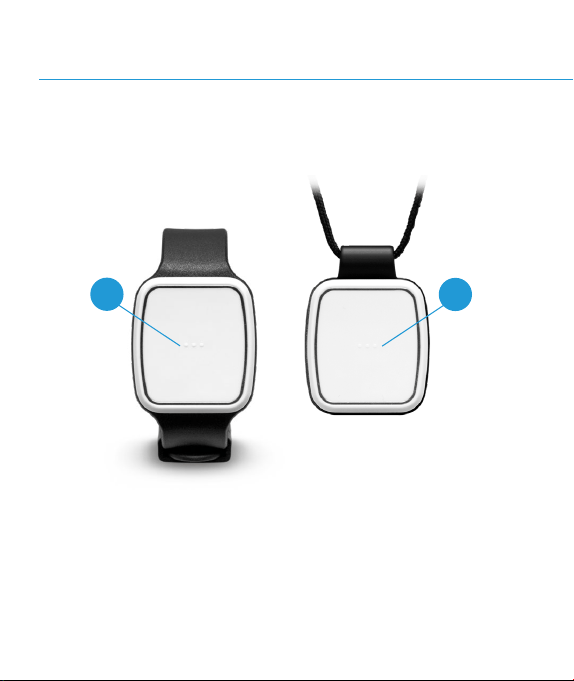
The Vibby Oak S is a wrist-worn or pendant device that:
To perform these functions, the Vibby Oak S must be worn
continuously.
A
Alarm Button: Hold down to send an Alarm.
1.2 Using the Vibby Oak S with the Hub

9
2
1
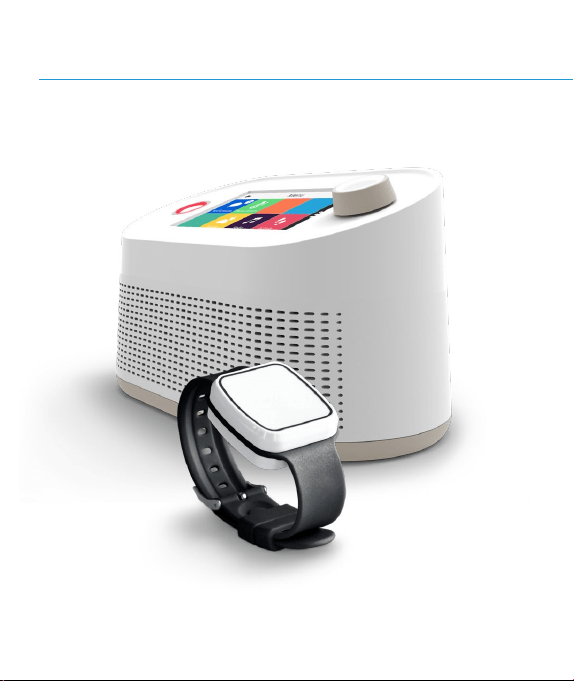
It stores your activity data when you are away from your
Vibby Hub. It synchronizes with the Hub once a day, returned
within its perimeter.
It sends fall alerts and alarm signals to the telecare call-
centre via the Vibby Hub when you are within connection
range*.
Your Vibby Oak S is connected to your Vibby Hubto transmit the
following information:
* The connection range from the Vibby Hubto your Vibby Oak S has a
maximum radius of 100 meters. This distance may vary depending on your
home (room congurations, types of walls, etc.).

1.3 Wearing the Vibby Oak S
The Vibby Oak S is set up by your installer in wrist-worn or pendant
mode. You must not change the wearing mode without prior
notication to your installer.
Regularly clean your Vibby Oak S with a damp cloth to prevent dust
or dirt from obstructing its sensors.
We recommend following the instructions below to ensure the
Vibby Oak S effectiveness and avoid causing false alarms or failure
to detect falls.
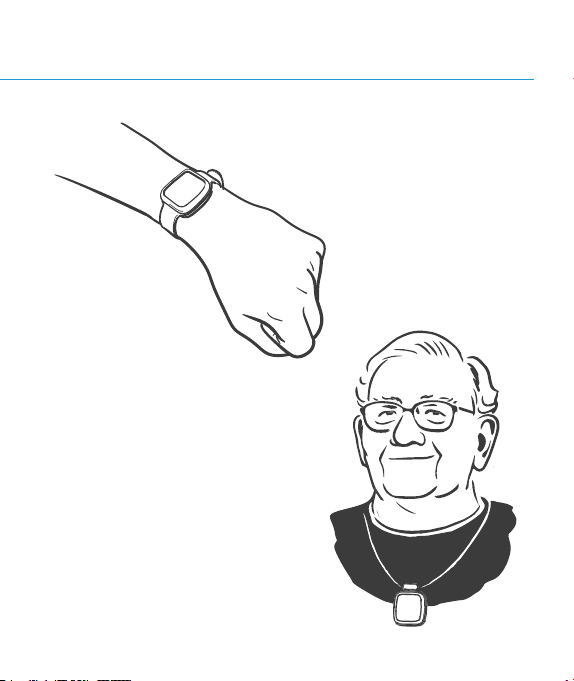
11
On the wrist:
The Vibby Oak S should be well-
tted and worn comfortably
As a pendant:
The Vibby Oak S should be worn
over clothing to ensure easy
access to the alarm button in case
of need.
2.0
Using the
Vibby Hub

2.1 Recommendations
The Vibby Hubis a unit plugged into a power outlet in your home.
It connects your Vibby Oak S to your Alarm Receiving Centre
(alarms, technical information). It also provides various applications
for your daily needs (activity monitoring, weather forecast, etc.).

15
With the assistance of a technician, we recommend placing your
Vibby Hub in the center of your home in order to ensure clear
communication via the intercom in case of an alarm.
Additionally, your Vibby Hubis the only relay for alerts sent from
your Vibby Oak S to the Alarm Receiving Centre. Therefore, it’s
important that it is centrally located to ensure full coverage.
The Vibby Hubshould not be placed against a wall or obstructive
surface. Also, avoid placing it near heat sources (such as windows
exposed to direct sunlight, radiators, etc.) or cooling sources. It
should not be placed in a dusty or humid environment.
Do not move the Vibby Hubyourself. Its location has been chosen
by your professional installer based on all these factors. Changing its
location could affect its performance.
2.2 Front view of your Vibby Hub
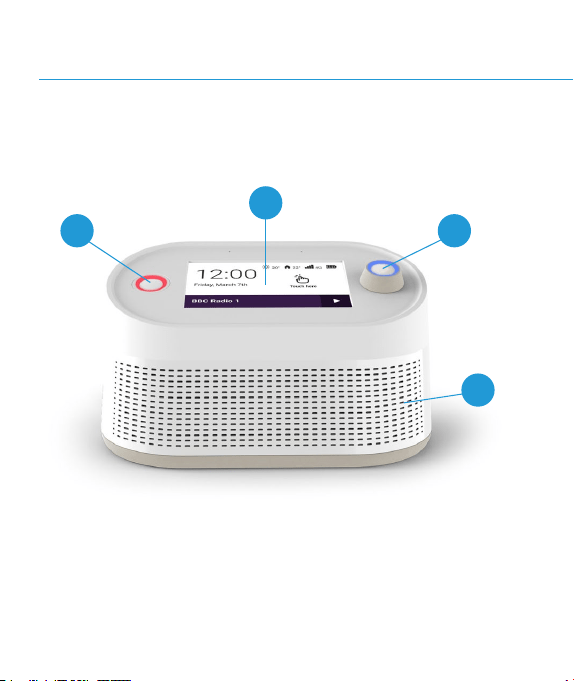
B
A C
D
B
A
Alarm Button: Push down thepushbutton to send an alarm.
Touchscreen: Touch the screen to navigate through the
available menus.
C
Rotary Button: Turn to adjust the volume. Click the rotary
button to return to the home screen.
D
Loudspeaker
17
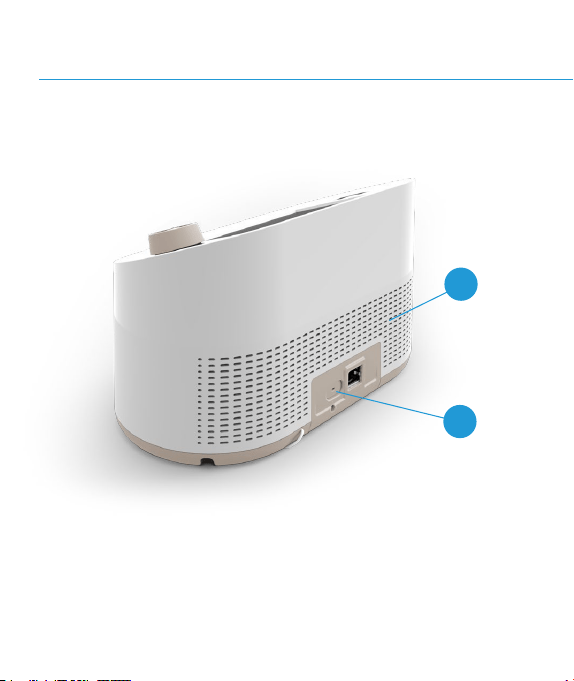
2.3 Back view of your Vibby Hub
B
A

B
A
Speaker
USB-C port*
19
* USB-C port is intended for charging another USB-C device only.
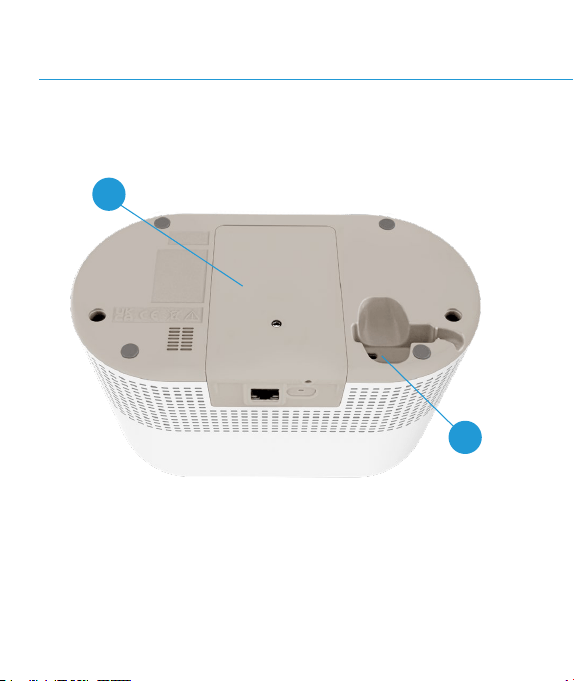
2.4 Bottom view of your Vibby Hub
A
B
A
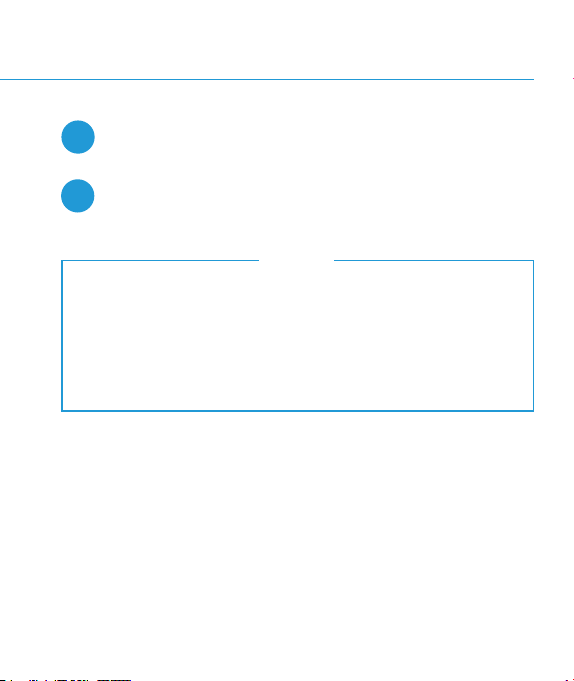
Battery cover: SIM card, battery, reset button, USB port.
B
Power Supply connector USB-C
21
Do not open the battery cover.
In case of need, please contact your telecare service
provider or the Alarm Receiving Centre by pressing the
alarm button should you encounter any battery related
issue.
NOTE
3.0
The Vibby Hub
applications
3.1 Home screen
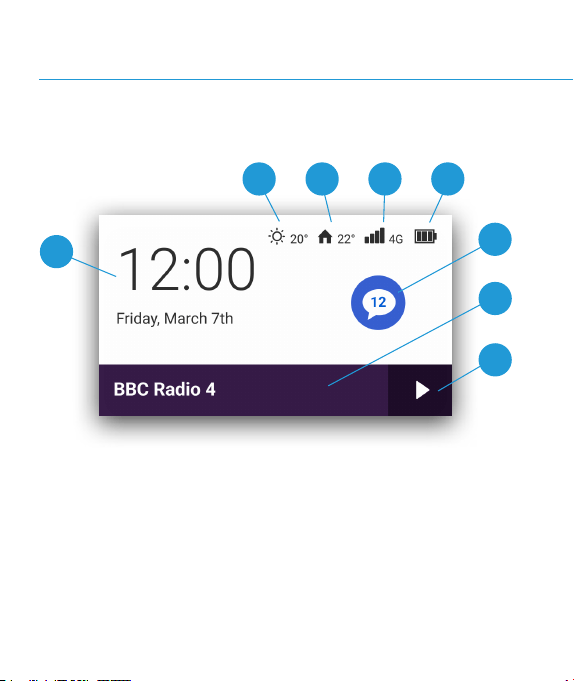
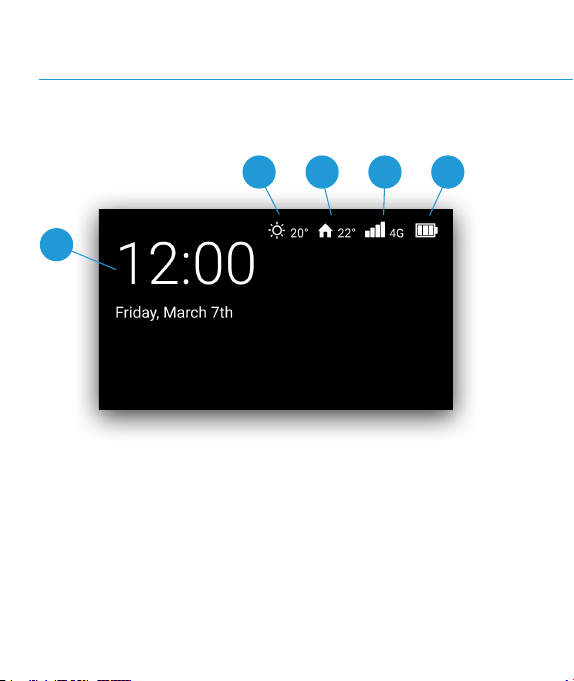
The home screen appears by default when exiting the screensaver.
It provides access to the application menu by clicking on the
white area.
A
B C D E
F
G
H
B
A
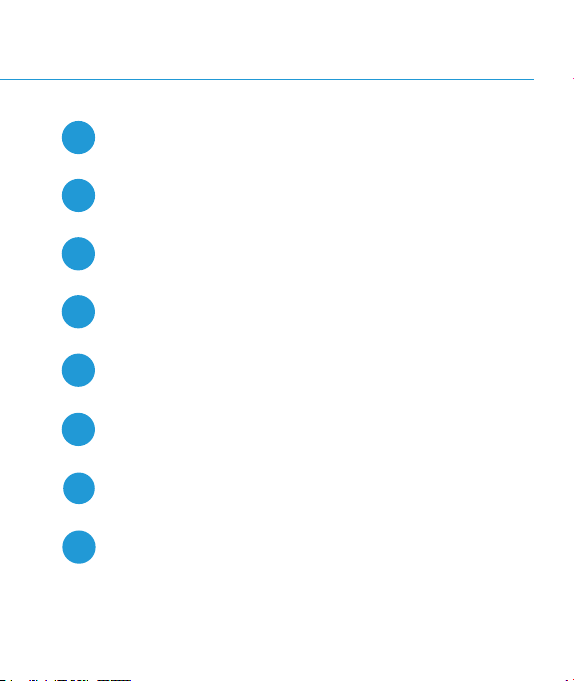
Time and date
Weather forecasts and outdoor temperature
C
Indoor temperature
E
D
GSM signalquality
Battery level indicator (if the Vibby Hub is running on
battery)
F
Notications
G
Display of the last listened radio station
H
Play/pause button for the last listened radio station
25
3.2 Screen saver
The screensaver appears after 5 minutes of inactivity.
With a single touch, the Home screen will be displayed.
A
B C D E
27
B
A
Time and date
Weather forecasts and outdoor temperature
C
Indoor temperature
E
D
GSM signalquality
Battery level symbol appears if the power supply is
disconnected
3.3 Applications menu
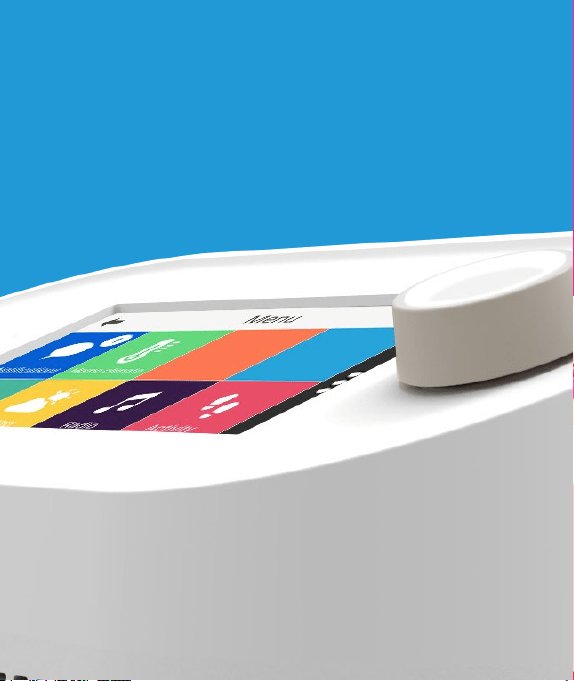
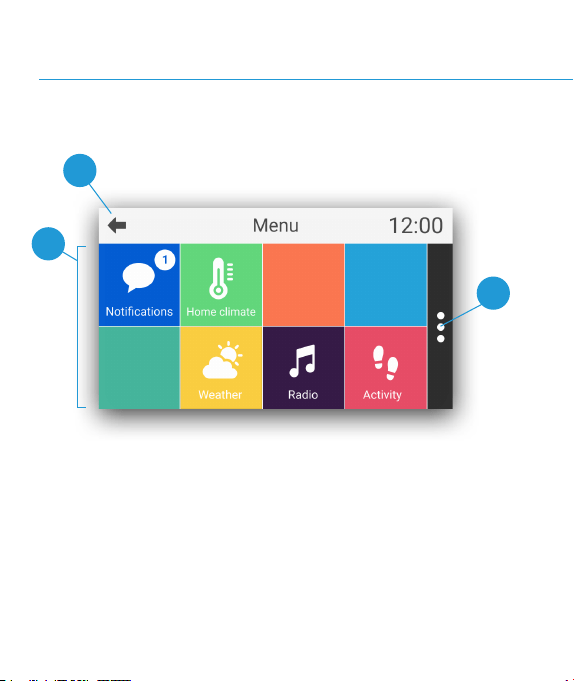
The applications menu allows you to access the different features
of your Vibby Hub. Click on the iconof your choice to launch the
corresponding application.
A
B
C
29
B
A
Available applications
Return to the home screen
C
Settings Menu
Your menu may differ depending on the conguration
chosen by your telecare service provider.
NOTE
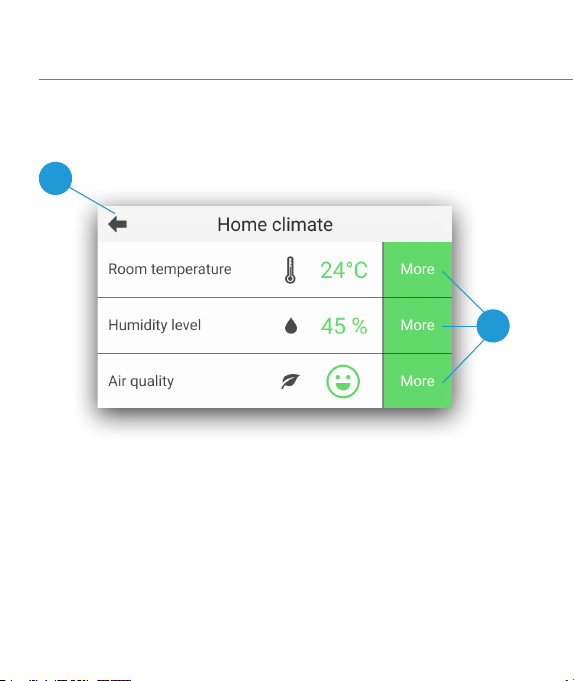
3.4 Home environment
A
B
Your Vibby Hubhelps you maintaining a safe environment by
reporting temperature, humidity level, and air quality of the room.

B
A
Return to the applications menu
Get advice for each indicator
31
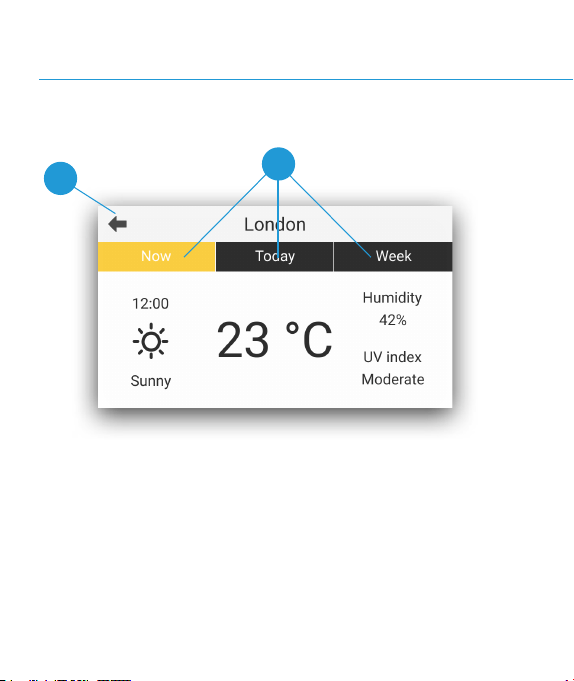
3.5 Weather forecasts
A
B
Your Vibby Hubinforms you about the weather outside your home.
Find the following information: current weather conditions, outside
temperature, outside humidity level, and UV index.

B
A
Return to the applications menu
Find out more detailed information for the selected period
33
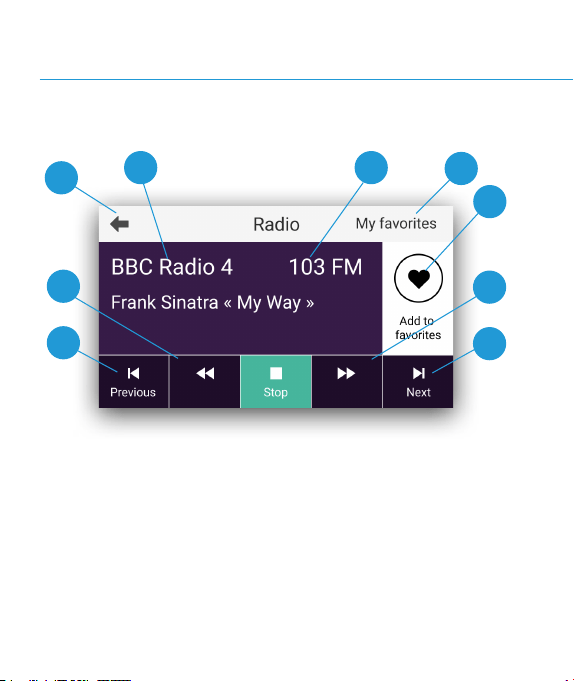
3.7 FM radio
A
B C
E
F
G
F
G
D
Listen to your favorite radio stations from your Vibby Hub.
This application can also be used from your home screen.
To increase or decrease the volume, use the rotary button.
B
A
Return to the applications menu
Station information
C
Station frequency
E
D
Touch to add/remove the radio station from favorites
Add/remove the radio station from your favorites
F
Manual search for radio stations
G
Automatic search for radio stations
35
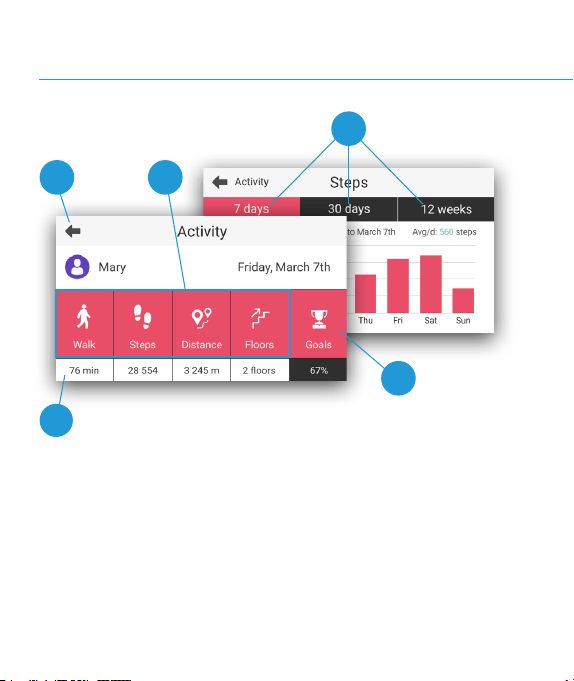
3.8 Activity
A
screen 1
screen 2
B
D
E
C
Your activity is measured by the Vibby Oak S when you wear it.
You can monitor your activity in detail from your Vibby Hubafter the
daily synchronization, which takes place at night.
It is also possible to modify your goals and view your results for the
past week, month, and quarter.
B
A
Return to the applications menu
View activity for the desired period
C
View the results of the previous day
D
Customise your daily goal
E
View activity for the desired period
37
This indicator counts your walking time
starting from the moment you exceed the
threshold of 40 seconds of continuous activity.
It can accumulate throughout the day. For
reference, the World Health Organization
(WHO) recommends 30 minutes of continuous
walking per day.
RECOMMENDED WALKING DURATION
4.0
Alarms
and falls
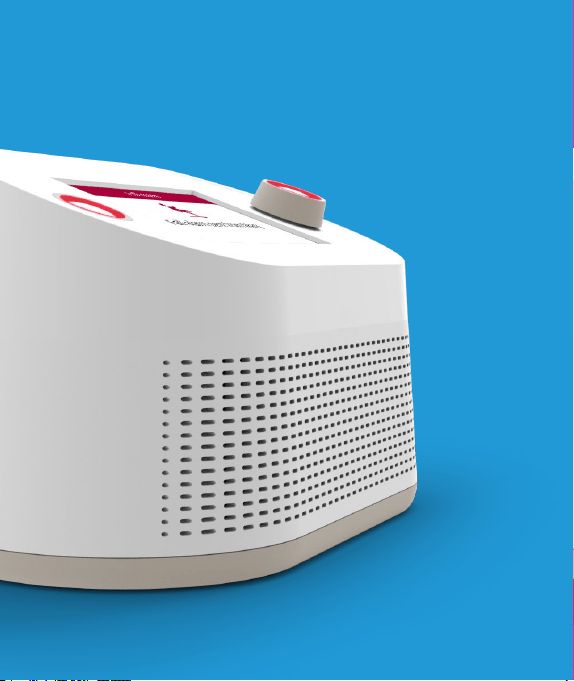

If the Vibby Oak S detects a heavy fall, an alarm is automatically sent.
What is a heavy fall?
It is a sudden fall occurring after a period of normal activity while
standing. It is followed by a strong impact to the ground, resulting in
loss of consciousness and an inability to get up, characterised by a
period of immobility on the ground.
Some falls (soft falls, controlled descent against a wall or chair...)
are not detected by the Vibby Oak S. The technologies which the
solution is based on do not allow for analysing and interpreting all
situations and detecting all falls.
If needed, the wearer can manually trigger the alarm at any time by
pressing the push button.
Automatic alarms
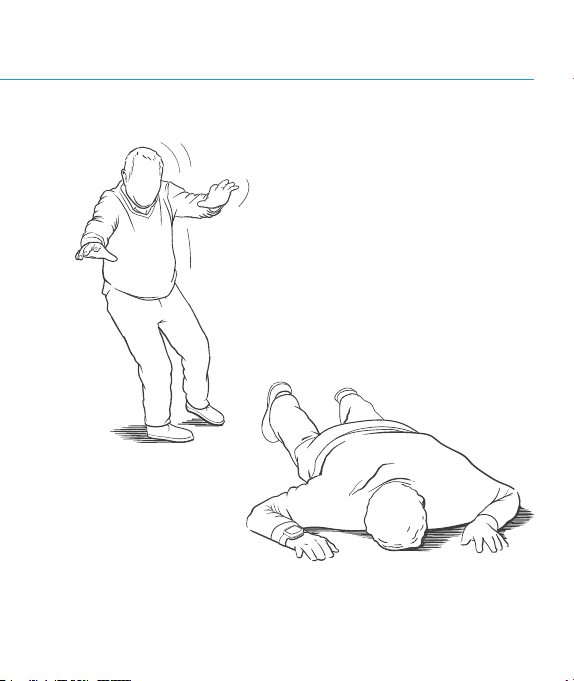
41
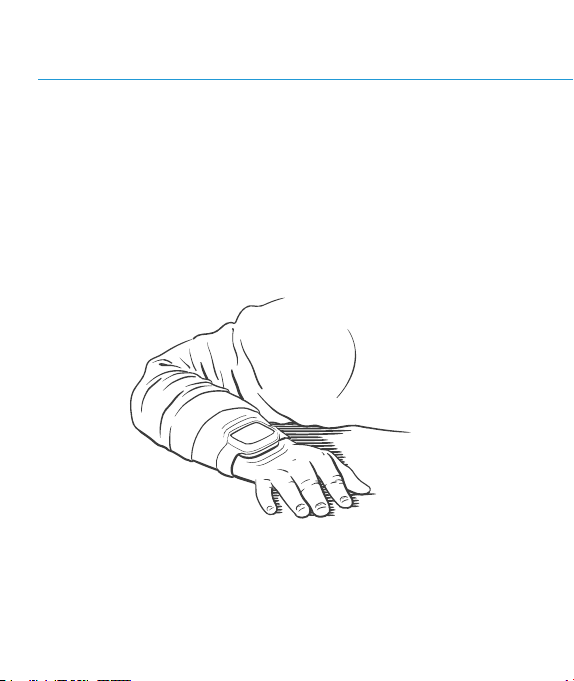
Operation:
After a fall, the Vibby Oak S veries that you are unable to get up by
conducting a 30-second analysis. It then vibrates intermittently and
ashes for 30 seconds.
Scenario 1: The fall is conrmed. A fall alert is then sent to your
Alarm Receiving Centreif you are within the connection range of your
Vibby Hub*.
.
* The connection range of the Vibby Hubto your Vibby Oak S corresponds to an
average radius of 100 meters. This distance may vary depending on your home
(room conguration, wall types, etc.). The range of your Vibby Oak S must be
veried by the installer during setup.
Automatic alarms
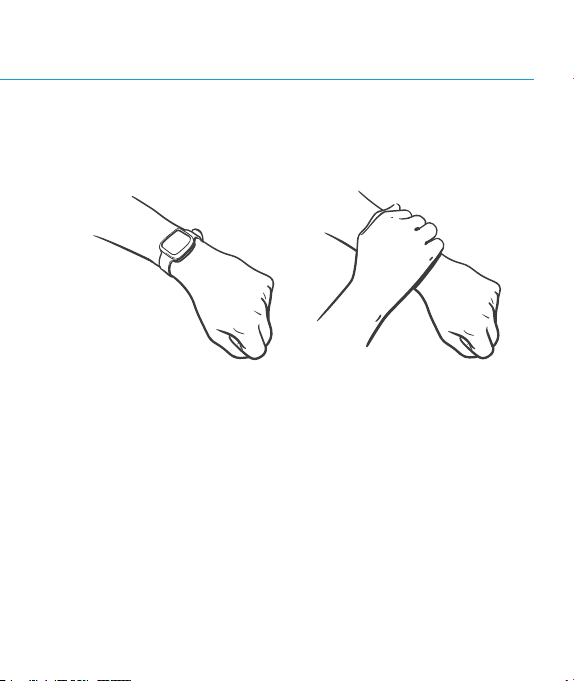
Scenario 2: It is a false alarm; you can then cancel it before it is
transmitted to your Alarm Receiving Centre.
Cover the Vibby Oak S with the palm of your hand and remove it after
the series of rapid vibrations.
43
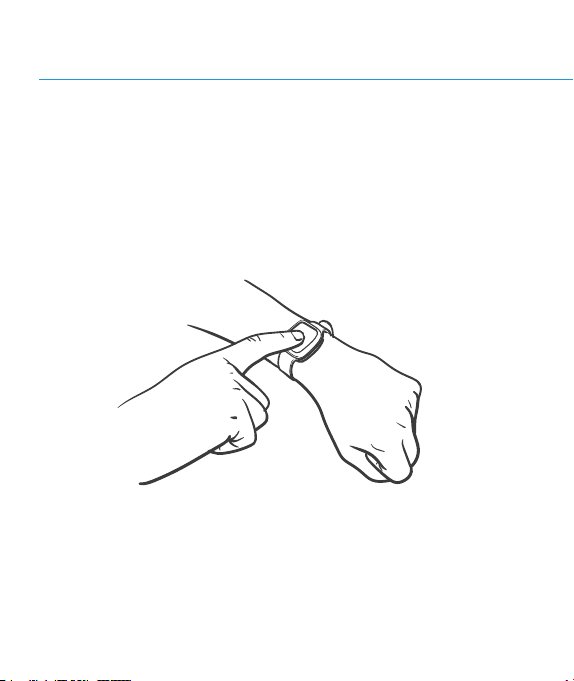
Manual alarms
In case of an emergency or if you feel unsafe, you can manually send
an Alarm to your Alarm Receiving Centre.
From your Vibby Oak S, press the alarm button marked by small
dots. The Vibby Oak S blinks and vibrates for a few seconds. It is then
impossible to cancel the alarm.
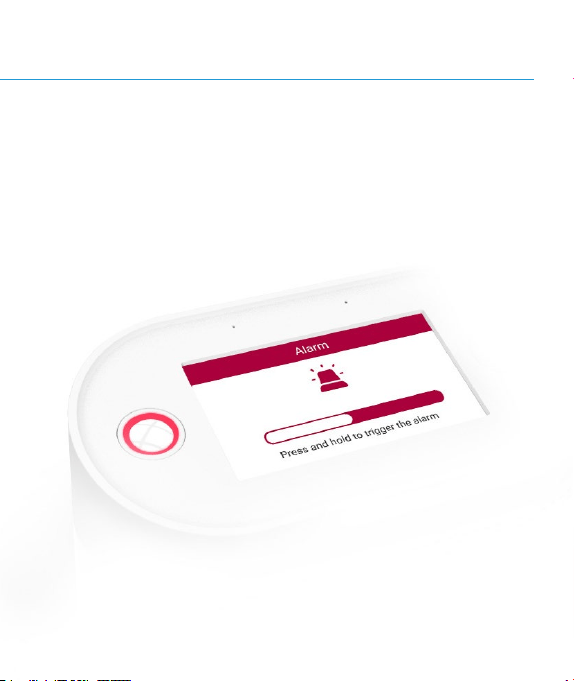
45
From your Vibby Hub, press the left button until the bar displayed on
the screen lls up. In case of an operating error, you can still cancel
the alarm before it is sent to the Alarme Receiving Centre by pressing
the «cancel the alarm» button.
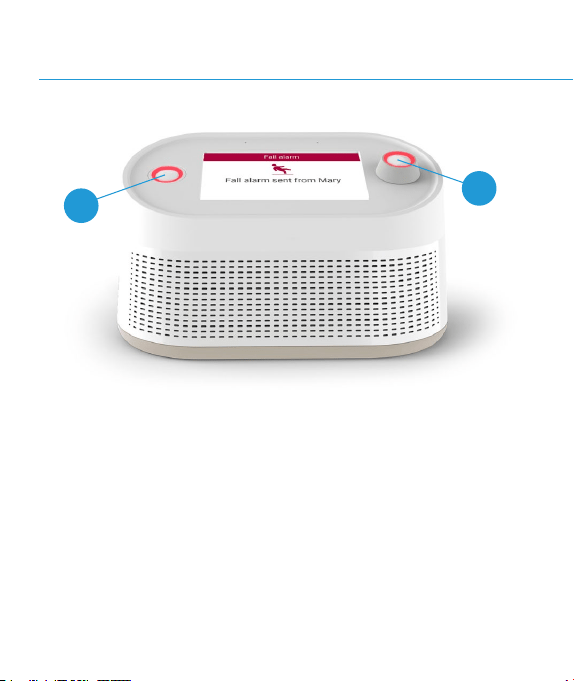
Once the Alarm is triggered or a fall is automatically detected from
the Vibby Oak S, the Vibby Hub will display an acknowledgement
notication on the screen. A further message will be displayed once the
alarm has been received by the Alarm Receiving Centre. The buttons
on your Hub will continue to blink until the operator has assessed the
situation and taken the appropriate action. The Hub will exit alert mode
once a response has been provided, or once 6 minutes have passed
from the initial alarm call time.
* Call from the Alarm Receiving Centre to assess the situation and call for help or
contact relatives if necessary.
A
A
4.1 Acknowledgment of alarms and
A
alarm triggered or fall detected: a red LEDblinks on both
buttons of the Vibby Hub.
47
Unlike other alerts, alarms received from the Vibby Oak S
cannot be canceled (neither from the Vibby Oak Snor from
the Hub).
fall alarms from the Vibby Oak S
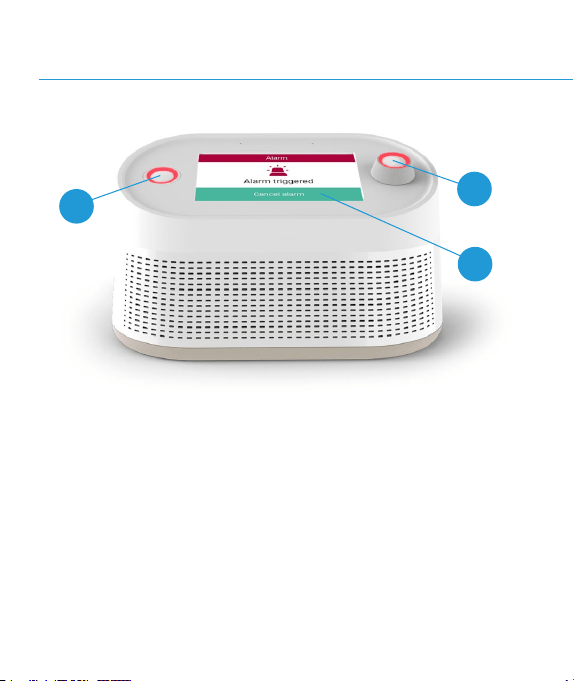
Once the alarm is triggered, a rst message informs you that the
alert has been acknowledged by the Hub device. A second message
indicates that it has been successfully sent to your Alarm Receiving
Centre.
* Call from the Alarm Receiving Centre to assess the situation and call for help or
contact relatives if necessary.
A
A
B
4.2 Acknowledgment of alarms
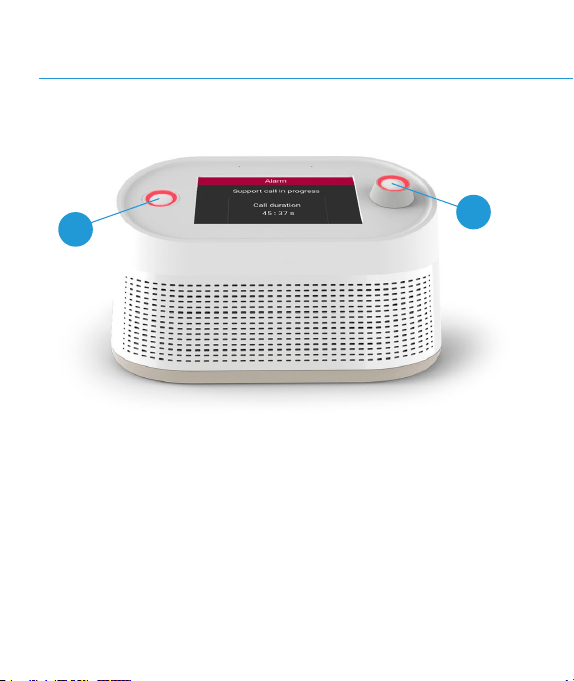
A
Alarm triggered: a red light blinks on both buttons of the
Vibby Hub.
B
Cancel an alarm to avoid calling the Alarm Receiving Centre
unintentionally.
49
sent from the Vibby Hub
When your Alarm Receiving Centre handles the alarm*, your Vibby
Hubanswers and automatically activates its speaker. This way, they
can talk to you even if you are a few meters away.
* Call from the Alarm Receiving Centre to assess the situation and call for help or
contact relatives if necessary.
A
A
4.3 Alarm verication

A
Ongoing verication: Thered LEDblinks on both buttons of
the Vibby Hub.
Note: Even if you have adjusted the volume of the Vibby Hub, in
verication mode, it readjusts so that the voice of the operator is
audible. Once the verication is complete, your Alarm Receiving
Centre alerts emergency services (if necessary) and then hangs up.
Your Vibby Hubthen exits alert mode.
51
5.0
Settings
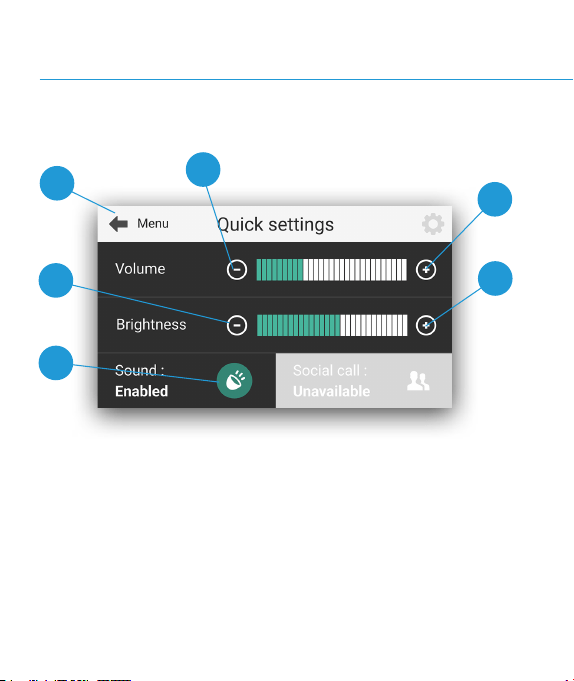
5.1 Settings
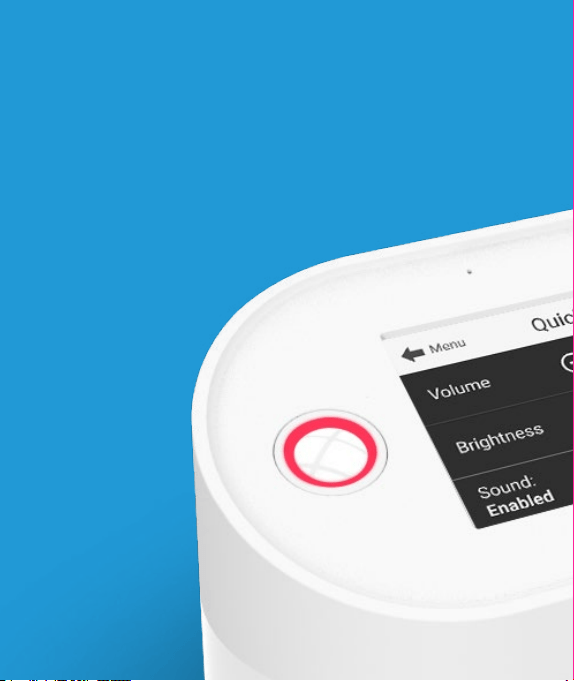
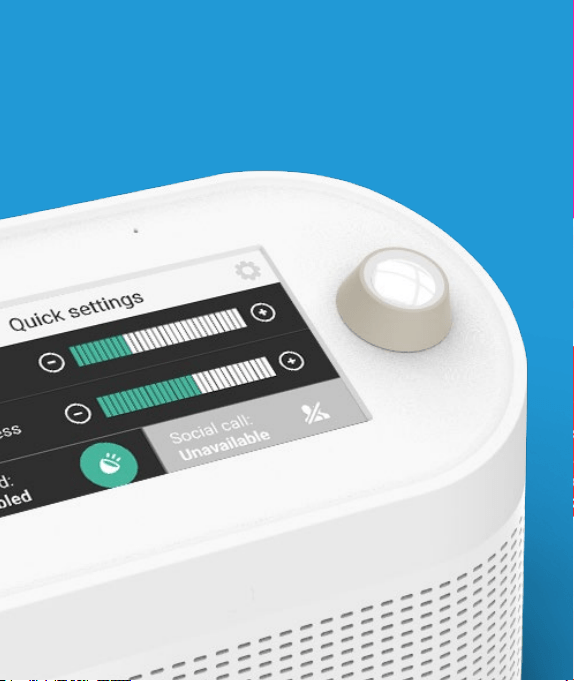
To modify the settings of your Vibby Hub,click on the button located
on the right side of the applications menu.
Your changes will be applied.
A
B
B
C
D
C
B
A
Return to the applications menu
Increase or decrease the volume
C
Increase or decrease screen brightness
D
Enable/disable phone call sound
55
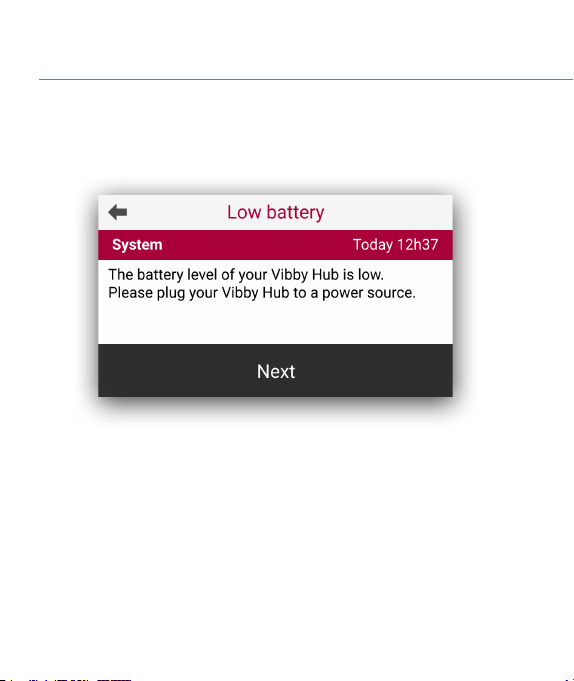
5.2 Important system alerts
System alerts indicate an issue with your Vibby Hub. They need to be
resolved for your system to function correctly. They appear in your
notications until they are xed.

System alerts may concern:
• A low battery level
• An unplugged power supply
57
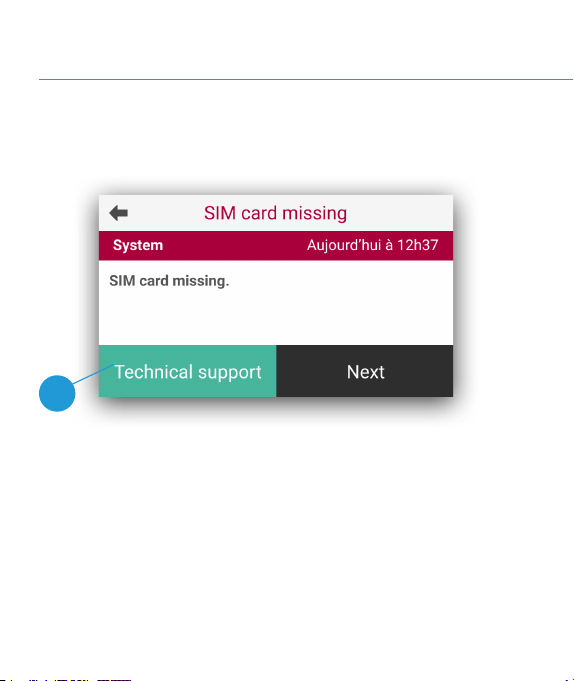
5.3 Critical system alerts
Critical system alerts indicate an inability of your Vibby Hub to
function correctly and protect you.
When they occur, the entire system locks, and a message prompts
you to contact technical assistance to resolve the issue as soon as
possible.
A

A
Contact technical support
System alerts may concern:
• A SIM card removed, not detected, or not functional.
• A battery removed.
• A critical battery level.
• An open battery door
59

Vibby Hubtechnical characteristics
Trademark: Telecom Design
Model: VB-BOX-05
FCC ID: 2AGMK-BOX05
Contains FCC ID: XMR202212EG21GL and FCC ID: 2AC7Z-ESPS3WROOM1
IC: 21552-BOX05
Contains IC: 10224A-2022EG21GL and IC: 21098-ESPS3WROOM1
CAN ICES-003(B) / NMB-003(B)
Weight: 801g
LCD screen: 4,3” Touchscreen
Cleaning: dry cloth
Operating temperature: +50°F / +104°F (+10°C / +40°C)
Primary power supply: via provided 12V power supply.
Backup battery: rechargeable lithium polymer, removable, replaceable.
Autonomy of 72 hours under normal operation with 30 min of outgoing voice.
Speaker: Harman Kardon. 10W output power.
Voice Over IP (Ethernet and WiFi), BLE (Bluetooth Low Energy)

61
Radio frequency
Band 2 : (Tx) 1850MHz – 1910MHz
Band 2 : (Rx) 1930MHz – 1990MHz
Band 4 : (Tx) 1710MHz – 1755MHz
Band 4 : (Rx) 2110MHz – 2155MHz
Band 5 : (Tx) 824MHz – 849MHz
Band 5 : (Rx) 869MHz – 894MHz
Band 7 : (Tx) 2500MHz – 2570MHz
Band 7 : (Rx) 2620MHz – 2690MHz
Band 12 : (Tx) 699MHz – 716MHz
Band 12 : (Rx) 729MHz – 746MHz
Band 13 : (Tx) 777MHz – 787MHz
Band 13 : (Rx) 746MHz – 756MHz
Band 25 : (Tx) 1850MHz – 1915MHz
Band 25 : (Rx) 1930MHz – 1995MHz
Band 26 : (Tx) 814MHz – 849MHz
Band 26 : (Rx) 859MHz – 894MHz
4G*
Power
23 dBm
* For versions with GSM connectivity.
Vibby Hubtechnical characteristics
Radio frequency
902 - 928 MHz
802.11b, 802.11g, 802.11n | 2400 -
2483.5 MHz
2400 - 2483.5 MHz
VHF Band II 87,5 – 108 MHz
SRD
Wi
BLE
RADIO FM
Power
-2 dBm
20 dBm
10 dBm
N/A

63
FCC Compliance Statement
This device complies with part 15 of the FCC Rules and with Innovation,
Science and Economic Development Canada’s licence-exempt RSS(s).
Operation is subject to the following two conditions:
(1) This device may not cause harmful interference, and
(2) This device must accept any interference received, including interference
that may cause undesired operation.
NOTE: The grantee is not responsible for any changes or modications
not expressly approved by the party responsible for compliance. Such
modications could void the user’s authority to operate the equipment.
L’émetteur/récepteur exempt de licence contenu dans le présent appareil est
conforme aux CNR d’Innovation, Sciences et Développement économique
Canada applicables aux appareils radio exempt de licence. L’exploitation est
autorisée aux deux conditions suivante :
1) L’appareil ne doit pas produire le brouillage;
2) L’appareil doit accepter tout brouillage radioélectrique subi, même si le
brouillage est susceptible d’en compromettre le fonctionnement.
NOTE: This equipment has been tested and found to comply with the limits
for a Class B digital device, pursuant to part 15 of the FCC Rules. These limits
are designed to provide reasonable protection against harmful interference
in a residential installation. This equipment generates, uses and can radiate
radio frequency energy and, if not installed and used in accordance with
the instructions, may cause harmful interference to radio communications.
However, there is no guarantee that interference will not occur in a particular
installation. If this equipment does cause harmful interference to radio or
television reception, which can be determined by turning the equipment off
and on, the user is encouraged to try to correct the interference by one or more
of the following measures:
• Reorient or relocate the receiving antenna.
• Increase the separation between the equipment and receiver.
• Connect the equipment into an outlet on a circuit different from that to
which the receiver is connected.
• Consult the dealer or an experienced radio/TV technician for help.
FCC RF warning statement:
This equipment complies with FCC radiation exposure limits set forth for an
uncontrolled environment. This Equipment shall be installed and operated
with minimum distance 20 cm between the radiator & body.
Radio Frequency Exposure Statement for IC:
This equipment complies with IC exposure limits set forth for an uncontrolled
environment. This Equipment shall be installed and operated with minimum
distance 20 cm between the radiator & body.
Cet équipement est conforme aux limites d’exposition IC dénies pour un
environnement non contrôlé. Cet équipement doit être installé et utilisé en
respectant une distance minimale de 20 cm entre l’antenne émettrice et le
corps humain.
Find all technical and legal information at the following address:
https://telecomdesign.com/downloads/
FCC ID: 2AGMK-BOX05
IC: 21552-BOX05
CAN ICES-003(B) / NMB-003(B)
Vibby Oak S technical characteristics
Trademark: Telecom Design
Model: VB-WTC-10
FCC ID: 2AGMK-WTC10
IC: 21552-WTC10
CAN ICES-003(B) / NMB-003(B)
Weight: 35g
Water resistance: IP67
Shock resistance: IK04
Cleaning: damp tissue
Casing: hypoallergenic
Monitoring the radio link between the Vibby Oak S and theHub device
Radio range: 300m in free eld
Operating temperature: +41°F / +104°F (+5°C / +40°C)
Battery lifetime: CR2477 / LiMnO²
Maximum 3 years. Battery replacement will be done by your installer
Storage recommendation
• Temperature : +41°F / +104°F (+5°C / +40°C)
• Humidity: 70% maximum
• 6 month maximum
Radio frequency
902 - 928 MHz
SRD
Power
-8 dBm

FCC Compliance Statement
This device complies with part 15 of the FCC Rules and with Innovation,
Science and Economic Development Canada’s licence-exempt RSS(s).
Operation is subject to the following two conditions:
(1) This device may not cause harmful interference, and
(2) This device must accept any interference received, including interference
that may cause undesired operation.
NOTE: The grantee is not responsible for any changes or modications
not expressly approved by the party responsible for compliance. Such
modications could void the user’s authority to operate the equipment.
L’émetteur/récepteur exempt de licence contenu dans le présent appareil est
conforme aux CNR d’Innovation, Sciences et Développement économique
Canada applicables aux appareils radio exempt de licence. L’exploitation est
autorisée aux deux conditions suivante :
1) L’appareil ne doit pas produire le brouillage;
2) L’appareil doit accepter tout brouillage radioélectrique subi, même si le
brouillage est susceptible d’en compromettre le fonctionnement.
NOTE: This equipment has been tested and found to comply with the limits
for a Class B digital device, pursuant to part 15 of the FCC Rules. These limits
are designed to provide reasonable protection against harmful interference
in a residential installation. This equipment generates, uses and can radiate
radio frequency energy and, if not installed and used in accordance with
the instructions, may cause harmful interference to radio communications.
However, there is no guarantee that interference will not occur in a particular
installation. If this equipment does cause harmful interference to radio or
television reception, which can be determined by turning the equipment off
and on, the user is encouraged to try to correct the interference by one or more
of the following measures:
• Reorient or relocate the receiving antenna.
• Increase the separation between the equipment and receiver.
• Connect the equipment into an outlet on a circuit different from that to
which the receiver is connected.
• Consult the dealer or an experienced radio/TV technician for help.
Find all technical and legal information at the following address:
https://telecomdesign.com/downloads/
67
IP 67
FCC ID: 2AGMK-WTC10
IC: 21552-WTC10
CAN ICES-003(B) / NMB-003(B)
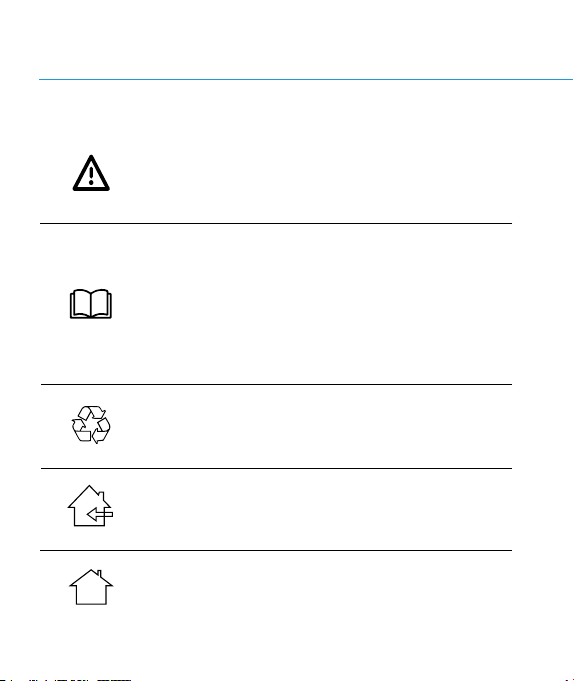
Used symbols
DANGER! WARNING! CAUTION!
This symbol indicates a danger, warning, or caution.
It means: Attention! Operator safety is at stake.
WARNING: Read the instruction manual and follow all
warning and safety instructions. It contains special
messages intended to draw attention to potential safety
issues and risks of damage to the machine, as well as
useful tips for starting, using, and maintaining the tool.
Read all the information carefully for optimal use of the
tool.
Dispose of batteries at a recycling centre that collects
old batteries, where they will be delivered to an ecological
recycling centre.
The Power Supply is for indoor use only.
The Power Supply is for indoor use only.
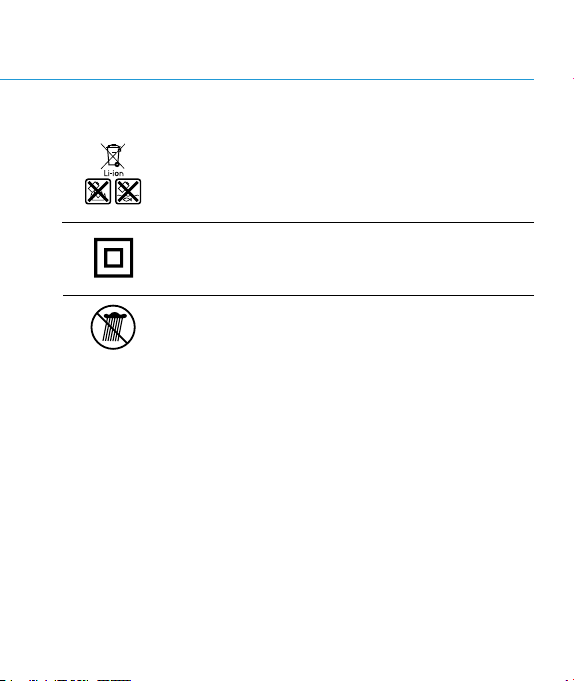
69
Do not throw the battery into household waste, re, or
water.
Protection Class II: This machine is designed with
double insulation. It does not need to be connected to a
grounded outlet.
Do not expose to rain.