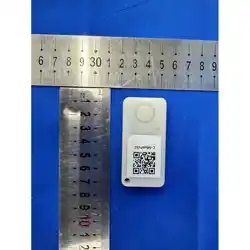
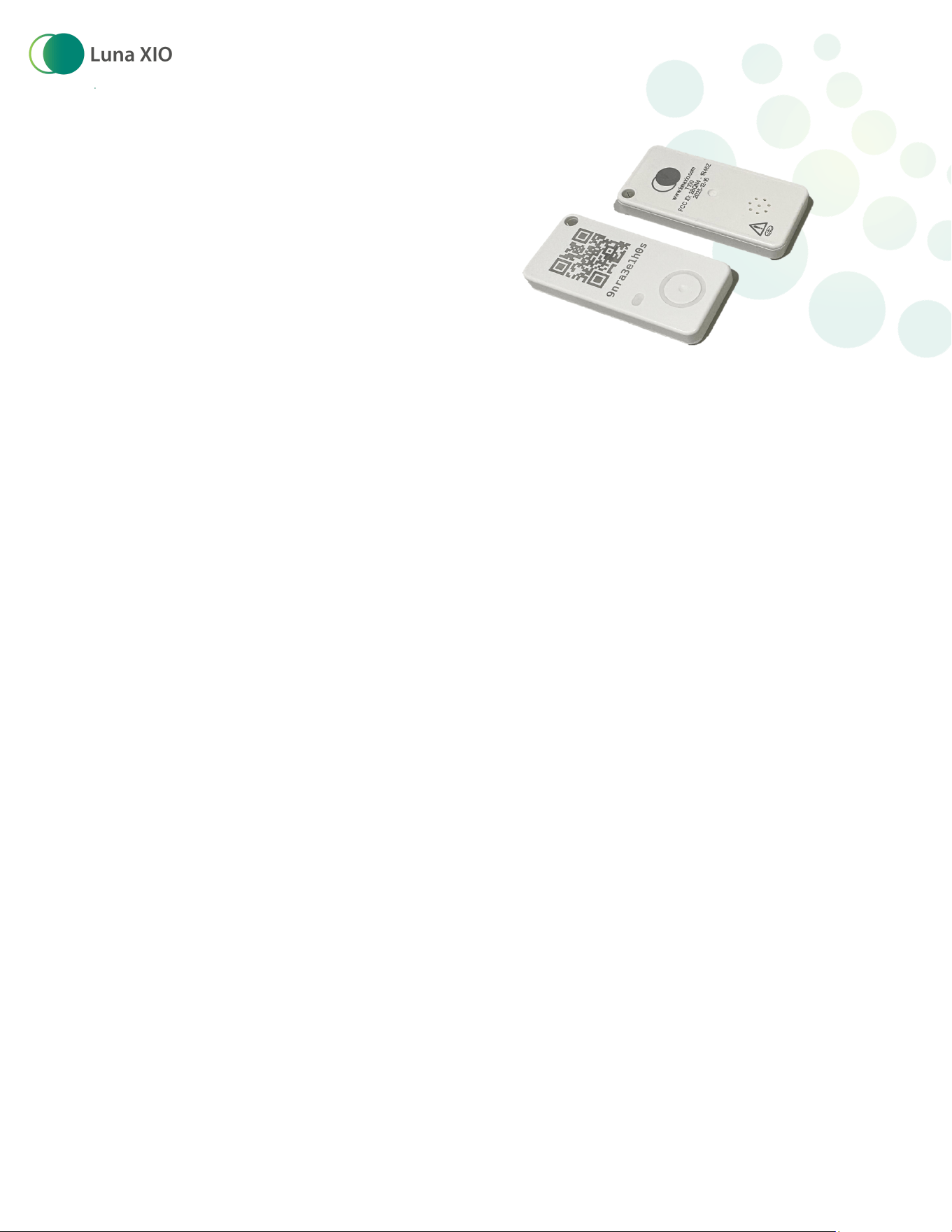
Luna T100 Bluetooth
Tracker
User Guide
Introduction: The Luna T100 is a Bluetooth
tracker with a sealed housing used for tracking assets
The tracker broadcasts its secure signal every 2 seconds to be heard by Luna fixed or mobile
gateways and report its presence back to the Luna Locate back end. These trackers also have
temperature logging capability that can be turned on to take a temperature reading every 10
minutes. For changes to these default settings, please contact your Luna Sales representative
prior to purchase.
The T100 is capable of bi-directional communication with the Luna Locate system enabling
other features like Radar, which allows the user with the Luna Mobile app to detect how close
they are to the tracker and Alerting, which allows the user to send a signal to the tracker to
make a sound.
Opening the box:
The T100s are shipped in a default sleep mode to conserve battery prior to being provisioned.
To wake up the tracker and provision it into your Luna workspace, Open the Luna Locate
mobile app in the desired workspace, scan the trackerʼs QR code and follow the on-screen
prompts.
Trackers can also be provisioned in bulk using an import of the QR code values or through the
Luna Locate API. Refer to the document “Add trackers to the Luna Systemˮ for further detail.
Button operation:
The button on the T100 serves 3 main purposes
● To wake the tracker up from sleep mode for provisioning
Version 1.4 4/8/2026
● To check the status and operational mode
of the tracker
● To factory reset the tracker which removes
it from its assigned workspace (if near a
Luna Gateway) and returns it to its default
sleep mode
1 Waking tracker from sleep mode/checking
status and logger mode
A simple single press and release of the button on
the tracker will give you a lot of information based
on the number and pattern of LED blinks after the press.
There are 2 sets of LED blinks. The first set indicates the status of the tracker in the
provisioning process and the second set of blinks indicates the status of the temperature
logger If there is no second set of blinks, the temperature logger is off)
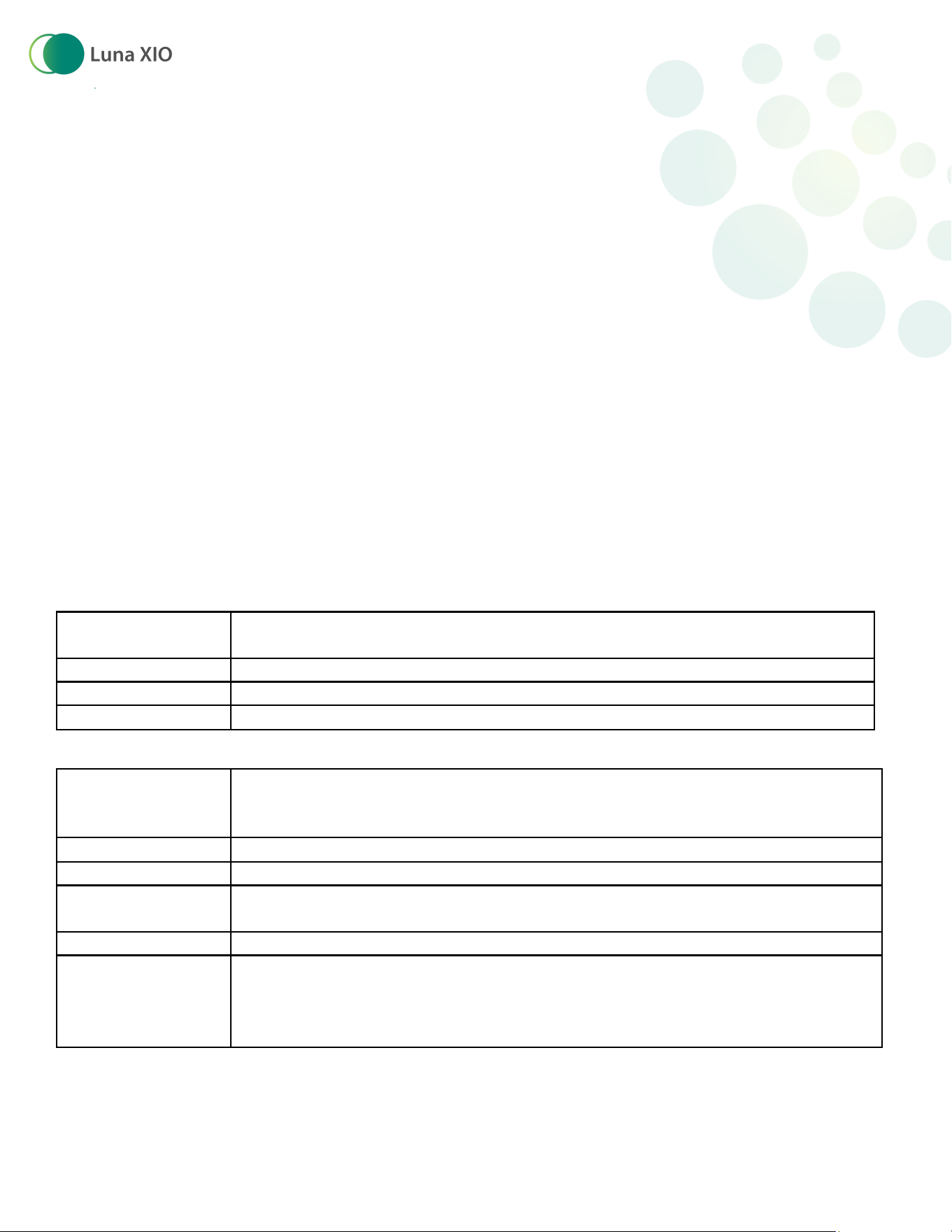
Tracker / Logger LED Blink key
Number of red
blinks First set)
Tracker State
2
awake and ready for provisioning
3
already provisioned to a workspace
4
factory reset complete, tacker returning to sleep
Number of yellow
blinks Second
set)
Temperature Logger state
0
Temp Logger Off
1
Logger is logging
2
Start/Wait - when logger is first activated, it waits 5 minutes before
beginning to log temperature.
3
Logger is stopped and still holding its logged data
4
Logger is Full and no longer recording new temperature data. The
logger should be put in proximity to a device with the Luna app on it or
other Luna Gateway to upload and clear the data. Logger will resume
logging once completed
Version 1.4 4/8/2026

2 Changing temperature logger state
If the temperature logger is not in the desired state,
press and hold the button for five seconds (and less
than 10 seconds) to progress it to the next state. When
the button is held for 5 seconds, the led will flash once
to indicate that 5 seconds has passed followed by 2 or 3
red blinks (depending on whether the tracker is
provisioned or not) and 2 yellow LED blinks indicating
that the logging is in the Start/Wait state.
3 Performing a factory reset of the tracker
using the button
NOTE! Use caution performing a factory reset of the trackers. If the tracker is not in proximity
of a Luna gateway, the Luna Locate system will not get the notification that the tracker has
been removed from the workspace and will continue to exist in the Luna system but will no
longer be updated in the workspace. The recommended method for removing a tracker from a
workspace is to delete the tracker from the console while it is in the presence of a Luna
gateway.
a. Ensure that the tracker is in proximity of a Luna gateway so that the system will
recognize the removal of the tracker from its assigned workspace.
b. Press and hold the button for 20 seconds, and release
c. Within 5 seconds of releasing the button, press and hold again for 20 seconds
d. The first LED set will blink 4 times to indicate that the reset is complete and the
tracker is going back to sleep
Version 1.4 4/8/2026

Regulatory and Compliance Information
This device complies with part 15 of the FCC Rules. Operation is subject to
the following two conditions: 1 This device may not cause harmful
interference, and 2 this device must accept any interference received,
including interference that may cause undesired operation.
Any Changes or modifications not expressly approved by the party
responsible for compliance could void the user's authority to operate the
equipment. This equipment has been tested and found to comply with the
limits for a Class B digital device, pursuant to part 15 of the FCC Rules.
These limits are designed to provide reasonable protection against harmful
interference in a residential installation. This equipment generates uses and
can radiate radio frequency energy and, if not installed and used in
accordance with the instructions, may cause harmful interference to radio
communications. However, there is no guarantee that interference will not
occur in a particular installation. If this equipment does cause harmful
interference to radio or television reception, which can be determined by
turning the equipment off and on, the user is encouraged to try to correct the interference by one or more of the following
measures:
- Reorient or relocate the receiving antenna.
- Increase the separation between the equipment and receiver.
- Connect the equipment into an outlet on a circuit different from that to which the receiver is connected.
- Consult the dealer or an experienced radio/TV technician for help.
Version 1.4 4/8/2026