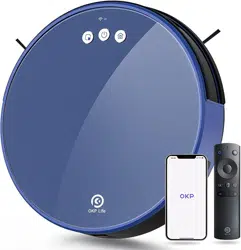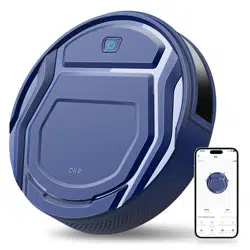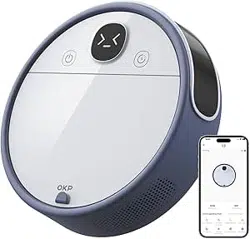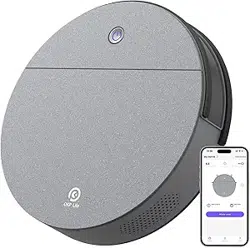

Robot Vacuum Cleaner
K4
Instruction Manual

1
Making Life Happier.
Should you encounter situations that have not been properly addressed in this Instruction Manual, please contact
our Customer Service Center where a technician will be able to help you with your specifi c problem or question.
For more information, please visit the OKP ROBOTICS offi cial website: www. okplife. com
The company reserves the right to make technological and/ or design changes to this product for continuous
improvement.
Thank you for choosing OKP!

2
Important Safety Instructions
IMPORTANT SAFETY INSTRUCTIONS
When using an electrical Appliance, basic precautions
should always be followed, including the following:
READ ALL INSTRUCTIONS BEFORE
USING THIS APPLIANCE
1 . This Appliance can be used by children aged from
8 years and above and persons with reduced
physical, sensory or mental capabilities or lack of
experience and knowledge if they have been given
supervision or instruction concerning use of the
Appliance in a safe way and understand the
hazards involved. Children shall not play with the
not be made by children without supervision.
2 .
Clear the area to be cleaned. Remove power
cords and small objects from the fl oor that could
entangle the Appliance. Tuck rug fringe under the
rug base, and lift items such as curtains and
3.
If there is a drop off in the cleaning area due to
a step or stairs, you should operate the Appliance
to ensure that it can detect the step without falling
over the edge. It may become necessary to place a
y
li
z
a
.
.
l
M
b
a
a
k
rr
e
ier
su
r
a
e
t
t
the
he
e
p
d
h
g
ys
e
i
c
t
o
al
k
b
e
a
e
r
p
ri
t
e
h
r
e
is
u
n
n
o
i
t
t
fr
a
o
tr
m
ip
4. Only use as described in this manual. Only use
attachments recommended or sold by the
5 . Please make sure your power supply source
voltage matches the power voltage marked on
6.
For INDOOR household use ONLY. Do not use the
Appliance in outdoor, commercial or industrial
environments.
7 .
Use only the original rechargeable battery and
Docking Station provided with the Appliance
from the manufacturer. Non- rechargeable
batteries are prohibited.
8 . Do not use without dust bin and/ or fi lters in
place.
9. Do not operate the Appliance in an area where
there are lit candles or fragile objects.
10.
Do not use in extremely hot or cold environments
11.
Keep hair, loose clothing, fingers, and all parts of
body away from any openings and moving parts.
12.
Do not operate the Appliance in a room where an
infant or child is sleeping.
13.
Do not use Appliance on wet surfaces or surfaces
with standing water.
Appliance. Cleaning and user maintenance shall
(below -5°C/23°F or above 40°C/104°F).
manufacturer.
the Docking Station.
tablecloths off the fl oor.

3
14. Do not allow the Appliance to pick up large objects
like stones, large pieces of paper or any item that
may clog the Appliance.
15. Do not use Appliance to pick up flammable or
combustible materials such as gasoline, printer or
copier toner, or use in areas where they may be
present.
1 6. Do not use Appliance to pick up anything that is
burning or smoking, such as cigarettes, matches,
hot ashes, or anything that could cause a fi re.
1 7. Do not put objects into the suction intake. Do not
use if the suction intake is blocked. Keep the intake
clear of dust, lint, hair, or anything that may reduce
air flow.
1 8. Take care not to damage the power cord. Do not
pull on or carry the Appliance or Docking Station
by the power cord, use the power cord as a handle,
close a door on the power cord, or pull power cord
around sharp edges or comers. Do not run
Appliance over the power cord. Keep power cord
away from hot surfaces.
1 9.
If the power cord is damaged, it must be replaced
by the manufacturer or its service agent in order
to avoid a hazard.
2 0. Do not use the Docking Station if it is damaged.
The power supply is not to be repaired and not
to be used any longer if it is damaged or defective.
21 . Do not use with a damaged power cord or
receptacle. Do not use the Appliance or Docking
Station if it is not working properly, has been
dropped, damaged, left outdoors, or come in
contact with water. It must be repaired by the
manufacturer or its service agent in order to
avoid a hazard.
2 2. Turn OFF the power switch before cleaning or
maintaining the Appliance.
2 3. The plug must be removed from the receptacle
before cleaning or maintaining the Docking
Station.
24. Remove the Appliance from the Docking Station,
and turn OFF the power switch to the Appliance
before removing the battery for disposal of the
Appliance.
2 5 . The battery must be removed and discarded
according to local laws and regulations before
disposal of the Appliance.
2 6 .
Please dispose of used batteries according to
local laws and regulations.
27. Do not incinerate the Appliance even if it is
severely damaged. The batteries can explode in
a fire.
2 8. When not using the Docking Station for a long
period of time, please unplug it.
4
29. The Appliance must be used in accordance with
the directions in this Instruction Manual. OKP
ROBOTICS cannot be held liable or responsible
for any damages or injuries caused by improper
use.
30. The robot contains batteries that are only
replaceable by skilled persons. To replace the
robot's battery, please contact Customer Service.
31. If the robot will not be used for a long time, power
OFF the robot for storage and unplug the Docking
Station.
32. WARNING: For the purposes of recharging the
battery, only use the detachable supply unit L1
provided with the Appliance.
SAVE THESE INSTRUCTIONS
To satisfy RF exposure requirements, a separation
distance of 20 cm or more should be maintained
between this device and persons during device
operation.
To ensure compliance, operations at closer than
this distance is not recommended. The antenna
used for this transmitter must not be co- located
in conjunction with any other antenna or transmitter.
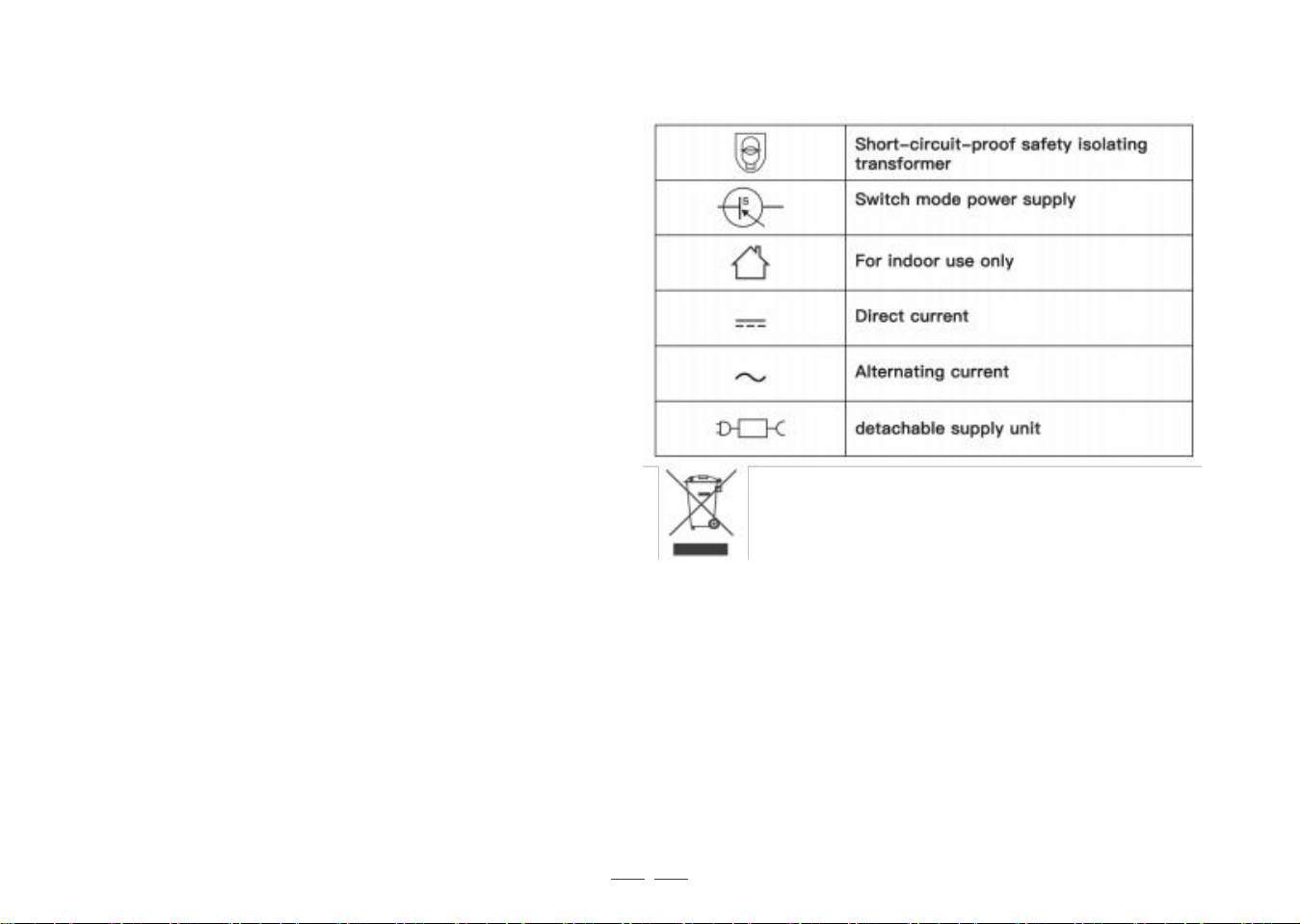
Correct Disposal of this Product
This marking indicates that this product should not be
disposed of with other household waste throughout the
EU. To prevent possible harm to the environment or
human health from uncontrolled waste disposal, recycle
it responsibly to promote the sustainable reuse of material
resources. To recycle your used device, please use the
return and collection systems or contact the retailer where
the product was purchased. They can safely recycle this
product.

5
Contents
1.Package Contents ...........................................................................................................................
6
2 . Operating and Programming
.......................................................................................................
9
3.Maintenance ......................................................................................................................................
14
4.Indicator Light and Alarm Sounds
...............................................................................................
17
5.Troubleshooting
...............................................................................................................................
19
6 . Product Specifi cations ...................................................................................................................
2 2
6
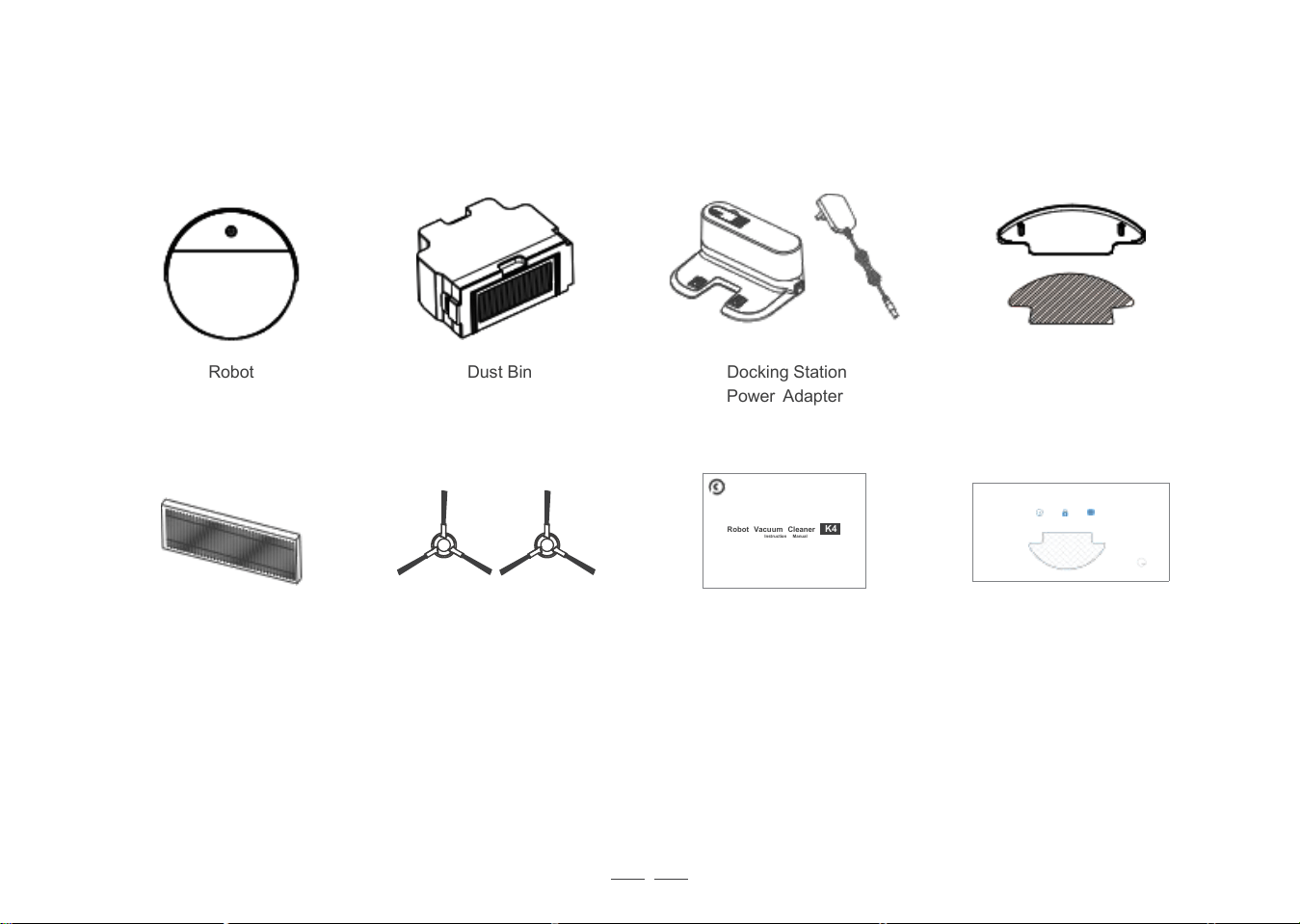
1. Package Contents /1.1 Package Contents
Robot Dust Bin Docking Station
Power Adapter
Robot Vacuum Cleaner K4
Instruction Manual
High Efficiency Filter Side Brushes Instruction Manual
Note:
Figures and illustrations are for reference only and may diff er from actual product appearance. Product
design and specifi cations are subject to changes without notice.
Disposable duster
Locking W ater
Fast dry without any water stains
5
Mopping Cloth
& Mopping Cloth Bracket
Disposable Mopping Cloth
Non- w oven fabric
Di spo sable
7
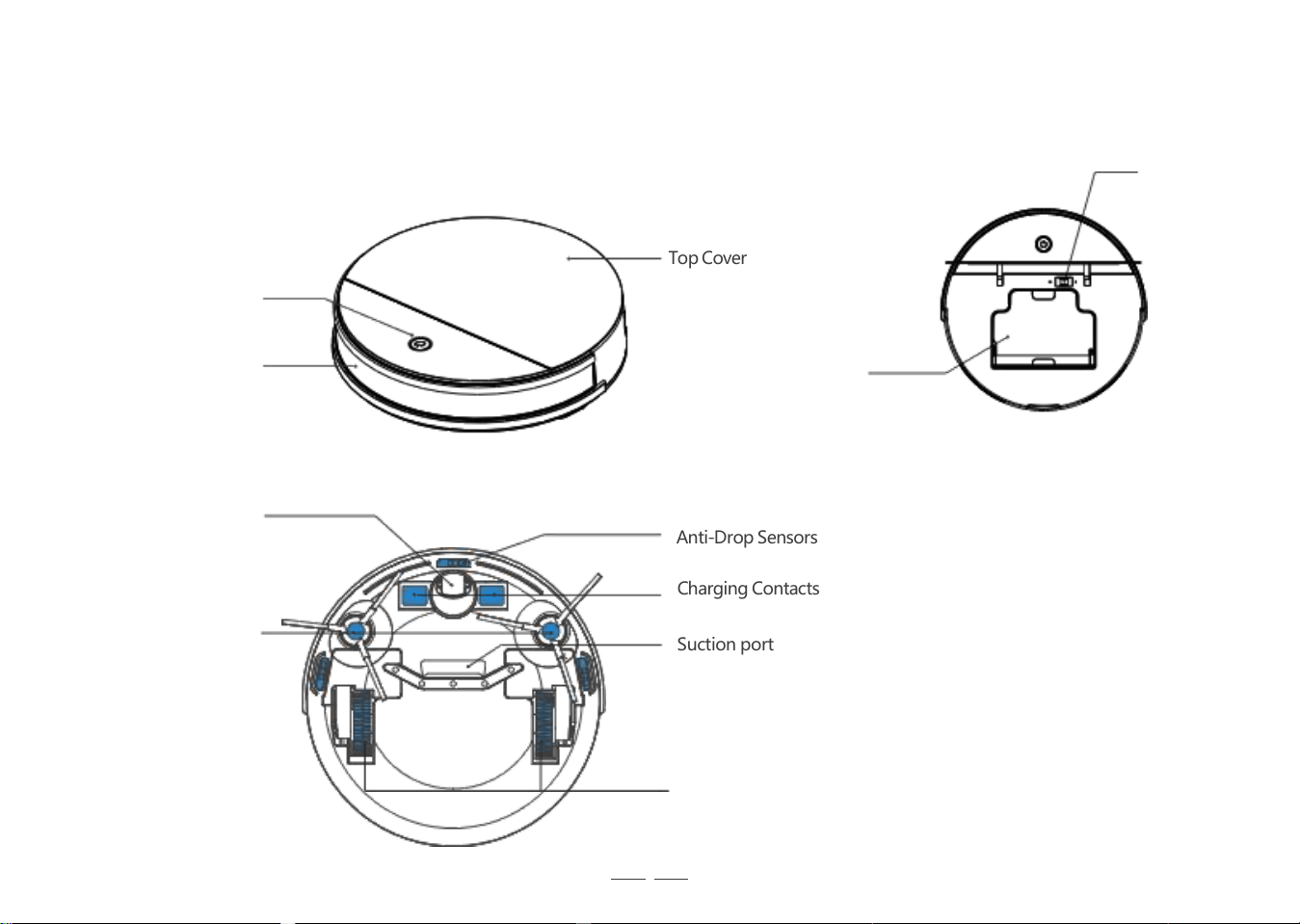
1. Package Contents /1. 2 Product Diagram
Power Switch
Robot
TopCover
Start /Pause Button
Infrared Anti-Collision
Sensors
Bottom
Universal Wheel
Anti-Drop Sensors
Charging Contacts
Suction port
Driving Wheels
(I=ON.O=OFF)
Side Brushes
Dust Bin
8
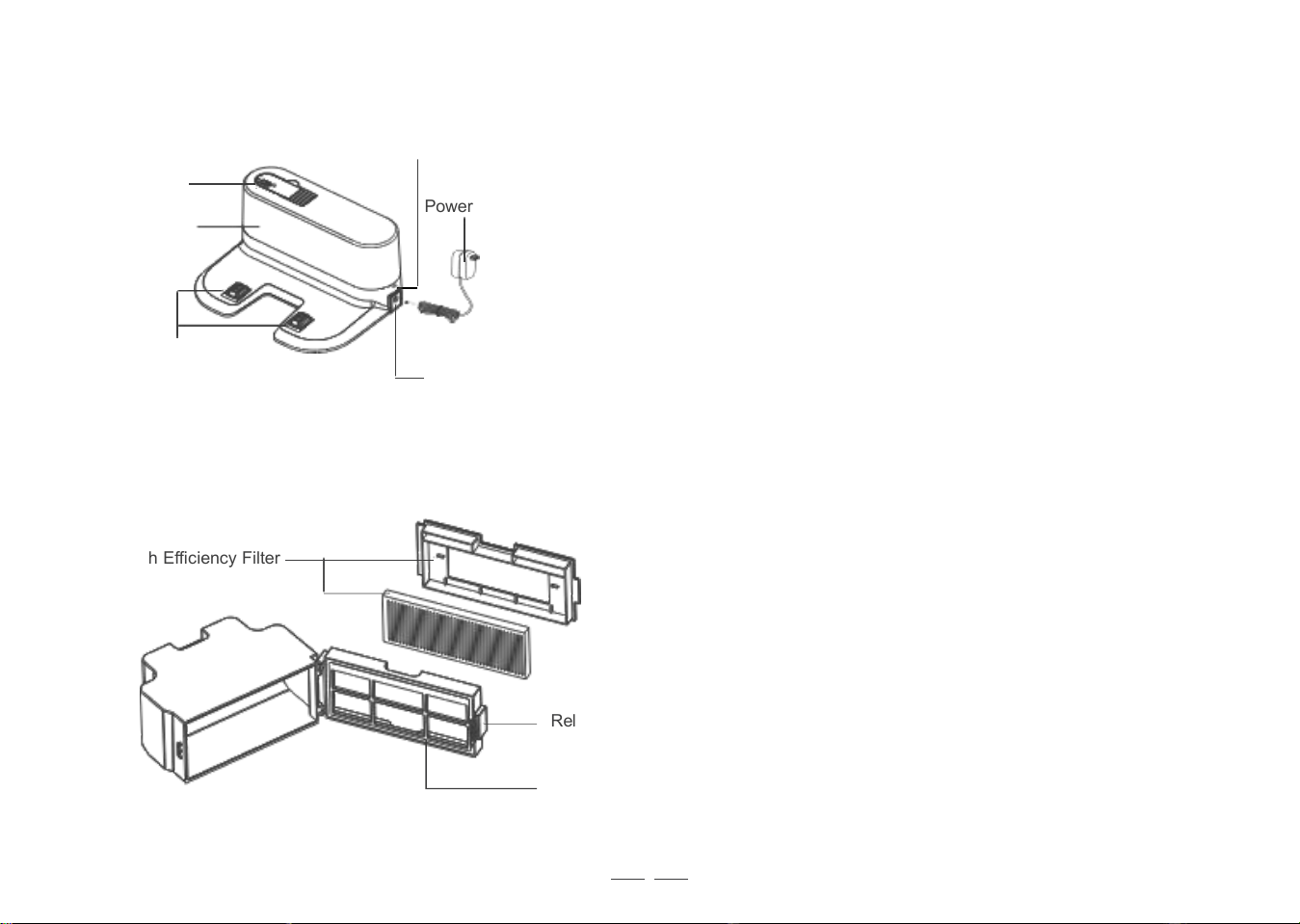
Docking Station
Power Indicator Light
Multi-function
Cleaning Tool
Infrared Signal
Emitter
Charging Contacts
Power Adapter Port
Dust Bin
High Efficiency Filter
Release Button
Filter Net
Power Adapter
9
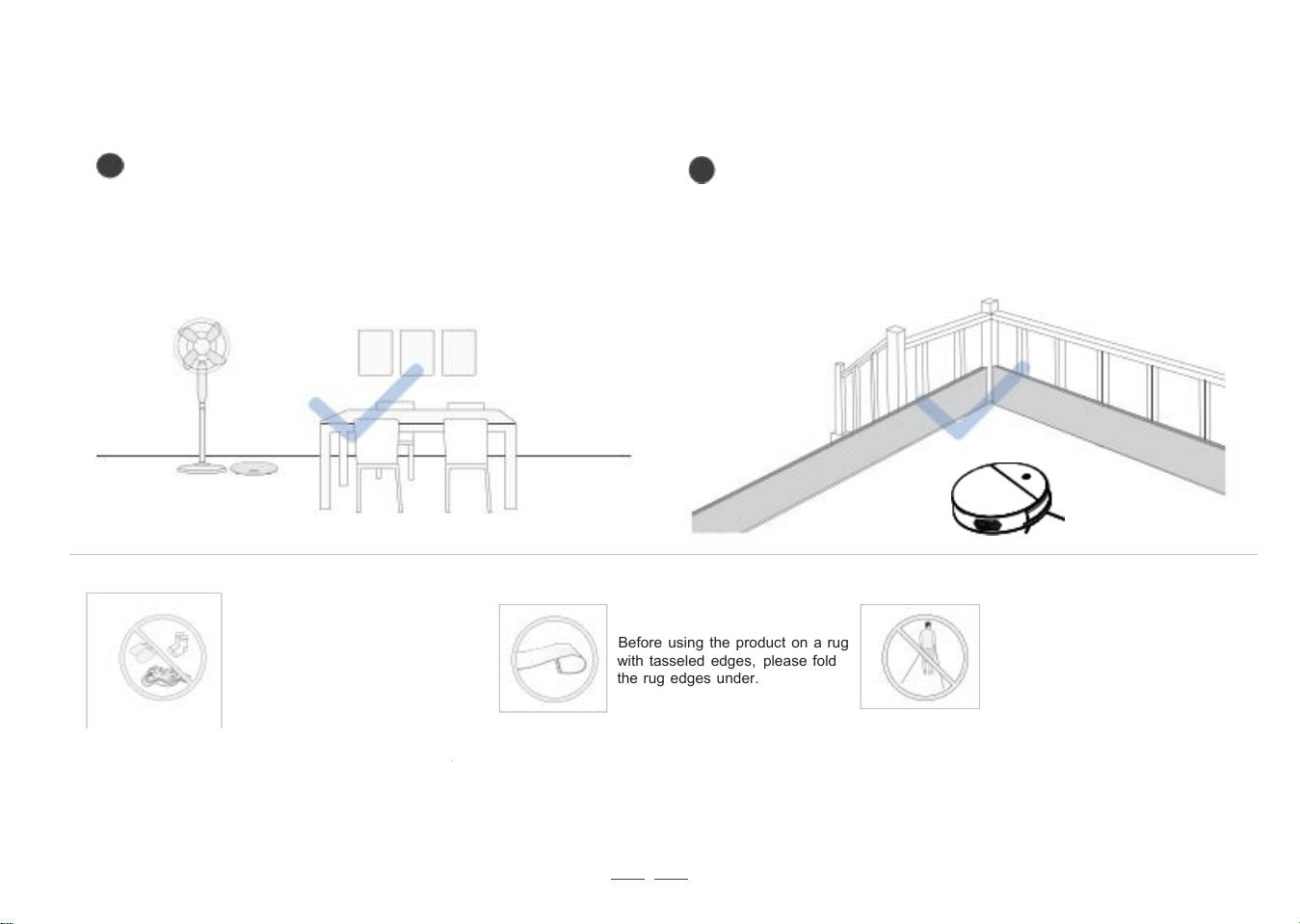
Before using the product on a rug
with tasseled edges, please fold
the rug edges under.
2 . Operating and Programming / 2 . 1 Notes Before Cleaning
1
Tidy up the area to be cleaned by putting furniture,
such as chairs, in their proper place.
2
It may be necessary to place a physical barrier at the
edge of a drop to stop the unit from falling over the
edge.
Put away objects including wires,
cloths and slippers, etc. on the
fl oor to improve the cleaning
effi ciency.
Please do not stand in narrow
spaces, such as hallways, and
make sure not to block Robot.
10
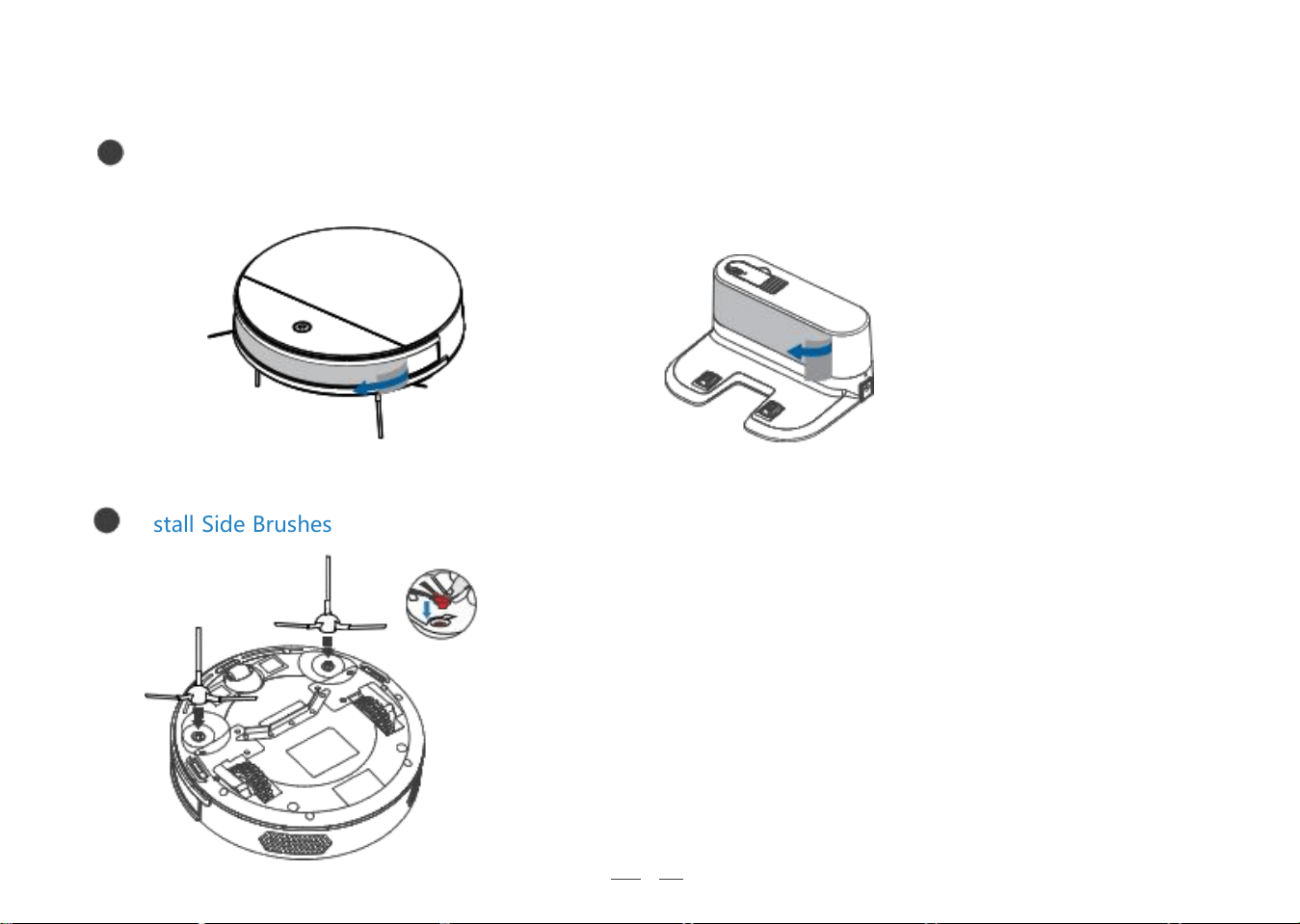
2 . Operating and Programming
/ 2 . 2 Quick Start
1
Install Side Brushes
Remove Protective Materials
2
11
2 . Operating and Programming /
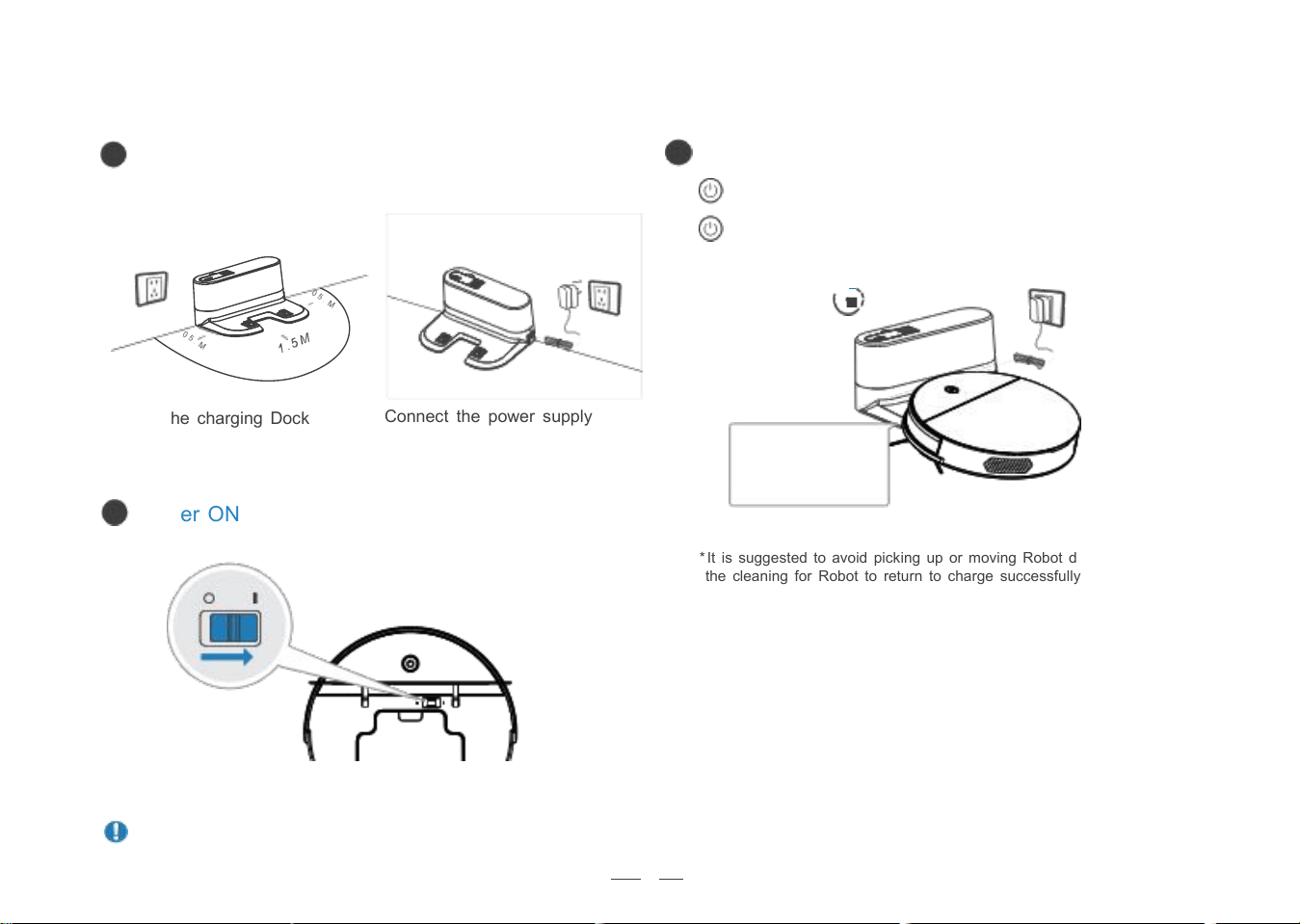
2.3 Charging Robot
1
Docking Station Placement
3
Charge Robot
Connect the power supply
Power ON
* It is suggested to avoid picking up or moving Robot during
the cleaning for Robot to return to charge successfully.
Note: I = ON, O = OFF
Robot cannot be charged when being powered OFF.
flashes when Robot is charging.
goes out when Robot is fully charged
≥
3.5-4.5h
Place the charging Dock
2
making sure the Charging
Contacts on robot and
the Charging Dock Pins
make a connection.
12
2 . Operating and Programming / 2 . 4 App Download
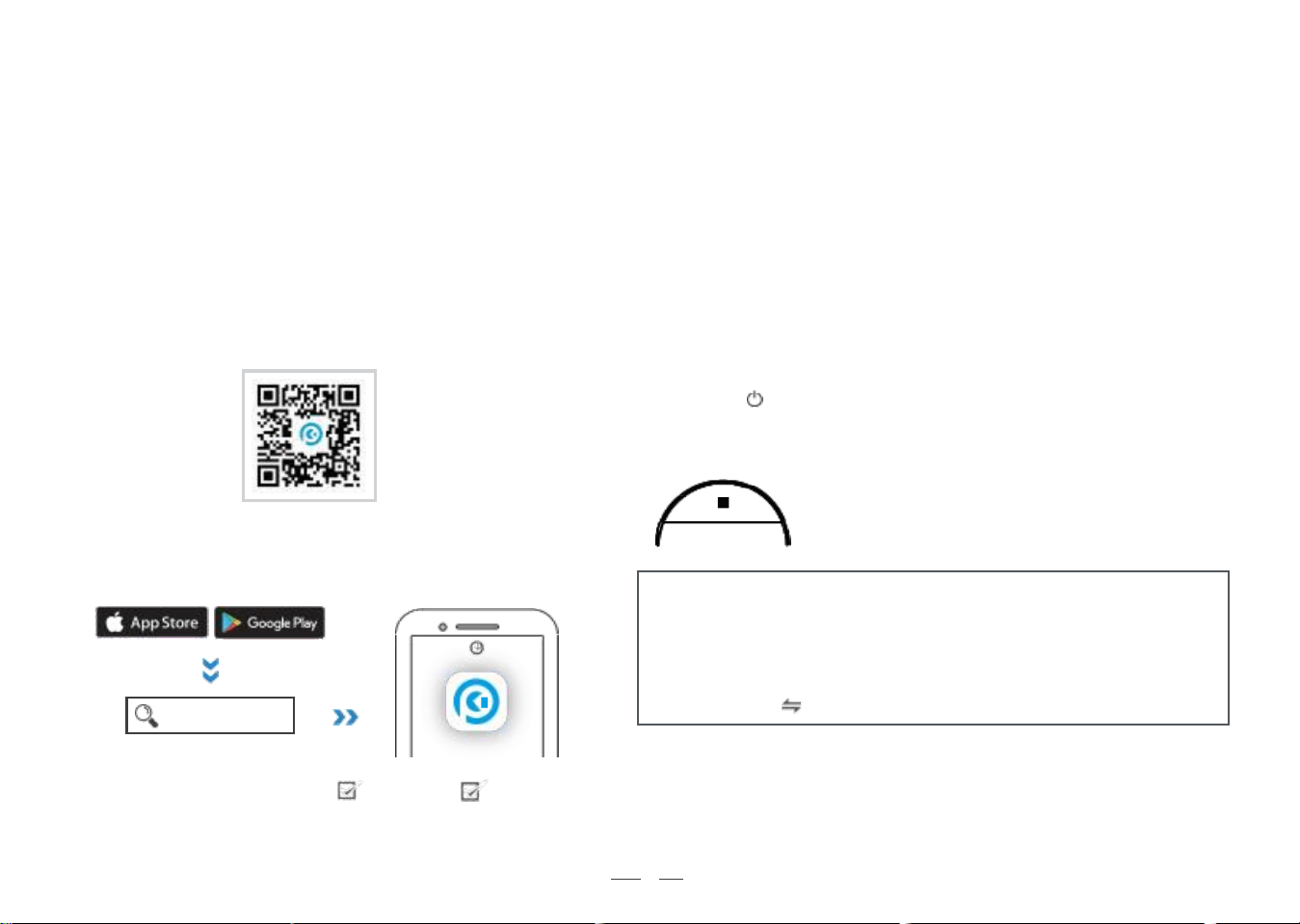
To enjoy all available features , it is recommended to control your Robot via the OKP Life App.
Before you start, make sure that:
• Your mobile phone is connected to a Wi-Fi network.
• The 2.4GHz band wireless signal is enabled on your router.
Download and Install App
Method 1: Scan the QR code, download and install the App
according to the prompts.
under the cover
Method 2: Search for "OKP Life", download and install.
OKP Life
IOS 9.0 or later
Android 4. 0 or later
Add device & Pair the network through the app
Open the “OKP Life” APP and log in (new users need to register first).
Select < Add device> on home page. Then pair the network following
the detailed instructions in the app.
Reset the device
If you experience with network pairing failure, please reset the device.
1 . Turn on the power switch on your robot.
2. Press the button on your robot for 3 seconds to enter EZ network
pairing mode (robot gives 1 beep); press it for another 3 seconds to enter
AP network pairing mode (robot gives 2 beeps).
Indicator light
• Wait for connection: EZ mode: blue light flashing rapidly
AP mode: blue light flashing slowly
• Connecting / Wi-Fi connected: solid blue
Notes:
- This device only supports 2.4GHz Wi-Fi network.
(not compatible with 5GHz Wi-Fi)
- If you experience with network pairing failure, please restart the
robot and start over again. Or try the other network pairing method
instead (touch on the upper right corner).
13
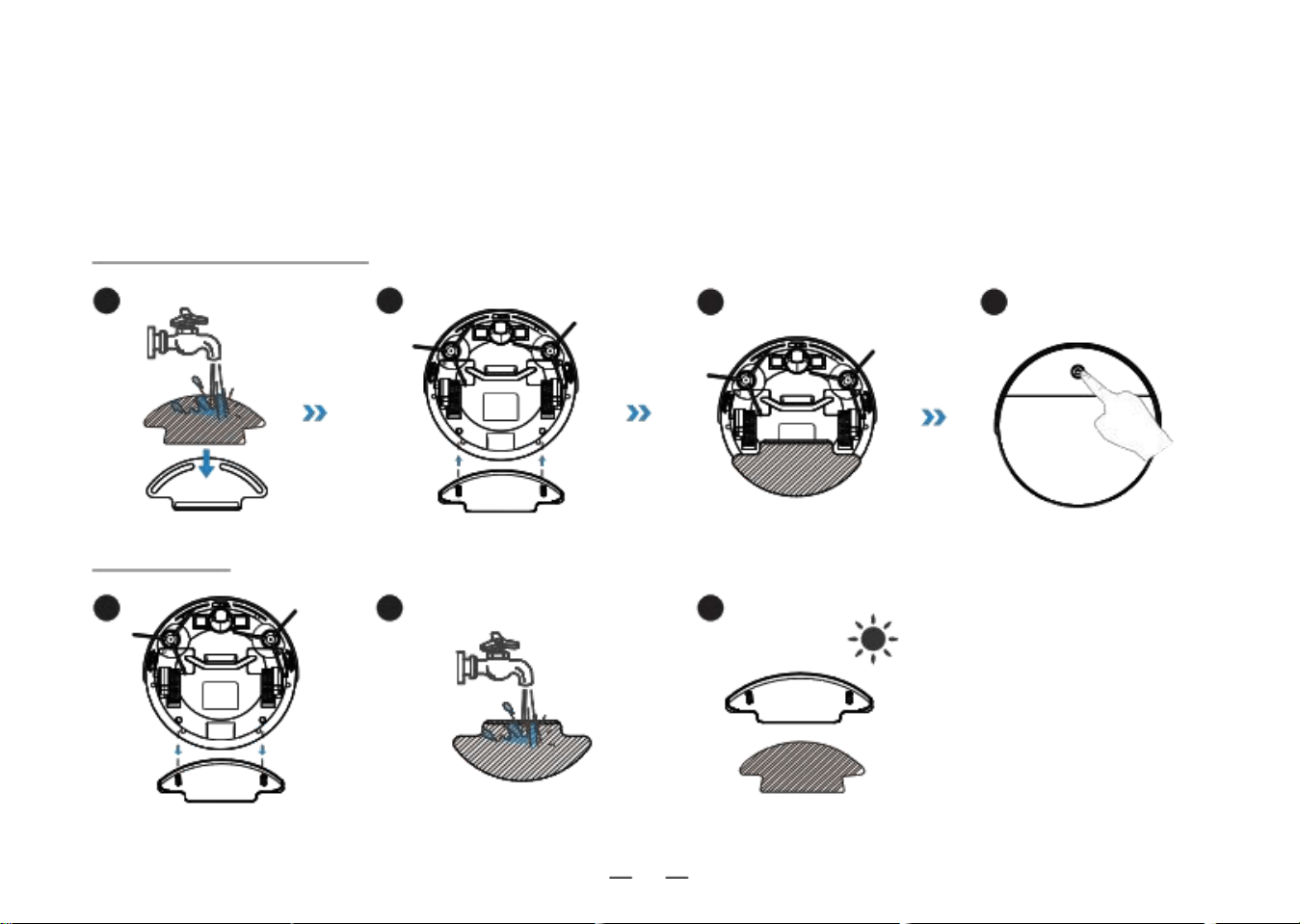
2 . Operating and Programming / 2 . 5 Mopping Function
Notes:
• Do not use mopping function on carpets.
• Clean the mopping cloth every 60 minutes to ensure the cleaning effect.
• Please remove the mopping cloth bracket before charging the robot.
Use the mopping function
1 2 3 4
Maintenance
3
2
1

Okp Technologies Corp
www.okplife.com
903-0564-0001
K3-20210628-V01