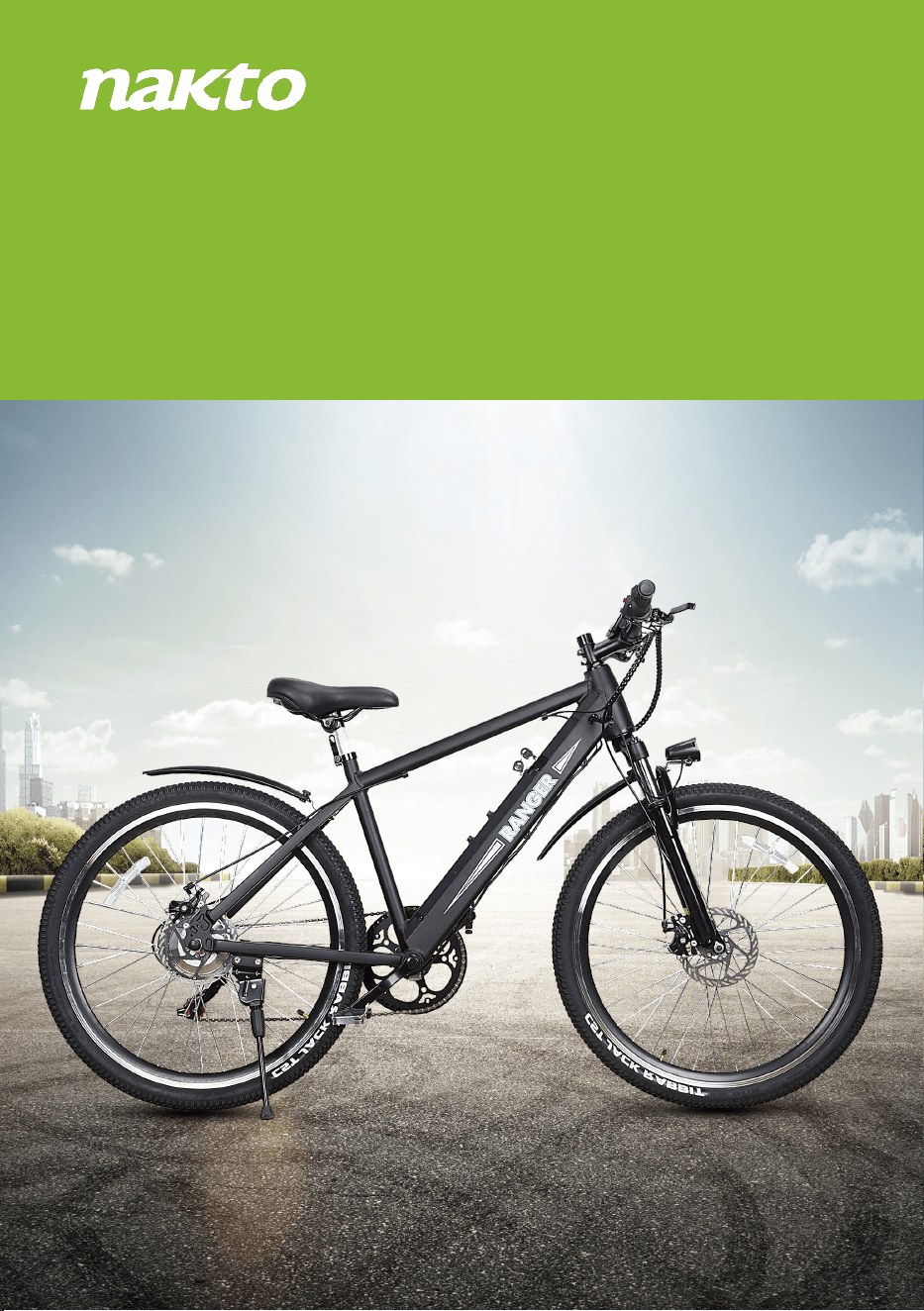
Ranger
Let’s start assembling your NAKTO Ranger ebike!
(Please read this entire assembly manual before assembly as it will save
you a lot of time!)
Step One: Unpack the ebike.
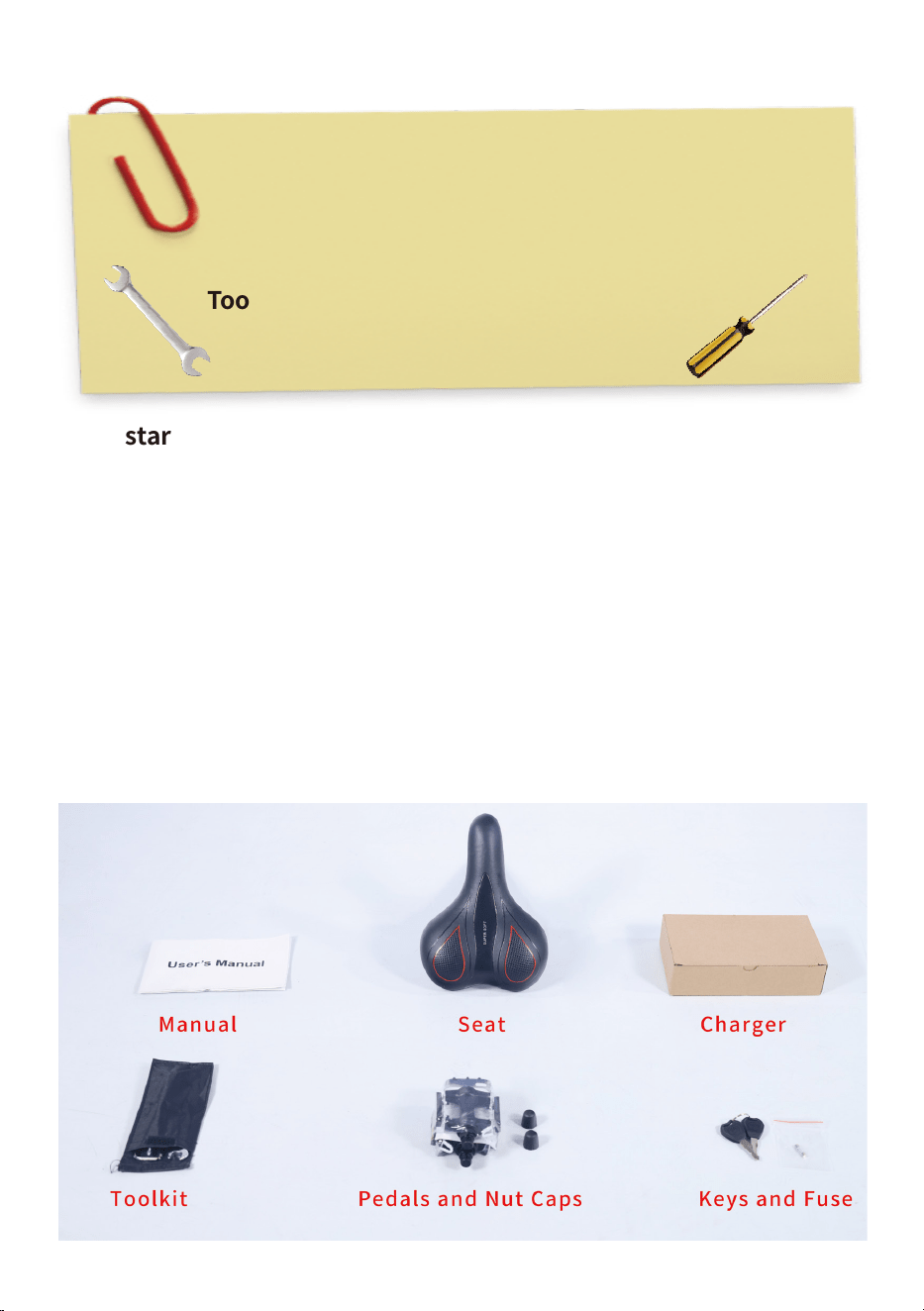
1.Pull the frame and all parts (seat, manual, charger, pedals, keys & fuse,
nut caps and toolkit) out of cardboard box. Separate bike from foam
padding. Cut off all zip ties with scissors while being extra careful as not
to damage the paint or cut any wires or cables.Notice: Keep the spare
fuse in a safe place.It is not used for assembly and will be used for the
replacement if the original fuse were damaged.
Ensure all the following pieces are included with the Nakto Ranger.
Assembly Instructions: Ranger
Tools included: Screwdriver, Phillips & Slotted 2 in 1
Double open-end wrench, 13mm/15mm
Allen wrench, 3mm
Allen wrench, 4mm
Allen wrench, 5mm
Tools needed: Scissor
Bike pump
2.Now stand the bike upright. Place some foam padding under the front
fork if placed on the ground or put it on bike assembly/repair stand if you
have one. We want to keep your bike looking new!
Step Two: Assemble the front wheel.
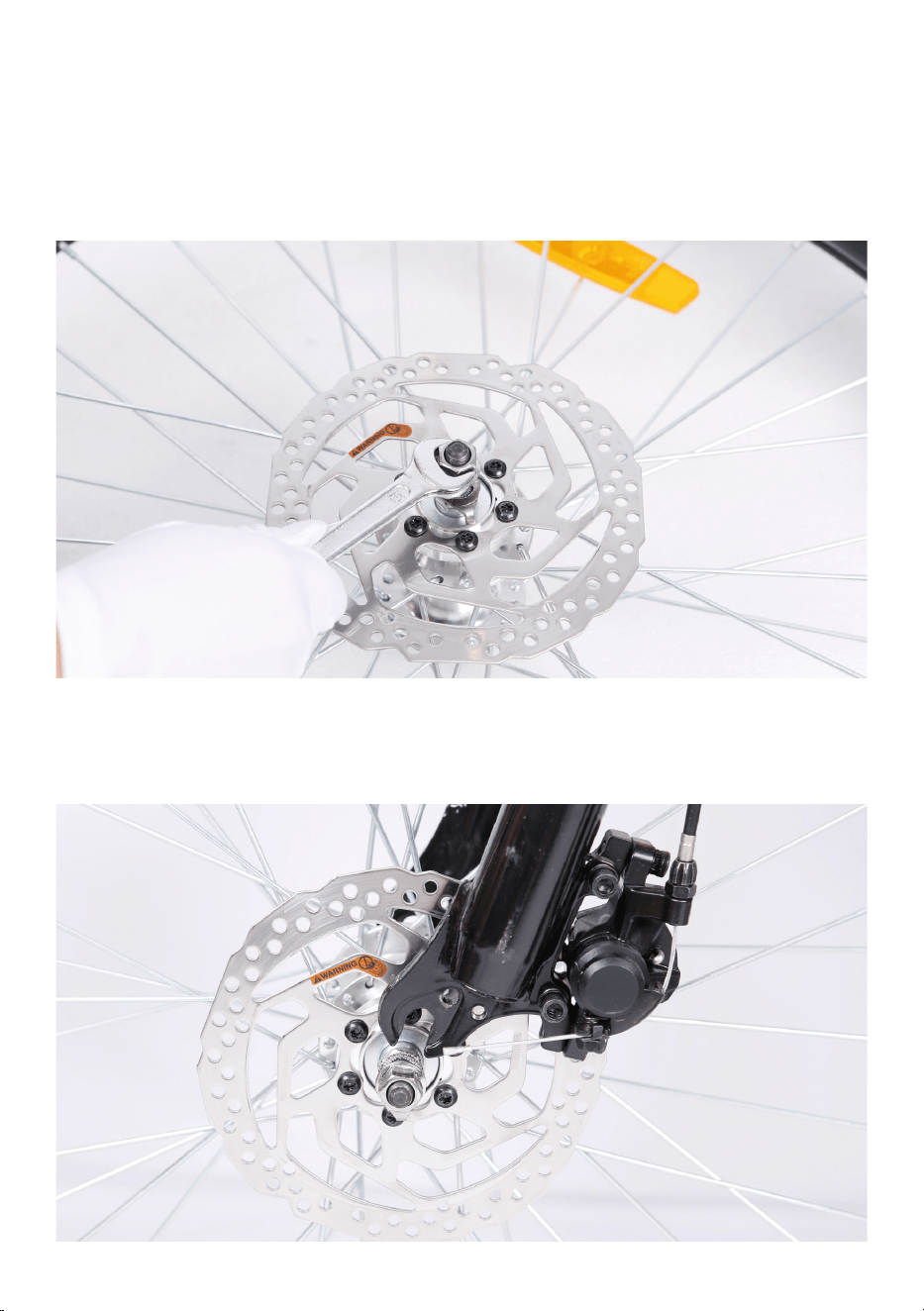
1.Loosen axle nuts on front wheel to make room for the front fork.
2.Lift the front of the bike and lower the fork onto the wheel axle. Notice:
The brake rotor should go into the brake caliper in between the brake
pads and the axle should enter the fork dropouts fully. The front rotor
orientation should be to the left of the fork.
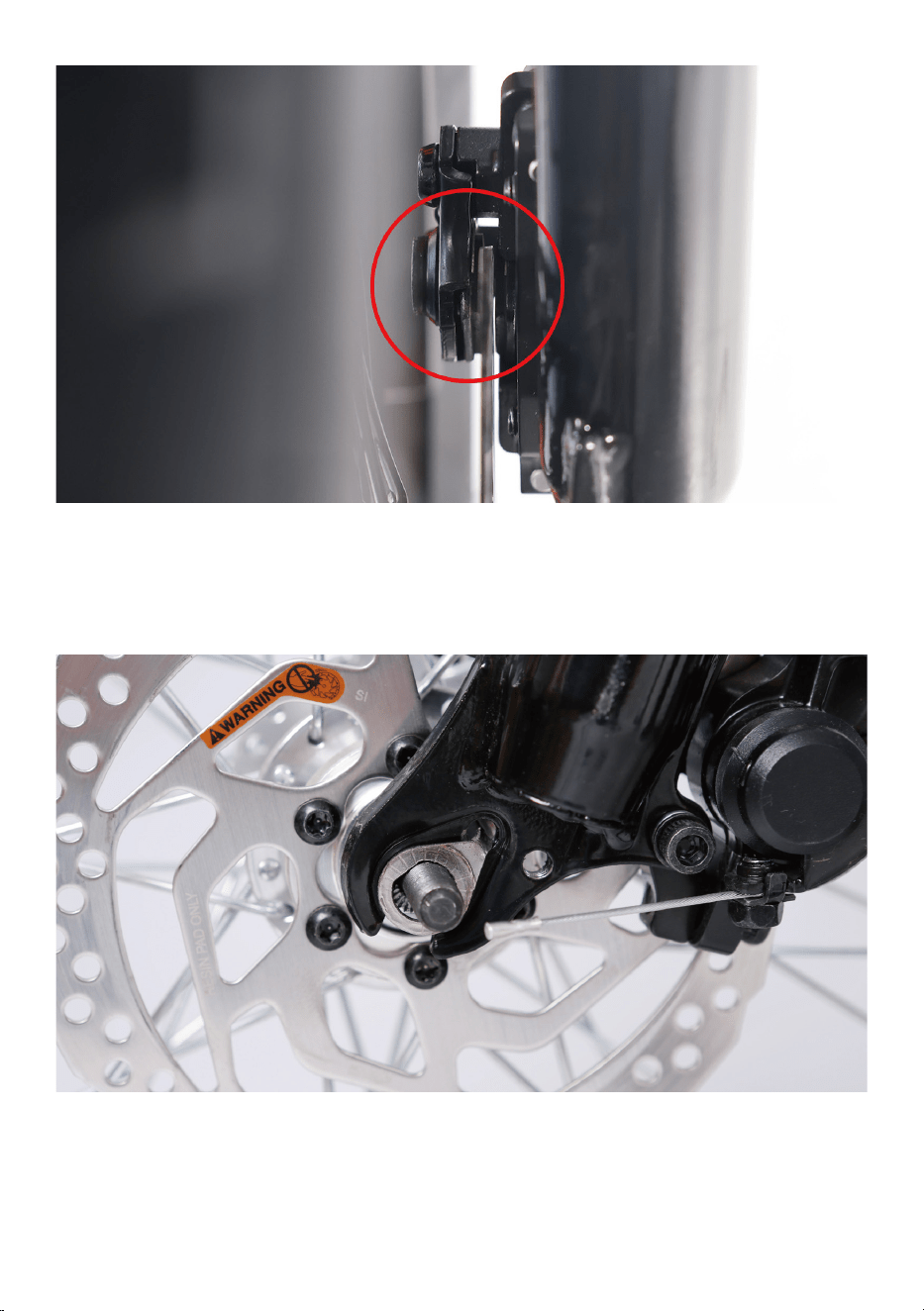
3.Line up the axle lock washers (These are the metal washer with a bent
tab on one side) with the hole at each fork. Notice: These two special
fork lock washers keep the wheel from falling off if the axle nuts ever
loosen up! Tighten the axle nuts by hand.
4.Tighten both axle nuts with the supplied double open-end wrench.
Notice: Before doing the final tightening of the axle nuts, make sure the
wheel is square and true with the forks.
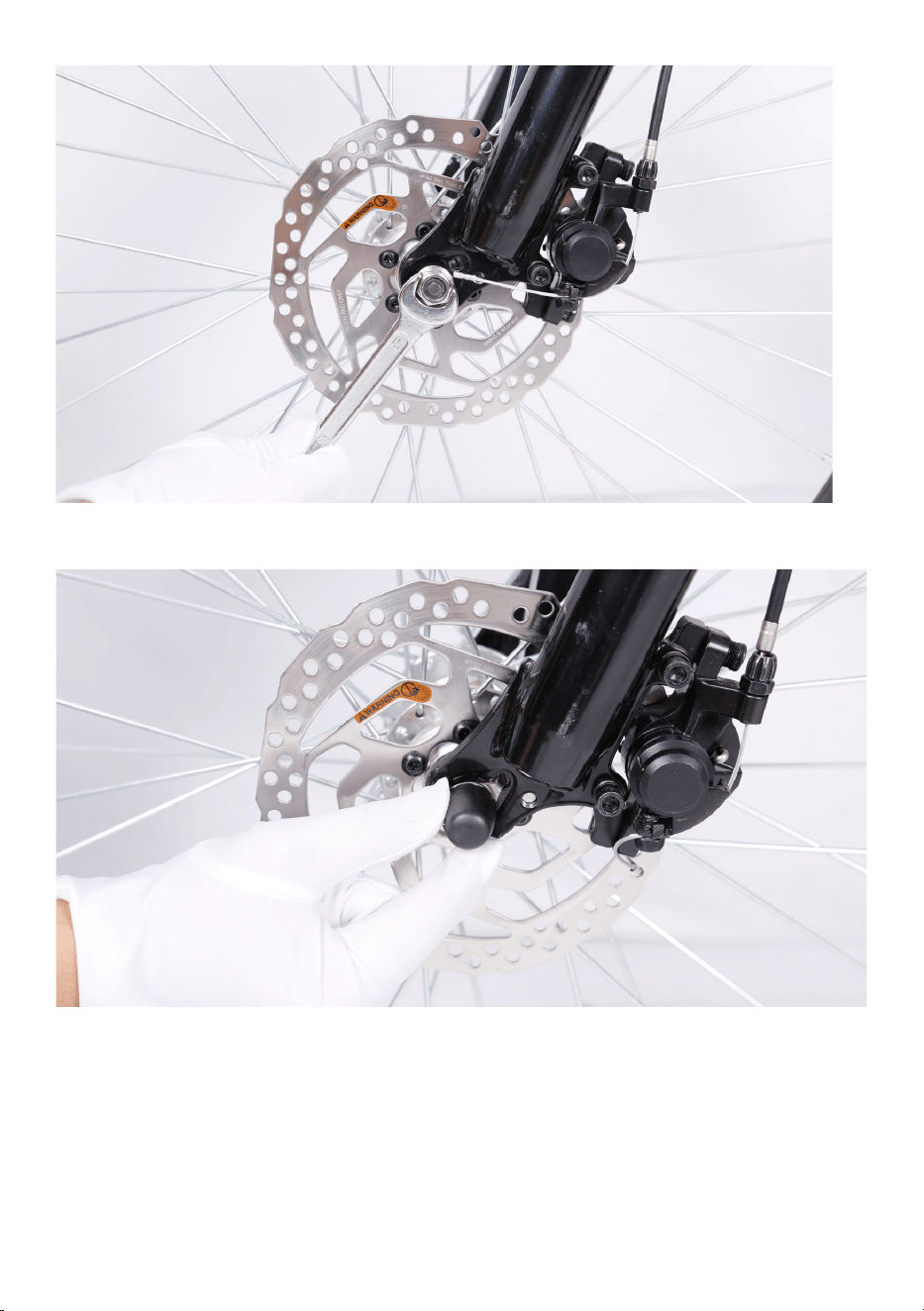
5.Push the black plastic nut caps onto the axle nuts.
Step Three:Install the handlebar.
1.Loosen the bolt on the top of the steer stem with the supplied allen
wrench. Remove the stem bolt and washer and set aside.
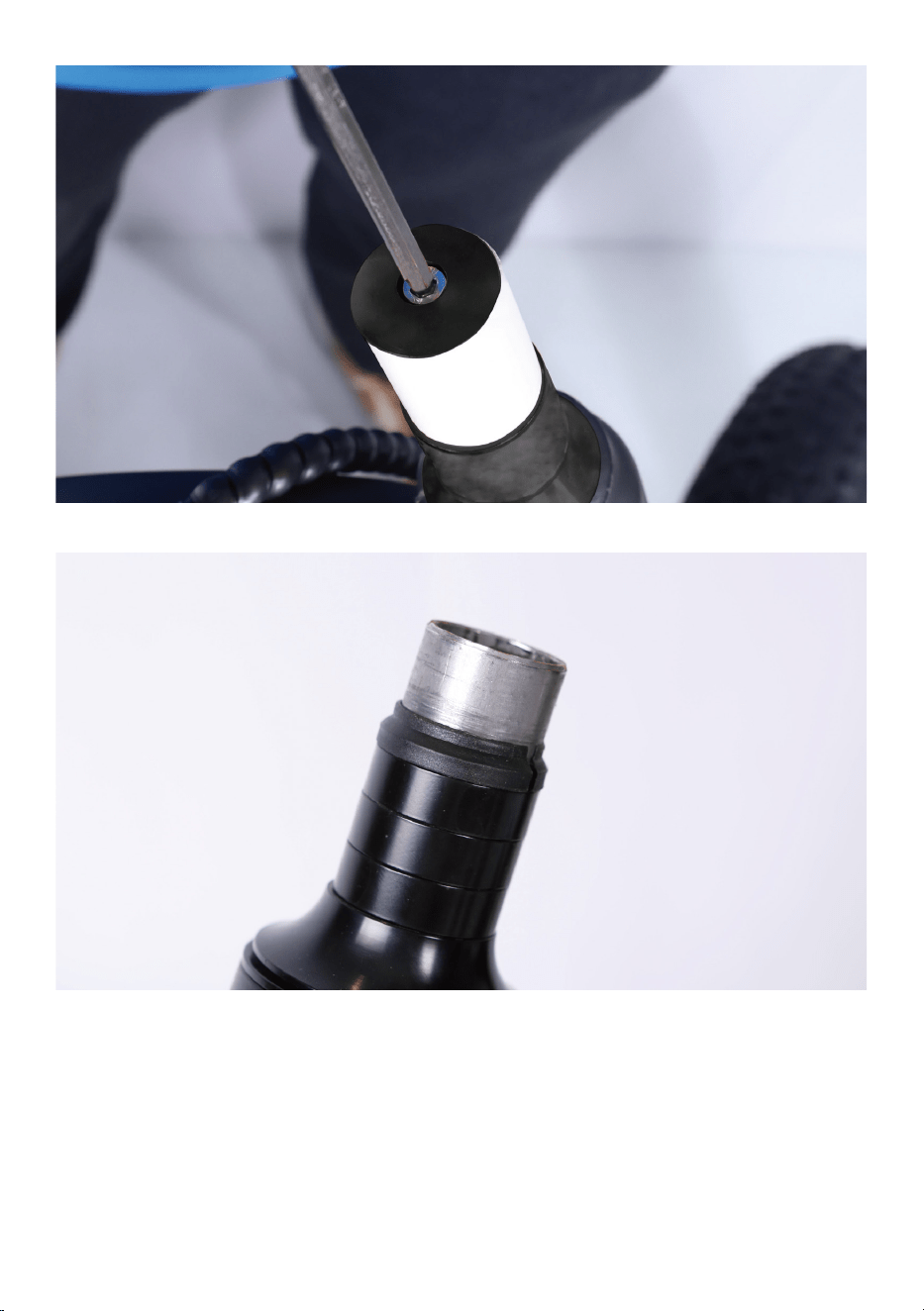
2.Remove and discard plastic spacer.
3.Install the handlebars onto the steer stem.
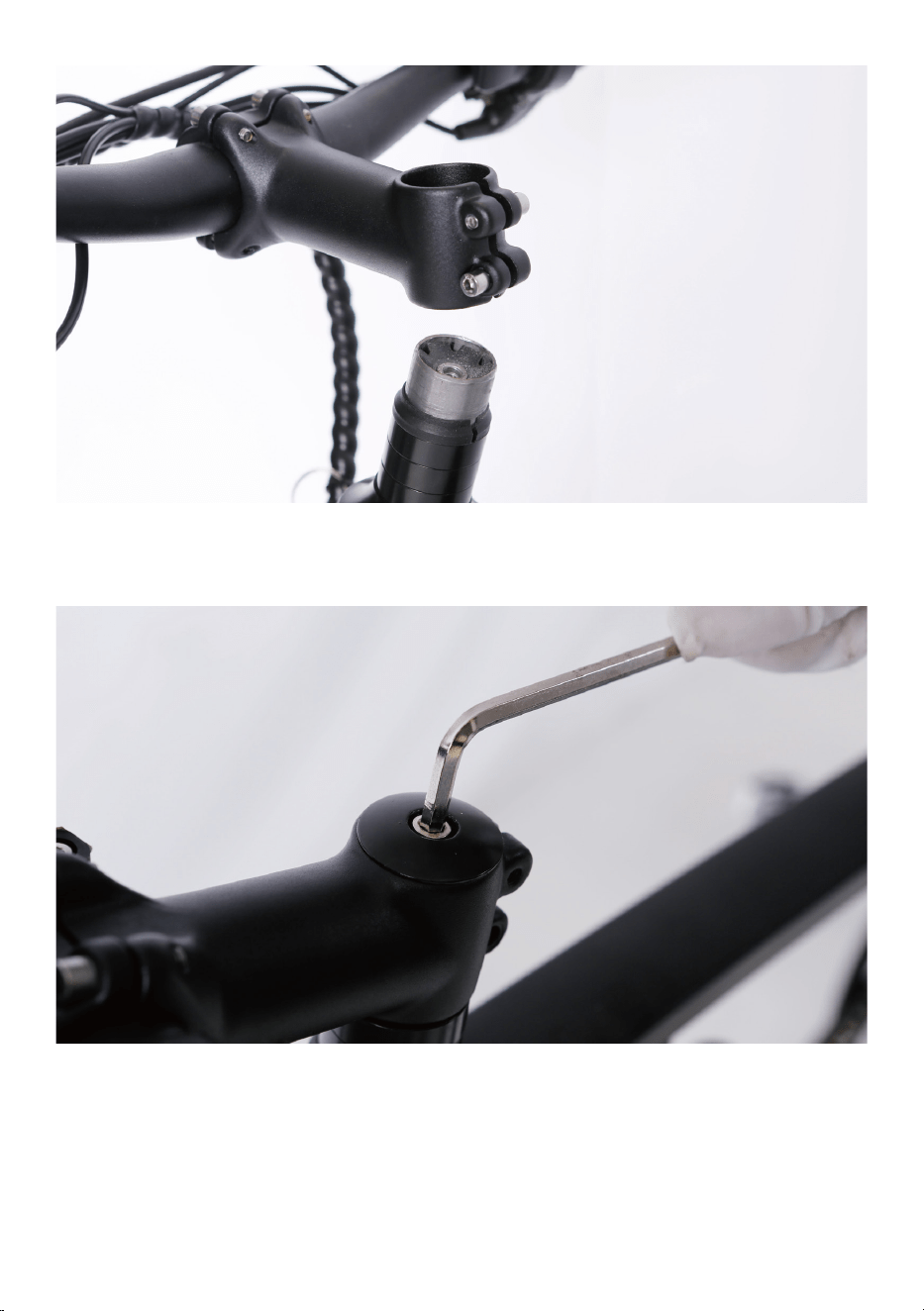
4.Pass the stem bolt through the washer mounting point and the stem
mount, tighten with the supplied allen wrench part away.
5.Align the stem so the handlebar is perpendicular to the front wheel. Use
the allen wrench to tighten the stem clamp bolts evenly (a half turn at a
time alternating between the two bolts).
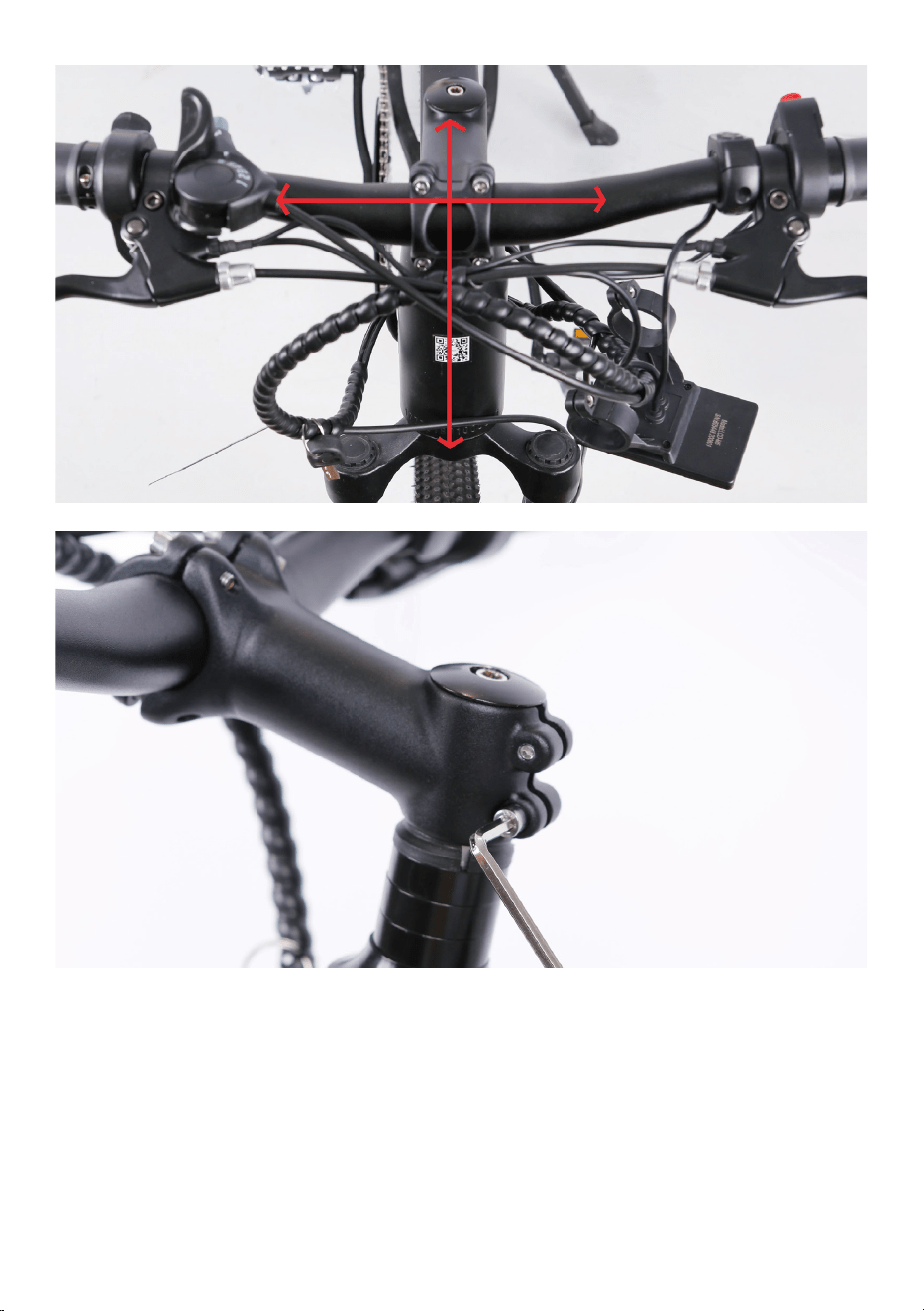
6.Tighten the bolt on the top of the steer stem with the supplied allen
wrench.
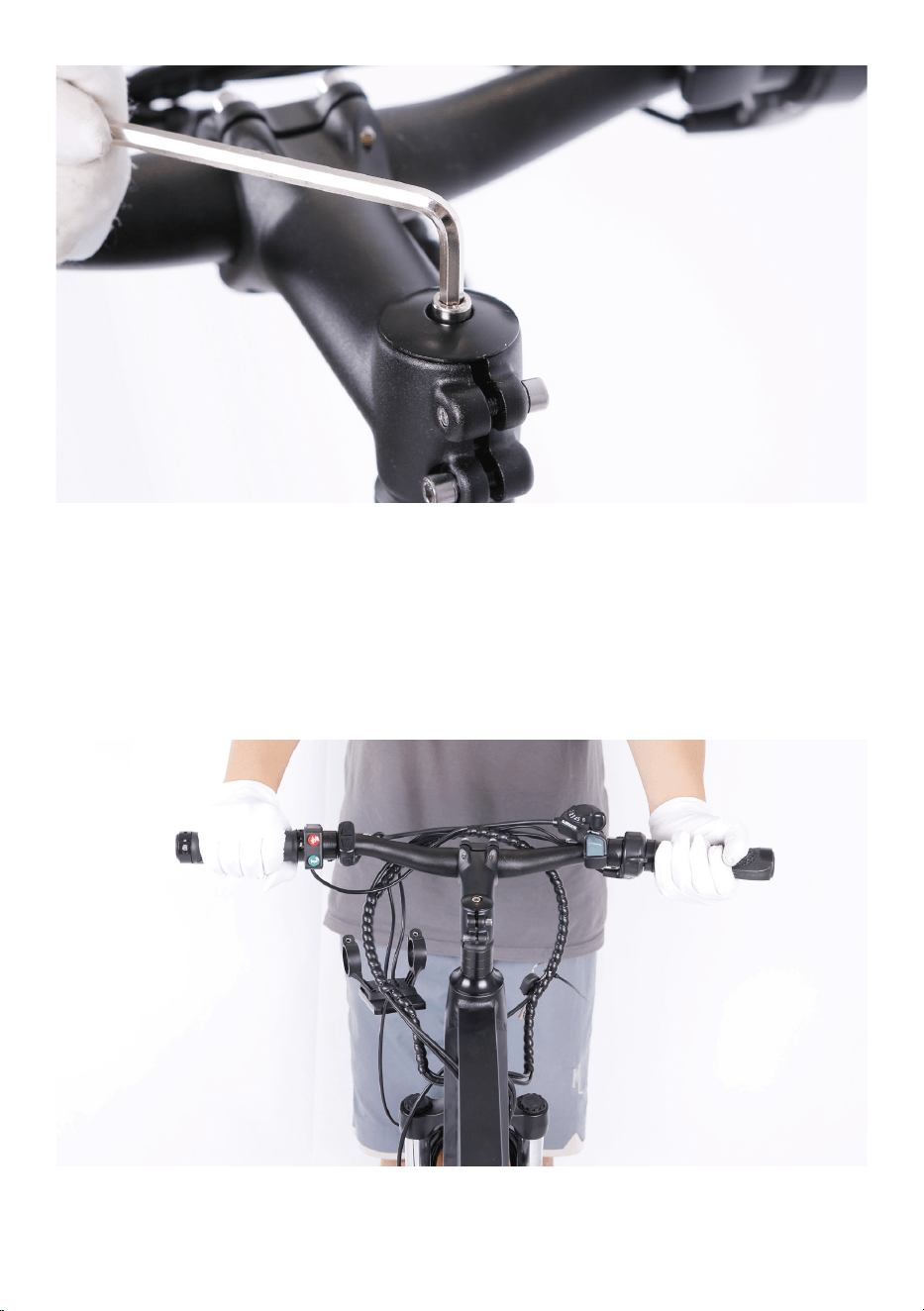
7.Perform a twist test.
(1).Brace the front wheel between your legs.
(2).Switch hands so the opposite hands are pushing and pulling with
about 20 pounds of force make sure the handlebar and front wheel are
still properly aligned.
(3).Repeat the twist test pulling/pushing with the opposite hands.
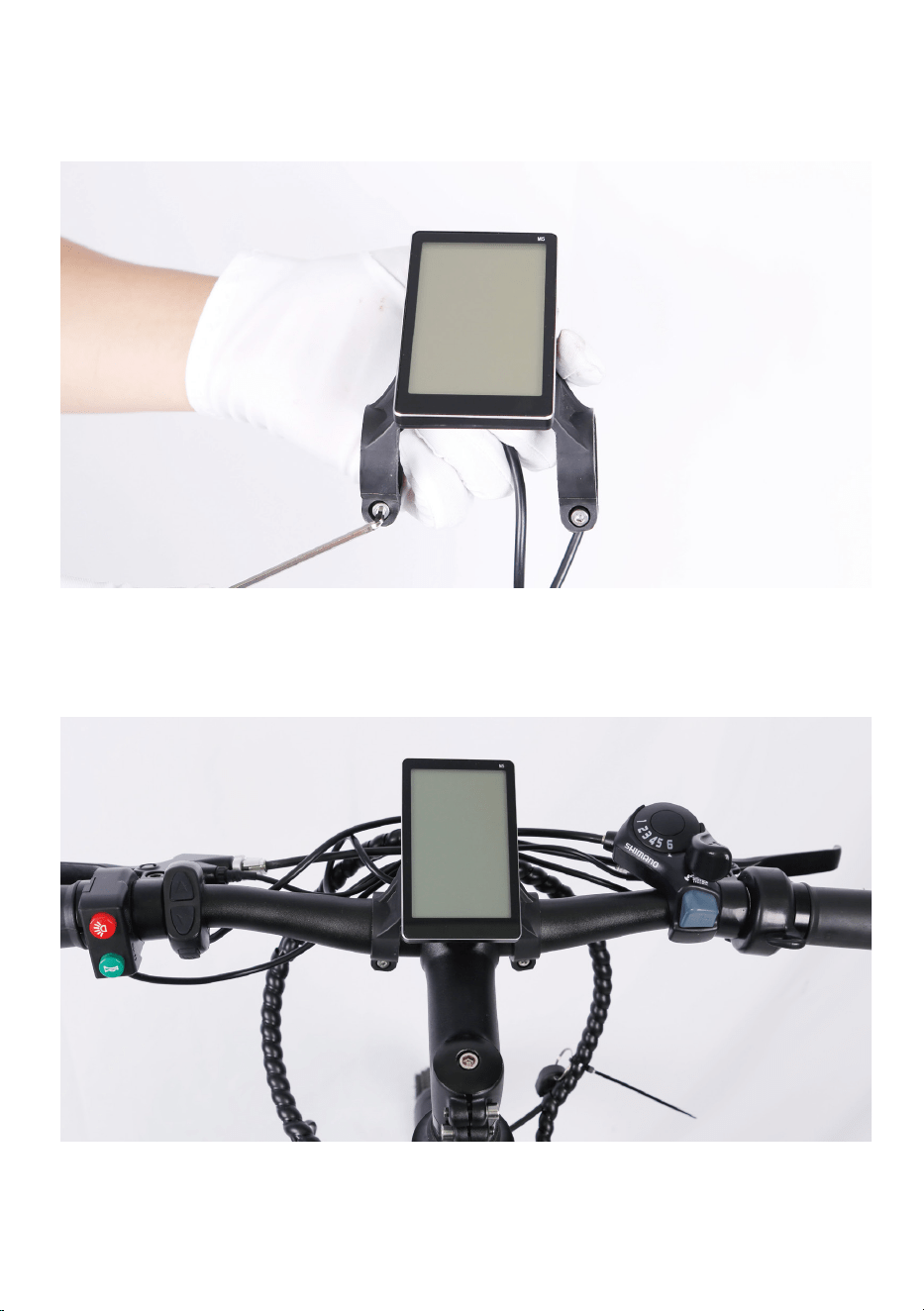
Step Four: Install the LCD display.
1.Loosen the bolts on the LCD display clamp with the supplied allen
wrench and set aside.
2.Remove the spacer.
3.Clamp the LCD display onto the handlebars and align it with the stem.
Notice: the stem will go in between the two LCD display clamps.
4.Tilt the LCD display to the optimal position and tighten the bolts.
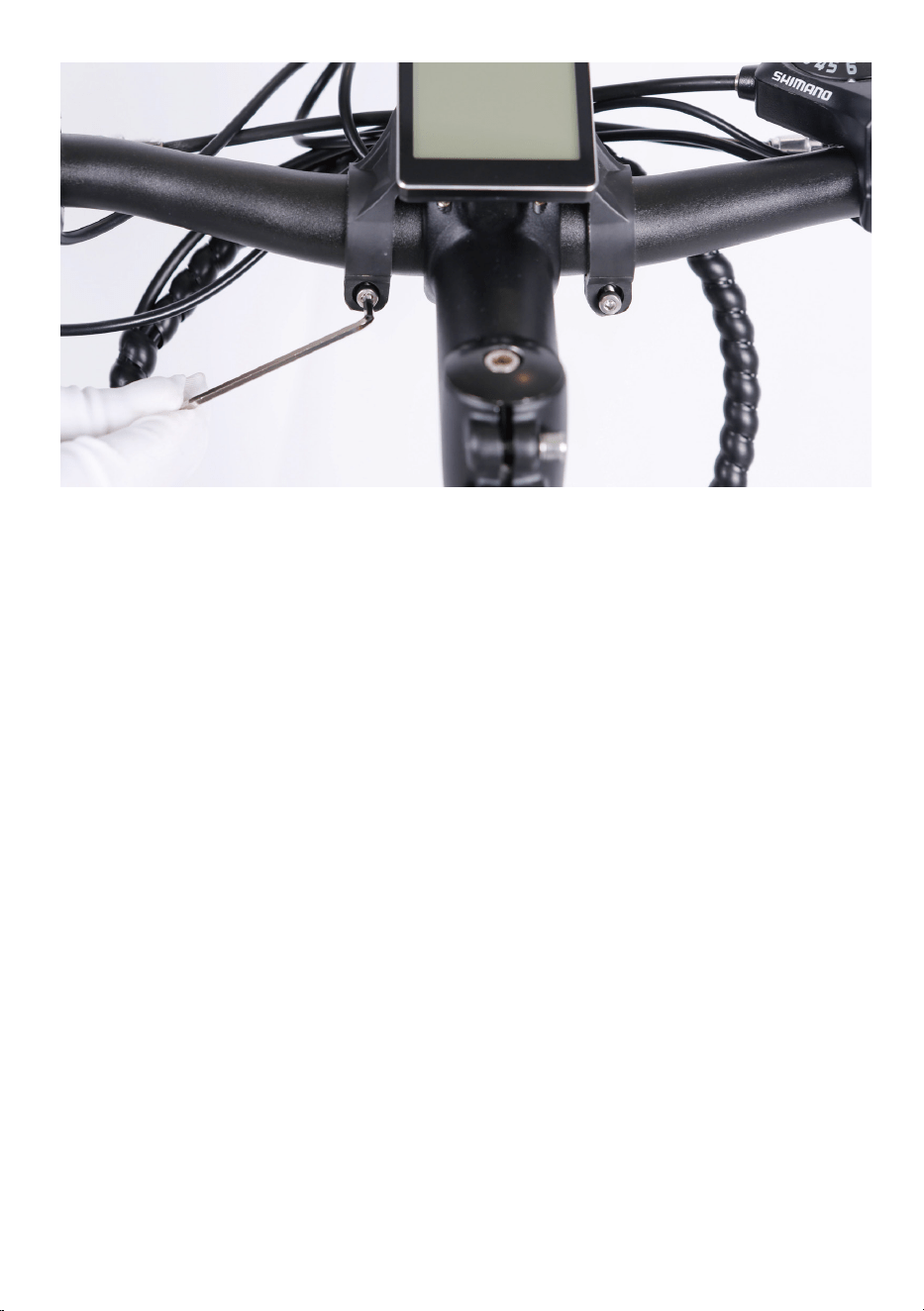
Step Five:Adjust the front brake system.
NOTICE: The The adjustment of the front brake system is not easy. The
following steps are only a general guide to assist in the adjustment of the
front brake system. Consult a certified, reputable bike mechanic to assist
with it.
The end goal is a caliper that is parallel to the rotor, with even gap
(2mm-3mm) on each side, and an adequate lever feel. Before adjusting
the front brake system, make sure the axle nuts in Step One have been
tightened.
1.Alignment procedure of the front brake.
Notice: Usually, all bike's rear brake were adjusted in the good condition
at factory. If not, alignment procedures are the same for front and rear
brakes. The end goal here is to keep 2mm-3mm clearance on either side
of the disc brake rotor so that the pads do not rub on the rotor when they
are not applied.
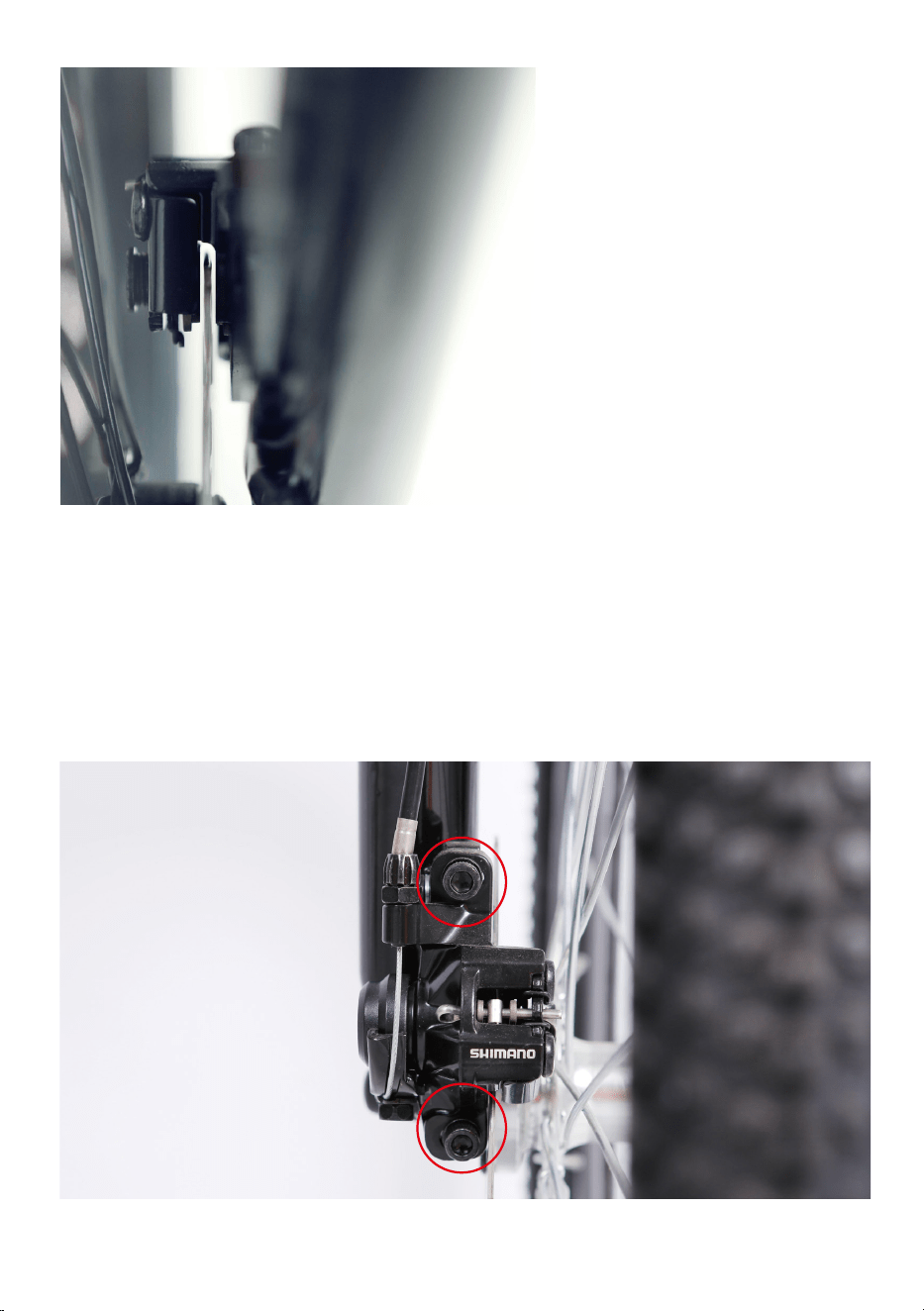
On the front disc brake caliper there are two bolts mounting it to the front
fork. Loosen the mounting bolts until the caliper body is able to freely
move side to side. Then squeeze the brake lever(this centers the caliper
body over the rotor). While holding the lever, tighten the bolts. Release
the brake lever, spin the wheel and check for pad rub. If there is no
rubbing, the pads are aligned. Secure the mounting bolts to full torque
and your work is complete.
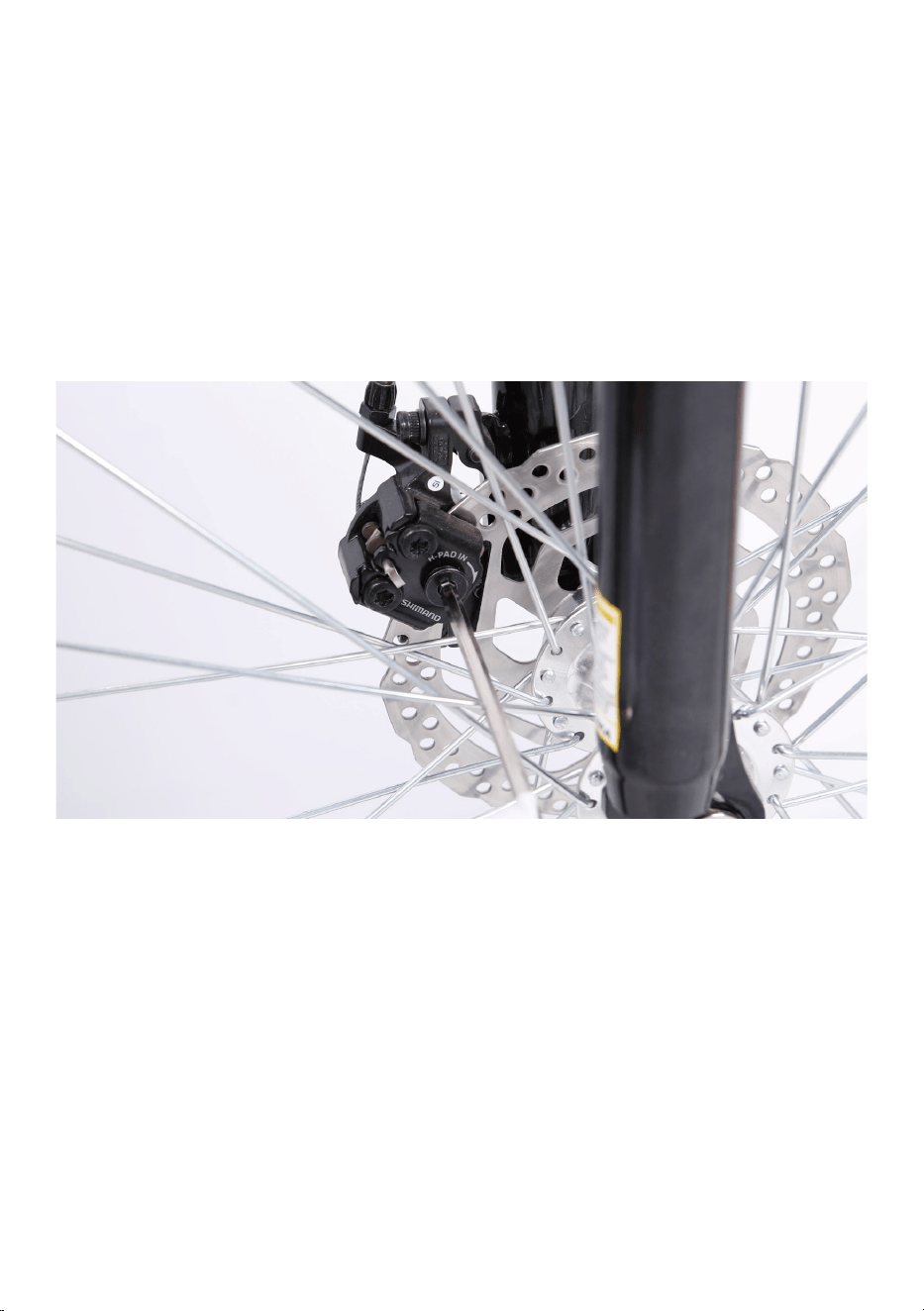
If the pads are still rubbing, we need to do some fine-tuning. Loosen one
bolt at a time and adjust until there is a gap on either side of the rotor.
Once the pads are not rubbing, fully secure each mounting bolt and the
process is complete.
To achieve proper gap, it is sometimes necessary to move pads by pad
adjusters. Calipers are equipped with pad adjusters that move the brake
pads in or out from the rotor. Note: Turning the mounting bolt clockwise
will move the pad closer to the rotor. Turning it counterclockwise will
move it away from it. Adjust the mounting bolt with the supplied allen
wrench.
2.Check and adjust the travel at the brake lever at the handlebars.
Typically, the pads should feel like they are contacting the rotor at a
minimum of 1/2 the lever travel. We will get it by adjusting the brake
cable tension.
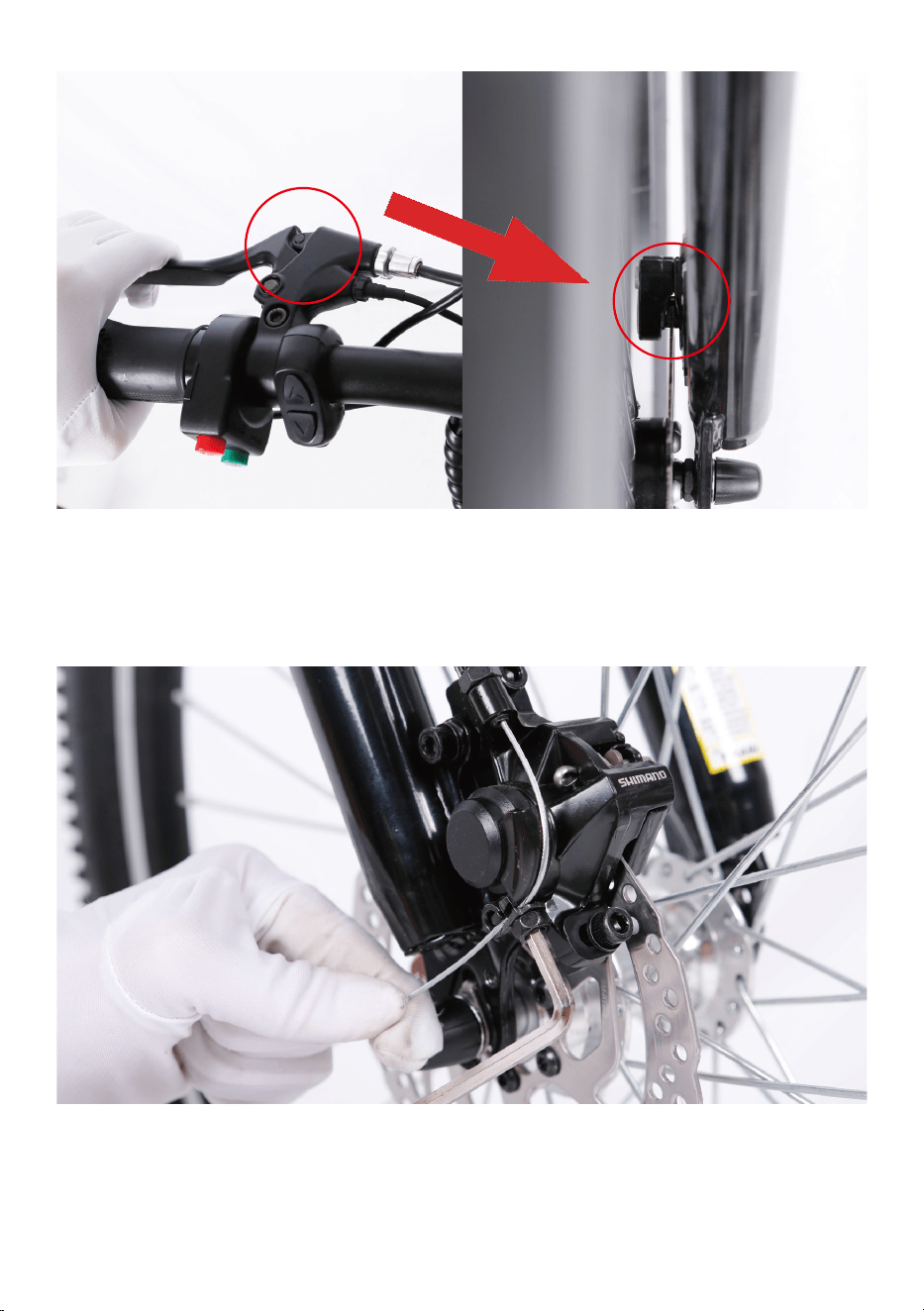
Loosen the bolt on the end of the disc brake caliper arm with the supplied
allen wrench to adjust the brake cable tension. Once achieve the required
tension mentioned above, fully secure the mounting bolt and the process
is complete.
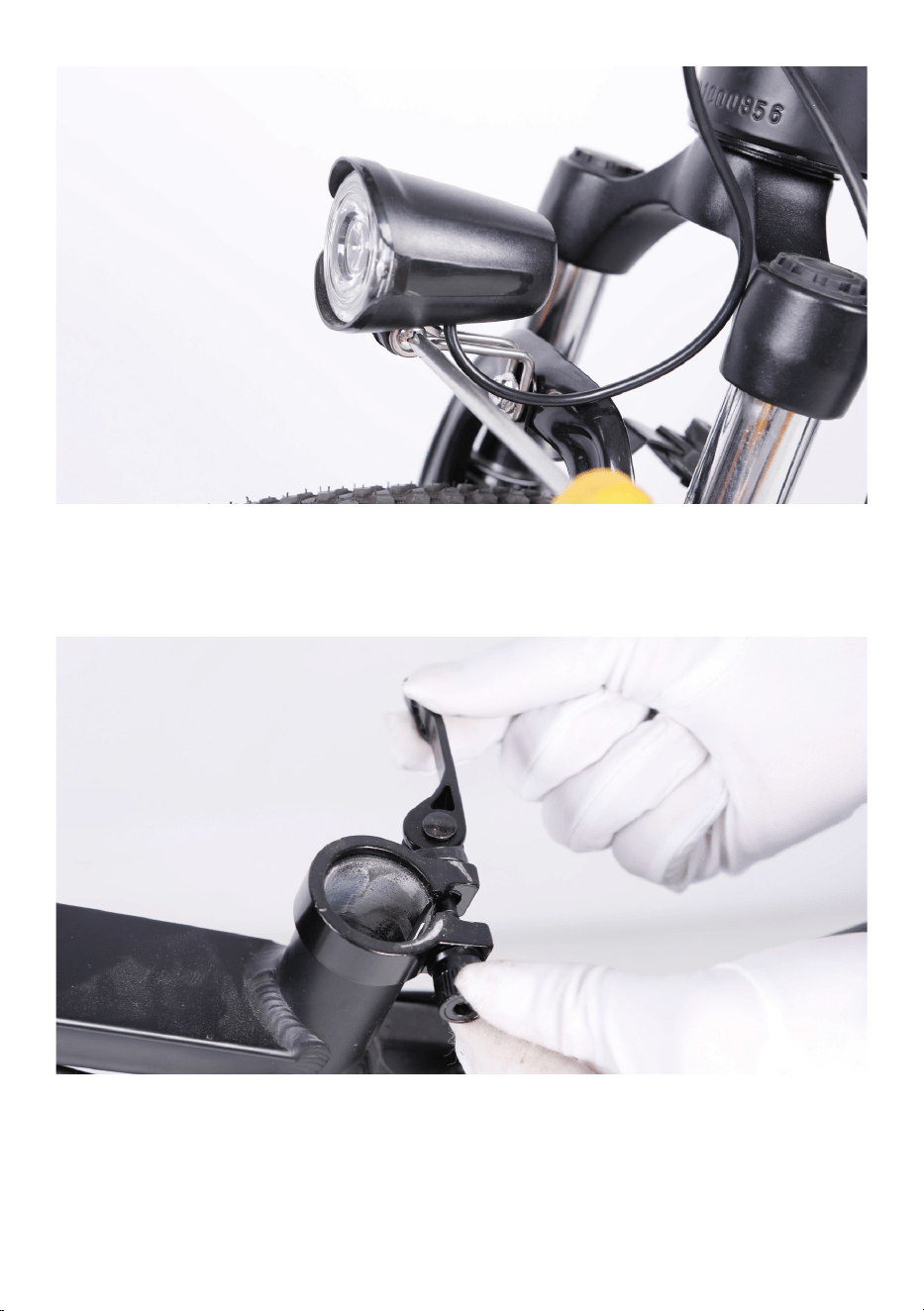
Step Six: Install the headlight .
1.Remove the fender and headlight mounting bolt from the fork arch with
the supplied screwdriver and set aside.
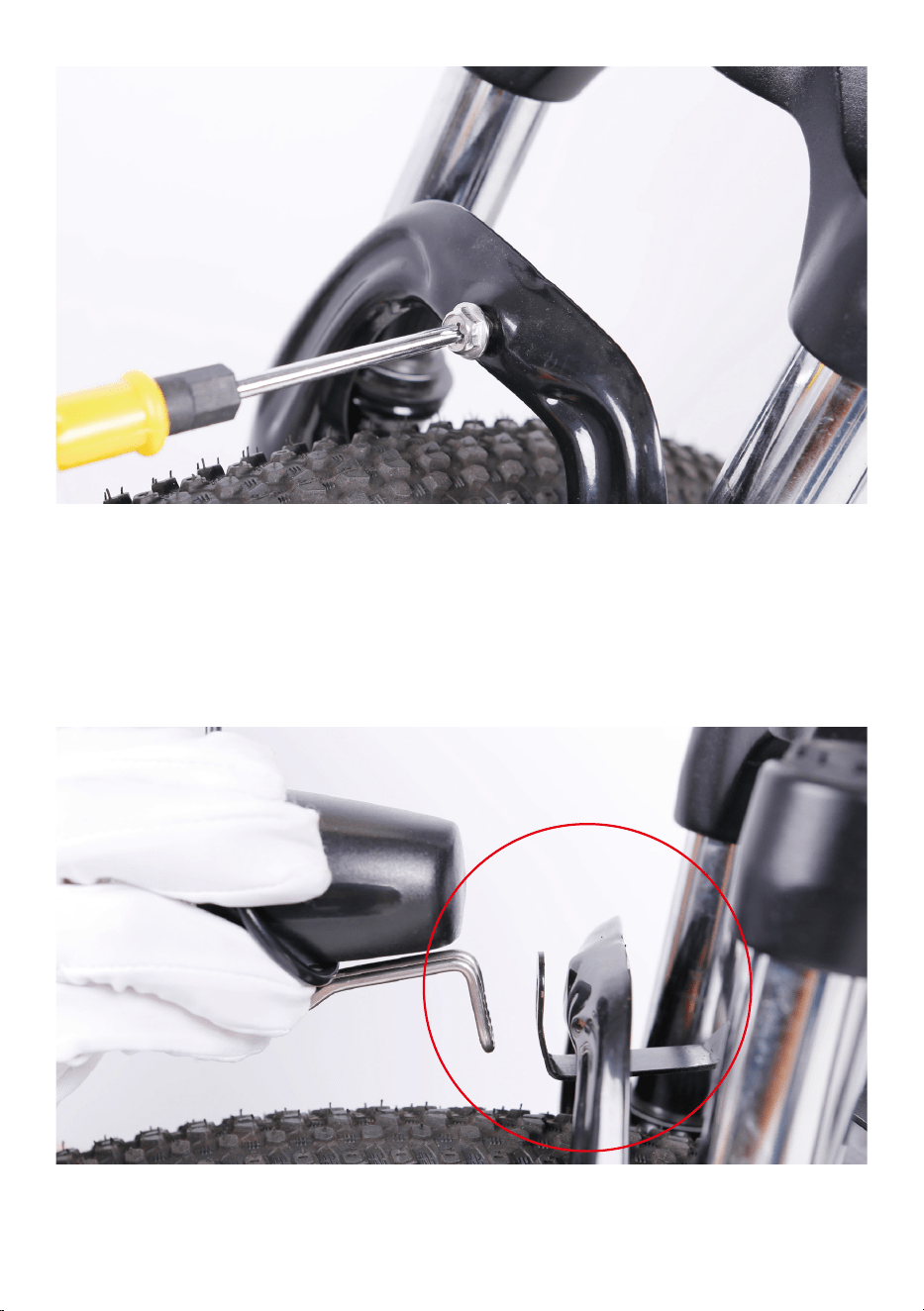
2.Place the fender in position. Pass the front fender mounting point under
the front fork arch from the back of the front tire.
3.Attach the headlight and fender to the fork arch. Pass the bolt through
the headlight mount, the fender mounting point and the fork arch
mounting point. Tighten with the supplied screwdriver. Notice: the
fender bracket will go in between the arch bracket and headlight bracket.
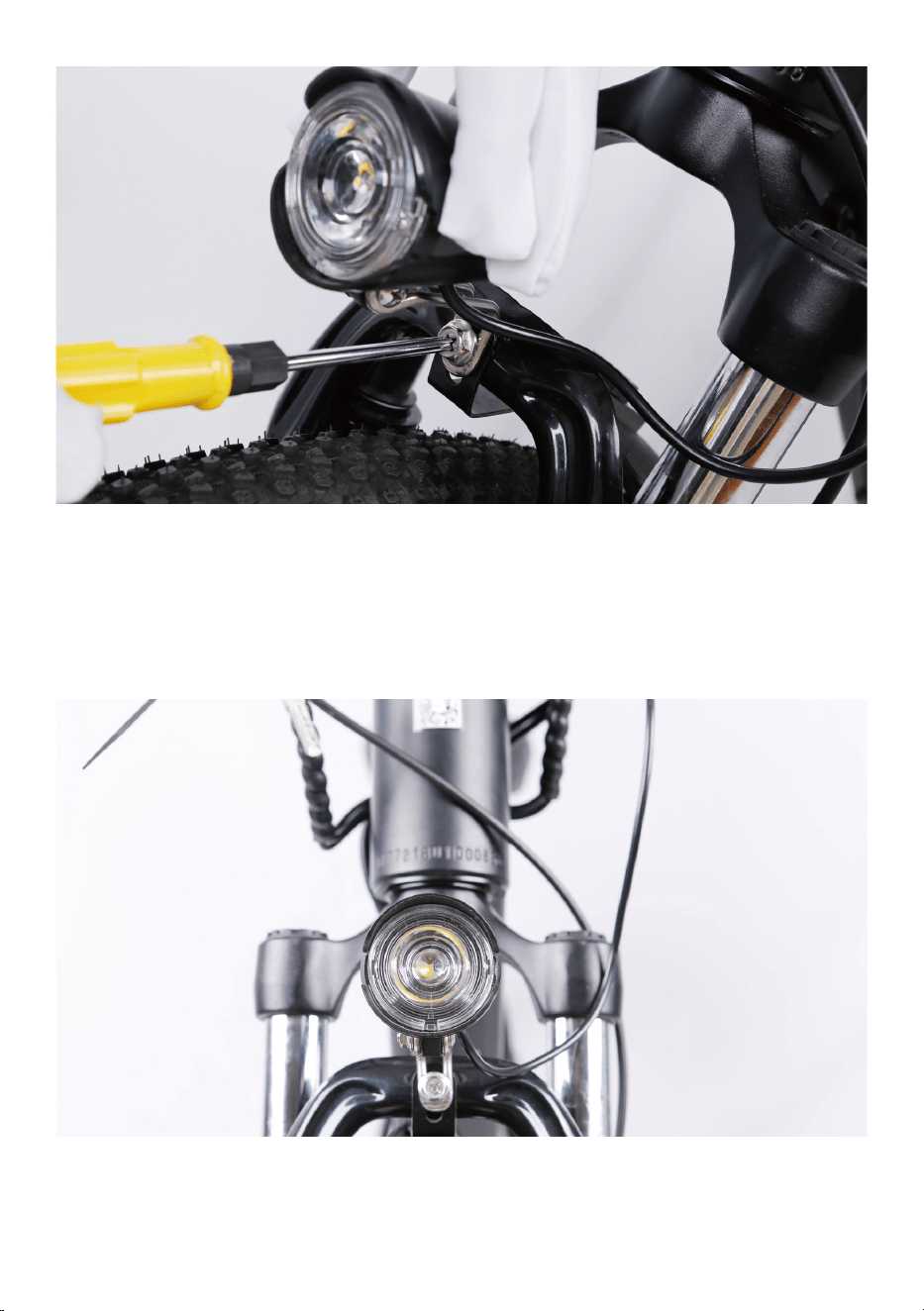
4.Center the headlight and adjust the angle slightly downwards to illumi-
nate the road ahead and not blind oncoming traffic. Use the supplied
Phillips-head screwdriver to loosen the headlight angle adjustment bolt,
tilt the headlight to the optimal position, and then tighten in place
securely.
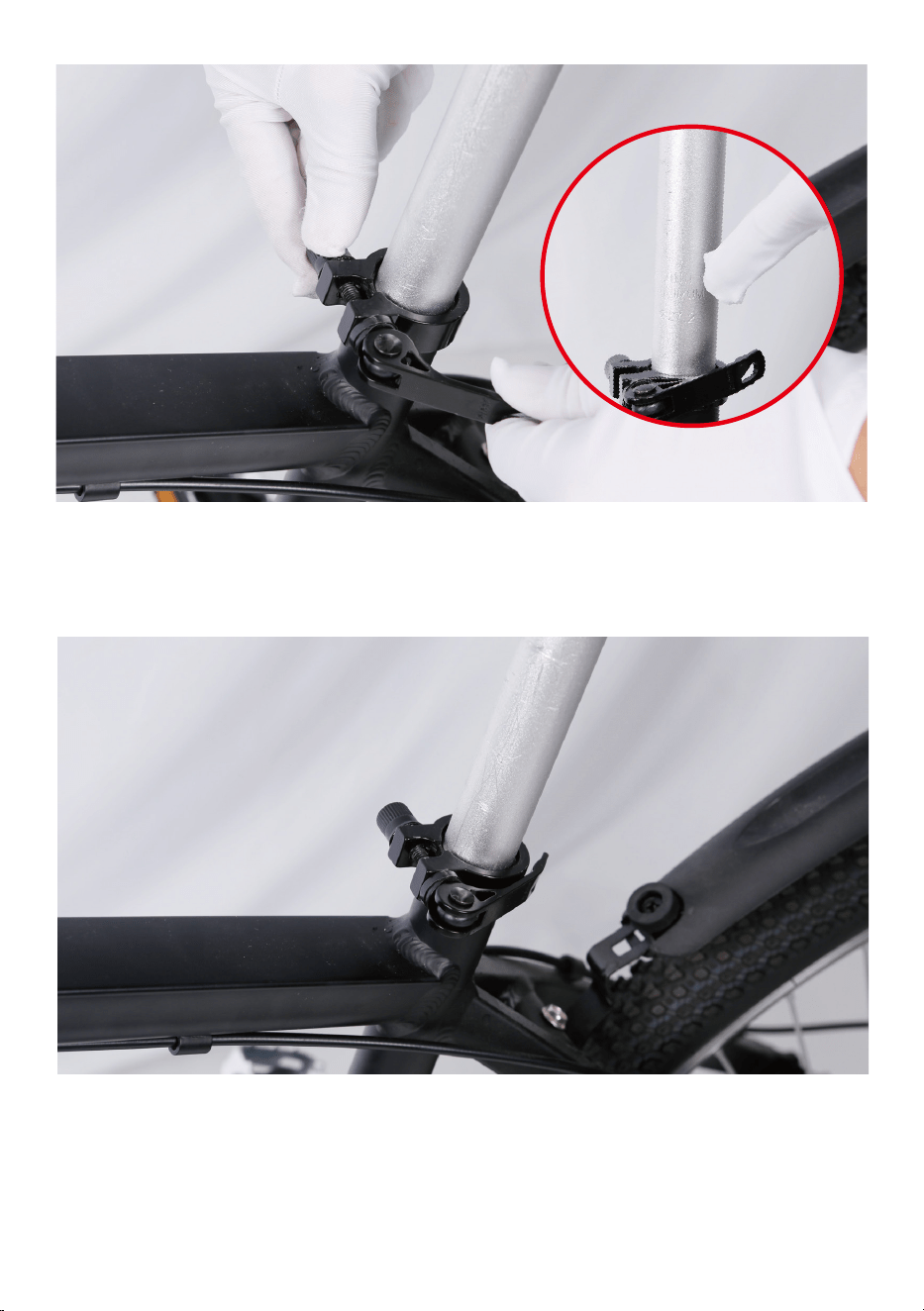
Step Seven: Install the seat.
1.Open the quick release lever by hinging it open fully.
2.Insert seat post into seat tube. Adjust the seat post up or down to a
comfortable height, while ensuring the seat post is inserted into the
frame past the minimum insertion point.
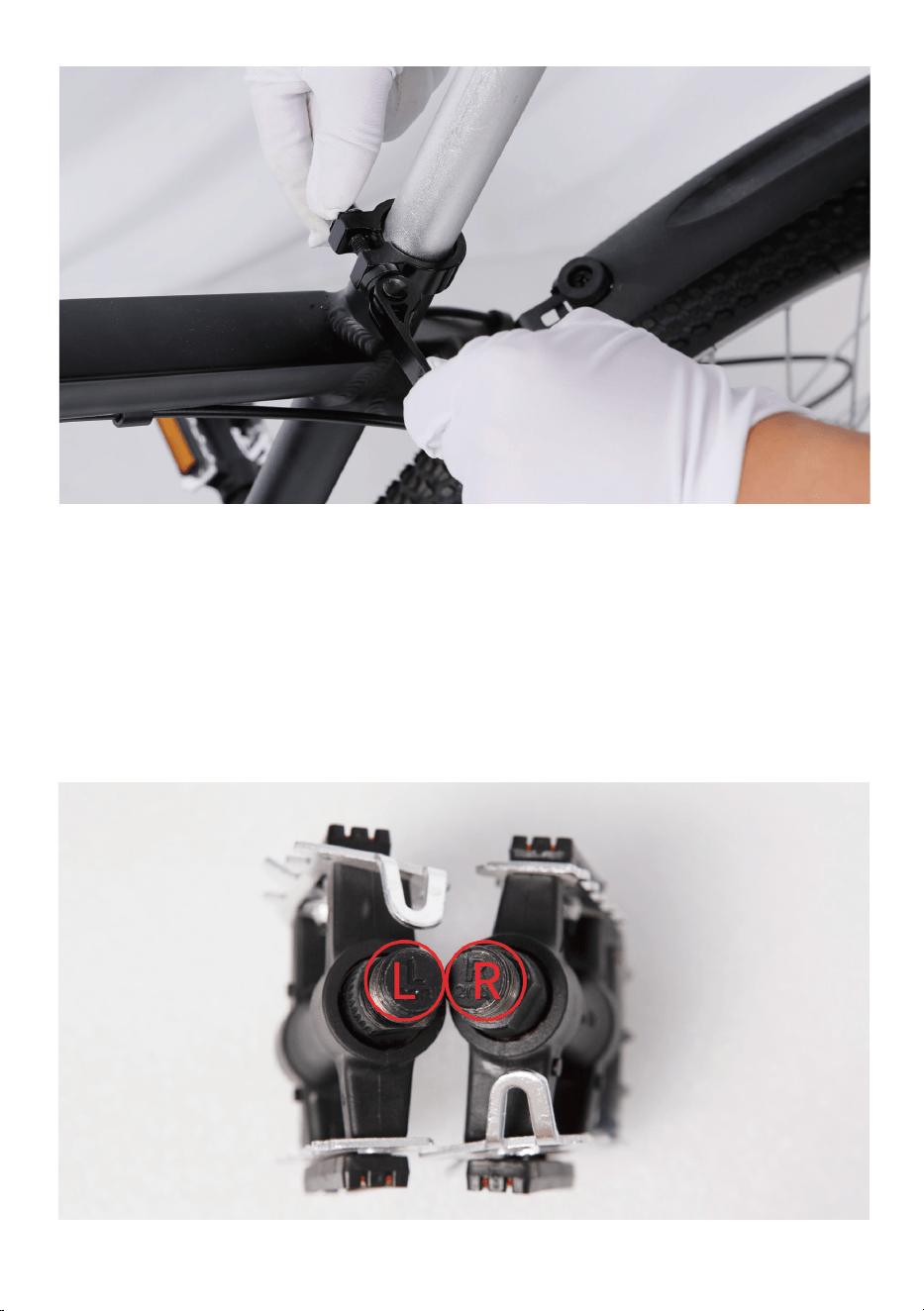
3.Close the quick release lever to secure the seat post and check that it
cannot move. If needed, use the thumb nut to add tension to the clamp
so there is some resistance when the lever is in line with the clamp bolt.
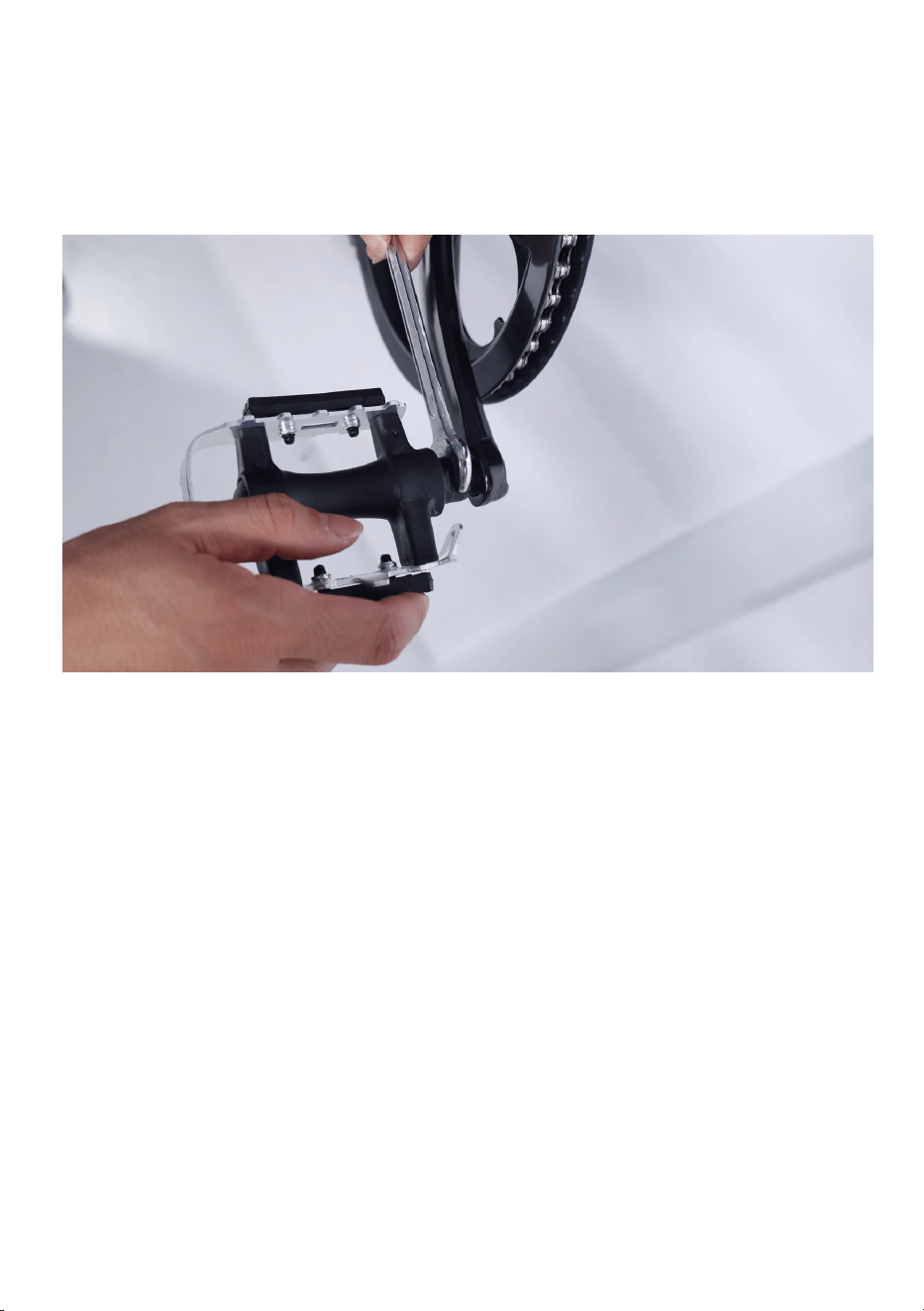
Step Eight: Install the pedals.
1. Locate the pedal with an “R” stamped into the end of the pedal axle,
which indicate it is the right pedal. The right pedal goes on the crank on
the right side of the bike. The remaining pedal with an “L” stamped into
the end of the axle, is the left pedal. The left pedal goes on the crank on
the left side of the bike.
Step Nine:Inflate the tires.
Check that the tire beads and tires are evenly seated around the rims. Use
a pump with a Schrader valve and pressure gauge to inflate each tire to
the recommended pressure indicated on the tire sidewall. Do not overin-
flate or underinflate tires.
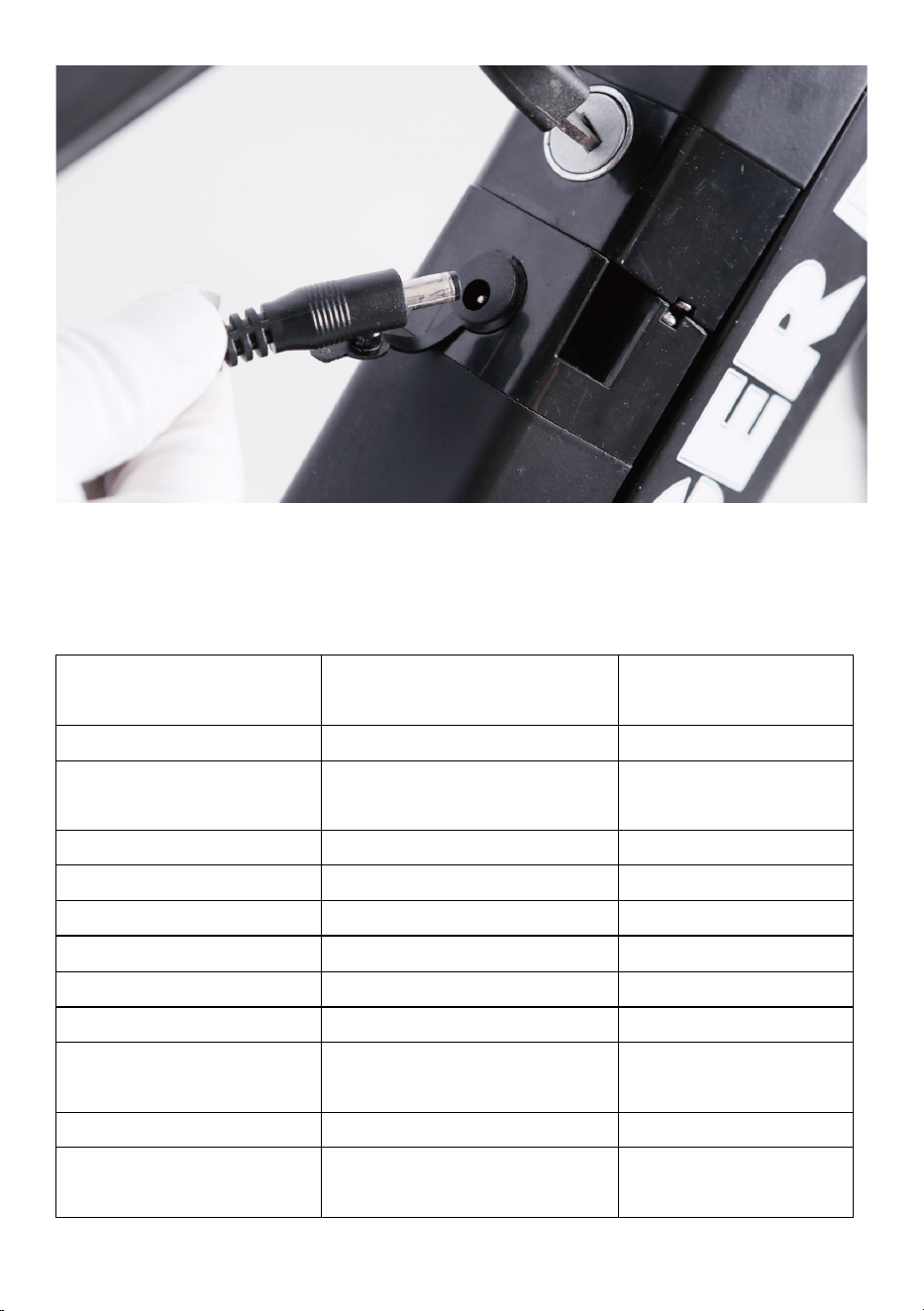
Step Ten: Charge the battery.
Operate the electrical system when the battery has been adequately
charged and the battery is secured to the frame mount.
Your Nakto bike comes partially charged. We recommend you Connect
the charger input plug (110/220-volt plug) to the power outlet for 3 to 4
hours. The charger light will go from red to green when it is fully charged.
2. The right pedals threaded to tighten by turning clockwise. The left
pedals reverse-threaded and tightens counterclockwise. Carefully thread
the pedal onto the crank by hand slowly.
3.Further tighten with the supplied double open-end wrench. Do not
cross thread or damage the threads.
Step Eleven: Ensure all hardware is tightened properly
following recommended torque values.
Recommended Torque Values:
Hardware Loca�on Hardware
Torque Required
(Nm)
Front Dropout Area
Front Axle Nuts
40
Handlebar Area
Handlebar Stem Clamp
Bolts
10
Handlebar Area Stem Bolts 10
Handlebar Area
Brake Lever Clamp Bolt
6
Handlebar Area
Shi�er Clamp Screw
6
Handlebar Area
Angle Adjustment Bolt
18
Brakes
Caliper Adapter to Frame
6-8
Brakes
Caliper to Adapter
6-8
Brakes
Brake Cable to Caliper
Clamp
6-8
Brakes
Disc Brake Rotor to Hub
7
Fenders
All Fender Moun�ng Bolts
and Hardware
6

Step Twelve: Register warranty card with us ASAP.
Notice: Keep proof of purchase in a safe place. Keep packing and box for
at least two weeks from the date of purchase. (As we do not provide a box
for returns if needed.)
Have fun and be safe!
Hardware Loca�on Hardware
Torque Required
(Nm)
Headlight
Headlight Angle
Adjustment Bolt
6
Seatpost Area
Seat Angle Adjustment Bolt
20
Rear Dropout Area
Rear Axle Nuts
40
Rear Dropout Area Rear Torque Arm Bolt 5
Rear Dropout Area
Derailleur Hanger
Moun�ng Bolt
6
Rear Dropout Area
Derailleur Moun�ng Bolt
10
Rear Dropout Area Derailleur Cable Pinch Bolt 6-8
Rear Dropout Area Kickstand Moun�ng Bolts 8
Bo�om Bracket and
Crank Area
Bo�om Bracket and
Lockring
60
Bo�om Bracket and
Crank Area
Crank Arm Bolt into
Bo�om Bracket Spindle
35
Bo�om Bracket and
Crank Area
Pedal into Crank Arm 35
Bo�om Bracket and
Crank Area
Chainring Bolts 10
Bo�om Bracket and
Crank Area
Controller Moun�ng Bolts 6
Quick Start Guide
This ebike is equipped with two ways for a rider to use power assistance
from the motor to propel the bike forward:
The pedal assist system (PAS) ⸺The rider can engage the pedal assist
system (PAS) while pedaling, and it will call up assistance from the motor
to help propel the bike forward.
The twist throttle⸺The throttle is located on the right side of the
handlebar. The rider can use it with a twist of the throttle grip to propel
the bike forward without pedaling.
Warning: The throttle is active whenever the bike is turned on. Do not
use the throttle unless you are on the bike.
Start-Up Procedure
1.Sit on the bike.
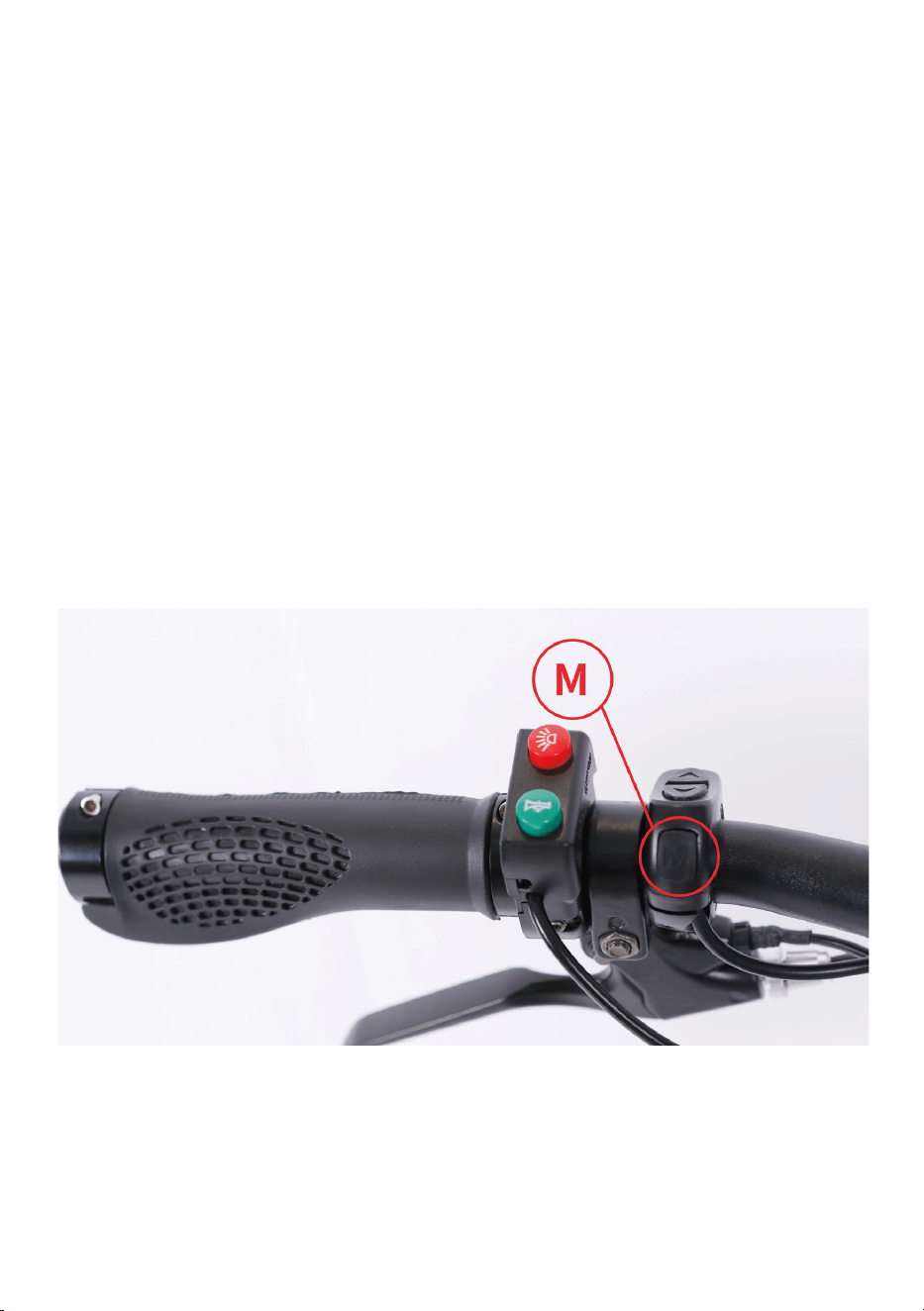
2.Turn on the electrical system⸺Press the “M” button on the left side
of the handlebar for approximately 3 seconds until power is delivered to
the LCD Display.
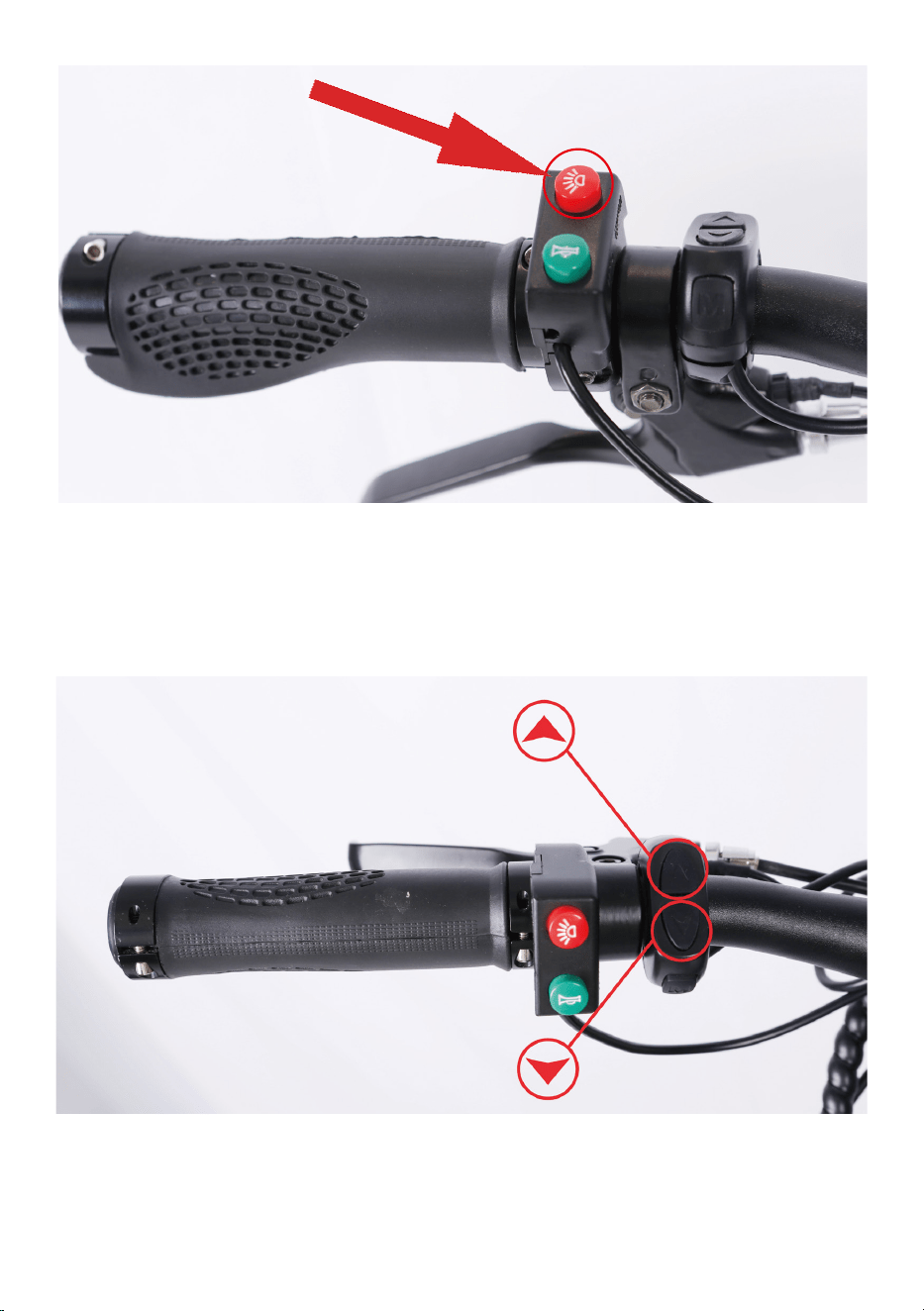
3.Turn on the headlight if needed or desired. Once the LCD Display is on,
press the light button on the left side of the handlebar to turn the head-
light on. Press it again to turn the headlight off.
4.Select the desired level of pedal assistance⸺Select the level from
0-5 by pressing “ ︿ ” and “ ﹀ ” . Level 1 corresponds to the lowest level
of pedal assistance, and level 5 corresponds to the highest level of pedal
assistance. Level 0 indicates pedal assistance is inactive. Start in PAS level
0 or 1 and adjust from there.
5.Begin riding carefully⸺Hold handlebars and start pedaling on a flat
surface, in a low gear (1 or 2), most riders should be able to begin pedal-
ing the bike with pedal assist level 0 or 1. You may also use the throttle to
accelerate and maintain your desired speed.
7.Brake⸺Brake the bike by squeezing the brake lever (Notice: as a
safety feature applying either front or rear brake will disengage the
motor.)
8.Turn off the electrical system by pressing and holding the “M” button
approximately 3 seconds again before getting off the bike.
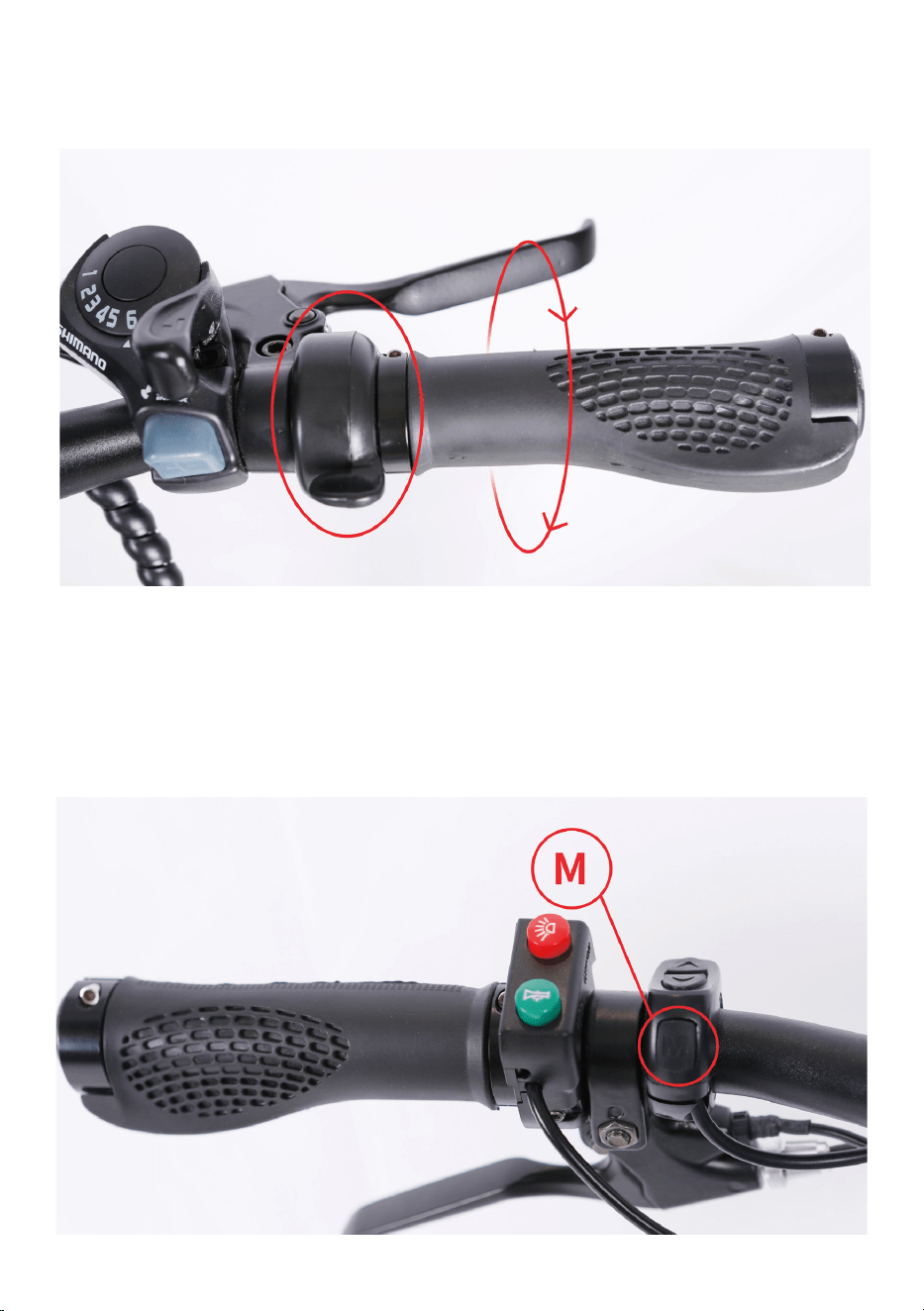
6.The throttle is used by slowly and carefully rotating the throttle back-
ward toward the rider. The more you twist, the more powerfully the
throttle will propel the bike forward. The throttle is active whenever the
bike is turned on. Do not use the throttle unless you are on the bike.

We recommend that you always wear protective gear when cycling such
as a helmet, gloves, elbow pads and goggles.
When riding, obey the same road laws as all other road vehicles as appli-
cable by law in your area.
Best to charge the battery during the day when someone is around.
Overnight charging is not recommended.
Before riding always carry out a through safety check each time. We
highly recommend that you read the instruction manual before your very
first ride.
It is the user’s responsibility to ensure a potential passenger on the Nakto
eblike is adequately experienced and healthy enough to ride safely as a
passenger. Serious injury or death can occur if passengers are inexperi-
enced or in poor health such that it impacts their ability to ride as passen-
gers safely.
Carrying baggage may reduce the control of your ebike.
Take extra care while riding in wet and sandy surface including decreasing
speed and increasing braking distances.
!
WARING

Trek Power Inc
Toll Free: 1-855-997-7297
E-mail: support@nakto.com
Website: www.nakto.com
Adress:1683 Sierra Madre,Placentia,CA 92870
ELECRTIC
BICYCLE

